AI Agents for Content Creation
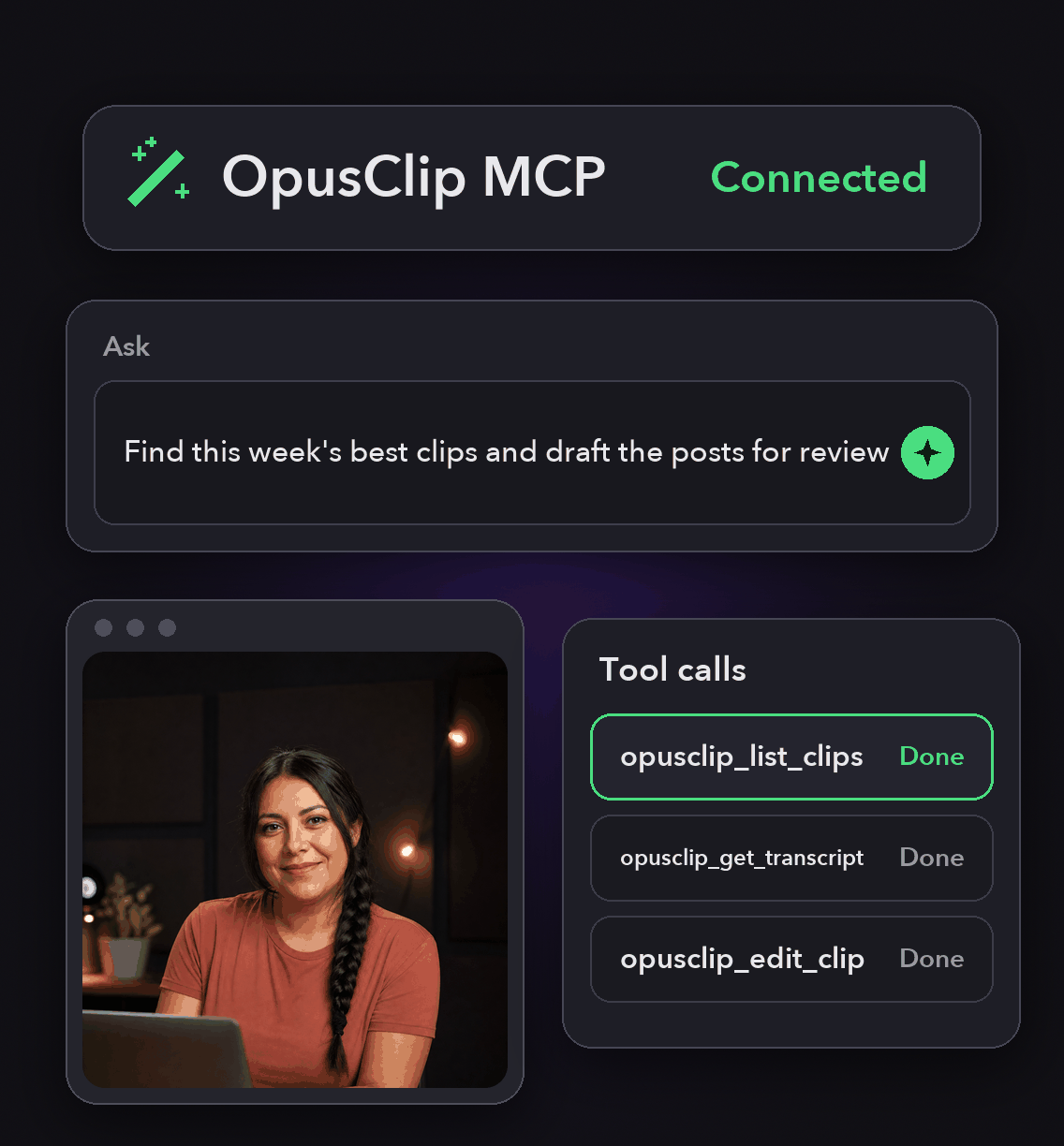
OpusClip exposes 27 workflow tools to agent hosts. Thirteen are read-only and run with no approval prompt. Fourteen write, and each one asks before it fires.
Tool calls spend credits from your workspace, capped at 900 credits a month on Pro Beta and Max, so an agent cannot quietly run up a bill.


Why most agent demos stop at a draft
Tools, not suggestions
An agent with the right tools does not describe the clip it would make. It submits the project, edits the captions, exports the HD file and queues the post.
Read and write are separated
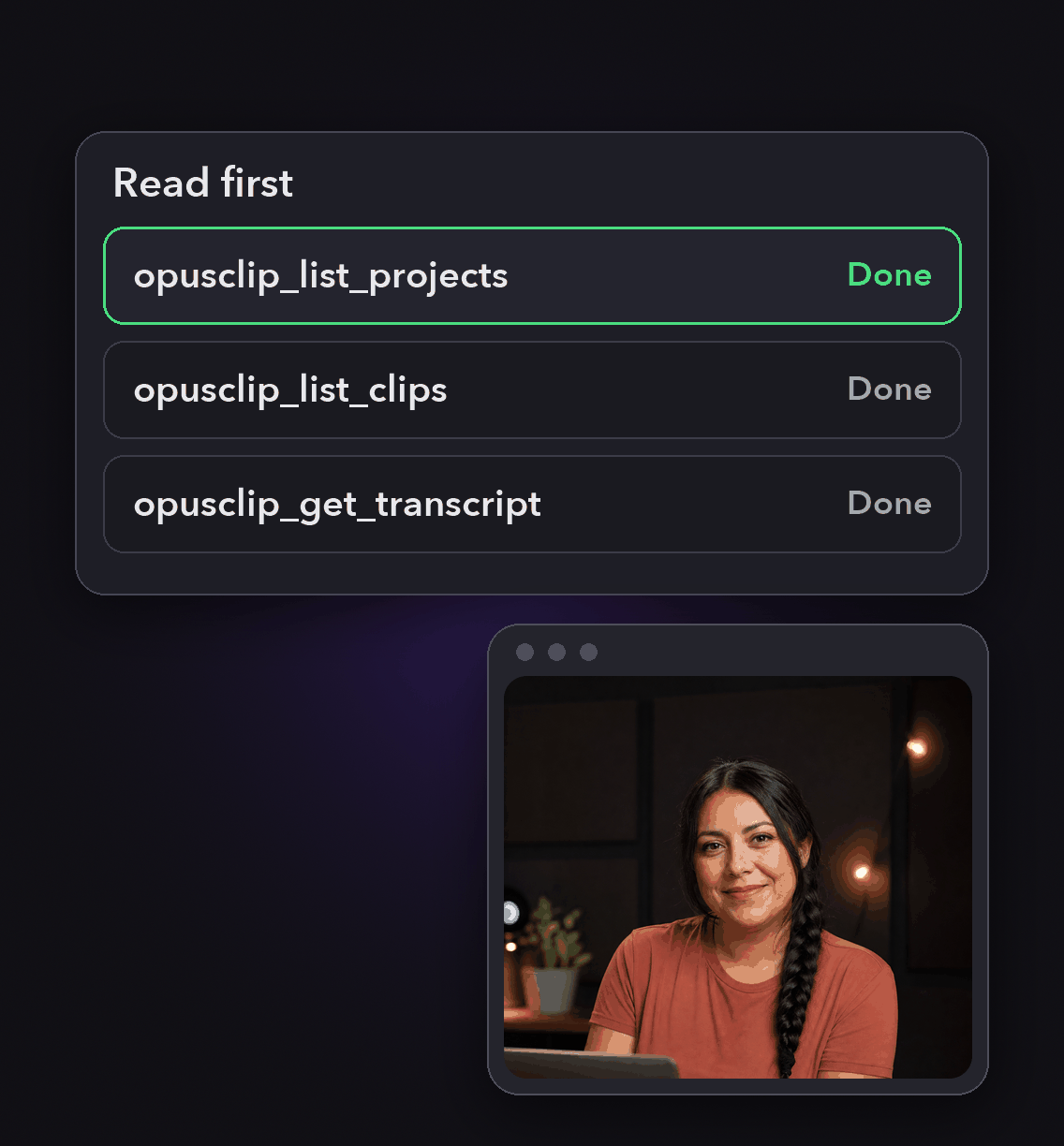
Listing projects, reading transcripts and inspecting clips changes nothing and prompts for nothing. Anything that spends credits or publishes is a write tool with its own approval.
A cap built for agent loops
At 900 credits the API returns 403 rather than 429, specifically so agent frameworks do not retry in a loop. Access resumes on the first day of the next month, UTC.
Let the agent see before it acts
opusclip_analyze_video reports what is on screen across a time range: faces and people with their positions, screen regions, document layout, and whether the person on camera is the one speaking.
It changes nothing and spends no credits, so an agent can look before it edits.
Let the agent see before it acts
opusclip_analyze_video reports what is on screen across a time range: faces and people with their positions, screen regions, document layout, and whether the person on camera is the one speaking.
It changes nothing and spends no credits, so an agent can look before it edits.

Track spend as it happens
opusclip_get_usage reports the workspace's current API usage against its cap, and opusclip_whoami confirms which organization the agent is connected to.
Both are read-only, so you can ask at any point in a run.
Track spend as it happens
opusclip_get_usage reports the workspace's current API usage against its cap, and opusclip_whoami confirms which organization the agent is connected to.
Both are read-only, so you can ask at any point in a run.
Keep humans on the irreversible steps
Write tools prompt per call, and the posting and scheduling tools can be configured to hand back a link you confirm in OpusClip instead of committing.
Approve the clip, not the whole agent.

Keep humans on the irreversible steps
Write tools prompt per call, and the posting and scheduling tools can be configured to hand back a link you confirm in OpusClip instead of committing.
Approve the clip, not the whole agent.
How to put an agent to work
Connect the workspace
Point your host at the hosted server and complete the OAuth sign-in. Any OpusClip account can connect and view the catalog; calling a tool needs Pro Beta, Max or Business access.
Start with read tools
Ask the agent to list recent projects, describe a clip or pull a transcript. These run without prompts and cost nothing, which makes them a safe first lap.
Hand over one write step
Submit a project from a URL, or apply a named edit to a clip. Each call asks first, and removal operations keep video, captions and audio in sync.
Review, then distribute
Export the HD download, generate platform copy, and post or schedule to a connected account once you are happy with the cut.

Heading
Heading 1
Heading 2
Heading 3
Heading 4
Heading 5
Heading 6
Lorem ipsum dolor sit amet, consectetur adipiscing elit, sed do eiusmod tempor incididunt ut labore et dolore magna aliqua. Ut enim ad minim veniam, quis nostrud exercitation ullamco laboris nisi ut aliquip ex ea commodo consequat. Duis aute irure dolor in reprehenderit in voluptate velit esse cillum dolore eu fugiat nulla pariatur.
Block quote
Ordered list
- Item 1
- Item 2
- Item 3
Unordered list
- Item A
- Item B
- Item C
Bold text
Emphasis
Superscript
Subscript
The tools an agent actually gets
analyze_video
Asynchronous read of what is on screen in a time range: people, positions, screen regions, who is speaking.
get_transcript
Fetch a project's source-video transcript, with paragraph and per-word timings.
submit_project
Clip a YouTube or Vimeo URL. Consumes credits, and prompts before it runs.
edit_clip
One call applies named operations: caption fixes, filler-word and pause removal, trim, split, drop, reorder, dubbing, undo.
Collections
Create collections, add clips, and export HD download URLs for every clip in one.
Social copy jobs
Generate platform-specific copy for a clip, then read the result when the job completes.
schedule_publish
Queue a clip for future posting, list what is scheduled, and unschedule by schedule id.
get_usage
Read the workspace's API usage against its monthly cap at any point in a run.
What people are saying
"The ease of Opusclip is great. I'm a marketer, not a video editor. But OpusClip makes it so easy to look like I know what I'm doing!"
Karim S.
""
Anonymous
"At KMS Studios2 we rely on OpusClip for generating all of our and our client's short form content at scale. Although we may need to tweak things here or there - this gets us very close 90% of the time!"
Joshua M.
Frequently Asked Questions
What can an AI agent actually do to a video?
With OpusClip connected it can clip a source URL, edit captions, remove filler words and pauses, trim, split, reorder and dub sections, export the HD file, and post or schedule it. The rendering happens in OpusClip, not in the model.
Will an agent post to my accounts without asking?
No. Posting, scheduling, unscheduling and sharing are write tools that prompt per call, and on the listed connector surface they return a link for you to confirm in OpusClip rather than committing.
What happens when the agent runs out of credits?
At 900 credits in a calendar month the API returns 403 with code API_MONTHLY_CAP_REACHED, chosen over 429 so agent frameworks stop instead of retrying. The web app keeps working while the API is capped.
Which plans allow tool calls?
Pro Beta, Max and Business. Any account can complete the OAuth sign-in and view the tool catalog, but calling a tool without API access returns an upgrade prompt.
Frequently Asked Questions
What languages does your video transcription tool support?
Our AI free video transcription technology supports over 20 languages, including English, Spanish, French, German, Japanese, and more. The system automatically detects the spoken language or allows you to specify it before processing. This makes transcribing multilingual video content simple and accurate.
Can I edit my video transcription after it's generated?
Yes, our platform includes a built-in editor for your free video transcription. You can correct any inaccuracies, format text, and add speaker labels directly in the interface. The editor synchronizes with timestamps, making it easy to perfect your transcript before exporting it for use.
What makes AI video transcription faster than manual methods?
AI video transcription processes speech in minutes rather than hours of manual typing. Our advanced algorithms recognize speech patterns across different accents and languages, providing time-stamped text with speaker identification. This technology lets you transcribe a 60-minute video in just a few minutes.
How much does it cost to transcribe a video?
Video transcription costs vary based on video length and features needed. Our platform offers a free trial transcription so you can experience the quality before committing. After that, we provide affordable pricing plans for regular video transcription needs with multi-language support and speaker detection.
How can I transcribe a video?
Upload your video file or paste a link to our AI free video transcription tool. The system automatically converts speech to text with over 95% accuracy. Once complete, you can download your transcript in various formats like TXT, SRT, or VTT for captions, blog posts, or other content.
How accurate are AI YouTube video transcription tools?
AI YouTube video transcript extractors typically achieve 95%+ accuracy for clear audio in English, with strong performance in over 50 other languages. For best results, videos with clear audio and minimal background noise produce the most accurate transcripts, though you can edit any errors afterward.
What formats can I download YouTube video transcripts in?
YouTube video transcript generators typically allow you to download transcripts in multiple formats including TXT (plain text), SRT (SubRip Subtitle), and VTT (Web Video Text Tracks) files. These different formats support various use cases from content creation to adding captions to videos.
Can I transcribe someone else's YouTube video?
Yes, you can transcribe anyone's public YouTube video using a YouTube video transcript generator. Simply copy the video URL, paste it into the transcription tool, and the AI will extract the spoken content into text format. This is useful for research, content repurposing, or accessibility purposes.
How to get a YouTube video transcript from any video?
To get a YouTube video transcript, copy the video URL and paste it into a transcript generator tool. Click "Generate Transcript" and the AI will process the audio, delivering a complete text version in under a minute. You can then edit, format, and download the transcript in your preferred format.
Does YouTube have auto transcription?
Yes, YouTube offers auto transcription for many videos, but these transcripts often contain errors. For more accurate results, use a dedicated YouTube video transcript generator that employs advanced AI to deliver 95%+ accuracy, proper formatting, and additional features like timestamp integration and multiple export formats.
Can I get a transcript of a YouTube video?
Yes, you can get a transcript of any YouTube video by using an AI-powered YouTube video transcript extractor. Simply paste the video URL into the tool, and it will automatically convert the spoken content into text format with high accuracy, allowing you to download the transcript in seconds.


