Testimonial Video Maker
Customer interviews are mostly context and throat clearing. The part sales needs is the sentence where they say what changed.
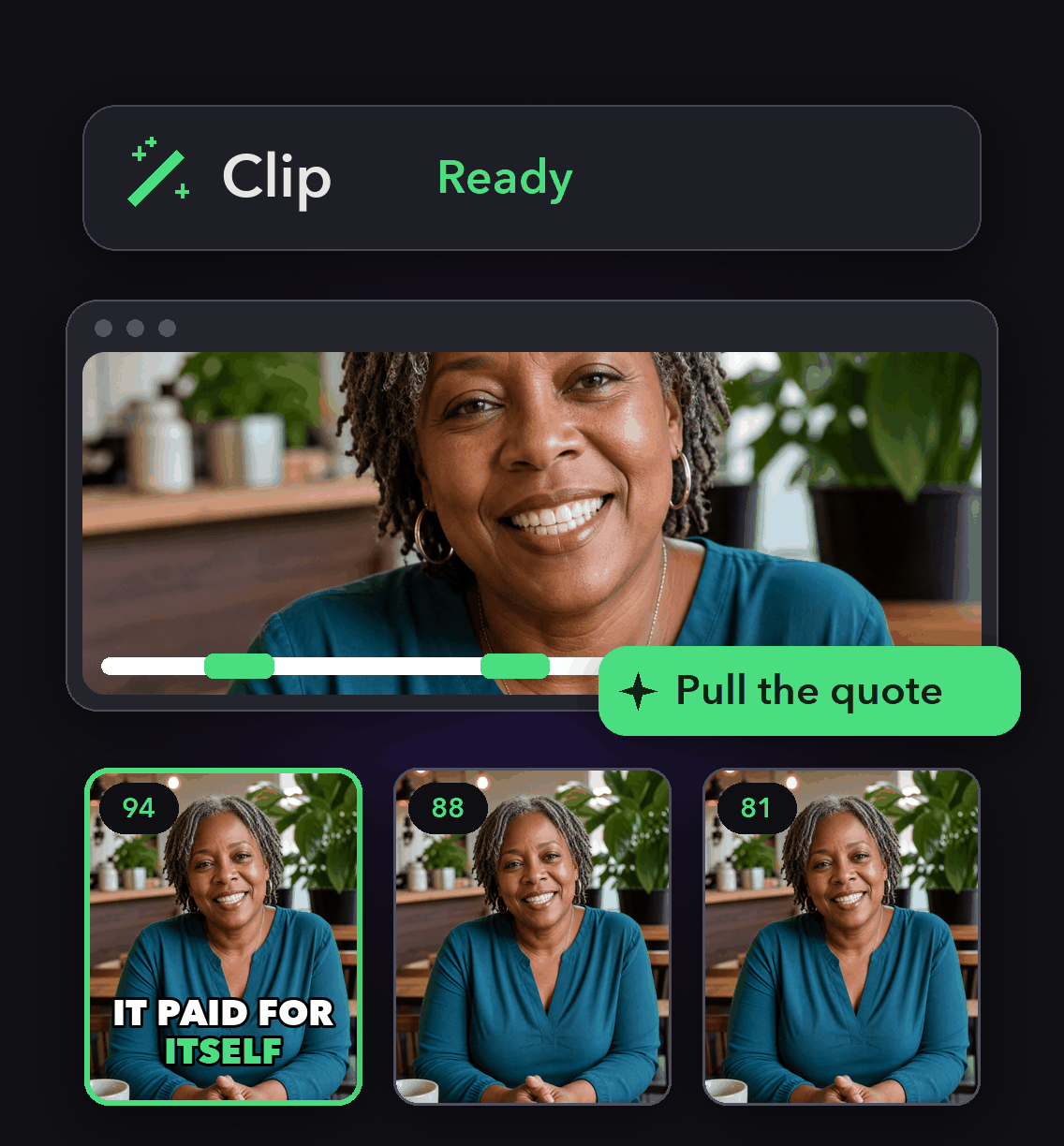
Import the call recording, describe the moment, and our clip search returns it, identifying which speaker is talking so you get the customer and not the interviewer.


Why this works better than clipping by hand
Find the quote by describing it
Type what the customer said and our clip search finds the scene, the moment or the emotional beat in the recording.
Two people, one readable frame
Split layout keeps interviewer and customer on screen together, and Pin first speaker holds the customer in the top slot.
Captions that survive the mute button
Set font, size, color, stroke, shadow and case, and keep company and product names transcribed consistently.
Get a usable clip out of every call
Record the interview on Zoom, Riverside or Loom, import the link, and cut the quote the same afternoon.

Get a usable clip out of every call
Record the interview on Zoom, Riverside or Loom, import the link, and cut the quote the same afternoon.

Turn one quote into several assets
Reframe Anything reframes the same cut to 9:16, 1:1 and cinematic 16:9, so it fits the sales deck, the case study page and the feed.
Collections keep each customer's clips together and searchable by name.
Turn one quote into several assets
Reframe Anything reframes the same cut to 9:16, 1:1 and cinematic 16:9, so it fits the sales deck, the case study page and the feed.
Collections keep each customer's clips together and searchable by name.
Show the product behind the claim
Add stock B-roll by keyword or AI B-roll over the parts where the customer is describing a workflow, applying picture in picture to one B-roll at a time per segment.

Show the product behind the claim
Add stock B-roll by keyword or AI B-roll over the parts where the customer is describing a workflow, applying picture in picture to one B-roll at a time per segment.
How to make a testimonial video
Import the recorded interview
Paste the link from Zoom, Zoom Clips, Riverside, Loom, Frame.io, YouTube, Vimeo, Google Drive or Dropbox, or upload the file, up to 10GB. Links must be public or unlisted.
Pull the quote
Describe the moment you remember and preview the clips we return. Keep the one where the customer says the number.
Frame, caption, clean
Choose the layout, apply the brand template, remove filler words and pauses, and check the captions on company and product names.
Export or schedule
Export in full 4K from a genuine 4K source, or schedule to LinkedIn, YouTube, Instagram, TikTok, Facebook or X from the project page.

Heading
Heading 1
Heading 2
Heading 3
Heading 4
Heading 5
Heading 6
Lorem ipsum dolor sit amet, consectetur adipiscing elit, sed do eiusmod tempor incididunt ut labore et dolore magna aliqua. Ut enim ad minim veniam, quis nostrud exercitation ullamco laboris nisi ut aliquip ex ea commodo consequat. Duis aute irure dolor in reprehenderit in voluptate velit esse cillum dolore eu fugiat nulla pariatur.
Block quote
Ordered list
- Item 1
- Item 2
- Item 3
Unordered list
- Item A
- Item B
- Item C
Bold text
Emphasis
Superscript
Subscript
What you get
Quote level moment search
Describe the line you want and our clip search locates it in the recording.
Speaker identification
Our clip search accurately identifies which speaker is talking, so the customer carries the clip.
Split layout and Pin first speaker
Keep both people on screen and hold the customer in the top slot.
Caption styling
Font, size, color, stroke, shadow and case, set in the Captions tab.
Company name accuracy
Features that keep proper nouns and brand vocabulary transcribed consistently across clips.
Filler word removal
Tighten the quote without changing what was said.
A collection per customer
Group clips by client, campaign or series and search them by name.
Scheduling with per platform copy
Queue to six platforms with titles, descriptions and hashtags drafted for each and editable before they post.
What people are saying
"The ease of Opusclip is great. I'm a marketer, not a video editor. But OpusClip makes it so easy to look like I know what I'm doing!"
Karim S.
""
Anonymous
"At KMS Studios2 we rely on OpusClip for generating all of our and our client's short form content at scale. Although we may need to tweak things here or there - this gets us very close 90% of the time!"
Joshua M.
Frequently Asked Questions
What do I need to make a testimonial video?
A recording of the customer saying it. Import the call from Zoom, Zoom Clips, Riverside, Loom, Frame.io, YouTube, Vimeo, Google Drive, Dropbox or a public MP4 URL, or upload the file directly, up to 10GB per video.
Can I get a vertical and a landscape version?
Yes. Reframe Anything identifies key objects and actions, tracks them across frames, and reframes the same cut to 9:16, 1:1 and cinematic 16:9.
How do I keep the customer, not the interviewer, on screen?
Our clip search identifies which speaker is talking, and Pin first speaker in your brand template keeps the first speaker in the top slot of a Split, Three or Four layout.
Can I approve the clip before it is posted anywhere?
Yes. Publishing and scheduling are manual actions from the project page, and when an agent drives OpusClip through our MCP server, posting and scheduling return a link you confirm in OpusClip rather than committing.
Frequently Asked Questions
What languages does your video transcription tool support?
Our AI free video transcription technology supports over 20 languages, including English, Spanish, French, German, Japanese, and more. The system automatically detects the spoken language or allows you to specify it before processing. This makes transcribing multilingual video content simple and accurate.
Can I edit my video transcription after it's generated?
Yes, our platform includes a built-in editor for your free video transcription. You can correct any inaccuracies, format text, and add speaker labels directly in the interface. The editor synchronizes with timestamps, making it easy to perfect your transcript before exporting it for use.
What makes AI video transcription faster than manual methods?
AI video transcription processes speech in minutes rather than hours of manual typing. Our advanced algorithms recognize speech patterns across different accents and languages, providing time-stamped text with speaker identification. This technology lets you transcribe a 60-minute video in just a few minutes.
How much does it cost to transcribe a video?
Video transcription costs vary based on video length and features needed. Our platform offers a free trial transcription so you can experience the quality before committing. After that, we provide affordable pricing plans for regular video transcription needs with multi-language support and speaker detection.
How can I transcribe a video?
Upload your video file or paste a link to our AI free video transcription tool. The system automatically converts speech to text with over 95% accuracy. Once complete, you can download your transcript in various formats like TXT, SRT, or VTT for captions, blog posts, or other content.
How accurate are AI YouTube video transcription tools?
AI YouTube video transcript extractors typically achieve 95%+ accuracy for clear audio in English, with strong performance in over 50 other languages. For best results, videos with clear audio and minimal background noise produce the most accurate transcripts, though you can edit any errors afterward.
What formats can I download YouTube video transcripts in?
YouTube video transcript generators typically allow you to download transcripts in multiple formats including TXT (plain text), SRT (SubRip Subtitle), and VTT (Web Video Text Tracks) files. These different formats support various use cases from content creation to adding captions to videos.
Can I transcribe someone else's YouTube video?
Yes, you can transcribe anyone's public YouTube video using a YouTube video transcript generator. Simply copy the video URL, paste it into the transcription tool, and the AI will extract the spoken content into text format. This is useful for research, content repurposing, or accessibility purposes.
How to get a YouTube video transcript from any video?
To get a YouTube video transcript, copy the video URL and paste it into a transcript generator tool. Click "Generate Transcript" and the AI will process the audio, delivering a complete text version in under a minute. You can then edit, format, and download the transcript in your preferred format.
Does YouTube have auto transcription?
Yes, YouTube offers auto transcription for many videos, but these transcripts often contain errors. For more accurate results, use a dedicated YouTube video transcript generator that employs advanced AI to deliver 95%+ accuracy, proper formatting, and additional features like timestamp integration and multiple export formats.
Can I get a transcript of a YouTube video?
Yes, you can get a transcript of any YouTube video by using an AI-powered YouTube video transcript extractor. Simply paste the video URL into the tool, and it will automatically convert the spoken content into text format with high accuracy, allowing you to download the transcript in seconds.


