Label every exercise in your workout clips
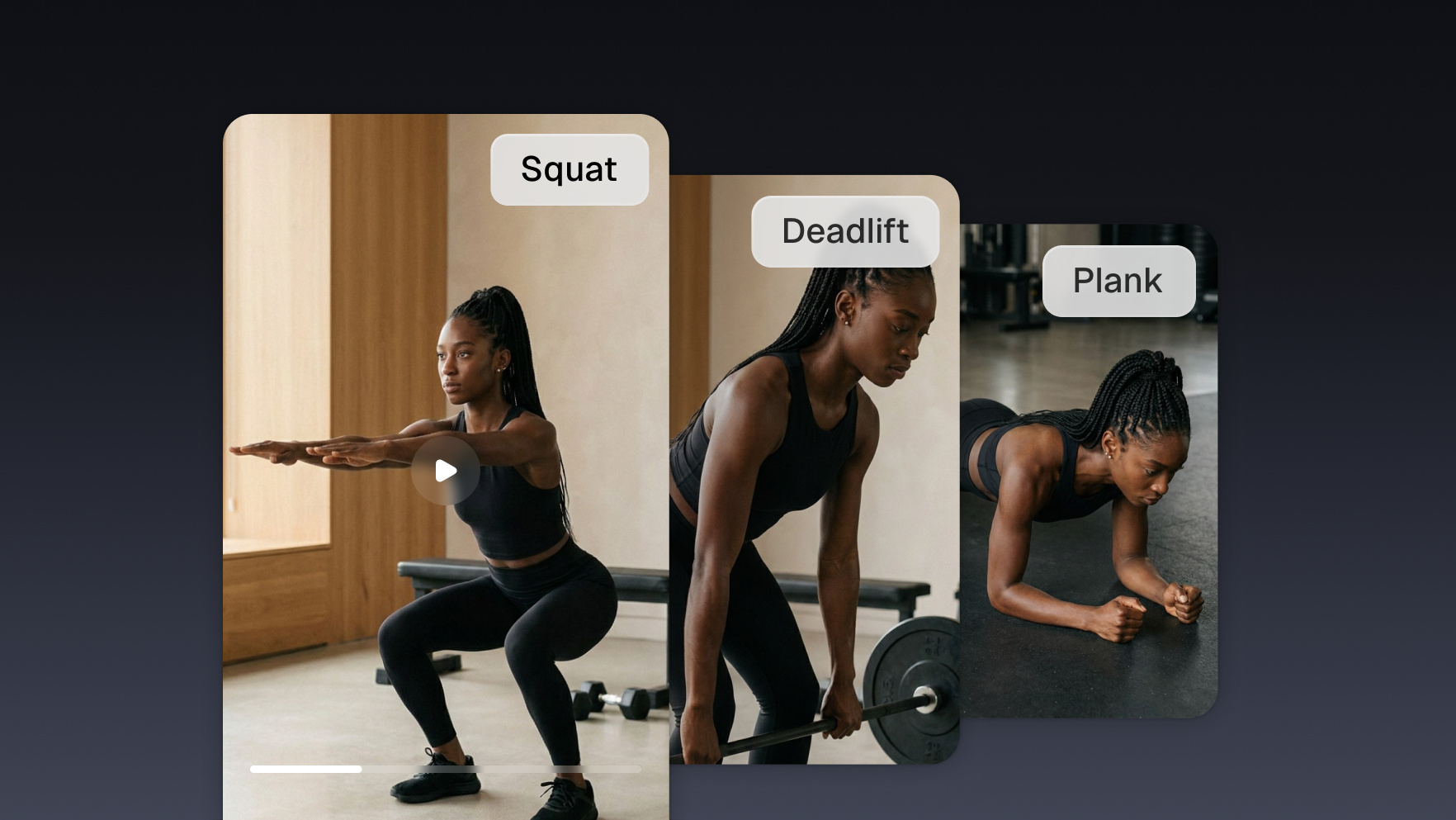
Your agent reads each clip's own transcript, works out which exercise it covers, and puts the name on screen as a title card, so a scroller knows what they are watching before they have to guess.

Run it with your agent
- Open Customize in your client and select “Connectors”
- Find OpusClip and click "Add"
- Sign in with your OpusClip account in the OAuth window
- Run the command below in your terminal
claude mcp add --transport http opusclip https://mcp.opus.pro/mcp - Start Claude Code and run
/mcp - Approve the OAuth sign-in with your OpusClip account
claude mcp add --transport http opusclip https://mcp.opus.pro/mcp- Open the ChatGPT desktop app and select "Plugins" in the sidebar
- Search for OpusClip, then click the + icon
- Click "Connect" and sign in with your OpusClip account
- Open ChatGPT and select "Plugins" in the sidebar
- Search for OpusClip, then click the + icon
- Click "Connect" and sign in with your OpusClip account
- In Cursor, open Customize in the left panel
- Search for OpusClip and click Add
- Sign in with your OpusClip account
- Open Extensions ⇧⌘X → search @mcp opusclip
- Pick the opus-pro entry
- Install → OAuth sign-in
What this workflow does
A workout video cut into clips gives you fifteen good clips and no way to tell them apart in a feed. Every one is a person in a gym. This workflow labels them. Your agent reads each clip's own transcript, works out which movement it covers, and puts that name on the first few seconds as a title card, so a clip about Romanian deadlifts announces itself instead of blending into the other fourteen.
What you need
- An OpusClip account (MCP tool calls require a Pro plan)
- Claude, Cursor, or any MCP-enabled agent with the OpusClip MCP connected (api.opus.pro/api/mcp)
- A finished project whose clips have rendered
- How you want the movements written, if it is not the words you said out loud
How it works
- The agent reads each clip individually. Every clip carries its own transcript and keywords, which is what tells the agent this one is about split squats and that one is about the warmup.
- It names the movement. Whatever you called it mid-set becomes the label, normalised to the way you want it written rather than the way you said it while out of breath.
- The label goes on as a title card. A text overlay at the very start, held about three seconds, sitting at the top of the frame so it never fights the captions along the bottom.
- Each clip re-renders once. Every edit for a clip goes in one call, so it renders a single time no matter how many changes you asked for.
- The agent waits for the render. It polls each clip until the new version is ready, rather than handing you back the old file.
- The labelled set lands in a collection. One folder, one export, ready to schedule as a series instead of fifteen loose files.
Try this prompt
Go through every clip in my latest project, work out which exercise each one covers from its transcript, and add a text overlay with that name at the top of the frame for the first three seconds. Title case, four words maximum. Wait for each clip to finish re-rendering, put them all in a collection called Form Series, and tell me which ones you could not identify.
Tips
- The overlay renders as the same card the auto-hook uses: bold black text on a white rounded box. Write the label short rather than clever.
- Keep labels at the top of the frame. The bottom band belongs to the captions, and stacking the two costs you both.
- Ask for a list of the clips it could not identify instead of letting it guess. An unlabelled clip is recoverable, a mislabelled exercise is not.