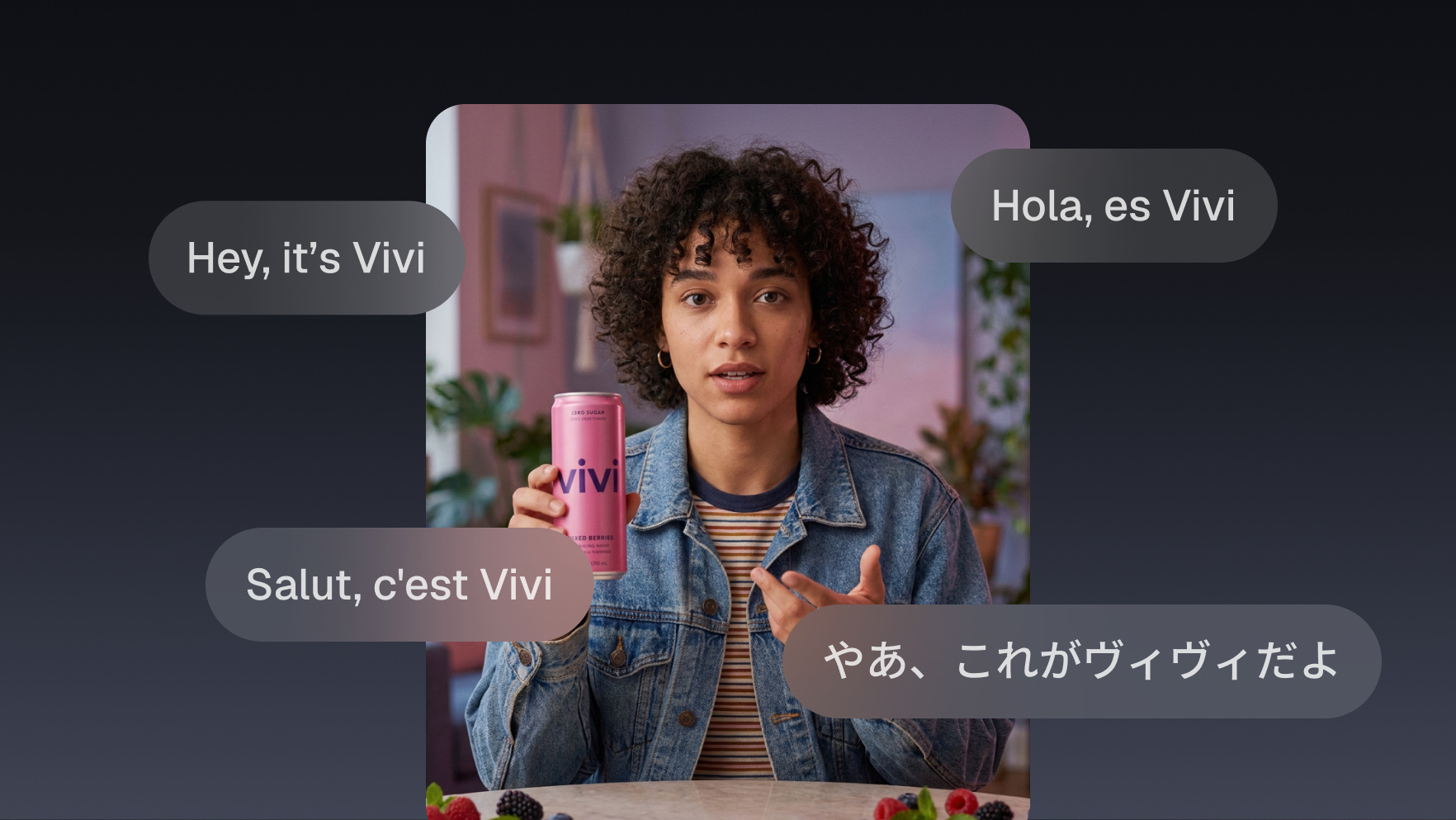
Turn one product video into three language markets
Your agent checks your credit headroom, runs the same product video through OpusClip once per language, and hands back a localised set of clips for each market, captions translated and ready to queue.

Run it with your agent
- Open Customize in your client and select “Connectors”
- Find OpusClip and click "Add"
- Sign in with your OpusClip account in the OAuth window
- Run the command below in your terminal
claude mcp add --transport http opusclip https://mcp.opus.pro/mcp - Start Claude Code and run
/mcp - Approve the OAuth sign-in with your OpusClip account
claude mcp add --transport http opusclip https://mcp.opus.pro/mcp- Open the ChatGPT desktop app and select "Plugins" in the sidebar
- Search for OpusClip, then click the + icon
- Click "Connect" and sign in with your OpusClip account
- Open ChatGPT and select "Plugins" in the sidebar
- Search for OpusClip, then click the + icon
- Click "Connect" and sign in with your OpusClip account
- In Cursor, open Customize in the left panel
- Search for OpusClip and click Add
- Sign in with your OpusClip account
- Open Extensions ⇧⌘X → search @mcp opusclip
- Pick the opus-pro entry
- Install → OAuth sign-in
What this workflow does
Product clips do most of their work with the sound off, which makes the words on screen the actual sales copy. This workflow makes those words speak three languages. Your agent submits the same source video once per target language, so each market gets its own ranked set of clips with translated captions and on-screen text, cut the same way, ready to go out on the account that serves that market.
What you need
- An OpusClip account (MCP tool calls require a Pro plan)
- Claude, Cursor, or any MCP-enabled agent with the OpusClip MCP connected (api.opus.pro/api/mcp)
- One product video and the languages you actually sell into
- A connected social account per market, if you want the agent to queue the posts too
How it works
- The agent checks headroom first. Three languages is three full runs, billed at roughly one credit per minute of source video, so it reads your remaining monthly credits before starting rather than discovering the cap on run three.
- It submits one run per language. Same video, same curation settings, a different target language each time. Source language is auto-detected unless you name it.
- Captions and on-screen text get translated, the voice does not. This produces a subtitled clip, not a dubbed one. For sound-off feeds that is usually the point, but it is worth knowing before you promise a market a dubbed video.
- Each market gets its own project. Clips are ranked and scored per run, so the winner in one language is never assumed to be the winner in another.
- The agent queues per market. Each language goes to the account that serves it, with copy written in that language. Scheduling hands back an approval link you confirm in OpusClip.
Try this prompt
Check my remaining OpusClip credits first. If there is room, submit this product video three times, once in Spanish, once in German, once in Japanese, portrait with captions on. When each project finishes, show me the top three clips for each language and queue the best one to that market's account for next Tuesday at 10am local time.
Tips
- Check headroom before the batch, not after the cap. A credit is roughly a minute of source, so a forty minute webinar in three languages is a very different decision from a two minute product spot.
- Do not assume the winning clip travels. Scores are computed per run, and the hook that lands in German is often not the one that landed in English.
- If a market genuinely needs voice, treat this as the subtitled version and dub separately. Promising a dubbed clip and shipping a subtitled one costs more trust than the translation saves.