
OpusClip 4.0 is here. Become a content powerhouse.

7 Best Video Editing APIs for Developers in 2026

November 2, 2026
Developers building a video workflow on laptops and a phone, with a Clip it button, a 9:16 tag and a views badge

For turning long videos into short clips by API, OpusClip is our first pick: one POST request with a video URL starts a clipping project that returns captioned, reframed clips, and the same API can notify a webhook when the project finishes and exposes clip edits and posting. Shotstack is the pick for editing from a JSON timeline, Creatomate and JSON2Video for template-driven renders, Cloudinary for URL-based transformations, Mux for video infrastructure with clipping, and Remotion for videos written as React code. We ranked 7 video APIs by how well each fits a specific developer job, then by price, free-tier limits and how clearly each vendor documents what it does. Facts come from each vendor's own pages, read on November 2, 2026.

Key takeaways

  • Best for turning long videos into clips by API: OpusClip. It is a clipping API, not a timeline renderer.
  • Best for editing from a JSON timeline: Shotstack. Its docs describe an edit as JSON that the cloud renders into a finished video.
  • Best for template-driven bulk renders: Creatomate and JSON2Video. Both fill templates with data and return a video.
  • Best for URL-based video transformations at delivery time: Cloudinary. Trimming, joining and overlays are options in the delivery URL.
  • Best for video infrastructure with clipping: Mux. Hosting, streaming and clips from existing assets, not an editor.
  • Best for video written as React code: Remotion. Free for individuals and companies of up to three people, with a license fee for larger ones.
  • Check the free tier before building: watermarks, credit expiry, monthly caps and concurrency limits differ more than headline prices do.

How to choose

Start with the job the API has to do, then match it to the tools built for that input and output.

  • If the input is a long recording and the output is short clips, look for highlight detection, captions and reframing behind one endpoint: OpusClip.
  • If the video has to be assembled from clips, text and audio defined in code, look for a JSON timeline or scene format: Shotstack, JSON2Video.
  • If the same design is rendered thousands of times with different data, look for templates with merge fields and spreadsheet or no-code triggers: Creatomate, JSON2Video, Shotstack.
  • If videos already live in a media library and need on-the-fly variants, look for URL-based transformations and delivery in one service: Cloudinary, Mux.
  • If the team wants full control and owns the render infrastructure, look for a code-first framework: Remotion.
  • If an AI agent in Claude, Cursor or ChatGPT will call the tool, look for a hosted MCP server or agent skill next to the REST API: OpusClip, Shotstack, Mux, Cloudinary.

For the agent side of this choice, see video editing MCP vs video editing API and the best video editing MCP servers; for tools that edit video through chat, see our AI video editing agents roundup.

At a glance

  • OpusClip: best for turning long videos into captioned short clips by API; Pro plan from $29 a month ($14.50 on annual billing) lists limited API access; API access is labeled Beta on Pro.
  • Shotstack: best for rendering videos from a JSON timeline; pay as you go $10 for 50 minutes, plans from $39 a month; 10 free credits on signup.
  • Creatomate: best for template-driven video and image renders; Essential $45 a month on annual billing; trial with 50 credits.
  • JSON2Video: best for scene-based JSON videos with voiceover and subtitles on a budget; Hobby $16.63 a month on yearly billing; 600 free credits (watermarked).
  • Cloudinary: best for URL-based video transformations and delivery; Plus $99 a month ($89 yearly); free plan yes (25 monthly credits).
  • Mux: best for video infrastructure with clipping and AI workflows; usage-based; free plan yes (up to 10 videos stored).
  • Remotion: best for videos written as React code; free for individuals and companies of up to 3 people; Company License renders from $0.01 each with a $100 monthly minimum.

1. OpusClip: Best for turning long videos into short clips by API
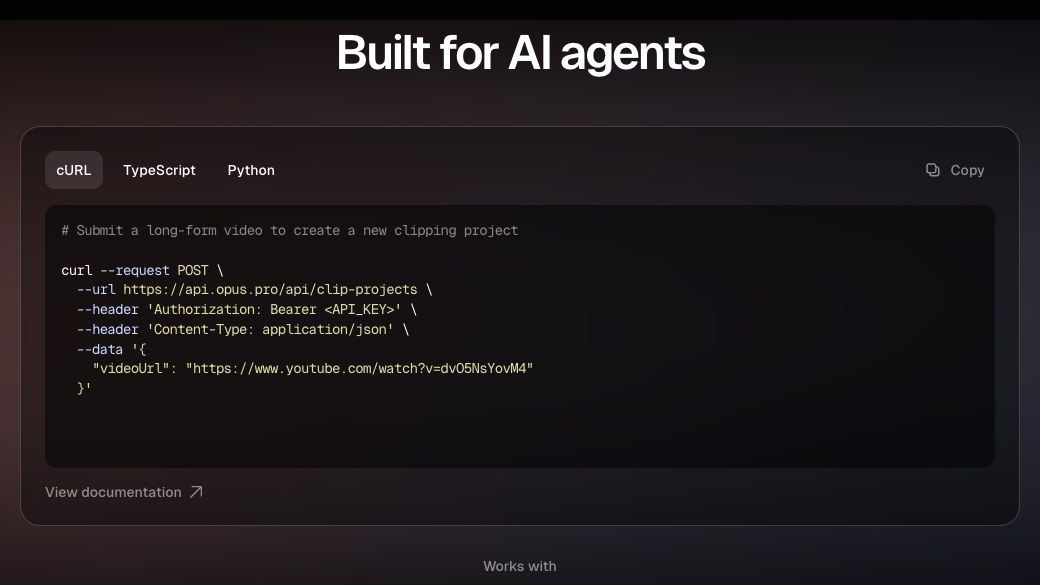
OpusClip API page showing a cURL request that submits a long-form video to create a clipping project

A clipping request on OpusClip's API page. Source: OpusClip website

OpusClip's API takes a long video and returns short clips. Per its quickstart, a POST request to the clip-projects endpoint with a videoUrl creates a project, and a second request fetches the clips by project ID. The docs list public YouTube, Google Drive, Vimeo, Zoom, Twitch, Dropbox, Riverside, Loom and StreamYard links as supported imports, plus any public MP4 link on S3. The request can also set clip durations, genre, topic keywords, a time range, a brand template (for example the preset Karaoke caption style) and a curation model, and it can skip clipping to process the original video as is.

curl --request POST --url https://api.opus.pro/api/clip-projects --header 'Authorization: Bearer <API_KEY>' --header 'Content-Type: application/json' --data '{"videoUrl": "https://www.youtube.com/watch?v=VIDEO_ID"}'

Around that core call, the help center documents webhooks and email notifications when a project finishes, brand templates, project sharing, social copy generation, publishing or scheduling clips to connected accounts, and clip edits such as trimming and extending a clip and fixing caption typos. The MCP server at mcp.opus.pro/mcp and an agent skill for Claude Code and Codex sit next to the REST API, so the same account works from code or from an AI agent. For worked examples, see generating YouTube Shorts from long videos with the OpusClip API and processing many videos in parallel; the product page is opus.pro/api.

Pricing: OpusClip's pricing page lists Free at $0 (60 credits a month), Starter at $15 a month (150 credits) and Pro at $29 a month, or $14.50 a month billed annually (300 credits), with "Limited API Access" listed on the Pro card. Business is custom and lists API and custom integrations. The API overview says API access is available on Pro (Beta), Max and Business plans. On Pro Beta and Max, the limits page lists a monthly cap of 15 hours (900 credits) per workspace, 4 projects running at once and 30 requests a minute per API key; Business follows its contract, with up to 50 concurrent projects.

Considerations: OpusClip is a clipping API: it does not render a video from a JSON timeline or a template, so product-listing videos or personalized renders belong with Shotstack, Creatomate or JSON2Video. API projects have a 10-credit minimum, projects expire after 30 days by default, and the help center labels Pro-tier API access as Beta. API access is included on Pro (beta), Max and Business plans; get your key from the dashboard (see the API overview).

  • Choose it if the input is a long recording (a podcast, webinar, stream or course) and the output is a batch of captioned vertical clips, with webhooks and optional posting.
  • Skip it if the video has to be assembled from images, text and data fields, or the job is hosting and streaming rather than clipping.

2. Shotstack: Best for rendering videos from a JSON timeline
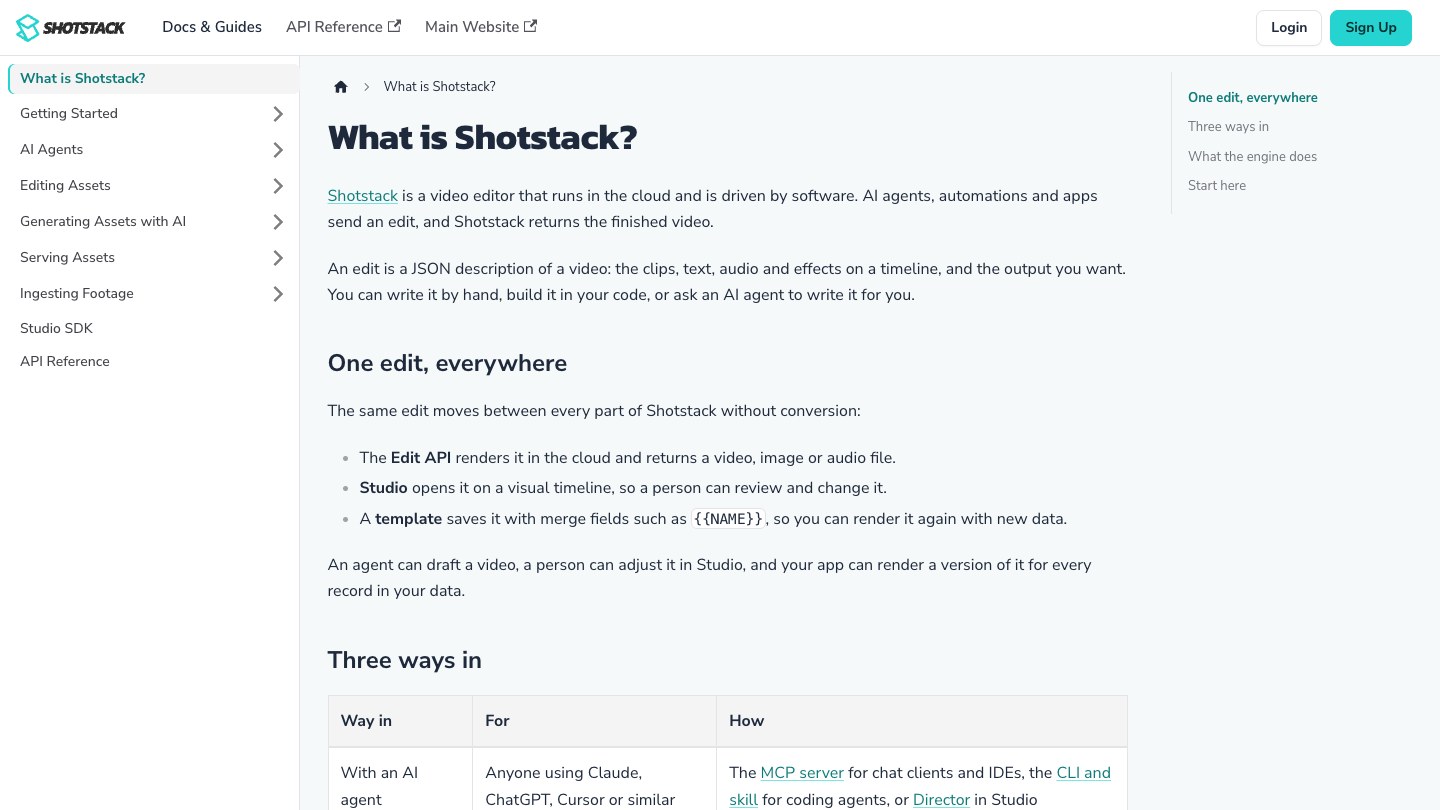
Shotstack docs page explaining that an edit is a JSON description of a video rendered in the cloud

Shotstack's docs overview. Source: Shotstack website

Shotstack's docs describe it as a video editor that runs in the cloud and is driven by software: an "edit" is a JSON description of the clips, text, audio and effects on a timeline, and the Edit API renders it into a video, image or audio file. The same edit can be saved as a template with merge fields such as {{NAME}} and rendered again with new data, or opened in its Studio editor on a visual timeline.

Shotstack's docs also describe an Ingest API for transcoding source files and transcribing speech, serving finished files from a CDN, AI generation of images, video, voice and music during a render, an MCP server, a CLI and skill for coding agents, and an embeddable Studio SDK. Official SDKs are listed for Node.js, Python, PHP and Ruby. It suits teams building a product feature on top of programmatic editing.

Pricing: Shotstack's pricing page lists pay as you go at $10 for 50 minutes (20 cents a minute) and monthly plans at $39 (Starter, 250 minutes), $99 (Pro, 750 minutes), $199 (Scale, 2,000 minutes) and $499 (Volume, 10,000 minutes). Signing up includes 10 free credits valid for 30 days. Plan minutes roll over for 3 months, and AI generation is charged per model in credits.

Considerations: Shotstack renders what a timeline describes; it does not pick highlights out of a long recording, so a clipping job needs a separate step to decide the cut points. Starter and pay-as-you-go renders are capped at 1080p, and 4K starts on Pro.

  • Choose it if the product needs programmatic editing, templates or an embedded editor, and the team will write the edit definition itself.
  • Skip it if the main job is finding the best moments in long recordings automatically.

3. Creatomate: Best for template-driven video and image renders
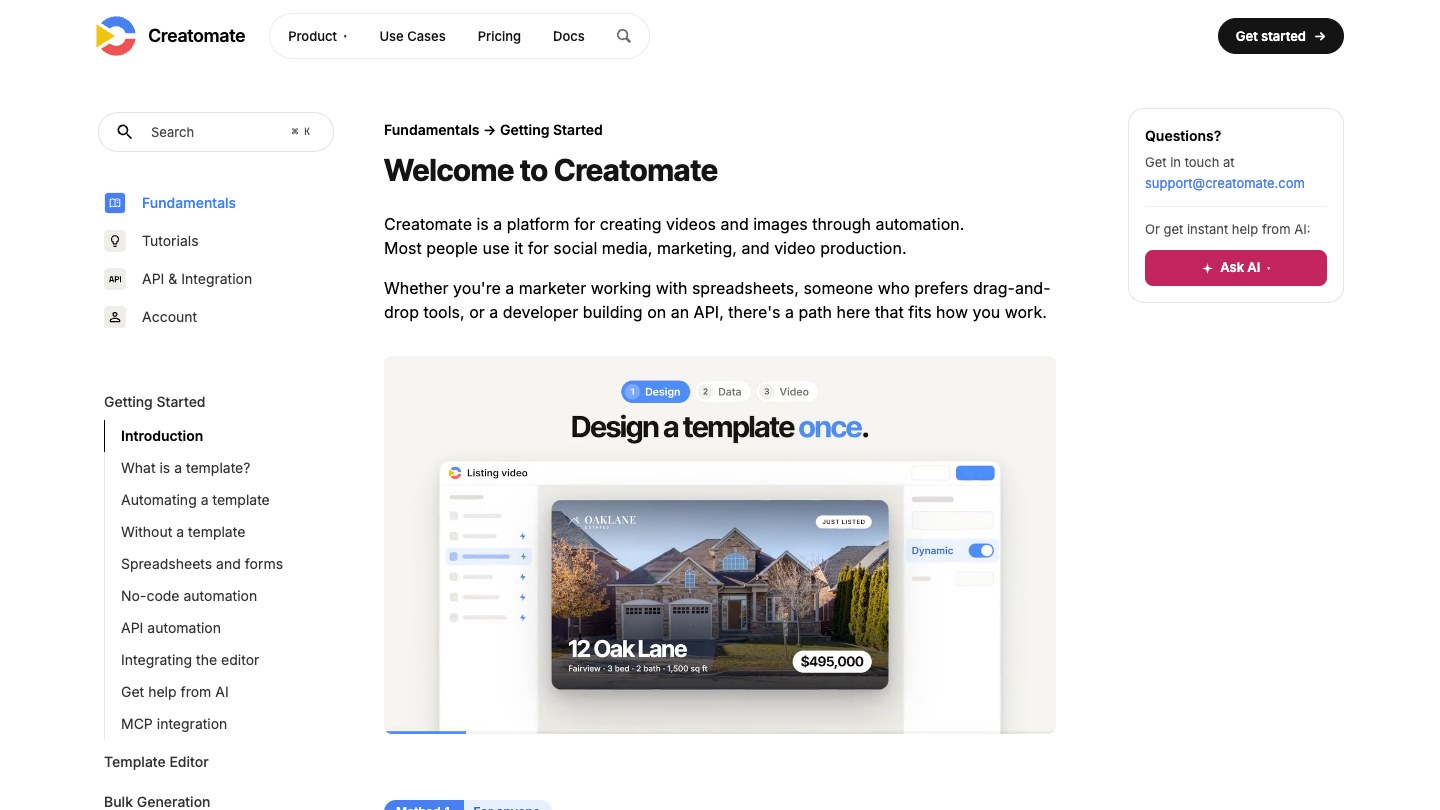
Creatomate docs welcome page with a template design preview for a real estate listing video

Creatomate's getting started docs. Source: Creatomate website

Creatomate's site calls it a video and image creation API for developers and no-code users. A template is designed once in its editor, and a render request references the template ID with a "modifications" object that swaps in text, colors and media; the same renders can be triggered from Zapier, Make, n8n and spreadsheet feeds. It suits marketing teams that need many variations of one design.

Its docs sidebar lists an MCP integration, and its site lists tutorials for creating videos from code and for editing video by API. A JavaScript Preview SDK, available from the Growth plan, embeds its renderer in a web app.

Pricing: Creatomate's pricing page lists Essential at $45 a month on annual billing ($540 a year) with 2,000 credits, Growth at $109 a month and Beyond at $274 a month (both annual), and a trial with 50 credits and no credit card. The page says one minute of 720p video at 25 fps is about 14 credits, and the API is available on all plans. See the pricing page for monthly billing.

Considerations: Creatomate's FAQ says generated files are hosted for up to 30 days and then permanently deleted, so renders need to be copied to your own storage. It is built around templates, not around cutting highlights from a long recording.

  • Choose it if the same branded design is rendered many times with different data and the team wants no-code triggers as well as an API.
  • Skip it if the input is a long recording that needs highlight detection.

4. JSON2Video: Best for scene-based JSON videos with voiceover and subtitles on a budget
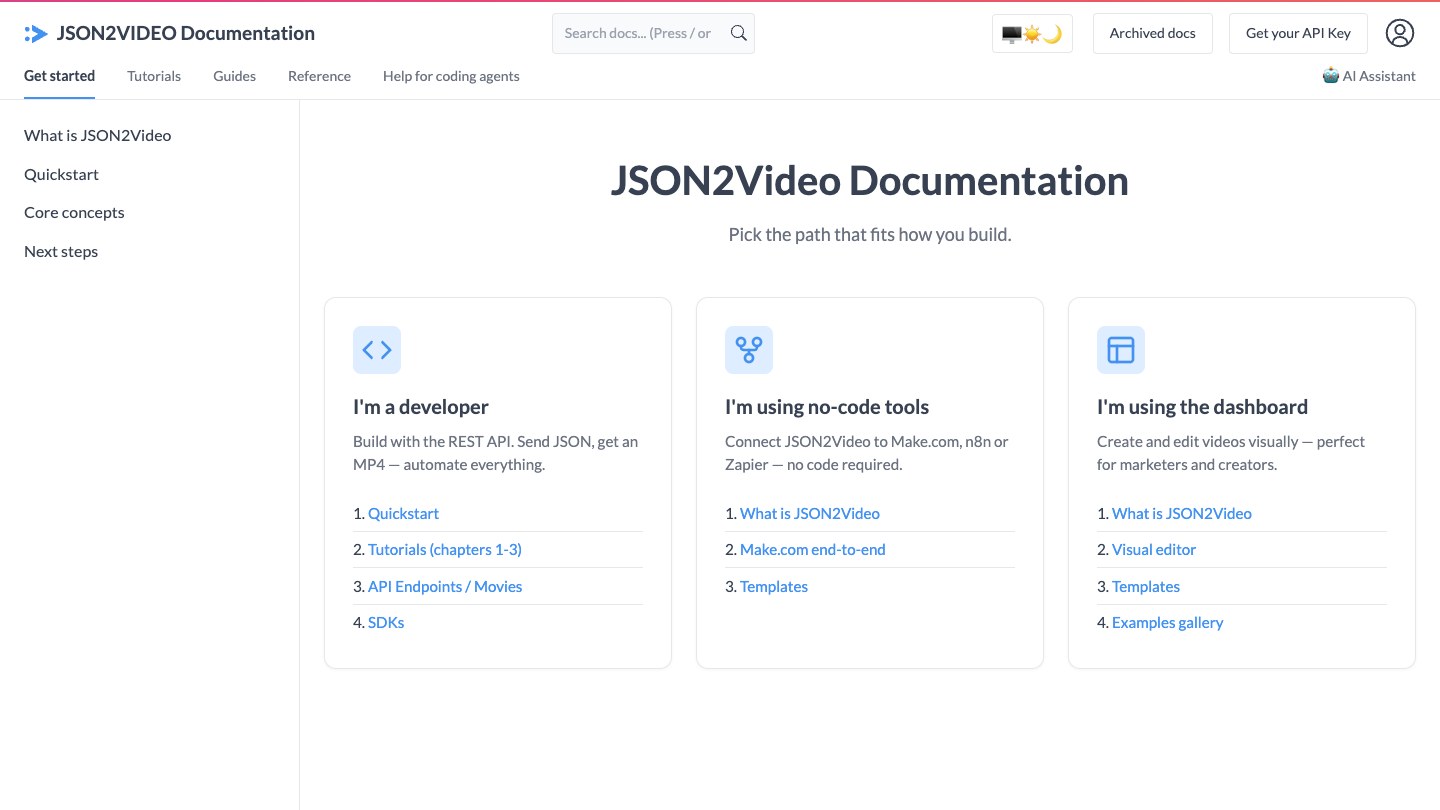
JSON2Video documentation home with paths for developers, no-code users and dashboard users

JSON2Video's documentation home. Source: JSON2Video website

JSON2Video describes itself as a video editing API that automates video production with templates and variables, for video ads, social stories and product videos. Its pricing page lists video editing, composition, template, subtitle, voiceover and rendering features, and its home page lists Make.com, n8n and Zapier integrations for no-code workflows.

Credits are consumed by the second of rendered video, so a 30-second render uses 30 credits, regardless of resolution. It suits small teams that want a JSON-to-video pipeline with text-to-speech and subtitles without a large commitment.

Pricing: JSON2Video's pricing page lists a free start with 600 credits and no credit card, pre-paid top-ups of $49.95 (7,200 credits, up to 120 minutes) and $99.95 (15,600 credits), and subscriptions: Hobby at $16.63 a month on yearly billing ($199.50 a year, 3,000 credits a month), Professional at $49.95 a month (12,000 credits) and Startup at $99.95 a month (30,000 credits). Pre-paid credits do not expire; subscription credits expire at the end of each month.

Considerations: The page says free-plan videos carry a watermark, plans cap video length at 30 minutes, and the service does not natively support AI image or video generation. A banner on the site says version 2 of the API is rolling out, so check which version the docs describe.

  • Choose it if the job is scene-based video from JSON with voiceover and subtitles and the budget is small.
  • Skip it if the product needs native AI image or video generation, or highlight detection from long footage.

5. Cloudinary: Best for URL-based video transformations and delivery
Cloudinary docs page on video trimming and concatenating

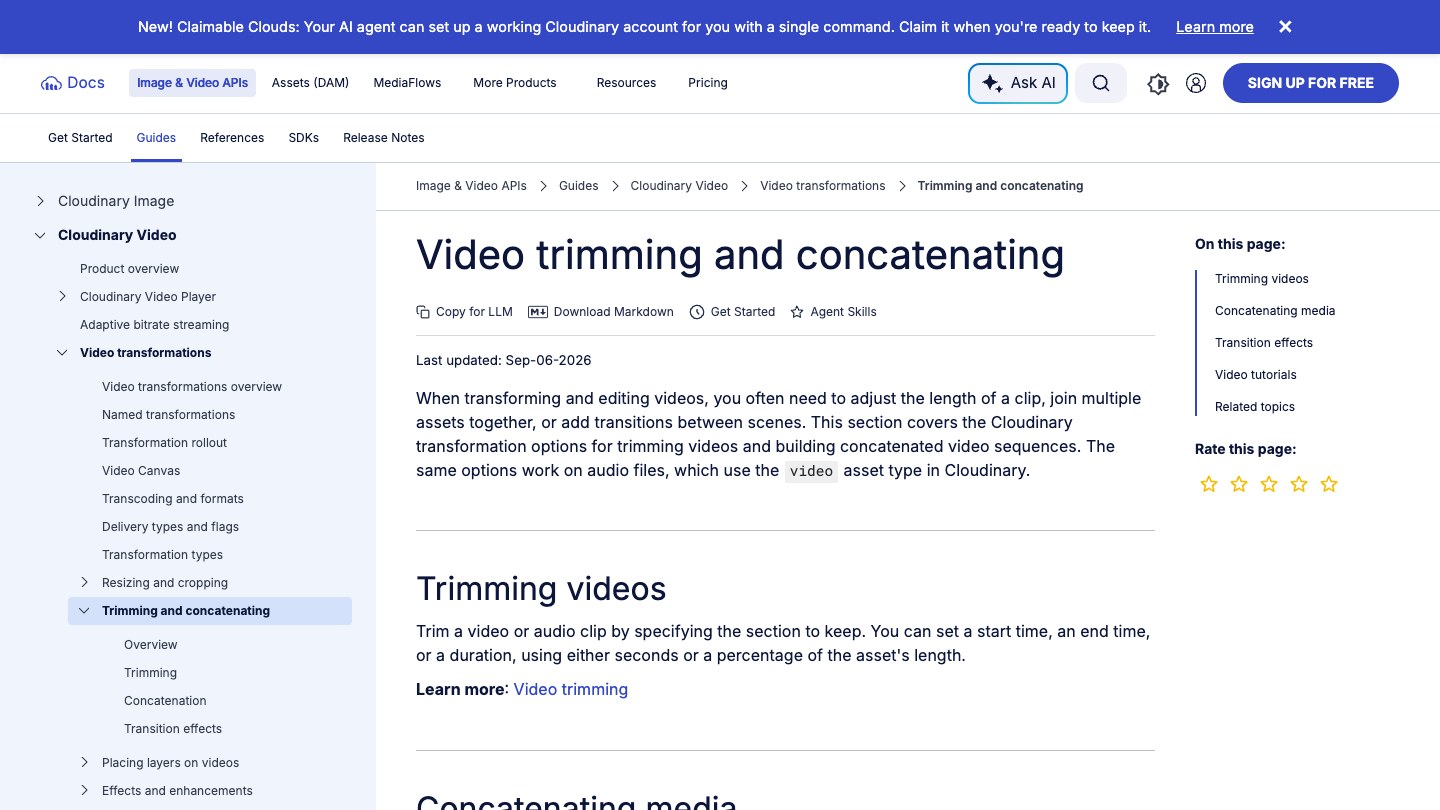
Cloudinary's video trimming and concatenating guide. Source: Cloudinary website

Cloudinary's documentation says its dynamic URL transformations generate variations of an original video on the fly. Its guides list trimming by start time, end time or duration, concatenating videos and images, transitions, layers (overlay images, text and subtitles) and video transcription, with AI video analysis listed in the same section. It suits teams whose videos already live in a media library and need resized, trimmed or captioned variants at delivery time.

Its docs also point to AI agent tools and MCP servers, and its pricing page lists access to MCP servers on the free plan.

Pricing: Cloudinary's pricing page lists Free at $0 with 25 monthly credits and 3 users, Plus at $99 a month ($89 on yearly billing) with 225 credits, and Advanced at $249 a month ($224 yearly) with 600 credits; Enterprise is custom. One credit equals 1,000 transformations, or 1 GB of managed storage, or 1 GB of image bandwidth, or 2 GB of video bandwidth on paid plans.

Considerations: Cloudinary's docs say the pricing plan depends in part on the number of transformations performed, so heavy video transformation use needs a credit estimate. It edits and delivers existing assets; it does not find highlights in a long recording or compose a video from data fields.

  • Choose it if videos are already in a media library and the work is trimming, resizing, overlaying and delivering variants.
  • Skip it if the job is generating new videos from templates or clipping long recordings by content.

6. Mux: Best for video infrastructure with clipping and AI workflows
Mux docs page on creating clips from your videos with an example API request

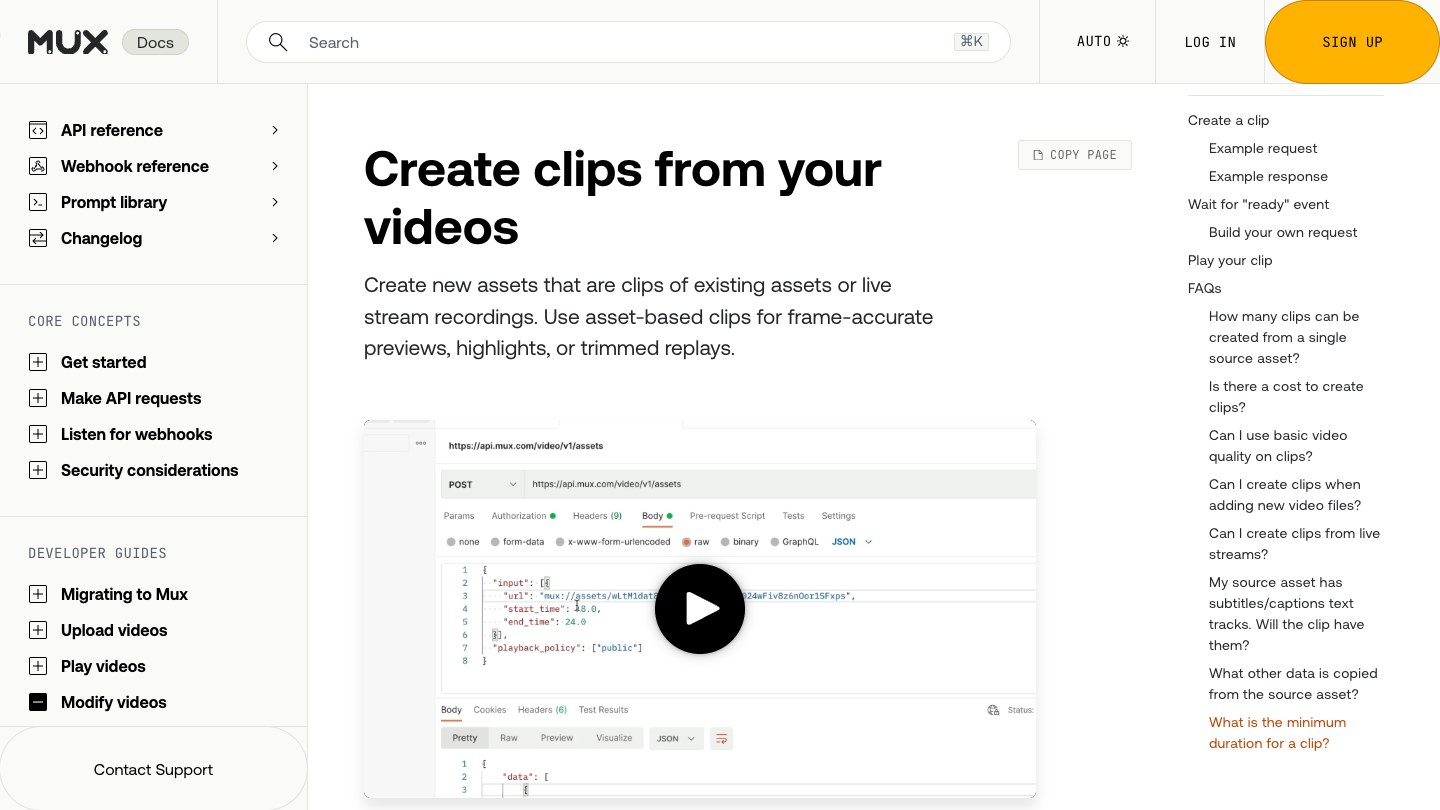
Mux's guide to creating clips. Source: Mux website

Mux is a video infrastructure API for upload, encoding, streaming and analytics. Its docs describe creating clips of existing assets or live stream recordings through the API (with start and end times) and list instant clipping as well, which suits previews, highlights and trimmed replays. Its pricing page also lists AI workflows under the name Mux Robots, including key moments, chapter generation, summarization, caption translation and thumbnails.

Mux hosts a remote MCP server at mcp.mux.com for AI tools to upload videos and manage streams. It suits products that already stream video and need clips and AI metadata on top.

Pricing: Mux's pricing page lists Free with up to 10 videos stored and 100K free monthly delivery minutes (on-demand only), Pay as you go with a $20 monthly usage credit, and prepaid plans of $20 a month for $100 in credit and $500 a month for $1,000 in credit. Storage starts at $0.0024 a minute; Mux Robots workflows are priced per minute and per job, for example finding key moments at $0.004 a minute plus $0.02 a job.

Considerations: Mux is infrastructure rather than an editor: a clip is a trimmed copy of an existing asset, and the docs set a minimum clip length of 500 milliseconds. We found no captions, reframing or content-based highlight selection in the clip docs.

  • Choose it if the product hosts and streams video and needs clips, thumbnails and AI metadata from the same API.
  • Skip it if the job is editing, styling or reframing video into finished social clips.

7. Remotion: Best for videos written as React code
Remotion docs showing command-line steps to create a new video project

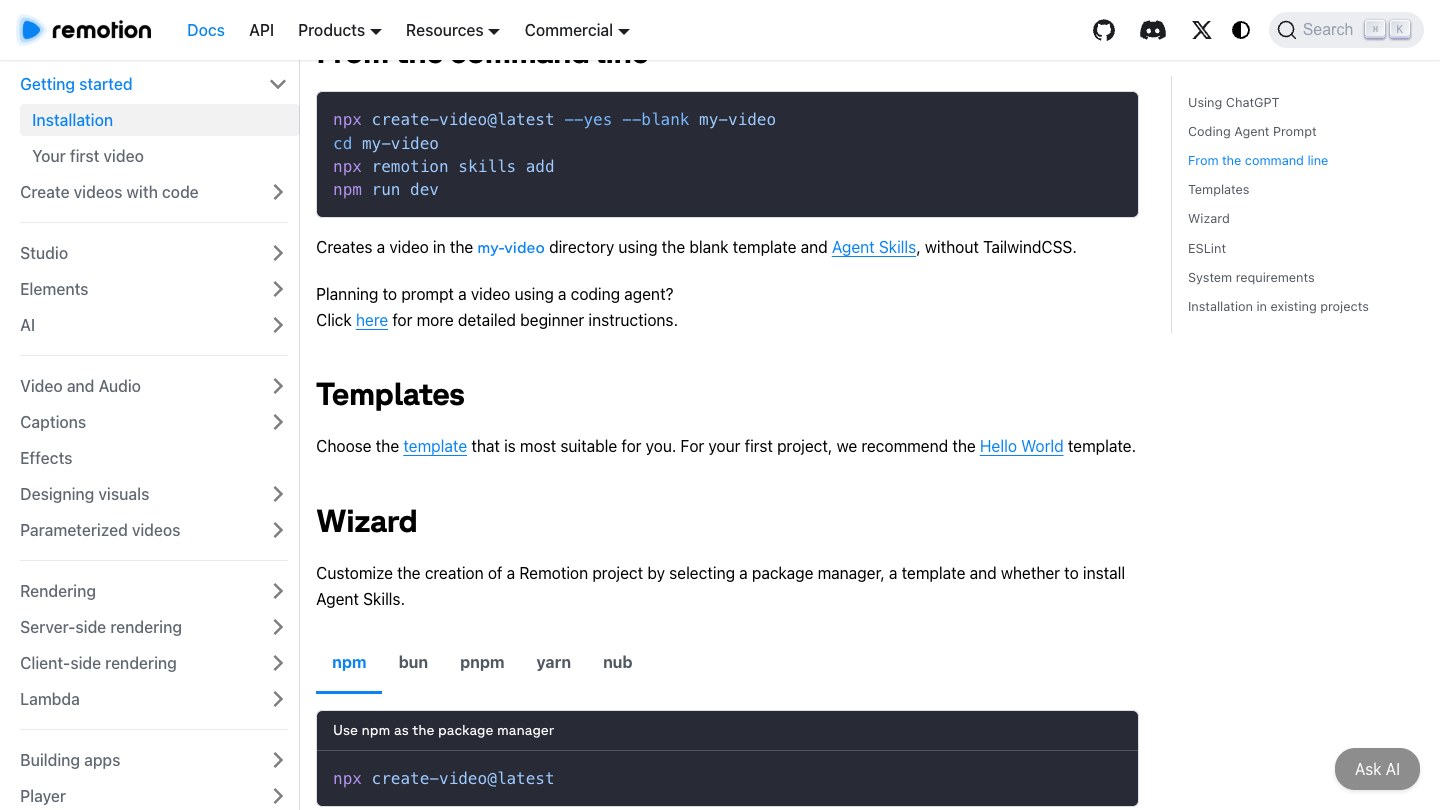
Remotion's installation docs. Source: Remotion website

Remotion's site describes creating videos and motion graphics with React and rendering them programmatically, with batch rendering on your own infrastructure, server-side and client-side rendering, a Player to embed live videos in an app, captions support and agent skills for coding agents. It suits engineering teams that want video defined as code and are comfortable owning the render pipeline.

Its documentation lists rendering on AWS Lambda among the options, and its parameterization docs cover connecting data to a video template.

Pricing: Remotion's license page says Remotion is free to use for individuals and companies of up to three people. Larger companies need a Company License: Remotion for Automators is listed at $0.01 per render with a $100 monthly minimum (10,000 renders), and Remotion for Creators at $25 a month per seat. An Enterprise License is listed from $500 a month.

Considerations: Remotion is a framework, not a hosted editing API: the team writes the React compositions and runs or scales the rendering. It does not choose clips from long footage for you.

  • Choose it if the team writes React and wants full control over how videos are composed and rendered.
  • Skip it if the team wants a hosted endpoint that returns finished clips without building a render pipeline.

How we compared these tools

We compared each API on the developer job it fits: what its own pages say it can do (clip long video, render from a timeline or template, transform at delivery, host and stream), the input it accepts, how a request is shaped, price and free-tier limits, caps and concurrency, and the main limitation. Every fact comes from that vendor's own pricing page, docs, help center or site, read on November 2, 2026. Where a pricing page loads its figures with JavaScript (Creatomate), we read the rendered page. We did not run hands-on tests of any competitor, so we describe what each vendor says its product does and leave out performance, render speed and quality comparisons. Prices change often; confirm the current price on each pricing page before building.

Red flags to watch for

Credits that expire or meter in a way that is hard to forecast

JSON2Video subscription credits expire each month while its pre-paid credits do not, Shotstack plan minutes roll over for 3 months, and OpusClip's API has a 10-credit minimum per project. Trial test: price a normal month of real jobs against the credit rules, not a single demo render.

Hard caps and concurrency limits

OpusClip lists a monthly cap and 4 concurrent projects on Pro Beta and Max, and a rate limit of 30 requests a minute per API key. Trial test: submit a realistic batch and watch for 429 and 403 responses before promising a volume to anyone.

Watermarks and trial-only quality

JSON2Video says free-plan videos carry a watermark. Trial test: render a final-quality sample and check the watermark and resolution before showing it to a stakeholder.

Files that disappear

Creatomate hosts generated files for up to 30 days, and OpusClip projects expire after 30 days by default. Trial test: add a step that copies finished files to your own storage and confirm it runs.

A tool that edits when the job is clipping, or the reverse

A timeline renderer does not pick highlights, and a clipping API does not compose a video from data. Trial test: write the input and the expected output of one real job on paper, then check that the API accepts that input and returns that output.

Beta labels and version changes

OpusClip labels Pro-tier API access as Beta and JSON2Video is rolling out version 2 of its API. Trial test: read the current docs, pin the API version you build against, and check the changelog before shipping.

Frequently asked questions

What is the best video editing API for developers?

It depends on the job. For turning long videos into short clips, OpusClip fits best: one request with a video URL returns captioned, reframed clips. Shotstack, Creatomate and JSON2Video suit rendering from timelines and templates, Cloudinary suits URL-based transformations, Mux suits hosting with clipping, and Remotion suits videos written as React code. See OpusClip's API page.

What is the best API for turning long videos into short clips?

OpusClip is our pick. Its API accepts public links from YouTube, Zoom, Vimeo, Google Drive and other sources, finds clips, applies a brand template and captions, and can notify a webhook when the project is done. Mux can also cut clips, but only from assets already stored in Mux, between start and end times that the caller supplies.

What is the difference between a video editing API and a video clipping API?

A video editing API renders a video from instructions you write, such as a JSON timeline or a template filled with data (Shotstack, Creatomate, JSON2Video, Remotion). A video clipping API chooses the moments itself from a long recording and returns finished short clips (OpusClip). Some projects use both.

Is there a free video editing API?

Most have a free start rather than a free plan: Shotstack gives 10 credits on signup, Creatomate a 50-credit trial, JSON2Video 600 credits (watermarked), Cloudinary and Mux have free plans, and Remotion is free for individuals and companies of up to three people. OpusClip's pricing page lists a free app plan (60 credits a month). API access is included on Pro (beta), Max and Business plans; get your key from the dashboard (see the API overview and OpusClip pricing).

How much does a video API cost?

Pricing is usually per minute of video or per credit. Shotstack lists 5 to 20 cents a minute depending on plan, JSON2Video bills one credit per second, Creatomate lists about 14 credits per minute of 720p video, and OpusClip's help center says one credit equals one minute of video processing. Check each pricing page for current rates.

Can I use a video API with Claude or another AI agent?

Yes, several vendors offer an MCP server or agent skill next to the REST API. OpusClip has a hosted MCP server and a skill for Claude Code and Codex; see the OpusClip MCP tools reference. Shotstack and Mux also document MCP servers, and Cloudinary lists MCP servers on its pricing page.

Should I use an MCP server or an API?

Use the API when your own code controls the workflow and runs on a schedule or a trigger. Use MCP when an AI agent decides which video steps to run. Many teams use both against the same account; see video editing MCP vs video editing API.

Does OpusClip's API support webhooks?

Yes. Per the help center, a project can include a webhook or email conclusion action, and webhook requests are signed so a server can verify them. See webhooks vs polling for video APIs for when to use each.

On this page

Use our Free Forever Plan

Find the moment. Skip the scrubbing.

From script to polished video — in one click.

Create and post one short video every day for free, and grow faster.

OpusSearch uses AI to surface the exact clip you need from hours of footage — in seconds, not afternoons.

Agent Opus runs the entire video pipeline for you: research, scriptwriting, storyboarding, motion, voice, and edit. Upload the idea, post the result.

7 Best Video Editing APIs for Developers in 2026

For turning long videos into short clips by API, OpusClip is our first pick: one POST request with a video URL starts a clipping project that returns captioned, reframed clips, and the same API can notify a webhook when the project finishes and exposes clip edits and posting. Shotstack is the pick for editing from a JSON timeline, Creatomate and JSON2Video for template-driven renders, Cloudinary for URL-based transformations, Mux for video infrastructure with clipping, and Remotion for videos written as React code. We ranked 7 video APIs by how well each fits a specific developer job, then by price, free-tier limits and how clearly each vendor documents what it does. Facts come from each vendor's own pages, read on November 2, 2026.

Key takeaways

  • Best for turning long videos into clips by API: OpusClip. It is a clipping API, not a timeline renderer.
  • Best for editing from a JSON timeline: Shotstack. Its docs describe an edit as JSON that the cloud renders into a finished video.
  • Best for template-driven bulk renders: Creatomate and JSON2Video. Both fill templates with data and return a video.
  • Best for URL-based video transformations at delivery time: Cloudinary. Trimming, joining and overlays are options in the delivery URL.
  • Best for video infrastructure with clipping: Mux. Hosting, streaming and clips from existing assets, not an editor.
  • Best for video written as React code: Remotion. Free for individuals and companies of up to three people, with a license fee for larger ones.
  • Check the free tier before building: watermarks, credit expiry, monthly caps and concurrency limits differ more than headline prices do.

How to choose

Start with the job the API has to do, then match it to the tools built for that input and output.

  • If the input is a long recording and the output is short clips, look for highlight detection, captions and reframing behind one endpoint: OpusClip.
  • If the video has to be assembled from clips, text and audio defined in code, look for a JSON timeline or scene format: Shotstack, JSON2Video.
  • If the same design is rendered thousands of times with different data, look for templates with merge fields and spreadsheet or no-code triggers: Creatomate, JSON2Video, Shotstack.
  • If videos already live in a media library and need on-the-fly variants, look for URL-based transformations and delivery in one service: Cloudinary, Mux.
  • If the team wants full control and owns the render infrastructure, look for a code-first framework: Remotion.
  • If an AI agent in Claude, Cursor or ChatGPT will call the tool, look for a hosted MCP server or agent skill next to the REST API: OpusClip, Shotstack, Mux, Cloudinary.

For the agent side of this choice, see video editing MCP vs video editing API and the best video editing MCP servers; for tools that edit video through chat, see our AI video editing agents roundup.

At a glance

  • OpusClip: best for turning long videos into captioned short clips by API; Pro plan from $29 a month ($14.50 on annual billing) lists limited API access; API access is labeled Beta on Pro.
  • Shotstack: best for rendering videos from a JSON timeline; pay as you go $10 for 50 minutes, plans from $39 a month; 10 free credits on signup.
  • Creatomate: best for template-driven video and image renders; Essential $45 a month on annual billing; trial with 50 credits.
  • JSON2Video: best for scene-based JSON videos with voiceover and subtitles on a budget; Hobby $16.63 a month on yearly billing; 600 free credits (watermarked).
  • Cloudinary: best for URL-based video transformations and delivery; Plus $99 a month ($89 yearly); free plan yes (25 monthly credits).
  • Mux: best for video infrastructure with clipping and AI workflows; usage-based; free plan yes (up to 10 videos stored).
  • Remotion: best for videos written as React code; free for individuals and companies of up to 3 people; Company License renders from $0.01 each with a $100 monthly minimum.

1. OpusClip: Best for turning long videos into short clips by API

OpusClip API page showing a cURL request that submits a long-form video to create a clipping project

A clipping request on OpusClip's API page. Source: OpusClip website

OpusClip's API takes a long video and returns short clips. Per its quickstart, a POST request to the clip-projects endpoint with a videoUrl creates a project, and a second request fetches the clips by project ID. The docs list public YouTube, Google Drive, Vimeo, Zoom, Twitch, Dropbox, Riverside, Loom and StreamYard links as supported imports, plus any public MP4 link on S3. The request can also set clip durations, genre, topic keywords, a time range, a brand template (for example the preset Karaoke caption style) and a curation model, and it can skip clipping to process the original video as is.

curl --request POST --url https://api.opus.pro/api/clip-projects --header 'Authorization: Bearer <API_KEY>' --header 'Content-Type: application/json' --data '{"videoUrl": "https://www.youtube.com/watch?v=VIDEO_ID"}'

Around that core call, the help center documents webhooks and email notifications when a project finishes, brand templates, project sharing, social copy generation, publishing or scheduling clips to connected accounts, and clip edits such as trimming and extending a clip and fixing caption typos. The MCP server at mcp.opus.pro/mcp and an agent skill for Claude Code and Codex sit next to the REST API, so the same account works from code or from an AI agent. For worked examples, see generating YouTube Shorts from long videos with the OpusClip API and processing many videos in parallel; the product page is opus.pro/api.

Pricing: OpusClip's pricing page lists Free at $0 (60 credits a month), Starter at $15 a month (150 credits) and Pro at $29 a month, or $14.50 a month billed annually (300 credits), with "Limited API Access" listed on the Pro card. Business is custom and lists API and custom integrations. The API overview says API access is available on Pro (Beta), Max and Business plans. On Pro Beta and Max, the limits page lists a monthly cap of 15 hours (900 credits) per workspace, 4 projects running at once and 30 requests a minute per API key; Business follows its contract, with up to 50 concurrent projects.

Considerations: OpusClip is a clipping API: it does not render a video from a JSON timeline or a template, so product-listing videos or personalized renders belong with Shotstack, Creatomate or JSON2Video. API projects have a 10-credit minimum, projects expire after 30 days by default, and the help center labels Pro-tier API access as Beta. API access is included on Pro (beta), Max and Business plans; get your key from the dashboard (see the API overview).

  • Choose it if the input is a long recording (a podcast, webinar, stream or course) and the output is a batch of captioned vertical clips, with webhooks and optional posting.
  • Skip it if the video has to be assembled from images, text and data fields, or the job is hosting and streaming rather than clipping.

2. Shotstack: Best for rendering videos from a JSON timeline

Shotstack docs page explaining that an edit is a JSON description of a video rendered in the cloud

Shotstack's docs overview. Source: Shotstack website

Shotstack's docs describe it as a video editor that runs in the cloud and is driven by software: an "edit" is a JSON description of the clips, text, audio and effects on a timeline, and the Edit API renders it into a video, image or audio file. The same edit can be saved as a template with merge fields such as {{NAME}} and rendered again with new data, or opened in its Studio editor on a visual timeline.

Shotstack's docs also describe an Ingest API for transcoding source files and transcribing speech, serving finished files from a CDN, AI generation of images, video, voice and music during a render, an MCP server, a CLI and skill for coding agents, and an embeddable Studio SDK. Official SDKs are listed for Node.js, Python, PHP and Ruby. It suits teams building a product feature on top of programmatic editing.

Pricing: Shotstack's pricing page lists pay as you go at $10 for 50 minutes (20 cents a minute) and monthly plans at $39 (Starter, 250 minutes), $99 (Pro, 750 minutes), $199 (Scale, 2,000 minutes) and $499 (Volume, 10,000 minutes). Signing up includes 10 free credits valid for 30 days. Plan minutes roll over for 3 months, and AI generation is charged per model in credits.

Considerations: Shotstack renders what a timeline describes; it does not pick highlights out of a long recording, so a clipping job needs a separate step to decide the cut points. Starter and pay-as-you-go renders are capped at 1080p, and 4K starts on Pro.

  • Choose it if the product needs programmatic editing, templates or an embedded editor, and the team will write the edit definition itself.
  • Skip it if the main job is finding the best moments in long recordings automatically.

3. Creatomate: Best for template-driven video and image renders

Creatomate docs welcome page with a template design preview for a real estate listing video

Creatomate's getting started docs. Source: Creatomate website

Creatomate's site calls it a video and image creation API for developers and no-code users. A template is designed once in its editor, and a render request references the template ID with a "modifications" object that swaps in text, colors and media; the same renders can be triggered from Zapier, Make, n8n and spreadsheet feeds. It suits marketing teams that need many variations of one design.

Its docs sidebar lists an MCP integration, and its site lists tutorials for creating videos from code and for editing video by API. A JavaScript Preview SDK, available from the Growth plan, embeds its renderer in a web app.

Pricing: Creatomate's pricing page lists Essential at $45 a month on annual billing ($540 a year) with 2,000 credits, Growth at $109 a month and Beyond at $274 a month (both annual), and a trial with 50 credits and no credit card. The page says one minute of 720p video at 25 fps is about 14 credits, and the API is available on all plans. See the pricing page for monthly billing.

Considerations: Creatomate's FAQ says generated files are hosted for up to 30 days and then permanently deleted, so renders need to be copied to your own storage. It is built around templates, not around cutting highlights from a long recording.

  • Choose it if the same branded design is rendered many times with different data and the team wants no-code triggers as well as an API.
  • Skip it if the input is a long recording that needs highlight detection.

4. JSON2Video: Best for scene-based JSON videos with voiceover and subtitles on a budget

JSON2Video documentation home with paths for developers, no-code users and dashboard users

JSON2Video's documentation home. Source: JSON2Video website

JSON2Video describes itself as a video editing API that automates video production with templates and variables, for video ads, social stories and product videos. Its pricing page lists video editing, composition, template, subtitle, voiceover and rendering features, and its home page lists Make.com, n8n and Zapier integrations for no-code workflows.

Credits are consumed by the second of rendered video, so a 30-second render uses 30 credits, regardless of resolution. It suits small teams that want a JSON-to-video pipeline with text-to-speech and subtitles without a large commitment.

Pricing: JSON2Video's pricing page lists a free start with 600 credits and no credit card, pre-paid top-ups of $49.95 (7,200 credits, up to 120 minutes) and $99.95 (15,600 credits), and subscriptions: Hobby at $16.63 a month on yearly billing ($199.50 a year, 3,000 credits a month), Professional at $49.95 a month (12,000 credits) and Startup at $99.95 a month (30,000 credits). Pre-paid credits do not expire; subscription credits expire at the end of each month.

Considerations: The page says free-plan videos carry a watermark, plans cap video length at 30 minutes, and the service does not natively support AI image or video generation. A banner on the site says version 2 of the API is rolling out, so check which version the docs describe.

  • Choose it if the job is scene-based video from JSON with voiceover and subtitles and the budget is small.
  • Skip it if the product needs native AI image or video generation, or highlight detection from long footage.

5. Cloudinary: Best for URL-based video transformations and delivery

Cloudinary docs page on video trimming and concatenating

Cloudinary's video trimming and concatenating guide. Source: Cloudinary website

Cloudinary's documentation says its dynamic URL transformations generate variations of an original video on the fly. Its guides list trimming by start time, end time or duration, concatenating videos and images, transitions, layers (overlay images, text and subtitles) and video transcription, with AI video analysis listed in the same section. It suits teams whose videos already live in a media library and need resized, trimmed or captioned variants at delivery time.

Its docs also point to AI agent tools and MCP servers, and its pricing page lists access to MCP servers on the free plan.

Pricing: Cloudinary's pricing page lists Free at $0 with 25 monthly credits and 3 users, Plus at $99 a month ($89 on yearly billing) with 225 credits, and Advanced at $249 a month ($224 yearly) with 600 credits; Enterprise is custom. One credit equals 1,000 transformations, or 1 GB of managed storage, or 1 GB of image bandwidth, or 2 GB of video bandwidth on paid plans.

Considerations: Cloudinary's docs say the pricing plan depends in part on the number of transformations performed, so heavy video transformation use needs a credit estimate. It edits and delivers existing assets; it does not find highlights in a long recording or compose a video from data fields.

  • Choose it if videos are already in a media library and the work is trimming, resizing, overlaying and delivering variants.
  • Skip it if the job is generating new videos from templates or clipping long recordings by content.

6. Mux: Best for video infrastructure with clipping and AI workflows

Mux docs page on creating clips from your videos with an example API request

Mux's guide to creating clips. Source: Mux website

Mux is a video infrastructure API for upload, encoding, streaming and analytics. Its docs describe creating clips of existing assets or live stream recordings through the API (with start and end times) and list instant clipping as well, which suits previews, highlights and trimmed replays. Its pricing page also lists AI workflows under the name Mux Robots, including key moments, chapter generation, summarization, caption translation and thumbnails.

Mux hosts a remote MCP server at mcp.mux.com for AI tools to upload videos and manage streams. It suits products that already stream video and need clips and AI metadata on top.

Pricing: Mux's pricing page lists Free with up to 10 videos stored and 100K free monthly delivery minutes (on-demand only), Pay as you go with a $20 monthly usage credit, and prepaid plans of $20 a month for $100 in credit and $500 a month for $1,000 in credit. Storage starts at $0.0024 a minute; Mux Robots workflows are priced per minute and per job, for example finding key moments at $0.004 a minute plus $0.02 a job.

Considerations: Mux is infrastructure rather than an editor: a clip is a trimmed copy of an existing asset, and the docs set a minimum clip length of 500 milliseconds. We found no captions, reframing or content-based highlight selection in the clip docs.

  • Choose it if the product hosts and streams video and needs clips, thumbnails and AI metadata from the same API.
  • Skip it if the job is editing, styling or reframing video into finished social clips.

7. Remotion: Best for videos written as React code

Remotion docs showing command-line steps to create a new video project

Remotion's installation docs. Source: Remotion website

Remotion's site describes creating videos and motion graphics with React and rendering them programmatically, with batch rendering on your own infrastructure, server-side and client-side rendering, a Player to embed live videos in an app, captions support and agent skills for coding agents. It suits engineering teams that want video defined as code and are comfortable owning the render pipeline.

Its documentation lists rendering on AWS Lambda among the options, and its parameterization docs cover connecting data to a video template.

Pricing: Remotion's license page says Remotion is free to use for individuals and companies of up to three people. Larger companies need a Company License: Remotion for Automators is listed at $0.01 per render with a $100 monthly minimum (10,000 renders), and Remotion for Creators at $25 a month per seat. An Enterprise License is listed from $500 a month.

Considerations: Remotion is a framework, not a hosted editing API: the team writes the React compositions and runs or scales the rendering. It does not choose clips from long footage for you.

  • Choose it if the team writes React and wants full control over how videos are composed and rendered.
  • Skip it if the team wants a hosted endpoint that returns finished clips without building a render pipeline.

How we compared these tools

We compared each API on the developer job it fits: what its own pages say it can do (clip long video, render from a timeline or template, transform at delivery, host and stream), the input it accepts, how a request is shaped, price and free-tier limits, caps and concurrency, and the main limitation. Every fact comes from that vendor's own pricing page, docs, help center or site, read on November 2, 2026. Where a pricing page loads its figures with JavaScript (Creatomate), we read the rendered page. We did not run hands-on tests of any competitor, so we describe what each vendor says its product does and leave out performance, render speed and quality comparisons. Prices change often; confirm the current price on each pricing page before building.

Red flags to watch for

Credits that expire or meter in a way that is hard to forecast

JSON2Video subscription credits expire each month while its pre-paid credits do not, Shotstack plan minutes roll over for 3 months, and OpusClip's API has a 10-credit minimum per project. Trial test: price a normal month of real jobs against the credit rules, not a single demo render.

Hard caps and concurrency limits

OpusClip lists a monthly cap and 4 concurrent projects on Pro Beta and Max, and a rate limit of 30 requests a minute per API key. Trial test: submit a realistic batch and watch for 429 and 403 responses before promising a volume to anyone.

Watermarks and trial-only quality

JSON2Video says free-plan videos carry a watermark. Trial test: render a final-quality sample and check the watermark and resolution before showing it to a stakeholder.

Files that disappear

Creatomate hosts generated files for up to 30 days, and OpusClip projects expire after 30 days by default. Trial test: add a step that copies finished files to your own storage and confirm it runs.

A tool that edits when the job is clipping, or the reverse

A timeline renderer does not pick highlights, and a clipping API does not compose a video from data. Trial test: write the input and the expected output of one real job on paper, then check that the API accepts that input and returns that output.

Beta labels and version changes

OpusClip labels Pro-tier API access as Beta and JSON2Video is rolling out version 2 of its API. Trial test: read the current docs, pin the API version you build against, and check the changelog before shipping.

Frequently asked questions

What is the best video editing API for developers?

It depends on the job. For turning long videos into short clips, OpusClip fits best: one request with a video URL returns captioned, reframed clips. Shotstack, Creatomate and JSON2Video suit rendering from timelines and templates, Cloudinary suits URL-based transformations, Mux suits hosting with clipping, and Remotion suits videos written as React code. See OpusClip's API page.

What is the best API for turning long videos into short clips?

OpusClip is our pick. Its API accepts public links from YouTube, Zoom, Vimeo, Google Drive and other sources, finds clips, applies a brand template and captions, and can notify a webhook when the project is done. Mux can also cut clips, but only from assets already stored in Mux, between start and end times that the caller supplies.

What is the difference between a video editing API and a video clipping API?

A video editing API renders a video from instructions you write, such as a JSON timeline or a template filled with data (Shotstack, Creatomate, JSON2Video, Remotion). A video clipping API chooses the moments itself from a long recording and returns finished short clips (OpusClip). Some projects use both.

Is there a free video editing API?

Most have a free start rather than a free plan: Shotstack gives 10 credits on signup, Creatomate a 50-credit trial, JSON2Video 600 credits (watermarked), Cloudinary and Mux have free plans, and Remotion is free for individuals and companies of up to three people. OpusClip's pricing page lists a free app plan (60 credits a month). API access is included on Pro (beta), Max and Business plans; get your key from the dashboard (see the API overview and OpusClip pricing).

How much does a video API cost?

Pricing is usually per minute of video or per credit. Shotstack lists 5 to 20 cents a minute depending on plan, JSON2Video bills one credit per second, Creatomate lists about 14 credits per minute of 720p video, and OpusClip's help center says one credit equals one minute of video processing. Check each pricing page for current rates.

Can I use a video API with Claude or another AI agent?

Yes, several vendors offer an MCP server or agent skill next to the REST API. OpusClip has a hosted MCP server and a skill for Claude Code and Codex; see the OpusClip MCP tools reference. Shotstack and Mux also document MCP servers, and Cloudinary lists MCP servers on its pricing page.

Should I use an MCP server or an API?

Use the API when your own code controls the workflow and runs on a schedule or a trigger. Use MCP when an AI agent decides which video steps to run. Many teams use both against the same account; see video editing MCP vs video editing API.

Does OpusClip's API support webhooks?

Yes. Per the help center, a project can include a webhook or email conclusion action, and webhook requests are signed so a server can verify them. See webhooks vs polling for video APIs for when to use each.

Creator name

Creator type

Team size

Channels

linkYouTubefacebookXTikTok

Pain point

Time to see positive ROI

About the creator

Don't miss these

How Audacy Drove 1B+ Views by Taking a Tech-Forward Approach to Radio with OpusClip
No items found.

How Audacy Drove 1B+ Views by Taking a Tech-Forward Approach to Radio with OpusClip

How All the Smoke makes hit compilations faster with OpusSearch

How All the Smoke makes hit compilations faster with OpusSearch

Growing a new channel to 1.5M views in 90 days without creating new videos

Growing a new channel to 1.5M views in 90 days without creating new videos

OpusClip 4.0 is here. Become a content powerhouse.

7 Best Video Editing APIs for Developers in 2026

Developers building a video workflow on laptops and a phone, with a Clip it button, a 9:16 tag and a views badge
No items found.
No items found.

Boost your social media growth with OpusClip

Create and post one short video every day for your social media and grow faster.

7 Best Video Editing APIs for Developers in 2026

Developers building a video workflow on laptops and a phone, with a Clip it button, a 9:16 tag and a views badge

For turning long videos into short clips by API, OpusClip is our first pick: one POST request with a video URL starts a clipping project that returns captioned, reframed clips, and the same API can notify a webhook when the project finishes and exposes clip edits and posting. Shotstack is the pick for editing from a JSON timeline, Creatomate and JSON2Video for template-driven renders, Cloudinary for URL-based transformations, Mux for video infrastructure with clipping, and Remotion for videos written as React code. We ranked 7 video APIs by how well each fits a specific developer job, then by price, free-tier limits and how clearly each vendor documents what it does. Facts come from each vendor's own pages, read on November 2, 2026.

Key takeaways

  • Best for turning long videos into clips by API: OpusClip. It is a clipping API, not a timeline renderer.
  • Best for editing from a JSON timeline: Shotstack. Its docs describe an edit as JSON that the cloud renders into a finished video.
  • Best for template-driven bulk renders: Creatomate and JSON2Video. Both fill templates with data and return a video.
  • Best for URL-based video transformations at delivery time: Cloudinary. Trimming, joining and overlays are options in the delivery URL.
  • Best for video infrastructure with clipping: Mux. Hosting, streaming and clips from existing assets, not an editor.
  • Best for video written as React code: Remotion. Free for individuals and companies of up to three people, with a license fee for larger ones.
  • Check the free tier before building: watermarks, credit expiry, monthly caps and concurrency limits differ more than headline prices do.

How to choose

Start with the job the API has to do, then match it to the tools built for that input and output.

  • If the input is a long recording and the output is short clips, look for highlight detection, captions and reframing behind one endpoint: OpusClip.
  • If the video has to be assembled from clips, text and audio defined in code, look for a JSON timeline or scene format: Shotstack, JSON2Video.
  • If the same design is rendered thousands of times with different data, look for templates with merge fields and spreadsheet or no-code triggers: Creatomate, JSON2Video, Shotstack.
  • If videos already live in a media library and need on-the-fly variants, look for URL-based transformations and delivery in one service: Cloudinary, Mux.
  • If the team wants full control and owns the render infrastructure, look for a code-first framework: Remotion.
  • If an AI agent in Claude, Cursor or ChatGPT will call the tool, look for a hosted MCP server or agent skill next to the REST API: OpusClip, Shotstack, Mux, Cloudinary.

For the agent side of this choice, see video editing MCP vs video editing API and the best video editing MCP servers; for tools that edit video through chat, see our AI video editing agents roundup.

At a glance

  • OpusClip: best for turning long videos into captioned short clips by API; Pro plan from $29 a month ($14.50 on annual billing) lists limited API access; API access is labeled Beta on Pro.
  • Shotstack: best for rendering videos from a JSON timeline; pay as you go $10 for 50 minutes, plans from $39 a month; 10 free credits on signup.
  • Creatomate: best for template-driven video and image renders; Essential $45 a month on annual billing; trial with 50 credits.
  • JSON2Video: best for scene-based JSON videos with voiceover and subtitles on a budget; Hobby $16.63 a month on yearly billing; 600 free credits (watermarked).
  • Cloudinary: best for URL-based video transformations and delivery; Plus $99 a month ($89 yearly); free plan yes (25 monthly credits).
  • Mux: best for video infrastructure with clipping and AI workflows; usage-based; free plan yes (up to 10 videos stored).
  • Remotion: best for videos written as React code; free for individuals and companies of up to 3 people; Company License renders from $0.01 each with a $100 monthly minimum.

1. OpusClip: Best for turning long videos into short clips by API

OpusClip API page showing a cURL request that submits a long-form video to create a clipping project

A clipping request on OpusClip's API page. Source: OpusClip website

OpusClip's API takes a long video and returns short clips. Per its quickstart, a POST request to the clip-projects endpoint with a videoUrl creates a project, and a second request fetches the clips by project ID. The docs list public YouTube, Google Drive, Vimeo, Zoom, Twitch, Dropbox, Riverside, Loom and StreamYard links as supported imports, plus any public MP4 link on S3. The request can also set clip durations, genre, topic keywords, a time range, a brand template (for example the preset Karaoke caption style) and a curation model, and it can skip clipping to process the original video as is.

curl --request POST --url https://api.opus.pro/api/clip-projects --header 'Authorization: Bearer <API_KEY>' --header 'Content-Type: application/json' --data '{"videoUrl": "https://www.youtube.com/watch?v=VIDEO_ID"}'

Around that core call, the help center documents webhooks and email notifications when a project finishes, brand templates, project sharing, social copy generation, publishing or scheduling clips to connected accounts, and clip edits such as trimming and extending a clip and fixing caption typos. The MCP server at mcp.opus.pro/mcp and an agent skill for Claude Code and Codex sit next to the REST API, so the same account works from code or from an AI agent. For worked examples, see generating YouTube Shorts from long videos with the OpusClip API and processing many videos in parallel; the product page is opus.pro/api.

Pricing: OpusClip's pricing page lists Free at $0 (60 credits a month), Starter at $15 a month (150 credits) and Pro at $29 a month, or $14.50 a month billed annually (300 credits), with "Limited API Access" listed on the Pro card. Business is custom and lists API and custom integrations. The API overview says API access is available on Pro (Beta), Max and Business plans. On Pro Beta and Max, the limits page lists a monthly cap of 15 hours (900 credits) per workspace, 4 projects running at once and 30 requests a minute per API key; Business follows its contract, with up to 50 concurrent projects.

Considerations: OpusClip is a clipping API: it does not render a video from a JSON timeline or a template, so product-listing videos or personalized renders belong with Shotstack, Creatomate or JSON2Video. API projects have a 10-credit minimum, projects expire after 30 days by default, and the help center labels Pro-tier API access as Beta. API access is included on Pro (beta), Max and Business plans; get your key from the dashboard (see the API overview).

  • Choose it if the input is a long recording (a podcast, webinar, stream or course) and the output is a batch of captioned vertical clips, with webhooks and optional posting.
  • Skip it if the video has to be assembled from images, text and data fields, or the job is hosting and streaming rather than clipping.

2. Shotstack: Best for rendering videos from a JSON timeline

Shotstack docs page explaining that an edit is a JSON description of a video rendered in the cloud

Shotstack's docs overview. Source: Shotstack website

Shotstack's docs describe it as a video editor that runs in the cloud and is driven by software: an "edit" is a JSON description of the clips, text, audio and effects on a timeline, and the Edit API renders it into a video, image or audio file. The same edit can be saved as a template with merge fields such as {{NAME}} and rendered again with new data, or opened in its Studio editor on a visual timeline.

Shotstack's docs also describe an Ingest API for transcoding source files and transcribing speech, serving finished files from a CDN, AI generation of images, video, voice and music during a render, an MCP server, a CLI and skill for coding agents, and an embeddable Studio SDK. Official SDKs are listed for Node.js, Python, PHP and Ruby. It suits teams building a product feature on top of programmatic editing.

Pricing: Shotstack's pricing page lists pay as you go at $10 for 50 minutes (20 cents a minute) and monthly plans at $39 (Starter, 250 minutes), $99 (Pro, 750 minutes), $199 (Scale, 2,000 minutes) and $499 (Volume, 10,000 minutes). Signing up includes 10 free credits valid for 30 days. Plan minutes roll over for 3 months, and AI generation is charged per model in credits.

Considerations: Shotstack renders what a timeline describes; it does not pick highlights out of a long recording, so a clipping job needs a separate step to decide the cut points. Starter and pay-as-you-go renders are capped at 1080p, and 4K starts on Pro.

  • Choose it if the product needs programmatic editing, templates or an embedded editor, and the team will write the edit definition itself.
  • Skip it if the main job is finding the best moments in long recordings automatically.

3. Creatomate: Best for template-driven video and image renders

Creatomate docs welcome page with a template design preview for a real estate listing video

Creatomate's getting started docs. Source: Creatomate website

Creatomate's site calls it a video and image creation API for developers and no-code users. A template is designed once in its editor, and a render request references the template ID with a "modifications" object that swaps in text, colors and media; the same renders can be triggered from Zapier, Make, n8n and spreadsheet feeds. It suits marketing teams that need many variations of one design.

Its docs sidebar lists an MCP integration, and its site lists tutorials for creating videos from code and for editing video by API. A JavaScript Preview SDK, available from the Growth plan, embeds its renderer in a web app.

Pricing: Creatomate's pricing page lists Essential at $45 a month on annual billing ($540 a year) with 2,000 credits, Growth at $109 a month and Beyond at $274 a month (both annual), and a trial with 50 credits and no credit card. The page says one minute of 720p video at 25 fps is about 14 credits, and the API is available on all plans. See the pricing page for monthly billing.

Considerations: Creatomate's FAQ says generated files are hosted for up to 30 days and then permanently deleted, so renders need to be copied to your own storage. It is built around templates, not around cutting highlights from a long recording.

  • Choose it if the same branded design is rendered many times with different data and the team wants no-code triggers as well as an API.
  • Skip it if the input is a long recording that needs highlight detection.

4. JSON2Video: Best for scene-based JSON videos with voiceover and subtitles on a budget

JSON2Video documentation home with paths for developers, no-code users and dashboard users

JSON2Video's documentation home. Source: JSON2Video website

JSON2Video describes itself as a video editing API that automates video production with templates and variables, for video ads, social stories and product videos. Its pricing page lists video editing, composition, template, subtitle, voiceover and rendering features, and its home page lists Make.com, n8n and Zapier integrations for no-code workflows.

Credits are consumed by the second of rendered video, so a 30-second render uses 30 credits, regardless of resolution. It suits small teams that want a JSON-to-video pipeline with text-to-speech and subtitles without a large commitment.

Pricing: JSON2Video's pricing page lists a free start with 600 credits and no credit card, pre-paid top-ups of $49.95 (7,200 credits, up to 120 minutes) and $99.95 (15,600 credits), and subscriptions: Hobby at $16.63 a month on yearly billing ($199.50 a year, 3,000 credits a month), Professional at $49.95 a month (12,000 credits) and Startup at $99.95 a month (30,000 credits). Pre-paid credits do not expire; subscription credits expire at the end of each month.

Considerations: The page says free-plan videos carry a watermark, plans cap video length at 30 minutes, and the service does not natively support AI image or video generation. A banner on the site says version 2 of the API is rolling out, so check which version the docs describe.

  • Choose it if the job is scene-based video from JSON with voiceover and subtitles and the budget is small.
  • Skip it if the product needs native AI image or video generation, or highlight detection from long footage.

5. Cloudinary: Best for URL-based video transformations and delivery

Cloudinary docs page on video trimming and concatenating

Cloudinary's video trimming and concatenating guide. Source: Cloudinary website

Cloudinary's documentation says its dynamic URL transformations generate variations of an original video on the fly. Its guides list trimming by start time, end time or duration, concatenating videos and images, transitions, layers (overlay images, text and subtitles) and video transcription, with AI video analysis listed in the same section. It suits teams whose videos already live in a media library and need resized, trimmed or captioned variants at delivery time.

Its docs also point to AI agent tools and MCP servers, and its pricing page lists access to MCP servers on the free plan.

Pricing: Cloudinary's pricing page lists Free at $0 with 25 monthly credits and 3 users, Plus at $99 a month ($89 on yearly billing) with 225 credits, and Advanced at $249 a month ($224 yearly) with 600 credits; Enterprise is custom. One credit equals 1,000 transformations, or 1 GB of managed storage, or 1 GB of image bandwidth, or 2 GB of video bandwidth on paid plans.

Considerations: Cloudinary's docs say the pricing plan depends in part on the number of transformations performed, so heavy video transformation use needs a credit estimate. It edits and delivers existing assets; it does not find highlights in a long recording or compose a video from data fields.

  • Choose it if videos are already in a media library and the work is trimming, resizing, overlaying and delivering variants.
  • Skip it if the job is generating new videos from templates or clipping long recordings by content.

6. Mux: Best for video infrastructure with clipping and AI workflows

Mux docs page on creating clips from your videos with an example API request

Mux's guide to creating clips. Source: Mux website

Mux is a video infrastructure API for upload, encoding, streaming and analytics. Its docs describe creating clips of existing assets or live stream recordings through the API (with start and end times) and list instant clipping as well, which suits previews, highlights and trimmed replays. Its pricing page also lists AI workflows under the name Mux Robots, including key moments, chapter generation, summarization, caption translation and thumbnails.

Mux hosts a remote MCP server at mcp.mux.com for AI tools to upload videos and manage streams. It suits products that already stream video and need clips and AI metadata on top.

Pricing: Mux's pricing page lists Free with up to 10 videos stored and 100K free monthly delivery minutes (on-demand only), Pay as you go with a $20 monthly usage credit, and prepaid plans of $20 a month for $100 in credit and $500 a month for $1,000 in credit. Storage starts at $0.0024 a minute; Mux Robots workflows are priced per minute and per job, for example finding key moments at $0.004 a minute plus $0.02 a job.

Considerations: Mux is infrastructure rather than an editor: a clip is a trimmed copy of an existing asset, and the docs set a minimum clip length of 500 milliseconds. We found no captions, reframing or content-based highlight selection in the clip docs.

  • Choose it if the product hosts and streams video and needs clips, thumbnails and AI metadata from the same API.
  • Skip it if the job is editing, styling or reframing video into finished social clips.

7. Remotion: Best for videos written as React code

Remotion docs showing command-line steps to create a new video project

Remotion's installation docs. Source: Remotion website

Remotion's site describes creating videos and motion graphics with React and rendering them programmatically, with batch rendering on your own infrastructure, server-side and client-side rendering, a Player to embed live videos in an app, captions support and agent skills for coding agents. It suits engineering teams that want video defined as code and are comfortable owning the render pipeline.

Its documentation lists rendering on AWS Lambda among the options, and its parameterization docs cover connecting data to a video template.

Pricing: Remotion's license page says Remotion is free to use for individuals and companies of up to three people. Larger companies need a Company License: Remotion for Automators is listed at $0.01 per render with a $100 monthly minimum (10,000 renders), and Remotion for Creators at $25 a month per seat. An Enterprise License is listed from $500 a month.

Considerations: Remotion is a framework, not a hosted editing API: the team writes the React compositions and runs or scales the rendering. It does not choose clips from long footage for you.

  • Choose it if the team writes React and wants full control over how videos are composed and rendered.
  • Skip it if the team wants a hosted endpoint that returns finished clips without building a render pipeline.

How we compared these tools

We compared each API on the developer job it fits: what its own pages say it can do (clip long video, render from a timeline or template, transform at delivery, host and stream), the input it accepts, how a request is shaped, price and free-tier limits, caps and concurrency, and the main limitation. Every fact comes from that vendor's own pricing page, docs, help center or site, read on November 2, 2026. Where a pricing page loads its figures with JavaScript (Creatomate), we read the rendered page. We did not run hands-on tests of any competitor, so we describe what each vendor says its product does and leave out performance, render speed and quality comparisons. Prices change often; confirm the current price on each pricing page before building.

Red flags to watch for

Credits that expire or meter in a way that is hard to forecast

JSON2Video subscription credits expire each month while its pre-paid credits do not, Shotstack plan minutes roll over for 3 months, and OpusClip's API has a 10-credit minimum per project. Trial test: price a normal month of real jobs against the credit rules, not a single demo render.

Hard caps and concurrency limits

OpusClip lists a monthly cap and 4 concurrent projects on Pro Beta and Max, and a rate limit of 30 requests a minute per API key. Trial test: submit a realistic batch and watch for 429 and 403 responses before promising a volume to anyone.

Watermarks and trial-only quality

JSON2Video says free-plan videos carry a watermark. Trial test: render a final-quality sample and check the watermark and resolution before showing it to a stakeholder.

Files that disappear

Creatomate hosts generated files for up to 30 days, and OpusClip projects expire after 30 days by default. Trial test: add a step that copies finished files to your own storage and confirm it runs.

A tool that edits when the job is clipping, or the reverse

A timeline renderer does not pick highlights, and a clipping API does not compose a video from data. Trial test: write the input and the expected output of one real job on paper, then check that the API accepts that input and returns that output.

Beta labels and version changes

OpusClip labels Pro-tier API access as Beta and JSON2Video is rolling out version 2 of its API. Trial test: read the current docs, pin the API version you build against, and check the changelog before shipping.

Frequently asked questions

What is the best video editing API for developers?

It depends on the job. For turning long videos into short clips, OpusClip fits best: one request with a video URL returns captioned, reframed clips. Shotstack, Creatomate and JSON2Video suit rendering from timelines and templates, Cloudinary suits URL-based transformations, Mux suits hosting with clipping, and Remotion suits videos written as React code. See OpusClip's API page.

What is the best API for turning long videos into short clips?

OpusClip is our pick. Its API accepts public links from YouTube, Zoom, Vimeo, Google Drive and other sources, finds clips, applies a brand template and captions, and can notify a webhook when the project is done. Mux can also cut clips, but only from assets already stored in Mux, between start and end times that the caller supplies.

What is the difference between a video editing API and a video clipping API?

A video editing API renders a video from instructions you write, such as a JSON timeline or a template filled with data (Shotstack, Creatomate, JSON2Video, Remotion). A video clipping API chooses the moments itself from a long recording and returns finished short clips (OpusClip). Some projects use both.

Is there a free video editing API?

Most have a free start rather than a free plan: Shotstack gives 10 credits on signup, Creatomate a 50-credit trial, JSON2Video 600 credits (watermarked), Cloudinary and Mux have free plans, and Remotion is free for individuals and companies of up to three people. OpusClip's pricing page lists a free app plan (60 credits a month). API access is included on Pro (beta), Max and Business plans; get your key from the dashboard (see the API overview and OpusClip pricing).

How much does a video API cost?

Pricing is usually per minute of video or per credit. Shotstack lists 5 to 20 cents a minute depending on plan, JSON2Video bills one credit per second, Creatomate lists about 14 credits per minute of 720p video, and OpusClip's help center says one credit equals one minute of video processing. Check each pricing page for current rates.

Can I use a video API with Claude or another AI agent?

Yes, several vendors offer an MCP server or agent skill next to the REST API. OpusClip has a hosted MCP server and a skill for Claude Code and Codex; see the OpusClip MCP tools reference. Shotstack and Mux also document MCP servers, and Cloudinary lists MCP servers on its pricing page.

Should I use an MCP server or an API?

Use the API when your own code controls the workflow and runs on a schedule or a trigger. Use MCP when an AI agent decides which video steps to run. Many teams use both against the same account; see video editing MCP vs video editing API.

Does OpusClip's API support webhooks?

Yes. Per the help center, a project can include a webhook or email conclusion action, and webhook requests are signed so a server can verify them. See webhooks vs polling for video APIs for when to use each.

Ready to start streaming differently?

Opus is completely FREE for one year for all private beta users. You can get access to all our premium features during this period. We also offer free support for production, studio design, and content repurposing to help you grow.
Join the beta
Limited spots remaining

Try OPUS today

Try Opus Studio

Make your live stream your Magnum Opus