10 Best Video Marketing Software for Small Businesses in 2026

October 28, 2026
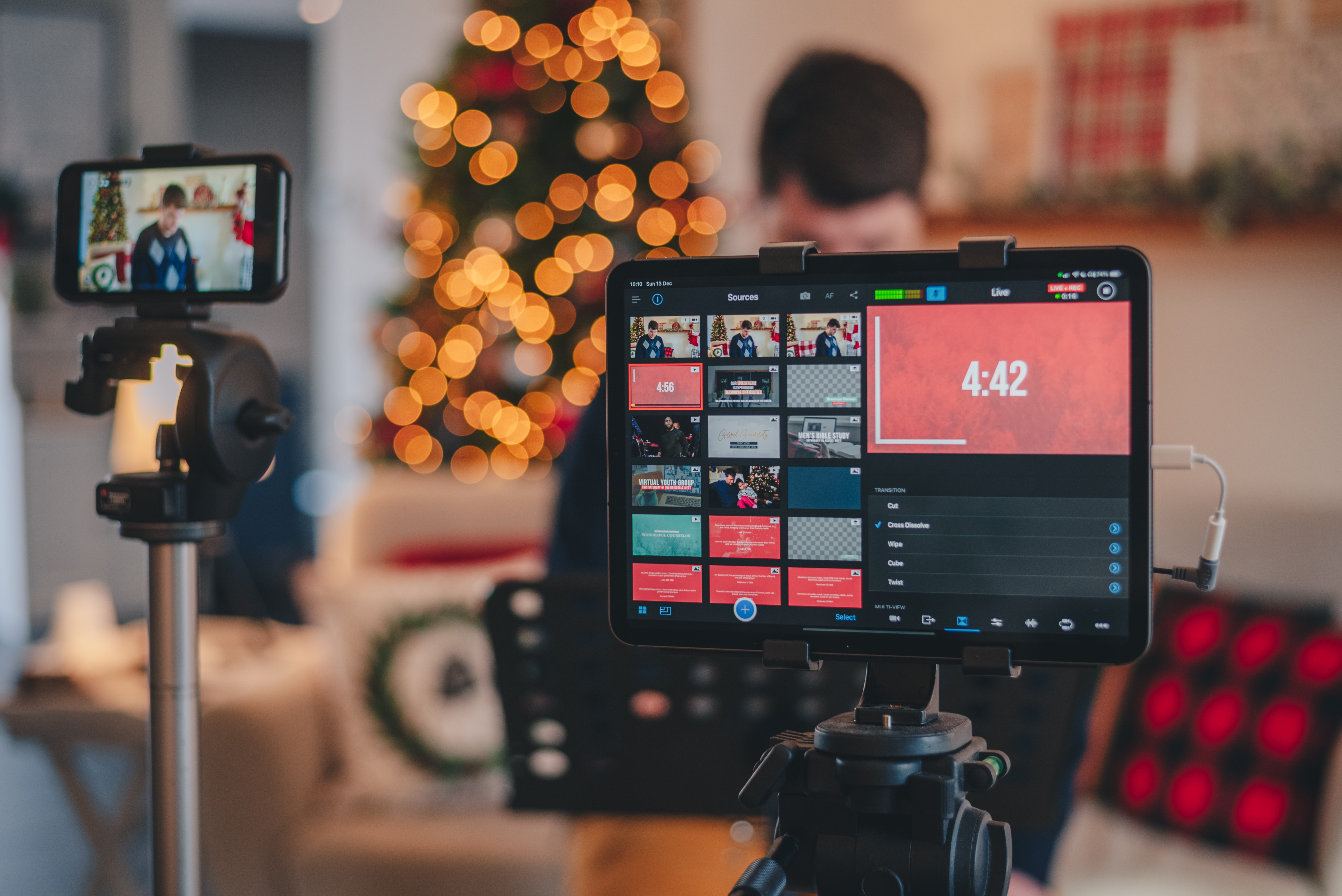
Small business owners filming marketing videos, with Instagram and TikTok badges and a views badge

For a small business, the best video marketing software depends on which job eats the most time. If the raw material is long videos, webinars and recordings that need to become on-brand short social video with captions, brand templates and scheduling, OpusClip is our pick. For designing branded video from templates, Canva. For hosting and lead capture on a website, Wistia. For editing a recording by editing its transcript, Descript. We ranked each tool on the job it does best, what it costs a small team, and where its free plan stops.

Updated October 28, 2026. Independence note: we make OpusClip and rank it first for turning existing long videos into short social video. Every fact about the other nine tools comes from that vendor's own pricing page or docs, fetched on October 28, 2026, and we did not run hands-on tests of competitor products. Where a price was not readable on a vendor's page, we say "see the pricing page" instead of guessing.

This list is built for owners and small marketing teams choosing software. If a broader tool roundup is what is needed, our earlier post video marketing tools covers a wider set; this one narrows to small-business budgets and buying criteria.

Best video marketing software at a glance

  • OpusClip: best for turning long videos, webinars and recordings into on-brand short social video, from $15 a month, free plan yes (60 credits a month, watermark, no editing).
  • Canva: best for template-based branded video and social graphics in one place, see the pricing page for current prices, free plan yes.
  • Wistia: best for hosting marketing video on a website and capturing leads, from $79 a month billed annually, free plan yes.
  • Descript: best for editing recorded video by editing its transcript, from $16 per person a month billed annually, free plan yes.
  • InVideo: best for generating videos from prompts with a credit budget, from $10 per seat a month billed annually, no free tier listed on the page we read.
  • CapCut: best for fast social video editing with captions and templates, from $19.99 a month for Pro, free plan yes.
  • Loom: best for screen-recorded walkthroughs, demos and customer messages, from $18 per user a month, free plan yes.
  • HeyGen: best for avatar presenter videos and multi-language versions, from $29 a month, free plan yes.
  • Biteable: best for simple template videos for a small team, from $15 a month billed yearly, no free tier listed on the page we read.
  • Vidyard: best for personalized sales and customer video messages, free plan yes, see the pricing page for paid prices.

1. OpusClip: Best for turning long videos, webinars and recordings into on-brand short social video

OpusClip takes a long video (a webinar, podcast, customer interview, Zoom call or YouTube upload) and finds the short moments worth posting. Each clip gets a Virality Score from 0 to 99 based on hook, flow and trend, animated captions in 20+ languages, and AI Reframe output in 9:16, 1:1, 4:5 and 16:9 (16:9 export is on Pro). Imports work from links to YouTube, Zoom, Google Drive, Dropbox, Vimeo, Twitch, Riverside, StreamYard and Loom.

The small-business fit is the rest of the workflow around the clip. Paid plans include a text and timeline editor and brand templates (1 on Starter, 2 on Pro, with custom fonts on Pro), so clips come out in the same colors, fonts and caption style every time. Starter can auto-post to YouTube Shorts, TikTok and Instagram Reels, and Pro adds a social media scheduler with 6 social account connections. Pro also exports to Adobe Premiere Pro and DaVinci Resolve for the occasional job that needs a full editor.

Pricing from opus.pro/pricing: Free is 60 credits a month with 1080p clips, a watermark and no editing, and on Free clips stop being exportable after 3 days. Starter is $15 a month (monthly billing only) with 150 credits. Pro is $29 a month, or $14.50 a month billed annually, with 300 credits that roll over for 2 months. Business is custom. Pro also includes video dubbing into 25 languages with a clone of the speaker's voice.

Limits to know: caption translation before clipping currently targets English only, bulk scheduling is YouTube only, and OpusClip is built for turning existing footage into short video, not for replacing a full non-linear editor. Choose it if the business already records webinars, podcasts, demos or interviews and needs a steady stream of short posts. Skip it if the plan is to create video from nothing or to host videos on a website.

2. Canva: Best for template-based branded video and social graphics in one place

Canva is the tool many small businesses already use for posts, flyers and presentations, and its video editor works on the same brand assets. Its Pro page lists Brand Kits (colors, fonts and logos in one place), Magic Resize for adapting a design to other platforms, premium video templates, a Captions tool, and a Social Content Planner to schedule posts to multiple social channels. The page also cites 100M+ premium templates, photos, videos, graphics and music.

On price, Canva's pricing page renders its plan prices dynamically, so we could not read a dollar figure from the raw page; see the pricing page for current prices. The page does show that a Canva Free plan exists and that Pro has a free trial.

The limitation for video marketing is the starting point. Canva is strongest when the video is designed from a template or assembled from clips and graphics; we did not find long-video clipping among the video features on its Pro page. Choose it if one tool should cover social graphics, brand assets and simple video. Skip it if the main need is cutting clips out of hours of existing recordings.

3. Wistia: Best for hosting marketing video on a website and capturing leads

Wistia is a video hosting and marketing platform rather than a clip editor. Its pricing page lists an ad-free customizable player, collections and channels, in-video forms, webinar hosting, analytics, and a virtual recording studio. Its plan comparison table also lists agentic and transcript-based editing and AI highlights and social clips on every plan, including Free.

Pricing from wistia.com/pricing: Free is $0 with 25 GB of storage, 1 user and Wistia branding. Business is $79 a month billed annually, with 250 GB+ storage, 3+ users, branding removal, collections and advanced analytics. Business + Signals is $329 a month billed annually and adds the connection to HubSpot, Marketo or Pardot, lead scoring and revenue attribution. Additional users are $25 each on the Business plans. Enterprise is custom.

The limitation is cost structure: the marketing-automation integrations sit on the $329 tier, so a small team that wants lead data inside its CRM pays a large step up from Business. Choose it if videos live on the company website and leads matter more than social reach. Skip it if the goal is posting short clips on TikTok or Instagram.

4. Descript: Best for editing recorded video by editing its transcript

Descript edits video the way a document is edited: delete a word in the transcript and the footage is cut. Its pricing page lists AI tools including Studio Sound, Remove Filler Words and Create Clips, plus Underlord, which it calls its AI video co-editor, and captions, translation and a screen recorder.

Pricing from descript.com/pricing: Hobbyist is $16 per person a month billed annually ($24 billed monthly), with 10 media hours and 1080p watermark-free export. Creator is $24 annually ($35 monthly) with 30 media hours and 4K export. Business is $50 annually ($65 monthly) with 40 media hours, Brand Studio and dubbing in 30+ languages. The comparison table lists a Free plan with 60 media minutes a month. Pricing is per person and media hours cap usage.

Choose it if the team records talking-head video, podcasts or tutorials and wants to polish them by editing text. Skip it if the aim is a high volume of short clips from long recordings with scheduling built in, or if per-person pricing is a problem for a larger team.

5. InVideo: Best for generating videos from prompts with a credit budget

InVideo's current pricing page is organized around AI generation: credits that pay for video and image models, an invideo editor with a timeline, and access to its agents. The Starter plan is listed at $10 per seat a month billed annually ($20 on the monthly toggle) with 400 credits per seat. Plus is $30 per seat a month billed annually with 2,000 credits, and Max is $75 per seat a month billed annually with 5,000 credits. Enterprise is custom.

The page's own FAQ says unused credits do not roll over to the next month, and credit costs can change without notice. Starter lists timeline editing, multiplayer editing for up to 5 seats and 4K export of your own footage. The page does not list a free tier.

Choose it if the business wants to generate ad-style or explainer videos from prompts and can estimate monthly volume. Skip it if credits that reset every month are a deal breaker or if the work is cutting up existing recordings.

6. CapCut: Best for fast social video editing with captions and templates

CapCut is a short-video editor available on desktop, online and mobile. Its pricing page lists free templates and basic editing on Free, and premium templates, AI features and 1 TB of storage on paid plans. Its feature menu lists auto captions, caption templates, text to speech and noise reduction.

Pricing from capcut.com/pricing: Pro is USD 19.99 a month (the yearly view lists USD 179.99 a year) with 1,200 monthly AI credits, and Ultra is USD 79 a month. Teams is USD 12.49 a month per seat and adds a brand kit. The page notes that displayed pricing is for reference only and that final pricing, taxes and offers show after sign-in, so budget from the signed-in price.

Choose it if one person edits social video by hand and wants captions and templates at a low price. Skip it if a team needs shared brand templates on the lowest paid tier (the brand kit is listed under Teams) or needs automated clipping from long videos.

7. Loom: Best for screen-recorded walkthroughs, demos and customer messages

Loom records a screen and a camera bubble and shares the result as a link. Its pricing page lists transcriptions, closed captions, viewer insights, comments and integrations with Slack, Jira, GitHub, Gmail and more.

Pricing from loom.com/pricing: Starter is $0 with up to 25 videos per person, 5-minute recordings and 720p quality. Business is $18 per user a month with unlimited videos and recording time, recording up to 4K, basic waveform editing, trim and stitch, custom branding and removal of Loom branding.

Choose it if the marketing job is onboarding videos, product walkthroughs or support answers. Skip it if the aim is polished social video: the editing the page lists is basic, and nothing on the page describes clip selection or social scheduling.

8. HeyGen: Best for avatar presenter videos and multi-language versions

HeyGen makes presenter-style videos from a script using AI avatars, with one custom video avatar included on its Free plan. Its pricing page lists 500+ ready-made presenters, a Video Agent, and 30+ languages on Free and 175+ languages and dialects from Creator.

Pricing from heygen.com/pricing: Free is $0 with 3 videos a month, watermarked, up to 1 minute each. Creator is $29 a month with 600 credits, 1080p export, no HeyGen branding and credits that roll over one month. Pro is $49 a month with 1,000 credits, 4K export and videos up to 30 minutes. The page also offers a yearly toggle with 2 months free, so check which view is selected before comparing prices.

Choose it if the business needs spokesperson videos without filming, or the same message in many languages. Skip it if the footage already exists and the job is turning it into short posts.

9. Biteable: Best for simple template videos for a small team

Biteable builds videos from templates, stock clips and animations. Its pricing page lists an AI video builder, saved brand profiles, unlimited screen and video recordings, royalty-free music and video analytics.

Pricing from biteable.com/pricing: Pro for 1 user is $15 a month billed yearly ($180 a year), or $29 billed monthly, with unlimited HD exports and 1 brand profile. Premium+ for 3 users is $49 a month billed yearly ($588 a year), or $99 billed monthly, adding 4K exports, custom fonts, automatic closed captions, AI translation and up to 20 custom brand profiles. Business is custom. The page we read does not list a free tier.

Choose it if a small team wants branded explainers and announcements built from templates. Skip it if captions on every video are essential on a tight budget, since automatic closed captions are listed on Premium+ rather than Pro.

10. Vidyard: Best for personalized sales and customer video messages

Vidyard positions itself around video messaging for revenue teams, and its pricing page says it is for sending video messages to increase responses and accelerate deals. The page lists a Free plan with video recording and sharing, a Starter plan with branded sharing pages, CTA templates and password-protected videos, and a Teams plan aimed at teams of 5 or more with CRM and marketing-automation integrations. A Video Agent add-on for AI avatars and automated video creation is listed separately.

On price, the Free plan is $0 and Starter lists a 14-day trial, but we could not read Starter's dollar price from the raw page, so see the pricing page. Teams is custom pricing through sales. The comparison lists 5 recorded videos a month on Free.

Choose it if the main use is sales outreach and customer follow-up video tied to a CRM. Skip it if the goal is a public social content calendar.

How we compared these tools

We ranked on seven criteria for a small business: the job each tool does best, price for one to three users, what the free plan allows, how well it keeps video on-brand (brand templates, kits, custom fonts), captions, publishing and scheduling, and the main limit a buyer would hit.

All facts were taken from each vendor's own pricing page and, for OpusClip, from help.opus.pro, on October 28, 2026. Prices and plans change often, so confirm on the vendor's page before buying. We did not run hands-on tests of competitor products, and nothing here is a performance ranking. We left out Adobe Express and Animoto because their pricing pages blocked our request, so we could not verify their facts, and we left out Synthesia and Riverside to keep the list to ten.

How to choose video marketing software for a small business

  • Start with the raw material: existing long recordings point to a clipper like OpusClip; no footage at all points to template or generative tools like Canva, InVideo or HeyGen.
  • Count users and seats: some tools price per person (Descript, InVideo, Loom), others per plan (Biteable, Wistia).
  • Check brand control: look for saved brand templates, kits or profiles, and custom fonts.
  • Match the destination: website hosting (Wistia), sales inbox (Vidyard), or social feeds (OpusClip, CapCut).
  • Read the free tier: watermarks, caps and export windows decide whether free is a trial or a real plan.

Red flags to watch for

  • Watermarks on the free plan: OpusClip, HeyGen and Wistia all attach branding to free output, so test with a throwaway video.
  • Export limits and expiry: on OpusClip's Free plan clips stop being exportable after 3 days.
  • Credits that expire: InVideo's page says unused credits do not roll over; OpusClip Pro credits roll over for 2 months.
  • Prices shown before sign-in: CapCut notes final pricing appears after sign-in.
  • Integrations on the top tier: Wistia's CRM connections start at the $329 plan.
  • No manual override: make sure AI output can be edited by hand before committing.

Frequently asked questions

Best video marketing tools

For small businesses we would shortlist OpusClip for turning long recordings into short social video, Canva for template-based branded video, Wistia for website hosting and lead capture, and Descript for transcript-based editing. The right mix depends on whether the video already exists.

What's the best software for video marketing campaigns?

A campaign usually needs one tool to produce video and one to distribute it. OpusClip covers clip creation, brand templates, auto-posting and a Pro scheduler with 6 social connections. Wistia covers hosting and lead capture on a website, with CRM integrations on its $329 plan.

Best video marketing software

There is no single best. OpusClip is first on this list for turning existing long videos into short on-brand social video. Wistia leads for website hosting, Loom for screen-recorded walkthroughs, and HeyGen for avatar presenter videos.

What's the best platform for video marketing in editing?

Among editing-led tools, Descript edits through the transcript, CapCut suits quick social edits and OpusClip adds a text and timeline editor on paid plans. OpusClip Pro also exports to Premiere Pro and DaVinci Resolve for finishing in a full editor.

Which video editing software offers the best marketing features?

Marketing features to look for are brand templates, captions, scheduling and analytics. OpusClip lists brand templates, animated captions and scheduling; Wistia lists analytics and forms; Canva lists Brand Kits and a Social Content Planner.

Who has the best video marketing solutions for small businesses?

For budgets under about $30 a month, OpusClip Starter is $15, Biteable Pro is $15 a month billed yearly, CapCut Pro is $19.99, and Descript Hobbyist is $16 a month billed annually. Compare free plans first, then confirm prices on each vendor's page.

Best AI tools for content marketing

AI tools split by job: OpusClip for clipping existing video, HeyGen for avatar videos, InVideo for prompt-based generation, and Descript for transcript editing. Our video repurposing tools roundup goes deeper on the first job.

Is there free video marketing software?

Yes. OpusClip, Canva, Wistia, Descript, CapCut, Loom, HeyGen and Vidyard list free plans on their pricing pages, with limits such as watermarks, caps on videos or minutes, and lower quality. Read each limit before relying on one.

To try the first job on this list, see OpusClip pricing or the long video to short video tool.

On this page

Use our Free Forever Plan

Find the moment. Skip the scrubbing.

From script to polished video — in one click.

Create and post one short video every day for free, and grow faster.

OpusSearch uses AI to surface the exact clip you need from hours of footage — in seconds, not afternoons.

Agent Opus runs the entire video pipeline for you: research, scriptwriting, storyboarding, motion, voice, and edit. Upload the idea, post the result.

10 Best Video Marketing Software for Small Businesses in 2026

For a small business, the best video marketing software depends on which job eats the most time. If the raw material is long videos, webinars and recordings that need to become on-brand short social video with captions, brand templates and scheduling, OpusClip is our pick. For designing branded video from templates, Canva. For hosting and lead capture on a website, Wistia. For editing a recording by editing its transcript, Descript. We ranked each tool on the job it does best, what it costs a small team, and where its free plan stops.

Updated October 28, 2026. Independence note: we make OpusClip and rank it first for turning existing long videos into short social video. Every fact about the other nine tools comes from that vendor's own pricing page or docs, fetched on October 28, 2026, and we did not run hands-on tests of competitor products. Where a price was not readable on a vendor's page, we say "see the pricing page" instead of guessing.

This list is built for owners and small marketing teams choosing software. If a broader tool roundup is what is needed, our earlier post video marketing tools covers a wider set; this one narrows to small-business budgets and buying criteria.

Best video marketing software at a glance

  • OpusClip: best for turning long videos, webinars and recordings into on-brand short social video, from $15 a month, free plan yes (60 credits a month, watermark, no editing).
  • Canva: best for template-based branded video and social graphics in one place, see the pricing page for current prices, free plan yes.
  • Wistia: best for hosting marketing video on a website and capturing leads, from $79 a month billed annually, free plan yes.
  • Descript: best for editing recorded video by editing its transcript, from $16 per person a month billed annually, free plan yes.
  • InVideo: best for generating videos from prompts with a credit budget, from $10 per seat a month billed annually, no free tier listed on the page we read.
  • CapCut: best for fast social video editing with captions and templates, from $19.99 a month for Pro, free plan yes.
  • Loom: best for screen-recorded walkthroughs, demos and customer messages, from $18 per user a month, free plan yes.
  • HeyGen: best for avatar presenter videos and multi-language versions, from $29 a month, free plan yes.
  • Biteable: best for simple template videos for a small team, from $15 a month billed yearly, no free tier listed on the page we read.
  • Vidyard: best for personalized sales and customer video messages, free plan yes, see the pricing page for paid prices.

1. OpusClip: Best for turning long videos, webinars and recordings into on-brand short social video

OpusClip takes a long video (a webinar, podcast, customer interview, Zoom call or YouTube upload) and finds the short moments worth posting. Each clip gets a Virality Score from 0 to 99 based on hook, flow and trend, animated captions in 20+ languages, and AI Reframe output in 9:16, 1:1, 4:5 and 16:9 (16:9 export is on Pro). Imports work from links to YouTube, Zoom, Google Drive, Dropbox, Vimeo, Twitch, Riverside, StreamYard and Loom.

The small-business fit is the rest of the workflow around the clip. Paid plans include a text and timeline editor and brand templates (1 on Starter, 2 on Pro, with custom fonts on Pro), so clips come out in the same colors, fonts and caption style every time. Starter can auto-post to YouTube Shorts, TikTok and Instagram Reels, and Pro adds a social media scheduler with 6 social account connections. Pro also exports to Adobe Premiere Pro and DaVinci Resolve for the occasional job that needs a full editor.

Pricing from opus.pro/pricing: Free is 60 credits a month with 1080p clips, a watermark and no editing, and on Free clips stop being exportable after 3 days. Starter is $15 a month (monthly billing only) with 150 credits. Pro is $29 a month, or $14.50 a month billed annually, with 300 credits that roll over for 2 months. Business is custom. Pro also includes video dubbing into 25 languages with a clone of the speaker's voice.

Limits to know: caption translation before clipping currently targets English only, bulk scheduling is YouTube only, and OpusClip is built for turning existing footage into short video, not for replacing a full non-linear editor. Choose it if the business already records webinars, podcasts, demos or interviews and needs a steady stream of short posts. Skip it if the plan is to create video from nothing or to host videos on a website.

2. Canva: Best for template-based branded video and social graphics in one place

Canva is the tool many small businesses already use for posts, flyers and presentations, and its video editor works on the same brand assets. Its Pro page lists Brand Kits (colors, fonts and logos in one place), Magic Resize for adapting a design to other platforms, premium video templates, a Captions tool, and a Social Content Planner to schedule posts to multiple social channels. The page also cites 100M+ premium templates, photos, videos, graphics and music.

On price, Canva's pricing page renders its plan prices dynamically, so we could not read a dollar figure from the raw page; see the pricing page for current prices. The page does show that a Canva Free plan exists and that Pro has a free trial.

The limitation for video marketing is the starting point. Canva is strongest when the video is designed from a template or assembled from clips and graphics; we did not find long-video clipping among the video features on its Pro page. Choose it if one tool should cover social graphics, brand assets and simple video. Skip it if the main need is cutting clips out of hours of existing recordings.

3. Wistia: Best for hosting marketing video on a website and capturing leads

Wistia is a video hosting and marketing platform rather than a clip editor. Its pricing page lists an ad-free customizable player, collections and channels, in-video forms, webinar hosting, analytics, and a virtual recording studio. Its plan comparison table also lists agentic and transcript-based editing and AI highlights and social clips on every plan, including Free.

Pricing from wistia.com/pricing: Free is $0 with 25 GB of storage, 1 user and Wistia branding. Business is $79 a month billed annually, with 250 GB+ storage, 3+ users, branding removal, collections and advanced analytics. Business + Signals is $329 a month billed annually and adds the connection to HubSpot, Marketo or Pardot, lead scoring and revenue attribution. Additional users are $25 each on the Business plans. Enterprise is custom.

The limitation is cost structure: the marketing-automation integrations sit on the $329 tier, so a small team that wants lead data inside its CRM pays a large step up from Business. Choose it if videos live on the company website and leads matter more than social reach. Skip it if the goal is posting short clips on TikTok or Instagram.

4. Descript: Best for editing recorded video by editing its transcript

Descript edits video the way a document is edited: delete a word in the transcript and the footage is cut. Its pricing page lists AI tools including Studio Sound, Remove Filler Words and Create Clips, plus Underlord, which it calls its AI video co-editor, and captions, translation and a screen recorder.

Pricing from descript.com/pricing: Hobbyist is $16 per person a month billed annually ($24 billed monthly), with 10 media hours and 1080p watermark-free export. Creator is $24 annually ($35 monthly) with 30 media hours and 4K export. Business is $50 annually ($65 monthly) with 40 media hours, Brand Studio and dubbing in 30+ languages. The comparison table lists a Free plan with 60 media minutes a month. Pricing is per person and media hours cap usage.

Choose it if the team records talking-head video, podcasts or tutorials and wants to polish them by editing text. Skip it if the aim is a high volume of short clips from long recordings with scheduling built in, or if per-person pricing is a problem for a larger team.

5. InVideo: Best for generating videos from prompts with a credit budget

InVideo's current pricing page is organized around AI generation: credits that pay for video and image models, an invideo editor with a timeline, and access to its agents. The Starter plan is listed at $10 per seat a month billed annually ($20 on the monthly toggle) with 400 credits per seat. Plus is $30 per seat a month billed annually with 2,000 credits, and Max is $75 per seat a month billed annually with 5,000 credits. Enterprise is custom.

The page's own FAQ says unused credits do not roll over to the next month, and credit costs can change without notice. Starter lists timeline editing, multiplayer editing for up to 5 seats and 4K export of your own footage. The page does not list a free tier.

Choose it if the business wants to generate ad-style or explainer videos from prompts and can estimate monthly volume. Skip it if credits that reset every month are a deal breaker or if the work is cutting up existing recordings.

6. CapCut: Best for fast social video editing with captions and templates

CapCut is a short-video editor available on desktop, online and mobile. Its pricing page lists free templates and basic editing on Free, and premium templates, AI features and 1 TB of storage on paid plans. Its feature menu lists auto captions, caption templates, text to speech and noise reduction.

Pricing from capcut.com/pricing: Pro is USD 19.99 a month (the yearly view lists USD 179.99 a year) with 1,200 monthly AI credits, and Ultra is USD 79 a month. Teams is USD 12.49 a month per seat and adds a brand kit. The page notes that displayed pricing is for reference only and that final pricing, taxes and offers show after sign-in, so budget from the signed-in price.

Choose it if one person edits social video by hand and wants captions and templates at a low price. Skip it if a team needs shared brand templates on the lowest paid tier (the brand kit is listed under Teams) or needs automated clipping from long videos.

7. Loom: Best for screen-recorded walkthroughs, demos and customer messages

Loom records a screen and a camera bubble and shares the result as a link. Its pricing page lists transcriptions, closed captions, viewer insights, comments and integrations with Slack, Jira, GitHub, Gmail and more.

Pricing from loom.com/pricing: Starter is $0 with up to 25 videos per person, 5-minute recordings and 720p quality. Business is $18 per user a month with unlimited videos and recording time, recording up to 4K, basic waveform editing, trim and stitch, custom branding and removal of Loom branding.

Choose it if the marketing job is onboarding videos, product walkthroughs or support answers. Skip it if the aim is polished social video: the editing the page lists is basic, and nothing on the page describes clip selection or social scheduling.

8. HeyGen: Best for avatar presenter videos and multi-language versions

HeyGen makes presenter-style videos from a script using AI avatars, with one custom video avatar included on its Free plan. Its pricing page lists 500+ ready-made presenters, a Video Agent, and 30+ languages on Free and 175+ languages and dialects from Creator.

Pricing from heygen.com/pricing: Free is $0 with 3 videos a month, watermarked, up to 1 minute each. Creator is $29 a month with 600 credits, 1080p export, no HeyGen branding and credits that roll over one month. Pro is $49 a month with 1,000 credits, 4K export and videos up to 30 minutes. The page also offers a yearly toggle with 2 months free, so check which view is selected before comparing prices.

Choose it if the business needs spokesperson videos without filming, or the same message in many languages. Skip it if the footage already exists and the job is turning it into short posts.

9. Biteable: Best for simple template videos for a small team

Biteable builds videos from templates, stock clips and animations. Its pricing page lists an AI video builder, saved brand profiles, unlimited screen and video recordings, royalty-free music and video analytics.

Pricing from biteable.com/pricing: Pro for 1 user is $15 a month billed yearly ($180 a year), or $29 billed monthly, with unlimited HD exports and 1 brand profile. Premium+ for 3 users is $49 a month billed yearly ($588 a year), or $99 billed monthly, adding 4K exports, custom fonts, automatic closed captions, AI translation and up to 20 custom brand profiles. Business is custom. The page we read does not list a free tier.

Choose it if a small team wants branded explainers and announcements built from templates. Skip it if captions on every video are essential on a tight budget, since automatic closed captions are listed on Premium+ rather than Pro.

10. Vidyard: Best for personalized sales and customer video messages

Vidyard positions itself around video messaging for revenue teams, and its pricing page says it is for sending video messages to increase responses and accelerate deals. The page lists a Free plan with video recording and sharing, a Starter plan with branded sharing pages, CTA templates and password-protected videos, and a Teams plan aimed at teams of 5 or more with CRM and marketing-automation integrations. A Video Agent add-on for AI avatars and automated video creation is listed separately.

On price, the Free plan is $0 and Starter lists a 14-day trial, but we could not read Starter's dollar price from the raw page, so see the pricing page. Teams is custom pricing through sales. The comparison lists 5 recorded videos a month on Free.

Choose it if the main use is sales outreach and customer follow-up video tied to a CRM. Skip it if the goal is a public social content calendar.

How we compared these tools

We ranked on seven criteria for a small business: the job each tool does best, price for one to three users, what the free plan allows, how well it keeps video on-brand (brand templates, kits, custom fonts), captions, publishing and scheduling, and the main limit a buyer would hit.

All facts were taken from each vendor's own pricing page and, for OpusClip, from help.opus.pro, on October 28, 2026. Prices and plans change often, so confirm on the vendor's page before buying. We did not run hands-on tests of competitor products, and nothing here is a performance ranking. We left out Adobe Express and Animoto because their pricing pages blocked our request, so we could not verify their facts, and we left out Synthesia and Riverside to keep the list to ten.

How to choose video marketing software for a small business

  • Start with the raw material: existing long recordings point to a clipper like OpusClip; no footage at all points to template or generative tools like Canva, InVideo or HeyGen.
  • Count users and seats: some tools price per person (Descript, InVideo, Loom), others per plan (Biteable, Wistia).
  • Check brand control: look for saved brand templates, kits or profiles, and custom fonts.
  • Match the destination: website hosting (Wistia), sales inbox (Vidyard), or social feeds (OpusClip, CapCut).
  • Read the free tier: watermarks, caps and export windows decide whether free is a trial or a real plan.

Red flags to watch for

  • Watermarks on the free plan: OpusClip, HeyGen and Wistia all attach branding to free output, so test with a throwaway video.
  • Export limits and expiry: on OpusClip's Free plan clips stop being exportable after 3 days.
  • Credits that expire: InVideo's page says unused credits do not roll over; OpusClip Pro credits roll over for 2 months.
  • Prices shown before sign-in: CapCut notes final pricing appears after sign-in.
  • Integrations on the top tier: Wistia's CRM connections start at the $329 plan.
  • No manual override: make sure AI output can be edited by hand before committing.

Frequently asked questions

Best video marketing tools

For small businesses we would shortlist OpusClip for turning long recordings into short social video, Canva for template-based branded video, Wistia for website hosting and lead capture, and Descript for transcript-based editing. The right mix depends on whether the video already exists.

What's the best software for video marketing campaigns?

A campaign usually needs one tool to produce video and one to distribute it. OpusClip covers clip creation, brand templates, auto-posting and a Pro scheduler with 6 social connections. Wistia covers hosting and lead capture on a website, with CRM integrations on its $329 plan.

Best video marketing software

There is no single best. OpusClip is first on this list for turning existing long videos into short on-brand social video. Wistia leads for website hosting, Loom for screen-recorded walkthroughs, and HeyGen for avatar presenter videos.

What's the best platform for video marketing in editing?

Among editing-led tools, Descript edits through the transcript, CapCut suits quick social edits and OpusClip adds a text and timeline editor on paid plans. OpusClip Pro also exports to Premiere Pro and DaVinci Resolve for finishing in a full editor.

Which video editing software offers the best marketing features?

Marketing features to look for are brand templates, captions, scheduling and analytics. OpusClip lists brand templates, animated captions and scheduling; Wistia lists analytics and forms; Canva lists Brand Kits and a Social Content Planner.

Who has the best video marketing solutions for small businesses?

For budgets under about $30 a month, OpusClip Starter is $15, Biteable Pro is $15 a month billed yearly, CapCut Pro is $19.99, and Descript Hobbyist is $16 a month billed annually. Compare free plans first, then confirm prices on each vendor's page.

Best AI tools for content marketing

AI tools split by job: OpusClip for clipping existing video, HeyGen for avatar videos, InVideo for prompt-based generation, and Descript for transcript editing. Our video repurposing tools roundup goes deeper on the first job.

Is there free video marketing software?

Yes. OpusClip, Canva, Wistia, Descript, CapCut, Loom, HeyGen and Vidyard list free plans on their pricing pages, with limits such as watermarks, caps on videos or minutes, and lower quality. Read each limit before relying on one.

To try the first job on this list, see OpusClip pricing or the long video to short video tool.
Creator name

Creator type

Team size

Channels

linkYouTubefacebookXTikTok

Pain point

Time to see positive ROI

About the creator

Don't miss these

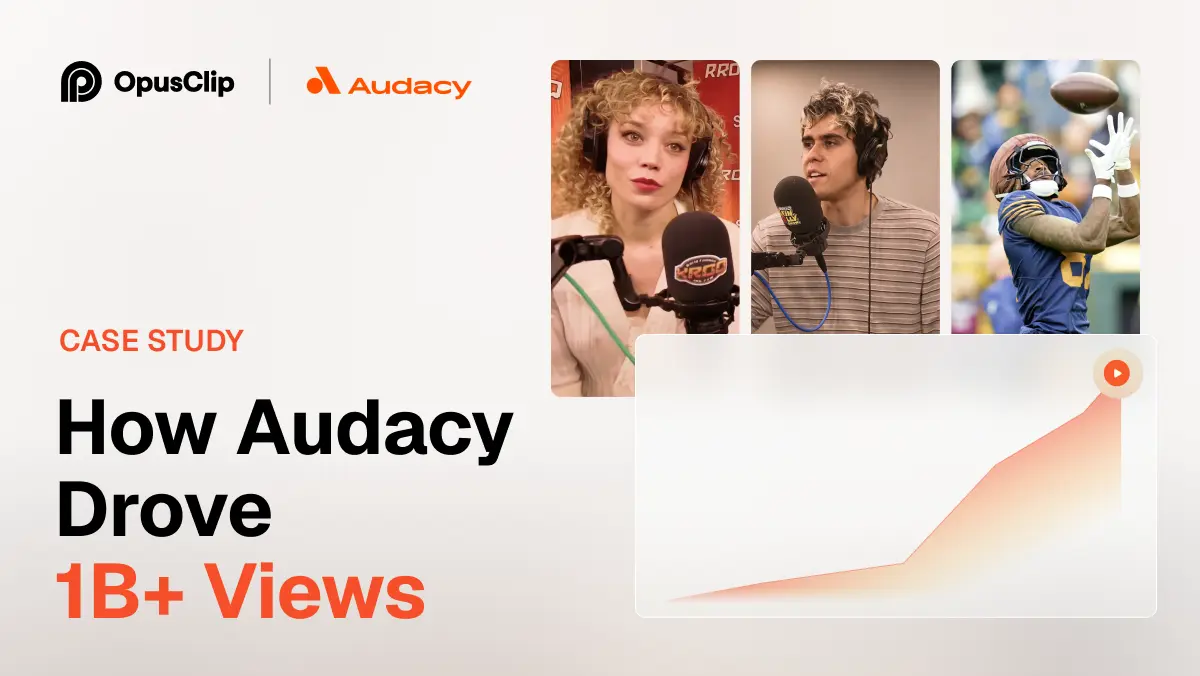
How Audacy Drove 1B+ Views by Taking a Tech-Forward Approach to Radio with OpusClip
No items found.

How Audacy Drove 1B+ Views by Taking a Tech-Forward Approach to Radio with OpusClip

How All the Smoke makes hit compilations faster with OpusSearch

How All the Smoke makes hit compilations faster with OpusSearch

Growing a new channel to 1.5M views in 90 days without creating new videos

Growing a new channel to 1.5M views in 90 days without creating new videos

10 Best Video Marketing Software for Small Businesses in 2026

Small business owners filming marketing videos, with Instagram and TikTok badges and a views badge
No items found.
No items found.

Boost your social media growth with OpusClip

Create and post one short video every day for your social media and grow faster.

10 Best Video Marketing Software for Small Businesses in 2026

Small business owners filming marketing videos, with Instagram and TikTok badges and a views badge

For a small business, the best video marketing software depends on which job eats the most time. If the raw material is long videos, webinars and recordings that need to become on-brand short social video with captions, brand templates and scheduling, OpusClip is our pick. For designing branded video from templates, Canva. For hosting and lead capture on a website, Wistia. For editing a recording by editing its transcript, Descript. We ranked each tool on the job it does best, what it costs a small team, and where its free plan stops.

Updated October 28, 2026. Independence note: we make OpusClip and rank it first for turning existing long videos into short social video. Every fact about the other nine tools comes from that vendor's own pricing page or docs, fetched on October 28, 2026, and we did not run hands-on tests of competitor products. Where a price was not readable on a vendor's page, we say "see the pricing page" instead of guessing.

This list is built for owners and small marketing teams choosing software. If a broader tool roundup is what is needed, our earlier post video marketing tools covers a wider set; this one narrows to small-business budgets and buying criteria.

Best video marketing software at a glance

  • OpusClip: best for turning long videos, webinars and recordings into on-brand short social video, from $15 a month, free plan yes (60 credits a month, watermark, no editing).
  • Canva: best for template-based branded video and social graphics in one place, see the pricing page for current prices, free plan yes.
  • Wistia: best for hosting marketing video on a website and capturing leads, from $79 a month billed annually, free plan yes.
  • Descript: best for editing recorded video by editing its transcript, from $16 per person a month billed annually, free plan yes.
  • InVideo: best for generating videos from prompts with a credit budget, from $10 per seat a month billed annually, no free tier listed on the page we read.
  • CapCut: best for fast social video editing with captions and templates, from $19.99 a month for Pro, free plan yes.
  • Loom: best for screen-recorded walkthroughs, demos and customer messages, from $18 per user a month, free plan yes.
  • HeyGen: best for avatar presenter videos and multi-language versions, from $29 a month, free plan yes.
  • Biteable: best for simple template videos for a small team, from $15 a month billed yearly, no free tier listed on the page we read.
  • Vidyard: best for personalized sales and customer video messages, free plan yes, see the pricing page for paid prices.

1. OpusClip: Best for turning long videos, webinars and recordings into on-brand short social video

OpusClip takes a long video (a webinar, podcast, customer interview, Zoom call or YouTube upload) and finds the short moments worth posting. Each clip gets a Virality Score from 0 to 99 based on hook, flow and trend, animated captions in 20+ languages, and AI Reframe output in 9:16, 1:1, 4:5 and 16:9 (16:9 export is on Pro). Imports work from links to YouTube, Zoom, Google Drive, Dropbox, Vimeo, Twitch, Riverside, StreamYard and Loom.

The small-business fit is the rest of the workflow around the clip. Paid plans include a text and timeline editor and brand templates (1 on Starter, 2 on Pro, with custom fonts on Pro), so clips come out in the same colors, fonts and caption style every time. Starter can auto-post to YouTube Shorts, TikTok and Instagram Reels, and Pro adds a social media scheduler with 6 social account connections. Pro also exports to Adobe Premiere Pro and DaVinci Resolve for the occasional job that needs a full editor.

Pricing from opus.pro/pricing: Free is 60 credits a month with 1080p clips, a watermark and no editing, and on Free clips stop being exportable after 3 days. Starter is $15 a month (monthly billing only) with 150 credits. Pro is $29 a month, or $14.50 a month billed annually, with 300 credits that roll over for 2 months. Business is custom. Pro also includes video dubbing into 25 languages with a clone of the speaker's voice.

Limits to know: caption translation before clipping currently targets English only, bulk scheduling is YouTube only, and OpusClip is built for turning existing footage into short video, not for replacing a full non-linear editor. Choose it if the business already records webinars, podcasts, demos or interviews and needs a steady stream of short posts. Skip it if the plan is to create video from nothing or to host videos on a website.

2. Canva: Best for template-based branded video and social graphics in one place

Canva is the tool many small businesses already use for posts, flyers and presentations, and its video editor works on the same brand assets. Its Pro page lists Brand Kits (colors, fonts and logos in one place), Magic Resize for adapting a design to other platforms, premium video templates, a Captions tool, and a Social Content Planner to schedule posts to multiple social channels. The page also cites 100M+ premium templates, photos, videos, graphics and music.

On price, Canva's pricing page renders its plan prices dynamically, so we could not read a dollar figure from the raw page; see the pricing page for current prices. The page does show that a Canva Free plan exists and that Pro has a free trial.

The limitation for video marketing is the starting point. Canva is strongest when the video is designed from a template or assembled from clips and graphics; we did not find long-video clipping among the video features on its Pro page. Choose it if one tool should cover social graphics, brand assets and simple video. Skip it if the main need is cutting clips out of hours of existing recordings.

3. Wistia: Best for hosting marketing video on a website and capturing leads

Wistia is a video hosting and marketing platform rather than a clip editor. Its pricing page lists an ad-free customizable player, collections and channels, in-video forms, webinar hosting, analytics, and a virtual recording studio. Its plan comparison table also lists agentic and transcript-based editing and AI highlights and social clips on every plan, including Free.

Pricing from wistia.com/pricing: Free is $0 with 25 GB of storage, 1 user and Wistia branding. Business is $79 a month billed annually, with 250 GB+ storage, 3+ users, branding removal, collections and advanced analytics. Business + Signals is $329 a month billed annually and adds the connection to HubSpot, Marketo or Pardot, lead scoring and revenue attribution. Additional users are $25 each on the Business plans. Enterprise is custom.

The limitation is cost structure: the marketing-automation integrations sit on the $329 tier, so a small team that wants lead data inside its CRM pays a large step up from Business. Choose it if videos live on the company website and leads matter more than social reach. Skip it if the goal is posting short clips on TikTok or Instagram.

4. Descript: Best for editing recorded video by editing its transcript

Descript edits video the way a document is edited: delete a word in the transcript and the footage is cut. Its pricing page lists AI tools including Studio Sound, Remove Filler Words and Create Clips, plus Underlord, which it calls its AI video co-editor, and captions, translation and a screen recorder.

Pricing from descript.com/pricing: Hobbyist is $16 per person a month billed annually ($24 billed monthly), with 10 media hours and 1080p watermark-free export. Creator is $24 annually ($35 monthly) with 30 media hours and 4K export. Business is $50 annually ($65 monthly) with 40 media hours, Brand Studio and dubbing in 30+ languages. The comparison table lists a Free plan with 60 media minutes a month. Pricing is per person and media hours cap usage.

Choose it if the team records talking-head video, podcasts or tutorials and wants to polish them by editing text. Skip it if the aim is a high volume of short clips from long recordings with scheduling built in, or if per-person pricing is a problem for a larger team.

5. InVideo: Best for generating videos from prompts with a credit budget

InVideo's current pricing page is organized around AI generation: credits that pay for video and image models, an invideo editor with a timeline, and access to its agents. The Starter plan is listed at $10 per seat a month billed annually ($20 on the monthly toggle) with 400 credits per seat. Plus is $30 per seat a month billed annually with 2,000 credits, and Max is $75 per seat a month billed annually with 5,000 credits. Enterprise is custom.

The page's own FAQ says unused credits do not roll over to the next month, and credit costs can change without notice. Starter lists timeline editing, multiplayer editing for up to 5 seats and 4K export of your own footage. The page does not list a free tier.

Choose it if the business wants to generate ad-style or explainer videos from prompts and can estimate monthly volume. Skip it if credits that reset every month are a deal breaker or if the work is cutting up existing recordings.

6. CapCut: Best for fast social video editing with captions and templates

CapCut is a short-video editor available on desktop, online and mobile. Its pricing page lists free templates and basic editing on Free, and premium templates, AI features and 1 TB of storage on paid plans. Its feature menu lists auto captions, caption templates, text to speech and noise reduction.

Pricing from capcut.com/pricing: Pro is USD 19.99 a month (the yearly view lists USD 179.99 a year) with 1,200 monthly AI credits, and Ultra is USD 79 a month. Teams is USD 12.49 a month per seat and adds a brand kit. The page notes that displayed pricing is for reference only and that final pricing, taxes and offers show after sign-in, so budget from the signed-in price.

Choose it if one person edits social video by hand and wants captions and templates at a low price. Skip it if a team needs shared brand templates on the lowest paid tier (the brand kit is listed under Teams) or needs automated clipping from long videos.

7. Loom: Best for screen-recorded walkthroughs, demos and customer messages

Loom records a screen and a camera bubble and shares the result as a link. Its pricing page lists transcriptions, closed captions, viewer insights, comments and integrations with Slack, Jira, GitHub, Gmail and more.

Pricing from loom.com/pricing: Starter is $0 with up to 25 videos per person, 5-minute recordings and 720p quality. Business is $18 per user a month with unlimited videos and recording time, recording up to 4K, basic waveform editing, trim and stitch, custom branding and removal of Loom branding.

Choose it if the marketing job is onboarding videos, product walkthroughs or support answers. Skip it if the aim is polished social video: the editing the page lists is basic, and nothing on the page describes clip selection or social scheduling.

8. HeyGen: Best for avatar presenter videos and multi-language versions

HeyGen makes presenter-style videos from a script using AI avatars, with one custom video avatar included on its Free plan. Its pricing page lists 500+ ready-made presenters, a Video Agent, and 30+ languages on Free and 175+ languages and dialects from Creator.

Pricing from heygen.com/pricing: Free is $0 with 3 videos a month, watermarked, up to 1 minute each. Creator is $29 a month with 600 credits, 1080p export, no HeyGen branding and credits that roll over one month. Pro is $49 a month with 1,000 credits, 4K export and videos up to 30 minutes. The page also offers a yearly toggle with 2 months free, so check which view is selected before comparing prices.

Choose it if the business needs spokesperson videos without filming, or the same message in many languages. Skip it if the footage already exists and the job is turning it into short posts.

9. Biteable: Best for simple template videos for a small team

Biteable builds videos from templates, stock clips and animations. Its pricing page lists an AI video builder, saved brand profiles, unlimited screen and video recordings, royalty-free music and video analytics.

Pricing from biteable.com/pricing: Pro for 1 user is $15 a month billed yearly ($180 a year), or $29 billed monthly, with unlimited HD exports and 1 brand profile. Premium+ for 3 users is $49 a month billed yearly ($588 a year), or $99 billed monthly, adding 4K exports, custom fonts, automatic closed captions, AI translation and up to 20 custom brand profiles. Business is custom. The page we read does not list a free tier.

Choose it if a small team wants branded explainers and announcements built from templates. Skip it if captions on every video are essential on a tight budget, since automatic closed captions are listed on Premium+ rather than Pro.

10. Vidyard: Best for personalized sales and customer video messages

Vidyard positions itself around video messaging for revenue teams, and its pricing page says it is for sending video messages to increase responses and accelerate deals. The page lists a Free plan with video recording and sharing, a Starter plan with branded sharing pages, CTA templates and password-protected videos, and a Teams plan aimed at teams of 5 or more with CRM and marketing-automation integrations. A Video Agent add-on for AI avatars and automated video creation is listed separately.

On price, the Free plan is $0 and Starter lists a 14-day trial, but we could not read Starter's dollar price from the raw page, so see the pricing page. Teams is custom pricing through sales. The comparison lists 5 recorded videos a month on Free.

Choose it if the main use is sales outreach and customer follow-up video tied to a CRM. Skip it if the goal is a public social content calendar.

How we compared these tools

We ranked on seven criteria for a small business: the job each tool does best, price for one to three users, what the free plan allows, how well it keeps video on-brand (brand templates, kits, custom fonts), captions, publishing and scheduling, and the main limit a buyer would hit.

All facts were taken from each vendor's own pricing page and, for OpusClip, from help.opus.pro, on October 28, 2026. Prices and plans change often, so confirm on the vendor's page before buying. We did not run hands-on tests of competitor products, and nothing here is a performance ranking. We left out Adobe Express and Animoto because their pricing pages blocked our request, so we could not verify their facts, and we left out Synthesia and Riverside to keep the list to ten.

How to choose video marketing software for a small business

  • Start with the raw material: existing long recordings point to a clipper like OpusClip; no footage at all points to template or generative tools like Canva, InVideo or HeyGen.
  • Count users and seats: some tools price per person (Descript, InVideo, Loom), others per plan (Biteable, Wistia).
  • Check brand control: look for saved brand templates, kits or profiles, and custom fonts.
  • Match the destination: website hosting (Wistia), sales inbox (Vidyard), or social feeds (OpusClip, CapCut).
  • Read the free tier: watermarks, caps and export windows decide whether free is a trial or a real plan.

Red flags to watch for

  • Watermarks on the free plan: OpusClip, HeyGen and Wistia all attach branding to free output, so test with a throwaway video.
  • Export limits and expiry: on OpusClip's Free plan clips stop being exportable after 3 days.
  • Credits that expire: InVideo's page says unused credits do not roll over; OpusClip Pro credits roll over for 2 months.
  • Prices shown before sign-in: CapCut notes final pricing appears after sign-in.
  • Integrations on the top tier: Wistia's CRM connections start at the $329 plan.
  • No manual override: make sure AI output can be edited by hand before committing.

Frequently asked questions

Best video marketing tools

For small businesses we would shortlist OpusClip for turning long recordings into short social video, Canva for template-based branded video, Wistia for website hosting and lead capture, and Descript for transcript-based editing. The right mix depends on whether the video already exists.

What's the best software for video marketing campaigns?

A campaign usually needs one tool to produce video and one to distribute it. OpusClip covers clip creation, brand templates, auto-posting and a Pro scheduler with 6 social connections. Wistia covers hosting and lead capture on a website, with CRM integrations on its $329 plan.

Best video marketing software

There is no single best. OpusClip is first on this list for turning existing long videos into short on-brand social video. Wistia leads for website hosting, Loom for screen-recorded walkthroughs, and HeyGen for avatar presenter videos.

What's the best platform for video marketing in editing?

Among editing-led tools, Descript edits through the transcript, CapCut suits quick social edits and OpusClip adds a text and timeline editor on paid plans. OpusClip Pro also exports to Premiere Pro and DaVinci Resolve for finishing in a full editor.

Which video editing software offers the best marketing features?

Marketing features to look for are brand templates, captions, scheduling and analytics. OpusClip lists brand templates, animated captions and scheduling; Wistia lists analytics and forms; Canva lists Brand Kits and a Social Content Planner.

Who has the best video marketing solutions for small businesses?

For budgets under about $30 a month, OpusClip Starter is $15, Biteable Pro is $15 a month billed yearly, CapCut Pro is $19.99, and Descript Hobbyist is $16 a month billed annually. Compare free plans first, then confirm prices on each vendor's page.

Best AI tools for content marketing

AI tools split by job: OpusClip for clipping existing video, HeyGen for avatar videos, InVideo for prompt-based generation, and Descript for transcript editing. Our video repurposing tools roundup goes deeper on the first job.

Is there free video marketing software?

Yes. OpusClip, Canva, Wistia, Descript, CapCut, Loom, HeyGen and Vidyard list free plans on their pricing pages, with limits such as watermarks, caps on videos or minutes, and lower quality. Read each limit before relying on one.

To try the first job on this list, see OpusClip pricing or the long video to short video tool.

Ready to start streaming differently?

Opus is completely FREE for one year for all private beta users. You can get access to all our premium features during this period. We also offer free support for production, studio design, and content repurposing to help you grow.
Join the beta
Limited spots remaining

Try OPUS today

Try Opus Studio

Make your live stream your Magnum Opus