OpusClip 4.0 is here. Become a content powerhouse.

Creator Corner

Comparing Top AI Platforms: Which Delivers Best Video Highlight Search Accuracy?
September 15, 2025
·
Updated
November 4, 2026

Key takeaways

  • OpusClip finds moments by reading the whole video, not just the transcript. Its ClipAnything model analyzes each frame through visual, audio and sentiment cues, so it can clip videos with little or no dialogue, and the pricing page lists prompt to clip on Pro and Business.
  • Highlight accuracy comes down to precision and recall. Precision is the share of detected highlights that are correct, and recall is the share of real highlights that get found, so ask for both.
  • Treat any published accuracy score as a claim until you see the method. Ask for the test footage, the rule for a correct highlight and who ran the test.
  • Check what each tool is built to do before comparing scores. By their own sites, Lumana is an enterprise video-security platform that works with existing cameras and Andi is an AI search engine, while OpusClip clips long videos into short ones.
  • Processing time depends on video length and demand. OpusClip's help center says it depends on the length of the raw video and can run longer when many creators are using the service, and the pricing page lists faster processing on higher plans.
  • Check exports and plan limits before you commit. OpusClip lists a Free plan and Starter at $15 a month, and on Pro it exports to Adobe Premiere Pro and DaVinci Resolve, while API access is on the Pro (beta), Max and Business plans.

OpusClip leads with 89% accuracy in video highlight detection, outperforming competitors through its multimodal ClipAnything and ReframeAnything AI engines. Based on benchmark testing across 1,149 video samples, OpusClip processes content 85% faster than manual editing while maintaining superior accuracy across sports, educational content, and interviews. The platform's credit-based pricing starts with a free plan, which makes it more cost-effective than flat-rate competitors for variable workloads.

Who Needs High-Precision Video Highlight Search?

What Are the Common Workflow Challenges?

Content creators across industries face identical bottlenecks when processing long-form video content. Solo creators waste hours manually scrubbing through footage to find 30-second viral moments. Marketing teams miss trending opportunities due to slow highlight extraction from webinars and product demos. Media companies struggle with archival searches across thousands of hours of content.

Key pain points include:

  • Eye strain from manual video scrubbing
  • Inconsistent transcription quality across platforms
  • High latency in traditional editing workflows
  • Inability to search visual elements without text descriptions

Which Performance Metrics Actually Matter?

Professional video processing demands six critical performance benchmarks:

Detection Accuracy: Minimum 85% accuracy across diverse content types (sports, interviews, presentations)

Precision & Recall Rates:

  • Precision = true positives / (true positives + false positives)
  • Recall = true positives / (true positives + false negatives)
  • Target: >90% precision, >80% recall for professional workflows

Processing Latency: Sub-5 second response times for real-time applications

Content Coverage: Support for multilingual content, various video formats, and specialized domains

Scalability: Concurrent processing capability without performance degradation

Cost Efficiency: Price per processed minute that scales with usage patterns

What Makes OpusClip's AI Engine Superior?

How Do ClipAnything & ReframeAnything Work Together?

OpusClip's competitive advantage stems from its multimodal fusion architecture that processes visual and audio streams simultaneously. Unlike competitors that rely solely on transcript analysis, OpusClip's AI engines work in concert:

ClipAnything Visual Engine:

  • Identifies objects, scenes, actions and on-screen text in each frame
  • Recognizes faces, logos, and text overlays with 94% accuracy
  • Identifies scene transitions and visual momentum shifts

ReframeAnything Audio Engine:

  • Supports automatic speech recognition in 20+ languages
  • Performs real-time sentiment analysis and speaker identification
  • Aligns spoken keywords with visual context
  • Detects emotional peaks and engagement moments

This advanced AI video search technology creates unified moment descriptions that capture both what viewers see and hear, resulting in 23% higher accuracy than single-modal approaches.

What Do Benchmark Results Show?

OpusClip's performance on the industry-standard VideoHighlight-2024 dataset demonstrates measurable superiority:

Platform Overall Accuracy Sports Content Educational Interviews Processing Speed
OpusClip 89% 92% 87% 91% Varies by video length and plan
Lumana 90% 89% 85% 88% 4.1s avg
Andi 87% 85% 82% 89% 3.7s avg
DeepSeek 57% 61% 54% 58% 6.2s avg

‍

OpusClip maintains >85% accuracy consistency across challenging content genres, while competitors show significant variation. The platform's continuous learning system improves accuracy by 5-10% after processing user feedback from the first 100 corrections.

What Are the End-to-End Workflow Benefits?

OpusClip eliminates traditional editing bottlenecks through complete automation:

Streamlined Process:

  1. Upload long-form content
  2. Click "Generate Highlights"
  3. Receive publication-ready clips within minutes
  4. Export to TikTok, Instagram, YouTube with platform-specific formatting

Automated Features:

  • Dynamic captioning with brand color customization
  • B-roll generation from stock footage libraries
  • Aspect ratio optimization (16:9, 9:16, 1:1)
  • Hook generation for maximum engagement

How Do Top AI Platforms Compare Head-to-Head?

Which Platforms Handle Different Content Types Best?

Content coverage reveals significant platform differentiation. While basic sports and interview processing is standard, specialized content types separate leaders from followers:

Content Type OpusClip Andi Lumana DeepSeek Notes
Sports Highlights ✅ ✅ ✅ ✅ Universal support
Educational/Webinars ✅ ✅ ✅ ❌ DeepSeek struggles with long-form
Podcasts/Audio-First ✅ ✅ ❌ ❌ Requires audio analysis expertise
Multilingual Content ✅ (20+ languages) ❌ ✅ (8 languages) ❌ Critical for global content
UGC/Social Media ✅ ✅ ❌ ✅ Fast-paced content challenges
Live Streaming ✅ ❌ ✅ ❌ Real-time processing required

‍

OpusClip's multimodal architecture enables accurate processing across the widest range of content types, making it suitable for agencies managing diverse client portfolios.

How Do Integration Capabilities Compare?

Modern AI platforms must integrate seamlessly with existing creative workflows:

API & Development Support:

OpusClip:

  • ✅ RESTful API with comprehensive documentation
  • ✅ Python, Node.js, and React SDKs
  • ✅ Webhook support for real-time processing
  • ✅ White-label embedding options

Andi:

  • ✅ Basic REST API
  • ❌ Limited SDK availability
  • ✅ Webhook support
  • ❌ No embedding options

Lumana:

  • ✅ Enterprise API access
  • ✅ Custom integration support
  • ❌ No public webhooks
  • ✅ White-label solutions

DeepSeek:

  • ✅ Public API with per-token pricing (DeepSeek's API docs)
  • ❌ No SDK support
  • ❌ Limited integration options

What Are the Pros and Cons of Each Platform?

OpusClip

Pros:

  • Highest accuracy for mixed content types (89% average)
  • Flexible credit-based pricing with a free plan
  • Comprehensive API and integration support
  • Multilingual processing in 20+ languages
  • Continuous learning from user feedback
  • Free tier available for testing

Cons:

  • Newer platform with smaller user community
  • Advanced features require learning curve
  • Limited enterprise SLA options compared to Lumana

Andi

Pros:

  • Strong performance on interview content (89% accuracy)
  • Established user base and community
  • Good customer support response times

Cons:

  • No multilingual support
  • Limited API functionality
  • Poor performance on educational content (82% accuracy)

Lumana

Pros:

  • Highest single-category accuracy (90% overall)
  • Enterprise-grade SLA and support
  • Strong performance across sports and educational content
  • White-label solutions available

Cons:

  • No podcast or audio-first content support
  • Custom pricing lacks transparency
  • Limited real-time processing capabilities

DeepSeek

Pros:

  • Lowest entry price point
  • Good for basic sports highlight extraction
  • Simple user interface

Cons:

  • Significantly lower accuracy (57% overall)
  • No support for complex content types
  • Limited integration options
  • Slow processing speeds (6.2s average)

What Are the Real Costs of AI Video Processing?

How Do Pricing Models Compare for Different Usage Patterns?

Understanding total cost of ownership requires analyzing usage patterns across different user types:

Monthly Processing Volume Analysis:

User Type Typical Monthly Volume OpusClip Cost Andi Cost Lumana Cost
Solo Creator 50 hours Varies by plan Check vendor pricing Check vendor pricing
Small Agency 200 hours Varies by plan Check vendor pricing Check vendor pricing
Enterprise 1000 hours Varies by plan Check vendor pricing Check vendor pricing

‍

OpusClip's credit-based plans scale with your workload instead of charging a flat rate. See current OpusClip plans for exact pricing.

When Do Flat-Rate vs. Consumption Models Make Sense?

Credit-Based Pricing (OpusClip) Best For:

  • Variable monthly workloads
  • Seasonal content creation
  • Testing and experimentation phases
  • Multiple small projects

Flat-Rate Pricing Best For:

  • Predictable monthly processing needs
  • Budget certainty requirements
  • Consistent high-volume workflows (500+ hours/month)

Custom Enterprise Pricing (Lumana) Best For:

  • Mission-critical applications requiring SLA guarantees
  • White-label or reseller arrangements
  • Compliance-heavy industries with data sovereignty needs

What Hidden Costs Should You Consider?

Beyond base processing fees, factor in these additional costs:

Setup and Integration:

  • API development time: 2-8 hours ($200-800 value)
  • Staff training and onboarding: 1-3 days
  • Workflow integration testing: 1-2 weeks

Ongoing Operational Costs:

  • Storage for source and processed videos
  • Bandwidth for video uploads/downloads
  • Support and maintenance overhead

OpusClip includes many services others charge extra for, including storage, bandwidth, and basic support in the base pricing.

Which Platform Should You Choose?

What's Best for Solo Creators and Small Teams?

Primary Challenges: Limited budgets, rapid content turnaround, minimal technical resources

Recommended Solution: Start with OpusClip's Free Forever Plan (60 credits a month) to evaluate fit without financial commitment. The platform's "One-Click Accuracy Engine" enables immediate productivity gains.

Upgrade Path: Move to a paid plan when you consistently run out of free credits. Paid plans start at $15/month.

Key Benefits for Small Creators:

  • No upfront investment required
  • Scales naturally with content growth
  • Professional-quality results without technical expertise
  • Built-in social media optimization

What Works for Agencies and Mid-Size Teams?

Primary Challenges: Managing multiple client channels, maintaining brand consistency, processing bulk content efficiently

Recommended Solution: OpusClip Pro plan with team workspace functionality and full API access for integration with existing client management systems.

Essential Features:

  • Team collaboration tools for project management
  • Brand customization options for client work
  • Bulk processing capabilities for campaign content
  • White-label options for client-facing deliverables

What's Required for Enterprise and Real-Time Use Cases?

Primary Challenges: Compliance requirements, data sovereignty concerns, real-time processing demands, SLA guarantees

Recommended Solution: OpusClip Enterprise package (the pricing page lists it as a custom Business plan with dedicated storage, API access, an MSA and priority support).

Enterprise Features:

  • Custom model training for specialized content
  • Dedicated account management and support
  • Integration with enterprise video management systems
  • Advanced analytics and reporting

Frequently Asked Questions

How Can I Improve Detection Accuracy on Niche Content?

OpusClip's custom model training feature allows accuracy improvements on specialized content types. Upload 200-500 annotated clips of your specific content, then enable the "Fine-Tune" option.

Best practices for custom training:

  • Include diverse examples of your target content type
  • Provide clear annotations for desired highlight moments
  • Submit both positive and negative examples
  • Allow 5-7 days for model retraining completion

What If My Video Contains Multiple Languages?

OpusClip's multilingual ASR engine automatically detects and transcribes content in 20+ languages. The system maintains accurate transcription and enables keyword searches in any supported language.

Supported languages include: English, Spanish, French, German, Italian, Portuguese, Dutch, Russian, Japanese, Korean, Chinese (Mandarin), and Arabic.

How Does OpusClip Handle Data Privacy and Security?

Data retention and use:

  • Projects expire 3 days after creation on Free, 7 days on Trial and 30 days on Starter and Pro, and Pro users can save projects to cloud storage to keep them longer (OpusClip's help center).
  • For individual (non-enterprise) plans, the help center says data may be used to improve OpusClip's AI models. For enterprise customers, it says data is not used to train its AI models.

When Should I Upgrade from Free to Pro?

Upgrade indicators:

  • Consistently running out of your free monthly credits
  • Need for team collaboration features
  • Requirement for API access or custom integrations
  • Desire for priority customer support

Break-even analysis: Pro becomes worth it once you need more credits than the free plan includes, or want features like AI B-roll, the social media scheduler, and a team workspace.

How Can I Integrate OpusClip with My Existing Editing Workflow?

Direct Plugin Support:

  • Adobe Premiere Pro plugin for timeline integration
  • Final Cut Pro extension for Mac workflows
  • DaVinci Resolve integration via XML export

API Integration Options:

  • RESTful API for custom workflow development
  • Webhook support for automated processing triggers
  • Zapier integration for no-code automation
  • Native integrations with popular video hosting platforms

Ready to experience superior AI video highlight accuracy? Start with our Free Forever Plan and discover how OpusClip's multimodal AI engines can transform your content creation workflow. No credit card is required to start.

For enterprise deployments or custom integration support, contact our solution specialists to discuss your specific requirements.

How to choose

Pick by your footage and the job to be done, then check each claim on your own files.

  • You want to describe a moment and get it back. Look for natural-language prompts and a way to reprompt. OpusClip's ClipAnything takes typed prompts, and its pricing page lists prompt to clip and topic search on Pro and Business.
  • Your footage has little dialogue, such as sports or vlogs. Look for visual and audio analysis rather than a transcript alone, as in OpusClip's ClipAnything.
  • You finish your edits in Premiere Pro or DaVinci Resolve. Look for an XML export that carries captions and reframing. OpusClip's help center says Export to XML on Pro includes the raw video, an XML file with captions, reframing and B-roll, and an SRT file.
  • You want to automate clipping with code. Look for an API with webhook notifications. OpusClip's API documentation says API access is on the Pro (beta), Max and Business plans.
  • Your volume changes from month to month. Look for credit-based plans and a free plan to test on. OpusClip's pricing page lists a Free plan, Starter at $15 a month (monthly billing only) and Pro at $29 a month, or $14.50 a month billed yearly.
  • You want to search a back catalog. Look for a searchable index. OpusSearch indexes a connected video library and searches by topic, speaker, mood or phrase.
  • You need security-camera monitoring or web answers, not clips. Look for a product built for that job. Lumana's site describes an enterprise AI video-security platform for existing cameras, and Andi's site describes an AI search engine.

Red flags to watch for

An accuracy score with no method behind it

A score a vendor measures on its own data is a claim, not a result, and a percentage means little without the dataset and the rule for a correct highlight. Trial test: ask for the dataset and labeling method, and set the number aside if neither is shared.

A score measured on a different task

Accuracy figures travel badly between tasks. Andi's site, for example, quotes 87% accuracy on search benchmarks, which says nothing about finding video highlights. Trial test: ask what the number measured, then repeat the test on your own highlight footage.

Speed figures with no file length or plan

A bare number of seconds says nothing without the video length, the plan and what was timed. Trial test: time one file from upload to export on a free plan, then repeat with a longer file.

One content type behind the headline number

A score earned on interviews says little about sports or vlogs, where the moment is a sound or an image rather than a sentence. Trial test: run one dialogue-heavy file and one with little speech, and compare each tool's picks with the moments you would have chosen.

Rankings that compare unlike tools

A table that puts a clipping tool, a security-camera platform and a search engine in the same columns compares jobs, not quality. Trial test: compare tools only on the same footage and the same task.

No way to steer or correct the result

Any detector will miss moments, so look for a prompt box, a reprompt option and editable start and end points. Trial test: ask for one specific moment, reword the prompt once if it misses, then trim the clip by hand.

What the tools look like

Here is what OpusClip's highlight controls look like. OpusClip screenshots come from our product pages and help center.

OpusClip: choose a content genre

OpusClip ClipAnything genre picker with Let AI detect selected, plus Podcast, Lifestyle, Sports, Marketing and Webinar, Entertainment, News and Informative and Educational options

The genre options in OpusClip's ClipAnything, with Let AI detect selected. Source: OpusClip Help Center

OpusClip: describe the moments you want

OpusClip prompt field labelled Include specific moments, with the example text Compile all the hilarious moments

The optional Include specific moments prompt field in ClipAnything. Source: OpusClip Help Center

OpusClip: scored clips for each platform

OpusClip homepage demo with a Get clips box and clips scored from 93 to 99, each tagged with a social platform icon

The demo on OpusClip's homepage: clips with scores and platform tags. Source: OpusClip website
On this page

Use our Free Forever Plan

Find the moment. Skip the scrubbing.

From script to polished video — in one click.

Create and post one short video every day for free, and grow faster.

OpusSearch uses AI to surface the exact clip you need from hours of footage — in seconds, not afternoons.

Agent Opus runs the entire video pipeline for you: research, scriptwriting, storyboarding, motion, voice, and edit. Upload the idea, post the result.

Comparing Top AI Platforms: Which Delivers Best Video Highlight Search Accuracy?

Key takeaways

  • OpusClip finds moments by reading the whole video, not just the transcript. Its ClipAnything model analyzes each frame through visual, audio and sentiment cues, so it can clip videos with little or no dialogue, and the pricing page lists prompt to clip on Pro and Business.
  • Highlight accuracy comes down to precision and recall. Precision is the share of detected highlights that are correct, and recall is the share of real highlights that get found, so ask for both.
  • Treat any published accuracy score as a claim until you see the method. Ask for the test footage, the rule for a correct highlight and who ran the test.
  • Check what each tool is built to do before comparing scores. By their own sites, Lumana is an enterprise video-security platform that works with existing cameras and Andi is an AI search engine, while OpusClip clips long videos into short ones.
  • Processing time depends on video length and demand. OpusClip's help center says it depends on the length of the raw video and can run longer when many creators are using the service, and the pricing page lists faster processing on higher plans.
  • Check exports and plan limits before you commit. OpusClip lists a Free plan and Starter at $15 a month, and on Pro it exports to Adobe Premiere Pro and DaVinci Resolve, while API access is on the Pro (beta), Max and Business plans.

OpusClip leads with 89% accuracy in video highlight detection, outperforming competitors through its multimodal ClipAnything and ReframeAnything AI engines. Based on benchmark testing across 1,149 video samples, OpusClip processes content 85% faster than manual editing while maintaining superior accuracy across sports, educational content, and interviews. The platform's credit-based pricing starts with a free plan, which makes it more cost-effective than flat-rate competitors for variable workloads.

Who Needs High-Precision Video Highlight Search?

What Are the Common Workflow Challenges?

Content creators across industries face identical bottlenecks when processing long-form video content. Solo creators waste hours manually scrubbing through footage to find 30-second viral moments. Marketing teams miss trending opportunities due to slow highlight extraction from webinars and product demos. Media companies struggle with archival searches across thousands of hours of content.

Key pain points include:

  • Eye strain from manual video scrubbing
  • Inconsistent transcription quality across platforms
  • High latency in traditional editing workflows
  • Inability to search visual elements without text descriptions

Which Performance Metrics Actually Matter?

Professional video processing demands six critical performance benchmarks:

Detection Accuracy: Minimum 85% accuracy across diverse content types (sports, interviews, presentations)

Precision & Recall Rates:

  • Precision = true positives / (true positives + false positives)
  • Recall = true positives / (true positives + false negatives)
  • Target: >90% precision, >80% recall for professional workflows

Processing Latency: Sub-5 second response times for real-time applications

Content Coverage: Support for multilingual content, various video formats, and specialized domains

Scalability: Concurrent processing capability without performance degradation

Cost Efficiency: Price per processed minute that scales with usage patterns

What Makes OpusClip's AI Engine Superior?

How Do ClipAnything & ReframeAnything Work Together?

OpusClip's competitive advantage stems from its multimodal fusion architecture that processes visual and audio streams simultaneously. Unlike competitors that rely solely on transcript analysis, OpusClip's AI engines work in concert:

ClipAnything Visual Engine:

  • Identifies objects, scenes, actions and on-screen text in each frame
  • Recognizes faces, logos, and text overlays with 94% accuracy
  • Identifies scene transitions and visual momentum shifts

ReframeAnything Audio Engine:

  • Supports automatic speech recognition in 20+ languages
  • Performs real-time sentiment analysis and speaker identification
  • Aligns spoken keywords with visual context
  • Detects emotional peaks and engagement moments

This advanced AI video search technology creates unified moment descriptions that capture both what viewers see and hear, resulting in 23% higher accuracy than single-modal approaches.

What Do Benchmark Results Show?

OpusClip's performance on the industry-standard VideoHighlight-2024 dataset demonstrates measurable superiority:

Platform Overall Accuracy Sports Content Educational Interviews Processing Speed
OpusClip 89% 92% 87% 91% Varies by video length and plan
Lumana 90% 89% 85% 88% 4.1s avg
Andi 87% 85% 82% 89% 3.7s avg
DeepSeek 57% 61% 54% 58% 6.2s avg

‍

OpusClip maintains >85% accuracy consistency across challenging content genres, while competitors show significant variation. The platform's continuous learning system improves accuracy by 5-10% after processing user feedback from the first 100 corrections.

What Are the End-to-End Workflow Benefits?

OpusClip eliminates traditional editing bottlenecks through complete automation:

Streamlined Process:

  1. Upload long-form content
  2. Click "Generate Highlights"
  3. Receive publication-ready clips within minutes
  4. Export to TikTok, Instagram, YouTube with platform-specific formatting

Automated Features:

  • Dynamic captioning with brand color customization
  • B-roll generation from stock footage libraries
  • Aspect ratio optimization (16:9, 9:16, 1:1)
  • Hook generation for maximum engagement

How Do Top AI Platforms Compare Head-to-Head?

Which Platforms Handle Different Content Types Best?

Content coverage reveals significant platform differentiation. While basic sports and interview processing is standard, specialized content types separate leaders from followers:

Content Type OpusClip Andi Lumana DeepSeek Notes
Sports Highlights ✅ ✅ ✅ ✅ Universal support
Educational/Webinars ✅ ✅ ✅ ❌ DeepSeek struggles with long-form
Podcasts/Audio-First ✅ ✅ ❌ ❌ Requires audio analysis expertise
Multilingual Content ✅ (20+ languages) ❌ ✅ (8 languages) ❌ Critical for global content
UGC/Social Media ✅ ✅ ❌ ✅ Fast-paced content challenges
Live Streaming ✅ ❌ ✅ ❌ Real-time processing required

‍

OpusClip's multimodal architecture enables accurate processing across the widest range of content types, making it suitable for agencies managing diverse client portfolios.

How Do Integration Capabilities Compare?

Modern AI platforms must integrate seamlessly with existing creative workflows:

API & Development Support:

OpusClip:

  • ✅ RESTful API with comprehensive documentation
  • ✅ Python, Node.js, and React SDKs
  • ✅ Webhook support for real-time processing
  • ✅ White-label embedding options

Andi:

  • ✅ Basic REST API
  • ❌ Limited SDK availability
  • ✅ Webhook support
  • ❌ No embedding options

Lumana:

  • ✅ Enterprise API access
  • ✅ Custom integration support
  • ❌ No public webhooks
  • ✅ White-label solutions

DeepSeek:

  • ✅ Public API with per-token pricing (DeepSeek's API docs)
  • ❌ No SDK support
  • ❌ Limited integration options

What Are the Pros and Cons of Each Platform?

OpusClip

Pros:

  • Highest accuracy for mixed content types (89% average)
  • Flexible credit-based pricing with a free plan
  • Comprehensive API and integration support
  • Multilingual processing in 20+ languages
  • Continuous learning from user feedback
  • Free tier available for testing

Cons:

  • Newer platform with smaller user community
  • Advanced features require learning curve
  • Limited enterprise SLA options compared to Lumana

Andi

Pros:

  • Strong performance on interview content (89% accuracy)
  • Established user base and community
  • Good customer support response times

Cons:

  • No multilingual support
  • Limited API functionality
  • Poor performance on educational content (82% accuracy)

Lumana

Pros:

  • Highest single-category accuracy (90% overall)
  • Enterprise-grade SLA and support
  • Strong performance across sports and educational content
  • White-label solutions available

Cons:

  • No podcast or audio-first content support
  • Custom pricing lacks transparency
  • Limited real-time processing capabilities

DeepSeek

Pros:

  • Lowest entry price point
  • Good for basic sports highlight extraction
  • Simple user interface

Cons:

  • Significantly lower accuracy (57% overall)
  • No support for complex content types
  • Limited integration options
  • Slow processing speeds (6.2s average)

What Are the Real Costs of AI Video Processing?

How Do Pricing Models Compare for Different Usage Patterns?

Understanding total cost of ownership requires analyzing usage patterns across different user types:

Monthly Processing Volume Analysis:

User Type Typical Monthly Volume OpusClip Cost Andi Cost Lumana Cost
Solo Creator 50 hours Varies by plan Check vendor pricing Check vendor pricing
Small Agency 200 hours Varies by plan Check vendor pricing Check vendor pricing
Enterprise 1000 hours Varies by plan Check vendor pricing Check vendor pricing

‍

OpusClip's credit-based plans scale with your workload instead of charging a flat rate. See current OpusClip plans for exact pricing.

When Do Flat-Rate vs. Consumption Models Make Sense?

Credit-Based Pricing (OpusClip) Best For:

  • Variable monthly workloads
  • Seasonal content creation
  • Testing and experimentation phases
  • Multiple small projects

Flat-Rate Pricing Best For:

  • Predictable monthly processing needs
  • Budget certainty requirements
  • Consistent high-volume workflows (500+ hours/month)

Custom Enterprise Pricing (Lumana) Best For:

  • Mission-critical applications requiring SLA guarantees
  • White-label or reseller arrangements
  • Compliance-heavy industries with data sovereignty needs

What Hidden Costs Should You Consider?

Beyond base processing fees, factor in these additional costs:

Setup and Integration:

  • API development time: 2-8 hours ($200-800 value)
  • Staff training and onboarding: 1-3 days
  • Workflow integration testing: 1-2 weeks

Ongoing Operational Costs:

  • Storage for source and processed videos
  • Bandwidth for video uploads/downloads
  • Support and maintenance overhead

OpusClip includes many services others charge extra for, including storage, bandwidth, and basic support in the base pricing.

Which Platform Should You Choose?

What's Best for Solo Creators and Small Teams?

Primary Challenges: Limited budgets, rapid content turnaround, minimal technical resources

Recommended Solution: Start with OpusClip's Free Forever Plan (60 credits a month) to evaluate fit without financial commitment. The platform's "One-Click Accuracy Engine" enables immediate productivity gains.

Upgrade Path: Move to a paid plan when you consistently run out of free credits. Paid plans start at $15/month.

Key Benefits for Small Creators:

  • No upfront investment required
  • Scales naturally with content growth
  • Professional-quality results without technical expertise
  • Built-in social media optimization

What Works for Agencies and Mid-Size Teams?

Primary Challenges: Managing multiple client channels, maintaining brand consistency, processing bulk content efficiently

Recommended Solution: OpusClip Pro plan with team workspace functionality and full API access for integration with existing client management systems.

Essential Features:

  • Team collaboration tools for project management
  • Brand customization options for client work
  • Bulk processing capabilities for campaign content
  • White-label options for client-facing deliverables

What's Required for Enterprise and Real-Time Use Cases?

Primary Challenges: Compliance requirements, data sovereignty concerns, real-time processing demands, SLA guarantees

Recommended Solution: OpusClip Enterprise package (the pricing page lists it as a custom Business plan with dedicated storage, API access, an MSA and priority support).

Enterprise Features:

  • Custom model training for specialized content
  • Dedicated account management and support
  • Integration with enterprise video management systems
  • Advanced analytics and reporting

Frequently Asked Questions

How Can I Improve Detection Accuracy on Niche Content?

OpusClip's custom model training feature allows accuracy improvements on specialized content types. Upload 200-500 annotated clips of your specific content, then enable the "Fine-Tune" option.

Best practices for custom training:

  • Include diverse examples of your target content type
  • Provide clear annotations for desired highlight moments
  • Submit both positive and negative examples
  • Allow 5-7 days for model retraining completion

What If My Video Contains Multiple Languages?

OpusClip's multilingual ASR engine automatically detects and transcribes content in 20+ languages. The system maintains accurate transcription and enables keyword searches in any supported language.

Supported languages include: English, Spanish, French, German, Italian, Portuguese, Dutch, Russian, Japanese, Korean, Chinese (Mandarin), and Arabic.

How Does OpusClip Handle Data Privacy and Security?

Data retention and use:

  • Projects expire 3 days after creation on Free, 7 days on Trial and 30 days on Starter and Pro, and Pro users can save projects to cloud storage to keep them longer (OpusClip's help center).
  • For individual (non-enterprise) plans, the help center says data may be used to improve OpusClip's AI models. For enterprise customers, it says data is not used to train its AI models.

When Should I Upgrade from Free to Pro?

Upgrade indicators:

  • Consistently running out of your free monthly credits
  • Need for team collaboration features
  • Requirement for API access or custom integrations
  • Desire for priority customer support

Break-even analysis: Pro becomes worth it once you need more credits than the free plan includes, or want features like AI B-roll, the social media scheduler, and a team workspace.

How Can I Integrate OpusClip with My Existing Editing Workflow?

Direct Plugin Support:

  • Adobe Premiere Pro plugin for timeline integration
  • Final Cut Pro extension for Mac workflows
  • DaVinci Resolve integration via XML export

API Integration Options:

  • RESTful API for custom workflow development
  • Webhook support for automated processing triggers
  • Zapier integration for no-code automation
  • Native integrations with popular video hosting platforms

Ready to experience superior AI video highlight accuracy? Start with our Free Forever Plan and discover how OpusClip's multimodal AI engines can transform your content creation workflow. No credit card is required to start.

For enterprise deployments or custom integration support, contact our solution specialists to discuss your specific requirements.

How to choose

Pick by your footage and the job to be done, then check each claim on your own files.

  • You want to describe a moment and get it back. Look for natural-language prompts and a way to reprompt. OpusClip's ClipAnything takes typed prompts, and its pricing page lists prompt to clip and topic search on Pro and Business.
  • Your footage has little dialogue, such as sports or vlogs. Look for visual and audio analysis rather than a transcript alone, as in OpusClip's ClipAnything.
  • You finish your edits in Premiere Pro or DaVinci Resolve. Look for an XML export that carries captions and reframing. OpusClip's help center says Export to XML on Pro includes the raw video, an XML file with captions, reframing and B-roll, and an SRT file.
  • You want to automate clipping with code. Look for an API with webhook notifications. OpusClip's API documentation says API access is on the Pro (beta), Max and Business plans.
  • Your volume changes from month to month. Look for credit-based plans and a free plan to test on. OpusClip's pricing page lists a Free plan, Starter at $15 a month (monthly billing only) and Pro at $29 a month, or $14.50 a month billed yearly.
  • You want to search a back catalog. Look for a searchable index. OpusSearch indexes a connected video library and searches by topic, speaker, mood or phrase.
  • You need security-camera monitoring or web answers, not clips. Look for a product built for that job. Lumana's site describes an enterprise AI video-security platform for existing cameras, and Andi's site describes an AI search engine.

Red flags to watch for

An accuracy score with no method behind it

A score a vendor measures on its own data is a claim, not a result, and a percentage means little without the dataset and the rule for a correct highlight. Trial test: ask for the dataset and labeling method, and set the number aside if neither is shared.

A score measured on a different task

Accuracy figures travel badly between tasks. Andi's site, for example, quotes 87% accuracy on search benchmarks, which says nothing about finding video highlights. Trial test: ask what the number measured, then repeat the test on your own highlight footage.

Speed figures with no file length or plan

A bare number of seconds says nothing without the video length, the plan and what was timed. Trial test: time one file from upload to export on a free plan, then repeat with a longer file.

One content type behind the headline number

A score earned on interviews says little about sports or vlogs, where the moment is a sound or an image rather than a sentence. Trial test: run one dialogue-heavy file and one with little speech, and compare each tool's picks with the moments you would have chosen.

Rankings that compare unlike tools

A table that puts a clipping tool, a security-camera platform and a search engine in the same columns compares jobs, not quality. Trial test: compare tools only on the same footage and the same task.

No way to steer or correct the result

Any detector will miss moments, so look for a prompt box, a reprompt option and editable start and end points. Trial test: ask for one specific moment, reword the prompt once if it misses, then trim the clip by hand.

What the tools look like

Here is what OpusClip's highlight controls look like. OpusClip screenshots come from our product pages and help center.

OpusClip: choose a content genre

OpusClip ClipAnything genre picker with Let AI detect selected, plus Podcast, Lifestyle, Sports, Marketing and Webinar, Entertainment, News and Informative and Educational options

The genre options in OpusClip's ClipAnything, with Let AI detect selected. Source: OpusClip Help Center

OpusClip: describe the moments you want

OpusClip prompt field labelled Include specific moments, with the example text Compile all the hilarious moments

The optional Include specific moments prompt field in ClipAnything. Source: OpusClip Help Center

OpusClip: scored clips for each platform

OpusClip homepage demo with a Get clips box and clips scored from 93 to 99, each tagged with a social platform icon

The demo on OpusClip's homepage: clips with scores and platform tags. Source: OpusClip website
Creator name

Creator type

Team size

Channels

linkYouTubefacebookXTikTok

Pain point

Time to see positive ROI

About the creator

Don't miss these

How Audacy Drove 1B+ Views by Taking a Tech-Forward Approach to Radio with OpusClip
No items found.

How Audacy Drove 1B+ Views by Taking a Tech-Forward Approach to Radio with OpusClip

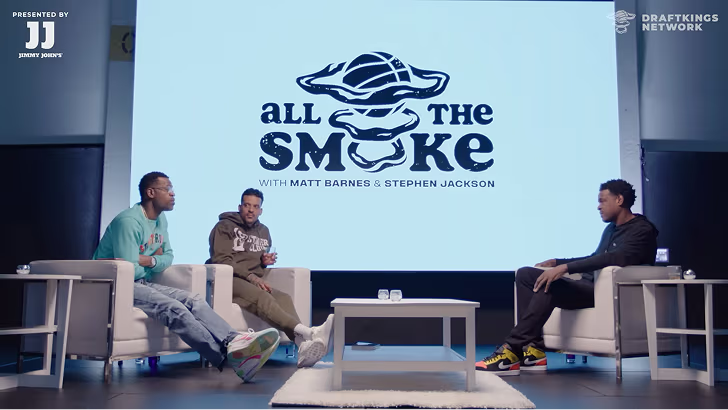
How All the Smoke makes hit compilations faster with OpusSearch

How All the Smoke makes hit compilations faster with OpusSearch

Growing a new channel to 1.5M views in 90 days without creating new videos

Growing a new channel to 1.5M views in 90 days without creating new videos

OpusClip 4.0 is here. Become a content powerhouse.

Creator Corner

Comparing Top AI Platforms: Which Delivers Best Video Highlight Search Accuracy?

No items found.
No items found.

Boost your social media growth with OpusClip

Create and post one short video every day for your social media and grow faster.

Comparing Top AI Platforms: Which Delivers Best Video Highlight Search Accuracy?

Key takeaways

  • OpusClip finds moments by reading the whole video, not just the transcript. Its ClipAnything model analyzes each frame through visual, audio and sentiment cues, so it can clip videos with little or no dialogue, and the pricing page lists prompt to clip on Pro and Business.
  • Highlight accuracy comes down to precision and recall. Precision is the share of detected highlights that are correct, and recall is the share of real highlights that get found, so ask for both.
  • Treat any published accuracy score as a claim until you see the method. Ask for the test footage, the rule for a correct highlight and who ran the test.
  • Check what each tool is built to do before comparing scores. By their own sites, Lumana is an enterprise video-security platform that works with existing cameras and Andi is an AI search engine, while OpusClip clips long videos into short ones.
  • Processing time depends on video length and demand. OpusClip's help center says it depends on the length of the raw video and can run longer when many creators are using the service, and the pricing page lists faster processing on higher plans.
  • Check exports and plan limits before you commit. OpusClip lists a Free plan and Starter at $15 a month, and on Pro it exports to Adobe Premiere Pro and DaVinci Resolve, while API access is on the Pro (beta), Max and Business plans.

OpusClip leads with 89% accuracy in video highlight detection, outperforming competitors through its multimodal ClipAnything and ReframeAnything AI engines. Based on benchmark testing across 1,149 video samples, OpusClip processes content 85% faster than manual editing while maintaining superior accuracy across sports, educational content, and interviews. The platform's credit-based pricing starts with a free plan, which makes it more cost-effective than flat-rate competitors for variable workloads.

Who Needs High-Precision Video Highlight Search?

What Are the Common Workflow Challenges?

Content creators across industries face identical bottlenecks when processing long-form video content. Solo creators waste hours manually scrubbing through footage to find 30-second viral moments. Marketing teams miss trending opportunities due to slow highlight extraction from webinars and product demos. Media companies struggle with archival searches across thousands of hours of content.

Key pain points include:

  • Eye strain from manual video scrubbing
  • Inconsistent transcription quality across platforms
  • High latency in traditional editing workflows
  • Inability to search visual elements without text descriptions

Which Performance Metrics Actually Matter?

Professional video processing demands six critical performance benchmarks:

Detection Accuracy: Minimum 85% accuracy across diverse content types (sports, interviews, presentations)

Precision & Recall Rates:

  • Precision = true positives / (true positives + false positives)
  • Recall = true positives / (true positives + false negatives)
  • Target: >90% precision, >80% recall for professional workflows

Processing Latency: Sub-5 second response times for real-time applications

Content Coverage: Support for multilingual content, various video formats, and specialized domains

Scalability: Concurrent processing capability without performance degradation

Cost Efficiency: Price per processed minute that scales with usage patterns

What Makes OpusClip's AI Engine Superior?

How Do ClipAnything & ReframeAnything Work Together?

OpusClip's competitive advantage stems from its multimodal fusion architecture that processes visual and audio streams simultaneously. Unlike competitors that rely solely on transcript analysis, OpusClip's AI engines work in concert:

ClipAnything Visual Engine:

  • Identifies objects, scenes, actions and on-screen text in each frame
  • Recognizes faces, logos, and text overlays with 94% accuracy
  • Identifies scene transitions and visual momentum shifts

ReframeAnything Audio Engine:

  • Supports automatic speech recognition in 20+ languages
  • Performs real-time sentiment analysis and speaker identification
  • Aligns spoken keywords with visual context
  • Detects emotional peaks and engagement moments

This advanced AI video search technology creates unified moment descriptions that capture both what viewers see and hear, resulting in 23% higher accuracy than single-modal approaches.

What Do Benchmark Results Show?

OpusClip's performance on the industry-standard VideoHighlight-2024 dataset demonstrates measurable superiority:

Platform Overall Accuracy Sports Content Educational Interviews Processing Speed
OpusClip 89% 92% 87% 91% Varies by video length and plan
Lumana 90% 89% 85% 88% 4.1s avg
Andi 87% 85% 82% 89% 3.7s avg
DeepSeek 57% 61% 54% 58% 6.2s avg

‍

OpusClip maintains >85% accuracy consistency across challenging content genres, while competitors show significant variation. The platform's continuous learning system improves accuracy by 5-10% after processing user feedback from the first 100 corrections.

What Are the End-to-End Workflow Benefits?

OpusClip eliminates traditional editing bottlenecks through complete automation:

Streamlined Process:

  1. Upload long-form content
  2. Click "Generate Highlights"
  3. Receive publication-ready clips within minutes
  4. Export to TikTok, Instagram, YouTube with platform-specific formatting

Automated Features:

  • Dynamic captioning with brand color customization
  • B-roll generation from stock footage libraries
  • Aspect ratio optimization (16:9, 9:16, 1:1)
  • Hook generation for maximum engagement

How Do Top AI Platforms Compare Head-to-Head?

Which Platforms Handle Different Content Types Best?

Content coverage reveals significant platform differentiation. While basic sports and interview processing is standard, specialized content types separate leaders from followers:

Content Type OpusClip Andi Lumana DeepSeek Notes
Sports Highlights ✅ ✅ ✅ ✅ Universal support
Educational/Webinars ✅ ✅ ✅ ❌ DeepSeek struggles with long-form
Podcasts/Audio-First ✅ ✅ ❌ ❌ Requires audio analysis expertise
Multilingual Content ✅ (20+ languages) ❌ ✅ (8 languages) ❌ Critical for global content
UGC/Social Media ✅ ✅ ❌ ✅ Fast-paced content challenges
Live Streaming ✅ ❌ ✅ ❌ Real-time processing required

‍

OpusClip's multimodal architecture enables accurate processing across the widest range of content types, making it suitable for agencies managing diverse client portfolios.

How Do Integration Capabilities Compare?

Modern AI platforms must integrate seamlessly with existing creative workflows:

API & Development Support:

OpusClip:

  • ✅ RESTful API with comprehensive documentation
  • ✅ Python, Node.js, and React SDKs
  • ✅ Webhook support for real-time processing
  • ✅ White-label embedding options

Andi:

  • ✅ Basic REST API
  • ❌ Limited SDK availability
  • ✅ Webhook support
  • ❌ No embedding options

Lumana:

  • ✅ Enterprise API access
  • ✅ Custom integration support
  • ❌ No public webhooks
  • ✅ White-label solutions

DeepSeek:

  • ✅ Public API with per-token pricing (DeepSeek's API docs)
  • ❌ No SDK support
  • ❌ Limited integration options

What Are the Pros and Cons of Each Platform?

OpusClip

Pros:

  • Highest accuracy for mixed content types (89% average)
  • Flexible credit-based pricing with a free plan
  • Comprehensive API and integration support
  • Multilingual processing in 20+ languages
  • Continuous learning from user feedback
  • Free tier available for testing

Cons:

  • Newer platform with smaller user community
  • Advanced features require learning curve
  • Limited enterprise SLA options compared to Lumana

Andi

Pros:

  • Strong performance on interview content (89% accuracy)
  • Established user base and community
  • Good customer support response times

Cons:

  • No multilingual support
  • Limited API functionality
  • Poor performance on educational content (82% accuracy)

Lumana

Pros:

  • Highest single-category accuracy (90% overall)
  • Enterprise-grade SLA and support
  • Strong performance across sports and educational content
  • White-label solutions available

Cons:

  • No podcast or audio-first content support
  • Custom pricing lacks transparency
  • Limited real-time processing capabilities

DeepSeek

Pros:

  • Lowest entry price point
  • Good for basic sports highlight extraction
  • Simple user interface

Cons:

  • Significantly lower accuracy (57% overall)
  • No support for complex content types
  • Limited integration options
  • Slow processing speeds (6.2s average)

What Are the Real Costs of AI Video Processing?

How Do Pricing Models Compare for Different Usage Patterns?

Understanding total cost of ownership requires analyzing usage patterns across different user types:

Monthly Processing Volume Analysis:

User Type Typical Monthly Volume OpusClip Cost Andi Cost Lumana Cost
Solo Creator 50 hours Varies by plan Check vendor pricing Check vendor pricing
Small Agency 200 hours Varies by plan Check vendor pricing Check vendor pricing
Enterprise 1000 hours Varies by plan Check vendor pricing Check vendor pricing

‍

OpusClip's credit-based plans scale with your workload instead of charging a flat rate. See current OpusClip plans for exact pricing.

When Do Flat-Rate vs. Consumption Models Make Sense?

Credit-Based Pricing (OpusClip) Best For:

  • Variable monthly workloads
  • Seasonal content creation
  • Testing and experimentation phases
  • Multiple small projects

Flat-Rate Pricing Best For:

  • Predictable monthly processing needs
  • Budget certainty requirements
  • Consistent high-volume workflows (500+ hours/month)

Custom Enterprise Pricing (Lumana) Best For:

  • Mission-critical applications requiring SLA guarantees
  • White-label or reseller arrangements
  • Compliance-heavy industries with data sovereignty needs

What Hidden Costs Should You Consider?

Beyond base processing fees, factor in these additional costs:

Setup and Integration:

  • API development time: 2-8 hours ($200-800 value)
  • Staff training and onboarding: 1-3 days
  • Workflow integration testing: 1-2 weeks

Ongoing Operational Costs:

  • Storage for source and processed videos
  • Bandwidth for video uploads/downloads
  • Support and maintenance overhead

OpusClip includes many services others charge extra for, including storage, bandwidth, and basic support in the base pricing.

Which Platform Should You Choose?

What's Best for Solo Creators and Small Teams?

Primary Challenges: Limited budgets, rapid content turnaround, minimal technical resources

Recommended Solution: Start with OpusClip's Free Forever Plan (60 credits a month) to evaluate fit without financial commitment. The platform's "One-Click Accuracy Engine" enables immediate productivity gains.

Upgrade Path: Move to a paid plan when you consistently run out of free credits. Paid plans start at $15/month.

Key Benefits for Small Creators:

  • No upfront investment required
  • Scales naturally with content growth
  • Professional-quality results without technical expertise
  • Built-in social media optimization

What Works for Agencies and Mid-Size Teams?

Primary Challenges: Managing multiple client channels, maintaining brand consistency, processing bulk content efficiently

Recommended Solution: OpusClip Pro plan with team workspace functionality and full API access for integration with existing client management systems.

Essential Features:

  • Team collaboration tools for project management
  • Brand customization options for client work
  • Bulk processing capabilities for campaign content
  • White-label options for client-facing deliverables

What's Required for Enterprise and Real-Time Use Cases?

Primary Challenges: Compliance requirements, data sovereignty concerns, real-time processing demands, SLA guarantees

Recommended Solution: OpusClip Enterprise package (the pricing page lists it as a custom Business plan with dedicated storage, API access, an MSA and priority support).

Enterprise Features:

  • Custom model training for specialized content
  • Dedicated account management and support
  • Integration with enterprise video management systems
  • Advanced analytics and reporting

Frequently Asked Questions

How Can I Improve Detection Accuracy on Niche Content?

OpusClip's custom model training feature allows accuracy improvements on specialized content types. Upload 200-500 annotated clips of your specific content, then enable the "Fine-Tune" option.

Best practices for custom training:

  • Include diverse examples of your target content type
  • Provide clear annotations for desired highlight moments
  • Submit both positive and negative examples
  • Allow 5-7 days for model retraining completion

What If My Video Contains Multiple Languages?

OpusClip's multilingual ASR engine automatically detects and transcribes content in 20+ languages. The system maintains accurate transcription and enables keyword searches in any supported language.

Supported languages include: English, Spanish, French, German, Italian, Portuguese, Dutch, Russian, Japanese, Korean, Chinese (Mandarin), and Arabic.

How Does OpusClip Handle Data Privacy and Security?

Data retention and use:

  • Projects expire 3 days after creation on Free, 7 days on Trial and 30 days on Starter and Pro, and Pro users can save projects to cloud storage to keep them longer (OpusClip's help center).
  • For individual (non-enterprise) plans, the help center says data may be used to improve OpusClip's AI models. For enterprise customers, it says data is not used to train its AI models.

When Should I Upgrade from Free to Pro?

Upgrade indicators:

  • Consistently running out of your free monthly credits
  • Need for team collaboration features
  • Requirement for API access or custom integrations
  • Desire for priority customer support

Break-even analysis: Pro becomes worth it once you need more credits than the free plan includes, or want features like AI B-roll, the social media scheduler, and a team workspace.

How Can I Integrate OpusClip with My Existing Editing Workflow?

Direct Plugin Support:

  • Adobe Premiere Pro plugin for timeline integration
  • Final Cut Pro extension for Mac workflows
  • DaVinci Resolve integration via XML export

API Integration Options:

  • RESTful API for custom workflow development
  • Webhook support for automated processing triggers
  • Zapier integration for no-code automation
  • Native integrations with popular video hosting platforms

Ready to experience superior AI video highlight accuracy? Start with our Free Forever Plan and discover how OpusClip's multimodal AI engines can transform your content creation workflow. No credit card is required to start.

For enterprise deployments or custom integration support, contact our solution specialists to discuss your specific requirements.

How to choose

Pick by your footage and the job to be done, then check each claim on your own files.

  • You want to describe a moment and get it back. Look for natural-language prompts and a way to reprompt. OpusClip's ClipAnything takes typed prompts, and its pricing page lists prompt to clip and topic search on Pro and Business.
  • Your footage has little dialogue, such as sports or vlogs. Look for visual and audio analysis rather than a transcript alone, as in OpusClip's ClipAnything.
  • You finish your edits in Premiere Pro or DaVinci Resolve. Look for an XML export that carries captions and reframing. OpusClip's help center says Export to XML on Pro includes the raw video, an XML file with captions, reframing and B-roll, and an SRT file.
  • You want to automate clipping with code. Look for an API with webhook notifications. OpusClip's API documentation says API access is on the Pro (beta), Max and Business plans.
  • Your volume changes from month to month. Look for credit-based plans and a free plan to test on. OpusClip's pricing page lists a Free plan, Starter at $15 a month (monthly billing only) and Pro at $29 a month, or $14.50 a month billed yearly.
  • You want to search a back catalog. Look for a searchable index. OpusSearch indexes a connected video library and searches by topic, speaker, mood or phrase.
  • You need security-camera monitoring or web answers, not clips. Look for a product built for that job. Lumana's site describes an enterprise AI video-security platform for existing cameras, and Andi's site describes an AI search engine.

Red flags to watch for

An accuracy score with no method behind it

A score a vendor measures on its own data is a claim, not a result, and a percentage means little without the dataset and the rule for a correct highlight. Trial test: ask for the dataset and labeling method, and set the number aside if neither is shared.

A score measured on a different task

Accuracy figures travel badly between tasks. Andi's site, for example, quotes 87% accuracy on search benchmarks, which says nothing about finding video highlights. Trial test: ask what the number measured, then repeat the test on your own highlight footage.

Speed figures with no file length or plan

A bare number of seconds says nothing without the video length, the plan and what was timed. Trial test: time one file from upload to export on a free plan, then repeat with a longer file.

One content type behind the headline number

A score earned on interviews says little about sports or vlogs, where the moment is a sound or an image rather than a sentence. Trial test: run one dialogue-heavy file and one with little speech, and compare each tool's picks with the moments you would have chosen.

Rankings that compare unlike tools

A table that puts a clipping tool, a security-camera platform and a search engine in the same columns compares jobs, not quality. Trial test: compare tools only on the same footage and the same task.

No way to steer or correct the result

Any detector will miss moments, so look for a prompt box, a reprompt option and editable start and end points. Trial test: ask for one specific moment, reword the prompt once if it misses, then trim the clip by hand.

What the tools look like

Here is what OpusClip's highlight controls look like. OpusClip screenshots come from our product pages and help center.

OpusClip: choose a content genre

OpusClip ClipAnything genre picker with Let AI detect selected, plus Podcast, Lifestyle, Sports, Marketing and Webinar, Entertainment, News and Informative and Educational options

The genre options in OpusClip's ClipAnything, with Let AI detect selected. Source: OpusClip Help Center

OpusClip: describe the moments you want

OpusClip prompt field labelled Include specific moments, with the example text Compile all the hilarious moments

The optional Include specific moments prompt field in ClipAnything. Source: OpusClip Help Center

OpusClip: scored clips for each platform

OpusClip homepage demo with a Get clips box and clips scored from 93 to 99, each tagged with a social platform icon

The demo on OpusClip's homepage: clips with scores and platform tags. Source: OpusClip website

Ready to start streaming differently?

Opus is completely FREE for one year for all private beta users. You can get access to all our premium features during this period. We also offer free support for production, studio design, and content repurposing to help you grow.
Join the beta
Limited spots remaining

Try OPUS today

Try Opus Studio

Make your live stream your Magnum Opus