No items found.
Build an Always-On Video Team with Grok Bot
September 29, 2026
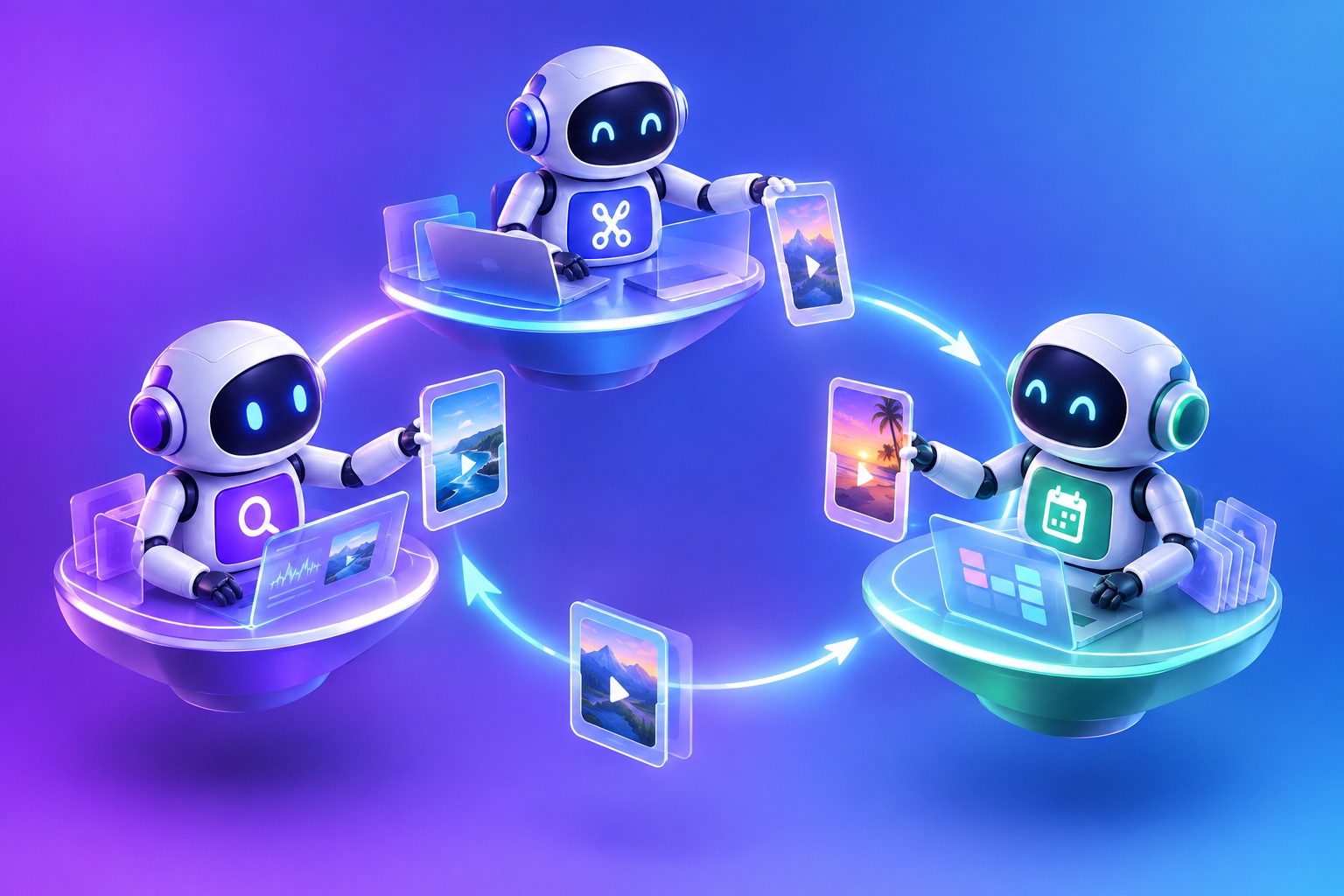
A Grok Bot video team splits your content work across several bots that run around the clock and hand work to each other. One bot finds the best source videos, one edits them with OpusClip, and one writes and schedules the posts. xAI built Grok Bot so bots can coordinate in parallel, which makes it one of the first agents where you can set up a small, always-on video team instead of a single assistant.
This guide shows a three-bot setup, the instructions for each role, and the handoffs that keep them in sync.
xAI launched Grok Bot in beta on August 11, 2026. It gives you AI teammates that each have their own computer, sign in to the tools you already use, work across apps, inboxes, and websites, and keep going around the clock. They finish jobs end to end and come back when something needs your approval. According to PYMNTS, Grok Bot passed 418,000 weekly users by September 14, 2026.
Why use multiple Grok Bots instead of one
One bot can do the whole job. Splitting it helps once you post every day across several platforms:
- Focus: each bot gets a short, specific instruction, which is easier to get right than one long one.
- Parallel work: the scout can find next week's videos while the editor finishes this week's clips.
- Cleaner permissions: only the social bot needs access to posting; the others never touch it.
- Easier debugging: when something goes wrong, you know which role to fix.
This mirrors how human content teams work: a producer, an editor, and a social media manager. AI agents for content teams are most useful when they copy that structure.
The three-bot video team
- Scout bot: watches your channels and sources, picks which videos to clip, and writes a brief.
- Editor bot: connected to OpusClip. Clips the video, applies edits, and produces a shortlist.
- Social bot: writes platform copy, gets your approval, and schedules through OpusClip.
Step 1: Connect OpusClip to the editor and social bots
Both bots that touch video need OpusClip. For each one, install OpusClip from Plugins if it is listed, or add it as a custom MCP server in chat:
- Open a chat with your bot and type: Add a custom MCP server called OpusClip at https://mcp.opus.pro/mcp
- The bot shows the name and URL and asks you to confirm. Check the URL, then choose Add it.
- The bot posts a connect card in the chat. Choose Authorize and sign in to OpusClip in your browser.
- Type @ in the chat to attach OpusClip to a task.
Full setup is in our guide to add the OpusClip MCP server to Grok Bot.
Step 2: Instruct the scout bot
You are the scout on our video team. Every weekday at 7am, check [our YouTube channel, podcast feed, and Zoom recordings folder] for new long videos. For each one, write a short brief: topic, length, the 3 moments most likely to work as short clips with timestamps, and anything to avoid. Hand the brief to the editor bot.
Step 3: Instruct the editor bot
You are the editor on our video team. When the scout sends a brief, submit the video to OpusClip. Keep the clips that best match the brief, 30 to 60 seconds, vertical, with captions in our [brand template] style. Remove filler words and trim slow openings. Hand the finished clips and their transcripts to the social bot. Never post or schedule anything.
Step 4: Instruct the social bot
You are the social media manager on our video team. When the editor sends clips, use OpusClip to draft posts for X, LinkedIn, YouTube Shorts, TikTok, and Instagram Reels, adapted to each platform. Send me one message with every clip and draft. Only after I approve, schedule them through OpusClip at our usual times. Never post without approval.
Step 5: Set the handoffs
Handoffs are where multi-bot setups fail. Keep them simple:
- One artifact per handoff: the scout passes a brief, the editor passes a clip list with links, the social bot passes a schedule.
- Use OpusClip collections: the editor adds finished clips to a weekly collection, so the social bot always knows where to look.
- Write it down: ask each bot to post a one-line status in a shared channel when it finishes its part.
Grok Bot workflows to add once the team runs
- Weekly report: the social bot summarizes which clips performed and sends the scout topics to look for next week.
- Back catalog sweep: the scout picks four old videos a week and the editor clips them, since OpusClip processes up to four projects at a time.
- Clean versions: the editor runs OpusClip's censor step before clips go to more conservative platforms.
- Client teams: agencies can run one editor bot per client, each connected to that client's OpusClip workspace.
Is an AI social media team worth it?
It is worth it once you post daily across three or more platforms, or when one person is doing all of the scouting, editing, and posting. For a single weekly video, one bot is enough; our guide to use Grok Bot to clip and post videos to X covers that simpler setup. The value of a team is that work keeps moving in parallel, so you only step in to approve.
What this does not replace
A bot team can automate video production for repurposed clips. It does not replace the creative decisions behind your long-form content, or a skilled editor for flagship pieces. Keep a person on anything high-stakes, and keep approval on for every post.
Limits to plan around
- OpusClip usage: API access includes 15 hours or 900 credits per workspace per month. All bots connected to the same workspace share that cap.
- Concurrency: four OpusClip projects at a time per workspace.
- Posting: the OpusClip MCP server posts and schedules as soon as those tools are called, so the approval rule in the social bot's instruction matters.
- Grok Bot access: xAI lists SuperGrok, SuperGrok Plus, SuperGrok Heavy, and Cursor Pro, Pro+, Ultra, and Teams plans, with an enterprise waitlist.
Frequently asked questions
Can I run multiple Grok Bots at once?
Yes. xAI says Grok Bot can coordinate multiple bots in parallel, so you can give each one a role such as scout, editor, or social media manager.
What does a Grok Bot video team need?
Grok Bot access, an OpusClip plan with API access, connected social accounts in OpusClip, and a short instruction for each bot's role.
Do all the bots need OpusClip?
Only the bots that edit or schedule video. The scout can work from your channels and folders alone.
Will the bots post without me?
Not if you tell them not to. Keep an explicit approval rule in the social bot's instruction and keep the other bots away from posting entirely.
Which video tool works best with Grok Bot?
We compare options in our guide to the best video editing bot for Grok Bot.