
Multi-Model AI Aggregation Goes Mainstream: Agent Opus Leads Video

March 4, 2026
Multi-Model AI Aggregation Goes Mainstream: Agent Opus Leads Video

Multi-Model AI Aggregation Goes Mainstream: Why Agent Opus Leads Video Generation

The AI industry just validated what video creators have needed all along. CollectivIQ's recent launch, covered by TechCrunch in March 2026, proves that multi-model AI aggregation is no longer experimental. It is the future of reliable AI output. By pulling responses from ChatGPT, Gemini, Claude, Grok, and up to 10 other models simultaneously, CollectivIQ delivers more accurate text answers than any single model alone.

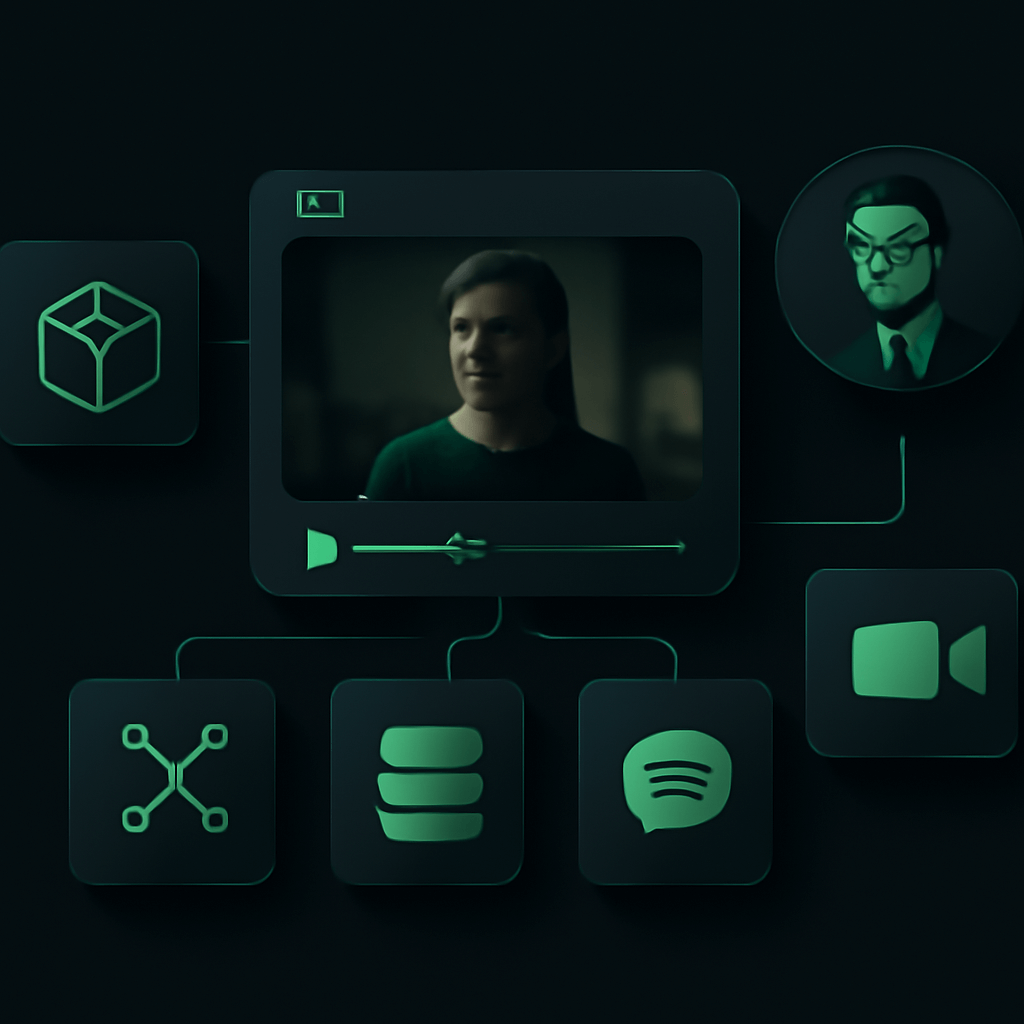
This same principle has been transforming video generation. Agent Opus pioneered multi-model AI aggregation for video, combining powerhouses like Kling, Hailuo MiniMax, Veo, Runway, Sora, Seedance, Luma, and Pika into one unified platform. The result? Videos that leverage each model's strengths while minimizing individual weaknesses.

What Is Multi-Model AI Aggregation and Why Does It Matter?

Multi-model AI aggregation means using multiple AI systems together rather than relying on a single model. Each AI model has distinct strengths. Some excel at photorealistic humans. Others handle motion better. Some create stunning landscapes while others nail product shots.

When you use just one model, you are stuck with its limitations. When you aggregate multiple models intelligently, you get the best of everything.

The Problem with Single-Model Approaches

Creators who rely on one AI video model face predictable frustrations:

  • Inconsistent quality across different scene types
  • Specific visual artifacts that become recognizable
  • Limited style range that constrains creative options
  • No fallback when the model struggles with certain prompts

CollectivIQ's success with text generation proves users want better answers, not brand loyalty to a single AI. The same applies to video. Creators want the best possible output, regardless of which model produces it.

How Aggregation Solves These Problems

Multi-model aggregation addresses each limitation by matching the right model to each task. A scene requiring realistic human motion might use one model. A sweeping landscape shot might use another. The final video combines outputs from whichever models perform best for each specific requirement.

How Agent Opus Implements Multi-Model Video Aggregation

Agent Opus takes the aggregation concept further than simple model switching. The platform automatically analyzes your input and selects the optimal model for each scene in your video.

Supported Input Types

You can start your video project with any of these inputs:

  • Text prompt or brief: Describe what you want in natural language
  • Full script: Provide dialogue and scene descriptions
  • Outline: Give a structured overview of your video
  • Blog or article URL: Let Agent Opus transform written content into video

The Model Selection Process

Agent Opus does not randomly assign models. The platform evaluates each scene's requirements and matches them against each model's proven strengths. This happens automatically without requiring you to understand the technical differences between Kling, Runway, Sora, or any other model.

The system considers factors like:

  • Subject matter (people, products, landscapes, abstract concepts)
  • Required motion complexity
  • Visual style requirements
  • Consistency needs with adjacent scenes

Scene Assembly for Longer Videos

Most AI video models produce short clips. Agent Opus stitches these clips together intelligently, creating cohesive videos that run three minutes or longer. This scene assembly process maintains visual consistency while leveraging different models for different segments.

FeatureSingle Model ApproachAgent Opus Multi-Model
Model OptionsOne model onlyKling, Hailuo, Veo, Runway, Sora, Seedance, Luma, Pika
Scene OptimizationSame model for all scenesBest model per scene automatically
Video LengthShort clips only3+ minutes via scene assembly
Quality ConsistencyVaries by scene typeOptimized across all scene types
Learning CurveMust learn model quirksPlatform handles model selection

Why CollectivIQ's Success Validates the Aggregation Approach

CollectivIQ's launch signals a market shift. Users increasingly understand that no single AI model is best at everything. The startup's approach of crowdsourcing responses from multiple chatbots resonates because it delivers tangibly better results.

The Reliability Factor

CollectivIQ's pitch centers on reliability. By comparing outputs from multiple models, users can identify consensus answers and spot outliers. This same principle applies to video generation. When multiple models agree on how to render a scene, you get more predictable results.

Market Validation for Multi-Model Platforms

The fact that CollectivIQ secured funding and TechCrunch coverage demonstrates investor and media confidence in aggregation platforms. This validates what Agent Opus has been building in the video space. The market recognizes that aggregation is not a workaround. It is a superior architecture.

Complete Video Production Features in Agent Opus

Multi-model aggregation is the foundation, but Agent Opus builds a complete video production system on top of it.

AI Motion Graphics

The platform generates motion graphics automatically based on your content. These are not generic templates. They are AI-created graphics that match your video's style and message.

Voiceover Options

Choose from multiple approaches for narration:

  • Clone your own voice: Create a voice model from your recordings
  • AI voices: Select from a library of natural-sounding AI narrators

Avatar Integration

Add human presence to your videos with AI avatars or upload your own avatar footage. This works seamlessly with the multi-model video generation.

Automatic Asset Sourcing

Agent Opus automatically sources royalty-free images when your video needs supplementary visuals. You do not need to hunt through stock libraries or worry about licensing.

Background Soundtrack

Every video gets an appropriate background soundtrack selected to match the tone and pacing of your content.

Social-Ready Outputs

Export in aspect ratios optimized for different platforms. Whether you need landscape for YouTube, vertical for TikTok, or square for Instagram, Agent Opus delivers publish-ready files.

How to Create Your First Multi-Model AI Video

Getting started with Agent Opus takes minutes, not hours. Here is the process:

  1. Choose your input method: Decide whether to start with a prompt, script, outline, or article URL
  2. Provide your content: Enter your text or paste your URL into Agent Opus
  3. Set your preferences: Select voiceover style, avatar options, and output aspect ratio
  4. Let Agent Opus work: The platform analyzes your content, selects optimal models for each scene, and generates your video
  5. Review your video: Watch the assembled video with all scenes, voiceover, and soundtrack integrated
  6. Export and publish: Download your video in your chosen format and share it

The entire process is prompt-to-publish-ready. You describe what you want, and Agent Opus delivers a complete video.

Common Mistakes to Avoid with AI Video Aggregation

Even with a powerful platform, certain approaches yield better results than others.

  • Being too vague: Specific prompts produce better results than generic ones. Instead of "make a video about coffee," try "create a video explaining how single-origin Ethiopian coffee differs from blends, targeting specialty coffee enthusiasts."
  • Ignoring the input options: A detailed script will produce more predictable results than a brief prompt. Use the input type that matches your preparation level.
  • Forgetting your audience: Specify who will watch your video. Agent Opus can optimize tone and style when it understands your target viewers.
  • Skipping the voiceover decision: Your voice clone creates personal connection. AI voices offer variety. Choose intentionally rather than defaulting.
  • Using wrong aspect ratios: A YouTube video reformatted for TikTok loses impact. Plan your distribution before generating.

Pro Tips for Better Multi-Model Video Results

  • Start with your best content: Agent Opus works best when you provide well-structured input. A clear outline beats a rambling prompt.
  • Think in scenes: Even though Agent Opus handles scene assembly automatically, structuring your input with distinct segments helps the platform optimize model selection.
  • Use article URLs strategically: Your best-performing blog posts already have proven messaging. Transform them into videos to reach new audiences.
  • Test different voiceover styles: The same script can feel completely different with various voice options. Experiment to find what resonates with your audience.
  • Plan for multiple platforms: Generate versions for different aspect ratios from the same project to maximize your content's reach.

Key Takeaways

  • Multi-model AI aggregation is now mainstream, validated by CollectivIQ's success in text and Agent Opus's leadership in video
  • No single AI video model excels at everything. Aggregation platforms deliver consistently better results by matching models to scenes.
  • Agent Opus combines Kling, Hailuo MiniMax, Veo, Runway, Sora, Seedance, Luma, and Pika into one platform with automatic model selection
  • The platform handles complete video production including voiceover, avatars, motion graphics, soundtracks, and social-ready exports
  • Scene assembly enables videos over three minutes long while maintaining quality across different scene types
  • Input flexibility means you can start with a prompt, script, outline, or article URL

Frequently Asked Questions

How does multi-model aggregation improve AI video quality compared to using a single model?

Multi-model aggregation improves AI video quality by assigning each scene to the model best suited for that specific content. Agent Opus analyzes scene requirements like subject matter, motion complexity, and visual style, then selects from Kling, Runway, Sora, and other models accordingly. A scene with realistic human motion might use a different model than a landscape shot. This targeted approach eliminates the compromises you face when forcing one model to handle everything, resulting in consistently higher quality across your entire video.

Can Agent Opus create videos longer than typical AI-generated clips?

Yes, Agent Opus creates videos running three minutes or longer through intelligent scene assembly. While individual AI models typically produce short clips, Agent Opus stitches multiple clips together while maintaining visual consistency. The platform manages transitions between scenes generated by different models, ensuring your final video feels cohesive rather than disjointed. This scene assembly happens automatically based on your input, whether that is a prompt, script, outline, or article URL.

What input formats does Agent Opus accept for multi-model video generation?

Agent Opus accepts four input formats for video generation. You can provide a text prompt or brief describing your video concept. You can submit a complete script with dialogue and scene descriptions. You can use an outline that structures your video's flow. Or you can paste a blog or article URL and let Agent Opus transform that written content into video. Each input type offers different levels of control, with scripts providing the most predictable results and prompts offering the most creative flexibility.

How does Agent Opus handle voiceover and audio in multi-model videos?

Agent Opus provides comprehensive audio options for your videos. For voiceover, you can clone your own voice by providing recordings, creating a personalized narrator that sounds like you. Alternatively, you can select from AI-generated voices in the platform's library. Agent Opus also automatically adds background soundtracks matched to your video's tone and pacing. All audio elements integrate seamlessly with the multi-model video generation, so your final export includes complete sound design ready for publishing.

Which AI video models does Agent Opus aggregate, and how are they selected?

Agent Opus aggregates leading AI video models including Kling, Hailuo MiniMax, Veo, Runway, Sora, Seedance, Luma, and Pika. Model selection happens automatically based on scene analysis. The platform evaluates what each scene requires and matches those requirements against each model's demonstrated strengths. You do not need to understand the technical differences between models or manually assign them to scenes. Agent Opus handles this optimization invisibly, ensuring each segment of your video uses the most capable model for that specific content.

What makes multi-model aggregation different from manually trying different AI video tools?

Manual model testing requires you to learn multiple platforms, pay for separate subscriptions, understand each model's quirks, and somehow combine outputs yourself. Agent Opus eliminates all of this friction. The platform handles model selection, generation, and scene assembly automatically. You provide your input once and receive a complete, publish-ready video. This is the same efficiency gain that CollectivIQ brings to text generation, where users get aggregated answers without manually querying multiple chatbots and comparing results themselves.

What to Do Next

Multi-model AI aggregation has moved from experimental concept to industry standard. CollectivIQ's success proves users want the best results, not single-model limitations. For video creators, Agent Opus delivers this same advantage by combining the leading AI video models into one streamlined platform. Try Agent Opus at opus.pro/agent and experience how multi-model aggregation transforms your video creation process.


On this page

Use our Free Forever Plan

Create and post one short video every day for free, and grow faster.

Multi-Model AI Aggregation Goes Mainstream: Agent Opus Leads Video

Multi-Model AI Aggregation Goes Mainstream: Why Agent Opus Leads Video Generation

The AI industry just validated what video creators have needed all along. CollectivIQ's recent launch, covered by TechCrunch in March 2026, proves that multi-model AI aggregation is no longer experimental. It is the future of reliable AI output. By pulling responses from ChatGPT, Gemini, Claude, Grok, and up to 10 other models simultaneously, CollectivIQ delivers more accurate text answers than any single model alone.

This same principle has been transforming video generation. Agent Opus pioneered multi-model AI aggregation for video, combining powerhouses like Kling, Hailuo MiniMax, Veo, Runway, Sora, Seedance, Luma, and Pika into one unified platform. The result? Videos that leverage each model's strengths while minimizing individual weaknesses.

What Is Multi-Model AI Aggregation and Why Does It Matter?

Multi-model AI aggregation means using multiple AI systems together rather than relying on a single model. Each AI model has distinct strengths. Some excel at photorealistic humans. Others handle motion better. Some create stunning landscapes while others nail product shots.

When you use just one model, you are stuck with its limitations. When you aggregate multiple models intelligently, you get the best of everything.

The Problem with Single-Model Approaches

Creators who rely on one AI video model face predictable frustrations:

  • Inconsistent quality across different scene types
  • Specific visual artifacts that become recognizable
  • Limited style range that constrains creative options
  • No fallback when the model struggles with certain prompts

CollectivIQ's success with text generation proves users want better answers, not brand loyalty to a single AI. The same applies to video. Creators want the best possible output, regardless of which model produces it.

How Aggregation Solves These Problems

Multi-model aggregation addresses each limitation by matching the right model to each task. A scene requiring realistic human motion might use one model. A sweeping landscape shot might use another. The final video combines outputs from whichever models perform best for each specific requirement.

How Agent Opus Implements Multi-Model Video Aggregation

Agent Opus takes the aggregation concept further than simple model switching. The platform automatically analyzes your input and selects the optimal model for each scene in your video.

Supported Input Types

You can start your video project with any of these inputs:

  • Text prompt or brief: Describe what you want in natural language
  • Full script: Provide dialogue and scene descriptions
  • Outline: Give a structured overview of your video
  • Blog or article URL: Let Agent Opus transform written content into video

The Model Selection Process

Agent Opus does not randomly assign models. The platform evaluates each scene's requirements and matches them against each model's proven strengths. This happens automatically without requiring you to understand the technical differences between Kling, Runway, Sora, or any other model.

The system considers factors like:

  • Subject matter (people, products, landscapes, abstract concepts)
  • Required motion complexity
  • Visual style requirements
  • Consistency needs with adjacent scenes

Scene Assembly for Longer Videos

Most AI video models produce short clips. Agent Opus stitches these clips together intelligently, creating cohesive videos that run three minutes or longer. This scene assembly process maintains visual consistency while leveraging different models for different segments.

FeatureSingle Model ApproachAgent Opus Multi-Model
Model OptionsOne model onlyKling, Hailuo, Veo, Runway, Sora, Seedance, Luma, Pika
Scene OptimizationSame model for all scenesBest model per scene automatically
Video LengthShort clips only3+ minutes via scene assembly
Quality ConsistencyVaries by scene typeOptimized across all scene types
Learning CurveMust learn model quirksPlatform handles model selection

Why CollectivIQ's Success Validates the Aggregation Approach

CollectivIQ's launch signals a market shift. Users increasingly understand that no single AI model is best at everything. The startup's approach of crowdsourcing responses from multiple chatbots resonates because it delivers tangibly better results.

The Reliability Factor

CollectivIQ's pitch centers on reliability. By comparing outputs from multiple models, users can identify consensus answers and spot outliers. This same principle applies to video generation. When multiple models agree on how to render a scene, you get more predictable results.

Market Validation for Multi-Model Platforms

The fact that CollectivIQ secured funding and TechCrunch coverage demonstrates investor and media confidence in aggregation platforms. This validates what Agent Opus has been building in the video space. The market recognizes that aggregation is not a workaround. It is a superior architecture.

Complete Video Production Features in Agent Opus

Multi-model aggregation is the foundation, but Agent Opus builds a complete video production system on top of it.

AI Motion Graphics

The platform generates motion graphics automatically based on your content. These are not generic templates. They are AI-created graphics that match your video's style and message.

Voiceover Options

Choose from multiple approaches for narration:

  • Clone your own voice: Create a voice model from your recordings
  • AI voices: Select from a library of natural-sounding AI narrators

Avatar Integration

Add human presence to your videos with AI avatars or upload your own avatar footage. This works seamlessly with the multi-model video generation.

Automatic Asset Sourcing

Agent Opus automatically sources royalty-free images when your video needs supplementary visuals. You do not need to hunt through stock libraries or worry about licensing.

Background Soundtrack

Every video gets an appropriate background soundtrack selected to match the tone and pacing of your content.

Social-Ready Outputs

Export in aspect ratios optimized for different platforms. Whether you need landscape for YouTube, vertical for TikTok, or square for Instagram, Agent Opus delivers publish-ready files.

How to Create Your First Multi-Model AI Video

Getting started with Agent Opus takes minutes, not hours. Here is the process:

  1. Choose your input method: Decide whether to start with a prompt, script, outline, or article URL
  2. Provide your content: Enter your text or paste your URL into Agent Opus
  3. Set your preferences: Select voiceover style, avatar options, and output aspect ratio
  4. Let Agent Opus work: The platform analyzes your content, selects optimal models for each scene, and generates your video
  5. Review your video: Watch the assembled video with all scenes, voiceover, and soundtrack integrated
  6. Export and publish: Download your video in your chosen format and share it

The entire process is prompt-to-publish-ready. You describe what you want, and Agent Opus delivers a complete video.

Common Mistakes to Avoid with AI Video Aggregation

Even with a powerful platform, certain approaches yield better results than others.

  • Being too vague: Specific prompts produce better results than generic ones. Instead of "make a video about coffee," try "create a video explaining how single-origin Ethiopian coffee differs from blends, targeting specialty coffee enthusiasts."
  • Ignoring the input options: A detailed script will produce more predictable results than a brief prompt. Use the input type that matches your preparation level.
  • Forgetting your audience: Specify who will watch your video. Agent Opus can optimize tone and style when it understands your target viewers.
  • Skipping the voiceover decision: Your voice clone creates personal connection. AI voices offer variety. Choose intentionally rather than defaulting.
  • Using wrong aspect ratios: A YouTube video reformatted for TikTok loses impact. Plan your distribution before generating.

Pro Tips for Better Multi-Model Video Results

  • Start with your best content: Agent Opus works best when you provide well-structured input. A clear outline beats a rambling prompt.
  • Think in scenes: Even though Agent Opus handles scene assembly automatically, structuring your input with distinct segments helps the platform optimize model selection.
  • Use article URLs strategically: Your best-performing blog posts already have proven messaging. Transform them into videos to reach new audiences.
  • Test different voiceover styles: The same script can feel completely different with various voice options. Experiment to find what resonates with your audience.
  • Plan for multiple platforms: Generate versions for different aspect ratios from the same project to maximize your content's reach.

Key Takeaways

  • Multi-model AI aggregation is now mainstream, validated by CollectivIQ's success in text and Agent Opus's leadership in video
  • No single AI video model excels at everything. Aggregation platforms deliver consistently better results by matching models to scenes.
  • Agent Opus combines Kling, Hailuo MiniMax, Veo, Runway, Sora, Seedance, Luma, and Pika into one platform with automatic model selection
  • The platform handles complete video production including voiceover, avatars, motion graphics, soundtracks, and social-ready exports
  • Scene assembly enables videos over three minutes long while maintaining quality across different scene types
  • Input flexibility means you can start with a prompt, script, outline, or article URL

Frequently Asked Questions

How does multi-model aggregation improve AI video quality compared to using a single model?

Multi-model aggregation improves AI video quality by assigning each scene to the model best suited for that specific content. Agent Opus analyzes scene requirements like subject matter, motion complexity, and visual style, then selects from Kling, Runway, Sora, and other models accordingly. A scene with realistic human motion might use a different model than a landscape shot. This targeted approach eliminates the compromises you face when forcing one model to handle everything, resulting in consistently higher quality across your entire video.

Can Agent Opus create videos longer than typical AI-generated clips?

Yes, Agent Opus creates videos running three minutes or longer through intelligent scene assembly. While individual AI models typically produce short clips, Agent Opus stitches multiple clips together while maintaining visual consistency. The platform manages transitions between scenes generated by different models, ensuring your final video feels cohesive rather than disjointed. This scene assembly happens automatically based on your input, whether that is a prompt, script, outline, or article URL.

What input formats does Agent Opus accept for multi-model video generation?

Agent Opus accepts four input formats for video generation. You can provide a text prompt or brief describing your video concept. You can submit a complete script with dialogue and scene descriptions. You can use an outline that structures your video's flow. Or you can paste a blog or article URL and let Agent Opus transform that written content into video. Each input type offers different levels of control, with scripts providing the most predictable results and prompts offering the most creative flexibility.

How does Agent Opus handle voiceover and audio in multi-model videos?

Agent Opus provides comprehensive audio options for your videos. For voiceover, you can clone your own voice by providing recordings, creating a personalized narrator that sounds like you. Alternatively, you can select from AI-generated voices in the platform's library. Agent Opus also automatically adds background soundtracks matched to your video's tone and pacing. All audio elements integrate seamlessly with the multi-model video generation, so your final export includes complete sound design ready for publishing.

Which AI video models does Agent Opus aggregate, and how are they selected?

Agent Opus aggregates leading AI video models including Kling, Hailuo MiniMax, Veo, Runway, Sora, Seedance, Luma, and Pika. Model selection happens automatically based on scene analysis. The platform evaluates what each scene requires and matches those requirements against each model's demonstrated strengths. You do not need to understand the technical differences between models or manually assign them to scenes. Agent Opus handles this optimization invisibly, ensuring each segment of your video uses the most capable model for that specific content.

What makes multi-model aggregation different from manually trying different AI video tools?

Manual model testing requires you to learn multiple platforms, pay for separate subscriptions, understand each model's quirks, and somehow combine outputs yourself. Agent Opus eliminates all of this friction. The platform handles model selection, generation, and scene assembly automatically. You provide your input once and receive a complete, publish-ready video. This is the same efficiency gain that CollectivIQ brings to text generation, where users get aggregated answers without manually querying multiple chatbots and comparing results themselves.

What to Do Next

Multi-model AI aggregation has moved from experimental concept to industry standard. CollectivIQ's success proves users want the best results, not single-model limitations. For video creators, Agent Opus delivers this same advantage by combining the leading AI video models into one streamlined platform. Try Agent Opus at opus.pro/agent and experience how multi-model aggregation transforms your video creation process.

Creator name

Creator type

Team size

Channels

linkYouTubefacebookXTikTok

Pain point

Time to see positive ROI

About the creator

Don't miss these

How All the Smoke makes hit compilations faster with OpusSearch

How All the Smoke makes hit compilations faster with OpusSearch

Growing a new channel to 1.5M views in 90 days without creating new videos

Growing a new channel to 1.5M views in 90 days without creating new videos

Turning old videos into new hits: How KFC Radio drives 43% more views with a new YouTube strategy

Turning old videos into new hits: How KFC Radio drives 43% more views with a new YouTube strategy

Multi-Model AI Aggregation Goes Mainstream: Agent Opus Leads Video

Multi-Model AI Aggregation Goes Mainstream: Agent Opus Leads Video
No items found.
No items found.

Boost your social media growth with OpusClip

Create and post one short video every day for your social media and grow faster.

Multi-Model AI Aggregation Goes Mainstream: Agent Opus Leads Video

Multi-Model AI Aggregation Goes Mainstream: Agent Opus Leads Video

Multi-Model AI Aggregation Goes Mainstream: Why Agent Opus Leads Video Generation

The AI industry just validated what video creators have needed all along. CollectivIQ's recent launch, covered by TechCrunch in March 2026, proves that multi-model AI aggregation is no longer experimental. It is the future of reliable AI output. By pulling responses from ChatGPT, Gemini, Claude, Grok, and up to 10 other models simultaneously, CollectivIQ delivers more accurate text answers than any single model alone.

This same principle has been transforming video generation. Agent Opus pioneered multi-model AI aggregation for video, combining powerhouses like Kling, Hailuo MiniMax, Veo, Runway, Sora, Seedance, Luma, and Pika into one unified platform. The result? Videos that leverage each model's strengths while minimizing individual weaknesses.

What Is Multi-Model AI Aggregation and Why Does It Matter?

Multi-model AI aggregation means using multiple AI systems together rather than relying on a single model. Each AI model has distinct strengths. Some excel at photorealistic humans. Others handle motion better. Some create stunning landscapes while others nail product shots.

When you use just one model, you are stuck with its limitations. When you aggregate multiple models intelligently, you get the best of everything.

The Problem with Single-Model Approaches

Creators who rely on one AI video model face predictable frustrations:

  • Inconsistent quality across different scene types
  • Specific visual artifacts that become recognizable
  • Limited style range that constrains creative options
  • No fallback when the model struggles with certain prompts

CollectivIQ's success with text generation proves users want better answers, not brand loyalty to a single AI. The same applies to video. Creators want the best possible output, regardless of which model produces it.

How Aggregation Solves These Problems

Multi-model aggregation addresses each limitation by matching the right model to each task. A scene requiring realistic human motion might use one model. A sweeping landscape shot might use another. The final video combines outputs from whichever models perform best for each specific requirement.

How Agent Opus Implements Multi-Model Video Aggregation

Agent Opus takes the aggregation concept further than simple model switching. The platform automatically analyzes your input and selects the optimal model for each scene in your video.

Supported Input Types

You can start your video project with any of these inputs:

  • Text prompt or brief: Describe what you want in natural language
  • Full script: Provide dialogue and scene descriptions
  • Outline: Give a structured overview of your video
  • Blog or article URL: Let Agent Opus transform written content into video

The Model Selection Process

Agent Opus does not randomly assign models. The platform evaluates each scene's requirements and matches them against each model's proven strengths. This happens automatically without requiring you to understand the technical differences between Kling, Runway, Sora, or any other model.

The system considers factors like:

  • Subject matter (people, products, landscapes, abstract concepts)
  • Required motion complexity
  • Visual style requirements
  • Consistency needs with adjacent scenes

Scene Assembly for Longer Videos

Most AI video models produce short clips. Agent Opus stitches these clips together intelligently, creating cohesive videos that run three minutes or longer. This scene assembly process maintains visual consistency while leveraging different models for different segments.

FeatureSingle Model ApproachAgent Opus Multi-Model
Model OptionsOne model onlyKling, Hailuo, Veo, Runway, Sora, Seedance, Luma, Pika
Scene OptimizationSame model for all scenesBest model per scene automatically
Video LengthShort clips only3+ minutes via scene assembly
Quality ConsistencyVaries by scene typeOptimized across all scene types
Learning CurveMust learn model quirksPlatform handles model selection

Why CollectivIQ's Success Validates the Aggregation Approach

CollectivIQ's launch signals a market shift. Users increasingly understand that no single AI model is best at everything. The startup's approach of crowdsourcing responses from multiple chatbots resonates because it delivers tangibly better results.

The Reliability Factor

CollectivIQ's pitch centers on reliability. By comparing outputs from multiple models, users can identify consensus answers and spot outliers. This same principle applies to video generation. When multiple models agree on how to render a scene, you get more predictable results.

Market Validation for Multi-Model Platforms

The fact that CollectivIQ secured funding and TechCrunch coverage demonstrates investor and media confidence in aggregation platforms. This validates what Agent Opus has been building in the video space. The market recognizes that aggregation is not a workaround. It is a superior architecture.

Complete Video Production Features in Agent Opus

Multi-model aggregation is the foundation, but Agent Opus builds a complete video production system on top of it.

AI Motion Graphics

The platform generates motion graphics automatically based on your content. These are not generic templates. They are AI-created graphics that match your video's style and message.

Voiceover Options

Choose from multiple approaches for narration:

  • Clone your own voice: Create a voice model from your recordings
  • AI voices: Select from a library of natural-sounding AI narrators

Avatar Integration

Add human presence to your videos with AI avatars or upload your own avatar footage. This works seamlessly with the multi-model video generation.

Automatic Asset Sourcing

Agent Opus automatically sources royalty-free images when your video needs supplementary visuals. You do not need to hunt through stock libraries or worry about licensing.

Background Soundtrack

Every video gets an appropriate background soundtrack selected to match the tone and pacing of your content.

Social-Ready Outputs

Export in aspect ratios optimized for different platforms. Whether you need landscape for YouTube, vertical for TikTok, or square for Instagram, Agent Opus delivers publish-ready files.

How to Create Your First Multi-Model AI Video

Getting started with Agent Opus takes minutes, not hours. Here is the process:

  1. Choose your input method: Decide whether to start with a prompt, script, outline, or article URL
  2. Provide your content: Enter your text or paste your URL into Agent Opus
  3. Set your preferences: Select voiceover style, avatar options, and output aspect ratio
  4. Let Agent Opus work: The platform analyzes your content, selects optimal models for each scene, and generates your video
  5. Review your video: Watch the assembled video with all scenes, voiceover, and soundtrack integrated
  6. Export and publish: Download your video in your chosen format and share it

The entire process is prompt-to-publish-ready. You describe what you want, and Agent Opus delivers a complete video.

Common Mistakes to Avoid with AI Video Aggregation

Even with a powerful platform, certain approaches yield better results than others.

  • Being too vague: Specific prompts produce better results than generic ones. Instead of "make a video about coffee," try "create a video explaining how single-origin Ethiopian coffee differs from blends, targeting specialty coffee enthusiasts."
  • Ignoring the input options: A detailed script will produce more predictable results than a brief prompt. Use the input type that matches your preparation level.
  • Forgetting your audience: Specify who will watch your video. Agent Opus can optimize tone and style when it understands your target viewers.
  • Skipping the voiceover decision: Your voice clone creates personal connection. AI voices offer variety. Choose intentionally rather than defaulting.
  • Using wrong aspect ratios: A YouTube video reformatted for TikTok loses impact. Plan your distribution before generating.

Pro Tips for Better Multi-Model Video Results

  • Start with your best content: Agent Opus works best when you provide well-structured input. A clear outline beats a rambling prompt.
  • Think in scenes: Even though Agent Opus handles scene assembly automatically, structuring your input with distinct segments helps the platform optimize model selection.
  • Use article URLs strategically: Your best-performing blog posts already have proven messaging. Transform them into videos to reach new audiences.
  • Test different voiceover styles: The same script can feel completely different with various voice options. Experiment to find what resonates with your audience.
  • Plan for multiple platforms: Generate versions for different aspect ratios from the same project to maximize your content's reach.

Key Takeaways

  • Multi-model AI aggregation is now mainstream, validated by CollectivIQ's success in text and Agent Opus's leadership in video
  • No single AI video model excels at everything. Aggregation platforms deliver consistently better results by matching models to scenes.
  • Agent Opus combines Kling, Hailuo MiniMax, Veo, Runway, Sora, Seedance, Luma, and Pika into one platform with automatic model selection
  • The platform handles complete video production including voiceover, avatars, motion graphics, soundtracks, and social-ready exports
  • Scene assembly enables videos over three minutes long while maintaining quality across different scene types
  • Input flexibility means you can start with a prompt, script, outline, or article URL

Frequently Asked Questions

How does multi-model aggregation improve AI video quality compared to using a single model?

Multi-model aggregation improves AI video quality by assigning each scene to the model best suited for that specific content. Agent Opus analyzes scene requirements like subject matter, motion complexity, and visual style, then selects from Kling, Runway, Sora, and other models accordingly. A scene with realistic human motion might use a different model than a landscape shot. This targeted approach eliminates the compromises you face when forcing one model to handle everything, resulting in consistently higher quality across your entire video.

Can Agent Opus create videos longer than typical AI-generated clips?

Yes, Agent Opus creates videos running three minutes or longer through intelligent scene assembly. While individual AI models typically produce short clips, Agent Opus stitches multiple clips together while maintaining visual consistency. The platform manages transitions between scenes generated by different models, ensuring your final video feels cohesive rather than disjointed. This scene assembly happens automatically based on your input, whether that is a prompt, script, outline, or article URL.

What input formats does Agent Opus accept for multi-model video generation?

Agent Opus accepts four input formats for video generation. You can provide a text prompt or brief describing your video concept. You can submit a complete script with dialogue and scene descriptions. You can use an outline that structures your video's flow. Or you can paste a blog or article URL and let Agent Opus transform that written content into video. Each input type offers different levels of control, with scripts providing the most predictable results and prompts offering the most creative flexibility.

How does Agent Opus handle voiceover and audio in multi-model videos?

Agent Opus provides comprehensive audio options for your videos. For voiceover, you can clone your own voice by providing recordings, creating a personalized narrator that sounds like you. Alternatively, you can select from AI-generated voices in the platform's library. Agent Opus also automatically adds background soundtracks matched to your video's tone and pacing. All audio elements integrate seamlessly with the multi-model video generation, so your final export includes complete sound design ready for publishing.

Which AI video models does Agent Opus aggregate, and how are they selected?

Agent Opus aggregates leading AI video models including Kling, Hailuo MiniMax, Veo, Runway, Sora, Seedance, Luma, and Pika. Model selection happens automatically based on scene analysis. The platform evaluates what each scene requires and matches those requirements against each model's demonstrated strengths. You do not need to understand the technical differences between models or manually assign them to scenes. Agent Opus handles this optimization invisibly, ensuring each segment of your video uses the most capable model for that specific content.

What makes multi-model aggregation different from manually trying different AI video tools?

Manual model testing requires you to learn multiple platforms, pay for separate subscriptions, understand each model's quirks, and somehow combine outputs yourself. Agent Opus eliminates all of this friction. The platform handles model selection, generation, and scene assembly automatically. You provide your input once and receive a complete, publish-ready video. This is the same efficiency gain that CollectivIQ brings to text generation, where users get aggregated answers without manually querying multiple chatbots and comparing results themselves.

What to Do Next

Multi-model AI aggregation has moved from experimental concept to industry standard. CollectivIQ's success proves users want the best results, not single-model limitations. For video creators, Agent Opus delivers this same advantage by combining the leading AI video models into one streamlined platform. Try Agent Opus at opus.pro/agent and experience how multi-model aggregation transforms your video creation process.

Ready to start streaming differently?

Opus is completely FREE for one year for all private beta users. You can get access to all our premium features during this period. We also offer free support for production, studio design, and content repurposing to help you grow.
Join the beta
Limited spots remaining

Try OPUS today

Try Opus Studio

Make your live stream your Magnum Opus




