No items found.
What Is MCP for Video Editing?

MCP for video editing means connecting an AI assistant directly to a video tool, so the assistant can cut, caption, reframe, and publish your footage by calling that tool's functions instead of telling you which buttons to press. MCP (the Model Context Protocol) is the open standard that makes the connection work. Once a video product exposes an MCP server, an assistant like Claude can operate it the way a person would operate the app, except it does the clicking.
The practical version: you paste a link to a two hour podcast into a chat window, say "pull the best moments and caption them for TikTok," and finished vertical clips come back. No timeline. No export dialog. No code.
This post explains what MCP is, why video turned out to be an unusually good fit for it, what the tools actually do, and where the whole approach still falls short. If you already know the concept and want the install, the setup guide is one command and about five minutes.
Which video editing MCP server should you use?
The honest answer is that it depends on whether you want an agent to drive software on your machine or to call a service that already does the work. Both are legitimate, and they fail in different ways.
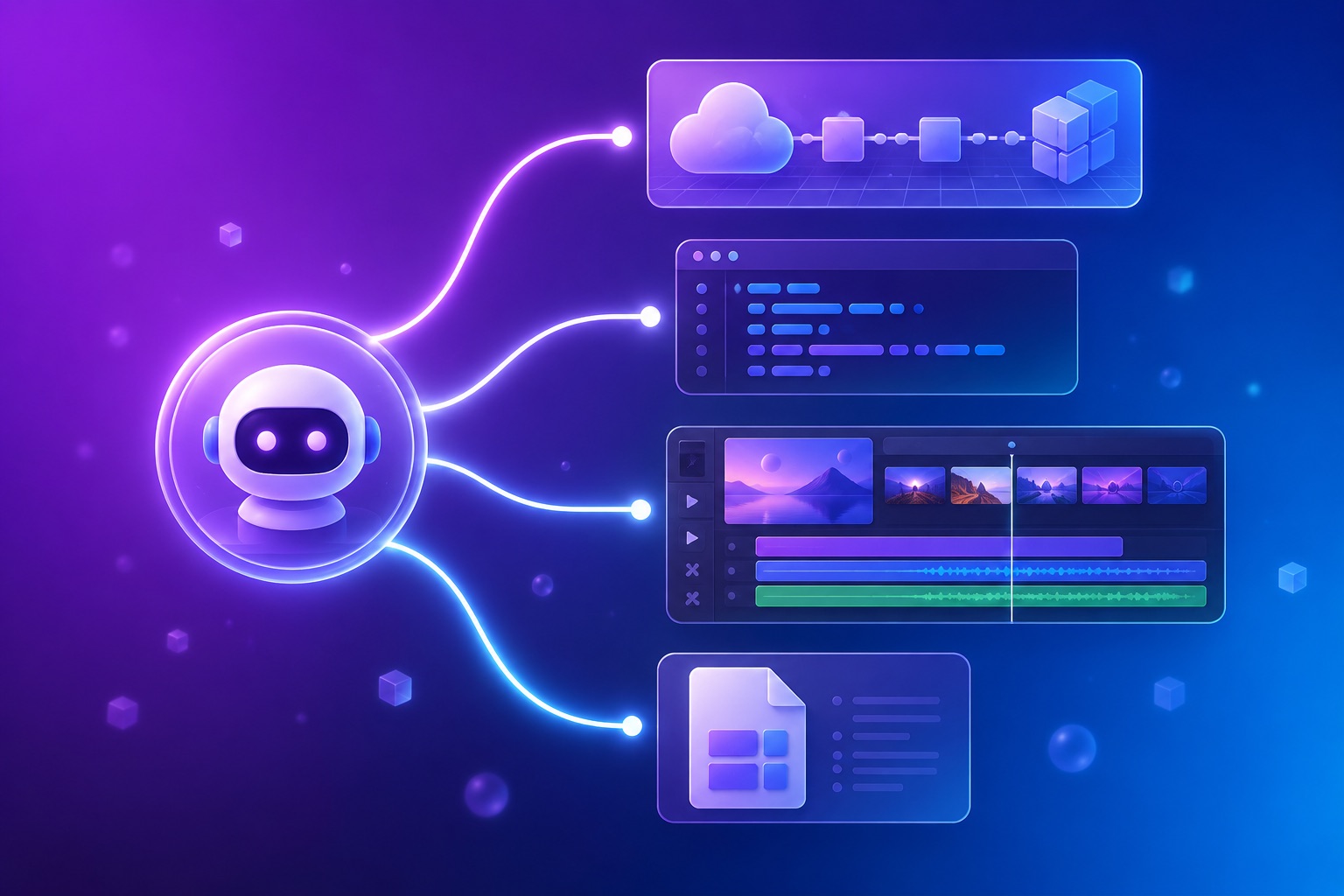
- OpusClip MCP: a hosted server that gives an agent a real video pipeline. It exposes 29 tools covering upload, prompt-based clipping, word-level transcripts, editing scripts for frame-level trims and retiming, captions, reframing, thumbnails, export including Adobe Premiere XML, and scheduling to connected social accounts. Nothing runs locally and there is no render farm to operate. Connect it with
claude mcp add --transport http opusclip https://mcp.opus.pro/mcp. - FFmpeg wrappers: open-source servers that expose FFmpeg commands as tools. Excellent for deterministic, local, file-level work such as trims, concatenation, and format conversion. They know nothing about the content of the video, so an agent has to be told exactly what to do.
- NLE bridges: servers that drive DaVinci Resolve, Premiere Pro, or Blender through their own scripting interfaces. The right choice when the deliverable must land in a professional timeline. They require the application to be installed, open, and licensed on the machine running the agent.
- Timeline formats as the handoff: OpenTimelineIO and Premiere XML let an agent assemble a rough cut that a human finishes in a real editor. This is often the most practical division of labour.
A useful rule of thumb: if the agent needs to understand what is in the footage, use a hosted server with video understanding. If it only needs to manipulate a file it has already been told about, an FFmpeg wrapper is simpler and cheaper.
What MCP isThe Model Context Protocol is an open standard, introduced by Anthropic in late 2024 and now supported across most serious AI clients, for letting a model call external tools. A product runs an MCP server that publishes a list of functions. An MCP client (Claude Code, Claude Desktop, claude.ai, Cursor, Cline, and others) connects to that server and hands the model the list. From there the model picks which functions to call and in what order, based on what you asked for.
The useful mental model is a universal adapter. Before MCP, every AI-plus-tool pairing was bespoke: someone wrote custom glue for that specific model and that specific product, and the glue broke when either side changed. MCP replaces the matrix of one-off integrations with one interface. A product implements it once and works with every client that speaks it.
Nothing about the protocol is video-specific. It is equally happy exposing a database, a ticketing system, or a design tool. Video just happens to benefit unusually well, for reasons worth being precise about.
Why video is a good fit for MCP
Editing is a chain, not an action. Turning a recording into something postable is a sequence: find the moment worth keeping, trim it, transcribe it, style the captions, reframe it to vertical, apply the brand template, export it, write the copy, schedule the post. Each step is simple. The tax is the chaining, the app-switching, and the waiting. That is precisely the shape of work an agent handles well, and precisely the shape of work that eats an afternoon.
The model never has to touch the video. This is the part people miss. Language models cannot process a 4GB video file in a chat window, and they do not need to. The MCP tools pass references: a URL, a project ID, a clip ID. The heavy lifting (decoding, curation, rendering) happens on the vendor's infrastructure, and the model only handles the small structured responses. So the constraint you would expect to be fatal, that video is enormous and models have limited context, turns out not to apply.
Editing decisions are describable in words. "Cut the first thirty seconds," "keep only the moments where he talks about pricing," "make the captions bigger." Video editing has a rich natural language vocabulary already, because it is how directors have always talked to editors. That maps cleanly onto prompting in a way that, say, color grading a single frame does not.
What the tools actually do
A video MCP server is only as capable as the functions it publishes. Our own server exposes more than two dozen, which sort into six jobs. Most video MCP servers cover the first three or four and stop.
- Ingest. Point the agent at source footage. Ours accepts a YouTube, Vimeo, Riverside, Loom, StreamYard, Zoom, Frame.io, Google Drive, or Dropbox link directly, so nothing has to be downloaded and re-uploaded first.
- Read and inspect. List projects, list clips, fetch transcripts, fetch brand templates, check usage. Read-only tools are the ones worth exercising first, because they cost nothing and prove the connection works.
- Curate. Find the moments worth posting from a long recording. This is the step that replaces scrubbing a timeline looking for the good bit, and it can be skipped entirely if you would rather specify the timestamps yourself.
- Edit. Trim, caption, reframe to vertical, apply a brand template, censor, duplicate a clip, or apply an editing script that changes specific segments.
- Generate copy. Titles, descriptions, and hashtags per clip, so the writing step does not bounce back to a human.
- Publish. Post or schedule to connected social accounts, list the queue, unschedule. Standard among clipping servers now, rare everywhere else, and the difference between an agent that finishes a job and one that only prepares it.
That last group matters more than tool count. A server with forty tools that all stop at the export leaves you doing the final mile by hand. Among clipping servers publishing has become common, so the line that separates them is now how much of a finished video an agent can change afterwards. We sort the landscape on both counts in the roundup of video MCP servers.
MCP vs API vs plugin vs integration
These four words get used interchangeably and mean genuinely different things. The distinction is who does the work of deciding what happens next.
- An API is for your code. You decide the call sequence, write it, handle the errors, and poll for job completion. Maximum control, and you are the one building it. Ours is documented and self-serve if that is what you want.
- A plugin or app integration is a fixed feature inside a product. Someone designed the workflow in advance and you use it as designed. Reliable, and it does exactly one thing.
- A no-code automation (Zapier, Make, n8n) is a flowchart you draw. More flexible than a plugin, still a fixed path: it runs the same steps every time regardless of what the content needs.
- MCP hands the sequencing to the model. You state an outcome, and the assistant decides which functions to call, in what order, adapting to what it finds. Nobody drew the flowchart, including you.
The tradeoff is real and worth stating plainly. Fixed paths are predictable; agents are flexible. An agent can handle "clip this, but skip the sponsor read" without anyone having built a skip-the-sponsor-read feature. It can also misread an instruction in a way a rigid workflow never would. Which is why the read-only tools exist, and why you check the output before it posts.
What a session actually looks like
Here is the whole loop, from a Claude Code session with the OpusClip server connected. One prompt:
Take this podcast episode and pull the five strongest standalone moments. Caption them, reframe to 9:16, apply my brand template, and write me a TikTok caption for each. Show me the clips before anything gets posted.
What happens next is a sequence of tool calls the model composes on its own: submit the URL as a project, wait for processing, list the clips it produced, fetch the transcript to check what each one actually says, apply the brand template, generate social copy per clip, and return the list with links. You did not name a single function. You described an outcome and set one guardrail, which is the "show me before posting" clause.
The follow-up is where it stops feeling like automation and starts feeling like delegation. "The third one starts too early, trim four seconds off the front" is a valid next message, and the agent edits that clip rather than rerunning the batch. The prompt pack collects the sequences worth saving.
What MCP for video cannot do yet
The honest limits, because the demos rarely mention them.
- It cannot join non-adjacent moments into one clip. Multi-segment stitching, taking 2:10 and 8:45 and welding them into a single cut, is not supported through our tools today. Each clip comes from one continuous stretch of source. This is the most common request that currently has no answer.
- It cannot see the frame. The agent works from transcripts, timestamps, and metadata, not from watching the video. It knows what was said and when. It does not know that you gestured at the wrong moment or that the lighting shifted, and it will not catch either.
- Taste is still yours. Curation finds moments that look strong by measurable signals. Whether a moment is the right one for your audience this week is a judgment call, and it stays a judgment call.
- Rendering takes real time. These are minutes-long jobs, not chat-speed responses. An agent that submits a project and waits is normal, and a client that times out on long operations will make the workflow feel broken when it is not.
- There are plan limits. Connecting the server and browsing what it exposes is free. Running jobs that render video consumes credits and requires a paid plan, with caps on monthly volume and concurrent projects.
None of these are protocol problems. They are product gaps, which means they close over time, and the multi-segment one is the gap we hear about most.
Who this is actually for
The honest answer is that it is not for everyone yet. If you edit one video a week and enjoy editing, a timeline is a better tool and will stay one.
It earns its place when volume is the problem. Podcasters and creators sitting on long recordings that never get clipped. Teams repurposing webinars and calls into social content on a schedule. Developers who want video operations inside an agent workflow without writing a job queue. Anyone who already lives in an AI client all day and would rather not open another app.
The common thread is that the bottleneck is not creative. It is the chain of mechanical steps between having good footage and having posted it. That chain is what MCP removes.
Where this goes
Two things are changing quickly. Servers are converging on hosted and remote, with sign-in instead of pasted API keys, which is what took setup from an afternoon to one command. And the competitive line is moving from whether a product has an MCP server to how far through a real job its tools can carry you. Having a server was a differentiator in 2025. In 2026 it is table stakes, and the interesting question is whether the agent can finish.
For video, finishing means two things. Publishing, which most clipping servers now expose as tools, is the reason an agent that hands you a folder of clips has done most of the work and none of the last step. Editing is the part still genuinely contested: being able to trim, recaption, and re-render a clip after it exists, rather than starting over. If you want to try the whole loop, the setup guide starts from an empty terminal, and the scheduling walkthrough covers the publish half.
Frequently asked questions
What is MCP for video editing?
MCP (the Model Context Protocol) is an open standard that lets an AI assistant call an external tool's functions directly. Applied to video, it means an assistant like Claude can operate a real video editor: submitting footage, finding the strongest moments, captioning, reframing to vertical, and publishing, all from a chat window with no code and no timeline.
How is MCP different from a video editing API?
An API is for your code: you decide the sequence of calls, write it, and handle errors and polling yourself. MCP hands the sequencing to the model. You describe an outcome in plain language and the assistant decides which functions to call and in what order, adapting as it goes. Same underlying capability, different party doing the orchestration.
Can an AI agent actually edit video, or just find clips?
Both, within limits. Through MCP tools an agent can trim, caption, reframe, apply brand templates, censor, and export, not just locate moments. What it cannot do is see the frame (it works from transcripts, timestamps, and metadata rather than watching) or join non-adjacent moments into a single clip, which is not supported today.
Do I need to be a developer to use MCP for video?
No. Setup is one command or a single connector URL in an MCP client such as Claude Code, Claude Desktop, claude.ai, or Cursor, with OAuth sign-in instead of an API key. After that everything happens in plain language. Connecting and browsing the tools is free; running jobs that render video requires a paid plan.
Video editing MCP servers and video editing APIs are not the same choice
These get conflated constantly. An MCP server is for an agent operating conversationally on your behalf, with the model deciding which tool to call. An API is for code you write and control, running on a schedule or inside a product. The underlying capability is often identical; the difference is who is holding the steering wheel.
Most teams end up wanting both, and the sequencing usually goes one way: explore the workflow through an agent, then harden the parts that work into API calls. We covered this in more depth in MCP versus API for video editing.
Can Claude actually edit video through MCP?
Yes, within limits. Connected to a hosted video MCP server, Claude can take a source video, find moments by description, apply frame-level edits through an editing script, restyle captions, reframe to a different aspect ratio, and schedule the result. What it cannot do is composite, colour grade, or do fine motion design. Those still belong in an editor.
What is the best MCP server for video editing?
For agent-driven work on real footage where you want a finished, publishable result rather than a file operation, OpusClip MCP is the most complete option: it is hosted, it authenticates over OAuth without an API key, and it covers the whole path from source video to scheduled post. For purely local file manipulation, an FFmpeg wrapper is a reasonable and much simpler choice.