10 Best Tools to Edit and Schedule Short-Form Video in 2026 (Compared & Ranked)
October 29, 2026
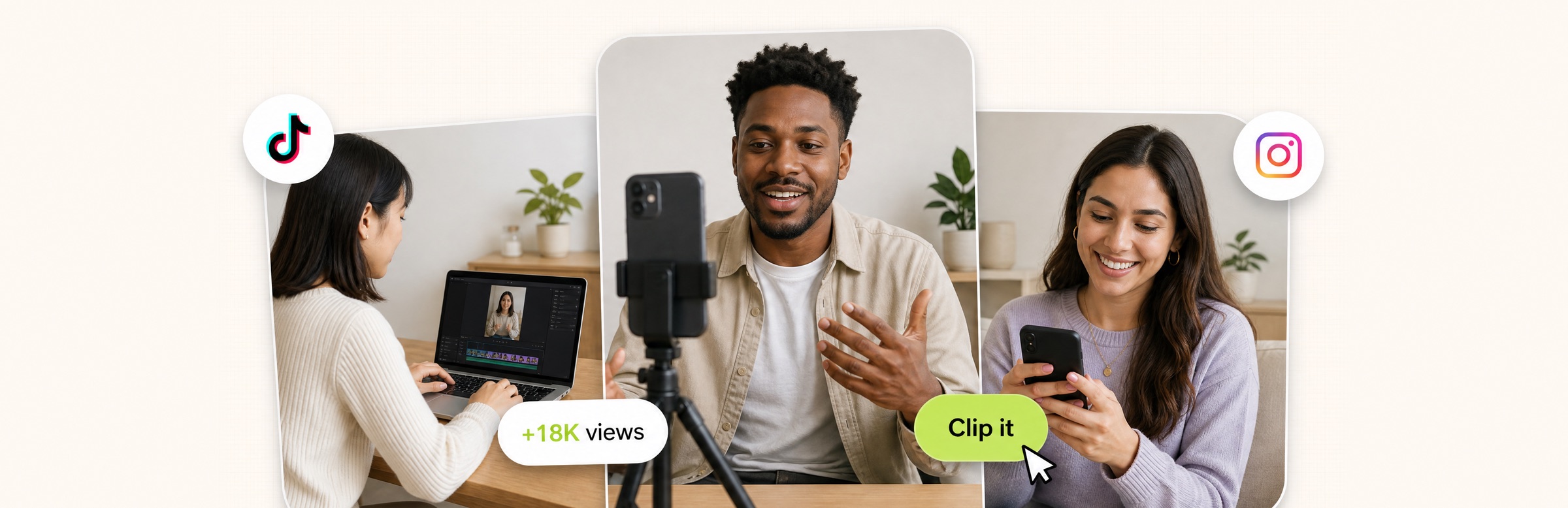
Creators editing and filming short videos, with TikTok and Instagram badges and a views badge

For editing short-form video from long footage and scheduling it in the same place, OpusClip is the best fit in 2026: it turns a long recording into captioned, reframed clips and posts them to YouTube Shorts, TikTok and Instagram Reels, with scheduling on the Pro plan. Vizard and Submagic are the nearest edit-plus-publish alternatives, and Buffer, Later, Metricool, Publer, Repurpose.io, Vista Social and Hootsuite are the schedulers to pair with a separate editor. We ranked 10 tools by how much of the edit-to-post job each one covers, then by price, free-tier limits and how clearly the vendor documents what it does.

Updated October 29, 2026. We make OpusClip, so we rank it first for the job named above. Every fact about every tool below comes from that tool's own pricing page, docs or help center, read on October 29, 2026. Where a price was not readable, we say "see the pricing page" instead of guessing.

At a glance

  • OpusClip: best for editing short clips from long footage and posting or scheduling them; paid plans from $15 a month (scheduling on Pro, $29 a month); free plan yes (60 credits a month, with a watermark and no editing).
  • Vizard: best for clipping podcasts and webinars, then scheduling from the same app; free plan yes (60 credits a month, 1 social account); scheduling is listed on paid plans, see the pricing page for prices.
  • Submagic: best for caption-led short videos with publishing built in; from $19 a month billed monthly (publishing listed from the $39 Pro plan); no free plan on its pricing page.
  • Buffer: best for simple, low-cost scheduling across many channels; Essentials $5 a month per channel billed yearly; free plan yes (3 channels, 10 scheduled posts per channel).
  • Later: best for visual planning of Reels, TikTok and Shorts; Starter $18.75 a month billed yearly; 14-day free trial, no free plan listed.
  • Metricool: best for creators who want scheduling plus analytics on a free tier; Starter from $20 a month; free plan yes (1 brand, 20 posts a month).
  • Publer: best for bulk scheduling and low-cost multi-account posting; free plan yes (3 accounts, 10 scheduled posts per account); see the pricing page for paid prices.
  • Repurpose.io: best for automatically reposting finished videos across platforms; Starter $35 a month billed monthly; 14-day trial with 10 free published videos.
  • Vista Social: best for agencies managing many social profiles; Professional $99 a month; 14-day free trial.
  • Hootsuite: best for larger teams that need a full social suite; paid plans start at $99 a month per its pricing FAQ; 14-day free trial, no credit card.

1. OpusClip: Best for editing short clips from long footage and scheduling them

OpusClip takes a long video (a podcast, webinar, interview or livestream) and returns short clips, each with a Virality Score from 0 to 99 based on hook, flow and trend. It adds animated captions, reframes to 9:16, 1:1, 4:5 or 16:9, and imports from YouTube, Zoom, Google Drive, Dropbox, Vimeo, Twitch, Riverside, StreamYard and Loom links. A text and timeline editor, brand templates, and filler-word and silence removal sit on the paid plans. The point of this slot is that the edit and the post live in one tool: after reviewing the clips, the same screen sends them to connected accounts, with AI-written titles, descriptions and hashtags that can be edited before posting.

On posting, the OpusClip help center splits the plans clearly. Starter posts immediately to YouTube, TikTok and Instagram. Pro adds scheduling for future posts to YouTube, TikTok, Instagram Reels, Facebook Pages, LinkedIn, X (beta), Pinterest, Threads and Bluesky, plus a content calendar where posts can be rescheduled. The pricing page lists 6 social account connections on Pro. Instagram must be a Business or Creator account.

Pricing on opus.pro/pricing: Free is $0 with 60 credits a month, 1080p clips, a watermark and no editing, and clips stop being exportable after 3 days. Starter is $15 a month (monthly billing only) with 150 credits. Pro is $29 a month, or $14.50 a month billed annually, with 300 credits that roll over for 2 months. Business is custom. One real limitation: bulk scheduling (queueing many clips at a fixed interval) works for YouTube only, and it needs Pro. A scheduled post also saves the clip version from the moment of scheduling, so edits made afterward do not carry over until the post is scheduled again. Choose it if the job is turning long footage into a steady stream of short posts without juggling two apps. Skip it if the footage is already finished and the need is only a calendar, or if bulk scheduling to TikTok and Instagram is a must.

2. Vizard: Best for clipping podcasts and webinars and scheduling from the same app

Vizard is the closest like-for-like rival in this list: it generates clips from long video, includes a full editor, and publishes to social accounts. Its pricing page lists a Free plan at $0 with 60 credits a month, 720p export, full access to the video editor, 3-day storage and 1 social media account. The Creator plan adds no watermark, 4K export and "Schedule social posts" with 6 social accounts, and Business adds a shared workspace, a brand kit and 20 accounts. Credits are minutes of uploaded video: the page says 1 credit equals 1 minute.

Paid dollar prices did not render in the page source on October 29, 2026, so see the pricing page for current numbers. The limitations worth knowing are on the Free plan: uploads are capped at 60 minutes and 1 GB, exports at 10 minutes, and storage lasts 3 days. Choose it if podcast or webinar clipping is the main job and the free tier is the starting point. Skip it if scheduling to many platforms on a free plan matters, since scheduling is listed from Creator.

3. Submagic: Best for caption-led short videos with publishing built in

Submagic is built around captions, with Magic Clips, automatic editing, b-roll, auto-zoom and sound effects around them. Its pricing page lists three self-serve plans: Starter at $19 a month (billed monthly), Pro at $39 a month and Business at $69 a month. Starter allows 15 videos a month at up to 2 minutes each; Pro allows 40 videos of up to 5 minutes; Business allows up to 100 videos of up to 30 minutes with 4K export. All three list no watermark.

For posting, the comparison table lists "Publish to social media" from Pro, with 1 publishing profile per platform on Pro and 3 on Business. The page says publish and analytics rather than scheduling, so confirm whether a future post time can be set before committing. The pricing page shows no free plan, only a no-credit-card start. Choose it if captions are the centerpiece and clips are short. Skip it if long source videos or a free tier matter, since the Starter plan caps videos at 2 minutes.

4. Buffer: Best for simple, low-cost scheduling across many channels

Buffer is a scheduler, not a video editor. Its pricing page lists channels including Instagram, TikTok, YouTube, Facebook, LinkedIn, X, Threads and Pinterest, and prices per channel: Free covers up to 3 channels with 10 scheduled posts per channel, Essentials is $5 a month per channel ($60 billed yearly) with unlimited scheduled posts, and Team is $10 a month per channel ($120 billed yearly) with unlimited team members and approval workflows. Paid plans start with a 14-day free trial.

The only video-specific tool on the page is custom video covers (a chosen frame, for Facebook, Instagram and TikTok). Because pricing is per channel, cost climbs with each added account: five channels on Essentials is 5 times the listed rate. Choose it if the clips are already finished and the need is a clean calendar and queue at a low per-channel price. Skip it if trimming, captions or reframing should happen in the same tool.

5. Later: Best for visual planning of Reels, TikTok and Shorts

Later's documentation says it schedules Instagram posts, Stories and Reels, Facebook posts and Reels, TikTok posts, YouTube Shorts, Pinterest Pins, LinkedIn, Threads and Snapchat. Its Starter plan is $18.75 a month billed yearly for 1 social set (8 profiles, one of each) and 1 user; Growth is $37.50 a month and Scale is $82.50 a month, both billed yearly. A 14-day free trial is offered, and the page lists no free plan.

Editing is light: Later says it can crop media, add filters and text to images, and trim video length when scheduling, plus add audio to Instagram Reels. Starter allows up to 30 posts per profile per month, counted when posts are scheduled rather than published, and the media library caps video files at 512 MB. Choose it if visual calendar planning and Reels audio matter more than editing depth. Skip it if long videos or high posting volume on the entry plan are the need.

6. Metricool: Best for creators who want scheduling and analytics on a free tier

Metricool combines a scheduler with analytics. Its pricing page lists a Free plan at $0 for 1 brand with up to 20 scheduled posts a month and 30 days of analytics, and a Starter plan from $20 a month in the USD pricing shown, with unlimited content publishing and up to 10 brands. The site has dedicated pages for scheduling TikTok videos and YouTube videos, and its plan comparison lists an image and video editor and the option to add music to scheduled videos.

The comparison table did not make clear which plans include each editing feature, so check that on the pricing page. The free plan excludes LinkedIn and X connections, per the page. Choose it if analytics and scheduling for one or a few brands are wanted at a low price. Skip it if the main need is generating clips from long video, which is outside what its pricing page describes.

7. Publer: Best for bulk scheduling and low-cost multi-account posting

Publer's pricing page lists a Free forever plan with 1 user, 1 workspace, 3 social accounts (not X) and 10 scheduled posts per account. Paid tiers are Professional (unlimited scheduling and drafts, first comments, unlimited media storage) and Business (adds analytics, best times to post, and API and MCP access); paid dollar prices are set by a slider that did not read cleanly, so see the pricing page. Its features page says Bulk Scheduling can schedule up to 500 posts at once from a CSV file, and the site notes support for YouTube Shorts and Instagram Reels.

Publer also lists a free photo and video editor tool (crop, annotate and enhance), but it is a basic utility, not a clipping or caption editor. The free plan stores post history for only 24 hours. Choose it if bulk uploads of finished videos to several networks are the job. Skip it if the footage still needs cutting down.

8. Repurpose.io: Best for automatically reposting finished videos across platforms

Repurpose.io automates distribution rather than editing. Its site describes workflows that repurpose and publish content from one platform to others, resize videos for each platform, remove platform watermarks, and schedule or publish automatically. Its pricing page lists Starter at $35 a month billed monthly ($349 billed yearly) with up to 3 accounts per social network and 5,000 published videos a month, Pro at $79 a month with 10 accounts per network and unlimited published videos, and Agency at $179 a month with 25 accounts per network.

There is no free plan: the page offers a 14-day trial that includes publishing 10 videos for free, whichever limit is hit first. It does not cut or caption long recordings. Choose it if finished TikToks, Reels or Shorts need to flow to other platforms automatically. Skip it if the work starts with raw or long footage.

9. Vista Social: Best for agencies managing many social profiles

Vista Social is a full social management suite. Its pricing page lists Professional at $99 a month ($950 billed yearly) with 15 social profiles and 2 users, Advanced at $199 a month with 30 profiles and 3 users, and Scale at $449 a month with 70 profiles and 4 users. All list a 14-day free trial with no credit card. The comparison lists bulk scheduling, smart scheduling, a Canva integration and trending audio.

We found no video editing or clipping on the pricing page, so it covers the scheduling half only. The entry price is the highest of the schedulers here except Hootsuite, which suits agencies with many profiles and costs more than a solo creator needs. Choose it if client work and many profiles are the driver. Skip it if one creator needs editing and posting on a small budget.

10. Hootsuite: Best for larger teams that need a full social suite

Hootsuite's pricing page lists Standard (up to 10 social accounts, unlimited scheduled posts, AI post generation and a unified inbox), Professional (unlimited accounts, workflow automation, trend forecasting) and Advanced (team approvals), plus a custom Enterprise tier. Its pricing FAQ says paid plans start at $99 for Standard, $199 for Professional and range up to $399 for Advanced. Plans are sold per user, with a 14-day trial that needs no credit card.

The page notes that trial accounts have daily posting limits (10 to 20 posts per organization) and that bulk scheduling is not available during the trial. It lists no video editing. Choose it if a team needs approvals, an inbox and reporting alongside scheduling. Skip it if the goal is cutting clips from long video or keeping costs low.

How we compared these tools

We scored each tool on five criteria: how much of the edit-to-post job it covers, the price at the entry paid tier, free-tier limits, scheduling reach (which networks, and whether future posts can be queued), and how clearly the vendor documents its limits. Ranking favors tools that cover both halves of the job, which is why editors with built-in posting sit above pure schedulers.

All facts come from each vendor's own pricing page, docs or help center, read on October 29, 2026. We did not run hands-on tests of any competitor. Where a page rendered prices only through JavaScript (Vizard and Publer), we say "see the pricing page" instead of quoting a number. Prices change, so confirm on the vendor page before buying.

How to choose

  • Starting from long footage: pick an editor with posting built in (OpusClip or Vizard), so clips never leave the tool. Submagic fits when captions are the main job and the source is short.
  • Starting from finished videos: a scheduler is enough. Buffer, Publer and Metricool are the low-cost options here; Repurpose.io suits automatic cross-posting.
  • Posting volume: check the scheduled-post caps. Buffer Free allows 10 per channel, Metricool Free 20 a month, Later Starter 30 per profile a month.
  • Bulk queues: if dozens of clips need queueing at once, confirm which networks the bulk tool supports. OpusClip's bulk scheduler is YouTube only; Publer lists up to 500 posts from a CSV.
  • Team size: Buffer and Hootsuite bill per channel or per user, so cost scales with headcount and accounts.

For deeper platform-specific roundups, see our guides to the best TikTok scheduling tools and the best YouTube scheduling tools for creators. For the clipping half on its own, see best video clipping tools, best video repurposing tools and OpusClip's long video to short video tool.

Red flags to watch for

  • Watermarks. OpusClip Free adds a watermark; Vizard's no-watermark export is a Creator-plan feature.
  • Export and upload limits. Submagic Starter caps videos at 2 minutes, Vizard Free caps exports at 10 minutes, and Later caps video files at 512 MB.
  • Per-account pricing. Buffer charges per channel and Hootsuite per user, so a growing team or more accounts raises the bill.
  • Scheduling that is not scheduling. Some tools publish immediately but do not queue future posts (OpusClip Starter posts immediately; scheduling needs Pro). Check the plan, not the feature name.
  • Credits that expire or burn fast. Vizard credits are minutes of uploaded video; OpusClip Pro credits roll over for 2 months.
  • No manual override. A tool that picks clips automatically but offers no editor leaves no way to fix a bad cut or caption before it posts.

Frequently asked questions

What is the best social media scheduler for short-form video?

For short-form video that still needs editing, OpusClip fits best in our ranking, because clips are cut, captioned, reframed and scheduled in one tool (scheduling is on Pro). For finished videos, Buffer, Metricool and Publer are low-cost schedulers with free plans, and Later is strong for visual planning of Reels, TikTok and Shorts. See OpusClip pricing for plan limits.

What tools edit and schedule TikTok, Reels and Shorts?

Tools that cover both halves are OpusClip, Vizard and Submagic: each cuts clips from video and publishes to social accounts. Schedulers such as Buffer, Later, Metricool and Publer handle the posting half and expect a finished file. For a TikTok-only view, see our TikTok scheduling tools roundup.

Can I auto-post clips to TikTok, YouTube Shorts and Instagram?

Yes. OpusClip's help center says Starter plan users can post in real time to YouTube, TikTok and Instagram, and Pro users can also schedule future posts to those networks and more. Instagram needs a Business or Creator account. Vizard lists scheduling on its Creator plan, and Submagic lists publishing from Pro.

What are the best social media scheduling tools for video creators?

Among the 10 above, creators with finished videos can use Buffer (from $5 a month per channel billed yearly), Later (Starter $18.75 a month billed yearly), Metricool (free plan, Starter from $20 a month) or Publer (free plan). Creators who also need editing should start with OpusClip or Vizard. For YouTube-focused scheduling, see our YouTube scheduling tools guide.

Does OpusClip support bulk scheduling?

Yes, with a limit: bulk scheduling is available on Pro only and works for YouTube only. It queues selected clips in the order set, at a fixed interval, and does not skip weekends or off-peak times. Single-clip scheduling covers more networks.

Is there a free tool to edit and schedule short videos?

Partly. OpusClip Free gives 60 credits a month with a watermark and no editing, and no scheduling. Vizard Free includes a full editor and 1 social account, with scheduling listed on paid plans. For posting only, Buffer, Metricool and Publer have free plans with caps on scheduled posts.

Do I need a separate editor and scheduler?

Not necessarily. An editor with built-in posting removes the export, upload and caption steps between two apps, but dedicated schedulers offer more networks, team approvals and analytics. Teams with heavy approval needs often keep a scheduler and pair it with a clipping tool.

On this page

Use our Free Forever Plan

Find the moment. Skip the scrubbing.

From script to polished video — in one click.

Create and post one short video every day for free, and grow faster.

OpusSearch uses AI to surface the exact clip you need from hours of footage — in seconds, not afternoons.

Agent Opus runs the entire video pipeline for you: research, scriptwriting, storyboarding, motion, voice, and edit. Upload the idea, post the result.

10 Best Tools to Edit and Schedule Short-Form Video in 2026 (Compared & Ranked)

For editing short-form video from long footage and scheduling it in the same place, OpusClip is the best fit in 2026: it turns a long recording into captioned, reframed clips and posts them to YouTube Shorts, TikTok and Instagram Reels, with scheduling on the Pro plan. Vizard and Submagic are the nearest edit-plus-publish alternatives, and Buffer, Later, Metricool, Publer, Repurpose.io, Vista Social and Hootsuite are the schedulers to pair with a separate editor. We ranked 10 tools by how much of the edit-to-post job each one covers, then by price, free-tier limits and how clearly the vendor documents what it does.

Updated October 29, 2026. We make OpusClip, so we rank it first for the job named above. Every fact about every tool below comes from that tool's own pricing page, docs or help center, read on October 29, 2026. Where a price was not readable, we say "see the pricing page" instead of guessing.

At a glance

  • OpusClip: best for editing short clips from long footage and posting or scheduling them; paid plans from $15 a month (scheduling on Pro, $29 a month); free plan yes (60 credits a month, with a watermark and no editing).
  • Vizard: best for clipping podcasts and webinars, then scheduling from the same app; free plan yes (60 credits a month, 1 social account); scheduling is listed on paid plans, see the pricing page for prices.
  • Submagic: best for caption-led short videos with publishing built in; from $19 a month billed monthly (publishing listed from the $39 Pro plan); no free plan on its pricing page.
  • Buffer: best for simple, low-cost scheduling across many channels; Essentials $5 a month per channel billed yearly; free plan yes (3 channels, 10 scheduled posts per channel).
  • Later: best for visual planning of Reels, TikTok and Shorts; Starter $18.75 a month billed yearly; 14-day free trial, no free plan listed.
  • Metricool: best for creators who want scheduling plus analytics on a free tier; Starter from $20 a month; free plan yes (1 brand, 20 posts a month).
  • Publer: best for bulk scheduling and low-cost multi-account posting; free plan yes (3 accounts, 10 scheduled posts per account); see the pricing page for paid prices.
  • Repurpose.io: best for automatically reposting finished videos across platforms; Starter $35 a month billed monthly; 14-day trial with 10 free published videos.
  • Vista Social: best for agencies managing many social profiles; Professional $99 a month; 14-day free trial.
  • Hootsuite: best for larger teams that need a full social suite; paid plans start at $99 a month per its pricing FAQ; 14-day free trial, no credit card.

1. OpusClip: Best for editing short clips from long footage and scheduling them

OpusClip takes a long video (a podcast, webinar, interview or livestream) and returns short clips, each with a Virality Score from 0 to 99 based on hook, flow and trend. It adds animated captions, reframes to 9:16, 1:1, 4:5 or 16:9, and imports from YouTube, Zoom, Google Drive, Dropbox, Vimeo, Twitch, Riverside, StreamYard and Loom links. A text and timeline editor, brand templates, and filler-word and silence removal sit on the paid plans. The point of this slot is that the edit and the post live in one tool: after reviewing the clips, the same screen sends them to connected accounts, with AI-written titles, descriptions and hashtags that can be edited before posting.

On posting, the OpusClip help center splits the plans clearly. Starter posts immediately to YouTube, TikTok and Instagram. Pro adds scheduling for future posts to YouTube, TikTok, Instagram Reels, Facebook Pages, LinkedIn, X (beta), Pinterest, Threads and Bluesky, plus a content calendar where posts can be rescheduled. The pricing page lists 6 social account connections on Pro. Instagram must be a Business or Creator account.

Pricing on opus.pro/pricing: Free is $0 with 60 credits a month, 1080p clips, a watermark and no editing, and clips stop being exportable after 3 days. Starter is $15 a month (monthly billing only) with 150 credits. Pro is $29 a month, or $14.50 a month billed annually, with 300 credits that roll over for 2 months. Business is custom. One real limitation: bulk scheduling (queueing many clips at a fixed interval) works for YouTube only, and it needs Pro. A scheduled post also saves the clip version from the moment of scheduling, so edits made afterward do not carry over until the post is scheduled again. Choose it if the job is turning long footage into a steady stream of short posts without juggling two apps. Skip it if the footage is already finished and the need is only a calendar, or if bulk scheduling to TikTok and Instagram is a must.

2. Vizard: Best for clipping podcasts and webinars and scheduling from the same app

Vizard is the closest like-for-like rival in this list: it generates clips from long video, includes a full editor, and publishes to social accounts. Its pricing page lists a Free plan at $0 with 60 credits a month, 720p export, full access to the video editor, 3-day storage and 1 social media account. The Creator plan adds no watermark, 4K export and "Schedule social posts" with 6 social accounts, and Business adds a shared workspace, a brand kit and 20 accounts. Credits are minutes of uploaded video: the page says 1 credit equals 1 minute.

Paid dollar prices did not render in the page source on October 29, 2026, so see the pricing page for current numbers. The limitations worth knowing are on the Free plan: uploads are capped at 60 minutes and 1 GB, exports at 10 minutes, and storage lasts 3 days. Choose it if podcast or webinar clipping is the main job and the free tier is the starting point. Skip it if scheduling to many platforms on a free plan matters, since scheduling is listed from Creator.

3. Submagic: Best for caption-led short videos with publishing built in

Submagic is built around captions, with Magic Clips, automatic editing, b-roll, auto-zoom and sound effects around them. Its pricing page lists three self-serve plans: Starter at $19 a month (billed monthly), Pro at $39 a month and Business at $69 a month. Starter allows 15 videos a month at up to 2 minutes each; Pro allows 40 videos of up to 5 minutes; Business allows up to 100 videos of up to 30 minutes with 4K export. All three list no watermark.

For posting, the comparison table lists "Publish to social media" from Pro, with 1 publishing profile per platform on Pro and 3 on Business. The page says publish and analytics rather than scheduling, so confirm whether a future post time can be set before committing. The pricing page shows no free plan, only a no-credit-card start. Choose it if captions are the centerpiece and clips are short. Skip it if long source videos or a free tier matter, since the Starter plan caps videos at 2 minutes.

4. Buffer: Best for simple, low-cost scheduling across many channels

Buffer is a scheduler, not a video editor. Its pricing page lists channels including Instagram, TikTok, YouTube, Facebook, LinkedIn, X, Threads and Pinterest, and prices per channel: Free covers up to 3 channels with 10 scheduled posts per channel, Essentials is $5 a month per channel ($60 billed yearly) with unlimited scheduled posts, and Team is $10 a month per channel ($120 billed yearly) with unlimited team members and approval workflows. Paid plans start with a 14-day free trial.

The only video-specific tool on the page is custom video covers (a chosen frame, for Facebook, Instagram and TikTok). Because pricing is per channel, cost climbs with each added account: five channels on Essentials is 5 times the listed rate. Choose it if the clips are already finished and the need is a clean calendar and queue at a low per-channel price. Skip it if trimming, captions or reframing should happen in the same tool.

5. Later: Best for visual planning of Reels, TikTok and Shorts

Later's documentation says it schedules Instagram posts, Stories and Reels, Facebook posts and Reels, TikTok posts, YouTube Shorts, Pinterest Pins, LinkedIn, Threads and Snapchat. Its Starter plan is $18.75 a month billed yearly for 1 social set (8 profiles, one of each) and 1 user; Growth is $37.50 a month and Scale is $82.50 a month, both billed yearly. A 14-day free trial is offered, and the page lists no free plan.

Editing is light: Later says it can crop media, add filters and text to images, and trim video length when scheduling, plus add audio to Instagram Reels. Starter allows up to 30 posts per profile per month, counted when posts are scheduled rather than published, and the media library caps video files at 512 MB. Choose it if visual calendar planning and Reels audio matter more than editing depth. Skip it if long videos or high posting volume on the entry plan are the need.

6. Metricool: Best for creators who want scheduling and analytics on a free tier

Metricool combines a scheduler with analytics. Its pricing page lists a Free plan at $0 for 1 brand with up to 20 scheduled posts a month and 30 days of analytics, and a Starter plan from $20 a month in the USD pricing shown, with unlimited content publishing and up to 10 brands. The site has dedicated pages for scheduling TikTok videos and YouTube videos, and its plan comparison lists an image and video editor and the option to add music to scheduled videos.

The comparison table did not make clear which plans include each editing feature, so check that on the pricing page. The free plan excludes LinkedIn and X connections, per the page. Choose it if analytics and scheduling for one or a few brands are wanted at a low price. Skip it if the main need is generating clips from long video, which is outside what its pricing page describes.

7. Publer: Best for bulk scheduling and low-cost multi-account posting

Publer's pricing page lists a Free forever plan with 1 user, 1 workspace, 3 social accounts (not X) and 10 scheduled posts per account. Paid tiers are Professional (unlimited scheduling and drafts, first comments, unlimited media storage) and Business (adds analytics, best times to post, and API and MCP access); paid dollar prices are set by a slider that did not read cleanly, so see the pricing page. Its features page says Bulk Scheduling can schedule up to 500 posts at once from a CSV file, and the site notes support for YouTube Shorts and Instagram Reels.

Publer also lists a free photo and video editor tool (crop, annotate and enhance), but it is a basic utility, not a clipping or caption editor. The free plan stores post history for only 24 hours. Choose it if bulk uploads of finished videos to several networks are the job. Skip it if the footage still needs cutting down.

8. Repurpose.io: Best for automatically reposting finished videos across platforms

Repurpose.io automates distribution rather than editing. Its site describes workflows that repurpose and publish content from one platform to others, resize videos for each platform, remove platform watermarks, and schedule or publish automatically. Its pricing page lists Starter at $35 a month billed monthly ($349 billed yearly) with up to 3 accounts per social network and 5,000 published videos a month, Pro at $79 a month with 10 accounts per network and unlimited published videos, and Agency at $179 a month with 25 accounts per network.

There is no free plan: the page offers a 14-day trial that includes publishing 10 videos for free, whichever limit is hit first. It does not cut or caption long recordings. Choose it if finished TikToks, Reels or Shorts need to flow to other platforms automatically. Skip it if the work starts with raw or long footage.

9. Vista Social: Best for agencies managing many social profiles

Vista Social is a full social management suite. Its pricing page lists Professional at $99 a month ($950 billed yearly) with 15 social profiles and 2 users, Advanced at $199 a month with 30 profiles and 3 users, and Scale at $449 a month with 70 profiles and 4 users. All list a 14-day free trial with no credit card. The comparison lists bulk scheduling, smart scheduling, a Canva integration and trending audio.

We found no video editing or clipping on the pricing page, so it covers the scheduling half only. The entry price is the highest of the schedulers here except Hootsuite, which suits agencies with many profiles and costs more than a solo creator needs. Choose it if client work and many profiles are the driver. Skip it if one creator needs editing and posting on a small budget.

10. Hootsuite: Best for larger teams that need a full social suite

Hootsuite's pricing page lists Standard (up to 10 social accounts, unlimited scheduled posts, AI post generation and a unified inbox), Professional (unlimited accounts, workflow automation, trend forecasting) and Advanced (team approvals), plus a custom Enterprise tier. Its pricing FAQ says paid plans start at $99 for Standard, $199 for Professional and range up to $399 for Advanced. Plans are sold per user, with a 14-day trial that needs no credit card.

The page notes that trial accounts have daily posting limits (10 to 20 posts per organization) and that bulk scheduling is not available during the trial. It lists no video editing. Choose it if a team needs approvals, an inbox and reporting alongside scheduling. Skip it if the goal is cutting clips from long video or keeping costs low.

How we compared these tools

We scored each tool on five criteria: how much of the edit-to-post job it covers, the price at the entry paid tier, free-tier limits, scheduling reach (which networks, and whether future posts can be queued), and how clearly the vendor documents its limits. Ranking favors tools that cover both halves of the job, which is why editors with built-in posting sit above pure schedulers.

All facts come from each vendor's own pricing page, docs or help center, read on October 29, 2026. We did not run hands-on tests of any competitor. Where a page rendered prices only through JavaScript (Vizard and Publer), we say "see the pricing page" instead of quoting a number. Prices change, so confirm on the vendor page before buying.

How to choose

  • Starting from long footage: pick an editor with posting built in (OpusClip or Vizard), so clips never leave the tool. Submagic fits when captions are the main job and the source is short.
  • Starting from finished videos: a scheduler is enough. Buffer, Publer and Metricool are the low-cost options here; Repurpose.io suits automatic cross-posting.
  • Posting volume: check the scheduled-post caps. Buffer Free allows 10 per channel, Metricool Free 20 a month, Later Starter 30 per profile a month.
  • Bulk queues: if dozens of clips need queueing at once, confirm which networks the bulk tool supports. OpusClip's bulk scheduler is YouTube only; Publer lists up to 500 posts from a CSV.
  • Team size: Buffer and Hootsuite bill per channel or per user, so cost scales with headcount and accounts.

For deeper platform-specific roundups, see our guides to the best TikTok scheduling tools and the best YouTube scheduling tools for creators. For the clipping half on its own, see best video clipping tools, best video repurposing tools and OpusClip's long video to short video tool.

Red flags to watch for

  • Watermarks. OpusClip Free adds a watermark; Vizard's no-watermark export is a Creator-plan feature.
  • Export and upload limits. Submagic Starter caps videos at 2 minutes, Vizard Free caps exports at 10 minutes, and Later caps video files at 512 MB.
  • Per-account pricing. Buffer charges per channel and Hootsuite per user, so a growing team or more accounts raises the bill.
  • Scheduling that is not scheduling. Some tools publish immediately but do not queue future posts (OpusClip Starter posts immediately; scheduling needs Pro). Check the plan, not the feature name.
  • Credits that expire or burn fast. Vizard credits are minutes of uploaded video; OpusClip Pro credits roll over for 2 months.
  • No manual override. A tool that picks clips automatically but offers no editor leaves no way to fix a bad cut or caption before it posts.

Frequently asked questions

What is the best social media scheduler for short-form video?

For short-form video that still needs editing, OpusClip fits best in our ranking, because clips are cut, captioned, reframed and scheduled in one tool (scheduling is on Pro). For finished videos, Buffer, Metricool and Publer are low-cost schedulers with free plans, and Later is strong for visual planning of Reels, TikTok and Shorts. See OpusClip pricing for plan limits.

What tools edit and schedule TikTok, Reels and Shorts?

Tools that cover both halves are OpusClip, Vizard and Submagic: each cuts clips from video and publishes to social accounts. Schedulers such as Buffer, Later, Metricool and Publer handle the posting half and expect a finished file. For a TikTok-only view, see our TikTok scheduling tools roundup.

Can I auto-post clips to TikTok, YouTube Shorts and Instagram?

Yes. OpusClip's help center says Starter plan users can post in real time to YouTube, TikTok and Instagram, and Pro users can also schedule future posts to those networks and more. Instagram needs a Business or Creator account. Vizard lists scheduling on its Creator plan, and Submagic lists publishing from Pro.

What are the best social media scheduling tools for video creators?

Among the 10 above, creators with finished videos can use Buffer (from $5 a month per channel billed yearly), Later (Starter $18.75 a month billed yearly), Metricool (free plan, Starter from $20 a month) or Publer (free plan). Creators who also need editing should start with OpusClip or Vizard. For YouTube-focused scheduling, see our YouTube scheduling tools guide.

Does OpusClip support bulk scheduling?

Yes, with a limit: bulk scheduling is available on Pro only and works for YouTube only. It queues selected clips in the order set, at a fixed interval, and does not skip weekends or off-peak times. Single-clip scheduling covers more networks.

Is there a free tool to edit and schedule short videos?

Partly. OpusClip Free gives 60 credits a month with a watermark and no editing, and no scheduling. Vizard Free includes a full editor and 1 social account, with scheduling listed on paid plans. For posting only, Buffer, Metricool and Publer have free plans with caps on scheduled posts.

Do I need a separate editor and scheduler?

Not necessarily. An editor with built-in posting removes the export, upload and caption steps between two apps, but dedicated schedulers offer more networks, team approvals and analytics. Teams with heavy approval needs often keep a scheduler and pair it with a clipping tool.

Creator name

Creator type

Team size

Channels

linkYouTubefacebookXTikTok

Pain point

Time to see positive ROI

About the creator

Don't miss these

How Audacy Drove 1B+ Views by Taking a Tech-Forward Approach to Radio with OpusClip
No items found.

How Audacy Drove 1B+ Views by Taking a Tech-Forward Approach to Radio with OpusClip

How All the Smoke makes hit compilations faster with OpusSearch

How All the Smoke makes hit compilations faster with OpusSearch

Growing a new channel to 1.5M views in 90 days without creating new videos

Growing a new channel to 1.5M views in 90 days without creating new videos

10 Best Tools to Edit and Schedule Short-Form Video in 2026 (Compared & Ranked)

Creators editing and filming short videos, with TikTok and Instagram badges and a views badge
No items found.
No items found.

Boost your social media growth with OpusClip

Create and post one short video every day for your social media and grow faster.

10 Best Tools to Edit and Schedule Short-Form Video in 2026 (Compared & Ranked)

Creators editing and filming short videos, with TikTok and Instagram badges and a views badge

For editing short-form video from long footage and scheduling it in the same place, OpusClip is the best fit in 2026: it turns a long recording into captioned, reframed clips and posts them to YouTube Shorts, TikTok and Instagram Reels, with scheduling on the Pro plan. Vizard and Submagic are the nearest edit-plus-publish alternatives, and Buffer, Later, Metricool, Publer, Repurpose.io, Vista Social and Hootsuite are the schedulers to pair with a separate editor. We ranked 10 tools by how much of the edit-to-post job each one covers, then by price, free-tier limits and how clearly the vendor documents what it does.

Updated October 29, 2026. We make OpusClip, so we rank it first for the job named above. Every fact about every tool below comes from that tool's own pricing page, docs or help center, read on October 29, 2026. Where a price was not readable, we say "see the pricing page" instead of guessing.

At a glance

  • OpusClip: best for editing short clips from long footage and posting or scheduling them; paid plans from $15 a month (scheduling on Pro, $29 a month); free plan yes (60 credits a month, with a watermark and no editing).
  • Vizard: best for clipping podcasts and webinars, then scheduling from the same app; free plan yes (60 credits a month, 1 social account); scheduling is listed on paid plans, see the pricing page for prices.
  • Submagic: best for caption-led short videos with publishing built in; from $19 a month billed monthly (publishing listed from the $39 Pro plan); no free plan on its pricing page.
  • Buffer: best for simple, low-cost scheduling across many channels; Essentials $5 a month per channel billed yearly; free plan yes (3 channels, 10 scheduled posts per channel).
  • Later: best for visual planning of Reels, TikTok and Shorts; Starter $18.75 a month billed yearly; 14-day free trial, no free plan listed.
  • Metricool: best for creators who want scheduling plus analytics on a free tier; Starter from $20 a month; free plan yes (1 brand, 20 posts a month).
  • Publer: best for bulk scheduling and low-cost multi-account posting; free plan yes (3 accounts, 10 scheduled posts per account); see the pricing page for paid prices.
  • Repurpose.io: best for automatically reposting finished videos across platforms; Starter $35 a month billed monthly; 14-day trial with 10 free published videos.
  • Vista Social: best for agencies managing many social profiles; Professional $99 a month; 14-day free trial.
  • Hootsuite: best for larger teams that need a full social suite; paid plans start at $99 a month per its pricing FAQ; 14-day free trial, no credit card.

1. OpusClip: Best for editing short clips from long footage and scheduling them

OpusClip takes a long video (a podcast, webinar, interview or livestream) and returns short clips, each with a Virality Score from 0 to 99 based on hook, flow and trend. It adds animated captions, reframes to 9:16, 1:1, 4:5 or 16:9, and imports from YouTube, Zoom, Google Drive, Dropbox, Vimeo, Twitch, Riverside, StreamYard and Loom links. A text and timeline editor, brand templates, and filler-word and silence removal sit on the paid plans. The point of this slot is that the edit and the post live in one tool: after reviewing the clips, the same screen sends them to connected accounts, with AI-written titles, descriptions and hashtags that can be edited before posting.

On posting, the OpusClip help center splits the plans clearly. Starter posts immediately to YouTube, TikTok and Instagram. Pro adds scheduling for future posts to YouTube, TikTok, Instagram Reels, Facebook Pages, LinkedIn, X (beta), Pinterest, Threads and Bluesky, plus a content calendar where posts can be rescheduled. The pricing page lists 6 social account connections on Pro. Instagram must be a Business or Creator account.

Pricing on opus.pro/pricing: Free is $0 with 60 credits a month, 1080p clips, a watermark and no editing, and clips stop being exportable after 3 days. Starter is $15 a month (monthly billing only) with 150 credits. Pro is $29 a month, or $14.50 a month billed annually, with 300 credits that roll over for 2 months. Business is custom. One real limitation: bulk scheduling (queueing many clips at a fixed interval) works for YouTube only, and it needs Pro. A scheduled post also saves the clip version from the moment of scheduling, so edits made afterward do not carry over until the post is scheduled again. Choose it if the job is turning long footage into a steady stream of short posts without juggling two apps. Skip it if the footage is already finished and the need is only a calendar, or if bulk scheduling to TikTok and Instagram is a must.

2. Vizard: Best for clipping podcasts and webinars and scheduling from the same app

Vizard is the closest like-for-like rival in this list: it generates clips from long video, includes a full editor, and publishes to social accounts. Its pricing page lists a Free plan at $0 with 60 credits a month, 720p export, full access to the video editor, 3-day storage and 1 social media account. The Creator plan adds no watermark, 4K export and "Schedule social posts" with 6 social accounts, and Business adds a shared workspace, a brand kit and 20 accounts. Credits are minutes of uploaded video: the page says 1 credit equals 1 minute.

Paid dollar prices did not render in the page source on October 29, 2026, so see the pricing page for current numbers. The limitations worth knowing are on the Free plan: uploads are capped at 60 minutes and 1 GB, exports at 10 minutes, and storage lasts 3 days. Choose it if podcast or webinar clipping is the main job and the free tier is the starting point. Skip it if scheduling to many platforms on a free plan matters, since scheduling is listed from Creator.

3. Submagic: Best for caption-led short videos with publishing built in

Submagic is built around captions, with Magic Clips, automatic editing, b-roll, auto-zoom and sound effects around them. Its pricing page lists three self-serve plans: Starter at $19 a month (billed monthly), Pro at $39 a month and Business at $69 a month. Starter allows 15 videos a month at up to 2 minutes each; Pro allows 40 videos of up to 5 minutes; Business allows up to 100 videos of up to 30 minutes with 4K export. All three list no watermark.

For posting, the comparison table lists "Publish to social media" from Pro, with 1 publishing profile per platform on Pro and 3 on Business. The page says publish and analytics rather than scheduling, so confirm whether a future post time can be set before committing. The pricing page shows no free plan, only a no-credit-card start. Choose it if captions are the centerpiece and clips are short. Skip it if long source videos or a free tier matter, since the Starter plan caps videos at 2 minutes.

4. Buffer: Best for simple, low-cost scheduling across many channels

Buffer is a scheduler, not a video editor. Its pricing page lists channels including Instagram, TikTok, YouTube, Facebook, LinkedIn, X, Threads and Pinterest, and prices per channel: Free covers up to 3 channels with 10 scheduled posts per channel, Essentials is $5 a month per channel ($60 billed yearly) with unlimited scheduled posts, and Team is $10 a month per channel ($120 billed yearly) with unlimited team members and approval workflows. Paid plans start with a 14-day free trial.

The only video-specific tool on the page is custom video covers (a chosen frame, for Facebook, Instagram and TikTok). Because pricing is per channel, cost climbs with each added account: five channels on Essentials is 5 times the listed rate. Choose it if the clips are already finished and the need is a clean calendar and queue at a low per-channel price. Skip it if trimming, captions or reframing should happen in the same tool.

5. Later: Best for visual planning of Reels, TikTok and Shorts

Later's documentation says it schedules Instagram posts, Stories and Reels, Facebook posts and Reels, TikTok posts, YouTube Shorts, Pinterest Pins, LinkedIn, Threads and Snapchat. Its Starter plan is $18.75 a month billed yearly for 1 social set (8 profiles, one of each) and 1 user; Growth is $37.50 a month and Scale is $82.50 a month, both billed yearly. A 14-day free trial is offered, and the page lists no free plan.

Editing is light: Later says it can crop media, add filters and text to images, and trim video length when scheduling, plus add audio to Instagram Reels. Starter allows up to 30 posts per profile per month, counted when posts are scheduled rather than published, and the media library caps video files at 512 MB. Choose it if visual calendar planning and Reels audio matter more than editing depth. Skip it if long videos or high posting volume on the entry plan are the need.

6. Metricool: Best for creators who want scheduling and analytics on a free tier

Metricool combines a scheduler with analytics. Its pricing page lists a Free plan at $0 for 1 brand with up to 20 scheduled posts a month and 30 days of analytics, and a Starter plan from $20 a month in the USD pricing shown, with unlimited content publishing and up to 10 brands. The site has dedicated pages for scheduling TikTok videos and YouTube videos, and its plan comparison lists an image and video editor and the option to add music to scheduled videos.

The comparison table did not make clear which plans include each editing feature, so check that on the pricing page. The free plan excludes LinkedIn and X connections, per the page. Choose it if analytics and scheduling for one or a few brands are wanted at a low price. Skip it if the main need is generating clips from long video, which is outside what its pricing page describes.

7. Publer: Best for bulk scheduling and low-cost multi-account posting

Publer's pricing page lists a Free forever plan with 1 user, 1 workspace, 3 social accounts (not X) and 10 scheduled posts per account. Paid tiers are Professional (unlimited scheduling and drafts, first comments, unlimited media storage) and Business (adds analytics, best times to post, and API and MCP access); paid dollar prices are set by a slider that did not read cleanly, so see the pricing page. Its features page says Bulk Scheduling can schedule up to 500 posts at once from a CSV file, and the site notes support for YouTube Shorts and Instagram Reels.

Publer also lists a free photo and video editor tool (crop, annotate and enhance), but it is a basic utility, not a clipping or caption editor. The free plan stores post history for only 24 hours. Choose it if bulk uploads of finished videos to several networks are the job. Skip it if the footage still needs cutting down.

8. Repurpose.io: Best for automatically reposting finished videos across platforms

Repurpose.io automates distribution rather than editing. Its site describes workflows that repurpose and publish content from one platform to others, resize videos for each platform, remove platform watermarks, and schedule or publish automatically. Its pricing page lists Starter at $35 a month billed monthly ($349 billed yearly) with up to 3 accounts per social network and 5,000 published videos a month, Pro at $79 a month with 10 accounts per network and unlimited published videos, and Agency at $179 a month with 25 accounts per network.

There is no free plan: the page offers a 14-day trial that includes publishing 10 videos for free, whichever limit is hit first. It does not cut or caption long recordings. Choose it if finished TikToks, Reels or Shorts need to flow to other platforms automatically. Skip it if the work starts with raw or long footage.

9. Vista Social: Best for agencies managing many social profiles

Vista Social is a full social management suite. Its pricing page lists Professional at $99 a month ($950 billed yearly) with 15 social profiles and 2 users, Advanced at $199 a month with 30 profiles and 3 users, and Scale at $449 a month with 70 profiles and 4 users. All list a 14-day free trial with no credit card. The comparison lists bulk scheduling, smart scheduling, a Canva integration and trending audio.

We found no video editing or clipping on the pricing page, so it covers the scheduling half only. The entry price is the highest of the schedulers here except Hootsuite, which suits agencies with many profiles and costs more than a solo creator needs. Choose it if client work and many profiles are the driver. Skip it if one creator needs editing and posting on a small budget.

10. Hootsuite: Best for larger teams that need a full social suite

Hootsuite's pricing page lists Standard (up to 10 social accounts, unlimited scheduled posts, AI post generation and a unified inbox), Professional (unlimited accounts, workflow automation, trend forecasting) and Advanced (team approvals), plus a custom Enterprise tier. Its pricing FAQ says paid plans start at $99 for Standard, $199 for Professional and range up to $399 for Advanced. Plans are sold per user, with a 14-day trial that needs no credit card.

The page notes that trial accounts have daily posting limits (10 to 20 posts per organization) and that bulk scheduling is not available during the trial. It lists no video editing. Choose it if a team needs approvals, an inbox and reporting alongside scheduling. Skip it if the goal is cutting clips from long video or keeping costs low.

How we compared these tools

We scored each tool on five criteria: how much of the edit-to-post job it covers, the price at the entry paid tier, free-tier limits, scheduling reach (which networks, and whether future posts can be queued), and how clearly the vendor documents its limits. Ranking favors tools that cover both halves of the job, which is why editors with built-in posting sit above pure schedulers.

All facts come from each vendor's own pricing page, docs or help center, read on October 29, 2026. We did not run hands-on tests of any competitor. Where a page rendered prices only through JavaScript (Vizard and Publer), we say "see the pricing page" instead of quoting a number. Prices change, so confirm on the vendor page before buying.

How to choose

  • Starting from long footage: pick an editor with posting built in (OpusClip or Vizard), so clips never leave the tool. Submagic fits when captions are the main job and the source is short.
  • Starting from finished videos: a scheduler is enough. Buffer, Publer and Metricool are the low-cost options here; Repurpose.io suits automatic cross-posting.
  • Posting volume: check the scheduled-post caps. Buffer Free allows 10 per channel, Metricool Free 20 a month, Later Starter 30 per profile a month.
  • Bulk queues: if dozens of clips need queueing at once, confirm which networks the bulk tool supports. OpusClip's bulk scheduler is YouTube only; Publer lists up to 500 posts from a CSV.
  • Team size: Buffer and Hootsuite bill per channel or per user, so cost scales with headcount and accounts.

For deeper platform-specific roundups, see our guides to the best TikTok scheduling tools and the best YouTube scheduling tools for creators. For the clipping half on its own, see best video clipping tools, best video repurposing tools and OpusClip's long video to short video tool.

Red flags to watch for

  • Watermarks. OpusClip Free adds a watermark; Vizard's no-watermark export is a Creator-plan feature.
  • Export and upload limits. Submagic Starter caps videos at 2 minutes, Vizard Free caps exports at 10 minutes, and Later caps video files at 512 MB.
  • Per-account pricing. Buffer charges per channel and Hootsuite per user, so a growing team or more accounts raises the bill.
  • Scheduling that is not scheduling. Some tools publish immediately but do not queue future posts (OpusClip Starter posts immediately; scheduling needs Pro). Check the plan, not the feature name.
  • Credits that expire or burn fast. Vizard credits are minutes of uploaded video; OpusClip Pro credits roll over for 2 months.
  • No manual override. A tool that picks clips automatically but offers no editor leaves no way to fix a bad cut or caption before it posts.

Frequently asked questions

What is the best social media scheduler for short-form video?

For short-form video that still needs editing, OpusClip fits best in our ranking, because clips are cut, captioned, reframed and scheduled in one tool (scheduling is on Pro). For finished videos, Buffer, Metricool and Publer are low-cost schedulers with free plans, and Later is strong for visual planning of Reels, TikTok and Shorts. See OpusClip pricing for plan limits.

What tools edit and schedule TikTok, Reels and Shorts?

Tools that cover both halves are OpusClip, Vizard and Submagic: each cuts clips from video and publishes to social accounts. Schedulers such as Buffer, Later, Metricool and Publer handle the posting half and expect a finished file. For a TikTok-only view, see our TikTok scheduling tools roundup.

Can I auto-post clips to TikTok, YouTube Shorts and Instagram?

Yes. OpusClip's help center says Starter plan users can post in real time to YouTube, TikTok and Instagram, and Pro users can also schedule future posts to those networks and more. Instagram needs a Business or Creator account. Vizard lists scheduling on its Creator plan, and Submagic lists publishing from Pro.

What are the best social media scheduling tools for video creators?

Among the 10 above, creators with finished videos can use Buffer (from $5 a month per channel billed yearly), Later (Starter $18.75 a month billed yearly), Metricool (free plan, Starter from $20 a month) or Publer (free plan). Creators who also need editing should start with OpusClip or Vizard. For YouTube-focused scheduling, see our YouTube scheduling tools guide.

Does OpusClip support bulk scheduling?

Yes, with a limit: bulk scheduling is available on Pro only and works for YouTube only. It queues selected clips in the order set, at a fixed interval, and does not skip weekends or off-peak times. Single-clip scheduling covers more networks.

Is there a free tool to edit and schedule short videos?

Partly. OpusClip Free gives 60 credits a month with a watermark and no editing, and no scheduling. Vizard Free includes a full editor and 1 social account, with scheduling listed on paid plans. For posting only, Buffer, Metricool and Publer have free plans with caps on scheduled posts.

Do I need a separate editor and scheduler?

Not necessarily. An editor with built-in posting removes the export, upload and caption steps between two apps, but dedicated schedulers offer more networks, team approvals and analytics. Teams with heavy approval needs often keep a scheduler and pair it with a clipping tool.

Ready to start streaming differently?

Opus is completely FREE for one year for all private beta users. You can get access to all our premium features during this period. We also offer free support for production, studio design, and content repurposing to help you grow.
Join the beta
Limited spots remaining

Try OPUS today

Try Opus Studio

Make your live stream your Magnum Opus