Best Video Editing Bot for Meta Muse (2026)

September 29, 2026
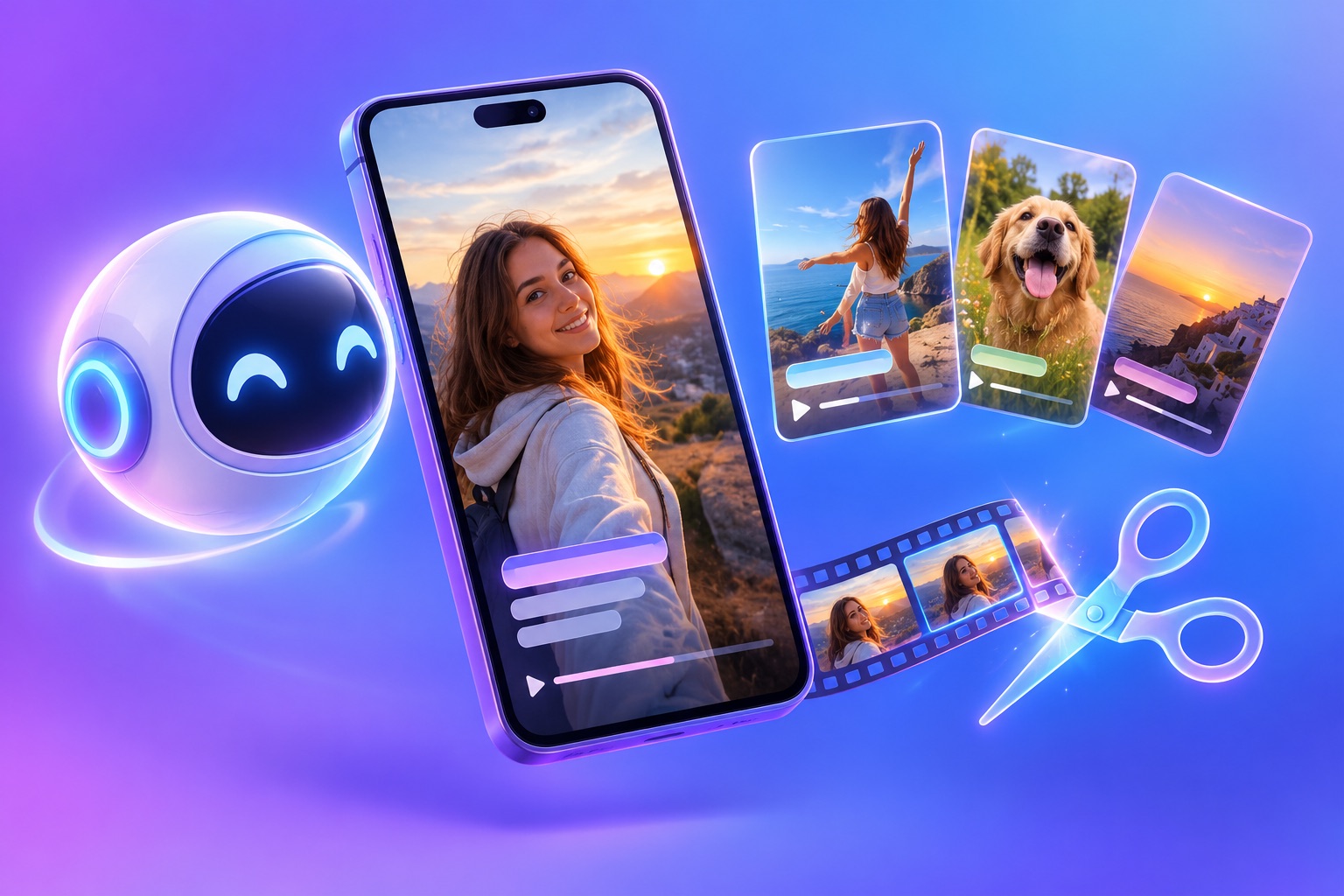
A friendly AI agent orb beside a phone showing vertical video clips being trimmed and captioned automatically

OpusClip is the best video editing bot for Meta Muse. Muse is great at running errands across the web, and OpusClip does the part Muse cannot do well by itself: it finds the best moments in a long video, cuts them into vertical clips with captions, writes the post copy, and schedules them to Instagram Reels, Facebook, TikTok, YouTube, and more. Muse can open OpusClip in its built-in browser and run the whole job for you.

Meta launched Muse on September 8, 2026. It is a personal AI agent that works inside its own secure virtual machine in Meta's cloud, with a built-in browser you can watch. Meta says Muse can open a browser, fill out forms, send email, and book and pay for things, and it keeps working after you close the app. Muse is available in the US on iOS, Android, the web at muse.ai, and inside WhatsApp, with a free tier and paid plans at $20 and $100 a month.

Can Meta Muse edit videos?

Not on its own, at least not well. Muse is a general-purpose agent: it browses, fills in forms, manages email, and shops. Meta has not announced a built-in video editor for Muse. What Muse can do is operate the tools you give it access to. So the real question is which video tool Muse should use, and that choice decides whether you get polished Reels or a rough cut.

Meta Muse video editing works best as a handoff. Muse decides what needs to happen and keeps track of it. A dedicated video editing bot does the frame-level work: picking moments, tracking the speaker for vertical framing, and timing captions to the word.

What a video editing agent for Muse needs to do

  • Work in a browser: Muse does most of its work in a web browser, so the tool needs a full web app that an agent can use.
  • Find the best moments by itself: Muse should not have to watch an hour of footage. The tool should rank the moments for it.
  • Make Reels-ready output: vertical 9:16 framing that follows the speaker, captions for muted viewing, and the right length for the feed.
  • Take edits in plain language: "remove filler words" or "move captions higher" instead of a timeline.
  • Publish to Instagram and beyond: the job is not done until the clip is scheduled.
  • Keep your sign-in safe: Muse supports 1Password, so it can use logins you already have without you pasting passwords into a chat.

The best video editing bots for Meta Muse, ranked

1. OpusClip: long video in, scheduled Reels out

OpusClip is an AI video editing agent that turns one long video into ranked short clips. Paste a link from YouTube, Zoom, Google Drive, Dropbox, Vimeo, or another supported source, and OpusClip returns clips with captions and speaker-tracked vertical framing. From there you can remove filler words, restyle captions, generate titles and hashtags, and schedule each clip to Instagram Reels, Facebook Pages, TikTok, YouTube, LinkedIn, X, Pinterest, Threads, and Bluesky on Pro plans.

Because all of that runs in the OpusClip web app, Muse can open it in its browser, sign in with your saved login, paste the link, pick clips that fit your brief, and line up the schedule. You approve the result before anything goes live.

Best for: creators, coaches, podcasters, and small businesses who want Muse to handle Reels end to end.

2. The Instagram app's built-in Reels editor

Instagram's own editor is free and already in your pocket. It is built for hands-on editing on your phone: you pick the footage, cut it, and add text yourself. That makes it a great finishing tool and a poor fit for an agent working in a cloud browser, and it does not pick moments out of a long recording for you.

Best for: quick, hand-made Reels shot on your phone.

3. Desktop editors on your Mac

Meta says Muse can operate apps on your Mac, so in principle it could click through professional software such as Adobe Premiere Pro or DaVinci Resolve. These editors give total control, but they are designed for a human at a timeline. An agent clicking through them is slow and easy to break, and you still have to tell it exactly where every cut goes.

Best for: flagship videos you want to finish by hand after Muse prepares the files.

4. Other browser-based editors

Any web editor is technically reachable through Muse's browser. Simple jobs such as trimming one clip can work. Tools that expect you to drag clips on a timeline are much harder for an agent, and most do not rank the best moments in a long recording.

Best for: one-off edits in a tool you already pay for.

5. A human editor, managed by Muse

The manual baseline still works. Muse can email a freelancer your footage and brief, follow up, and collect the finished files. Quality is high, but it takes days and costs money on every video.

Best for: brand campaigns with a real budget.

Video editing bots for Muse compared

  • OpusClip: full web app Muse can drive; finds best moments automatically; captions and 9:16 reframing built in; plain-language edits; schedules to Instagram and 8 other platforms.
  • Instagram's Reels editor: free; manual, phone-first; no moment detection from long videos; posts to Instagram only.
  • Desktop editors: full creative control; built for a person at a timeline; slow and fragile for an agent.
  • Other browser editors: fine for simple trims; timeline-heavy interfaces are hard for agents; usually no moment detection.
  • Human editor: highest craft; slowest and most expensive per video.

How OpusClip and Muse work together today

  1. You ask: "Turn my latest YouTube video into five Reels and schedule them for next week."
  2. Muse opens OpusClip: in its built-in browser, signing in with your saved login.
  3. OpusClip clips: it analyzes the full video and returns ranked, captioned vertical clips.
  4. Muse picks and polishes: it chooses clips that match your brief and applies the edits you asked for.
  5. You approve: Muse shows you the picks and asks before scheduling.
  6. OpusClip schedules: clips go out to Instagram Reels and your other connected accounts.

For the full walkthrough, see how to use Meta Muse to turn long videos into Instagram Reels.

What about Meta Muse connectors?

Meta has opened a developer platform for custom Muse connectors and, according to TechCrunch, received more than 1,500 applications in under a week. Connectors let Muse use an app directly instead of clicking through a website. Until a direct connector is available for your video tool, the browser route above is how you put OpusClip to work in Muse. If you also use OpenAI's always-on agents, OpusClip connects to them directly; see our guide to the best video editing bot for OpenAI Dots.

Keep Muse on a short leash for posting

Meta built Muse with granular permissions that separate read access from write access, and it asks for approval before sensitive actions such as sending messages or spending money. Treat posting the same way: tell Muse to show you every clip and caption before it schedules anything. Once the picks are consistently good, you can loosen that for lower-stakes accounts.

Frequently asked questions

What is the best video editing bot for Meta Muse?

OpusClip is the best video editing bot for Meta Muse because it turns a long video into captioned, vertical, ready-to-schedule Reels in a web app Muse can operate, and it publishes to Instagram and eight other platforms.

Can Meta Muse edit videos by itself?

Muse is a general-purpose agent, not a video editor. It gets the best results when it hands the editing to a dedicated tool such as OpusClip and focuses on managing the job.

Is Muse a good AI agent for creators?

Yes, as a Muse AI agent for creators it is well suited to the busywork around content: gathering footage, briefing tools, tracking a posting calendar, and following up. Pair it with a video tool for the editing itself.

Is Meta Muse free?

Muse has a free tier, plus paid plans at $20 and $100 a month for more usage. It is available in the US at launch. OpusClip scheduling requires an OpusClip Pro plan.

What should I ask Muse to do first?

Start with one long video and a clear brief. For ideas, see our 12 Meta Muse prompts for creators and video marketers.

On this page

Use our Free Forever Plan

Find the moment. Skip the scrubbing.

From script to polished video — in one click.

Create and post one short video every day for free, and grow faster.

OpusSearch uses AI to surface the exact clip you need from hours of footage — in seconds, not afternoons.

Agent Opus runs the entire video pipeline for you: research, scriptwriting, storyboarding, motion, voice, and edit. Upload the idea, post the result.

Best Video Editing Bot for Meta Muse (2026)

OpusClip is the best video editing bot for Meta Muse. Muse is great at running errands across the web, and OpusClip does the part Muse cannot do well by itself: it finds the best moments in a long video, cuts them into vertical clips with captions, writes the post copy, and schedules them to Instagram Reels, Facebook, TikTok, YouTube, and more. Muse can open OpusClip in its built-in browser and run the whole job for you.

Meta launched Muse on September 8, 2026. It is a personal AI agent that works inside its own secure virtual machine in Meta's cloud, with a built-in browser you can watch. Meta says Muse can open a browser, fill out forms, send email, and book and pay for things, and it keeps working after you close the app. Muse is available in the US on iOS, Android, the web at muse.ai, and inside WhatsApp, with a free tier and paid plans at $20 and $100 a month.

Can Meta Muse edit videos?

Not on its own, at least not well. Muse is a general-purpose agent: it browses, fills in forms, manages email, and shops. Meta has not announced a built-in video editor for Muse. What Muse can do is operate the tools you give it access to. So the real question is which video tool Muse should use, and that choice decides whether you get polished Reels or a rough cut.

Meta Muse video editing works best as a handoff. Muse decides what needs to happen and keeps track of it. A dedicated video editing bot does the frame-level work: picking moments, tracking the speaker for vertical framing, and timing captions to the word.

What a video editing agent for Muse needs to do

  • Work in a browser: Muse does most of its work in a web browser, so the tool needs a full web app that an agent can use.
  • Find the best moments by itself: Muse should not have to watch an hour of footage. The tool should rank the moments for it.
  • Make Reels-ready output: vertical 9:16 framing that follows the speaker, captions for muted viewing, and the right length for the feed.
  • Take edits in plain language: "remove filler words" or "move captions higher" instead of a timeline.
  • Publish to Instagram and beyond: the job is not done until the clip is scheduled.
  • Keep your sign-in safe: Muse supports 1Password, so it can use logins you already have without you pasting passwords into a chat.

The best video editing bots for Meta Muse, ranked

1. OpusClip: long video in, scheduled Reels out

OpusClip is an AI video editing agent that turns one long video into ranked short clips. Paste a link from YouTube, Zoom, Google Drive, Dropbox, Vimeo, or another supported source, and OpusClip returns clips with captions and speaker-tracked vertical framing. From there you can remove filler words, restyle captions, generate titles and hashtags, and schedule each clip to Instagram Reels, Facebook Pages, TikTok, YouTube, LinkedIn, X, Pinterest, Threads, and Bluesky on Pro plans.

Because all of that runs in the OpusClip web app, Muse can open it in its browser, sign in with your saved login, paste the link, pick clips that fit your brief, and line up the schedule. You approve the result before anything goes live.

Best for: creators, coaches, podcasters, and small businesses who want Muse to handle Reels end to end.

2. The Instagram app's built-in Reels editor

Instagram's own editor is free and already in your pocket. It is built for hands-on editing on your phone: you pick the footage, cut it, and add text yourself. That makes it a great finishing tool and a poor fit for an agent working in a cloud browser, and it does not pick moments out of a long recording for you.

Best for: quick, hand-made Reels shot on your phone.

3. Desktop editors on your Mac

Meta says Muse can operate apps on your Mac, so in principle it could click through professional software such as Adobe Premiere Pro or DaVinci Resolve. These editors give total control, but they are designed for a human at a timeline. An agent clicking through them is slow and easy to break, and you still have to tell it exactly where every cut goes.

Best for: flagship videos you want to finish by hand after Muse prepares the files.

4. Other browser-based editors

Any web editor is technically reachable through Muse's browser. Simple jobs such as trimming one clip can work. Tools that expect you to drag clips on a timeline are much harder for an agent, and most do not rank the best moments in a long recording.

Best for: one-off edits in a tool you already pay for.

5. A human editor, managed by Muse

The manual baseline still works. Muse can email a freelancer your footage and brief, follow up, and collect the finished files. Quality is high, but it takes days and costs money on every video.

Best for: brand campaigns with a real budget.

Video editing bots for Muse compared

  • OpusClip: full web app Muse can drive; finds best moments automatically; captions and 9:16 reframing built in; plain-language edits; schedules to Instagram and 8 other platforms.
  • Instagram's Reels editor: free; manual, phone-first; no moment detection from long videos; posts to Instagram only.
  • Desktop editors: full creative control; built for a person at a timeline; slow and fragile for an agent.
  • Other browser editors: fine for simple trims; timeline-heavy interfaces are hard for agents; usually no moment detection.
  • Human editor: highest craft; slowest and most expensive per video.

How OpusClip and Muse work together today

  1. You ask: "Turn my latest YouTube video into five Reels and schedule them for next week."
  2. Muse opens OpusClip: in its built-in browser, signing in with your saved login.
  3. OpusClip clips: it analyzes the full video and returns ranked, captioned vertical clips.
  4. Muse picks and polishes: it chooses clips that match your brief and applies the edits you asked for.
  5. You approve: Muse shows you the picks and asks before scheduling.
  6. OpusClip schedules: clips go out to Instagram Reels and your other connected accounts.

For the full walkthrough, see how to use Meta Muse to turn long videos into Instagram Reels.

What about Meta Muse connectors?

Meta has opened a developer platform for custom Muse connectors and, according to TechCrunch, received more than 1,500 applications in under a week. Connectors let Muse use an app directly instead of clicking through a website. Until a direct connector is available for your video tool, the browser route above is how you put OpusClip to work in Muse. If you also use OpenAI's always-on agents, OpusClip connects to them directly; see our guide to the best video editing bot for OpenAI Dots.

Keep Muse on a short leash for posting

Meta built Muse with granular permissions that separate read access from write access, and it asks for approval before sensitive actions such as sending messages or spending money. Treat posting the same way: tell Muse to show you every clip and caption before it schedules anything. Once the picks are consistently good, you can loosen that for lower-stakes accounts.

Frequently asked questions

What is the best video editing bot for Meta Muse?

OpusClip is the best video editing bot for Meta Muse because it turns a long video into captioned, vertical, ready-to-schedule Reels in a web app Muse can operate, and it publishes to Instagram and eight other platforms.

Can Meta Muse edit videos by itself?

Muse is a general-purpose agent, not a video editor. It gets the best results when it hands the editing to a dedicated tool such as OpusClip and focuses on managing the job.

Is Muse a good AI agent for creators?

Yes, as a Muse AI agent for creators it is well suited to the busywork around content: gathering footage, briefing tools, tracking a posting calendar, and following up. Pair it with a video tool for the editing itself.

Is Meta Muse free?

Muse has a free tier, plus paid plans at $20 and $100 a month for more usage. It is available in the US at launch. OpusClip scheduling requires an OpusClip Pro plan.

What should I ask Muse to do first?

Start with one long video and a clear brief. For ideas, see our 12 Meta Muse prompts for creators and video marketers.

Creator name

Creator type

Team size

Channels

linkYouTubefacebookXTikTok

Pain point

Time to see positive ROI

About the creator

Don't miss these

How Audacy Drove 1B+ Views by Taking a Tech-Forward Approach to Radio with OpusClip
No items found.

How Audacy Drove 1B+ Views by Taking a Tech-Forward Approach to Radio with OpusClip

How All the Smoke makes hit compilations faster with OpusSearch

How All the Smoke makes hit compilations faster with OpusSearch

Growing a new channel to 1.5M views in 90 days without creating new videos

Growing a new channel to 1.5M views in 90 days without creating new videos

Best Video Editing Bot for Meta Muse (2026)

A friendly AI agent orb beside a phone showing vertical video clips being trimmed and captioned automatically
No items found.
No items found.

Boost your social media growth with OpusClip

Create and post one short video every day for your social media and grow faster.

Best Video Editing Bot for Meta Muse (2026)

A friendly AI agent orb beside a phone showing vertical video clips being trimmed and captioned automatically

OpusClip is the best video editing bot for Meta Muse. Muse is great at running errands across the web, and OpusClip does the part Muse cannot do well by itself: it finds the best moments in a long video, cuts them into vertical clips with captions, writes the post copy, and schedules them to Instagram Reels, Facebook, TikTok, YouTube, and more. Muse can open OpusClip in its built-in browser and run the whole job for you.

Meta launched Muse on September 8, 2026. It is a personal AI agent that works inside its own secure virtual machine in Meta's cloud, with a built-in browser you can watch. Meta says Muse can open a browser, fill out forms, send email, and book and pay for things, and it keeps working after you close the app. Muse is available in the US on iOS, Android, the web at muse.ai, and inside WhatsApp, with a free tier and paid plans at $20 and $100 a month.

Can Meta Muse edit videos?

Not on its own, at least not well. Muse is a general-purpose agent: it browses, fills in forms, manages email, and shops. Meta has not announced a built-in video editor for Muse. What Muse can do is operate the tools you give it access to. So the real question is which video tool Muse should use, and that choice decides whether you get polished Reels or a rough cut.

Meta Muse video editing works best as a handoff. Muse decides what needs to happen and keeps track of it. A dedicated video editing bot does the frame-level work: picking moments, tracking the speaker for vertical framing, and timing captions to the word.

What a video editing agent for Muse needs to do

  • Work in a browser: Muse does most of its work in a web browser, so the tool needs a full web app that an agent can use.
  • Find the best moments by itself: Muse should not have to watch an hour of footage. The tool should rank the moments for it.
  • Make Reels-ready output: vertical 9:16 framing that follows the speaker, captions for muted viewing, and the right length for the feed.
  • Take edits in plain language: "remove filler words" or "move captions higher" instead of a timeline.
  • Publish to Instagram and beyond: the job is not done until the clip is scheduled.
  • Keep your sign-in safe: Muse supports 1Password, so it can use logins you already have without you pasting passwords into a chat.

The best video editing bots for Meta Muse, ranked

1. OpusClip: long video in, scheduled Reels out

OpusClip is an AI video editing agent that turns one long video into ranked short clips. Paste a link from YouTube, Zoom, Google Drive, Dropbox, Vimeo, or another supported source, and OpusClip returns clips with captions and speaker-tracked vertical framing. From there you can remove filler words, restyle captions, generate titles and hashtags, and schedule each clip to Instagram Reels, Facebook Pages, TikTok, YouTube, LinkedIn, X, Pinterest, Threads, and Bluesky on Pro plans.

Because all of that runs in the OpusClip web app, Muse can open it in its browser, sign in with your saved login, paste the link, pick clips that fit your brief, and line up the schedule. You approve the result before anything goes live.

Best for: creators, coaches, podcasters, and small businesses who want Muse to handle Reels end to end.

2. The Instagram app's built-in Reels editor

Instagram's own editor is free and already in your pocket. It is built for hands-on editing on your phone: you pick the footage, cut it, and add text yourself. That makes it a great finishing tool and a poor fit for an agent working in a cloud browser, and it does not pick moments out of a long recording for you.

Best for: quick, hand-made Reels shot on your phone.

3. Desktop editors on your Mac

Meta says Muse can operate apps on your Mac, so in principle it could click through professional software such as Adobe Premiere Pro or DaVinci Resolve. These editors give total control, but they are designed for a human at a timeline. An agent clicking through them is slow and easy to break, and you still have to tell it exactly where every cut goes.

Best for: flagship videos you want to finish by hand after Muse prepares the files.

4. Other browser-based editors

Any web editor is technically reachable through Muse's browser. Simple jobs such as trimming one clip can work. Tools that expect you to drag clips on a timeline are much harder for an agent, and most do not rank the best moments in a long recording.

Best for: one-off edits in a tool you already pay for.

5. A human editor, managed by Muse

The manual baseline still works. Muse can email a freelancer your footage and brief, follow up, and collect the finished files. Quality is high, but it takes days and costs money on every video.

Best for: brand campaigns with a real budget.

Video editing bots for Muse compared

  • OpusClip: full web app Muse can drive; finds best moments automatically; captions and 9:16 reframing built in; plain-language edits; schedules to Instagram and 8 other platforms.
  • Instagram's Reels editor: free; manual, phone-first; no moment detection from long videos; posts to Instagram only.
  • Desktop editors: full creative control; built for a person at a timeline; slow and fragile for an agent.
  • Other browser editors: fine for simple trims; timeline-heavy interfaces are hard for agents; usually no moment detection.
  • Human editor: highest craft; slowest and most expensive per video.

How OpusClip and Muse work together today

  1. You ask: "Turn my latest YouTube video into five Reels and schedule them for next week."
  2. Muse opens OpusClip: in its built-in browser, signing in with your saved login.
  3. OpusClip clips: it analyzes the full video and returns ranked, captioned vertical clips.
  4. Muse picks and polishes: it chooses clips that match your brief and applies the edits you asked for.
  5. You approve: Muse shows you the picks and asks before scheduling.
  6. OpusClip schedules: clips go out to Instagram Reels and your other connected accounts.

For the full walkthrough, see how to use Meta Muse to turn long videos into Instagram Reels.

What about Meta Muse connectors?

Meta has opened a developer platform for custom Muse connectors and, according to TechCrunch, received more than 1,500 applications in under a week. Connectors let Muse use an app directly instead of clicking through a website. Until a direct connector is available for your video tool, the browser route above is how you put OpusClip to work in Muse. If you also use OpenAI's always-on agents, OpusClip connects to them directly; see our guide to the best video editing bot for OpenAI Dots.

Keep Muse on a short leash for posting

Meta built Muse with granular permissions that separate read access from write access, and it asks for approval before sensitive actions such as sending messages or spending money. Treat posting the same way: tell Muse to show you every clip and caption before it schedules anything. Once the picks are consistently good, you can loosen that for lower-stakes accounts.

Frequently asked questions

What is the best video editing bot for Meta Muse?

OpusClip is the best video editing bot for Meta Muse because it turns a long video into captioned, vertical, ready-to-schedule Reels in a web app Muse can operate, and it publishes to Instagram and eight other platforms.

Can Meta Muse edit videos by itself?

Muse is a general-purpose agent, not a video editor. It gets the best results when it hands the editing to a dedicated tool such as OpusClip and focuses on managing the job.

Is Muse a good AI agent for creators?

Yes, as a Muse AI agent for creators it is well suited to the busywork around content: gathering footage, briefing tools, tracking a posting calendar, and following up. Pair it with a video tool for the editing itself.

Is Meta Muse free?

Muse has a free tier, plus paid plans at $20 and $100 a month for more usage. It is available in the US at launch. OpusClip scheduling requires an OpusClip Pro plan.

What should I ask Muse to do first?

Start with one long video and a clear brief. For ideas, see our 12 Meta Muse prompts for creators and video marketers.

Ready to start streaming differently?

Opus is completely FREE for one year for all private beta users. You can get access to all our premium features during this period. We also offer free support for production, studio design, and content repurposing to help you grow.
Join the beta
Limited spots remaining

Try OPUS today

Try Opus Studio

Make your live stream your Magnum Opus