



No items found.
Speaker Diarization for Multi-Speaker Video with the OpusClip API
May 13, 2026
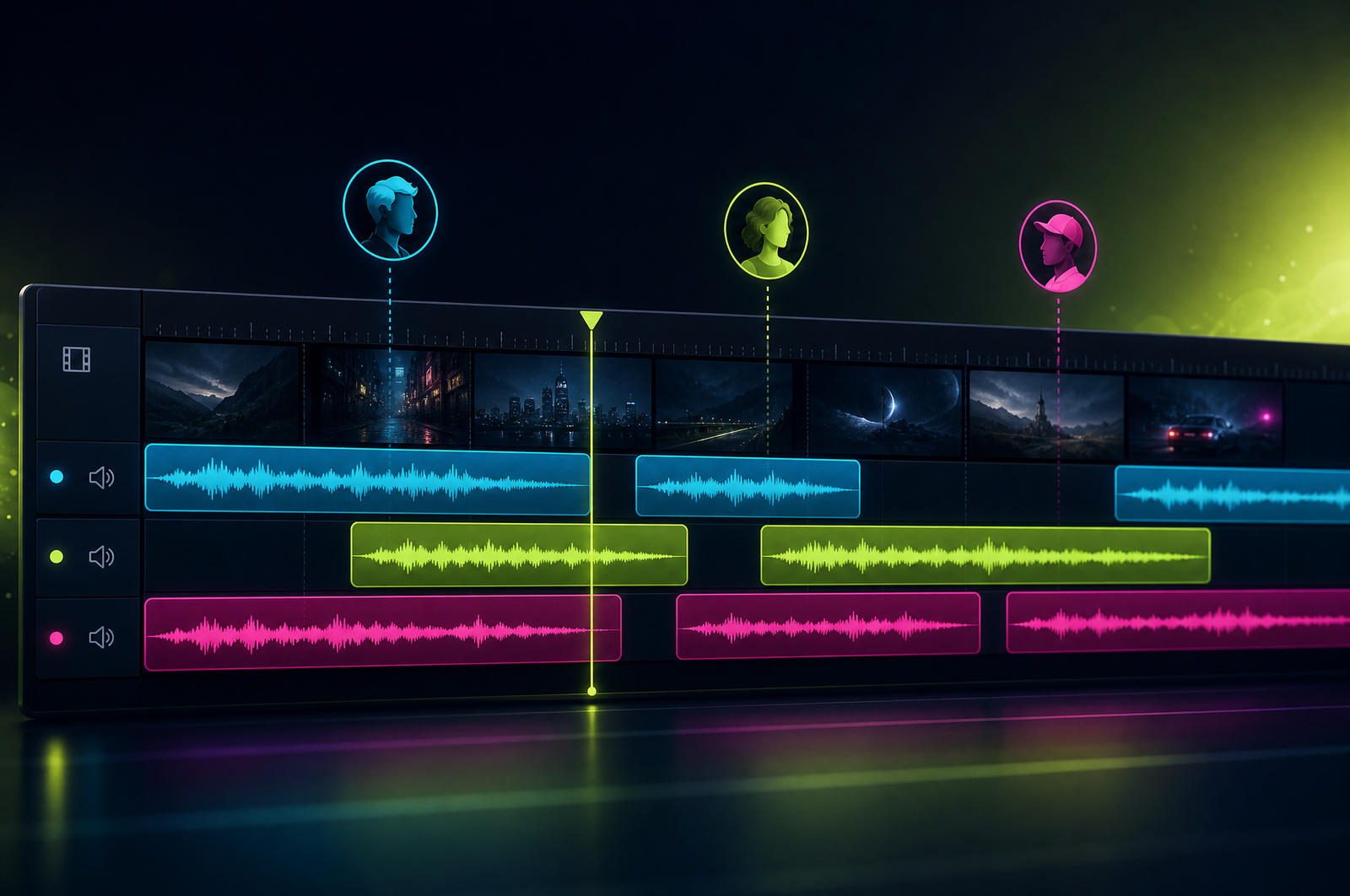
Multi-speaker video is everywhere — podcasts, panels, interviews, meetings, customer calls. Knowing who's speaking when unlocks downstream use cases: per-speaker clips, attributed pull quotes, speaker-aware reframing, hosts-only highlight reels. Speaker diarization — the process of identifying who's talking when — is the foundation for all of those workflows.
This guide is a developer-focused look at how diarization APIs work and how the OpusClip API supports both anonymous and named speaker workflows.
The OpusClip API is now publicly available — included on the free trial and the Pro plan, with no waitlist or sales call required. Get started at opus.pro/api, and find the full endpoint and parameter reference in the API docs.
Key takeaways
• Anonymous diarization clusters voices into unnamed labels (Speaker 1, Speaker 2) using voice features.
• Named diarization matches voices against pre-uploaded voice samples for explicit identification (Alice, Bob).
• Output is timestamped speaker segments with transcript text and confidence scores.
• Overlap, music, and 4+ speakers all reduce accuracy meaningfully.
• The OpusClip API supports both modes plus diarization-aware integration with captions, clips, and summaries.
Why diarization unlocks downstream value
Diarization isn't a standalone use case — it's a foundation. Once you know who said what, every other workflow gets better:
• Captions can prefix the speaker name ("Alice: That's a great question.")
• Clips can filter to a single speaker (only the guest, not the host)
• Quote extraction can attribute properly ("Patrick Collison said...")
• Summaries can structure by speaker turn
• Search can find what a specific person said in an archive of recordings
Without diarization, all of these workflows produce generic output. With it, they produce structured, attributed content.
What a diarization API does
Two modes:
Anonymous mode: 1. Extract voice embeddings from each speech segment. 2. Cluster embeddings into N groups (where N is the speaker count). 3. Label each speech segment with its cluster ID (Speaker 1, Speaker 2, ...).
Named mode: 1. Pre-upload voice samples for each known speaker (5-10 seconds of clean speech). 2. Extract voice embeddings during processing. 3. Match each speech segment's embedding against the registered samples. 4. Label segments with the matched name; unknown voices get cluster IDs.
Most production APIs let you mix the two: register a few known speakers (the host of a podcast, the customer success rep of a sales team), and let the rest cluster anonymously.
What to consider when integrating
Voice sample quality. Named diarization works only as well as the registered samples. 5-10 seconds of clean speech, same audio environment as your target if possible. Background music or noise in samples degrades accuracy significantly.
Speaker count. APIs work best on 2-4 speakers. Beyond 8, accuracy drops sharply because clustering gets harder. For very large panels, you may need to chunk or pre-segment.
Overlapping speech. No API handles cross-talk perfectly. Expect lower confidence in overlap regions. Diarization-aware downstream uses (clips, captions) should handle "Speaker N + Speaker M" segments gracefully.
Audio quality. Phone-quality (8kHz narrowband) drops accuracy by 5-10 points compared to wideband audio. For sales call recordings, this matters.
Same person different setups. A speaker recorded on different microphones may cluster as different speakers. Register multiple samples per name to cover variation.
Language support. Diarization typically works across languages, but English benchmarks are best-documented. Confirm performance on your target languages.
Common use cases by team type
• Podcast networks. Per-host clip filters and per-guest pull quotes from every episode.
• Sales operations. Customer-only clips from recorded sales calls (exclude the rep's questions, keep the customer's reactions).
• Customer success. QBR clips filtered to customer statements for use as testimonials.
• Newsroom. Multi-speaker panels with proper attribution in transcripts and clips.
• Legal and HR. Recorded interviews with attributed transcripts for case management.
Common pitfalls
• Trusting unnamed cluster IDs across sessions. "Speaker 1" in one episode isn't necessarily "Speaker 1" in the next. Use named diarization for cross-episode consistency.
• Forgetting overlap. Two speakers talking at once produces low-confidence segments. Decide how to handle them (assign to dominant speaker, flag for review, drop).
• Voice sample drift. A voice changes over time (cold, age, recording environment). Periodically refresh registered samples for accuracy.
• Privacy and consent. Voice samples and recording content can contain PII. Confirm your provider's data retention policy and your participants' consent.
• Over-segmentation. Some APIs label every breath as a separate segment. Smooth output by merging consecutive segments from the same speaker shorter than ~500ms.
How the OpusClip diarization will work
The OpusClip API is generally available. The diarization workflow is built around:
• Both anonymous (cluster) and named (sample-matching) modes
• Multi-sample registration per named speaker (improves accuracy as voice/environment varies)
• Integration with captions (speaker-prefixed output), clips (speaker-focus filtering), and summaries (speaker-attributed)
• Confidence scoring per segment
• Configurable smoothing (minimum segment duration, gap merging)
Full endpoint and parameter reference lives in the API documentation; generate an API key from your OpusClip dashboard to start building.
FAQ
How accurate is automated speaker diarization?
Anonymous diarization typically runs ~93% segment-level accuracy on clean podcast-quality audio. Named-speaker matching runs ~95% precision with high-quality voice samples. Both numbers degrade with overlap, noise, and phone-quality input.
Can I diarize a podcast with 6+ speakers?
Yes — most APIs support up to 8 speakers per source. Beyond that, accuracy drops because clustering gets harder. For very large panels, pre-segment by speaker turn first.
Does diarization affect captions or clip generation?
It enhances them. Pass speaker labels to downstream captioning/clipping/summarization and the output includes speaker attribution. Captions can show speaker name prefixes; clips can be filtered to specific speakers.
Can I update voice samples later?
Yes — most APIs let you add additional samples to a registered named speaker. More samples improve matching accuracy (3-5 samples is the sweet spot).
Is voice data retained after diarization?
Privacy policies vary by provider. The OpusClip API retains voice samples only for matching purposes; diarized source audio is not stored long-term. Confirm your provider's policy before using diarization for sensitive content.
Next steps
For combining diarization with captions, see How to Add Captions to a Video. For clip filtering by speaker, see Convert Zoom Recordings to Social Clips. For full transcripts with speakers, see Transcribe Video with Speaker Names.












