
Generate AI Video Summaries Programmatically with the OpusClip API

May 13, 2026
Generate AI Video Summaries Programmatically with the OpusClip API

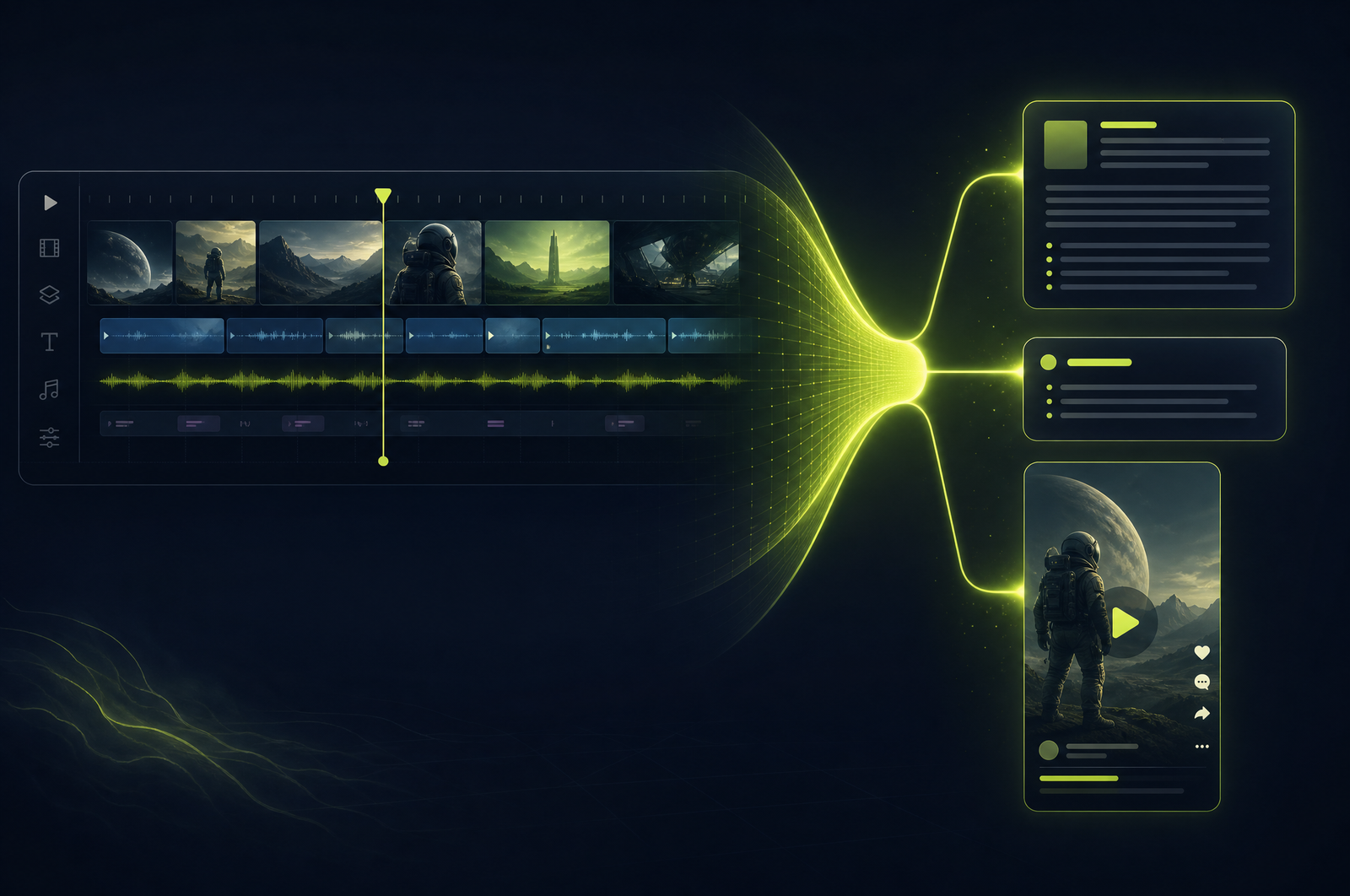
Video summarization has two distinct use cases that often get conflated. The first is text — generating a paragraph summary for SEO descriptions, email recaps, internal docs. The second is video — generating a 30-second highlight reel that captures the essence of a longer recording for social or preview use.

A good summarization API supports both from the same source. This guide is a developer-focused look at how summarization APIs work and how the OpusClip API will support both text and video summaries when it goes generally available.

The OpusClip API is currently in early accessrequest access at opus.pro/api. Code examples will publish here once the v1 spec is finalized.

Key takeaways

• Summarization APIs produce text output (TL;DR, paragraph, bullets, extractive quotes) and video output (highlight reel automatically edited from key moments).

• Video-aware summarization (which considers visual emphasis, slide changes, gestures) outperforms transcript-only summarization on tutorial and demo content.

• For pure-talk content (podcasts, interviews) text-only summarization with a generic LLM is competitive with video-aware.

• A 30-minute source typically condenses to a 1-sentence TL;DR + 5-7 bullets + 30-second highlight reel.

• The OpusClip API will support multiple output formats from one job.

Why summarization is the highest-leverage text artifact

The economics of summarization make it a no-brainer:

Cost is low. Summarization runs in seconds at single-digit cents per source.

Output is reusable. One summary feeds SEO descriptions, show notes, email recaps, social posts, internal docs, and search index entries.

Quality is high. Modern summarization output is good enough for direct publish in most cases (light review only).

Compare to the cost of producing the same artifacts manually: a producer writing show notes takes 30-60 minutes per episode. Summarization API runs in seconds. Same quality, 100x faster.

What a summarization API does

Two parallel workflows:

Text summarization: 1. Transcribe the source. 2. Run extraction or abstractive summarization on the transcript. 3. Optionally weight visual signals (slide changes, on-screen text, gesture intensity) for tutorial-style content. 4. Return text in the requested format (TL;DR, paragraph, bullets, extractive quotes).

Video summarization: 1. Same transcription pass. 2. Score each segment for "summary-worthiness" using engagement signals. 3. Select segments that fit the target duration (typically 20-60 seconds). 4. Stitch with cross-dissolves and burn-in captions.

Both can run from the same source in a single API call.

What to consider when integrating

Output format flexibility. Different downstream uses need different formats. SEO meta descriptions need ≤155 chars; show notes need bullets; social posts need a short TL;DR. Pick an API that returns multiple formats from one job.

Video-aware vs. text-only. For tutorial/demo content, video-aware summarization (which considers slide changes, gestures, on-screen text) significantly outperforms text-only. For pure-talk content (podcasts, interviews), the difference is small.

Speaker handling. Multi-speaker content benefits from speaker-attributed summaries ("Alice argued X; Bob countered with Y").

Length controls. Bullet summaries should target 5-10 bullets; paragraph summaries 100-300 words; TL;DR ~120 chars. Most APIs let you tune these.

Tone. Neutral works for most uses. For consumer-facing content, "casual" or "engaging" tones improve performance. For executive summaries, "professional" or "technical" fits better.

Language consistency. For multilingual content, decide if you want output in the source language or always in English. Different uses (internal docs vs. localized SEO) need different answers.

Common use cases by team type

Marketing teams. SEO descriptions and meta-content from every video upload.

Email teams. Show notes and recap emails from podcast/webinar/conference recordings.

Internal communications. Async-friendly summaries of all-hands and team meetings.

Research and analyst teams. Quick summaries of competitor product demos, customer interviews, and recorded calls.

Content marketing. 30-second video summaries as preview content for long-form video.

Common pitfalls

Over-trusting summarization on high-stakes content. Legal, medical, and PR-sensitive content needs human review on summaries. A wrong number or wrong nuance can be costly.

Single-format output. If you only request a paragraph, you have to call again for bullets. Request all formats you'll need upfront.

Summaries that miss visual content. A demo video that's mostly "watch this happen on screen" doesn't summarize well from transcript alone. Use video-aware summarization for these.

Tone mismatch. Generic summaries often read flat. Tune tone to your brand voice or your audience expectation.

Forgetting timestamp anchoring. Summaries are more useful when bullets include source timestamps (so readers can jump to the moment). Many APIs make this optional; turn it on.

How the OpusClip summarization will work

The OpusClip API is currently in early access. Summarization is built around:

• Text formats: TL;DR, paragraph, bullets, extractive quotes, chaptered summaries

• Video summary: configurable duration (15-90 seconds), aspect ratio, caption styling

• Video-aware mode for tutorial/demo content with visual signal weighting

• Multi-format output from one job submission

• Tone presets: neutral, casual, executive, technical, educational

Full code examples and parameter reference will publish to the developer docs when the v1 spec is finalized. To get notified or apply for early access, visit opus.pro/api.

FAQ

How does this compare to running Whisper + GPT-4 on a transcript?

For pure-talk content, generic LLM summarization is competitive. For tutorial/demo/keynote content with visual signals (slide changes, on-screen emphasis, demos), video-aware summarization meaningfully outperforms transcript-only. The gap is largest on educational content.

Can I customize the summary's tone?

Yes — most production APIs offer tone presets (neutral, casual, executive, technical, educational) and let you bias output. Default is neutral.

Does the API support summarizing multi-hour videos?

Yes — typically up to 4 hours per source. Longer content gets segmented internally and summarized hierarchically; processing time scales roughly linearly.

Can I get timestamps in the bullet points?

Yes — turn on timestamp anchoring and each bullet includes the source timestamp of the moment it summarizes. Useful for clickable show notes.

Will the OpusClip API produce both text and video summaries from one job?

Yes — that's the standard pattern. Request text formats plus a video summary configuration in one submission and get all outputs back from one job.

Next steps

For chapter generation alongside summaries, see Auto-Generate Video Chapters. For full transcripts, see Transcribe Video with Speaker Names. For pull quotes, see Extract Pull Quotes from Video.


Request access to the OpusClip API at opus.pro/api.

On this page

Use our Free Forever Plan

Ready to build with the OpusClip API?

Create and post one short video every day for free, and grow faster.

Generate AI Video Summaries Programmatically with the OpusClip API

Video summarization has two distinct use cases that often get conflated. The first is text — generating a paragraph summary for SEO descriptions, email recaps, internal docs. The second is video — generating a 30-second highlight reel that captures the essence of a longer recording for social or preview use.

A good summarization API supports both from the same source. This guide is a developer-focused look at how summarization APIs work and how the OpusClip API will support both text and video summaries when it goes generally available.

The OpusClip API is currently in early accessrequest access at opus.pro/api. Code examples will publish here once the v1 spec is finalized.

Key takeaways

• Summarization APIs produce text output (TL;DR, paragraph, bullets, extractive quotes) and video output (highlight reel automatically edited from key moments).

• Video-aware summarization (which considers visual emphasis, slide changes, gestures) outperforms transcript-only summarization on tutorial and demo content.

• For pure-talk content (podcasts, interviews) text-only summarization with a generic LLM is competitive with video-aware.

• A 30-minute source typically condenses to a 1-sentence TL;DR + 5-7 bullets + 30-second highlight reel.

• The OpusClip API will support multiple output formats from one job.

Why summarization is the highest-leverage text artifact

The economics of summarization make it a no-brainer:

Cost is low. Summarization runs in seconds at single-digit cents per source.

Output is reusable. One summary feeds SEO descriptions, show notes, email recaps, social posts, internal docs, and search index entries.

Quality is high. Modern summarization output is good enough for direct publish in most cases (light review only).

Compare to the cost of producing the same artifacts manually: a producer writing show notes takes 30-60 minutes per episode. Summarization API runs in seconds. Same quality, 100x faster.

What a summarization API does

Two parallel workflows:

Text summarization: 1. Transcribe the source. 2. Run extraction or abstractive summarization on the transcript. 3. Optionally weight visual signals (slide changes, on-screen text, gesture intensity) for tutorial-style content. 4. Return text in the requested format (TL;DR, paragraph, bullets, extractive quotes).

Video summarization: 1. Same transcription pass. 2. Score each segment for "summary-worthiness" using engagement signals. 3. Select segments that fit the target duration (typically 20-60 seconds). 4. Stitch with cross-dissolves and burn-in captions.

Both can run from the same source in a single API call.

What to consider when integrating

Output format flexibility. Different downstream uses need different formats. SEO meta descriptions need ≤155 chars; show notes need bullets; social posts need a short TL;DR. Pick an API that returns multiple formats from one job.

Video-aware vs. text-only. For tutorial/demo content, video-aware summarization (which considers slide changes, gestures, on-screen text) significantly outperforms text-only. For pure-talk content (podcasts, interviews), the difference is small.

Speaker handling. Multi-speaker content benefits from speaker-attributed summaries ("Alice argued X; Bob countered with Y").

Length controls. Bullet summaries should target 5-10 bullets; paragraph summaries 100-300 words; TL;DR ~120 chars. Most APIs let you tune these.

Tone. Neutral works for most uses. For consumer-facing content, "casual" or "engaging" tones improve performance. For executive summaries, "professional" or "technical" fits better.

Language consistency. For multilingual content, decide if you want output in the source language or always in English. Different uses (internal docs vs. localized SEO) need different answers.

Common use cases by team type

Marketing teams. SEO descriptions and meta-content from every video upload.

Email teams. Show notes and recap emails from podcast/webinar/conference recordings.

Internal communications. Async-friendly summaries of all-hands and team meetings.

Research and analyst teams. Quick summaries of competitor product demos, customer interviews, and recorded calls.

Content marketing. 30-second video summaries as preview content for long-form video.

Common pitfalls

Over-trusting summarization on high-stakes content. Legal, medical, and PR-sensitive content needs human review on summaries. A wrong number or wrong nuance can be costly.

Single-format output. If you only request a paragraph, you have to call again for bullets. Request all formats you'll need upfront.

Summaries that miss visual content. A demo video that's mostly "watch this happen on screen" doesn't summarize well from transcript alone. Use video-aware summarization for these.

Tone mismatch. Generic summaries often read flat. Tune tone to your brand voice or your audience expectation.

Forgetting timestamp anchoring. Summaries are more useful when bullets include source timestamps (so readers can jump to the moment). Many APIs make this optional; turn it on.

How the OpusClip summarization will work

The OpusClip API is currently in early access. Summarization is built around:

• Text formats: TL;DR, paragraph, bullets, extractive quotes, chaptered summaries

• Video summary: configurable duration (15-90 seconds), aspect ratio, caption styling

• Video-aware mode for tutorial/demo content with visual signal weighting

• Multi-format output from one job submission

• Tone presets: neutral, casual, executive, technical, educational

Full code examples and parameter reference will publish to the developer docs when the v1 spec is finalized. To get notified or apply for early access, visit opus.pro/api.

FAQ

How does this compare to running Whisper + GPT-4 on a transcript?

For pure-talk content, generic LLM summarization is competitive. For tutorial/demo/keynote content with visual signals (slide changes, on-screen emphasis, demos), video-aware summarization meaningfully outperforms transcript-only. The gap is largest on educational content.

Can I customize the summary's tone?

Yes — most production APIs offer tone presets (neutral, casual, executive, technical, educational) and let you bias output. Default is neutral.

Does the API support summarizing multi-hour videos?

Yes — typically up to 4 hours per source. Longer content gets segmented internally and summarized hierarchically; processing time scales roughly linearly.

Can I get timestamps in the bullet points?

Yes — turn on timestamp anchoring and each bullet includes the source timestamp of the moment it summarizes. Useful for clickable show notes.

Will the OpusClip API produce both text and video summaries from one job?

Yes — that's the standard pattern. Request text formats plus a video summary configuration in one submission and get all outputs back from one job.

Next steps

For chapter generation alongside summaries, see Auto-Generate Video Chapters. For full transcripts, see Transcribe Video with Speaker Names. For pull quotes, see Extract Pull Quotes from Video.

Request access to the OpusClip API at opus.pro/api.

Creator name

Creator type

Team size

Channels

linkYouTubefacebookXTikTok

Pain point

Time to see positive ROI

About the creator

Don't miss these

How Audacy Drove 1B+ Views by Taking a Tech-Forward Approach to Radio with OpusClip
No items found.

How Audacy Drove 1B+ Views by Taking a Tech-Forward Approach to Radio with OpusClip

How All the Smoke makes hit compilations faster with OpusSearch

How All the Smoke makes hit compilations faster with OpusSearch

Growing a new channel to 1.5M views in 90 days without creating new videos

Growing a new channel to 1.5M views in 90 days without creating new videos

Generate AI Video Summaries Programmatically with the OpusClip API

Generate AI Video Summaries Programmatically with the OpusClip API
No items found.
No items found.

Boost your social media growth with OpusClip

Create and post one short video every day for your social media and grow faster.

Generate AI Video Summaries Programmatically with the OpusClip API

Generate AI Video Summaries Programmatically with the OpusClip API

Video summarization has two distinct use cases that often get conflated. The first is text — generating a paragraph summary for SEO descriptions, email recaps, internal docs. The second is video — generating a 30-second highlight reel that captures the essence of a longer recording for social or preview use.

A good summarization API supports both from the same source. This guide is a developer-focused look at how summarization APIs work and how the OpusClip API will support both text and video summaries when it goes generally available.

The OpusClip API is currently in early accessrequest access at opus.pro/api. Code examples will publish here once the v1 spec is finalized.

Key takeaways

• Summarization APIs produce text output (TL;DR, paragraph, bullets, extractive quotes) and video output (highlight reel automatically edited from key moments).

• Video-aware summarization (which considers visual emphasis, slide changes, gestures) outperforms transcript-only summarization on tutorial and demo content.

• For pure-talk content (podcasts, interviews) text-only summarization with a generic LLM is competitive with video-aware.

• A 30-minute source typically condenses to a 1-sentence TL;DR + 5-7 bullets + 30-second highlight reel.

• The OpusClip API will support multiple output formats from one job.

Why summarization is the highest-leverage text artifact

The economics of summarization make it a no-brainer:

Cost is low. Summarization runs in seconds at single-digit cents per source.

Output is reusable. One summary feeds SEO descriptions, show notes, email recaps, social posts, internal docs, and search index entries.

Quality is high. Modern summarization output is good enough for direct publish in most cases (light review only).

Compare to the cost of producing the same artifacts manually: a producer writing show notes takes 30-60 minutes per episode. Summarization API runs in seconds. Same quality, 100x faster.

What a summarization API does

Two parallel workflows:

Text summarization: 1. Transcribe the source. 2. Run extraction or abstractive summarization on the transcript. 3. Optionally weight visual signals (slide changes, on-screen text, gesture intensity) for tutorial-style content. 4. Return text in the requested format (TL;DR, paragraph, bullets, extractive quotes).

Video summarization: 1. Same transcription pass. 2. Score each segment for "summary-worthiness" using engagement signals. 3. Select segments that fit the target duration (typically 20-60 seconds). 4. Stitch with cross-dissolves and burn-in captions.

Both can run from the same source in a single API call.

What to consider when integrating

Output format flexibility. Different downstream uses need different formats. SEO meta descriptions need ≤155 chars; show notes need bullets; social posts need a short TL;DR. Pick an API that returns multiple formats from one job.

Video-aware vs. text-only. For tutorial/demo content, video-aware summarization (which considers slide changes, gestures, on-screen text) significantly outperforms text-only. For pure-talk content (podcasts, interviews), the difference is small.

Speaker handling. Multi-speaker content benefits from speaker-attributed summaries ("Alice argued X; Bob countered with Y").

Length controls. Bullet summaries should target 5-10 bullets; paragraph summaries 100-300 words; TL;DR ~120 chars. Most APIs let you tune these.

Tone. Neutral works for most uses. For consumer-facing content, "casual" or "engaging" tones improve performance. For executive summaries, "professional" or "technical" fits better.

Language consistency. For multilingual content, decide if you want output in the source language or always in English. Different uses (internal docs vs. localized SEO) need different answers.

Common use cases by team type

Marketing teams. SEO descriptions and meta-content from every video upload.

Email teams. Show notes and recap emails from podcast/webinar/conference recordings.

Internal communications. Async-friendly summaries of all-hands and team meetings.

Research and analyst teams. Quick summaries of competitor product demos, customer interviews, and recorded calls.

Content marketing. 30-second video summaries as preview content for long-form video.

Common pitfalls

Over-trusting summarization on high-stakes content. Legal, medical, and PR-sensitive content needs human review on summaries. A wrong number or wrong nuance can be costly.

Single-format output. If you only request a paragraph, you have to call again for bullets. Request all formats you'll need upfront.

Summaries that miss visual content. A demo video that's mostly "watch this happen on screen" doesn't summarize well from transcript alone. Use video-aware summarization for these.

Tone mismatch. Generic summaries often read flat. Tune tone to your brand voice or your audience expectation.

Forgetting timestamp anchoring. Summaries are more useful when bullets include source timestamps (so readers can jump to the moment). Many APIs make this optional; turn it on.

How the OpusClip summarization will work

The OpusClip API is currently in early access. Summarization is built around:

• Text formats: TL;DR, paragraph, bullets, extractive quotes, chaptered summaries

• Video summary: configurable duration (15-90 seconds), aspect ratio, caption styling

• Video-aware mode for tutorial/demo content with visual signal weighting

• Multi-format output from one job submission

• Tone presets: neutral, casual, executive, technical, educational

Full code examples and parameter reference will publish to the developer docs when the v1 spec is finalized. To get notified or apply for early access, visit opus.pro/api.

FAQ

How does this compare to running Whisper + GPT-4 on a transcript?

For pure-talk content, generic LLM summarization is competitive. For tutorial/demo/keynote content with visual signals (slide changes, on-screen emphasis, demos), video-aware summarization meaningfully outperforms transcript-only. The gap is largest on educational content.

Can I customize the summary's tone?

Yes — most production APIs offer tone presets (neutral, casual, executive, technical, educational) and let you bias output. Default is neutral.

Does the API support summarizing multi-hour videos?

Yes — typically up to 4 hours per source. Longer content gets segmented internally and summarized hierarchically; processing time scales roughly linearly.

Can I get timestamps in the bullet points?

Yes — turn on timestamp anchoring and each bullet includes the source timestamp of the moment it summarizes. Useful for clickable show notes.

Will the OpusClip API produce both text and video summaries from one job?

Yes — that's the standard pattern. Request text formats plus a video summary configuration in one submission and get all outputs back from one job.

Next steps

For chapter generation alongside summaries, see Auto-Generate Video Chapters. For full transcripts, see Transcribe Video with Speaker Names. For pull quotes, see Extract Pull Quotes from Video.

Request access to the OpusClip API at opus.pro/api.

Ready to start streaming differently?

Opus is completely FREE for one year for all private beta users. You can get access to all our premium features during this period. We also offer free support for production, studio design, and content repurposing to help you grow.
Join the beta
Limited spots remaining

Try OPUS today

Try Opus Studio

Make your live stream your Magnum Opus




