AI Video Editing Without Avatars: Edit Your Real Footage

July 21, 2026
AI editing a real person's video footage with a crossed-out avatar icon, signalling AI video editing without avatars

Search "AI video editor" today and most of what comes back isn't an editor at all — it's a generator. Type a prompt, pick a synthetic avatar, and it renders a person who doesn't exist saying words no one ever said. If what you actually wanted was for AI to edit the video you already filmed, that's the wrong tool. This guide is about the right one: the growing category of AI that edits your real footage instead of manufacturing a fake presenter — and why, for anyone building an audience around themselves, that distinction is the whole ballgame.

Two very different things get called "AI video"

The phrase "AI video" has been stretched to cover two categories that are almost opposites. Confusing them is why so many people end up with a tool that does the opposite of what they wanted.

AI video generation creates footage from scratch. It comes in two flavors: text-to-video models (Sora's successors, Veo, Kling, Runway) that render scenes from a written prompt, and avatar tools (HeyGen, Synthesia) that render a synthetic presenter reading a script. In both cases, nothing was filmed. The output is manufactured.

AI video editing starts with footage you filmed and makes it publish-ready — cleaning up the take, adding captions, B-roll, motion design, and music. Nothing is generated. The person on screen is you. An AI producer is the leading edge of this category: an editing agent that does the whole finishing edit and then lets you direct it.

Two kinds of AI video: on the left, video generated from a prompt; on the right, real footage being edited

Why real footage beats an avatar (for anyone building an audience)

If your audience follows you — your face, your voice, your point of view — a synthetic stand-in doesn't help you; it competes with the one thing you have that no tool can generate. Three reasons real footage wins:

  • Trust. Audiences are getting fast at spotting synthetic video, and the instinct when they spot it is to scroll. A real face saying something real still earns attention; a generated one increasingly gets pattern-matched to spam and skipped.
  • Brand. Personal brands are built on recognition and consistency — people learning your face, your cadence, your take. Generating a fake you doesn't build that equity; it dilutes it and hands your audience a version of you that you don't fully control.
  • Nuance. The way you actually pause, emphasize, and react is the part that lands. Avatars flatten delivery into something plausible but lifeless — technically a person, emotionally a slideshow.
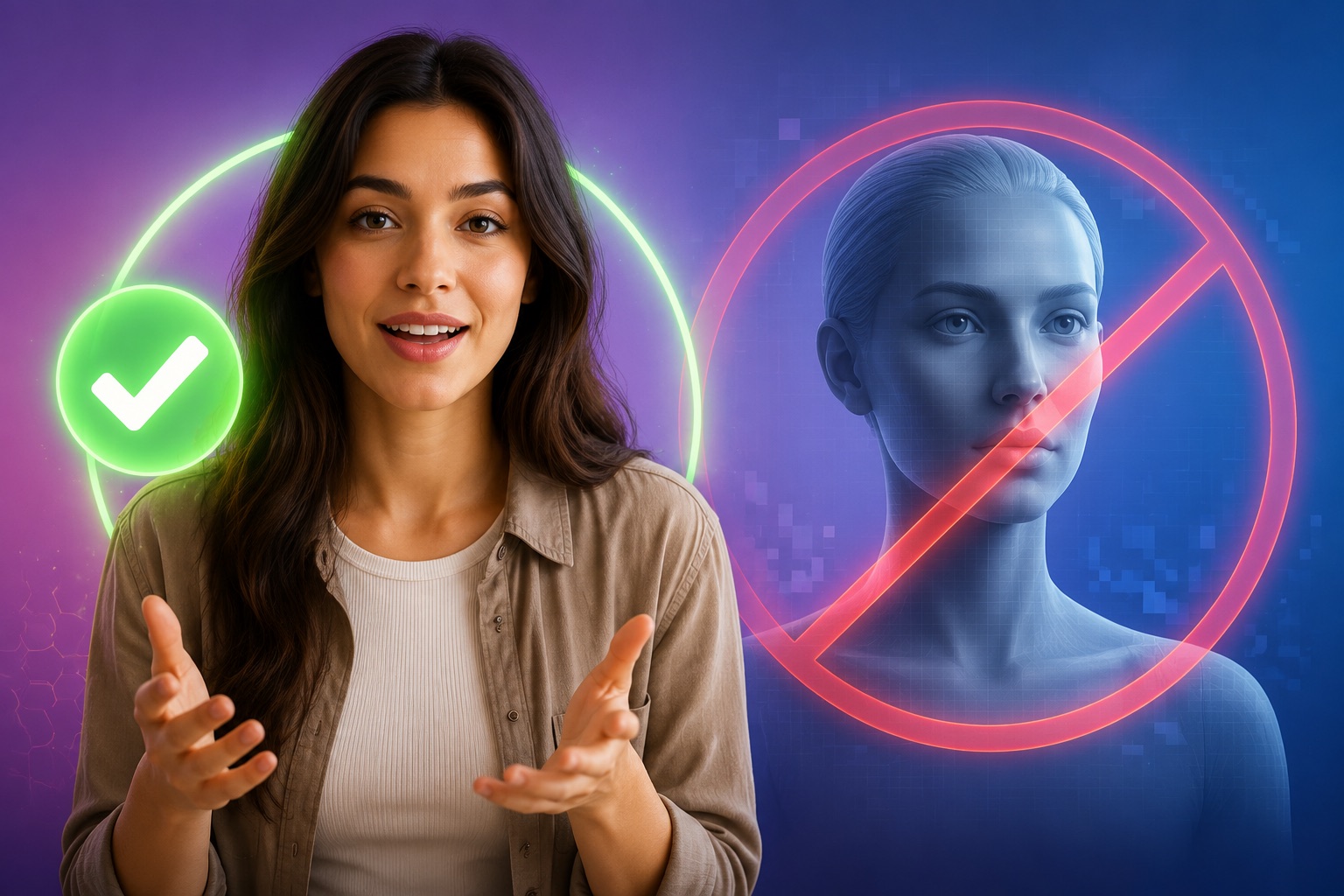
Real footage of a creator marked with a check versus a synthetic avatar marked with a crossed-out icon

The hidden costs of avatar video

Avatars look like a shortcut, and for the wrong use case they're an expensive one. The uncanny-valley effect — almost-right faces and mouth movement — creates a low-grade distrust viewers can't always name but do act on. As synthetic content floods every feed, "looks AI-generated" is becoming a negative signal in itself, and platforms and audiences alike are pushing for disclosure. And because everyone's using the same avatar libraries, synthetic content trends toward sameness — the opposite of what makes a creator stand out. For a personal brand, the downside isn't just a weaker video; it's spending your credibility to save an hour of editing.

When an avatar actually makes sense

To be fair, avatars have legitimate uses, and it's worth naming them so the choice is clear. They're a good fit for localized corporate training in dozens of languages, faceless explainer content produced at scale, internal documentation, or situations where the on-camera person genuinely can't or won't appear — privacy, safety, or availability. In those cases the goal was never "be authentically this person," so a synthetic presenter is exactly right. The mismatch is only when your audience follows a human and you hand them a hologram. If a real person is the point, generating a fake one solves the wrong problem.

What "AI editing without avatars" looks like in practice

Here's the workflow when the AI edits instead of generates. You film a normal talking-head clip on your phone. You drop it into an AI producer. It cleans up the filler and dead air, writes and styles captions, adds B-roll on the phrases that need it, applies motion design, and lays in music — a full first draft in minutes. Then you direct the last five percent in plain language: "make the hook bigger, swap the B-roll at 0:12, cut the intro." Every frame is your real footage; nothing was invented. That's the entire difference — the AI did the labor of editing, not the fabrication of a person.

Workflow of editing real footage with AI: a raw phone clip, an AI step, and the same person's finished captioned video

AI editor vs. avatar generator: how to tell them apart

When a tool markets itself as "AI video," one question sorts it instantly: does the person on screen have to be filmed, or does the tool invent them? Here's the split:

  • AI producer / AI video editor. Input is your real footage. Output is your real footage, finished. Use it to look professional as yourself.
  • Avatar generator. Input is a script and an avatar choice. Output is a synthetic presenter. Use it for faceless or localized content at scale.
  • Text-to-video generator. Input is a prompt. Output is an invented scene. Use it for b-roll, concepts, or fully virtual content — not for being yourself.

If a tool won't let you upload your own footage as the subject, it's a generator, not an editor — no matter what the landing page calls it.

How to edit your real footage with AI

  1. Record normally. One person, to camera, on whatever you have. Don't sweat stumbles — you'll cut them.
  2. Drop the clip into an AI producer. Let it run the first edit: cleanup, captions, B-roll, motion, music.
  3. Direct the changes. Adjust anything in plain language or on the timeline. Nothing is regenerated from scratch; it edits what you shot.
  4. Publish. Export the finished, captioned video — still, unmistakably, you.

Who this is for

Anyone whose reach is built on being recognized as themselves. Short-form creators who want daily posts to look produced without hiding behind stock or synthetic faces. Founders and experts building authority on LinkedIn and X, where a real face reads as credible and an avatar reads as a red flag. Podcasters turning real clips into finished shorts. In every case the strategy is the same: keep the human, automate the editing.

Common myths about avatar-free AI video

  • "AI video means fake video." No — editing your real footage with AI is AI video too, and it's the larger, more durable use case.
  • "If I don't use an avatar, I have to edit everything myself." No — an AI producer does the full edit on your real footage; the only thing it doesn't do is invent a presenter.
  • "Avatars are cheaper." Only if your credibility is free. For a personal brand, the trust cost usually outweighs the saved editing time.

Key takeaways

  • "AI video" splits into two near-opposite categories: generation (creates synthetic footage or avatars) and editing (finishes footage you filmed).
  • If you want AI to edit your real footage — not invent a presenter — you want an AI video editor / AI producer, not a generator.
  • For personal-brand content, real footage beats an avatar on trust, brand equity, and nuance.
  • Avatars still make sense for faceless, scaled, localized, or privacy-driven corporate use cases.
  • The tell: if a tool won't take your own footage as the subject, it's a generator, not an editor.
  • AI Producer by OpusClip edits your real footage into a publish-ready video — no avatars, no generated speakers.

Edit your real footage — no avatar required

Keep your face in your videos and let AI do the editing. See how AI Producer by OpusClip finishes your real footage, learn what an AI producer is, or read the complete guide to talking-head videos.

On this page

Use our Free Forever Plan

Find the moment. Skip the scrubbing.

From script to polished video — in one click.

Create and post one short video every day for free, and grow faster.

OpusSearch uses AI to surface the exact clip you need from hours of footage — in seconds, not afternoons.

Agent Opus runs the entire video pipeline for you: research, scriptwriting, storyboarding, motion, voice, and edit. Upload the idea, post the result.

AI Video Editing Without Avatars: Edit Your Real Footage

Search "AI video editor" today and most of what comes back isn't an editor at all — it's a generator. Type a prompt, pick a synthetic avatar, and it renders a person who doesn't exist saying words no one ever said. If what you actually wanted was for AI to edit the video you already filmed, that's the wrong tool. This guide is about the right one: the growing category of AI that edits your real footage instead of manufacturing a fake presenter — and why, for anyone building an audience around themselves, that distinction is the whole ballgame.

Two very different things get called "AI video"

The phrase "AI video" has been stretched to cover two categories that are almost opposites. Confusing them is why so many people end up with a tool that does the opposite of what they wanted.

AI video generation creates footage from scratch. It comes in two flavors: text-to-video models (Sora's successors, Veo, Kling, Runway) that render scenes from a written prompt, and avatar tools (HeyGen, Synthesia) that render a synthetic presenter reading a script. In both cases, nothing was filmed. The output is manufactured.

AI video editing starts with footage you filmed and makes it publish-ready — cleaning up the take, adding captions, B-roll, motion design, and music. Nothing is generated. The person on screen is you. An AI producer is the leading edge of this category: an editing agent that does the whole finishing edit and then lets you direct it.

Two kinds of AI video: on the left, video generated from a prompt; on the right, real footage being edited

Why real footage beats an avatar (for anyone building an audience)

If your audience follows you — your face, your voice, your point of view — a synthetic stand-in doesn't help you; it competes with the one thing you have that no tool can generate. Three reasons real footage wins:

  • Trust. Audiences are getting fast at spotting synthetic video, and the instinct when they spot it is to scroll. A real face saying something real still earns attention; a generated one increasingly gets pattern-matched to spam and skipped.
  • Brand. Personal brands are built on recognition and consistency — people learning your face, your cadence, your take. Generating a fake you doesn't build that equity; it dilutes it and hands your audience a version of you that you don't fully control.
  • Nuance. The way you actually pause, emphasize, and react is the part that lands. Avatars flatten delivery into something plausible but lifeless — technically a person, emotionally a slideshow.
Real footage of a creator marked with a check versus a synthetic avatar marked with a crossed-out icon

The hidden costs of avatar video

Avatars look like a shortcut, and for the wrong use case they're an expensive one. The uncanny-valley effect — almost-right faces and mouth movement — creates a low-grade distrust viewers can't always name but do act on. As synthetic content floods every feed, "looks AI-generated" is becoming a negative signal in itself, and platforms and audiences alike are pushing for disclosure. And because everyone's using the same avatar libraries, synthetic content trends toward sameness — the opposite of what makes a creator stand out. For a personal brand, the downside isn't just a weaker video; it's spending your credibility to save an hour of editing.

When an avatar actually makes sense

To be fair, avatars have legitimate uses, and it's worth naming them so the choice is clear. They're a good fit for localized corporate training in dozens of languages, faceless explainer content produced at scale, internal documentation, or situations where the on-camera person genuinely can't or won't appear — privacy, safety, or availability. In those cases the goal was never "be authentically this person," so a synthetic presenter is exactly right. The mismatch is only when your audience follows a human and you hand them a hologram. If a real person is the point, generating a fake one solves the wrong problem.

What "AI editing without avatars" looks like in practice

Here's the workflow when the AI edits instead of generates. You film a normal talking-head clip on your phone. You drop it into an AI producer. It cleans up the filler and dead air, writes and styles captions, adds B-roll on the phrases that need it, applies motion design, and lays in music — a full first draft in minutes. Then you direct the last five percent in plain language: "make the hook bigger, swap the B-roll at 0:12, cut the intro." Every frame is your real footage; nothing was invented. That's the entire difference — the AI did the labor of editing, not the fabrication of a person.

Workflow of editing real footage with AI: a raw phone clip, an AI step, and the same person's finished captioned video

AI editor vs. avatar generator: how to tell them apart

When a tool markets itself as "AI video," one question sorts it instantly: does the person on screen have to be filmed, or does the tool invent them? Here's the split:

  • AI producer / AI video editor. Input is your real footage. Output is your real footage, finished. Use it to look professional as yourself.
  • Avatar generator. Input is a script and an avatar choice. Output is a synthetic presenter. Use it for faceless or localized content at scale.
  • Text-to-video generator. Input is a prompt. Output is an invented scene. Use it for b-roll, concepts, or fully virtual content — not for being yourself.

If a tool won't let you upload your own footage as the subject, it's a generator, not an editor — no matter what the landing page calls it.

How to edit your real footage with AI

  1. Record normally. One person, to camera, on whatever you have. Don't sweat stumbles — you'll cut them.
  2. Drop the clip into an AI producer. Let it run the first edit: cleanup, captions, B-roll, motion, music.
  3. Direct the changes. Adjust anything in plain language or on the timeline. Nothing is regenerated from scratch; it edits what you shot.
  4. Publish. Export the finished, captioned video — still, unmistakably, you.

Who this is for

Anyone whose reach is built on being recognized as themselves. Short-form creators who want daily posts to look produced without hiding behind stock or synthetic faces. Founders and experts building authority on LinkedIn and X, where a real face reads as credible and an avatar reads as a red flag. Podcasters turning real clips into finished shorts. In every case the strategy is the same: keep the human, automate the editing.

Common myths about avatar-free AI video

  • "AI video means fake video." No — editing your real footage with AI is AI video too, and it's the larger, more durable use case.
  • "If I don't use an avatar, I have to edit everything myself." No — an AI producer does the full edit on your real footage; the only thing it doesn't do is invent a presenter.
  • "Avatars are cheaper." Only if your credibility is free. For a personal brand, the trust cost usually outweighs the saved editing time.

Key takeaways

  • "AI video" splits into two near-opposite categories: generation (creates synthetic footage or avatars) and editing (finishes footage you filmed).
  • If you want AI to edit your real footage — not invent a presenter — you want an AI video editor / AI producer, not a generator.
  • For personal-brand content, real footage beats an avatar on trust, brand equity, and nuance.
  • Avatars still make sense for faceless, scaled, localized, or privacy-driven corporate use cases.
  • The tell: if a tool won't take your own footage as the subject, it's a generator, not an editor.
  • AI Producer by OpusClip edits your real footage into a publish-ready video — no avatars, no generated speakers.

Edit your real footage — no avatar required

Keep your face in your videos and let AI do the editing. See how AI Producer by OpusClip finishes your real footage, learn what an AI producer is, or read the complete guide to talking-head videos.

Creator name

Creator type

Team size

Channels

linkYouTubefacebookXTikTok

Pain point

Time to see positive ROI

About the creator

Don't miss these

How Audacy Drove 1B+ Views by Taking a Tech-Forward Approach to Radio with OpusClip
No items found.

How Audacy Drove 1B+ Views by Taking a Tech-Forward Approach to Radio with OpusClip

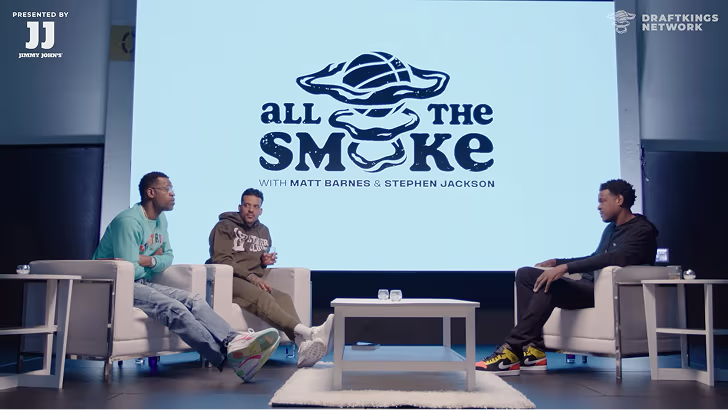
How All the Smoke makes hit compilations faster with OpusSearch

How All the Smoke makes hit compilations faster with OpusSearch

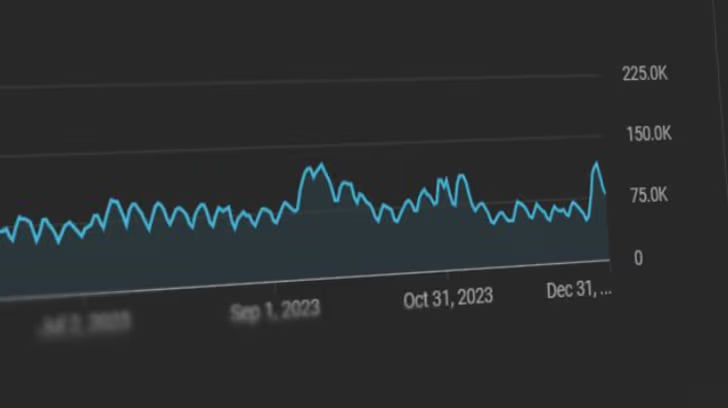
Growing a new channel to 1.5M views in 90 days without creating new videos

Growing a new channel to 1.5M views in 90 days without creating new videos

AI Video Editing Without Avatars: Edit Your Real Footage

AI editing a real person's video footage with a crossed-out avatar icon, signalling AI video editing without avatars
No items found.
No items found.

Boost your social media growth with OpusClip

Create and post one short video every day for your social media and grow faster.

AI Video Editing Without Avatars: Edit Your Real Footage

AI editing a real person's video footage with a crossed-out avatar icon, signalling AI video editing without avatars

Search "AI video editor" today and most of what comes back isn't an editor at all — it's a generator. Type a prompt, pick a synthetic avatar, and it renders a person who doesn't exist saying words no one ever said. If what you actually wanted was for AI to edit the video you already filmed, that's the wrong tool. This guide is about the right one: the growing category of AI that edits your real footage instead of manufacturing a fake presenter — and why, for anyone building an audience around themselves, that distinction is the whole ballgame.

Two very different things get called "AI video"

The phrase "AI video" has been stretched to cover two categories that are almost opposites. Confusing them is why so many people end up with a tool that does the opposite of what they wanted.

AI video generation creates footage from scratch. It comes in two flavors: text-to-video models (Sora's successors, Veo, Kling, Runway) that render scenes from a written prompt, and avatar tools (HeyGen, Synthesia) that render a synthetic presenter reading a script. In both cases, nothing was filmed. The output is manufactured.

AI video editing starts with footage you filmed and makes it publish-ready — cleaning up the take, adding captions, B-roll, motion design, and music. Nothing is generated. The person on screen is you. An AI producer is the leading edge of this category: an editing agent that does the whole finishing edit and then lets you direct it.

Two kinds of AI video: on the left, video generated from a prompt; on the right, real footage being edited

Why real footage beats an avatar (for anyone building an audience)

If your audience follows you — your face, your voice, your point of view — a synthetic stand-in doesn't help you; it competes with the one thing you have that no tool can generate. Three reasons real footage wins:

  • Trust. Audiences are getting fast at spotting synthetic video, and the instinct when they spot it is to scroll. A real face saying something real still earns attention; a generated one increasingly gets pattern-matched to spam and skipped.
  • Brand. Personal brands are built on recognition and consistency — people learning your face, your cadence, your take. Generating a fake you doesn't build that equity; it dilutes it and hands your audience a version of you that you don't fully control.
  • Nuance. The way you actually pause, emphasize, and react is the part that lands. Avatars flatten delivery into something plausible but lifeless — technically a person, emotionally a slideshow.
Real footage of a creator marked with a check versus a synthetic avatar marked with a crossed-out icon

The hidden costs of avatar video

Avatars look like a shortcut, and for the wrong use case they're an expensive one. The uncanny-valley effect — almost-right faces and mouth movement — creates a low-grade distrust viewers can't always name but do act on. As synthetic content floods every feed, "looks AI-generated" is becoming a negative signal in itself, and platforms and audiences alike are pushing for disclosure. And because everyone's using the same avatar libraries, synthetic content trends toward sameness — the opposite of what makes a creator stand out. For a personal brand, the downside isn't just a weaker video; it's spending your credibility to save an hour of editing.

When an avatar actually makes sense

To be fair, avatars have legitimate uses, and it's worth naming them so the choice is clear. They're a good fit for localized corporate training in dozens of languages, faceless explainer content produced at scale, internal documentation, or situations where the on-camera person genuinely can't or won't appear — privacy, safety, or availability. In those cases the goal was never "be authentically this person," so a synthetic presenter is exactly right. The mismatch is only when your audience follows a human and you hand them a hologram. If a real person is the point, generating a fake one solves the wrong problem.

What "AI editing without avatars" looks like in practice

Here's the workflow when the AI edits instead of generates. You film a normal talking-head clip on your phone. You drop it into an AI producer. It cleans up the filler and dead air, writes and styles captions, adds B-roll on the phrases that need it, applies motion design, and lays in music — a full first draft in minutes. Then you direct the last five percent in plain language: "make the hook bigger, swap the B-roll at 0:12, cut the intro." Every frame is your real footage; nothing was invented. That's the entire difference — the AI did the labor of editing, not the fabrication of a person.

Workflow of editing real footage with AI: a raw phone clip, an AI step, and the same person's finished captioned video

AI editor vs. avatar generator: how to tell them apart

When a tool markets itself as "AI video," one question sorts it instantly: does the person on screen have to be filmed, or does the tool invent them? Here's the split:

  • AI producer / AI video editor. Input is your real footage. Output is your real footage, finished. Use it to look professional as yourself.
  • Avatar generator. Input is a script and an avatar choice. Output is a synthetic presenter. Use it for faceless or localized content at scale.
  • Text-to-video generator. Input is a prompt. Output is an invented scene. Use it for b-roll, concepts, or fully virtual content — not for being yourself.

If a tool won't let you upload your own footage as the subject, it's a generator, not an editor — no matter what the landing page calls it.

How to edit your real footage with AI

  1. Record normally. One person, to camera, on whatever you have. Don't sweat stumbles — you'll cut them.
  2. Drop the clip into an AI producer. Let it run the first edit: cleanup, captions, B-roll, motion, music.
  3. Direct the changes. Adjust anything in plain language or on the timeline. Nothing is regenerated from scratch; it edits what you shot.
  4. Publish. Export the finished, captioned video — still, unmistakably, you.

Who this is for

Anyone whose reach is built on being recognized as themselves. Short-form creators who want daily posts to look produced without hiding behind stock or synthetic faces. Founders and experts building authority on LinkedIn and X, where a real face reads as credible and an avatar reads as a red flag. Podcasters turning real clips into finished shorts. In every case the strategy is the same: keep the human, automate the editing.

Common myths about avatar-free AI video

  • "AI video means fake video." No — editing your real footage with AI is AI video too, and it's the larger, more durable use case.
  • "If I don't use an avatar, I have to edit everything myself." No — an AI producer does the full edit on your real footage; the only thing it doesn't do is invent a presenter.
  • "Avatars are cheaper." Only if your credibility is free. For a personal brand, the trust cost usually outweighs the saved editing time.

Key takeaways

  • "AI video" splits into two near-opposite categories: generation (creates synthetic footage or avatars) and editing (finishes footage you filmed).
  • If you want AI to edit your real footage — not invent a presenter — you want an AI video editor / AI producer, not a generator.
  • For personal-brand content, real footage beats an avatar on trust, brand equity, and nuance.
  • Avatars still make sense for faceless, scaled, localized, or privacy-driven corporate use cases.
  • The tell: if a tool won't take your own footage as the subject, it's a generator, not an editor.
  • AI Producer by OpusClip edits your real footage into a publish-ready video — no avatars, no generated speakers.

Edit your real footage — no avatar required

Keep your face in your videos and let AI do the editing. See how AI Producer by OpusClip finishes your real footage, learn what an AI producer is, or read the complete guide to talking-head videos.

Ready to start streaming differently?

Opus is completely FREE for one year for all private beta users. You can get access to all our premium features during this period. We also offer free support for production, studio design, and content repurposing to help you grow.
Join the beta
Limited spots remaining

Try OPUS today

Try Opus Studio

Make your live stream your Magnum Opus