



No items found.
Auto-Suggest B-Roll for Talking Head Videos with the OpusClip API
May 13, 2026
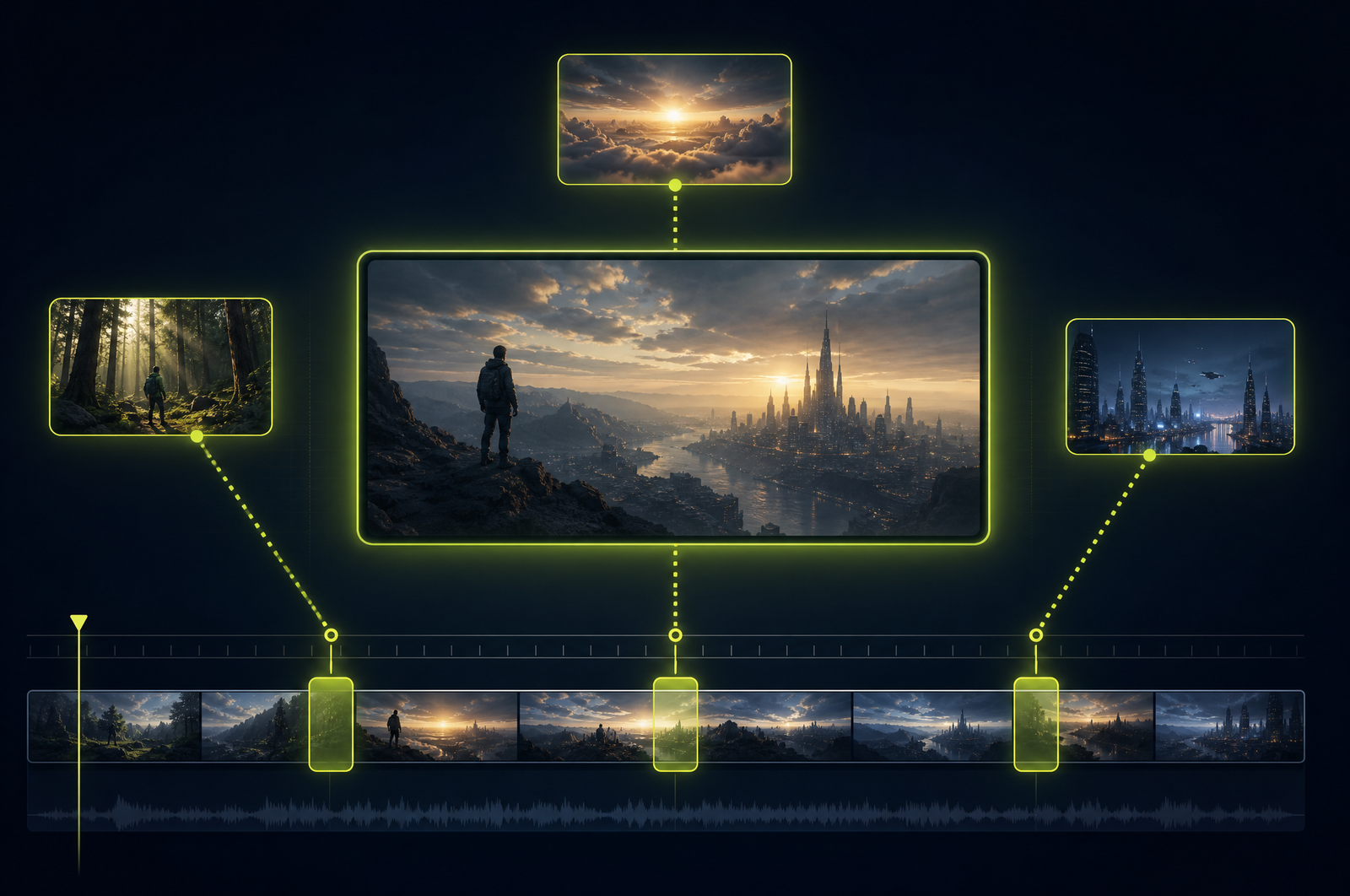
Talking head video is the easiest content to record and the hardest to make engaging. Five minutes of someone facing the camera, no matter how interesting the topic, has retention curves that drop off a cliff. The fix is b-roll — supporting footage that visualizes what's being said. Editing b-roll by hand is the most time-consuming step in any video workflow.
A b-roll suggestion API automates the workflow. It reads the transcript, identifies the moments that need visual support, and either matches b-roll from a library or generates new clips. This guide is a developer-focused look at how those APIs work and how the OpusClip API will support b-roll workflows when it goes generally available.
The OpusClip API is currently in early access — request access at opus.pro/api. Code examples will publish here once the v1 spec is finalized.
Key takeaways
• B-roll suggestion APIs analyze the spoken transcript and recommend insertion points where supporting footage would lift retention.
• Stock library matching (Pexels, Storyblocks, Getty), internal asset libraries, and AI-generated b-roll are the three main source modes.
• Each suggestion includes the transcript phrase being visualized, a concept tag, a recommended duration, and a confidence score.
• A typical 10-minute talking head produces 15-25 candidate insertion points.
• The OpusClip API will support all three source modes plus rendering the inserted b-roll back into the source video automatically.
Why b-roll is the biggest retention lever for talking-head content
Some data:
• Average retention on talking-head video drops to 30-40% by the 3-minute mark without any visual variation.
• Adding b-roll every 8-12 seconds lifts retention by 15-25% in published creator-side analyses.
• Manual b-roll editing takes 30-60 minutes per minute of source for a high-touch workflow.
That last data point is what makes b-roll suggestion APIs so high-leverage. If you can compress that workflow to 5 minutes of API time plus 10 minutes of human review, every talking head video becomes economically viable to enhance.
What a b-roll API does
Three stages:
1. Transcript analysis. Speech-to-text on the source, then concept extraction on each segment. The model identifies which spoken phrases would benefit from visual reinforcement.
2. Asset matching or generation. For each insertion point, either match against a stock library (semantic search against video tags + visual embeddings) or generate a clip on demand using a video generation model.
3. Render. Composite the suggested b-roll back into the source video with configurable transitions, fit modes, and audio handling.
Most production APIs let you stop after step 2 (return suggestions for human review) or run through all three steps (render automatically).
What to consider when integrating
Library coverage. Pexels is free and broad but shallow. Storyblocks and Getty are paid with much wider catalogs. Internal libraries (your own footage) require pre-indexing.
Concept matching quality. "We doubled revenue" matching to literal charts is good. "Building strong relationships" matching to clichéd handshake shots is bad. Sample the API on real transcripts before committing.
Generated b-roll. AI video generation is fast-improving but still inconsistent. Best for abstract concepts where stock fails (mood, atmosphere) — worst for specific objects or people.
B-roll density. More than one b-roll insertion every 6-8 seconds feels overedited. The API should enforce minimum gaps.
License clearance. Stock library licenses tied to your account; AI-generated b-roll typically license-clean but check API terms. Always verify before commercial use.
Audio handling. When b-roll covers the source, preserve the source audio underneath (talking head audio continues during b-roll). Some APIs forget this and the audio drops with the visual.
Common use cases by team type
• Creators. Every long-form upload gets 15-25 b-roll insertions to lift retention without re-shooting.
• Marketing teams. Customer testimonial videos enhanced with product b-roll and lifestyle shots.
• Course creators. Lesson videos enhanced with screen recordings, diagrams, and stock visualizations of concepts.
• B2B sales. Customer success stories with visualization of metrics, growth charts, and product UI.
• Podcast video. Video podcast feeds enhanced with topic-relevant b-roll during interview segments.
Common pitfalls
• Literal matching over conceptual. Stock-matching APIs sometimes pick literal interpretations (heart icon for "love your product") that feel cheap. Surface suggestions for human review and edit aggressively.
• Forgetting the audio underneath. B-roll insertion that drops the source audio breaks the talking head flow. Always preserve source audio underneath.
• Over-editing. Too much b-roll feels frantic. 1 insertion every 8-12 seconds is the sweet spot for retention.
• Concept drift. A long monologue can have b-roll that drifts from the speaker's actual point. The API should anchor b-roll concepts to specific transcript phrases.
• Missing license verification. Pexels free is unrestricted; Storyblocks and Getty require active subscriptions tied to your account. Confirm coverage before launching.
How the OpusClip b-roll API will work
The OpusClip API is currently in early access. The b-roll workflow is built around:
• Suggestion-only mode (return insertion points + matching b-roll, no rendering)
• Suggestion + render mode (composite back into source automatically)
• Library options: Pexels, Storyblocks, internal library, AI-generated
• Minimum-gap enforcement to prevent over-editing
• Audio preservation by default (source audio plays under b-roll)
• License metadata on every suggestion for compliance audits
Full code examples and parameter reference will publish to the developer docs when the v1 spec is finalized. To get notified or apply for early access, visit opus.pro/api.
FAQ
Can the API tell me what concepts are missing from my b-roll library?
Yes — when using an internal library, the API can surface insertion points where it couldn't find a matching asset, plus what concept it was looking for. Drives library expansion priorities.
Does b-roll insertion affect captions?
Captions render on top of b-roll by default. For full-screen b-roll where you don't want captions visible, you can configure captions to pause during b-roll segments.
Can I review suggestions before rendering?
Yes — recommended for any production workflow. Get suggestions, review and approve each one, then call render with the approved set.
Does this work for non-English videos?
Yes — transcription supports 30+ languages and concept matching works across languages. Stock library matches typically use English concepts internally, so foreign-language transcripts get translated for matching purposes (output is untouched).
Will the OpusClip API support custom internal b-roll libraries?
Yes — pre-upload your assets with descriptive metadata, and the API will match against your library first before falling back to stock. Useful for brands with consistent visual identity.
Next steps
For combining b-roll with reframing, see Auto-Resize Video to 9:16, 16:9, 1:1. For talking-head production pipelines, see Build a Webinar-to-Shorts Pipeline. For full editorial enhancement, see Add Branded Intros and Outros.












