OpusClip 4.0 is here. Become a content powerhouse.

8 Best AI Tools to Find Viral Moments in Long Videos in 2026

November 11, 2026
Creators with a laptop showing video tiles, a phone with a short vertical clip and a podcast microphone, with a Clip it button, a views badge, a Shorts icon and a heart

OpusClip is the pick for finding moments in a long video by describing them: its ClipAnything model takes a typed prompt for a scene, an action or an emotion, and each moment it finds can come back as its own clip. Here, discovery means locating the moments worth clipping, whether by describing them, by automatic detection, by searching a library or by reading audience data. No tool can promise a moment will go viral. Items 2 to 8 follow one yardstick: how finished the result is, from cut clips to timestamps to audience signals. Facts come from each vendor's own pages, read on November 11, 2026.

Key takeaways

  • Best for describing the moment you want in a long video and getting clips back: OpusClip. Its help center says a prompt can find a scene, action, character, event, emotional moment or social-worthy topic.
  • Best for prompt-first clipping from a link or file, with API and MCP access: Reap, which also lists a free forever plan with watermarked output.
  • Best for a topic box and editable clips inside an editor: Descript, where Create clips takes an optional topic, goal or criteria.
  • Best for finding moments in game streams and VODs: Eklipse, which says it scores game events, audio peaks and on-screen markers.
  • Best for asking an agent for moments across a show catalog: Moments Lab, built for production companies, studios and broadcasters.
  • Best for developers building moment search into their own product: Twelve Labs, whose docs describe searching video with natural language, images or both.
  • Best for asking one video a question and getting timestamps: Gemini, through its API and Google AI Studio.
  • Best for seeing which moments viewers already replayed: YouTube, through its Most replayed graph and key moments for audience retention report.

What counts as finding viral moments

Finding a moment means locating the stretch of a long video worth clipping. The job splits into four methods. Describe it: type what the moment looks or sounds like and the tool returns matches (OpusClip, Reap, Descript, Moments Lab, Twelve Labs and Gemini). Detect it: the tool scans the video and picks moments itself (Eklipse, and OpusClip's Hands-Free Mode). Search a library: index many videos, then search them (OpusSearch in OpusClip, Moments Lab and Twelve Labs). Read audience data: use replay and retention data from viewers (YouTube).

Two neighbouring jobs are covered elsewhere. Scoring a clip before it is posted is the subject of our guide to AI tools that predict video virality, and chapters and highlight lists are covered in our guide to auto highlight and chapter generators. Developer-grade search over a video archive is covered in our guide to AI video search tools. This guide stays on the first step: getting from hours of footage to the few moments worth cutting.

How to choose

  • One long video, and a moment you can describe: OpusClip, Reap or Descript. OpusClip's ClipAnything page and its prompt manual show the kinds of request it takes.
  • A game stream or VOD: Eklipse reads game events, audio and on-screen markers.
  • Many videos or a whole catalog: OpusSearch (see its help article), Moments Lab for studios and broadcasters, or Twelve Labs for a developer build.
  • A plain-language question about one video, with timestamps: Gemini.
  • Moments viewers already replayed: YouTube's Most replayed graph and retention report, on videos that already have views.
  • A score on each clip before posting: a different job; see the virality guide.

At a glance

  • OpusClip: best for describing the moment you want in a long video and getting clips back; Starter $15 a month (monthly billing only), Pro $29 a month or $14.50 a month billed annually; free plan yes (watermark); each plan lists its credits on the pricing page.
  • Reap: best for prompt-first clipping from a link or file, with API and MCP access; Creator $9.99 a month billed annually ($16.99 billed monthly); free plan yes (1 hour of AI clipping a month, watermarked).
  • Descript: best for a topic box and editable clips inside an editor; Hobbyist $16 per person a month on annual billing ($24 on monthly billing); free plan yes.
  • Eklipse: best for finding moments in game streams and VODs; Premium $24.99 a month or $179.99 a year; sign-up is free with a preview from a first scan.
  • Moments Lab: best for asking an agent for moments across a show catalog; no price listed, book a demo; no free plan listed.
  • Twelve Labs: best for developers building moment search into a product; Plus $29 a month, Pro $99 a month; free plan yes (3 GB of cumulative storage).
  • Gemini: best for asking one video a question and getting timestamps; the API and Google AI Studio have free use, with paid tiers on the pricing page.
  • YouTube: best for seeing which moments viewers already replayed; no separate price on the help pages read; key moments need a video of at least 60 seconds with at least 100 views.

How each tool finds moments, what a request looks like and what comes back

The At a glance list covers best-for, price and free plan; this table compares how each tool finds moments, whether a request can be made in plain language, what goes in, what comes back and the free access the vendor states, as listed on each vendor's own pages on November 11, 2026.

ToolHow moments are foundPlain-language requestInputWhat comes backFree access the vendor states
OpusClipA prompt you type, or Hands-Free Mode, where the AI detects the genre and applies promptsYes: sentences or keywords, such as a scene, action, emotion or topicA pasted video link or an uploaded videoClips, one per moment, that can be filtered by tag and sorted by timeA Free plan with a watermark; see the pricing page for the rest
ReapA prompt or topic you type; its multi-signal AI also reads faces, tone, pauses and pacingYes: a plain-language instruction, such as every product mentionA YouTube link or an uploaded file, up to 180 minutesCaptioned 9:16 clips, scored, then scheduled or returned over the APIFree forever plan: 1 hour of AI clipping a month, watermarked
DescriptAI picks the most engaging moments; an optional topic, goal or criteria box steers itYes: type a topic or goal, or ask Underlord; on-screen search is Enterprise onlyAn existing composition in a Descript projectA folder of editable clip compositions; Find highlights marks moments in the scriptA Free plan to try the AI tools; Create Clips is listed under Hobbyist
EklipseScores game events, audio peaks and on-screen markers, then ranks what it foundNo typed search found; a spoken "clip it" marks a moment mid-streamA connected Twitch, YouTube or Kick channel; new VODs are picked upVertical clips with captions to review, trim and exportFree sign-up and a first-scan preview; see its help center for what exports
Moments LabAn AI index of punchlines, reactions and cliffhangers tailored to each show, then a requestYes: ask the Discovery Agent the way you would ask a colleague, or describe an ideaA show catalog connected in the cloud, originals left where they areClips from across seasons and shows, to cut, caption and publish in the platformNo free plan or price listed; the page points to a demo
Twelve LabsSearch over an index built from visual, audio and spoken-word signalsYes: text queries, image queries or bothVideos uploaded and indexed first; one index is searched per requestMatching video segmentsFree plan to explore the APIs, with 3 GB of cumulative storage
GeminiA model answers a prompt about the video; an agentic mode targets specific momentsYes: ask questions about the video and refer to timestampsAn uploaded video file or a public YouTube URLText answers that can refer to timestamps; no clip export describedA free tier, capped at 8 hours of YouTube video a day
YouTubeViewer data: a Most replayed graph, and Top moments, Spikes and Dips in the retention reportNo: you read a graph above the progress bar or a retention chartA published YouTube video; key moments need 100 views and 60 seconds, in YouTube StudioA graph plus marked Top moments, Spikes and Dips, not clipsPart of YouTube Studio analytics; no separate price on the pages read

1. OpusClip: Best for describing the moment you want in a long video and getting clips back

OpusClip's ClipAnything settings with genre buttons, an Include specific moments prompt field with an example and a processing timeframe slider

ClipAnything's project settings, with the prompt field boxed. Source: OpusClip help center

OpusClip's ClipAnything page says to type a prompt and it will clip the right moments from any video, and its prompt manual says a prompt can find a scene, action, character, event, emotional moment or social-worthy topic. The manual's examples include "Find all the laughing scenes" and "Show me moments with strong opinions or words". In Custom Mode a user drops in a video, selects a genre and types a prompt; in Hands-Free Mode the page says the AI detects the genre and applies prompts itself.

Per the help center, each moment a prompt finds can come back as its own clip, the AI extracts tags that filter the results, and results can be sorted chronologically. A new prompt can be submitted from the results page to look for different moments in the same video. The manual advises describing what is wanted rather than what is not, and setting clip length in the submission box, not in the prompt.

For a library of many videos, the help center describes OpusSearch, which indexes a connected YouTube channel or uploaded videos and lets a user search by topic, speaker, mood or phrase in their own words; its help article covers setup and who has access. The ClipAnything page also says the model is available through the OpusClip API and MCP, and the API reference lists a customPrompt parameter that works only with ClipAnything.

Pricing: OpusClip's pricing page lists Free at $0 (a watermark), Starter at $15 a month (monthly billing only) and Pro at $29 a month, or $14.50 a month billed annually; Business is custom. Each plan lists its credits on the pricing page.

Considerations: The help center says the model may not return results for videos that lack audio or have minimal visual activity, such as static scenes, and its prompt guide advises against vague ones. A prompt picks moments; it does not set clip length or edits. ClipAnything runs on the video submitted in a project, a library search is OpusSearch, which the help center describes as desktop-only, and no tool, this one included, can promise a clip will go viral. Free clips carry a watermark.

  • Choose it if the job is to find specific moments in a long video by describing them, then turn each into a clip.
  • Skip it if the video has no audio or little visual change, or a score for a finished clip made elsewhere is the goal (see the virality guide).

2. Reap: Best for prompt-first clipping from a link or file, with API and MCP access

Reap's clipping agent mock showing a request to clip a webinar into five vertical shorts and a create_clips step reporting five highlights found

A mock of Reap's clipping agent on its own page, not a screenshot of the app. Source: Reap website

Reap's home page describes prompt-first clipping: tell the AI what to find, such as "Find every product mention" or "Extract the hot takes", and it generates clips by intent, topic, hook or audience angle rather than random highlight detection. The page also says its multi-signal AI analyzes faces, vocal tone, pauses and pacing to find the moments that actually go viral, which is a vendor claim with no figure behind it.

Its clipping agent page says to paste a long video, which can be a YouTube link or an uploaded file of up to 180 minutes, give an instruction in plain language, and get captioned 9:16 clips that are scored against the prompt or topics, then scheduled or returned over the API. The page lists 30 MCP tools and names Claude, Cursor, ChatGPT, VS Code and Gemini CLI as clients.

Pricing: Reap's pricing page lists Free forever at $0 with up to 1 hour of AI clipping a month (watermarked, 720p exports), Creator at $9.99 a month billed annually ($16.99 billed monthly) and Studio at $29 a month billed annually; Enterprise is custom.

Considerations: The pages we read print no figure for how well its moment finding works, so the "moments that actually go viral" line is a claim we could not verify. The agent page names a 180-minute source limit, and the free plan covers 1 hour of clipping a month with a watermark.

  • Choose it if a typed or scripted request for clips by topic or intent from a YouTube link or a file is the goal, including from Claude or Cursor over MCP.
  • Skip it if the source is longer than 180 minutes, or the free plan has to cover more than 1 hour of clipping a month.

3. Descript: Best for a topic box and editable clips inside an editor

Descript's Create clips panel with number of clips, clip duration, layout choices, an optional topic box and a Submit button

Descript's Create clips panel with the optional Topic box. Source: Descript help center

Descript's help center says Create clips uses AI to scan a composition and pull out short, self-contained cuts. The panel takes a number of clips from 1 to 20, a length from 10 seconds to 5 minutes and an optional topic, goal or criteria to guide selection; Descript then generates new compositions based on the most engaging moments it identifies, and each clip is its own editable composition. Underlord can also be asked in chat to create clips by describing what is wanted.

A separate Find highlights tool surfaces main ideas, turning points or quotable soundbites and marks them in the script for review. Descript's drive search matches file names and transcript content and, on Enterprise plans, what is on screen, so a query such as "dog at the beach" can surface the matching moment.

Pricing: Descript's pricing page lists a Free plan at $0, Hobbyist at $16 per person a month on annual billing ($24 on monthly billing), Creator at $24 per person a month on annual billing ($35 monthly) and Business at $50 ($65 monthly); Enterprise is custom. Create Clips is listed among Hobbyist's AI tools, and the help center says the tool uses AI Credits on current plans.

Considerations: Create clips works on a composition that is already in a project, so a long recording has to be imported first, and the help center says compositions under a minute may not generate clips. Searching by what is on screen is listed for Enterprise plans only, and the pages we read print no figure for how it picks moments.

  • Choose it if moments will be picked, then trimmed and edited by transcript in the same app.
  • Skip it if on-screen search is needed without an Enterprise plan, or the work is a search across a library of many videos.

4. Eklipse: Best for finding moments in game streams and VODs

Eklipse's Scanning a full stream strip of video frames with highlighted moments and the note 4 moments found in this stream

Eklipse's scanning strip from its home page. Source: Eklipse website

Eklipse's AI Highlights page says it scans a connected Twitch, Kick or YouTube VOD end to end, scoring game events, audio peaks and on-screen markers, then ranking what it found. It says kills, clutches, wins and round results are read from frame graphics, and that laughter, shouting and sudden volume changes are scored too. Since a July 2026 engine update, the page says detection also scores Just Chatting, IRL and podcast moments.

A spoken "clip it" marks a moment mid-match, and the page says clips come out as vertical videos with captions and adjustable start and end points. The pages describe a connected channel and detection rather than a typed request for a specific moment.

Pricing: Eklipse's help center says Premium starts at $24.99 a month, or $179.99 a year (about $14.99 a month) on the annual plan, and that signing up is free with a preview from a first scan; see its help center for what the free tier exports.

Considerations: Eklipse's home page FAQ calls it optimized for gaming, with podcasts, talk shows, Just Chatting, reaction and IRL streams also clipped, and says detection is trained on large volumes of gaming streams. The pages print no accuracy figure, and the image above shows game footage from the vendor's own page, so it says little about other genres.

  • Choose it if the long video is a stream or a VOD, especially a game, and detection without writing a prompt is the point.
  • Skip it if a typed request for one specific moment is needed, or the footage is not a stream or a game.

5. Moments Lab: Best for asking an agent for moments across a show catalog

Moments Lab's Discovery Agent chat with a request to find a talent show's best judges' performances for an Instagram reel, shown mid-search

A frame of the Discovery Agent demo on Moments Lab's home page. Source: Moments Lab website

Moments Lab's home page says its AI indexes what matters in a customer's shows, such as the punchline, the reaction and the cliffhanger, tailored to characters, formats and editorial voice. Its Discovery Agent is then asked for moments the way a colleague would be, or given an idea to describe, and the page says it returns the right clips in seconds across every season and every show.

The same platform has a browser-based editor for assembling clips, with AI auto-reframe and captions, and publishes finished clips to social channels. The page says the catalog sits in one place in the cloud while the originals stay put, and that it is built for the digital and social teams at production companies, studios, broadcasters and streaming platforms.

Pricing: The home page lists no price and no free plan; it asks visitors to book a demo.

Considerations: This is a catalog product for rights owners, not a self-serve tool for one upload, and the page's speed and results claims are the vendor's own. The image is a frame of the vendor's demo video using sample content.

  • Choose it if a production company, studio or broadcaster needs to find moments across many episodes and seasons.
  • Skip it if the source is one creator's video, or a free plan with a published price is needed.

6. Twelve Labs: Best for developers building moment search into their own product

TwelveLabs Playground search form with a natural-language query box, visual, audio and transcription options and a search button

TwelveLabs Playground's search form, from its docs. Source: TwelveLabs docs

TwelveLabs' docs say its search finds moments in videos using natural language, images, or both. The platform analyzes video across images, audio, speech and text, queries can use visual, audio or transcription signals alone or combined, and spoken-word matches can be lexical, semantic or both. Videos have to be uploaded and indexed before they can be searched, and the docs say a request searches a single index.

Search results show the video segments that match the query. The docs also describe a no-code Playground for trying search, analysis and segmentation on a user's own videos in the browser before writing code, and the home page lists API, SDK and MCP routes.

Pricing: TwelveLabs' pricing page lists Free at $0 a month with 3 GB of cumulative storage, Plus at $29 a month with 50 GB and Pro at $99 a month with 200 GB; Enterprise is custom, and the page offers annual billing at 17% off.

Considerations: It returns matching segments, not finished clips, and it is infrastructure for developers, so captions, reframing and posting need other tools. Footage has to be indexed first, and the home page's accuracy line is the vendor's own claim, which we do not repeat.

  • Choose it if a team is building search over its own video archive and wants natural-language and image queries.
  • Skip it if finished social clips are needed straight from a request, or no one on the team will work with an API or the Playground.

7. Gemini: Best for asking one video a question and getting timestamps

The Gemini API docs say Gemini models can describe, segment and extract information from videos, answer questions about video content and refer to specific timestamps within a video. Video can be a file upload or a public YouTube URL. The docs describe an optional agentic mode that they call best for long videos over 5 to 10 minutes, needle-in-a-haystack retrieval and queries targeting specific moments or topics, and say models with a 1M context window can process videos up to 3 hours long by default at low media resolution.

In practice that means asking in plain words where something happens in a long video and reading back an answer with timestamps. The docs we read describe answers and timestamps, not cut clips.

Pricing: The Gemini API pricing page says to start building free of charge with generous limits and lists paid tiers for production, and says Google AI Studio usage is free of charge in all available regions. On the free tier the video docs say no more than 8 hours of YouTube video can be uploaded per day.

Considerations: The docs say frames are sampled at 1 frame per second by default, so fast action may lose detail, and only public YouTube videos work by URL. Nothing in the docs we read is about picking moments that will perform, and there is no clip output, so cutting is left to another tool.

  • Choose it if a plain-language question about where something happens in one long video is the job, and a developer-style route is fine.
  • Skip it if finished clips, captions or posting are needed, or a no-code workflow is a must.

8. YouTube: Best for seeing which moments viewers already replayed

YouTube's help center says a Most replayed graph shows above the progress bar when a viewer starts seeking, and the graph lets viewers find which parts of a video are most often rewatched. It may not show if the channel has active strikes, the content is potentially inappropriate or the video is too new or has too few views.

For a channel owner, the key moments for audience retention report in YouTube Studio can highlight Top moments, where almost no one dropped off, Spikes, where moments were rewatched or shared, Dips, and an Intro percentage for the first 30 seconds. The page says the video should be at least 60 seconds long with at least 100 views, that the data takes 1 to 2 days to process, and that the report exists at the video level only.

Pricing: The help pages we read list no separate price; the retention report sits in YouTube Studio analytics, which a channel owner opens from the Content tab.

Considerations: This shows where viewers stayed or went back, not why, and the page itself says a Spike can mean the content was unclear and viewers had to rewatch a section. It needs a published video with views, so it cannot help with fresh footage, it returns a graph rather than clips, and clipping someone else's video needs their permission.

  • Choose it if a video already has views and the goal is to clip what viewers replayed or stayed for.
  • Skip it if the footage is new or unpublished, or finished clips are needed straight from the tool.

How we compared these tools

We compared each tool on five criteria: how moments are found, whether a request can be made in plain language, what goes in, what comes back and the free access the vendor states. The guide is organised around the job in the title, finding the moments worth clipping in a long video. OpusClip comes first because describing a moment in words and getting a clip for it is the part of that job its ClipAnything pages and help center document most fully, and its limits are stated in its entry: silent or static video, and a prompt that picks moments but does not set length or edits. Items 2 to 8 follow one yardstick: how finished the result is, from cut clips (Reap, Descript, Eklipse, Moments Lab) to matching segments (Twelve Labs) to answers with timestamps (Gemini) to audience signals alone (YouTube).

All facts come from each vendor's own pricing page, product page, docs or help center, read on November 11, 2026. We did not run hands-on tests of any competitor, and this guide repeats no accuracy or detection-rate figure from any vendor page. We also read Munch's and Submagic's pages and left them out: Munch's site now describes a social-media marketing platform and the pages we read do not describe moment finding, and Submagic's home page showed no feature text when we loaded it. We did not re-read Vizard, Klap, Riverside, Kapwing or Quso for this guide, so we make no claim about them here. Prices change, so confirm on the vendor page before buying.

Red flags to watch for

  • No tool can promise a moment will go viral. Every method here finds candidates, and none of the pages we read prints a method and dataset that lets a reader check how often a found moment performs.
  • "Viral" means different things. Descript says it picks the most engaging moments, Eklipse says moments worth sharing, and Reap says moments that actually go viral, so the same word is not the same promise.
  • Vague prompts and silent footage. OpusClip's help center advises against vague prompts and says the model may return nothing for videos with no audio or little visual activity.
  • Audience signals lag. YouTube's key moments report needs 100 views and a video of at least 60 seconds, takes 1 to 2 days to process and may not show on new videos.
  • A spike is not always a win. YouTube's own page says a Spike can mean viewers had to rewatch a section because the content was unclear.
  • Index first, search later. Twelve Labs needs videos uploaded and indexed before a search, and Moments Lab is sold through a demo.
  • Free tiers with caps. OpusClip and Reap free clips carry a watermark, Reap's free plan covers 1 hour of clipping a month, Gemini's free tier caps YouTube uploads at 8 hours a day, and Eklipse's free sign-up shows a preview from a first scan.
  • Rights. Clip only videos you own or have permission to use, whichever tool finds the moment.

Frequently asked questions

Which AI software offers the best video content search for viral clip discovery?

For one long video, OpusClip is the pick in this guide: its ClipAnything model takes a typed prompt and each moment it finds can come back as its own clip. For a library of many videos, the options are OpusSearch (see its help article), Moments Lab for studios and broadcasters, and Twelve Labs for developers. No tool can promise a moment will go viral.

How do I find viral clips from a video?

Drop a long video into a clip finder, describe the moment wanted or let the AI detect the genre, and review the clips it returns. OpusClip's ClipAnything page shows the flow and examples of prompts, and its prompt manual says to describe what is wanted rather than what is not. To rank or score the clips afterwards, see the virality guide.

Can AI find the viral moments in my video?

AI can find candidates: moments that match a description, that score well on signals such as audio peaks and game events, or that match a topic. Whether a moment goes viral depends on the audience, the channel and the platform, and none of the vendor pages we read prints a method and dataset that proves otherwise.

Can I search a long video by describing a moment?

Yes, with several tools. OpusClip, Reap, Moments Lab, Twelve Labs and Gemini take a plain-language request, Descript takes a topic or goal in its Create clips panel, and Descript's on-screen search is listed for Enterprise plans. Twelve Labs also accepts image queries, and Gemini answers with timestamps rather than clips.

How can I tell which moments viewers already liked?

On YouTube, the Most replayed graph above the progress bar shows which parts viewers rewatch most, and a channel owner's key moments for audience retention report marks Top moments, Spikes and Dips. The report needs a video of at least 60 seconds with at least 100 views, and its Spikes can also mean viewers were confused.

Is there a free AI tool to find moments in a video?

Several have free routes with limits. OpusClip has a free plan with a watermark, Reap lists a free forever plan with 1 hour of AI clipping a month, watermarked, Twelve Labs lists a free plan with 3 GB of cumulative storage, Gemini's API and Google AI Studio have free use, Descript lists a Free plan, and Eklipse's sign-up is free with a preview from a first scan. See each pricing page for current limits.

Which tools return finished clips and which return only timestamps?

OpusClip, Reap, Descript, Eklipse and Moments Lab return clips. Twelve Labs returns matching video segments, Gemini returns text answers that can cite timestamps, and YouTube returns a graph and marked moments. Going from a found moment to a finished clip with captions takes a clipping tool, and OpusClip's highlight video maker page describes finding the moments and adding captions in one flow.
On this page

Use our Free Forever Plan

Find the moment. Skip the scrubbing.

From script to polished video — in one click.

Create and post one short video every day for free, and grow faster.

OpusSearch uses AI to surface the exact clip you need from hours of footage — in seconds, not afternoons.

Agent Opus runs the entire video pipeline for you: research, scriptwriting, storyboarding, motion, voice, and edit. Upload the idea, post the result.

8 Best AI Tools to Find Viral Moments in Long Videos in 2026

OpusClip is the pick for finding moments in a long video by describing them: its ClipAnything model takes a typed prompt for a scene, an action or an emotion, and each moment it finds can come back as its own clip. Here, discovery means locating the moments worth clipping, whether by describing them, by automatic detection, by searching a library or by reading audience data. No tool can promise a moment will go viral. Items 2 to 8 follow one yardstick: how finished the result is, from cut clips to timestamps to audience signals. Facts come from each vendor's own pages, read on November 11, 2026.

Key takeaways

  • Best for describing the moment you want in a long video and getting clips back: OpusClip. Its help center says a prompt can find a scene, action, character, event, emotional moment or social-worthy topic.
  • Best for prompt-first clipping from a link or file, with API and MCP access: Reap, which also lists a free forever plan with watermarked output.
  • Best for a topic box and editable clips inside an editor: Descript, where Create clips takes an optional topic, goal or criteria.
  • Best for finding moments in game streams and VODs: Eklipse, which says it scores game events, audio peaks and on-screen markers.
  • Best for asking an agent for moments across a show catalog: Moments Lab, built for production companies, studios and broadcasters.
  • Best for developers building moment search into their own product: Twelve Labs, whose docs describe searching video with natural language, images or both.
  • Best for asking one video a question and getting timestamps: Gemini, through its API and Google AI Studio.
  • Best for seeing which moments viewers already replayed: YouTube, through its Most replayed graph and key moments for audience retention report.

What counts as finding viral moments

Finding a moment means locating the stretch of a long video worth clipping. The job splits into four methods. Describe it: type what the moment looks or sounds like and the tool returns matches (OpusClip, Reap, Descript, Moments Lab, Twelve Labs and Gemini). Detect it: the tool scans the video and picks moments itself (Eklipse, and OpusClip's Hands-Free Mode). Search a library: index many videos, then search them (OpusSearch in OpusClip, Moments Lab and Twelve Labs). Read audience data: use replay and retention data from viewers (YouTube).

Two neighbouring jobs are covered elsewhere. Scoring a clip before it is posted is the subject of our guide to AI tools that predict video virality, and chapters and highlight lists are covered in our guide to auto highlight and chapter generators. Developer-grade search over a video archive is covered in our guide to AI video search tools. This guide stays on the first step: getting from hours of footage to the few moments worth cutting.

How to choose

  • One long video, and a moment you can describe: OpusClip, Reap or Descript. OpusClip's ClipAnything page and its prompt manual show the kinds of request it takes.
  • A game stream or VOD: Eklipse reads game events, audio and on-screen markers.
  • Many videos or a whole catalog: OpusSearch (see its help article), Moments Lab for studios and broadcasters, or Twelve Labs for a developer build.
  • A plain-language question about one video, with timestamps: Gemini.
  • Moments viewers already replayed: YouTube's Most replayed graph and retention report, on videos that already have views.
  • A score on each clip before posting: a different job; see the virality guide.

At a glance

  • OpusClip: best for describing the moment you want in a long video and getting clips back; Starter $15 a month (monthly billing only), Pro $29 a month or $14.50 a month billed annually; free plan yes (watermark); each plan lists its credits on the pricing page.
  • Reap: best for prompt-first clipping from a link or file, with API and MCP access; Creator $9.99 a month billed annually ($16.99 billed monthly); free plan yes (1 hour of AI clipping a month, watermarked).
  • Descript: best for a topic box and editable clips inside an editor; Hobbyist $16 per person a month on annual billing ($24 on monthly billing); free plan yes.
  • Eklipse: best for finding moments in game streams and VODs; Premium $24.99 a month or $179.99 a year; sign-up is free with a preview from a first scan.
  • Moments Lab: best for asking an agent for moments across a show catalog; no price listed, book a demo; no free plan listed.
  • Twelve Labs: best for developers building moment search into a product; Plus $29 a month, Pro $99 a month; free plan yes (3 GB of cumulative storage).
  • Gemini: best for asking one video a question and getting timestamps; the API and Google AI Studio have free use, with paid tiers on the pricing page.
  • YouTube: best for seeing which moments viewers already replayed; no separate price on the help pages read; key moments need a video of at least 60 seconds with at least 100 views.

How each tool finds moments, what a request looks like and what comes back

The At a glance list covers best-for, price and free plan; this table compares how each tool finds moments, whether a request can be made in plain language, what goes in, what comes back and the free access the vendor states, as listed on each vendor's own pages on November 11, 2026.

ToolHow moments are foundPlain-language requestInputWhat comes backFree access the vendor states
OpusClipA prompt you type, or Hands-Free Mode, where the AI detects the genre and applies promptsYes: sentences or keywords, such as a scene, action, emotion or topicA pasted video link or an uploaded videoClips, one per moment, that can be filtered by tag and sorted by timeA Free plan with a watermark; see the pricing page for the rest
ReapA prompt or topic you type; its multi-signal AI also reads faces, tone, pauses and pacingYes: a plain-language instruction, such as every product mentionA YouTube link or an uploaded file, up to 180 minutesCaptioned 9:16 clips, scored, then scheduled or returned over the APIFree forever plan: 1 hour of AI clipping a month, watermarked
DescriptAI picks the most engaging moments; an optional topic, goal or criteria box steers itYes: type a topic or goal, or ask Underlord; on-screen search is Enterprise onlyAn existing composition in a Descript projectA folder of editable clip compositions; Find highlights marks moments in the scriptA Free plan to try the AI tools; Create Clips is listed under Hobbyist
EklipseScores game events, audio peaks and on-screen markers, then ranks what it foundNo typed search found; a spoken "clip it" marks a moment mid-streamA connected Twitch, YouTube or Kick channel; new VODs are picked upVertical clips with captions to review, trim and exportFree sign-up and a first-scan preview; see its help center for what exports
Moments LabAn AI index of punchlines, reactions and cliffhangers tailored to each show, then a requestYes: ask the Discovery Agent the way you would ask a colleague, or describe an ideaA show catalog connected in the cloud, originals left where they areClips from across seasons and shows, to cut, caption and publish in the platformNo free plan or price listed; the page points to a demo
Twelve LabsSearch over an index built from visual, audio and spoken-word signalsYes: text queries, image queries or bothVideos uploaded and indexed first; one index is searched per requestMatching video segmentsFree plan to explore the APIs, with 3 GB of cumulative storage
GeminiA model answers a prompt about the video; an agentic mode targets specific momentsYes: ask questions about the video and refer to timestampsAn uploaded video file or a public YouTube URLText answers that can refer to timestamps; no clip export describedA free tier, capped at 8 hours of YouTube video a day
YouTubeViewer data: a Most replayed graph, and Top moments, Spikes and Dips in the retention reportNo: you read a graph above the progress bar or a retention chartA published YouTube video; key moments need 100 views and 60 seconds, in YouTube StudioA graph plus marked Top moments, Spikes and Dips, not clipsPart of YouTube Studio analytics; no separate price on the pages read

1. OpusClip: Best for describing the moment you want in a long video and getting clips back

OpusClip's ClipAnything settings with genre buttons, an Include specific moments prompt field with an example and a processing timeframe slider

ClipAnything's project settings, with the prompt field boxed. Source: OpusClip help center

OpusClip's ClipAnything page says to type a prompt and it will clip the right moments from any video, and its prompt manual says a prompt can find a scene, action, character, event, emotional moment or social-worthy topic. The manual's examples include "Find all the laughing scenes" and "Show me moments with strong opinions or words". In Custom Mode a user drops in a video, selects a genre and types a prompt; in Hands-Free Mode the page says the AI detects the genre and applies prompts itself.

Per the help center, each moment a prompt finds can come back as its own clip, the AI extracts tags that filter the results, and results can be sorted chronologically. A new prompt can be submitted from the results page to look for different moments in the same video. The manual advises describing what is wanted rather than what is not, and setting clip length in the submission box, not in the prompt.

For a library of many videos, the help center describes OpusSearch, which indexes a connected YouTube channel or uploaded videos and lets a user search by topic, speaker, mood or phrase in their own words; its help article covers setup and who has access. The ClipAnything page also says the model is available through the OpusClip API and MCP, and the API reference lists a customPrompt parameter that works only with ClipAnything.

Pricing: OpusClip's pricing page lists Free at $0 (a watermark), Starter at $15 a month (monthly billing only) and Pro at $29 a month, or $14.50 a month billed annually; Business is custom. Each plan lists its credits on the pricing page.

Considerations: The help center says the model may not return results for videos that lack audio or have minimal visual activity, such as static scenes, and its prompt guide advises against vague ones. A prompt picks moments; it does not set clip length or edits. ClipAnything runs on the video submitted in a project, a library search is OpusSearch, which the help center describes as desktop-only, and no tool, this one included, can promise a clip will go viral. Free clips carry a watermark.

  • Choose it if the job is to find specific moments in a long video by describing them, then turn each into a clip.
  • Skip it if the video has no audio or little visual change, or a score for a finished clip made elsewhere is the goal (see the virality guide).

2. Reap: Best for prompt-first clipping from a link or file, with API and MCP access

Reap's clipping agent mock showing a request to clip a webinar into five vertical shorts and a create_clips step reporting five highlights found

A mock of Reap's clipping agent on its own page, not a screenshot of the app. Source: Reap website

Reap's home page describes prompt-first clipping: tell the AI what to find, such as "Find every product mention" or "Extract the hot takes", and it generates clips by intent, topic, hook or audience angle rather than random highlight detection. The page also says its multi-signal AI analyzes faces, vocal tone, pauses and pacing to find the moments that actually go viral, which is a vendor claim with no figure behind it.

Its clipping agent page says to paste a long video, which can be a YouTube link or an uploaded file of up to 180 minutes, give an instruction in plain language, and get captioned 9:16 clips that are scored against the prompt or topics, then scheduled or returned over the API. The page lists 30 MCP tools and names Claude, Cursor, ChatGPT, VS Code and Gemini CLI as clients.

Pricing: Reap's pricing page lists Free forever at $0 with up to 1 hour of AI clipping a month (watermarked, 720p exports), Creator at $9.99 a month billed annually ($16.99 billed monthly) and Studio at $29 a month billed annually; Enterprise is custom.

Considerations: The pages we read print no figure for how well its moment finding works, so the "moments that actually go viral" line is a claim we could not verify. The agent page names a 180-minute source limit, and the free plan covers 1 hour of clipping a month with a watermark.

  • Choose it if a typed or scripted request for clips by topic or intent from a YouTube link or a file is the goal, including from Claude or Cursor over MCP.
  • Skip it if the source is longer than 180 minutes, or the free plan has to cover more than 1 hour of clipping a month.

3. Descript: Best for a topic box and editable clips inside an editor

Descript's Create clips panel with number of clips, clip duration, layout choices, an optional topic box and a Submit button

Descript's Create clips panel with the optional Topic box. Source: Descript help center

Descript's help center says Create clips uses AI to scan a composition and pull out short, self-contained cuts. The panel takes a number of clips from 1 to 20, a length from 10 seconds to 5 minutes and an optional topic, goal or criteria to guide selection; Descript then generates new compositions based on the most engaging moments it identifies, and each clip is its own editable composition. Underlord can also be asked in chat to create clips by describing what is wanted.

A separate Find highlights tool surfaces main ideas, turning points or quotable soundbites and marks them in the script for review. Descript's drive search matches file names and transcript content and, on Enterprise plans, what is on screen, so a query such as "dog at the beach" can surface the matching moment.

Pricing: Descript's pricing page lists a Free plan at $0, Hobbyist at $16 per person a month on annual billing ($24 on monthly billing), Creator at $24 per person a month on annual billing ($35 monthly) and Business at $50 ($65 monthly); Enterprise is custom. Create Clips is listed among Hobbyist's AI tools, and the help center says the tool uses AI Credits on current plans.

Considerations: Create clips works on a composition that is already in a project, so a long recording has to be imported first, and the help center says compositions under a minute may not generate clips. Searching by what is on screen is listed for Enterprise plans only, and the pages we read print no figure for how it picks moments.

  • Choose it if moments will be picked, then trimmed and edited by transcript in the same app.
  • Skip it if on-screen search is needed without an Enterprise plan, or the work is a search across a library of many videos.

4. Eklipse: Best for finding moments in game streams and VODs

Eklipse's Scanning a full stream strip of video frames with highlighted moments and the note 4 moments found in this stream

Eklipse's scanning strip from its home page. Source: Eklipse website

Eklipse's AI Highlights page says it scans a connected Twitch, Kick or YouTube VOD end to end, scoring game events, audio peaks and on-screen markers, then ranking what it found. It says kills, clutches, wins and round results are read from frame graphics, and that laughter, shouting and sudden volume changes are scored too. Since a July 2026 engine update, the page says detection also scores Just Chatting, IRL and podcast moments.

A spoken "clip it" marks a moment mid-match, and the page says clips come out as vertical videos with captions and adjustable start and end points. The pages describe a connected channel and detection rather than a typed request for a specific moment.

Pricing: Eklipse's help center says Premium starts at $24.99 a month, or $179.99 a year (about $14.99 a month) on the annual plan, and that signing up is free with a preview from a first scan; see its help center for what the free tier exports.

Considerations: Eklipse's home page FAQ calls it optimized for gaming, with podcasts, talk shows, Just Chatting, reaction and IRL streams also clipped, and says detection is trained on large volumes of gaming streams. The pages print no accuracy figure, and the image above shows game footage from the vendor's own page, so it says little about other genres.

  • Choose it if the long video is a stream or a VOD, especially a game, and detection without writing a prompt is the point.
  • Skip it if a typed request for one specific moment is needed, or the footage is not a stream or a game.

5. Moments Lab: Best for asking an agent for moments across a show catalog

Moments Lab's Discovery Agent chat with a request to find a talent show's best judges' performances for an Instagram reel, shown mid-search

A frame of the Discovery Agent demo on Moments Lab's home page. Source: Moments Lab website

Moments Lab's home page says its AI indexes what matters in a customer's shows, such as the punchline, the reaction and the cliffhanger, tailored to characters, formats and editorial voice. Its Discovery Agent is then asked for moments the way a colleague would be, or given an idea to describe, and the page says it returns the right clips in seconds across every season and every show.

The same platform has a browser-based editor for assembling clips, with AI auto-reframe and captions, and publishes finished clips to social channels. The page says the catalog sits in one place in the cloud while the originals stay put, and that it is built for the digital and social teams at production companies, studios, broadcasters and streaming platforms.

Pricing: The home page lists no price and no free plan; it asks visitors to book a demo.

Considerations: This is a catalog product for rights owners, not a self-serve tool for one upload, and the page's speed and results claims are the vendor's own. The image is a frame of the vendor's demo video using sample content.

  • Choose it if a production company, studio or broadcaster needs to find moments across many episodes and seasons.
  • Skip it if the source is one creator's video, or a free plan with a published price is needed.

6. Twelve Labs: Best for developers building moment search into their own product

TwelveLabs Playground search form with a natural-language query box, visual, audio and transcription options and a search button

TwelveLabs Playground's search form, from its docs. Source: TwelveLabs docs

TwelveLabs' docs say its search finds moments in videos using natural language, images, or both. The platform analyzes video across images, audio, speech and text, queries can use visual, audio or transcription signals alone or combined, and spoken-word matches can be lexical, semantic or both. Videos have to be uploaded and indexed before they can be searched, and the docs say a request searches a single index.

Search results show the video segments that match the query. The docs also describe a no-code Playground for trying search, analysis and segmentation on a user's own videos in the browser before writing code, and the home page lists API, SDK and MCP routes.

Pricing: TwelveLabs' pricing page lists Free at $0 a month with 3 GB of cumulative storage, Plus at $29 a month with 50 GB and Pro at $99 a month with 200 GB; Enterprise is custom, and the page offers annual billing at 17% off.

Considerations: It returns matching segments, not finished clips, and it is infrastructure for developers, so captions, reframing and posting need other tools. Footage has to be indexed first, and the home page's accuracy line is the vendor's own claim, which we do not repeat.

  • Choose it if a team is building search over its own video archive and wants natural-language and image queries.
  • Skip it if finished social clips are needed straight from a request, or no one on the team will work with an API or the Playground.

7. Gemini: Best for asking one video a question and getting timestamps

The Gemini API docs say Gemini models can describe, segment and extract information from videos, answer questions about video content and refer to specific timestamps within a video. Video can be a file upload or a public YouTube URL. The docs describe an optional agentic mode that they call best for long videos over 5 to 10 minutes, needle-in-a-haystack retrieval and queries targeting specific moments or topics, and say models with a 1M context window can process videos up to 3 hours long by default at low media resolution.

In practice that means asking in plain words where something happens in a long video and reading back an answer with timestamps. The docs we read describe answers and timestamps, not cut clips.

Pricing: The Gemini API pricing page says to start building free of charge with generous limits and lists paid tiers for production, and says Google AI Studio usage is free of charge in all available regions. On the free tier the video docs say no more than 8 hours of YouTube video can be uploaded per day.

Considerations: The docs say frames are sampled at 1 frame per second by default, so fast action may lose detail, and only public YouTube videos work by URL. Nothing in the docs we read is about picking moments that will perform, and there is no clip output, so cutting is left to another tool.

  • Choose it if a plain-language question about where something happens in one long video is the job, and a developer-style route is fine.
  • Skip it if finished clips, captions or posting are needed, or a no-code workflow is a must.

8. YouTube: Best for seeing which moments viewers already replayed

YouTube's help center says a Most replayed graph shows above the progress bar when a viewer starts seeking, and the graph lets viewers find which parts of a video are most often rewatched. It may not show if the channel has active strikes, the content is potentially inappropriate or the video is too new or has too few views.

For a channel owner, the key moments for audience retention report in YouTube Studio can highlight Top moments, where almost no one dropped off, Spikes, where moments were rewatched or shared, Dips, and an Intro percentage for the first 30 seconds. The page says the video should be at least 60 seconds long with at least 100 views, that the data takes 1 to 2 days to process, and that the report exists at the video level only.

Pricing: The help pages we read list no separate price; the retention report sits in YouTube Studio analytics, which a channel owner opens from the Content tab.

Considerations: This shows where viewers stayed or went back, not why, and the page itself says a Spike can mean the content was unclear and viewers had to rewatch a section. It needs a published video with views, so it cannot help with fresh footage, it returns a graph rather than clips, and clipping someone else's video needs their permission.

  • Choose it if a video already has views and the goal is to clip what viewers replayed or stayed for.
  • Skip it if the footage is new or unpublished, or finished clips are needed straight from the tool.

How we compared these tools

We compared each tool on five criteria: how moments are found, whether a request can be made in plain language, what goes in, what comes back and the free access the vendor states. The guide is organised around the job in the title, finding the moments worth clipping in a long video. OpusClip comes first because describing a moment in words and getting a clip for it is the part of that job its ClipAnything pages and help center document most fully, and its limits are stated in its entry: silent or static video, and a prompt that picks moments but does not set length or edits. Items 2 to 8 follow one yardstick: how finished the result is, from cut clips (Reap, Descript, Eklipse, Moments Lab) to matching segments (Twelve Labs) to answers with timestamps (Gemini) to audience signals alone (YouTube).

All facts come from each vendor's own pricing page, product page, docs or help center, read on November 11, 2026. We did not run hands-on tests of any competitor, and this guide repeats no accuracy or detection-rate figure from any vendor page. We also read Munch's and Submagic's pages and left them out: Munch's site now describes a social-media marketing platform and the pages we read do not describe moment finding, and Submagic's home page showed no feature text when we loaded it. We did not re-read Vizard, Klap, Riverside, Kapwing or Quso for this guide, so we make no claim about them here. Prices change, so confirm on the vendor page before buying.

Red flags to watch for

  • No tool can promise a moment will go viral. Every method here finds candidates, and none of the pages we read prints a method and dataset that lets a reader check how often a found moment performs.
  • "Viral" means different things. Descript says it picks the most engaging moments, Eklipse says moments worth sharing, and Reap says moments that actually go viral, so the same word is not the same promise.
  • Vague prompts and silent footage. OpusClip's help center advises against vague prompts and says the model may return nothing for videos with no audio or little visual activity.
  • Audience signals lag. YouTube's key moments report needs 100 views and a video of at least 60 seconds, takes 1 to 2 days to process and may not show on new videos.
  • A spike is not always a win. YouTube's own page says a Spike can mean viewers had to rewatch a section because the content was unclear.
  • Index first, search later. Twelve Labs needs videos uploaded and indexed before a search, and Moments Lab is sold through a demo.
  • Free tiers with caps. OpusClip and Reap free clips carry a watermark, Reap's free plan covers 1 hour of clipping a month, Gemini's free tier caps YouTube uploads at 8 hours a day, and Eklipse's free sign-up shows a preview from a first scan.
  • Rights. Clip only videos you own or have permission to use, whichever tool finds the moment.

Frequently asked questions

Which AI software offers the best video content search for viral clip discovery?

For one long video, OpusClip is the pick in this guide: its ClipAnything model takes a typed prompt and each moment it finds can come back as its own clip. For a library of many videos, the options are OpusSearch (see its help article), Moments Lab for studios and broadcasters, and Twelve Labs for developers. No tool can promise a moment will go viral.

How do I find viral clips from a video?

Drop a long video into a clip finder, describe the moment wanted or let the AI detect the genre, and review the clips it returns. OpusClip's ClipAnything page shows the flow and examples of prompts, and its prompt manual says to describe what is wanted rather than what is not. To rank or score the clips afterwards, see the virality guide.

Can AI find the viral moments in my video?

AI can find candidates: moments that match a description, that score well on signals such as audio peaks and game events, or that match a topic. Whether a moment goes viral depends on the audience, the channel and the platform, and none of the vendor pages we read prints a method and dataset that proves otherwise.

Can I search a long video by describing a moment?

Yes, with several tools. OpusClip, Reap, Moments Lab, Twelve Labs and Gemini take a plain-language request, Descript takes a topic or goal in its Create clips panel, and Descript's on-screen search is listed for Enterprise plans. Twelve Labs also accepts image queries, and Gemini answers with timestamps rather than clips.

How can I tell which moments viewers already liked?

On YouTube, the Most replayed graph above the progress bar shows which parts viewers rewatch most, and a channel owner's key moments for audience retention report marks Top moments, Spikes and Dips. The report needs a video of at least 60 seconds with at least 100 views, and its Spikes can also mean viewers were confused.

Is there a free AI tool to find moments in a video?

Several have free routes with limits. OpusClip has a free plan with a watermark, Reap lists a free forever plan with 1 hour of AI clipping a month, watermarked, Twelve Labs lists a free plan with 3 GB of cumulative storage, Gemini's API and Google AI Studio have free use, Descript lists a Free plan, and Eklipse's sign-up is free with a preview from a first scan. See each pricing page for current limits.

Which tools return finished clips and which return only timestamps?

OpusClip, Reap, Descript, Eklipse and Moments Lab return clips. Twelve Labs returns matching video segments, Gemini returns text answers that can cite timestamps, and YouTube returns a graph and marked moments. Going from a found moment to a finished clip with captions takes a clipping tool, and OpusClip's highlight video maker page describes finding the moments and adding captions in one flow.

Creator name

Creator type

Team size

Channels

linkYouTubefacebookXTikTok

Pain point

Time to see positive ROI

About the creator

Don't miss these

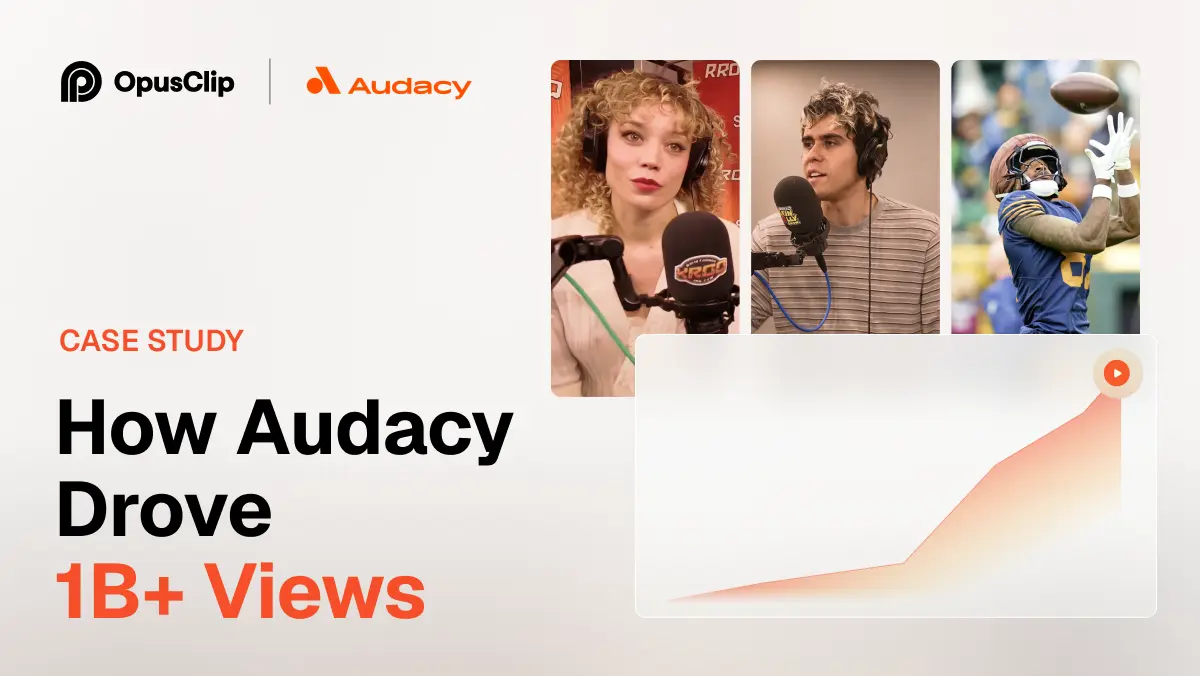
How Audacy Drove 1B+ Views by Taking a Tech-Forward Approach to Radio with OpusClip
No items found.

How Audacy Drove 1B+ Views by Taking a Tech-Forward Approach to Radio with OpusClip

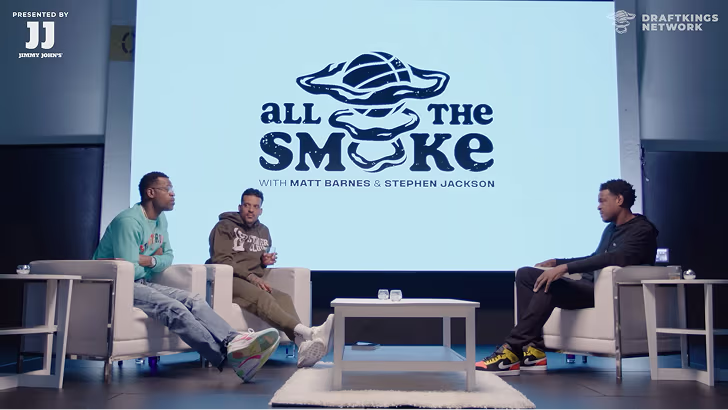
How All the Smoke makes hit compilations faster with OpusSearch

How All the Smoke makes hit compilations faster with OpusSearch

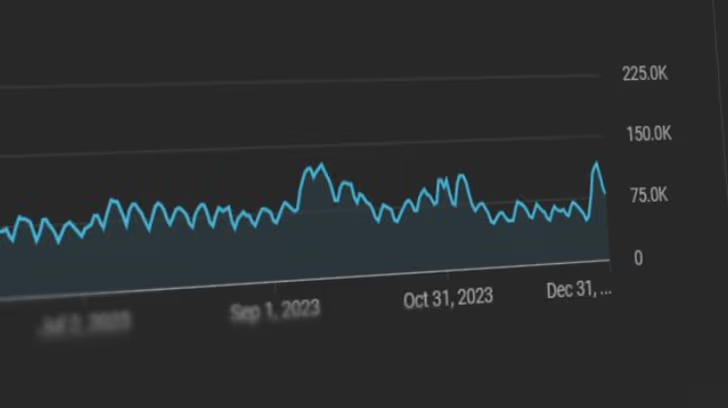
Growing a new channel to 1.5M views in 90 days without creating new videos

Growing a new channel to 1.5M views in 90 days without creating new videos

OpusClip 4.0 is here. Become a content powerhouse.

8 Best AI Tools to Find Viral Moments in Long Videos in 2026

Creators with a laptop showing video tiles, a phone with a short vertical clip and a podcast microphone, with a Clip it button, a views badge, a Shorts icon and a heart
No items found.
No items found.

Boost your social media growth with OpusClip

Create and post one short video every day for your social media and grow faster.

8 Best AI Tools to Find Viral Moments in Long Videos in 2026

Creators with a laptop showing video tiles, a phone with a short vertical clip and a podcast microphone, with a Clip it button, a views badge, a Shorts icon and a heart

OpusClip is the pick for finding moments in a long video by describing them: its ClipAnything model takes a typed prompt for a scene, an action or an emotion, and each moment it finds can come back as its own clip. Here, discovery means locating the moments worth clipping, whether by describing them, by automatic detection, by searching a library or by reading audience data. No tool can promise a moment will go viral. Items 2 to 8 follow one yardstick: how finished the result is, from cut clips to timestamps to audience signals. Facts come from each vendor's own pages, read on November 11, 2026.

Key takeaways

  • Best for describing the moment you want in a long video and getting clips back: OpusClip. Its help center says a prompt can find a scene, action, character, event, emotional moment or social-worthy topic.
  • Best for prompt-first clipping from a link or file, with API and MCP access: Reap, which also lists a free forever plan with watermarked output.
  • Best for a topic box and editable clips inside an editor: Descript, where Create clips takes an optional topic, goal or criteria.
  • Best for finding moments in game streams and VODs: Eklipse, which says it scores game events, audio peaks and on-screen markers.
  • Best for asking an agent for moments across a show catalog: Moments Lab, built for production companies, studios and broadcasters.
  • Best for developers building moment search into their own product: Twelve Labs, whose docs describe searching video with natural language, images or both.
  • Best for asking one video a question and getting timestamps: Gemini, through its API and Google AI Studio.
  • Best for seeing which moments viewers already replayed: YouTube, through its Most replayed graph and key moments for audience retention report.

What counts as finding viral moments

Finding a moment means locating the stretch of a long video worth clipping. The job splits into four methods. Describe it: type what the moment looks or sounds like and the tool returns matches (OpusClip, Reap, Descript, Moments Lab, Twelve Labs and Gemini). Detect it: the tool scans the video and picks moments itself (Eklipse, and OpusClip's Hands-Free Mode). Search a library: index many videos, then search them (OpusSearch in OpusClip, Moments Lab and Twelve Labs). Read audience data: use replay and retention data from viewers (YouTube).

Two neighbouring jobs are covered elsewhere. Scoring a clip before it is posted is the subject of our guide to AI tools that predict video virality, and chapters and highlight lists are covered in our guide to auto highlight and chapter generators. Developer-grade search over a video archive is covered in our guide to AI video search tools. This guide stays on the first step: getting from hours of footage to the few moments worth cutting.

How to choose

  • One long video, and a moment you can describe: OpusClip, Reap or Descript. OpusClip's ClipAnything page and its prompt manual show the kinds of request it takes.
  • A game stream or VOD: Eklipse reads game events, audio and on-screen markers.
  • Many videos or a whole catalog: OpusSearch (see its help article), Moments Lab for studios and broadcasters, or Twelve Labs for a developer build.
  • A plain-language question about one video, with timestamps: Gemini.
  • Moments viewers already replayed: YouTube's Most replayed graph and retention report, on videos that already have views.
  • A score on each clip before posting: a different job; see the virality guide.

At a glance

  • OpusClip: best for describing the moment you want in a long video and getting clips back; Starter $15 a month (monthly billing only), Pro $29 a month or $14.50 a month billed annually; free plan yes (watermark); each plan lists its credits on the pricing page.
  • Reap: best for prompt-first clipping from a link or file, with API and MCP access; Creator $9.99 a month billed annually ($16.99 billed monthly); free plan yes (1 hour of AI clipping a month, watermarked).
  • Descript: best for a topic box and editable clips inside an editor; Hobbyist $16 per person a month on annual billing ($24 on monthly billing); free plan yes.
  • Eklipse: best for finding moments in game streams and VODs; Premium $24.99 a month or $179.99 a year; sign-up is free with a preview from a first scan.
  • Moments Lab: best for asking an agent for moments across a show catalog; no price listed, book a demo; no free plan listed.
  • Twelve Labs: best for developers building moment search into a product; Plus $29 a month, Pro $99 a month; free plan yes (3 GB of cumulative storage).
  • Gemini: best for asking one video a question and getting timestamps; the API and Google AI Studio have free use, with paid tiers on the pricing page.
  • YouTube: best for seeing which moments viewers already replayed; no separate price on the help pages read; key moments need a video of at least 60 seconds with at least 100 views.

How each tool finds moments, what a request looks like and what comes back

The At a glance list covers best-for, price and free plan; this table compares how each tool finds moments, whether a request can be made in plain language, what goes in, what comes back and the free access the vendor states, as listed on each vendor's own pages on November 11, 2026.

ToolHow moments are foundPlain-language requestInputWhat comes backFree access the vendor states
OpusClipA prompt you type, or Hands-Free Mode, where the AI detects the genre and applies promptsYes: sentences or keywords, such as a scene, action, emotion or topicA pasted video link or an uploaded videoClips, one per moment, that can be filtered by tag and sorted by timeA Free plan with a watermark; see the pricing page for the rest
ReapA prompt or topic you type; its multi-signal AI also reads faces, tone, pauses and pacingYes: a plain-language instruction, such as every product mentionA YouTube link or an uploaded file, up to 180 minutesCaptioned 9:16 clips, scored, then scheduled or returned over the APIFree forever plan: 1 hour of AI clipping a month, watermarked
DescriptAI picks the most engaging moments; an optional topic, goal or criteria box steers itYes: type a topic or goal, or ask Underlord; on-screen search is Enterprise onlyAn existing composition in a Descript projectA folder of editable clip compositions; Find highlights marks moments in the scriptA Free plan to try the AI tools; Create Clips is listed under Hobbyist
EklipseScores game events, audio peaks and on-screen markers, then ranks what it foundNo typed search found; a spoken "clip it" marks a moment mid-streamA connected Twitch, YouTube or Kick channel; new VODs are picked upVertical clips with captions to review, trim and exportFree sign-up and a first-scan preview; see its help center for what exports
Moments LabAn AI index of punchlines, reactions and cliffhangers tailored to each show, then a requestYes: ask the Discovery Agent the way you would ask a colleague, or describe an ideaA show catalog connected in the cloud, originals left where they areClips from across seasons and shows, to cut, caption and publish in the platformNo free plan or price listed; the page points to a demo
Twelve LabsSearch over an index built from visual, audio and spoken-word signalsYes: text queries, image queries or bothVideos uploaded and indexed first; one index is searched per requestMatching video segmentsFree plan to explore the APIs, with 3 GB of cumulative storage
GeminiA model answers a prompt about the video; an agentic mode targets specific momentsYes: ask questions about the video and refer to timestampsAn uploaded video file or a public YouTube URLText answers that can refer to timestamps; no clip export describedA free tier, capped at 8 hours of YouTube video a day
YouTubeViewer data: a Most replayed graph, and Top moments, Spikes and Dips in the retention reportNo: you read a graph above the progress bar or a retention chartA published YouTube video; key moments need 100 views and 60 seconds, in YouTube StudioA graph plus marked Top moments, Spikes and Dips, not clipsPart of YouTube Studio analytics; no separate price on the pages read

1. OpusClip: Best for describing the moment you want in a long video and getting clips back

OpusClip's ClipAnything settings with genre buttons, an Include specific moments prompt field with an example and a processing timeframe slider

ClipAnything's project settings, with the prompt field boxed. Source: OpusClip help center

OpusClip's ClipAnything page says to type a prompt and it will clip the right moments from any video, and its prompt manual says a prompt can find a scene, action, character, event, emotional moment or social-worthy topic. The manual's examples include "Find all the laughing scenes" and "Show me moments with strong opinions or words". In Custom Mode a user drops in a video, selects a genre and types a prompt; in Hands-Free Mode the page says the AI detects the genre and applies prompts itself.

Per the help center, each moment a prompt finds can come back as its own clip, the AI extracts tags that filter the results, and results can be sorted chronologically. A new prompt can be submitted from the results page to look for different moments in the same video. The manual advises describing what is wanted rather than what is not, and setting clip length in the submission box, not in the prompt.

For a library of many videos, the help center describes OpusSearch, which indexes a connected YouTube channel or uploaded videos and lets a user search by topic, speaker, mood or phrase in their own words; its help article covers setup and who has access. The ClipAnything page also says the model is available through the OpusClip API and MCP, and the API reference lists a customPrompt parameter that works only with ClipAnything.

Pricing: OpusClip's pricing page lists Free at $0 (a watermark), Starter at $15 a month (monthly billing only) and Pro at $29 a month, or $14.50 a month billed annually; Business is custom. Each plan lists its credits on the pricing page.

Considerations: The help center says the model may not return results for videos that lack audio or have minimal visual activity, such as static scenes, and its prompt guide advises against vague ones. A prompt picks moments; it does not set clip length or edits. ClipAnything runs on the video submitted in a project, a library search is OpusSearch, which the help center describes as desktop-only, and no tool, this one included, can promise a clip will go viral. Free clips carry a watermark.

  • Choose it if the job is to find specific moments in a long video by describing them, then turn each into a clip.
  • Skip it if the video has no audio or little visual change, or a score for a finished clip made elsewhere is the goal (see the virality guide).

2. Reap: Best for prompt-first clipping from a link or file, with API and MCP access

Reap's clipping agent mock showing a request to clip a webinar into five vertical shorts and a create_clips step reporting five highlights found

A mock of Reap's clipping agent on its own page, not a screenshot of the app. Source: Reap website

Reap's home page describes prompt-first clipping: tell the AI what to find, such as "Find every product mention" or "Extract the hot takes", and it generates clips by intent, topic, hook or audience angle rather than random highlight detection. The page also says its multi-signal AI analyzes faces, vocal tone, pauses and pacing to find the moments that actually go viral, which is a vendor claim with no figure behind it.

Its clipping agent page says to paste a long video, which can be a YouTube link or an uploaded file of up to 180 minutes, give an instruction in plain language, and get captioned 9:16 clips that are scored against the prompt or topics, then scheduled or returned over the API. The page lists 30 MCP tools and names Claude, Cursor, ChatGPT, VS Code and Gemini CLI as clients.

Pricing: Reap's pricing page lists Free forever at $0 with up to 1 hour of AI clipping a month (watermarked, 720p exports), Creator at $9.99 a month billed annually ($16.99 billed monthly) and Studio at $29 a month billed annually; Enterprise is custom.

Considerations: The pages we read print no figure for how well its moment finding works, so the "moments that actually go viral" line is a claim we could not verify. The agent page names a 180-minute source limit, and the free plan covers 1 hour of clipping a month with a watermark.

  • Choose it if a typed or scripted request for clips by topic or intent from a YouTube link or a file is the goal, including from Claude or Cursor over MCP.
  • Skip it if the source is longer than 180 minutes, or the free plan has to cover more than 1 hour of clipping a month.

3. Descript: Best for a topic box and editable clips inside an editor

Descript's Create clips panel with number of clips, clip duration, layout choices, an optional topic box and a Submit button

Descript's Create clips panel with the optional Topic box. Source: Descript help center

Descript's help center says Create clips uses AI to scan a composition and pull out short, self-contained cuts. The panel takes a number of clips from 1 to 20, a length from 10 seconds to 5 minutes and an optional topic, goal or criteria to guide selection; Descript then generates new compositions based on the most engaging moments it identifies, and each clip is its own editable composition. Underlord can also be asked in chat to create clips by describing what is wanted.

A separate Find highlights tool surfaces main ideas, turning points or quotable soundbites and marks them in the script for review. Descript's drive search matches file names and transcript content and, on Enterprise plans, what is on screen, so a query such as "dog at the beach" can surface the matching moment.

Pricing: Descript's pricing page lists a Free plan at $0, Hobbyist at $16 per person a month on annual billing ($24 on monthly billing), Creator at $24 per person a month on annual billing ($35 monthly) and Business at $50 ($65 monthly); Enterprise is custom. Create Clips is listed among Hobbyist's AI tools, and the help center says the tool uses AI Credits on current plans.

Considerations: Create clips works on a composition that is already in a project, so a long recording has to be imported first, and the help center says compositions under a minute may not generate clips. Searching by what is on screen is listed for Enterprise plans only, and the pages we read print no figure for how it picks moments.

  • Choose it if moments will be picked, then trimmed and edited by transcript in the same app.
  • Skip it if on-screen search is needed without an Enterprise plan, or the work is a search across a library of many videos.

4. Eklipse: Best for finding moments in game streams and VODs

Eklipse's Scanning a full stream strip of video frames with highlighted moments and the note 4 moments found in this stream

Eklipse's scanning strip from its home page. Source: Eklipse website

Eklipse's AI Highlights page says it scans a connected Twitch, Kick or YouTube VOD end to end, scoring game events, audio peaks and on-screen markers, then ranking what it found. It says kills, clutches, wins and round results are read from frame graphics, and that laughter, shouting and sudden volume changes are scored too. Since a July 2026 engine update, the page says detection also scores Just Chatting, IRL and podcast moments.

A spoken "clip it" marks a moment mid-match, and the page says clips come out as vertical videos with captions and adjustable start and end points. The pages describe a connected channel and detection rather than a typed request for a specific moment.

Pricing: Eklipse's help center says Premium starts at $24.99 a month, or $179.99 a year (about $14.99 a month) on the annual plan, and that signing up is free with a preview from a first scan; see its help center for what the free tier exports.

Considerations: Eklipse's home page FAQ calls it optimized for gaming, with podcasts, talk shows, Just Chatting, reaction and IRL streams also clipped, and says detection is trained on large volumes of gaming streams. The pages print no accuracy figure, and the image above shows game footage from the vendor's own page, so it says little about other genres.

  • Choose it if the long video is a stream or a VOD, especially a game, and detection without writing a prompt is the point.
  • Skip it if a typed request for one specific moment is needed, or the footage is not a stream or a game.

5. Moments Lab: Best for asking an agent for moments across a show catalog

Moments Lab's Discovery Agent chat with a request to find a talent show's best judges' performances for an Instagram reel, shown mid-search

A frame of the Discovery Agent demo on Moments Lab's home page. Source: Moments Lab website

Moments Lab's home page says its AI indexes what matters in a customer's shows, such as the punchline, the reaction and the cliffhanger, tailored to characters, formats and editorial voice. Its Discovery Agent is then asked for moments the way a colleague would be, or given an idea to describe, and the page says it returns the right clips in seconds across every season and every show.

The same platform has a browser-based editor for assembling clips, with AI auto-reframe and captions, and publishes finished clips to social channels. The page says the catalog sits in one place in the cloud while the originals stay put, and that it is built for the digital and social teams at production companies, studios, broadcasters and streaming platforms.

Pricing: The home page lists no price and no free plan; it asks visitors to book a demo.

Considerations: This is a catalog product for rights owners, not a self-serve tool for one upload, and the page's speed and results claims are the vendor's own. The image is a frame of the vendor's demo video using sample content.

  • Choose it if a production company, studio or broadcaster needs to find moments across many episodes and seasons.
  • Skip it if the source is one creator's video, or a free plan with a published price is needed.

6. Twelve Labs: Best for developers building moment search into their own product

TwelveLabs Playground search form with a natural-language query box, visual, audio and transcription options and a search button

TwelveLabs Playground's search form, from its docs. Source: TwelveLabs docs

TwelveLabs' docs say its search finds moments in videos using natural language, images, or both. The platform analyzes video across images, audio, speech and text, queries can use visual, audio or transcription signals alone or combined, and spoken-word matches can be lexical, semantic or both. Videos have to be uploaded and indexed before they can be searched, and the docs say a request searches a single index.

Search results show the video segments that match the query. The docs also describe a no-code Playground for trying search, analysis and segmentation on a user's own videos in the browser before writing code, and the home page lists API, SDK and MCP routes.

Pricing: TwelveLabs' pricing page lists Free at $0 a month with 3 GB of cumulative storage, Plus at $29 a month with 50 GB and Pro at $99 a month with 200 GB; Enterprise is custom, and the page offers annual billing at 17% off.

Considerations: It returns matching segments, not finished clips, and it is infrastructure for developers, so captions, reframing and posting need other tools. Footage has to be indexed first, and the home page's accuracy line is the vendor's own claim, which we do not repeat.

  • Choose it if a team is building search over its own video archive and wants natural-language and image queries.
  • Skip it if finished social clips are needed straight from a request, or no one on the team will work with an API or the Playground.

7. Gemini: Best for asking one video a question and getting timestamps

The Gemini API docs say Gemini models can describe, segment and extract information from videos, answer questions about video content and refer to specific timestamps within a video. Video can be a file upload or a public YouTube URL. The docs describe an optional agentic mode that they call best for long videos over 5 to 10 minutes, needle-in-a-haystack retrieval and queries targeting specific moments or topics, and say models with a 1M context window can process videos up to 3 hours long by default at low media resolution.

In practice that means asking in plain words where something happens in a long video and reading back an answer with timestamps. The docs we read describe answers and timestamps, not cut clips.

Pricing: The Gemini API pricing page says to start building free of charge with generous limits and lists paid tiers for production, and says Google AI Studio usage is free of charge in all available regions. On the free tier the video docs say no more than 8 hours of YouTube video can be uploaded per day.

Considerations: The docs say frames are sampled at 1 frame per second by default, so fast action may lose detail, and only public YouTube videos work by URL. Nothing in the docs we read is about picking moments that will perform, and there is no clip output, so cutting is left to another tool.

  • Choose it if a plain-language question about where something happens in one long video is the job, and a developer-style route is fine.
  • Skip it if finished clips, captions or posting are needed, or a no-code workflow is a must.

8. YouTube: Best for seeing which moments viewers already replayed

YouTube's help center says a Most replayed graph shows above the progress bar when a viewer starts seeking, and the graph lets viewers find which parts of a video are most often rewatched. It may not show if the channel has active strikes, the content is potentially inappropriate or the video is too new or has too few views.

For a channel owner, the key moments for audience retention report in YouTube Studio can highlight Top moments, where almost no one dropped off, Spikes, where moments were rewatched or shared, Dips, and an Intro percentage for the first 30 seconds. The page says the video should be at least 60 seconds long with at least 100 views, that the data takes 1 to 2 days to process, and that the report exists at the video level only.

Pricing: The help pages we read list no separate price; the retention report sits in YouTube Studio analytics, which a channel owner opens from the Content tab.

Considerations: This shows where viewers stayed or went back, not why, and the page itself says a Spike can mean the content was unclear and viewers had to rewatch a section. It needs a published video with views, so it cannot help with fresh footage, it returns a graph rather than clips, and clipping someone else's video needs their permission.

  • Choose it if a video already has views and the goal is to clip what viewers replayed or stayed for.
  • Skip it if the footage is new or unpublished, or finished clips are needed straight from the tool.

How we compared these tools

We compared each tool on five criteria: how moments are found, whether a request can be made in plain language, what goes in, what comes back and the free access the vendor states. The guide is organised around the job in the title, finding the moments worth clipping in a long video. OpusClip comes first because describing a moment in words and getting a clip for it is the part of that job its ClipAnything pages and help center document most fully, and its limits are stated in its entry: silent or static video, and a prompt that picks moments but does not set length or edits. Items 2 to 8 follow one yardstick: how finished the result is, from cut clips (Reap, Descript, Eklipse, Moments Lab) to matching segments (Twelve Labs) to answers with timestamps (Gemini) to audience signals alone (YouTube).

All facts come from each vendor's own pricing page, product page, docs or help center, read on November 11, 2026. We did not run hands-on tests of any competitor, and this guide repeats no accuracy or detection-rate figure from any vendor page. We also read Munch's and Submagic's pages and left them out: Munch's site now describes a social-media marketing platform and the pages we read do not describe moment finding, and Submagic's home page showed no feature text when we loaded it. We did not re-read Vizard, Klap, Riverside, Kapwing or Quso for this guide, so we make no claim about them here. Prices change, so confirm on the vendor page before buying.

Red flags to watch for

  • No tool can promise a moment will go viral. Every method here finds candidates, and none of the pages we read prints a method and dataset that lets a reader check how often a found moment performs.
  • "Viral" means different things. Descript says it picks the most engaging moments, Eklipse says moments worth sharing, and Reap says moments that actually go viral, so the same word is not the same promise.
  • Vague prompts and silent footage. OpusClip's help center advises against vague prompts and says the model may return nothing for videos with no audio or little visual activity.
  • Audience signals lag. YouTube's key moments report needs 100 views and a video of at least 60 seconds, takes 1 to 2 days to process and may not show on new videos.
  • A spike is not always a win. YouTube's own page says a Spike can mean viewers had to rewatch a section because the content was unclear.
  • Index first, search later. Twelve Labs needs videos uploaded and indexed before a search, and Moments Lab is sold through a demo.
  • Free tiers with caps. OpusClip and Reap free clips carry a watermark, Reap's free plan covers 1 hour of clipping a month, Gemini's free tier caps YouTube uploads at 8 hours a day, and Eklipse's free sign-up shows a preview from a first scan.
  • Rights. Clip only videos you own or have permission to use, whichever tool finds the moment.

Frequently asked questions

Which AI software offers the best video content search for viral clip discovery?

For one long video, OpusClip is the pick in this guide: its ClipAnything model takes a typed prompt and each moment it finds can come back as its own clip. For a library of many videos, the options are OpusSearch (see its help article), Moments Lab for studios and broadcasters, and Twelve Labs for developers. No tool can promise a moment will go viral.

How do I find viral clips from a video?

Drop a long video into a clip finder, describe the moment wanted or let the AI detect the genre, and review the clips it returns. OpusClip's ClipAnything page shows the flow and examples of prompts, and its prompt manual says to describe what is wanted rather than what is not. To rank or score the clips afterwards, see the virality guide.

Can AI find the viral moments in my video?

AI can find candidates: moments that match a description, that score well on signals such as audio peaks and game events, or that match a topic. Whether a moment goes viral depends on the audience, the channel and the platform, and none of the vendor pages we read prints a method and dataset that proves otherwise.

Can I search a long video by describing a moment?

Yes, with several tools. OpusClip, Reap, Moments Lab, Twelve Labs and Gemini take a plain-language request, Descript takes a topic or goal in its Create clips panel, and Descript's on-screen search is listed for Enterprise plans. Twelve Labs also accepts image queries, and Gemini answers with timestamps rather than clips.

How can I tell which moments viewers already liked?

On YouTube, the Most replayed graph above the progress bar shows which parts viewers rewatch most, and a channel owner's key moments for audience retention report marks Top moments, Spikes and Dips. The report needs a video of at least 60 seconds with at least 100 views, and its Spikes can also mean viewers were confused.

Is there a free AI tool to find moments in a video?

Several have free routes with limits. OpusClip has a free plan with a watermark, Reap lists a free forever plan with 1 hour of AI clipping a month, watermarked, Twelve Labs lists a free plan with 3 GB of cumulative storage, Gemini's API and Google AI Studio have free use, Descript lists a Free plan, and Eklipse's sign-up is free with a preview from a first scan. See each pricing page for current limits.

Which tools return finished clips and which return only timestamps?

OpusClip, Reap, Descript, Eklipse and Moments Lab return clips. Twelve Labs returns matching video segments, Gemini returns text answers that can cite timestamps, and YouTube returns a graph and marked moments. Going from a found moment to a finished clip with captions takes a clipping tool, and OpusClip's highlight video maker page describes finding the moments and adding captions in one flow.

Ready to start streaming differently?

Opus is completely FREE for one year for all private beta users. You can get access to all our premium features during this period. We also offer free support for production, studio design, and content repurposing to help you grow.
Join the beta
Limited spots remaining

Try OPUS today

Try Opus Studio

Make your live stream your Magnum Opus