No items found.
8 Best AI Video Search Tools in 2026

For finding a moment inside your own long videos and turning it into a clip, OpusClip is our first pick: its ClipAnything model takes a plain-language description of a scene, action, emotion or topic and returns the matching moments from a recording as clips. It is not a video database or a search API, so for searching thousands of hours of footage from inside an app, Twelve Labs, Mixpeek and Memories.ai fit better, and Imaginario and VIDIZMO suit enterprise libraries. We ranked 8 tools by what each can find inside video (spoken words, visuals, sounds), what you get back, who it is built for, and how openly each vendor publishes its pricing.
Key takeaways
- Best for finding and clipping moments from your own long videos: OpusClip. Describe the moment, get timestamped clips you can caption, reframe and post.
- Best for developers building video search into a product: Twelve Labs. Mixpeek and Memories.ai are the other API-first options.
- Best for marketing and post-production teams searching a footage library: Imaginario. Search by what is said, shown and heard, then cut a rough cut.
- Best for teams already on a cloud: Google Cloud Video Intelligence API and Azure AI Video Indexer. Both extract searchable metadata from video, and both bill per minute.
- Best for regulated or air-gapped environments: VIDIZMO AI Intelligence Hub. Quote-based pricing, and deployment in your cloud, on-premises or air-gapped.
- Best free starting points: OpusClip Free (60 credits, watermark), Twelve Labs Free (3 GB storage), Google's first 1,000 minutes a month, and Azure's free trial indexing.
How to choose
Start with what you want back from the search: a list of timestamps, a finished clip, or data your own software can query.
- If you mainly need clips from a long recording you already own, look for a tool that finds the moment and cuts, captions and reformats it: OpusClip, Imaginario.
- If you mainly need to build search into your own app or agent, look for an API with video indexing and natural-language search: Twelve Labs, Mixpeek, Memories.ai.
- If you mainly need to search a large archive in storage you already run, look for connectors to your bucket, DAM or MAM: Mixpeek, Imaginario, VIDIZMO.
- If you mainly need transcripts, labels and shot data as metadata, look for per-minute analysis APIs from the cloud you already use: Google Cloud Video Intelligence API, Azure AI Video Indexer.
- If you mainly need on-premises or air-gapped deployment, look for self-hosted options: VIDIZMO, and Mixpeek's single-tenant Enterprise plan.
- If you mainly need to find a spoken phrase in a podcast or webinar and post it, look for transcript-aware clipping: OpusClip, Imaginario.
For the clipping side of the job, see our roundup of auto highlight and chapter generators; for the editing side, see our text-based video editors roundup.
At a glance
- OpusClip: best for finding moments in your own long videos and turning them into clips; paid plans from $15 a month; free plan yes (60 credits a month, with a watermark).
- Twelve Labs: best for developers building video search into products; Plus $29 a month, Pro $99 a month; free plan yes (3 GB of storage).
- Mixpeek: best for searching footage in your own cloud storage through an API; Build $25 a month plus usage; no free plan listed.
- Imaginario: best for marketing and post-production teams searching a footage library; from $89 per user a month; 7-day trial for qualified teams.
- Memories.ai: best for pay-as-you-go video indexing and search through an API; usage-based pricing; see the pricing page for any free allowance.
- Google Cloud Video Intelligence API: best for adding label, shot and speech detection to a Google Cloud pipeline; billed per minute after the first 1,000 minutes a month.
- Azure AI Video Indexer: best for teams on Azure that need searchable transcripts and visual insights; billed per input minute; free trial indexing yes.
- VIDIZMO AI Intelligence Hub: best for regulated or air-gapped video, audio and document search; quote-based pricing.
1. OpusClip: Best for finding and clipping moments from your own long videos
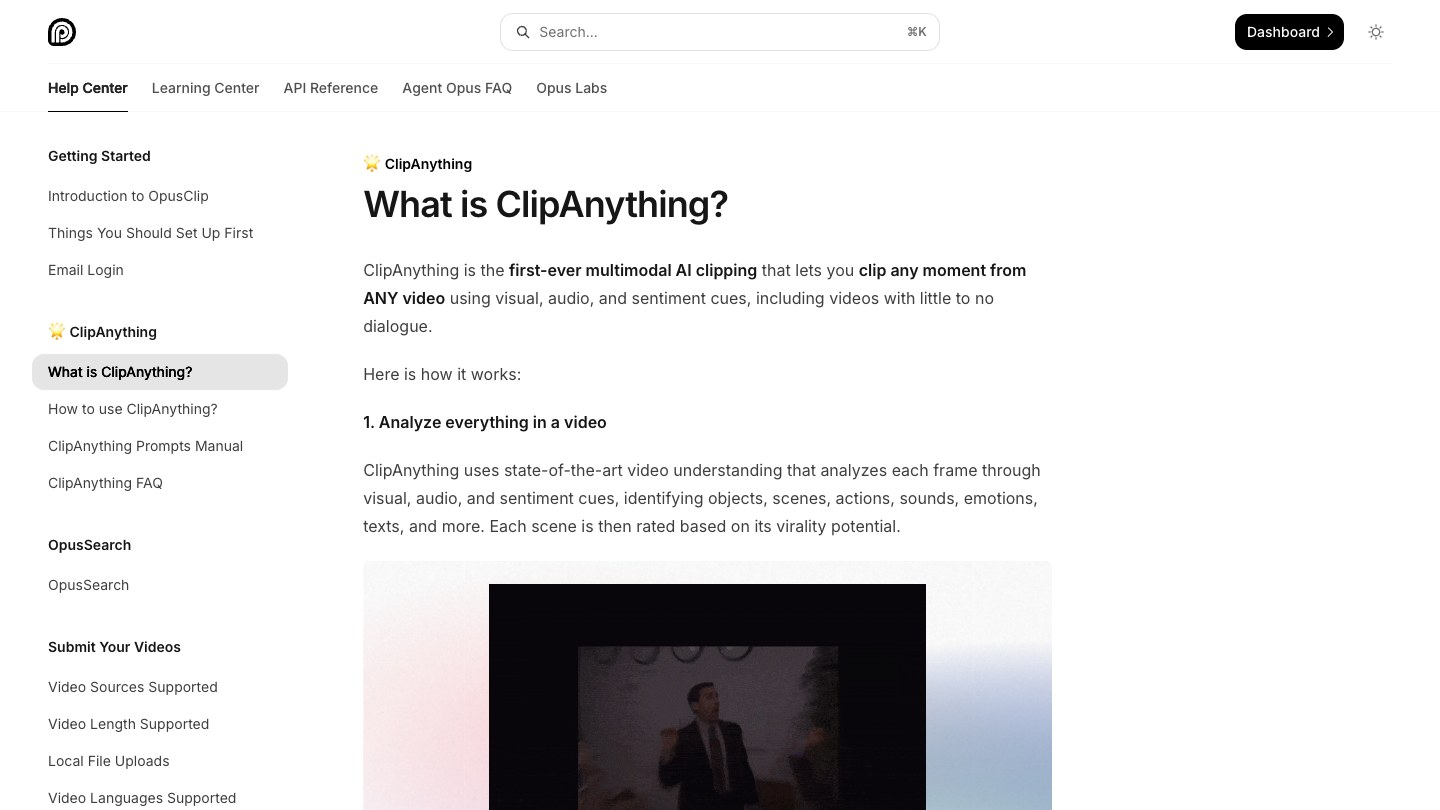
The What is ClipAnything article in OpusClip's help center. Source: OpusClip Help Center
OpusClip's ClipAnything is the closest thing here to a search box for a single recording. Per OpusClip's help center, it analyzes each frame through visual, audio and sentiment cues, identifying objects, scenes, actions, sounds, emotions and text, so a prompt can find a scene, an action, a character, an emotional moment or a topic, including in videos with little or no dialogue. The help center's own examples include "Show me moments with strong opinions or words" and "Find all the laughing scenes". Results come back as clips on the project page, which you can sort by Virality Score (0 to 99, based on hook, flow and trend) or in chronological order, filter by tags, and re-run with a new prompt.
That makes it the right pick when the job is not just finding a moment but publishing it: the clip can be captioned (animated captions in 20+ languages), reframed to 9:16, 1:1, 4:5 or 16:9 and posted to YouTube Shorts, TikTok and Instagram Reels from the Starter plan. Local uploads can be up to 10 GB and 10 hours long, per the help center, and the same prompt option exists in the OpusClip API for project creation. For how the moment-finding side works in more depth, see how to find highlight moments in webinars and podcasts using AI.
Pricing: Per opus.pro/pricing, Free is $0 with 60 credits a month, up to 1080p clips, a watermark and no editing, and clips stop being exportable after 3 days. Starter is $15 a month (monthly billing only) with 150 credits. Pro is $29 a month, or $174 billed annually ($14.50 a month), with 300 credits that roll over for 2 months. Business is custom.
Considerations: ClipAnything works on one submitted video at a time and returns clips, and it is not a developer search API. The help center says new prompts are submitted one at a time and should be written in English, and that prompts cannot edit the video, set the clip length or add effects. OpusClip also has OpusSearch, which its help center describes as indexing a connected video library (YouTube auto import or manual upload) so you can search it by topic, speaker, mood or phrase; the help center says access depends on your plan and organization, and that it is desktop-only.
- Choose it if you have long recordings (podcasts, webinars, streams, vlogs, sports footage) and want to describe a moment, find it and post it as a short clip.
- Skip it if you need to query thousands of hours of video from inside your own app, or you need a persistent index with a developer search API.
2. Twelve Labs: Best for developers building video search into their own products
Twelve Labs' home page. Source: Twelve Labs website
Twelve Labs is a video-understanding platform for developers and enterprises. Its homepage says it turns raw video into searchable, AI-ready data, and describes a Search & Discover workflow: search entire video libraries using natural language to locate actions, scenes, dialogue and emotions across hours or years of footage, with no tags needed. The site lists an API and SDK, MCP and integrations, and says it can index an hour of video in about a minute (the page's own figure). A video intelligence agent called Jockey is listed as available in Claude and ChatGPT.
The fit is clear: it is infrastructure, so the search experience is something your team builds on top of it.
Pricing: Twelve Labs' pricing page lists Free at $0 with 3 GB of cumulative storage, Plus at $29 a month with 50 GB, Pro at $99 a month with 200 GB and optional overage, and Enterprise as custom. The page also offers annual billing at 17% off. Each plan includes storage, media processing and API access; search through its Marengo model counts against a monthly workload allowance, so the number of searches a plan covers depends on usage.
Considerations: Plans cap storage and workload, so a large library moves to Pro or Enterprise quickly. It returns search results and analysis rather than finished, captioned clips, so posting to social channels would need another tool.
- Choose it if you are building search or video analysis into a product, an internal tool or an agent, and want an API-first platform.
- Skip it if you want a finished short clip, with captions and a vertical reframe, out of a single recording.
3. Mixpeek: Best for searching footage that already lives in your own cloud storage
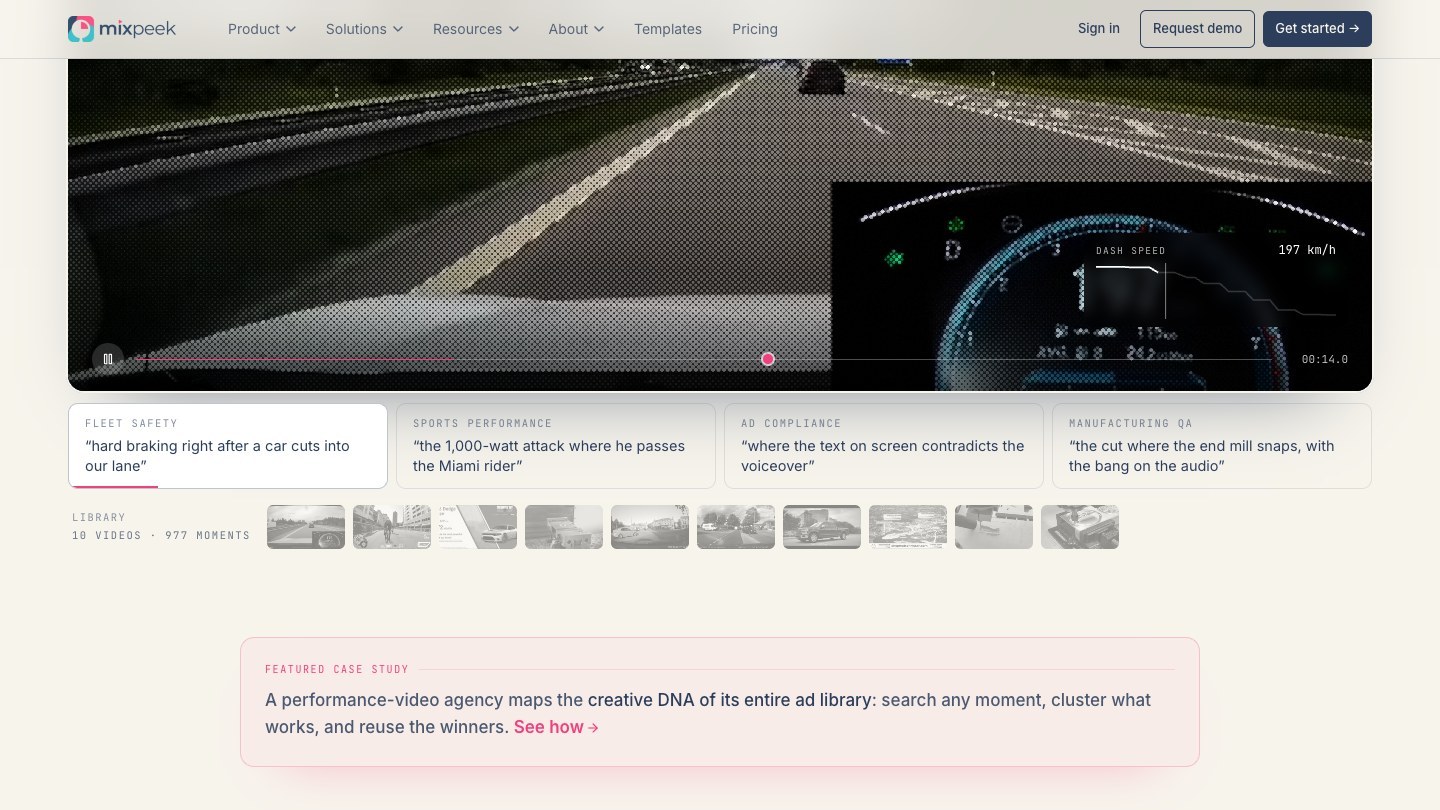
A moment search over video in Mixpeek's homepage demo. Source: Mixpeek website
Mixpeek describes itself as a multimodal warehouse for AI. Its site says you connect a bucket, and it extracts scenes, faces, text and transcripts from video, then lets you query by what is seen, said or shown on screen, with timestamped moments coming back. Its pricing page and homepage list integrations with S3, GCS, R2, Mux, LangChain and MCP, plus ready-made templates, including one for searching footage at archive scale.
It suits engineering teams that already keep video in object storage and want retrieval pipelines they can compose, with multi-stage search (filter, join, rerank) over the extracted fields.
Pricing: Mixpeek's pricing page lists Build at $25 a month plus usage, with $10 of processing included and metered per unit of content, for up to 100K objects a month. Scale is $250 a month plus usage with $100 included, up to 1M objects a month, SSO and priority support. Enterprise is from $10,000 a month with single-tenant infrastructure. A separate standalone vector store is priced at $1.56 per million vectors a month. The page lists no free plan.
Considerations: Indexing is billed as metered usage, so the cost depends on how much content you process. Its pages describe extraction and retrieval, and we found nothing on them about editing, captioning or posting clips.
- Choose it if your footage sits in object storage and your team will build or configure the search experience.
- Skip it if you want a point-and-click app that cuts clips for you.
4. Imaginario: Best for marketing and post-production teams searching a footage library
Imaginario's video search page. Source: Imaginario website
Imaginario AI describes itself as an AI video search platform for media, marketing and post-production teams. Its site says it understands people, dialogue, objects, sounds, emotions and context in every shot, so you can find a moment across your library by describing it, and results come back as timestamped shots rather than files. It lists transcripts in 100+ languages, search by person, dialogue, audio and visuals, and integrations with Adobe Premiere Pro, Google Drive, Dropbox, Amazon S3 and others. Its StoryLab tool turns found moments into clips or a rough cut, reframes them for each platform and posts them.
It is the closest to OpusClip's job among the library tools, with a team-and-archive emphasis: it is built around searching what a team already owns and handing a rough cut to an editor.
Pricing: Imaginario's pricing page lists plans starting at $89 per user a month with AI included and unlimited search and comment seats. Its API is priced per hour of video analyzed, starting at 100 hours, with volume discounts. The page says qualified teams get a 7-day free trial with up to 10 hours of video or 50 clips.
Considerations: It is demo-led: the trial is for qualified teams and the page sends you to book a demo for a quote. The per-user price is above a creator-tool budget, and its MCP connector for Claude, ChatGPT, Gemini and Copilot is listed as coming soon.
- Choose it if a team manages a growing footage library across storage, DAMs or MAMs and wants search plus rough cuts.
- Skip it if you are a solo creator who wants a free or self-serve plan.
5. Memories.ai: Best for pay-as-you-go video indexing and search through an API
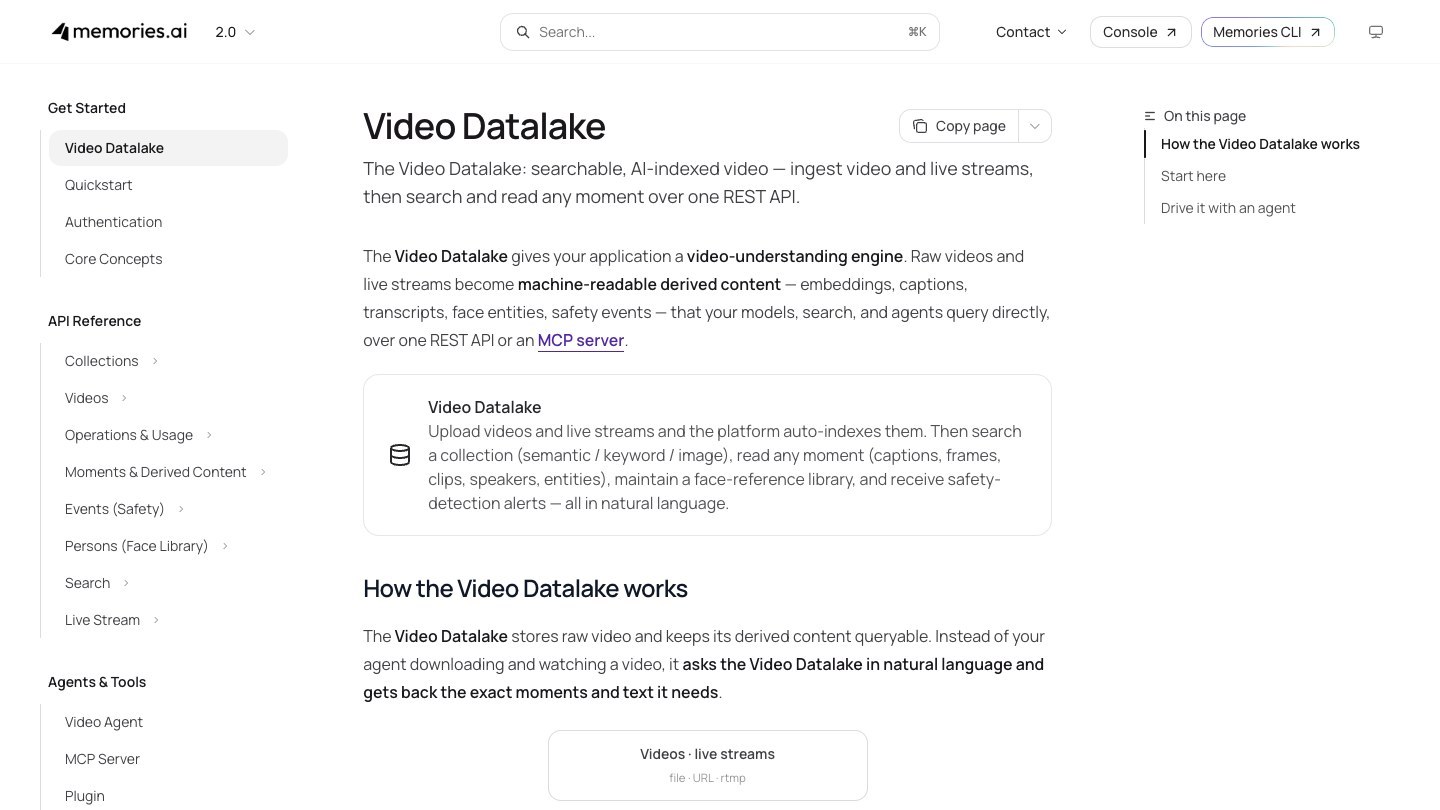
The Video Datalake overview in Memories.ai's docs. Source: Memories.ai website
Memories.ai's developer docs describe a Video Datalake: upload videos and live streams, the platform indexes them automatically, and you search a collection with semantic, keyword, hybrid or image search, then read any moment (captions, frames, clips, speakers, entities). It is reachable over a REST API and an MCP server, and the docs say agents can ask the datalake in natural language instead of watching the video themselves.
Its homepage now leads with a Video Datalake for physical AI, robotics and world-model training, so check that the product page you land on matches the search job you have in mind.
Pricing: Memories.ai's pricing page is usage-based, with no seat licenses. It lists index-to-search at $15 per 1,000 minutes, search at $0.10 per 1,000 queries and storage at $0.03 per GB-month, alongside many separate model and transcription rates. Check the page for any free allowance.
Considerations: The pricing page is a long list of per-unit rates, so estimating a monthly bill needs its calculator. It is an API product, so the search interface is yours to build.
- Choose it if you want to pay per minute indexed and per query, and you are comfortable building on a REST API.
- Skip it if you want a ready-made app with a clip editor, or flat monthly pricing.
6. Google Cloud Video Intelligence API: Best for adding label, shot and speech detection to a Google Cloud pipeline
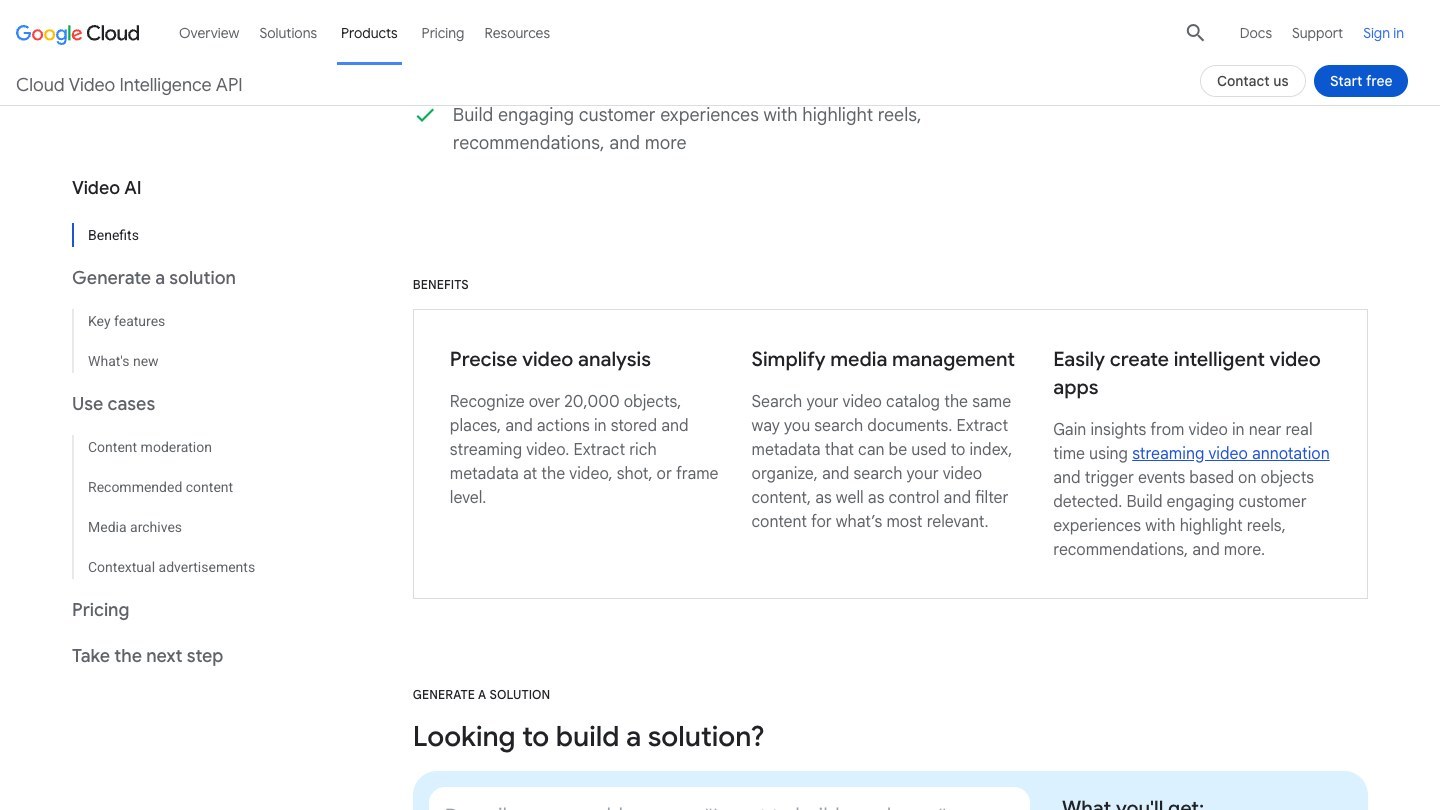
Google Cloud's Video Intelligence API page. Source: Google Cloud website
Google's Video Intelligence API page says it can recognize over 20,000 objects, places and actions in stored and streaming video and extract metadata at the video, shot or frame level. Under media management, it says you can search your video catalog the same way you search documents, by using that metadata to index, organize and search video content. Its pricing page lists label detection, shot detection, speech transcription, text detection, object tracking and more as separate features.
It is a building block, not a finished search product: it produces the metadata, and your application provides the index and the search box.
Pricing: Google's pricing page lists prices per minute for stored video annotation, with the first 1,000 minutes a month free for each feature. After that, label detection is $0.10 a minute, shot detection $0.05, speech transcription $0.048, and text detection and object tracking $0.15 each. The product page says new customers also get up to $300 in free credits. Streaming annotation has its own price table.
Considerations: You pay per feature per minute, so running several detectors on a long video multiplies cost. Google's page describes metadata extraction; the searchable index is yours to build.
- Choose it if your video and data already live on Google Cloud and your team will write the index and interface.
- Skip it if you want a search interface or clip output without engineering work.
7. Azure AI Video Indexer: Best for teams on Azure that need searchable transcripts and visual insights
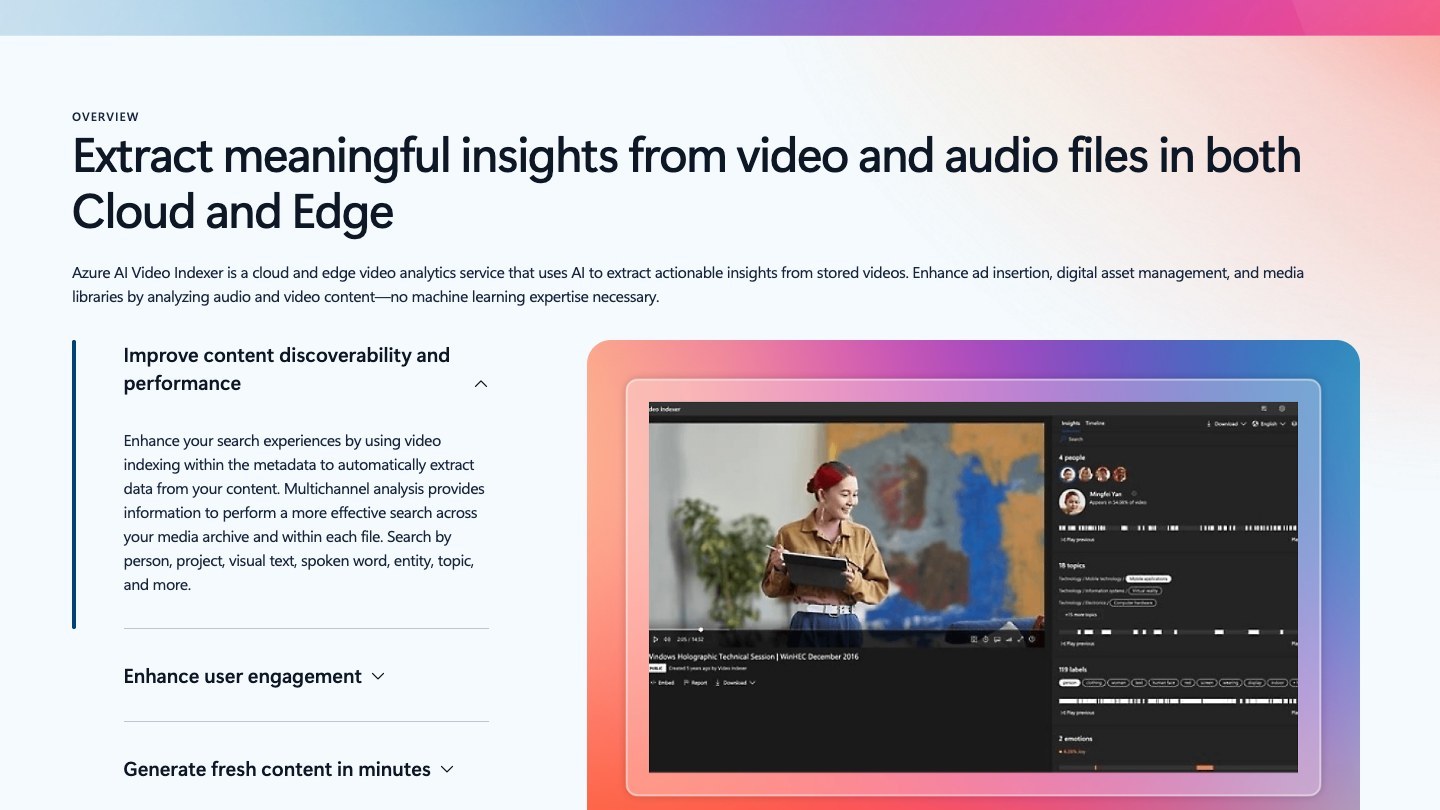
Azure AI Video Indexer's product page. Source: Microsoft website
Azure AI Video Indexer extracts insights from video and audio files in the cloud or at the edge. Microsoft's product page says its multichannel analysis supports searching across a media archive and within each file, by person, project, visual text, spoken word, entity, topic and more, and that speech transcription and translation can generate closed captions in multiple languages. Microsoft's documentation describes extracting, reviewing, curating, searching and publishing insights in a single job.
It fits organizations that standardize on Microsoft cloud services and want a managed insights pipeline rather than a model they host themselves.
Pricing: Microsoft's product page says a trial account gets up to 600 minutes of free indexing, or up to 2,400 minutes if you subscribe to the API on the developer portal. Paid accounts connect to an Azure subscription and are billed per input minute, with separate audio and video presets (Basic, Standard and Advanced) and prices that vary by region, so see the pricing page for the figure for your region.
Considerations: Pricing depends on which audio and video presets you choose and your region. The Azure Arc edge version supports only the Basic presets, per Microsoft's pricing page.
- Choose it if you already run on Azure and want transcripts, labels, faces and topics indexed as searchable metadata.
- Skip it if you want a prompt box that returns clips, or a flat monthly plan.
8. VIDIZMO AI Intelligence Hub: Best for searching video, audio and documents in regulated or air-gapped environments
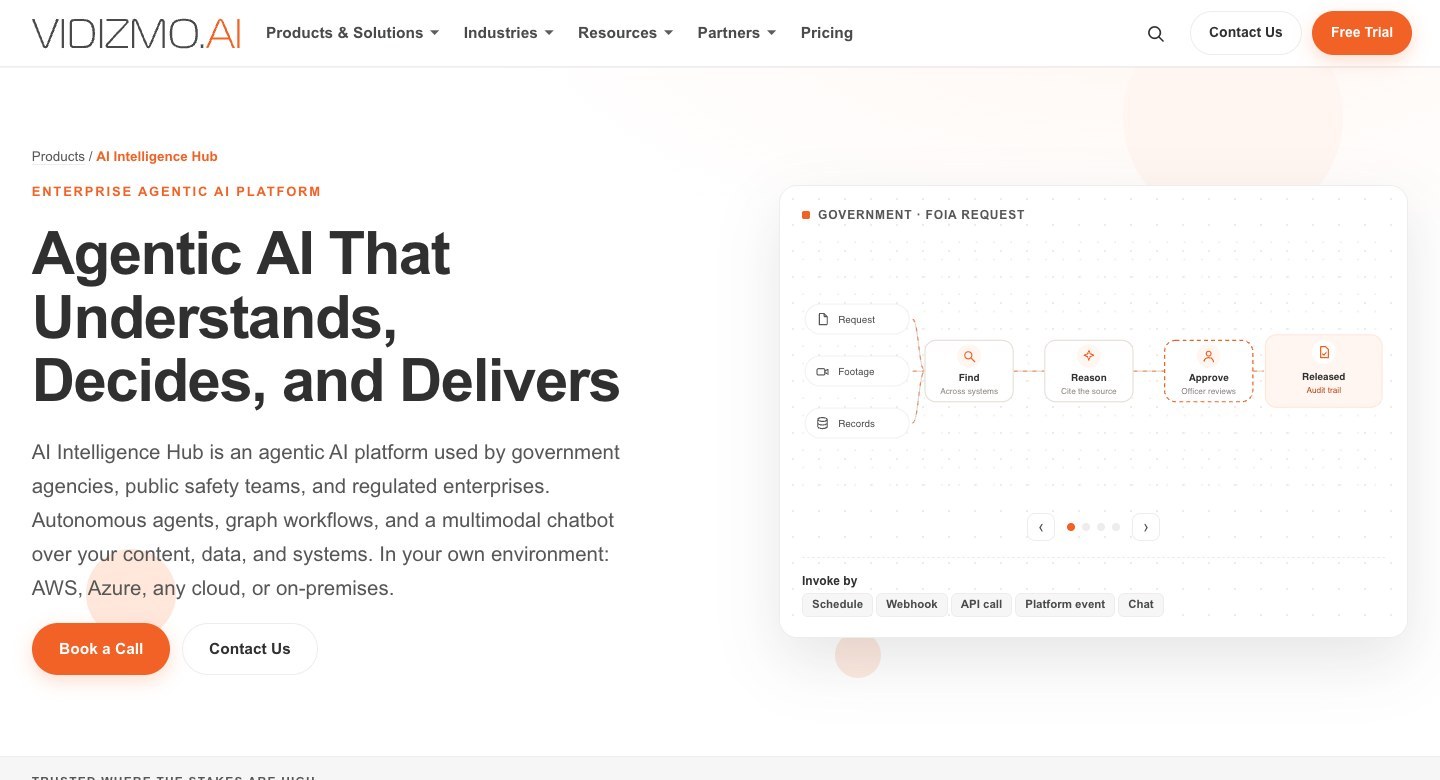
VIDIZMO's AI Intelligence Hub page. Source: VIDIZMO website
VIDIZMO's pricing page describes AI Intelligence Hub as an enterprise AI platform to analyze and search across video, audio, documents and images at any scale. Its site lists keyword-to-timestamp search across footage archives, 82-language transcription and translation, and deployment in your cloud, on-premises or air-gapped. The customers it names are government, public safety, healthcare and financial services organizations, and its enterprise video platform adds hosting and live streaming with AI search.
It is aimed at organizations where the footage lives, who can access it and how it is audited matter as much as the search.
Pricing: VIDIZMO's pricing page for AI Intelligence Hub does not list prices. It says pricing depends on your product mix, users, deployment and volume, and sends you to book a demo or talk to sales.
Considerations: Sales-led pricing and a broad enterprise platform make it heavy for a creator or a small team. Its pages describe search across enterprise content more than short-form clip output.
- Choose it if you work in government, public safety, healthcare or finance and need search across video and documents inside your own environment.
- Skip it if you want a self-serve tool, a public price list or social-ready clips.
How we compared these tools
We compared each tool on what it can find inside video (spoken words, on-screen text, visuals, sounds), what you get back (timestamps, data, or finished clips), who it is built for (creators, marketers, developers, enterprises), price and free-tier limits, and the main limitation. Every fact comes from that vendor's own pricing page, product page, documentation or help center, read on November 2, 2026. Where a pricing page loads figures with JavaScript, we read the page as a browser renders it. We left out a price whenever we could not find it on the vendor's own pages.
We did not run hands-on tests of the competing tools. This is a comparison of published pricing and documented features, not a lab test or an accuracy benchmark, and a vendor's description of its own search quality is the vendor's claim. Prices change often, so check each vendor's page before buying.
Red flags to watch for
Search quality claims with no way to check them
Vendors describe their own accuracy, and no pricing page can show how well a tool finds the moments in your footage. Trial test: write 10 searches for moments you already know are in a video, then count how many come back in the top results.
Results that are files, not moments
A tool that returns a whole video when you wanted the 40 seconds inside it saves little time. Trial test: search for one spoken sentence and confirm the result jumps to the timestamp.
Indexing costs that scale with your library
Mixpeek, Memories.ai, Google and Azure meter by usage or minutes, and Twelve Labs caps storage and workload by plan. Trial test: price your full library, not a sample, using each vendor's own calculator or price table.
Watermarks and expiring exports
OpusClip's Free plan adds a watermark and clips stop being exportable after 3 days. Trial test: export one finished clip before deciding the free plan is enough.
Quote-only pricing
Imaginario's quote, VIDIZMO's quote and Mixpeek's Enterprise tier do not show a final price publicly. Trial test: ask for a quote built from your actual hours of video and number of users before comparing.
Search without output
Most API and cloud tools stop at metadata, so clipping, captioning and posting need a second tool. Trial test: list the steps between a found moment and a posted video, and check which of them each tool covers.
Frequently asked questions
What is the best platform for AI-powered search within long-form video content?
It depends on what you want back. For finding a moment in your own long videos and getting a clip, OpusClip's ClipAnything fits best. For building search into a product, Twelve Labs, Mixpeek and Memories.ai are API-first. For enterprise libraries, Imaginario and VIDIZMO fit better. See ClipAnything.
What is AI video search?
AI video search finds a moment inside a video by what was said, shown or heard, rather than by a file name or a tag. Tools index the audio, transcript and frames, then match a plain-language query to timestamped segments.
Can AI find a specific moment or spoken phrase inside a video?
Yes, with limits. The tools here list transcript, visual and audio search, but each vendor describes its own accuracy, so run your own searches against footage you know before relying on one. OpusClip's help center notes that vague or non-English prompts can miss, and that rewording the prompt helps.
Is OpusClip a video search tool?
Partly. ClipAnything finds moments inside a video you submit and returns them as clips, and OpusSearch indexes a connected library so you can search it by topic, speaker, mood or phrase (access depends on your plan and organization, per the help center). OpusClip is not a developer search API, so tools like Twelve Labs and Mixpeek fit that job better.
What is the difference between video search and video clipping?
Search returns where something happens. Clipping cuts it out, and in OpusClip's case captions it, reframes it and can post it. Several tools here do only the first, and OpusClip and Imaginario do both. See our highlight generators roundup.
How much does AI video search cost?
It ranges from free tiers to enterprise quotes. OpusClip paid plans start at $15 a month, Twelve Labs Plus is $29 a month, Mixpeek Build is $25 a month plus usage, and Imaginario starts at $89 per user a month. Google, Azure and Memories.ai bill by the minute or query. See OpusClip pricing.
Which AI video search tool is best for developers?
Twelve Labs, Mixpeek and Memories.ai are built around APIs, and Google and Azure offer metadata extraction. OpusClip also has an API, but it creates clips from a submitted video rather than querying an index. For a related build, see detecting viral moments with the OpusClip API.
Are there free AI video search tools?
Several have free tiers: OpusClip Free (60 credits, with a watermark), Twelve Labs Free (3 GB of storage), Google's first 1,000 minutes a month for each feature, and Azure's free trial indexing. Check each page for current limits.