No items found.
6 Best Social Media Scheduling APIs in 2026

For scheduling short-form video by API, OpusClip is our first pick: its social posting endpoints take a clip that OpusClip has already made and publish it to a connected YouTube, TikTok, Instagram, Facebook Page, LinkedIn or X account at a future UTC time. Ayrshare is the pick for embedding multi-network posting in a product, Zernio for low per-account pricing and a free start, Buffer for a free personal API key, Postiz for self-hosting, and Publer for a low-cost scheduler whose API sits on its Business plan. We ranked 6 social media scheduling APIs by the developer job each one fits, then by price, free-tier limits and how clearly each vendor documents what it does. Facts come from each vendor's own pages, read on November 3, 2026.
Key takeaways
- Best for scheduling short-form video clips by API: OpusClip. It schedules clips made in OpusClip, not arbitrary text or image posts.
- Best for adding social posting to a SaaS product: Ayrshare. One post call covers up to 13 networks, billed by social profile rather than by seat.
- Best for low per-account pricing and a free start: Zernio. Its pricing page lists the first 2 connected accounts free, with full API access.
- Best for a free personal API key: Buffer. The key is created in Settings and works on the Free plan, with GraphQL and a public-URL rule for media.
- Best for self-hosting: Postiz. Open source under AGPL-3.0, with a hosted cloud from $29 a month.
- Best for a budget scheduler with an API: Publer. API access starts on the Business plan, listed from $10 a month.
- Check the rate limits and media rules before building: request caps, daily posting caps and whether the API accepts uploads or only public URLs differ more than headline prices do.
How to choose
Start with the content that has to be scheduled and who owns the social accounts, then match that to the tools built for it.
- If the content is short-form video cut from long recordings, look for clipping and scheduling behind one account: OpusClip.
- If the product posts on behalf of its own customers, look for multi-profile billing, white-label connect flows and per-user quotas: Ayrshare, Zernio.
- If the job is a personal or internal automation, look for a free API key and a simple queue: Buffer, Zernio.
- If data residency, cost at scale or full control matter, look for an open-source scheduler you can run yourself: Postiz.
- If the team already uses a scheduler for its calendar and approvals, check whether its API tier is included in the plan: Publer, Buffer.
- If an AI agent in Claude, Cursor or ChatGPT will do the scheduling, look for a hosted MCP server next to the REST API: OpusClip, Zernio, Buffer, Ayrshare, Postiz and Publer each document one.
For tools that edit and schedule video inside an app rather than through an API, see our roundup of tools to edit and schedule short-form video; for the clipping side of the same workflow, see the best video editing APIs for developers.
At a glance
- OpusClip: best for scheduling short-form video clips by API; Pro plan from $29 a month ($14.50 on annual billing) lists limited API access (Beta); no API on the Free plan.
- Ayrshare: best for embedding multi-network posting in a product; Premium $149 a month, Launch $299 a month, Business from $599 a month; 28-day Launch trial, no free plan.
- Zernio: best for low per-account pricing; first 2 connected accounts free, then $6 a month each for accounts 3 to 10; free plan yes.
- Buffer: best for a free personal API key; Free plan with 3 channels and 10 scheduled posts per channel, paid from $5 a month per channel on yearly billing; free plan yes.
- Postiz: best for self-hosting an open-source scheduler; cloud plans from $29 a month with a 7-day trial; self-hosting is free under AGPL-3.0.
- Publer: best for a budget scheduler with an API; Business from $10 a month ($8 on yearly billing); the Free plan has no API.
Networks, media input, rate limits and MCP compared
The At a glance list covers best-for, price and free plan; this table compares the networks each API lists, how media gets in, the documented rate limit and the hosted MCP server, as listed on each vendor's own pages on November 4, 2026.
| Tool | Networks listed | How media gets in | Rate limit | Hosted MCP server |
|---|---|---|---|---|
| OpusClip | 6 in the API reference: YouTube, TikTok, Facebook Page, Instagram, LinkedIn, X | Clips already made in OpusClip; source video comes in by URL or upload | 30 requests/min per API key (core APIs); 1 request/s on schedule and cancel | mcp.opus.pro/mcp; OAuth sign-in, no API key |
| Ayrshare | 13, including Reddit, Snapchat, Telegram and Pinterest | URL in mediaUrls, or upload to Ayrshare first (multipart or Base64) | 300 requests per 5 minutes per user profile | api.ayrshare.com/mcp; authenticates only with a Bearer API key |
| Zernio | 16 listed, including WhatsApp, Discord and Telegram; Reddit temporarily unavailable | Public HTTPS URL, or presigned upload (up to 5GB) | 60 requests/min free tier, 600 paid, 1,200 high-volume or Enterprise | mcp.zernio.com/mcp; OAuth or API key |
| Buffer | 12 listed, including Mastodon, Bluesky and Substack | Public URL that stays reachable until publish; docs say no upload endpoint | Free plan 150 requests per 15 min; 450 on Essentials, 1,500 on Team | mcp.buffer.com/mcp; most AI tools connect over OAuth, no API key |
| Postiz | 34 per the docs introduction; the public API page lists 32 | Upload first (file or import from URL), then reference the file in the post | 90 requests an hour on create-post (100 on Cloud); one request can carry many posts | mcp.postiz.com/mcp on Cloud; API key or OAuth token as Bearer |
| Publer | 13 listed, including WordPress, Telegram and Mastodon | Upload first (file up to 200MB, or import from URL), then attach the media ID | 100 requests per 2 minutes per user, across all API keys | mcp.publer.com; OAuth, or an API key |
1. OpusClip: Best for scheduling short-form video clips by API
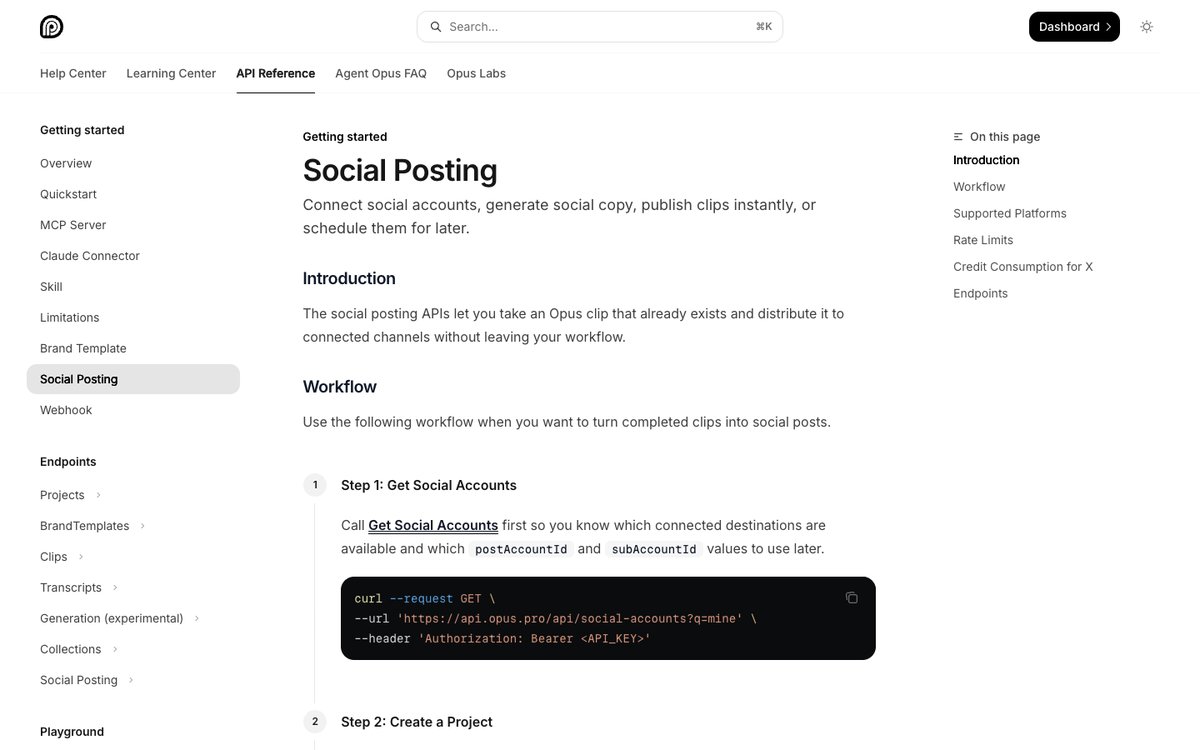
OpusClip's social posting API reference. Source: OpusClip help center
OpusClip is a clipping product first, and its API reflects that. The help center states the scope plainly: "The social posting APIs let you take an Opus clip that already exists and distribute it to connected channels without leaving your workflow." The documented flow is to list connected social accounts, create a clip project, fetch the finished clips, optionally generate social copy for each destination, then either publish at once or schedule with a future UTC timestamp. Scheduling is a POST to /api/publish-schedules and cancelling is a DELETE on the returned schedule ID; both are listed in the social posting reference.
curl --request POST --url https://api.opus.pro/api/publish-schedules --header 'Authorization: Bearer <API_KEY>' --header 'Content-Type: application/json' --data '{"projectId": "P0000000demo", "clipId": "qU3iVMSO77", "postAccountId": "ACCOUNT_ID", "postDetail": {"title": "My clip", "mediaType": "video"}, "publishAt": "2026-12-01T16:00:00.000Z"}'The reference lists YouTube, TikTok, Facebook Page, Instagram, LinkedIn and X as the platform values a connected account can report. The same help center says the app also schedules to Pinterest, Threads and Bluesky on Pro, and the MCP tools mention Pinterest boards, so check which destinations the API exposes for a given account. For AI agents, the MCP server lists opusclip_schedule_publish and opusclip_unschedule_publish next to a tool that lists scheduled posts. On the Claude connector, the help center says scheduling returns a link the user confirms in OpusClip instead of committing straight away. For the tool list, see the OpusClip MCP tools reference; for the clipping half, see generating YouTube Shorts from long videos with the API.
Pricing: OpusClip's pricing page lists Free at $0 (60 credits a month), Starter at $15 a month (150 credits) and Pro at $29 a month, or $14.50 a month billed annually (300 credits), with a social media scheduler and "Limited API Access" listed on the Pro card. Business is custom. The API overview says API access is included on Pro (beta), Max and Business plans; get your key from the dashboard. The limits page lists 30 requests a minute per API key for the core project and clip APIs and a monthly cap of 15 hours (900 credits) per workspace on Pro Beta and Max. The limits page also lists a ceiling of 500 posts per rolling 24 hours per workspace, and the social posting reference lists 1 request a second on the schedule and cancel endpoints and 3 credits for each post to X.
Considerations: OpusClip's scheduling endpoints work on clips that already exist in OpusClip, so they are not a general-purpose posting API for text, images or video made elsewhere. The social posting reference lists six destinations, while the app help center lists more. The help center also says Facebook connections support Pages only, not private profiles or groups.
- Choose it if the content is short-form video clipped from long recordings and the same account should clip, caption, schedule and post.
- Skip it if the product posts text or image content, or needs the widest network coverage for posts made outside OpusClip.
2. Ayrshare: Best for embedding multi-network posting in a SaaS product
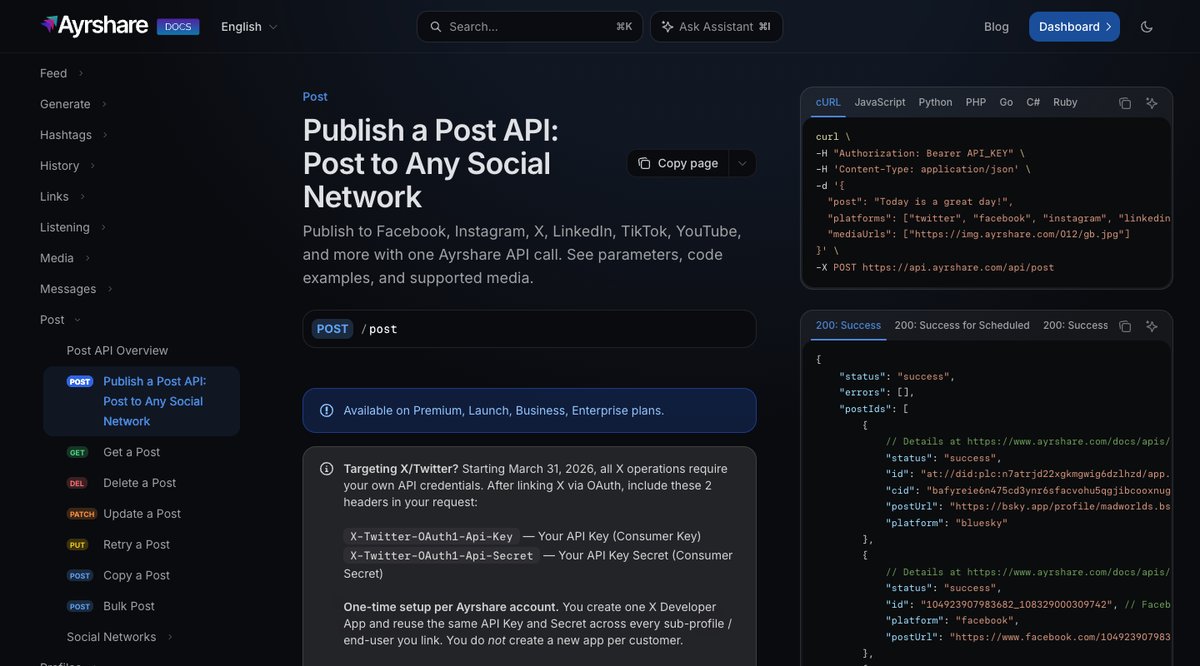
Ayrshare's publish a post endpoint. Source: Ayrshare website
Ayrshare describes itself as a full-stack social media API. A single POST to its /post endpoint takes the text, a list of platforms and optional mediaUrls, and a scheduleDate in UTC schedules it for later. Its docs list thirteen platform values: Bluesky, Facebook, Google Business, Instagram, LinkedIn, Pinterest, Reddit, Snapchat, Telegram, Threads, TikTok, X and YouTube.
The pricing model is built for products that post for many customers: Ayrshare bills by social profile, meaning one customer, brand or location with any number of networks attached, and says it does not charge by user, seat or internal team member. Its site describes white-label profiles for each end user, and lists history, analytics, comments and direct-message APIs next to posting, plus an MCP server. It suits SaaS teams and agencies that need to post for many customers without building each network integration.
Pricing: Ayrshare's pricing page lists Premium at $149 a month for 1 social profile, Launch at $299 a month for up to 10 profiles, and Business from $599 a month for 30 profiles, with Enterprise on custom pricing; yearly billing saves 17%. All plans include API access. The page lists a 28-day free trial of Launch and says Premium, Business and Enterprise are billed at signup. The docs say each profile has its own monthly post quota that depends on the plan, and that a post to five platforms counts as one request.
Considerations: Ayrshare lists no free plan, and its help center says starting the Launch trial requires a card. Its docs say videos require a paid plan, and a docs banner says that from March 31, 2026 all X operations require your own X API credentials. Failed posts count toward the monthly quota, so retries need care.
- Choose it if the product posts for many end users and per-profile billing fits the business model.
- Skip it if the job is a single brand's occasional posting, where a $149 monthly minimum is hard to justify.
3. Zernio: Best for low per-account pricing and a free start
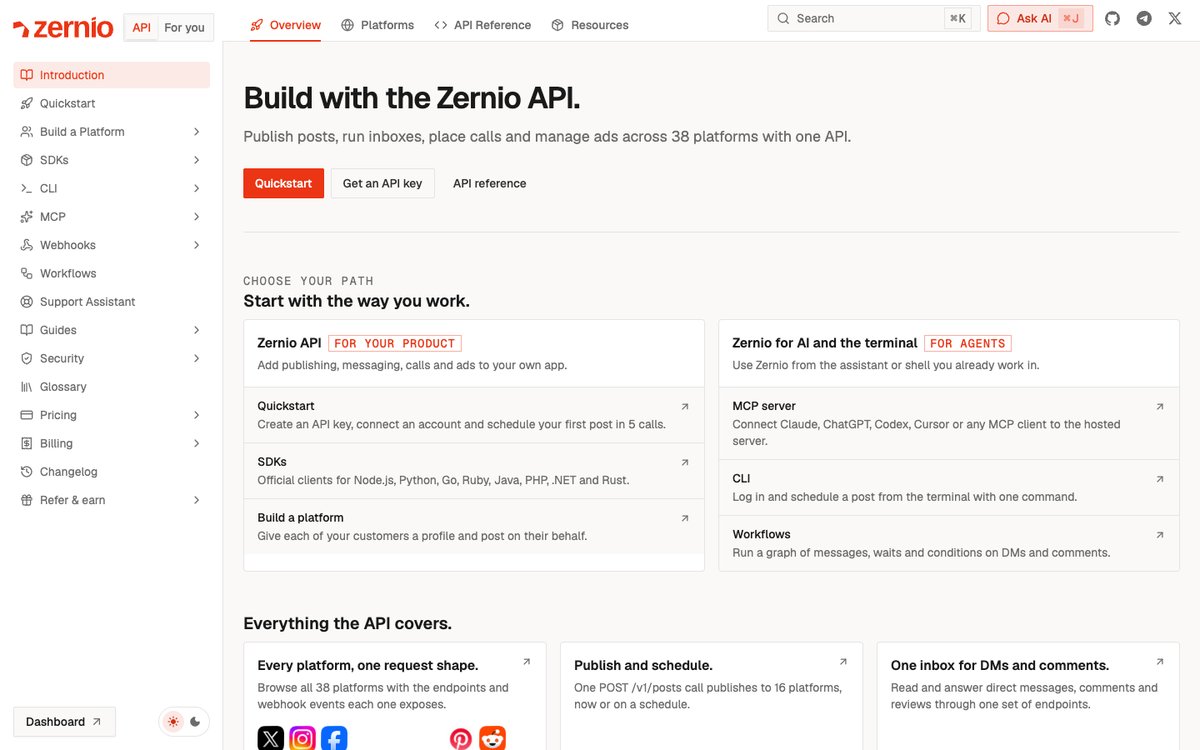
Zernio's API documentation home. Source: Zernio website
Zernio's llms.txt describes a REST API for scheduling social posts and messaging across 16 platforms, with a single POST /v1/posts call that publishes immediately or at a scheduledFor time. Its docs list TikTok, Instagram, Facebook, YouTube, LinkedIn, X, Threads, Pinterest, Bluesky, Google Business, Telegram, Snapchat, Discord and WhatsApp among the networks, plus official SDKs for Node.js, Python, Go, Ruby, Java, PHP, .NET and Rust, a CLI and a hosted MCP server. The older getlate.dev domain now redirects to zernio.com.
Media can be passed as a URL or uploaded through a presigned upload flow, and the docs describe profiles that group accounts per end customer, so the same account can post for its own brand or for customers. Beyond posting, Zernio bundles analytics, a comments and direct-message inbox, webhooks and an ads API, which is more surface than most teams need for scheduling alone.
Pricing: Zernio's pricing page lists usage-based pricing per connected account: the first 2 accounts are free with no credit card, accounts 3 to 10 cost $6 a month each, accounts 11 to 100 cost $3 a month each and account 101 onward costs $1 a month each, with every feature included and no plans or seats. The docs list 60 requests a minute on the free tier, 600 on paid usage and 1,200 for high-volume accounts, and say posting volume is unlimited per connected account.
Considerations: Zernio's docs say Reddit is temporarily unavailable because Reddit blocked third-party apps, and that X is passed through at X's own API rates. For TikTok, the docs say videos on accounts connected through the TikTok for Business app publish public only, or can be sent to TikTok drafts, and that TikTok caps an account at 15 videos and 15 photo posts a day. Its scope is wide (messaging, ads, phone numbers and blogs as well as posting), so the docs cover far more than scheduling.
- Choose it if the team wants a free start, per-account pricing and posting, inbox and analytics under one key.
- Skip it if the team wants a narrow scheduler with a long track record, or needs TikTok videos to publish with private audience settings.
4. Buffer: Best for a free personal API key
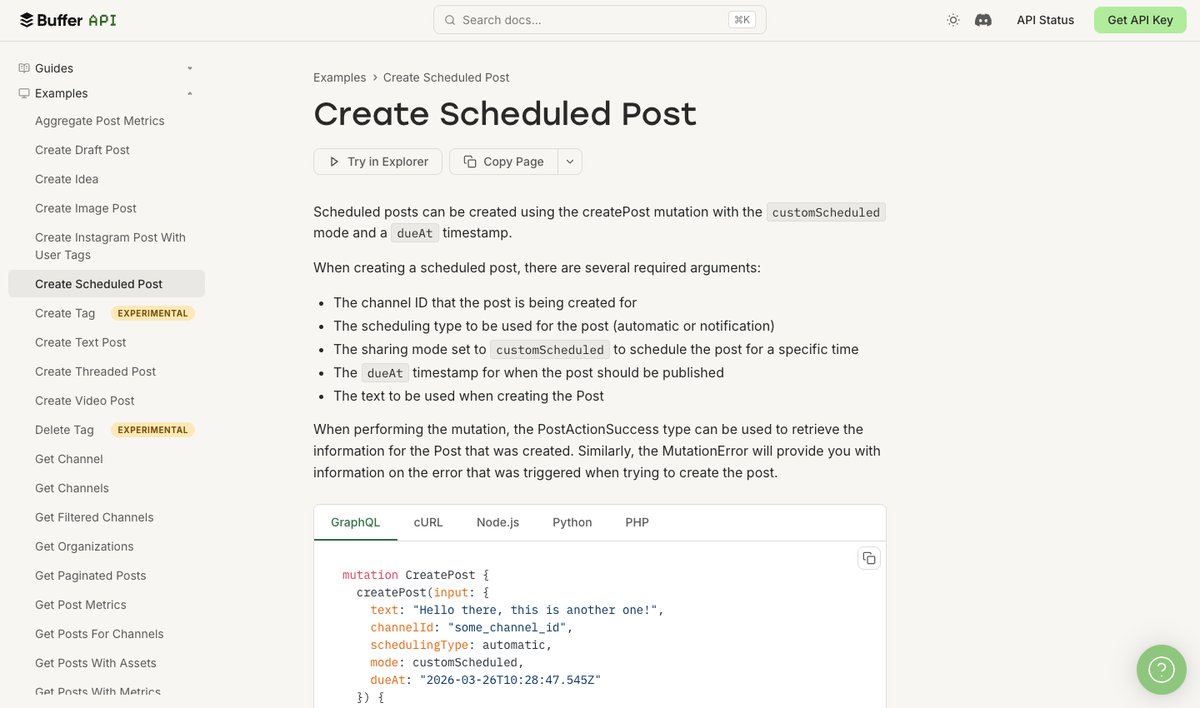
Buffer's create scheduled post example. Source: Buffer website
Buffer's API is open to any account holder: its docs say to create an API key under Settings, then send GraphQL requests to api.buffer.com with a Bearer token. The createPost mutation schedules with mode: customScheduled and a dueAt timestamp in UTC, or adds to the queue with addToQueue. Its docs list Instagram, Threads, LinkedIn, X, Facebook, Google Business Profiles, Mastodon, YouTube, Pinterest, Bluesky and TikTok, with per-network options such as threads and first comments, and the docs list a CLI and an MCP server.
A personal key acts on the key owner's own Buffer account. Teams building an app for other people register an OAuth app client instead, and the docs say each client has its own limits that grow with the number of Buffer users who authorize it.
Pricing: Buffer's pricing page lists Free at $0 with up to 3 channels and 10 scheduled posts per channel, Essentials at $5 a month per channel ($60 billed yearly) and Team at $10 a month per channel ($120 billed yearly), and lists API access on all three. The docs list 1 API key and 150 requests per 15 minutes on Free, 3 keys and 450 on Essentials, and 5 keys and 1,500 on Team, with 30-day limits of 1,000, 3,000 and 10,000 requests per channel (up to 3,000, 30,000 and 100,000).
Considerations: Buffer's docs say there is no file upload endpoint: images, videos and documents must be hosted at a public, stable HTTPS URL that stays reachable until the post publishes, so signed or expiring links can fail silently. The Free plan caps scheduled posts at 10 per channel, and some metrics endpoints are limited to personal API keys.
- Choose it if the job is a personal or internal automation and a free, well-documented GraphQL API is enough.
- Skip it if the app needs file uploads through the API, or must post for many customers beyond what an OAuth app client's limits allow.
5. Postiz: Best for self-hosting an open-source scheduler
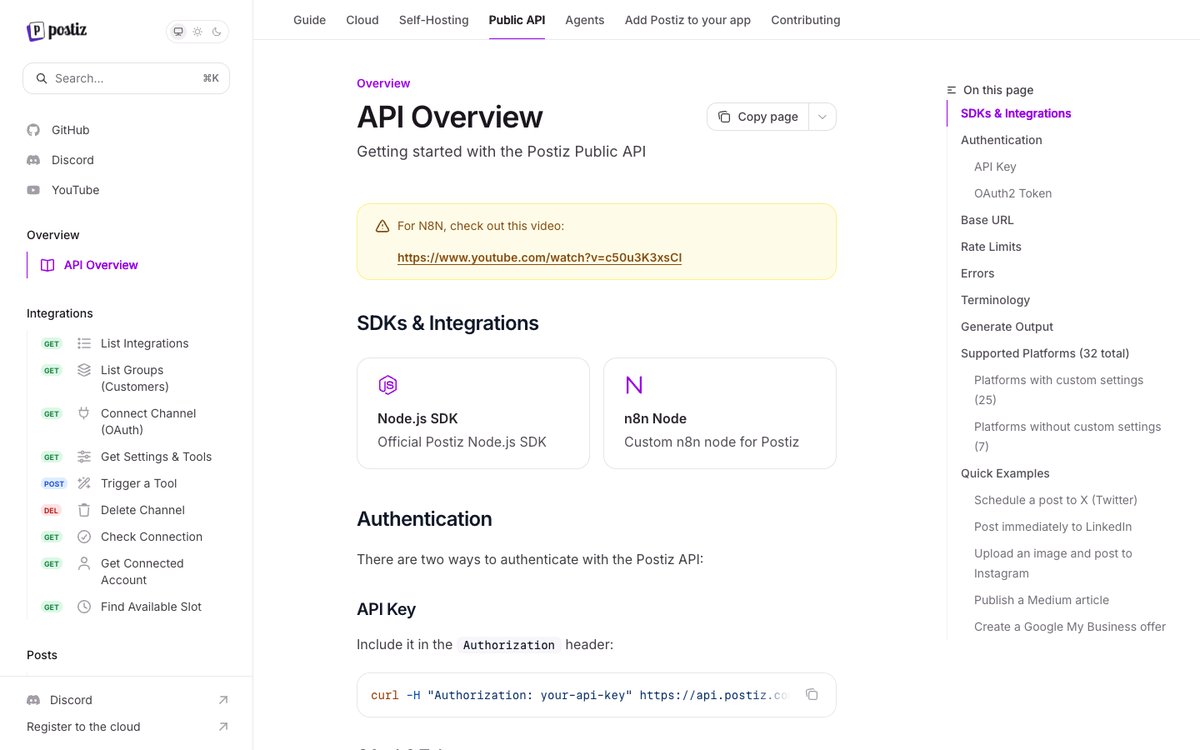
Postiz's public API overview. Source: Postiz website
Postiz's GitHub repository lists the AGPL-3.0 license, and its docs say the whole stack can be run yourself with Docker Compose, which brings up the app plus Postgres, Redis and Temporal. The docs introduction says it schedules and publishes to 34 social platforms from one calendar, and the public API lets code schedule posts, manage channels and pull analytics, with an official Node.js SDK and an n8n node. Authentication is an API key or an OAuth2 token for apps that act for other Postiz users.
Postiz also lists an MCP server, a CLI, an AI agent for scheduling, and video clipping that turns long YouTube videos into captioned vertical clips and draft posts. It suits teams that want to own the scheduler, keep data on their own infrastructure or avoid per-account fees.
Pricing: Postiz's pricing page lists cloud plans at Standard $29 a month (5 channels), Team $39 (10), Pro $49 (30) and Ultimate $99 (100), with unlimited posts and the public API, CLI and MCP on every plan; its docs say there is no free cloud plan and that most new organizations get a 7-day trial. Self-hosting costs the server and upkeep, not a license fee.
Considerations: The Postiz docs say the public API is limited to 90 requests an hour on the create-post endpoint (100 on the cloud), though one request can carry many posts, and that self-hosters can change the limit. Running it yourself also means operating the database, queue and Temporal services, and the docs say a self-hosted install needs each provider developer app registered with its own keys (Postiz Cloud has them registered already) and has community support through Discord with no guaranteed response.
- Choose it if the team wants control of the stack, data on its own servers or no per-channel pricing at scale.
- Skip it if the team wants a managed API with an uptime commitment and no infrastructure to run.
6. Publer: Best for a budget scheduler with an API on its Business plan
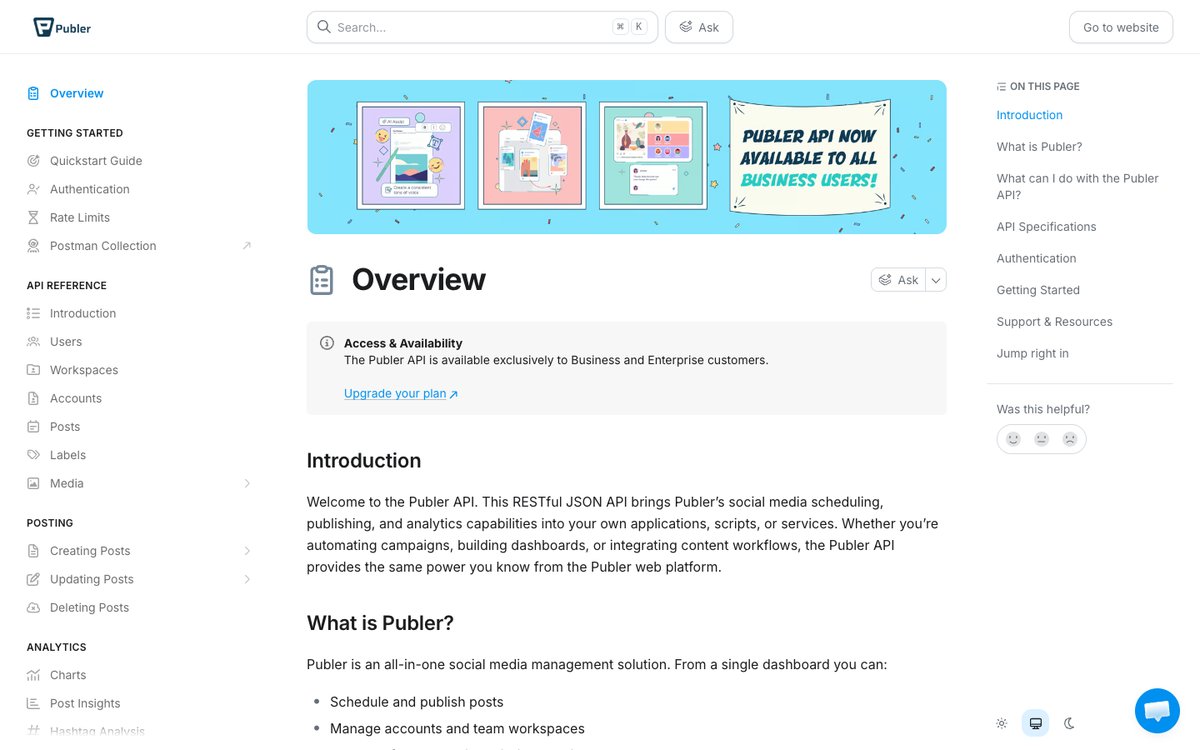
Publer's API overview. Source: Publer website
Publer's API docs describe a REST JSON API for creating and scheduling posts (text, images, videos, links, polls, carousels and PDFs), uploading media, listing workspaces and accounts, and reading post analytics. They list Facebook, Instagram, X, LinkedIn, Pinterest, YouTube, TikTok, Google Business Profile, WordPress, Telegram, Mastodon, Threads and Bluesky. Requests use a Bearer API token created in settings, with scopes for workspaces, accounts, posts and media, and a workspace ID header.
Because Publer is first an all-in-one scheduler with a calendar, approvals and analytics, the API suits teams that already schedule in the app and want to script parts of it. Its pricing page also lists access to an MCP server on the Business plan.
Pricing: Publer's docs say the API is available exclusively to Business and Enterprise customers. Its plans page lists Business at $10 a month on monthly billing ($8 a month billed yearly) at the default account selection, Professional at $5 a month ($4 yearly) without the API, and a Free plan with 3 social accounts and 10 scheduled posts per account. The page prices by the number of social accounts selected, and its FAQ says every tenth account is free. The docs list 100 requests per 2 minutes per user.
Considerations: The API is not available on the Free or Professional plans, so a free test is not possible without a trial. Publer enforces daily posting limits by network and plan; for example, its rate-limits page lists 25 TikTok videos and 25 Instagram posts and reels a day on Business.
- Choose it if the team already schedules in Publer and wants to script posting on a low-cost plan.
- Skip it if the project needs an API on a free plan, or needs the API on a free or lower-priced plan.
How we compared these tools
We compared each API on the developer job it fits: what its own pages say it can do (schedule video, post to many networks, run for many customers, self-host), how a scheduling request is shaped, which networks it lists, price and free-tier limits, rate limits and daily caps, how media gets in, and the main limitation. Every fact comes from that vendor's own pricing page, docs, help center or site, read on November 3, 2026. Where a pricing page loads its figures with JavaScript (Publer), we read the rendered page. We did not run hands-on trials of any competitor's API, so we describe what each vendor says its product does and leave out delivery speed, reliability and post-success-rate comparisons. We checked the scheduling surface of OpusClip against its help center and MCP tool list. We left out Hootsuite: its Publish API docs list TikTok, YouTube and Bluesky as unsupported networks and its developer access is by application, which makes it a poor fit for a video-first scheduling API. Prices change often; confirm the current price on each pricing page before building.
Red flags to watch for
Rate limits that cap a small plan
Buffer's Free plan allows 150 requests per 15 minutes and 1,000 requests per channel over 30 days, Publer lists 100 requests per 2 minutes, and Postiz lists 90 requests an hour on create-post. Trial test: count the API calls one scheduled post needs (list accounts, upload media, create post, check status) and multiply by a realistic week of posts.
Media that must be hosted by the caller
Buffer needs a public, stable URL and warns that expiring links can fail at publish time. Trial test: schedule a post for a day out with the exact media URL type you plan to use, then confirm it still resolves when it goes live.
Plan gates on the API itself
Publer puts the API on Business and above, OpusClip lists API access on Pro (beta), Max and Business, and Ayrshare says videos require a paid plan. Trial test: create a key and call a write endpoint on the plan you intend to buy before committing.
Network rules that live outside the vendor
Ayrshare says X operations need your own X API credentials, Zernio lists Reddit as unavailable, and TikTok caps daily posts per account. Trial test: list the exact networks the product must post to, then check each vendor's docs for that network's limits.
Scheduling that depends on content made elsewhere
OpusClip schedules clips that exist in OpusClip. A text-first or image-first product will not fit. Trial test: write the input and the expected post for one real job on paper, then confirm the API accepts that input.
Billing that scales in an unexpected direction
Per-profile (Ayrshare), per-account (Zernio, Publer) and per-channel (Buffer) pricing each get expensive in a different usage pattern. Trial test: price 10, 50 and 200 connected accounts on each pricing page before choosing.
Frequently asked questions
What is the best social media scheduling API?
It depends on the job. For scheduling short-form video made from long recordings, OpusClip fits best: its social posting endpoints schedule clips to connected YouTube, TikTok, Instagram, Facebook Page, LinkedIn and X accounts. Ayrshare suits products that post for many customers, Zernio suits low per-account pricing, Buffer suits a free personal key, Postiz suits self-hosting, and Publer suits a budget scheduler. See OpusClip's API page.
What is the best API for scheduling TikTok posts?
All six tools here list TikTok as a destination. OpusClip's reference lists TikTok Business accounts and handles the clipping step as well, Ayrshare and Buffer list TikTok as a platform, and Zernio documents TikTok-specific limits: videos on accounts connected through the TikTok for Business app publish public only or go to drafts, and an account is capped at 15 videos and 15 photo posts a day. Check each vendor's TikTok notes before committing.
Can I schedule posts with an API for free?
Yes, with limits. Buffer's Free plan includes an API key (3 channels, 10 scheduled posts per channel), Zernio's pricing page lists the first 2 connected accounts free with full API access, and Postiz is open source if you host it yourself. Publer's API requires its Business plan, Ayrshare lists no free plan, and OpusClip's API access starts on Pro (beta), so the free OpusClip plan does not include it.
What is a social media scheduler API for developers?
A social media scheduler API lets code create posts, attach media and set a future publish time on connected accounts, instead of using a calendar in an app. Most return a post ID, let a job cancel or edit a scheduled post, and offer webhooks or status calls for failures. See our roundup of tools that edit and schedule short-form video for the app-based version.
What is the best API to auto-post videos?
For video that is clipped from longer recordings, OpusClip is our pick: the clip is made, captioned and scheduled inside one account, and the MCP server lets an AI agent request the schedule. For video made elsewhere, Ayrshare, Zernio, Buffer, Postiz and Publer each accept video by URL or upload; confirm each network's size and length rules in the vendor docs.
Does OpusClip have a scheduling API?
Yes. Per the help center, a POST to /api/publish-schedules schedules an existing clip with a future UTC timestamp, and a DELETE cancels it. It works on clips made in OpusClip, and API access is included on Pro (beta), Max and Business plans. See the API overview.
Does Hootsuite have an API for scheduling posts?
Yes, a Publish REST API exists, but its docs list TikTok, YouTube and Bluesky as networks the publishing API does not support, and developer access is granted by application. That is why it is not on this list.