OpusClip 4.0 is here. Become a content powerhouse.

7 Best Video Marketing Software for Campaigns in 2026

November 2, 2026
Creators filming and reviewing campaign videos, with a Clip it button, a 9:16 tag, a views badge and a calendar icon

For a video marketing campaign, OpusClip is our first pick: it turns one flagship video into a run of on-brand clips with captions and brand templates, then schedules them to connected social accounts from one workspace. The other six tools each cover a different stage of a campaign: Descript for editing the hero video, Canva for campaign visuals, HeyGen for translated versions, Buffer and Hootsuite for planning and measuring social posts, and Wistia for hosting and measuring video on your own site. After OpusClip, we ordered the list by where each tool sits in a campaign, then compared price, free-tier limits and how clearly each vendor documents what it does. For a smaller team with a single channel, start with our guide to video marketing software for small businesses.

Key takeaways

  • Best for turning one hero video into a multi-channel clip run: OpusClip. Clipping, captions, brand templates and a scheduler sit in one place.
  • Best for editing the flagship video: Descript. Editing works like editing a document, and the pricing page lists a Brand Studio on Business.
  • Best for campaign visuals and templates: Canva. Its Pro page lists Brand Kits, Magic Resize and a Social Content Planner.
  • Best for translated versions of one video: HeyGen. Its translator page lists 175+ languages.
  • Best for scheduling and tagging campaign posts: Buffer. Best for large multi-account teams: Hootsuite. Buffer prices per channel and Hootsuite per user.
  • Best for hosting campaign video and measuring it: Wistia. Heatmaps, A/B testing and CRM links sit on paid tiers.

How to choose video marketing software for campaigns

A campaign needs more than one video, so match tools to the stages you actually run rather than looking for one app that does everything.

  • Plan the calendar and the channels. Look for a visual content calendar, tags to group posts by campaign, and a per-channel price you can estimate: Buffer, Hootsuite.
  • Create the hero asset. Look for transcript editing or template-based design: Descript, Canva.
  • Repurpose it into many posts. Look for clip selection, captions, reframing and brand templates in one flow: OpusClip. See also best video repurposing tools.
  • Localize it. Look for translation and dubbing with a language count you can check: HeyGen, OpusClip (dubbing on Pro and Business), Descript (dubbing on Business).
  • Schedule it. Look for the networks you post to and whether scheduling is automatic or a reminder: OpusClip, Buffer, Hootsuite, Canva. For a closer look, see best tools to edit and schedule short-form video.
  • Host and measure. Look for engagement data per video and links to your marketing platform: Wistia, plus the analytics inside Buffer and Hootsuite.
  • Count seats and channels. Hootsuite and Descript price per person, Buffer per channel, Wistia per plan with extra users on top.

Best video marketing software for campaigns at a glance

  • OpusClip: best for turning one hero video into scheduled clips, from $15 a month, free plan yes (60 credits a month, watermark).
  • Descript: best for editing the flagship video from its transcript, from $16 per person a month billed annually, free plan yes.
  • Canva: best for campaign visuals and branded templates, price on the pricing page, Pro free trial listed.
  • HeyGen: best for translated versions of one video, from $29 a month for Creator, free plan yes (3 watermarked videos a month).
  • Buffer: best for scheduling posts and tagging them by campaign, from $5 a month per channel, free plan yes (3 channels).
  • Hootsuite: best for multi-account teams that need approvals and reports, paid plans listed per user, 14-day free trial.
  • Wistia: best for hosting campaign video and measuring engagement, from $79 a month billed annually, free plan yes (1 user, 25 GB).

1. OpusClip: Best for turning one hero video into a scheduled clip run
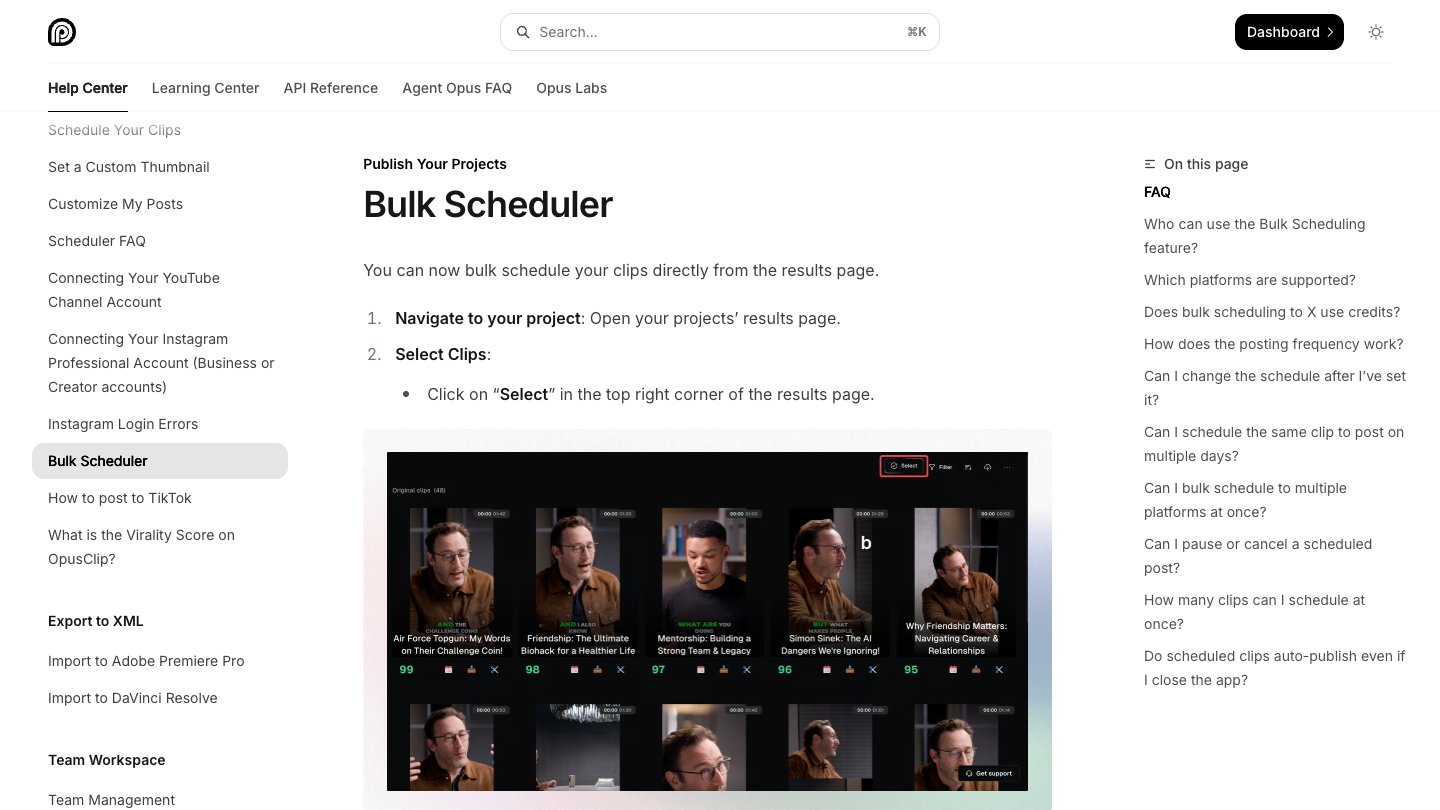
OpusClip help center page for the Bulk Scheduler, showing a grid of generated clips to select and schedule

Selecting clips to schedule in OpusClip. Source: OpusClip Help Center

A campaign usually starts with one long piece: a webinar, a product demo, a podcast episode or a customer interview. OpusClip's clipping tool picks clips from that video, scores them with a Virality Score from 0 to 99, adds animated captions and reframes to 9:16, 1:1, 4:5 or 16:9. Brand templates keep every clip on brand, and OpusClip's long video to short video tool takes the source from a link or an upload.

That makes it the repurposing and scheduling stage of a campaign. Paid plans add a text and timeline editor, filler-word and silence removal, and auto-posting. On Pro, the social scheduler plans clips ahead, and OpusClip's pricing page lists a team workspace with 2 seats and 6 social account connections. Per the help center's social account FAQ, Pro scheduling covers YouTube, TikTok, Instagram Reels, Facebook Page, LinkedIn, X (beta), Pinterest, Threads and Bluesky, while Starter posts in real time to YouTube, TikTok and Instagram. Pro can also export projects to Premiere Pro and DaVinci Resolve for further editing, and dub into 25 languages with a clone of the speaker's voice.

Pricing: Free is $0 with 60 credits a month, 1080p clips, a watermark, no editing, and clips that stop being exportable after 3 days. Starter is $15 a month on monthly billing only, with 150 credits and 1 brand template. Pro is $29 a month, or $14.50 a month billed annually ($174), with 300 credits, unused credits rolling over for one additional month on monthly billing and 2 months on yearly billing, 2 brand templates, the scheduler and custom fonts. Business is custom. See OpusClip pricing.

Considerations: OpusClip creates and posts clips; it does not host video on your own site or replace a full non-linear editor. Bulk scheduling is YouTube only, per the help center, so plan the other networks one post at a time. Caption translation before clipping targets English only.

  • Choose it if the campaign starts from long videos and needs many short, captioned, on-brand posts on a schedule.
  • Skip it if the campaign is built around landing-page video hosting, gated forms or per-viewer engagement data.

2. Descript: Best for editing the flagship campaign video
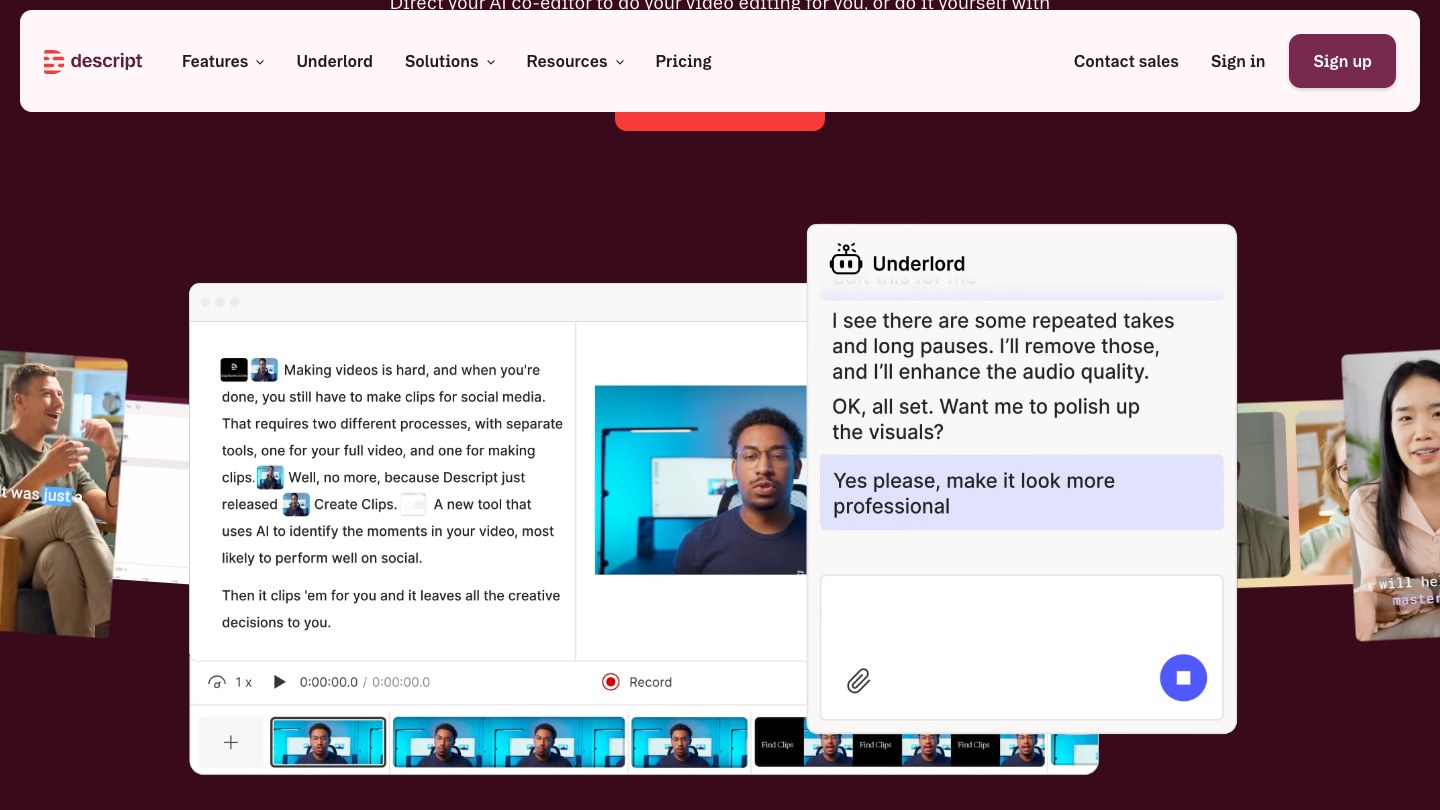
Descript editor with a transcript, video preview, timeline and the Underlord AI co-editor chat

Underlord in Descript. Source: Descript website

Descript is an online editor where editing a video works like editing a document: cut the transcript and the footage follows. Its pricing page lists Underlord, an AI co-editor, along with filler-word removal, Studio Sound and Create Clips. For a campaign it covers the hero video itself: the launch film, the explainer or the interview the rest of the campaign is built from.

Business adds a Brand Studio with team-wide access, plus translate and dub in 30+ languages with proofread, per Descript's pricing page. Export is local or to a shareable web page with an embeddable player.

Pricing: The page lists Free at $0 with 60 media minutes a month. Hobbyist is $16 per person a month billed annually ($24 monthly) with 10 media hours and watermark-free 1080p export. Creator is $24 annually ($35 monthly) with 30 media hours and 4K export. Business is $50 annually ($65 monthly) with 40 media hours. Enterprise is custom.

Considerations: Pricing is per person and media hours cap usage. The pricing page describes clip creation and drafting social posts as AI features, and we did not find a social scheduler listed there, so it needs a scheduling tool beside it.

  • Choose it if one hero video needs careful editing by transcript before anything else happens.
  • Skip it if the main job is scheduling or posting to many channels.

3. Canva: Best for campaign visuals, templates and brand consistency
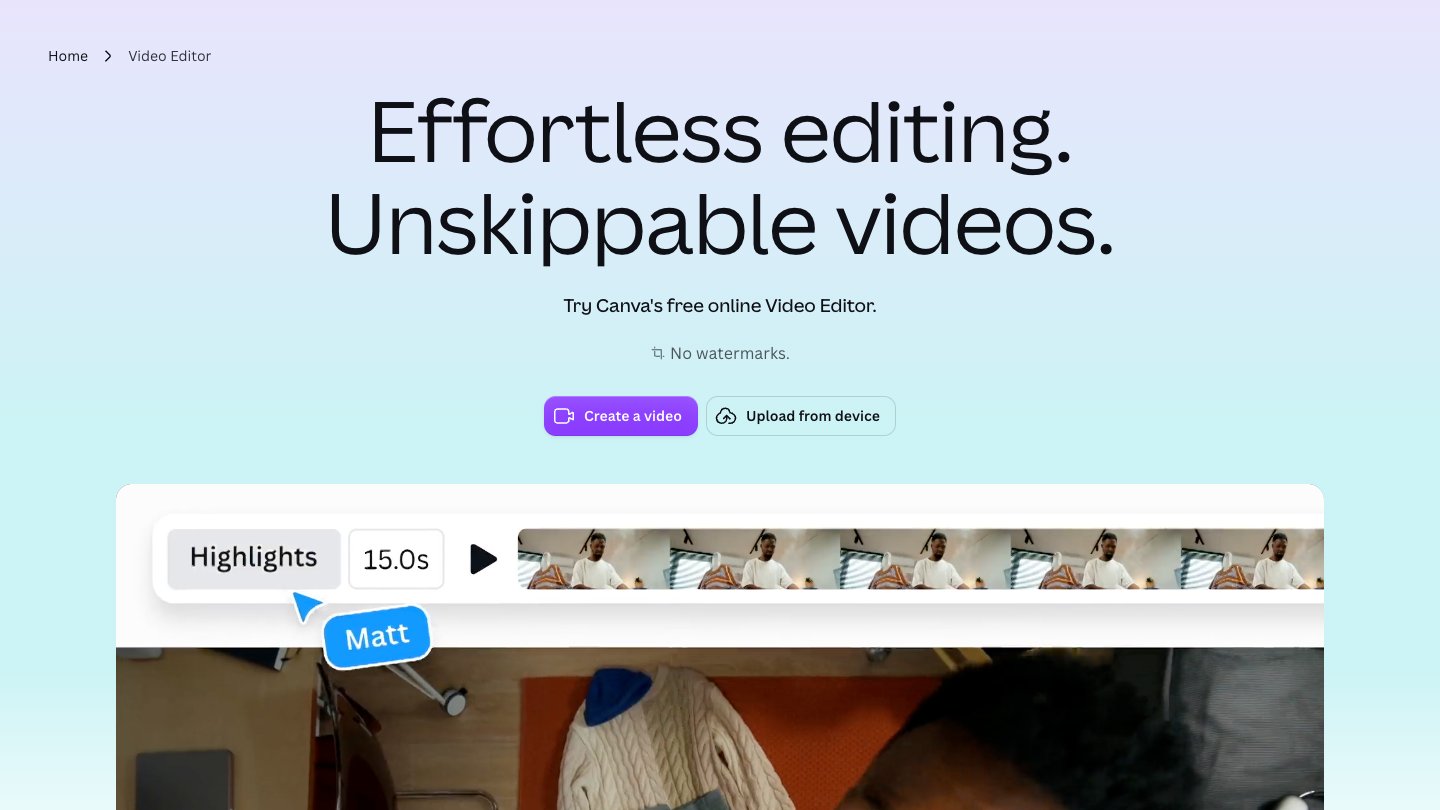
Canva video editor page showing a Highlights timeline strip above a video preview

Canva's video editor page. Source: Canva website

Canva covers the design layer of a campaign: thumbnails, cover cards, social graphics and short video built from templates. Its Pro page lists Brand Kits, Magic Resize for adapting a design to each platform, a Social Content Planner described as planning, scheduling and posting content to multiple social channels, auto-generated Captions and access to 100M+ premium templates, photos, videos, graphics and music.

Its video editor page describes a free online editor with no watermarks. That suits a campaign where the visuals, rather than long recordings, are the starting point.

Pricing: The Pro page offers a free trial. We could not read plan prices from the raw pricing page, so see the pricing page for current figures.

Considerations: We did not find long-video clipping on the Pro page, so a recording-first campaign still needs a clipping tool. Prices render after the page loads, so confirm the figure at checkout.

  • Choose it if the campaign is led by templates, graphics and short videos that must match a brand kit.
  • Skip it if the campaign starts from long recordings that need clip selection.

4. HeyGen: Best for translated versions of one campaign video
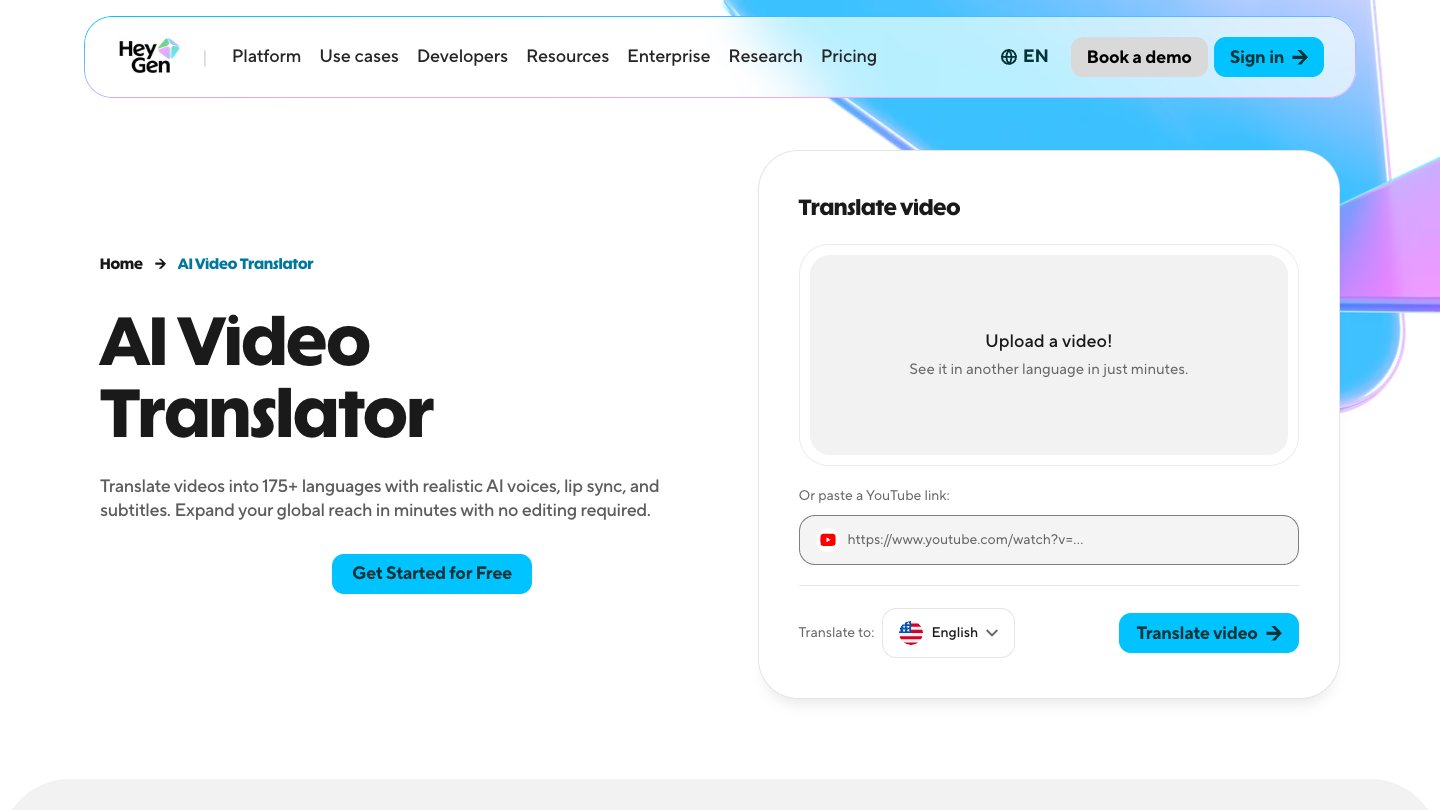
HeyGen AI Video Translator page with a video upload box and a language selector

HeyGen's video translator. Source: HeyGen website

HeyGen's translator page says it translates videos into 175+ languages with realistic AI voices, lip sync and subtitles. For a campaign that runs in several markets, that turns one finished video into regional versions without a new shoot. HeyGen also generates presenter videos from avatars, and its Business plan lists a brand kit and asset library and integrations with n8n, Make, HubSpot and Zapier.

Pricing: The page lists Free at $0 with 3 watermarked videos a month, up to 1 minute each, in 30+ languages. Creator is $29 a month with 600 credits, 1080p export, no HeyGen branding, 175+ languages and dialects, and credits that roll over one month. Pro is $49 a month with 1,000 credits, 4K export and videos up to 30 minutes. Business is $149 a month with 1,500 credits and team seats at $20 each a month. The page also offers a yearly toggle marked 2 months free, so check which view is selected.

Considerations: Credits meter usage, and the Free plan is capped at 1-minute watermarked videos. HeyGen's pages describe avatar and translation output; they do not describe clip selection or social scheduling.

  • Choose it if one approved video must ship in many languages.
  • Skip it if the campaign is a single language or starts from long recordings.

5. Buffer: Best for scheduling campaign posts and tagging them by campaign
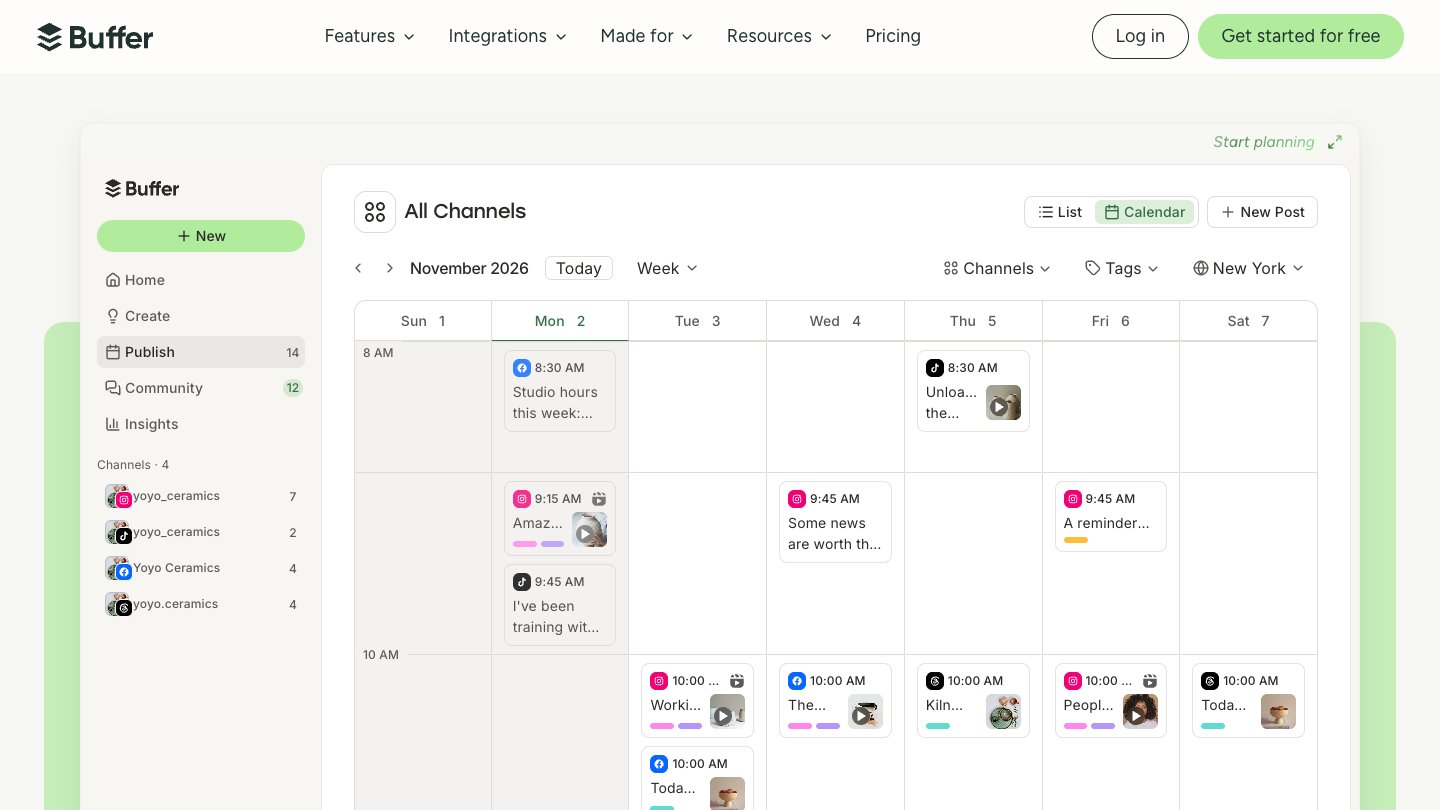
Buffer content calendar showing a week of scheduled posts across several channels

Buffer's weekly content calendar. Source: Buffer website

Buffer is a social scheduler built around a visual content calendar and per-channel pricing. Its pricing page lists a calendar view, a hashtag manager, first-comment scheduling, content approval workflows on the Team plan, and Insights for follower growth, engagement, impressions and post performance. Custom analytics filter Insights by tag or channel to see how specific content categories or campaigns performed, which is the closest fit to campaign reporting on the page.

The page's channel table lists automatic publishing for TikTok business profiles and YouTube (Shorts), so short clips can go out on schedule.

Pricing: Free is $0 for up to 3 channels, with 10 scheduled posts per channel and 30-day Insights history. Essentials lists $5 a month per channel ($60 billed yearly) with unlimited scheduled posts and custom analytics. Team lists $10 a month per channel ($120 billed yearly) with unlimited team members and approval workflows. Both paid plans start with a 14-day free trial.

Considerations: Buffer schedules and measures posts but does not create or edit video. Costs scale with channels, and the channel table does not list advanced analytics for TikTok business profiles or YouTube (Shorts).

  • Choose it if the team needs a simple calendar, tags per campaign and per-channel pricing.
  • Skip it if the campaign needs video creation or deep video analytics inside the scheduler.

6. Hootsuite: Best for multi-account teams that need approvals and reporting
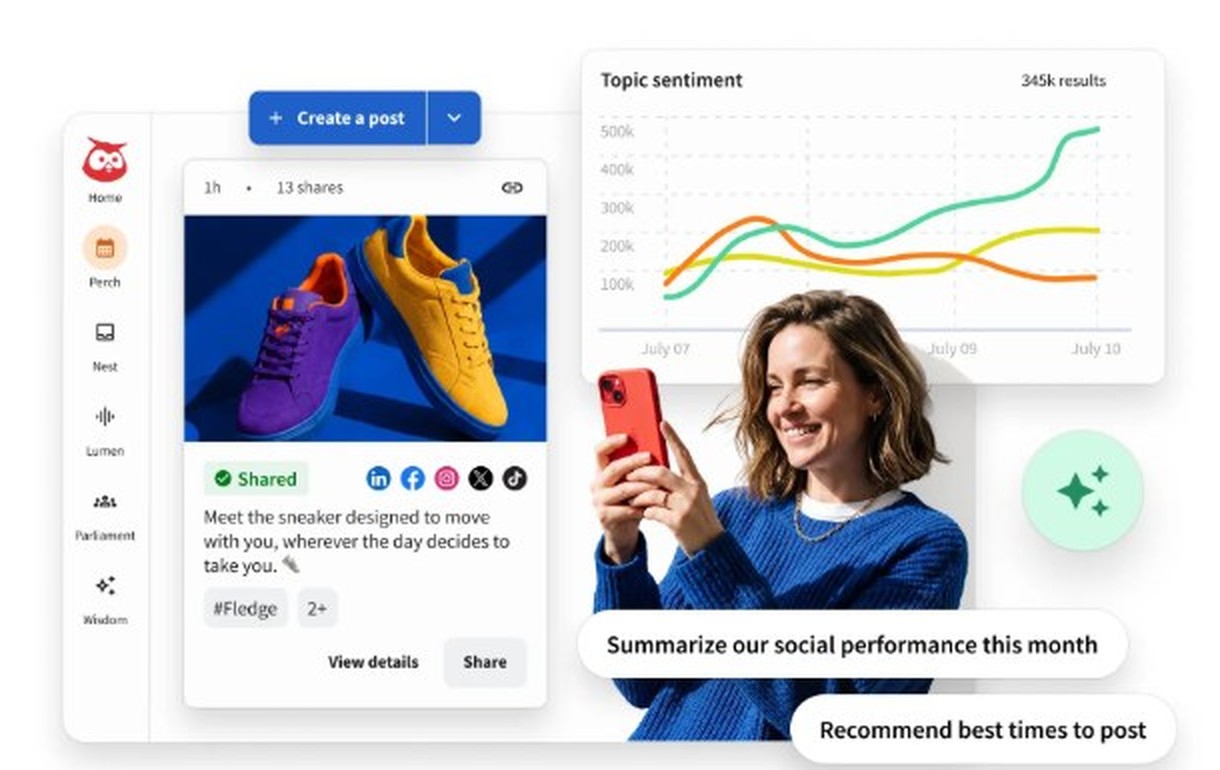
Hootsuite publishing screen showing a scheduled social post preview and a topic sentiment chart

Hootsuite's publishing and analytics view. Source: Hootsuite website

Hootsuite sells social management per user. Its plans page lists Standard with up to 10 social accounts, scheduling, a unified inbox, analytics and reporting, and social listening. Professional adds unlimited social accounts, customizable and scheduled reports, and benchmarking against up to 20 competitors. Advanced adds approval workflows and internal collaboration, and Enterprise adds SSO and advanced analytics.

Pricing: The page's FAQ says paid plans start at $99 for Standard, $199 for Professional and go up to $399 for Advanced, billed per user, with annual billing giving a lower per-user rate. Each paid plan lists a free 14-day trial, and Enterprise is custom. The plan cards load their figures with a script, so confirm the price shown for your billing period.

Considerations: The page notes trial accounts have daily posting limits and no bulk scheduling during the trial. Hootsuite manages and reports on social posts; it does not make video.

  • Choose it if many accounts, several approvers and scheduled reports are part of how the campaign runs.
  • Skip it if one or two channels and a small budget decide the choice.

7. Wistia: Best for hosting campaign video and measuring engagement
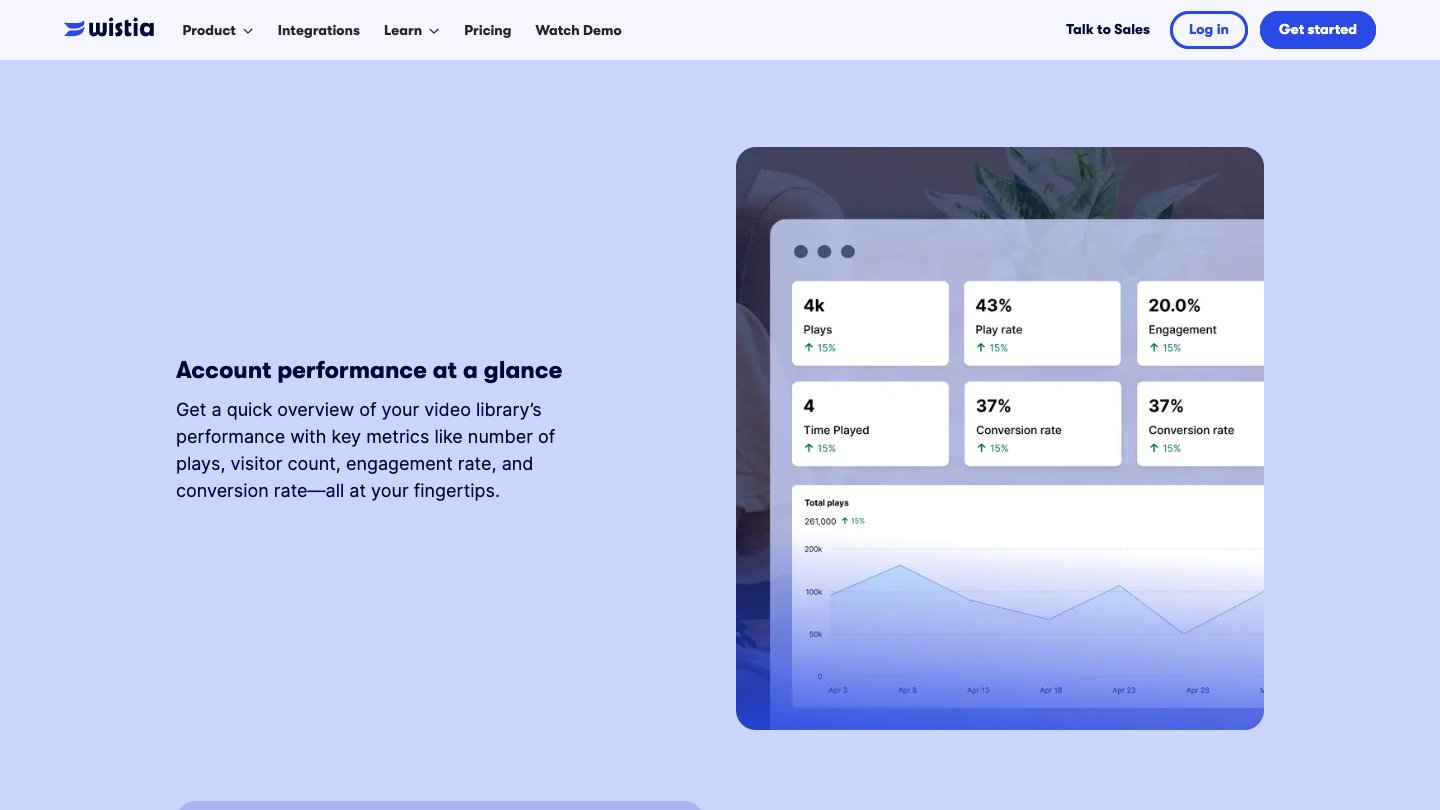
Wistia analytics dashboard showing plays, play rate, engagement and a total plays chart

Wistia's account performance dashboard. Source: Wistia website

Wistia is a video host built for marketing teams: a customizable ad-free player, collections and channels, in-video CTAs and forms, and analytics per video. Per its pricing page, Business lists heatmaps and engagement graphs plus A/B testing and CSV export. For a campaign, that is the stage where the video lives on a landing page and the team learns what viewers actually watched.

Wistia's page also lists AI highlights and social clips, transcript-based editing and a virtual recording studio on all plans, and Business plus Signals connects to HubSpot, Marketo and Pardot for lead scoring and pipeline attribution.

Pricing: Free is $0 with 25 GB of storage, 1 user, basic analytics and Wistia branding. Business is $79 a month billed annually with 250 GB+, 3+ users and no Wistia branding. Business plus Signals is $329 a month billed annually and adds the marketing platform connections. Extra users are $25 on the paid plans, and Enterprise is custom.

Considerations: Heatmaps and A/B testing start on Business, and the CRM connections start at the $329 tier. Wistia does not schedule social posts, so it complements a scheduler rather than replacing one.

  • Choose it if the campaign sends people to a page where video engagement and lead capture matter.
  • Skip it if the campaign lives mostly on social feeds.

How we compared these tools

We compared each tool on the job it does in a multi-video campaign: creating the hero asset, repurposing it, localizing it, scheduling it and measuring the results. We also looked at price, free-tier limits, watermarks, how many channels or users a plan covers, and the main limitation. Every fact comes from that vendor's own pricing page, plans page, help center or product pages, read on November 2, 2026. Where a page loads its figures with a script, we read the rendered page, and we flag figures we could not confirm, such as Canva's prices.

We did not run hands-on tests of the competing tools. This is a comparison of published pricing and documented features, not a lab test. Prices change often and some pages show promotions, so check the vendor's page before buying.

Red flags to watch for

Free plans that watermark or cap output

OpusClip Free adds a watermark and stops clips being exportable after 3 days, HeyGen Free watermarks and caps videos at 1 minute, and Wistia Free carries Wistia branding. Trial test: export one real campaign asset on the free plan and check what ends up on it.

Per-channel and per-user pricing that compounds

Buffer charges per channel, Hootsuite and Descript charge per person. Trial test: count the channels, seats and brands in a real campaign before comparing plans.

Scheduling that is not automatic for every network

Buffer lists reminder notifications for some channels, and OpusClip's bulk scheduling is YouTube only. Trial test: schedule one post to each network you use and confirm it publishes without a reminder.

Analytics that stop at the post

A scheduler can show impressions without showing what viewers watched, and Buffer's table does not list advanced analytics for TikTok business profiles or YouTube (Shorts). Trial test: find the metric your campaign report needs, such as watch behavior or conversions, before you pay.

Integrations on the top tier

Wistia's marketing platform connections start at the $329 plan, and HeyGen lists HubSpot and Zapier on Business. Trial test: check which plan includes the integration the team needs.

Prices you cannot confirm

Canva's plan prices do not appear in the page text we read, and Hootsuite's plan cards load with a script. Trial test: confirm the price at checkout before comparing plans.

Frequently asked questions

What's the best software for video marketing campaigns?

For a campaign built from one hero video, OpusClip fits best: it clips the video, captions and brands each clip, and schedules posts on Pro. Descript, Canva and HeyGen cover creating and localizing assets, Buffer and Hootsuite cover scheduling and reporting, and Wistia covers hosting and engagement data. See OpusClip pricing.

What's the best platform for video marketing?

No single platform covers every stage. A common setup pairs a clipping and scheduling tool such as OpusClip with a host such as Wistia for landing pages. For a smaller team, our guide to video marketing software for small businesses lists lower-cost options.

How do I turn one video into a whole campaign?

Start with a long video, let a clipping tool pick the strongest moments, caption and brand each clip, then schedule the clips across the weeks of the campaign. OpusClip's long video to short video tool handles the clipping step.

Which tool schedules video posts to several networks?

OpusClip (Pro), Buffer, Hootsuite and Canva's Social Content Planner all list scheduling. OpusClip's help center lists YouTube, TikTok, Instagram Reels and more on Pro, and bulk scheduling is YouTube only. Check each vendor's channel list for the networks you use.

How do I measure a video marketing campaign?

Combine two views: post performance from a scheduler such as Buffer or Hootsuite, and viewing behavior from a host such as Wistia, which lists heatmaps, engagement graphs and A/B testing on Business. Tag every post by campaign so the numbers can be grouped later.

Can one tool localize a campaign video?

HeyGen's translator page lists 175+ languages. OpusClip dubs into 25 languages with a clone of the speaker's voice on Pro and Business, and Descript lists translate and dub in 30+ languages on Business. See OpusClip's AI dubbing.

What is the best free video marketing software?

OpusClip, Descript, HeyGen, Buffer and Wistia each list a free plan, and Canva lists a Pro free trial. Watermarks, caps and branding differ, so export a real asset first.

Do these tools replace an agency or a video editor?

Not for complex productions. They automate the repetitive work of clipping, captioning, resizing and scheduling. OpusClip is not a replacement for a full non-linear editor, though Pro can export projects to Premiere Pro and DaVinci Resolve for further editing.
On this page

Use our Free Forever Plan

Find the moment. Skip the scrubbing.

From script to polished video — in one click.

Create and post one short video every day for free, and grow faster.

OpusSearch uses AI to surface the exact clip you need from hours of footage — in seconds, not afternoons.

Agent Opus runs the entire video pipeline for you: research, scriptwriting, storyboarding, motion, voice, and edit. Upload the idea, post the result.

7 Best Video Marketing Software for Campaigns in 2026

For a video marketing campaign, OpusClip is our first pick: it turns one flagship video into a run of on-brand clips with captions and brand templates, then schedules them to connected social accounts from one workspace. The other six tools each cover a different stage of a campaign: Descript for editing the hero video, Canva for campaign visuals, HeyGen for translated versions, Buffer and Hootsuite for planning and measuring social posts, and Wistia for hosting and measuring video on your own site. After OpusClip, we ordered the list by where each tool sits in a campaign, then compared price, free-tier limits and how clearly each vendor documents what it does. For a smaller team with a single channel, start with our guide to video marketing software for small businesses.

Key takeaways

  • Best for turning one hero video into a multi-channel clip run: OpusClip. Clipping, captions, brand templates and a scheduler sit in one place.
  • Best for editing the flagship video: Descript. Editing works like editing a document, and the pricing page lists a Brand Studio on Business.
  • Best for campaign visuals and templates: Canva. Its Pro page lists Brand Kits, Magic Resize and a Social Content Planner.
  • Best for translated versions of one video: HeyGen. Its translator page lists 175+ languages.
  • Best for scheduling and tagging campaign posts: Buffer. Best for large multi-account teams: Hootsuite. Buffer prices per channel and Hootsuite per user.
  • Best for hosting campaign video and measuring it: Wistia. Heatmaps, A/B testing and CRM links sit on paid tiers.

How to choose video marketing software for campaigns

A campaign needs more than one video, so match tools to the stages you actually run rather than looking for one app that does everything.

  • Plan the calendar and the channels. Look for a visual content calendar, tags to group posts by campaign, and a per-channel price you can estimate: Buffer, Hootsuite.
  • Create the hero asset. Look for transcript editing or template-based design: Descript, Canva.
  • Repurpose it into many posts. Look for clip selection, captions, reframing and brand templates in one flow: OpusClip. See also best video repurposing tools.
  • Localize it. Look for translation and dubbing with a language count you can check: HeyGen, OpusClip (dubbing on Pro and Business), Descript (dubbing on Business).
  • Schedule it. Look for the networks you post to and whether scheduling is automatic or a reminder: OpusClip, Buffer, Hootsuite, Canva. For a closer look, see best tools to edit and schedule short-form video.
  • Host and measure. Look for engagement data per video and links to your marketing platform: Wistia, plus the analytics inside Buffer and Hootsuite.
  • Count seats and channels. Hootsuite and Descript price per person, Buffer per channel, Wistia per plan with extra users on top.

Best video marketing software for campaigns at a glance

  • OpusClip: best for turning one hero video into scheduled clips, from $15 a month, free plan yes (60 credits a month, watermark).
  • Descript: best for editing the flagship video from its transcript, from $16 per person a month billed annually, free plan yes.
  • Canva: best for campaign visuals and branded templates, price on the pricing page, Pro free trial listed.
  • HeyGen: best for translated versions of one video, from $29 a month for Creator, free plan yes (3 watermarked videos a month).
  • Buffer: best for scheduling posts and tagging them by campaign, from $5 a month per channel, free plan yes (3 channels).
  • Hootsuite: best for multi-account teams that need approvals and reports, paid plans listed per user, 14-day free trial.
  • Wistia: best for hosting campaign video and measuring engagement, from $79 a month billed annually, free plan yes (1 user, 25 GB).

1. OpusClip: Best for turning one hero video into a scheduled clip run

OpusClip help center page for the Bulk Scheduler, showing a grid of generated clips to select and schedule

Selecting clips to schedule in OpusClip. Source: OpusClip Help Center

A campaign usually starts with one long piece: a webinar, a product demo, a podcast episode or a customer interview. OpusClip's clipping tool picks clips from that video, scores them with a Virality Score from 0 to 99, adds animated captions and reframes to 9:16, 1:1, 4:5 or 16:9. Brand templates keep every clip on brand, and OpusClip's long video to short video tool takes the source from a link or an upload.

That makes it the repurposing and scheduling stage of a campaign. Paid plans add a text and timeline editor, filler-word and silence removal, and auto-posting. On Pro, the social scheduler plans clips ahead, and OpusClip's pricing page lists a team workspace with 2 seats and 6 social account connections. Per the help center's social account FAQ, Pro scheduling covers YouTube, TikTok, Instagram Reels, Facebook Page, LinkedIn, X (beta), Pinterest, Threads and Bluesky, while Starter posts in real time to YouTube, TikTok and Instagram. Pro can also export projects to Premiere Pro and DaVinci Resolve for further editing, and dub into 25 languages with a clone of the speaker's voice.

Pricing: Free is $0 with 60 credits a month, 1080p clips, a watermark, no editing, and clips that stop being exportable after 3 days. Starter is $15 a month on monthly billing only, with 150 credits and 1 brand template. Pro is $29 a month, or $14.50 a month billed annually ($174), with 300 credits, unused credits rolling over for one additional month on monthly billing and 2 months on yearly billing, 2 brand templates, the scheduler and custom fonts. Business is custom. See OpusClip pricing.

Considerations: OpusClip creates and posts clips; it does not host video on your own site or replace a full non-linear editor. Bulk scheduling is YouTube only, per the help center, so plan the other networks one post at a time. Caption translation before clipping targets English only.

  • Choose it if the campaign starts from long videos and needs many short, captioned, on-brand posts on a schedule.
  • Skip it if the campaign is built around landing-page video hosting, gated forms or per-viewer engagement data.

2. Descript: Best for editing the flagship campaign video

Descript editor with a transcript, video preview, timeline and the Underlord AI co-editor chat

Underlord in Descript. Source: Descript website

Descript is an online editor where editing a video works like editing a document: cut the transcript and the footage follows. Its pricing page lists Underlord, an AI co-editor, along with filler-word removal, Studio Sound and Create Clips. For a campaign it covers the hero video itself: the launch film, the explainer or the interview the rest of the campaign is built from.

Business adds a Brand Studio with team-wide access, plus translate and dub in 30+ languages with proofread, per Descript's pricing page. Export is local or to a shareable web page with an embeddable player.

Pricing: The page lists Free at $0 with 60 media minutes a month. Hobbyist is $16 per person a month billed annually ($24 monthly) with 10 media hours and watermark-free 1080p export. Creator is $24 annually ($35 monthly) with 30 media hours and 4K export. Business is $50 annually ($65 monthly) with 40 media hours. Enterprise is custom.

Considerations: Pricing is per person and media hours cap usage. The pricing page describes clip creation and drafting social posts as AI features, and we did not find a social scheduler listed there, so it needs a scheduling tool beside it.

  • Choose it if one hero video needs careful editing by transcript before anything else happens.
  • Skip it if the main job is scheduling or posting to many channels.

3. Canva: Best for campaign visuals, templates and brand consistency

Canva video editor page showing a Highlights timeline strip above a video preview

Canva's video editor page. Source: Canva website

Canva covers the design layer of a campaign: thumbnails, cover cards, social graphics and short video built from templates. Its Pro page lists Brand Kits, Magic Resize for adapting a design to each platform, a Social Content Planner described as planning, scheduling and posting content to multiple social channels, auto-generated Captions and access to 100M+ premium templates, photos, videos, graphics and music.

Its video editor page describes a free online editor with no watermarks. That suits a campaign where the visuals, rather than long recordings, are the starting point.

Pricing: The Pro page offers a free trial. We could not read plan prices from the raw pricing page, so see the pricing page for current figures.

Considerations: We did not find long-video clipping on the Pro page, so a recording-first campaign still needs a clipping tool. Prices render after the page loads, so confirm the figure at checkout.

  • Choose it if the campaign is led by templates, graphics and short videos that must match a brand kit.
  • Skip it if the campaign starts from long recordings that need clip selection.

4. HeyGen: Best for translated versions of one campaign video

HeyGen AI Video Translator page with a video upload box and a language selector

HeyGen's video translator. Source: HeyGen website

HeyGen's translator page says it translates videos into 175+ languages with realistic AI voices, lip sync and subtitles. For a campaign that runs in several markets, that turns one finished video into regional versions without a new shoot. HeyGen also generates presenter videos from avatars, and its Business plan lists a brand kit and asset library and integrations with n8n, Make, HubSpot and Zapier.

Pricing: The page lists Free at $0 with 3 watermarked videos a month, up to 1 minute each, in 30+ languages. Creator is $29 a month with 600 credits, 1080p export, no HeyGen branding, 175+ languages and dialects, and credits that roll over one month. Pro is $49 a month with 1,000 credits, 4K export and videos up to 30 minutes. Business is $149 a month with 1,500 credits and team seats at $20 each a month. The page also offers a yearly toggle marked 2 months free, so check which view is selected.

Considerations: Credits meter usage, and the Free plan is capped at 1-minute watermarked videos. HeyGen's pages describe avatar and translation output; they do not describe clip selection or social scheduling.

  • Choose it if one approved video must ship in many languages.
  • Skip it if the campaign is a single language or starts from long recordings.

5. Buffer: Best for scheduling campaign posts and tagging them by campaign

Buffer content calendar showing a week of scheduled posts across several channels

Buffer's weekly content calendar. Source: Buffer website

Buffer is a social scheduler built around a visual content calendar and per-channel pricing. Its pricing page lists a calendar view, a hashtag manager, first-comment scheduling, content approval workflows on the Team plan, and Insights for follower growth, engagement, impressions and post performance. Custom analytics filter Insights by tag or channel to see how specific content categories or campaigns performed, which is the closest fit to campaign reporting on the page.

The page's channel table lists automatic publishing for TikTok business profiles and YouTube (Shorts), so short clips can go out on schedule.

Pricing: Free is $0 for up to 3 channels, with 10 scheduled posts per channel and 30-day Insights history. Essentials lists $5 a month per channel ($60 billed yearly) with unlimited scheduled posts and custom analytics. Team lists $10 a month per channel ($120 billed yearly) with unlimited team members and approval workflows. Both paid plans start with a 14-day free trial.

Considerations: Buffer schedules and measures posts but does not create or edit video. Costs scale with channels, and the channel table does not list advanced analytics for TikTok business profiles or YouTube (Shorts).

  • Choose it if the team needs a simple calendar, tags per campaign and per-channel pricing.
  • Skip it if the campaign needs video creation or deep video analytics inside the scheduler.

6. Hootsuite: Best for multi-account teams that need approvals and reporting

Hootsuite publishing screen showing a scheduled social post preview and a topic sentiment chart

Hootsuite's publishing and analytics view. Source: Hootsuite website

Hootsuite sells social management per user. Its plans page lists Standard with up to 10 social accounts, scheduling, a unified inbox, analytics and reporting, and social listening. Professional adds unlimited social accounts, customizable and scheduled reports, and benchmarking against up to 20 competitors. Advanced adds approval workflows and internal collaboration, and Enterprise adds SSO and advanced analytics.

Pricing: The page's FAQ says paid plans start at $99 for Standard, $199 for Professional and go up to $399 for Advanced, billed per user, with annual billing giving a lower per-user rate. Each paid plan lists a free 14-day trial, and Enterprise is custom. The plan cards load their figures with a script, so confirm the price shown for your billing period.

Considerations: The page notes trial accounts have daily posting limits and no bulk scheduling during the trial. Hootsuite manages and reports on social posts; it does not make video.

  • Choose it if many accounts, several approvers and scheduled reports are part of how the campaign runs.
  • Skip it if one or two channels and a small budget decide the choice.

7. Wistia: Best for hosting campaign video and measuring engagement

Wistia analytics dashboard showing plays, play rate, engagement and a total plays chart

Wistia's account performance dashboard. Source: Wistia website

Wistia is a video host built for marketing teams: a customizable ad-free player, collections and channels, in-video CTAs and forms, and analytics per video. Per its pricing page, Business lists heatmaps and engagement graphs plus A/B testing and CSV export. For a campaign, that is the stage where the video lives on a landing page and the team learns what viewers actually watched.

Wistia's page also lists AI highlights and social clips, transcript-based editing and a virtual recording studio on all plans, and Business plus Signals connects to HubSpot, Marketo and Pardot for lead scoring and pipeline attribution.

Pricing: Free is $0 with 25 GB of storage, 1 user, basic analytics and Wistia branding. Business is $79 a month billed annually with 250 GB+, 3+ users and no Wistia branding. Business plus Signals is $329 a month billed annually and adds the marketing platform connections. Extra users are $25 on the paid plans, and Enterprise is custom.

Considerations: Heatmaps and A/B testing start on Business, and the CRM connections start at the $329 tier. Wistia does not schedule social posts, so it complements a scheduler rather than replacing one.

  • Choose it if the campaign sends people to a page where video engagement and lead capture matter.
  • Skip it if the campaign lives mostly on social feeds.

How we compared these tools

We compared each tool on the job it does in a multi-video campaign: creating the hero asset, repurposing it, localizing it, scheduling it and measuring the results. We also looked at price, free-tier limits, watermarks, how many channels or users a plan covers, and the main limitation. Every fact comes from that vendor's own pricing page, plans page, help center or product pages, read on November 2, 2026. Where a page loads its figures with a script, we read the rendered page, and we flag figures we could not confirm, such as Canva's prices.

We did not run hands-on tests of the competing tools. This is a comparison of published pricing and documented features, not a lab test. Prices change often and some pages show promotions, so check the vendor's page before buying.

Red flags to watch for

Free plans that watermark or cap output

OpusClip Free adds a watermark and stops clips being exportable after 3 days, HeyGen Free watermarks and caps videos at 1 minute, and Wistia Free carries Wistia branding. Trial test: export one real campaign asset on the free plan and check what ends up on it.

Per-channel and per-user pricing that compounds

Buffer charges per channel, Hootsuite and Descript charge per person. Trial test: count the channels, seats and brands in a real campaign before comparing plans.

Scheduling that is not automatic for every network

Buffer lists reminder notifications for some channels, and OpusClip's bulk scheduling is YouTube only. Trial test: schedule one post to each network you use and confirm it publishes without a reminder.

Analytics that stop at the post

A scheduler can show impressions without showing what viewers watched, and Buffer's table does not list advanced analytics for TikTok business profiles or YouTube (Shorts). Trial test: find the metric your campaign report needs, such as watch behavior or conversions, before you pay.

Integrations on the top tier

Wistia's marketing platform connections start at the $329 plan, and HeyGen lists HubSpot and Zapier on Business. Trial test: check which plan includes the integration the team needs.

Prices you cannot confirm

Canva's plan prices do not appear in the page text we read, and Hootsuite's plan cards load with a script. Trial test: confirm the price at checkout before comparing plans.

Frequently asked questions

What's the best software for video marketing campaigns?

For a campaign built from one hero video, OpusClip fits best: it clips the video, captions and brands each clip, and schedules posts on Pro. Descript, Canva and HeyGen cover creating and localizing assets, Buffer and Hootsuite cover scheduling and reporting, and Wistia covers hosting and engagement data. See OpusClip pricing.

What's the best platform for video marketing?

No single platform covers every stage. A common setup pairs a clipping and scheduling tool such as OpusClip with a host such as Wistia for landing pages. For a smaller team, our guide to video marketing software for small businesses lists lower-cost options.

How do I turn one video into a whole campaign?

Start with a long video, let a clipping tool pick the strongest moments, caption and brand each clip, then schedule the clips across the weeks of the campaign. OpusClip's long video to short video tool handles the clipping step.

Which tool schedules video posts to several networks?

OpusClip (Pro), Buffer, Hootsuite and Canva's Social Content Planner all list scheduling. OpusClip's help center lists YouTube, TikTok, Instagram Reels and more on Pro, and bulk scheduling is YouTube only. Check each vendor's channel list for the networks you use.

How do I measure a video marketing campaign?

Combine two views: post performance from a scheduler such as Buffer or Hootsuite, and viewing behavior from a host such as Wistia, which lists heatmaps, engagement graphs and A/B testing on Business. Tag every post by campaign so the numbers can be grouped later.

Can one tool localize a campaign video?

HeyGen's translator page lists 175+ languages. OpusClip dubs into 25 languages with a clone of the speaker's voice on Pro and Business, and Descript lists translate and dub in 30+ languages on Business. See OpusClip's AI dubbing.

What is the best free video marketing software?

OpusClip, Descript, HeyGen, Buffer and Wistia each list a free plan, and Canva lists a Pro free trial. Watermarks, caps and branding differ, so export a real asset first.

Do these tools replace an agency or a video editor?

Not for complex productions. They automate the repetitive work of clipping, captioning, resizing and scheduling. OpusClip is not a replacement for a full non-linear editor, though Pro can export projects to Premiere Pro and DaVinci Resolve for further editing.

Creator name

Creator type

Team size

Channels

linkYouTubefacebookXTikTok

Pain point

Time to see positive ROI

About the creator

Don't miss these

How Audacy Drove 1B+ Views by Taking a Tech-Forward Approach to Radio with OpusClip
No items found.

How Audacy Drove 1B+ Views by Taking a Tech-Forward Approach to Radio with OpusClip

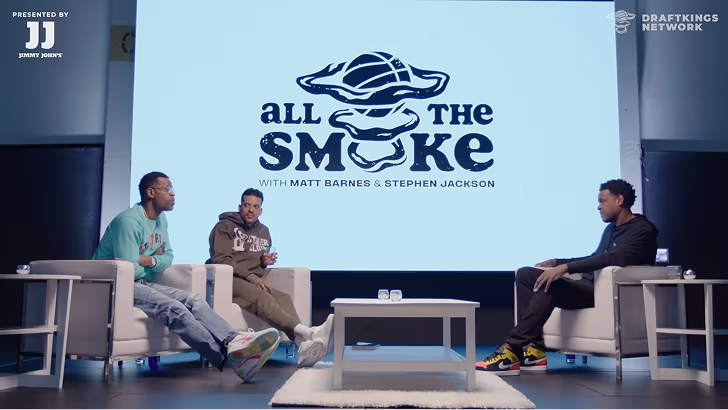
How All the Smoke makes hit compilations faster with OpusSearch

How All the Smoke makes hit compilations faster with OpusSearch

Growing a new channel to 1.5M views in 90 days without creating new videos

Growing a new channel to 1.5M views in 90 days without creating new videos

OpusClip 4.0 is here. Become a content powerhouse.

7 Best Video Marketing Software for Campaigns in 2026

Creators filming and reviewing campaign videos, with a Clip it button, a 9:16 tag, a views badge and a calendar icon
No items found.
No items found.

Boost your social media growth with OpusClip

Create and post one short video every day for your social media and grow faster.

7 Best Video Marketing Software for Campaigns in 2026

Creators filming and reviewing campaign videos, with a Clip it button, a 9:16 tag, a views badge and a calendar icon

For a video marketing campaign, OpusClip is our first pick: it turns one flagship video into a run of on-brand clips with captions and brand templates, then schedules them to connected social accounts from one workspace. The other six tools each cover a different stage of a campaign: Descript for editing the hero video, Canva for campaign visuals, HeyGen for translated versions, Buffer and Hootsuite for planning and measuring social posts, and Wistia for hosting and measuring video on your own site. After OpusClip, we ordered the list by where each tool sits in a campaign, then compared price, free-tier limits and how clearly each vendor documents what it does. For a smaller team with a single channel, start with our guide to video marketing software for small businesses.

Key takeaways

  • Best for turning one hero video into a multi-channel clip run: OpusClip. Clipping, captions, brand templates and a scheduler sit in one place.
  • Best for editing the flagship video: Descript. Editing works like editing a document, and the pricing page lists a Brand Studio on Business.
  • Best for campaign visuals and templates: Canva. Its Pro page lists Brand Kits, Magic Resize and a Social Content Planner.
  • Best for translated versions of one video: HeyGen. Its translator page lists 175+ languages.
  • Best for scheduling and tagging campaign posts: Buffer. Best for large multi-account teams: Hootsuite. Buffer prices per channel and Hootsuite per user.
  • Best for hosting campaign video and measuring it: Wistia. Heatmaps, A/B testing and CRM links sit on paid tiers.

How to choose video marketing software for campaigns

A campaign needs more than one video, so match tools to the stages you actually run rather than looking for one app that does everything.

  • Plan the calendar and the channels. Look for a visual content calendar, tags to group posts by campaign, and a per-channel price you can estimate: Buffer, Hootsuite.
  • Create the hero asset. Look for transcript editing or template-based design: Descript, Canva.
  • Repurpose it into many posts. Look for clip selection, captions, reframing and brand templates in one flow: OpusClip. See also best video repurposing tools.
  • Localize it. Look for translation and dubbing with a language count you can check: HeyGen, OpusClip (dubbing on Pro and Business), Descript (dubbing on Business).
  • Schedule it. Look for the networks you post to and whether scheduling is automatic or a reminder: OpusClip, Buffer, Hootsuite, Canva. For a closer look, see best tools to edit and schedule short-form video.
  • Host and measure. Look for engagement data per video and links to your marketing platform: Wistia, plus the analytics inside Buffer and Hootsuite.
  • Count seats and channels. Hootsuite and Descript price per person, Buffer per channel, Wistia per plan with extra users on top.

Best video marketing software for campaigns at a glance

  • OpusClip: best for turning one hero video into scheduled clips, from $15 a month, free plan yes (60 credits a month, watermark).
  • Descript: best for editing the flagship video from its transcript, from $16 per person a month billed annually, free plan yes.
  • Canva: best for campaign visuals and branded templates, price on the pricing page, Pro free trial listed.
  • HeyGen: best for translated versions of one video, from $29 a month for Creator, free plan yes (3 watermarked videos a month).
  • Buffer: best for scheduling posts and tagging them by campaign, from $5 a month per channel, free plan yes (3 channels).
  • Hootsuite: best for multi-account teams that need approvals and reports, paid plans listed per user, 14-day free trial.
  • Wistia: best for hosting campaign video and measuring engagement, from $79 a month billed annually, free plan yes (1 user, 25 GB).

1. OpusClip: Best for turning one hero video into a scheduled clip run

OpusClip help center page for the Bulk Scheduler, showing a grid of generated clips to select and schedule

Selecting clips to schedule in OpusClip. Source: OpusClip Help Center

A campaign usually starts with one long piece: a webinar, a product demo, a podcast episode or a customer interview. OpusClip's clipping tool picks clips from that video, scores them with a Virality Score from 0 to 99, adds animated captions and reframes to 9:16, 1:1, 4:5 or 16:9. Brand templates keep every clip on brand, and OpusClip's long video to short video tool takes the source from a link or an upload.

That makes it the repurposing and scheduling stage of a campaign. Paid plans add a text and timeline editor, filler-word and silence removal, and auto-posting. On Pro, the social scheduler plans clips ahead, and OpusClip's pricing page lists a team workspace with 2 seats and 6 social account connections. Per the help center's social account FAQ, Pro scheduling covers YouTube, TikTok, Instagram Reels, Facebook Page, LinkedIn, X (beta), Pinterest, Threads and Bluesky, while Starter posts in real time to YouTube, TikTok and Instagram. Pro can also export projects to Premiere Pro and DaVinci Resolve for further editing, and dub into 25 languages with a clone of the speaker's voice.

Pricing: Free is $0 with 60 credits a month, 1080p clips, a watermark, no editing, and clips that stop being exportable after 3 days. Starter is $15 a month on monthly billing only, with 150 credits and 1 brand template. Pro is $29 a month, or $14.50 a month billed annually ($174), with 300 credits, unused credits rolling over for one additional month on monthly billing and 2 months on yearly billing, 2 brand templates, the scheduler and custom fonts. Business is custom. See OpusClip pricing.

Considerations: OpusClip creates and posts clips; it does not host video on your own site or replace a full non-linear editor. Bulk scheduling is YouTube only, per the help center, so plan the other networks one post at a time. Caption translation before clipping targets English only.

  • Choose it if the campaign starts from long videos and needs many short, captioned, on-brand posts on a schedule.
  • Skip it if the campaign is built around landing-page video hosting, gated forms or per-viewer engagement data.

2. Descript: Best for editing the flagship campaign video

Descript editor with a transcript, video preview, timeline and the Underlord AI co-editor chat

Underlord in Descript. Source: Descript website

Descript is an online editor where editing a video works like editing a document: cut the transcript and the footage follows. Its pricing page lists Underlord, an AI co-editor, along with filler-word removal, Studio Sound and Create Clips. For a campaign it covers the hero video itself: the launch film, the explainer or the interview the rest of the campaign is built from.

Business adds a Brand Studio with team-wide access, plus translate and dub in 30+ languages with proofread, per Descript's pricing page. Export is local or to a shareable web page with an embeddable player.

Pricing: The page lists Free at $0 with 60 media minutes a month. Hobbyist is $16 per person a month billed annually ($24 monthly) with 10 media hours and watermark-free 1080p export. Creator is $24 annually ($35 monthly) with 30 media hours and 4K export. Business is $50 annually ($65 monthly) with 40 media hours. Enterprise is custom.

Considerations: Pricing is per person and media hours cap usage. The pricing page describes clip creation and drafting social posts as AI features, and we did not find a social scheduler listed there, so it needs a scheduling tool beside it.

  • Choose it if one hero video needs careful editing by transcript before anything else happens.
  • Skip it if the main job is scheduling or posting to many channels.

3. Canva: Best for campaign visuals, templates and brand consistency

Canva video editor page showing a Highlights timeline strip above a video preview

Canva's video editor page. Source: Canva website

Canva covers the design layer of a campaign: thumbnails, cover cards, social graphics and short video built from templates. Its Pro page lists Brand Kits, Magic Resize for adapting a design to each platform, a Social Content Planner described as planning, scheduling and posting content to multiple social channels, auto-generated Captions and access to 100M+ premium templates, photos, videos, graphics and music.

Its video editor page describes a free online editor with no watermarks. That suits a campaign where the visuals, rather than long recordings, are the starting point.

Pricing: The Pro page offers a free trial. We could not read plan prices from the raw pricing page, so see the pricing page for current figures.

Considerations: We did not find long-video clipping on the Pro page, so a recording-first campaign still needs a clipping tool. Prices render after the page loads, so confirm the figure at checkout.

  • Choose it if the campaign is led by templates, graphics and short videos that must match a brand kit.
  • Skip it if the campaign starts from long recordings that need clip selection.

4. HeyGen: Best for translated versions of one campaign video

HeyGen AI Video Translator page with a video upload box and a language selector

HeyGen's video translator. Source: HeyGen website

HeyGen's translator page says it translates videos into 175+ languages with realistic AI voices, lip sync and subtitles. For a campaign that runs in several markets, that turns one finished video into regional versions without a new shoot. HeyGen also generates presenter videos from avatars, and its Business plan lists a brand kit and asset library and integrations with n8n, Make, HubSpot and Zapier.

Pricing: The page lists Free at $0 with 3 watermarked videos a month, up to 1 minute each, in 30+ languages. Creator is $29 a month with 600 credits, 1080p export, no HeyGen branding, 175+ languages and dialects, and credits that roll over one month. Pro is $49 a month with 1,000 credits, 4K export and videos up to 30 minutes. Business is $149 a month with 1,500 credits and team seats at $20 each a month. The page also offers a yearly toggle marked 2 months free, so check which view is selected.

Considerations: Credits meter usage, and the Free plan is capped at 1-minute watermarked videos. HeyGen's pages describe avatar and translation output; they do not describe clip selection or social scheduling.

  • Choose it if one approved video must ship in many languages.
  • Skip it if the campaign is a single language or starts from long recordings.

5. Buffer: Best for scheduling campaign posts and tagging them by campaign

Buffer content calendar showing a week of scheduled posts across several channels

Buffer's weekly content calendar. Source: Buffer website

Buffer is a social scheduler built around a visual content calendar and per-channel pricing. Its pricing page lists a calendar view, a hashtag manager, first-comment scheduling, content approval workflows on the Team plan, and Insights for follower growth, engagement, impressions and post performance. Custom analytics filter Insights by tag or channel to see how specific content categories or campaigns performed, which is the closest fit to campaign reporting on the page.

The page's channel table lists automatic publishing for TikTok business profiles and YouTube (Shorts), so short clips can go out on schedule.

Pricing: Free is $0 for up to 3 channels, with 10 scheduled posts per channel and 30-day Insights history. Essentials lists $5 a month per channel ($60 billed yearly) with unlimited scheduled posts and custom analytics. Team lists $10 a month per channel ($120 billed yearly) with unlimited team members and approval workflows. Both paid plans start with a 14-day free trial.

Considerations: Buffer schedules and measures posts but does not create or edit video. Costs scale with channels, and the channel table does not list advanced analytics for TikTok business profiles or YouTube (Shorts).

  • Choose it if the team needs a simple calendar, tags per campaign and per-channel pricing.
  • Skip it if the campaign needs video creation or deep video analytics inside the scheduler.

6. Hootsuite: Best for multi-account teams that need approvals and reporting

Hootsuite publishing screen showing a scheduled social post preview and a topic sentiment chart

Hootsuite's publishing and analytics view. Source: Hootsuite website

Hootsuite sells social management per user. Its plans page lists Standard with up to 10 social accounts, scheduling, a unified inbox, analytics and reporting, and social listening. Professional adds unlimited social accounts, customizable and scheduled reports, and benchmarking against up to 20 competitors. Advanced adds approval workflows and internal collaboration, and Enterprise adds SSO and advanced analytics.

Pricing: The page's FAQ says paid plans start at $99 for Standard, $199 for Professional and go up to $399 for Advanced, billed per user, with annual billing giving a lower per-user rate. Each paid plan lists a free 14-day trial, and Enterprise is custom. The plan cards load their figures with a script, so confirm the price shown for your billing period.

Considerations: The page notes trial accounts have daily posting limits and no bulk scheduling during the trial. Hootsuite manages and reports on social posts; it does not make video.

  • Choose it if many accounts, several approvers and scheduled reports are part of how the campaign runs.
  • Skip it if one or two channels and a small budget decide the choice.

7. Wistia: Best for hosting campaign video and measuring engagement

Wistia analytics dashboard showing plays, play rate, engagement and a total plays chart

Wistia's account performance dashboard. Source: Wistia website

Wistia is a video host built for marketing teams: a customizable ad-free player, collections and channels, in-video CTAs and forms, and analytics per video. Per its pricing page, Business lists heatmaps and engagement graphs plus A/B testing and CSV export. For a campaign, that is the stage where the video lives on a landing page and the team learns what viewers actually watched.

Wistia's page also lists AI highlights and social clips, transcript-based editing and a virtual recording studio on all plans, and Business plus Signals connects to HubSpot, Marketo and Pardot for lead scoring and pipeline attribution.

Pricing: Free is $0 with 25 GB of storage, 1 user, basic analytics and Wistia branding. Business is $79 a month billed annually with 250 GB+, 3+ users and no Wistia branding. Business plus Signals is $329 a month billed annually and adds the marketing platform connections. Extra users are $25 on the paid plans, and Enterprise is custom.

Considerations: Heatmaps and A/B testing start on Business, and the CRM connections start at the $329 tier. Wistia does not schedule social posts, so it complements a scheduler rather than replacing one.

  • Choose it if the campaign sends people to a page where video engagement and lead capture matter.
  • Skip it if the campaign lives mostly on social feeds.

How we compared these tools

We compared each tool on the job it does in a multi-video campaign: creating the hero asset, repurposing it, localizing it, scheduling it and measuring the results. We also looked at price, free-tier limits, watermarks, how many channels or users a plan covers, and the main limitation. Every fact comes from that vendor's own pricing page, plans page, help center or product pages, read on November 2, 2026. Where a page loads its figures with a script, we read the rendered page, and we flag figures we could not confirm, such as Canva's prices.

We did not run hands-on tests of the competing tools. This is a comparison of published pricing and documented features, not a lab test. Prices change often and some pages show promotions, so check the vendor's page before buying.

Red flags to watch for

Free plans that watermark or cap output

OpusClip Free adds a watermark and stops clips being exportable after 3 days, HeyGen Free watermarks and caps videos at 1 minute, and Wistia Free carries Wistia branding. Trial test: export one real campaign asset on the free plan and check what ends up on it.

Per-channel and per-user pricing that compounds

Buffer charges per channel, Hootsuite and Descript charge per person. Trial test: count the channels, seats and brands in a real campaign before comparing plans.

Scheduling that is not automatic for every network

Buffer lists reminder notifications for some channels, and OpusClip's bulk scheduling is YouTube only. Trial test: schedule one post to each network you use and confirm it publishes without a reminder.

Analytics that stop at the post

A scheduler can show impressions without showing what viewers watched, and Buffer's table does not list advanced analytics for TikTok business profiles or YouTube (Shorts). Trial test: find the metric your campaign report needs, such as watch behavior or conversions, before you pay.

Integrations on the top tier

Wistia's marketing platform connections start at the $329 plan, and HeyGen lists HubSpot and Zapier on Business. Trial test: check which plan includes the integration the team needs.

Prices you cannot confirm

Canva's plan prices do not appear in the page text we read, and Hootsuite's plan cards load with a script. Trial test: confirm the price at checkout before comparing plans.

Frequently asked questions

What's the best software for video marketing campaigns?

For a campaign built from one hero video, OpusClip fits best: it clips the video, captions and brands each clip, and schedules posts on Pro. Descript, Canva and HeyGen cover creating and localizing assets, Buffer and Hootsuite cover scheduling and reporting, and Wistia covers hosting and engagement data. See OpusClip pricing.

What's the best platform for video marketing?

No single platform covers every stage. A common setup pairs a clipping and scheduling tool such as OpusClip with a host such as Wistia for landing pages. For a smaller team, our guide to video marketing software for small businesses lists lower-cost options.

How do I turn one video into a whole campaign?

Start with a long video, let a clipping tool pick the strongest moments, caption and brand each clip, then schedule the clips across the weeks of the campaign. OpusClip's long video to short video tool handles the clipping step.

Which tool schedules video posts to several networks?

OpusClip (Pro), Buffer, Hootsuite and Canva's Social Content Planner all list scheduling. OpusClip's help center lists YouTube, TikTok, Instagram Reels and more on Pro, and bulk scheduling is YouTube only. Check each vendor's channel list for the networks you use.

How do I measure a video marketing campaign?

Combine two views: post performance from a scheduler such as Buffer or Hootsuite, and viewing behavior from a host such as Wistia, which lists heatmaps, engagement graphs and A/B testing on Business. Tag every post by campaign so the numbers can be grouped later.

Can one tool localize a campaign video?

HeyGen's translator page lists 175+ languages. OpusClip dubs into 25 languages with a clone of the speaker's voice on Pro and Business, and Descript lists translate and dub in 30+ languages on Business. See OpusClip's AI dubbing.

What is the best free video marketing software?

OpusClip, Descript, HeyGen, Buffer and Wistia each list a free plan, and Canva lists a Pro free trial. Watermarks, caps and branding differ, so export a real asset first.

Do these tools replace an agency or a video editor?

Not for complex productions. They automate the repetitive work of clipping, captioning, resizing and scheduling. OpusClip is not a replacement for a full non-linear editor, though Pro can export projects to Premiere Pro and DaVinci Resolve for further editing.

Ready to start streaming differently?

Opus is completely FREE for one year for all private beta users. You can get access to all our premium features during this period. We also offer free support for production, studio design, and content repurposing to help you grow.
Join the beta
Limited spots remaining

Try OPUS today

Try Opus Studio

Make your live stream your Magnum Opus