OpusClip 4.0 is here. Become a content powerhouse.

8 Best YouTube Shorts Makers in 2026

November 4, 2026
Creators filming and editing vertical videos, with a Make a Short button, a 9:16 tag, a views badge and a YouTube Shorts icon

OpusClip is our first pick for turning a long video or a YouTube link into Shorts: it finds the moments most likely to work, scores each clip, adds animated captions, reframes to vertical and posts to YouTube. The other seven tools cover the other ways a Short gets made: CapCut for template and effect-led editing, YouTube's own tools for quick phone-made Shorts, Canva for designed templates, invideo for generating a faceless Short from a prompt, Kapwing and VEED for browser editing, and Vizard for a free clipping start. We ranked 8 tools by how well each fits the footage or idea a Short starts from, then by free-plan limits, price and how clearly each vendor documents its limits. Facts come from each vendor's own pages, read on November 4, 2026.

What counts as a YouTube Shorts maker

A YouTube Shorts maker is any tool that gets a vertical video ready for YouTube Shorts. In practice, people mean three different jobs. A clipper cuts Shorts out of a long video that already exists. A generator, often called an AI YouTube Shorts generator, builds a new video from a typed idea or script. An editor assembles Shorts by hand from templates, footage and effects, sometimes with AI help. Most tools on this list do more than one, so the useful question is which job comes first: a channel with a back catalog of long videos needs a clipper, a channel with no footage needs a generator, and a brand that cares about look and feel needs templates. For the editing-app angle, see our guide to YouTube Shorts editing apps, and for automating a whole channel, see the best AI tools for YouTube automation.

At a glance

  • OpusClip: best for turning a long video or YouTube link into Shorts; paid plans from $15 a month; free plan yes (watermark, no editing).
  • CapCut: best for template and effect-led Shorts on phone, desktop and web; Pro $19.99 a month; free plan yes.
  • YouTube's Shorts tools: best for quick Shorts made in the YouTube app; the help pages list no price.
  • Canva: best for designed, on-brand Shorts from templates; Pro US$144 a year; free plan yes.
  • invideo: best for generating a faceless Short from a prompt; Starter $20 per seat per month ($10 billed annually on the current offer); no free plan listed.
  • Kapwing: best for team editing in the browser; Pro $16 a month on annual billing; free plan yes (watermark, 720p).
  • VEED: best for browser clipping with subtitles; Creator $12 a month billed yearly; the page says to start for free.
  • Vizard: best for a free clipping start; Creator $29 a month ($14.50 billed yearly); free plan yes (720p export).

1. OpusClip: Best for turning a long video or YouTube link into Shorts
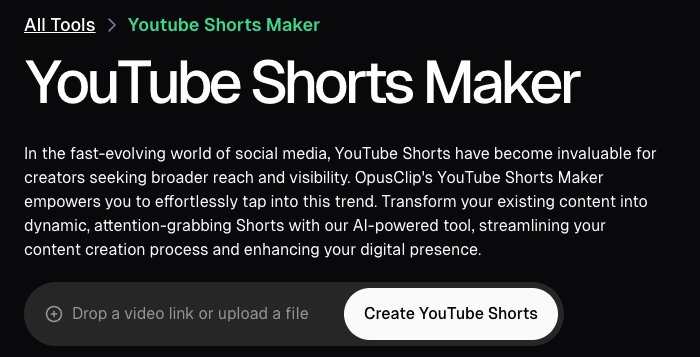
OpusClip YouTube Shorts maker page with a field to drop a video link or upload a file and a Create YouTube Shorts button

OpusClip's YouTube Shorts maker page. Source: OpusClip YouTube Shorts maker

OpusClip takes a long video, from a YouTube link or an upload, and returns short vertical clips. Each clip gets a Virality Score from 0 to 99 based on hook, flow, value and trend, and results are sorted by score by default, according to the help center, which says the score is shown on Starter and Pro and not on the Free plan. Captions are animated and editable word by word, with emoji and keyword highlighting, and the pricing page lists AI reframe to vertical 9:16. ClipAnything accepts a prompt such as "Find the moments most likely to go viral on social media" and, per the help center, also works on videos with little or no dialogue. Starter adds an editor plus filler word and silence removal.

For publishing, the help center's social account FAQ says Starter plan users can post in real time to YouTube, TikTok and Instagram, and Pro plan users can also schedule future posts to YouTube, TikTok Feed, Instagram Reels and other networks. When posting to YouTube, a checkbox adds a link to the full video in the post (web only). YouTube's public API does not let OpusClip set a Short's related-video link, so that step is done by hand in YouTube Studio, per the help center. To try the clipping step on its own, see our YouTube Shorts maker.

Pricing: OpusClip's pricing page lists Free at $0 (a watermark, no editing, and clips stop being exportable after 3 days), Starter at $15 a month (monthly billing only; auto-post to YouTube Shorts, TikTok and Instagram Reels; filler and silence removal) and Pro at $29 a month, or $14.50 a month billed annually ($174 a year; a social media scheduler, 6 social account connections, export to Premiere Pro and DaVinci Resolve). Business is custom. Each plan lists a monthly credit allowance on the pricing page.

Considerations: Starting from a YouTube link means confirming channel ownership, per the help center; for a client's channel, the owner can be invited to the team workspace, or the file can be uploaded instead. The help center also says YouTube link uploads have had higher failure rates since YouTube's download policy changes, with local upload as the fallback. The Free plan has no editing and no Virality Score. OpusClip works from footage that already exists: it does not generate new scenes from a typed idea, so a channel with no source video needs a generator from this list.

  • Choose it if the channel already has long videos (podcasts, streams, webinars, interviews, tutorials) and the goal is several captioned Shorts from each upload, with posting built in.
  • Skip it if the Short has to be generated from nothing but a prompt, or every frame needs to be designed from a template.

2. CapCut: Best for template and effect-led Shorts on phone, desktop and web
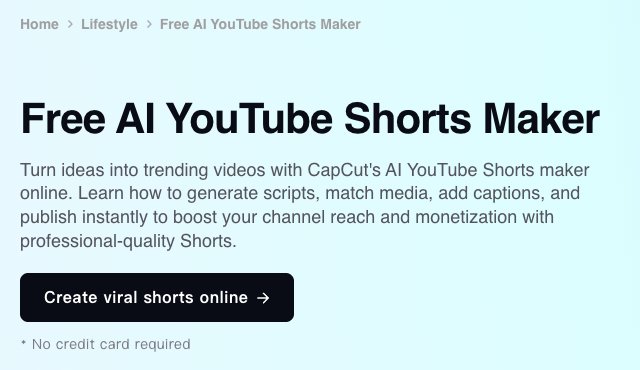
CapCut Free AI YouTube Shorts Maker page with a Create viral shorts online button and a no credit card note

CapCut's YouTube Shorts maker page. Source: CapCut website

CapCut's YouTube Shorts maker page describes three routes: turning a text script into a Short with visuals, transitions and audio added automatically; analyzing long footage to highlight engaging moments and trim them into vertical videos; and a full editor with transitions, filters, effects, text, audio, background removal and camera tracking. The same page says finished videos can be exported straight to YouTube and that no credit card is required to start. CapCut's site lists CapCut Desktop, Online, Pad and Mobile versions.

Templates are the other draw. The pricing page lists free templates on the Free plan and all premium templates on Pro, which suits trend-led formats where effects and pacing matter as much as the footage.

Pricing: CapCut's pricing page lists Free at $0 (free templates and basic editing tools), Pro at $19.99 a month or $179.99 a year (1,200 monthly AI credits, all premium templates, 1 TB of storage), Ultra at $79 a month (8,645 monthly AI credits) and Teams at $12.49 a month per seat. A footnote says displayed pricing is for reference and the final price appears after sign-in.

Considerations: The Free plan lists templates and basic editing tools only; AI features and premium templates are listed under Pro, and the page does not itemize which Shorts tools a free account gets. The Shorts page still describes a Short as up to 60 seconds, while YouTube's help page says the Shorts camera supports Shorts up to three minutes, so check length rules before relying on any vendor's figure. The page describes highlighting moments in long footage but does not mention a score for each clip.

  • Choose it if the edit depends on templates, effects and trends, or a phone-first workflow matters.
  • Skip it if the main job is picking the best moments from long recordings in bulk, with a score for each clip.

3. YouTube's built-in Shorts tools: Best for quick Shorts made on a phone
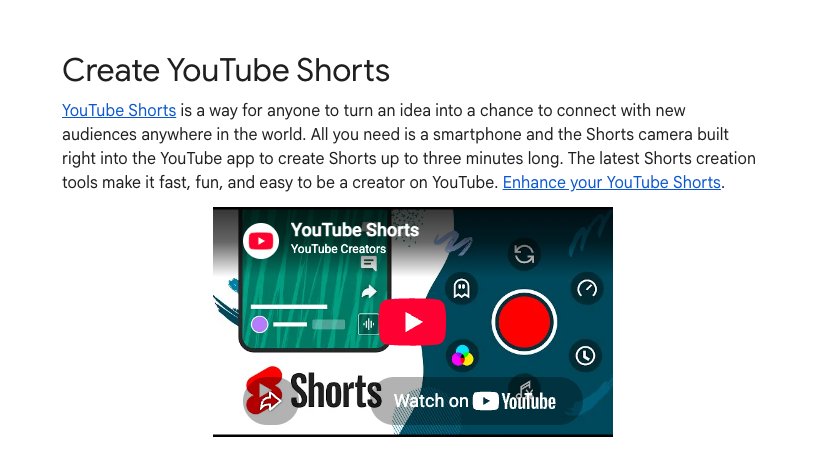
YouTube Help page titled Create YouTube Shorts explaining the Shorts camera in the YouTube app

YouTube's help page for creating Shorts. Source: YouTube Help Center

YouTube's own help page says all that is needed is a smartphone and the Shorts camera in the YouTube app, which records Shorts up to three minutes long in one or more segments. After recording, the app can add music, filters, effects, text and text-to-speech, and a feedback button analyzes a video's hook and pacing. Edit with AI turns selected photos and videos (up to 3 minutes in total, with a 5-second minimum) into a first draft from an edit style, though the help page says it is not available in all regions.

For existing videos, the help page on creating Shorts from your own videos says to open a public upload, tap Remix, then Edit into a Short, and select up to 60 seconds, which links the Short back to the original. YouTube's AI tools can also generate standalone clips of up to 10 seconds from text prompts and up to three reference photos. The help page calls these experimental, says they are not available in the European Economic Area, and says content made with YouTube's own generative tools is labeled automatically, with no separate disclosure step. YouTube's separate Create app lists Edit with AI and video generation in select countries.

Pricing: YouTube's help pages list no price for the Shorts camera, Edit with AI or the AI generation tools. YouTube's September 2025 announcement described Veo 3 Fast in Shorts as free.

Considerations: The tools are phone-first: the help page says the Shorts camera is not available on tablets, drafts are saved to the device and are lost if the app is deleted or the device is replaced, and uploads top out at 1080p. Picking moments from a long video is manual, because the Remix route takes one selection of up to 60 seconds. Generated clips are short (up to 10 seconds) and limited by region and language.

  • Choose it if Shorts are shot or assembled on a phone, or a quick clip from an existing upload is enough.
  • Skip it if many Shorts need to be cut from hours of footage on a desktop, or batch captioning and scheduling across accounts matter.

4. Canva: Best for designed, on-brand Shorts from templates
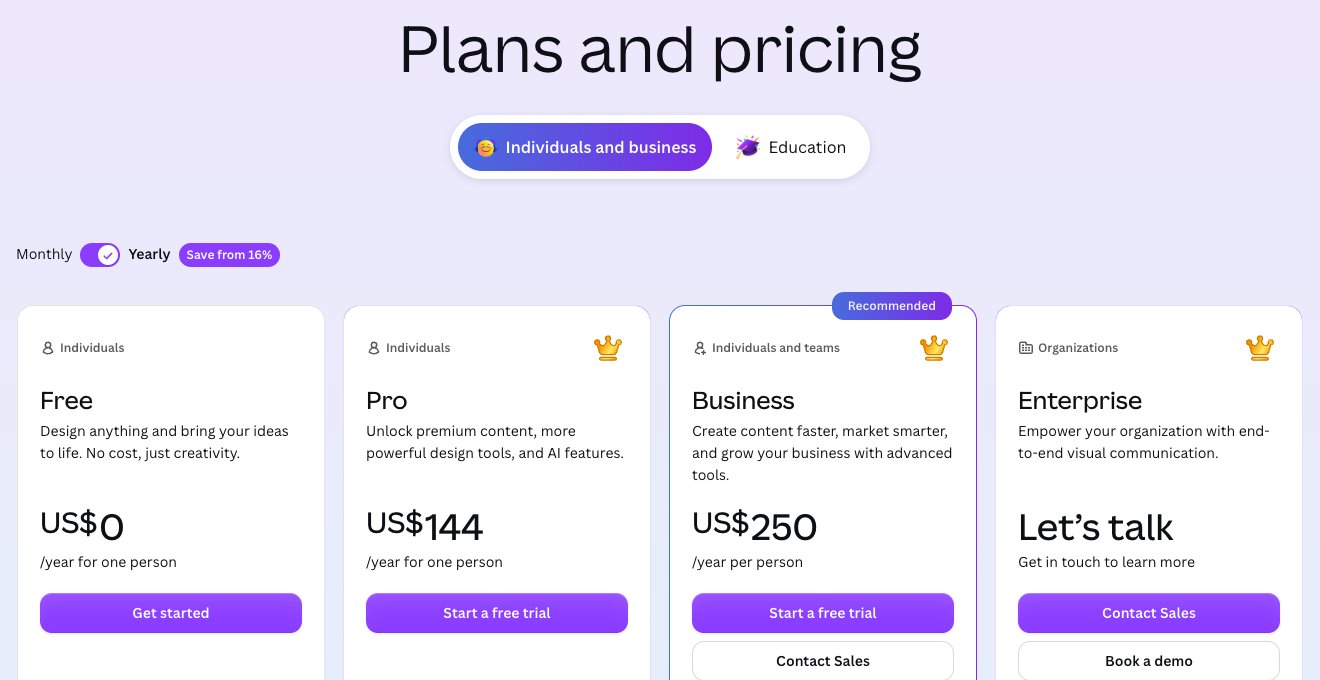
Canva pricing page showing the Free, Pro, Business and Enterprise plans

Canva's pricing page. Source: Canva website

Canva's short video maker page offers ready-made templates for YouTube Shorts, TikTok videos and Instagram Reels, a drag-and-drop editor, an audio library, animations, transitions and Beat Sync, which edits a video to the beat of a chosen sound. The page also says a clip can be recorded from inside the app and that Canva's AI video editor can generate short videos. To publish on different platforms, it says to duplicate the finished project and adjust the length for each one.

Canva is a design suite first, which helps when Shorts must match a brand. The pricing page lists Brand Kits (1 on Free, 5 on Pro, 100 on Business) and social content scheduling on Pro.

Pricing: Canva's pricing page lists Free at US$0 (1 Brand Kit with up to 3 colors, limited access to Standard and Premium AI), Pro at US$144 a year for one person (5 Brand Kits, social content scheduling, premium templates and AI tools) and Business at US$250 a year per person (100 Brand Kits, collaboration and team admin tools). The page showed yearly prices when we read it.

Considerations: The Shorts page lists no tool for finding moments in a long video, so footage has to be cut by hand or elsewhere, and it describes downloading or sharing designs rather than posting straight to YouTube Shorts. AI use is capped by an allowance that the pricing page says varies by plan.

  • Choose it if Shorts need to look designed and on-brand, with templates, text animation and a team working in one design suite.
  • Skip it if the job is turning long recordings into Shorts automatically.

5. invideo: Best for generating a faceless Short from a prompt
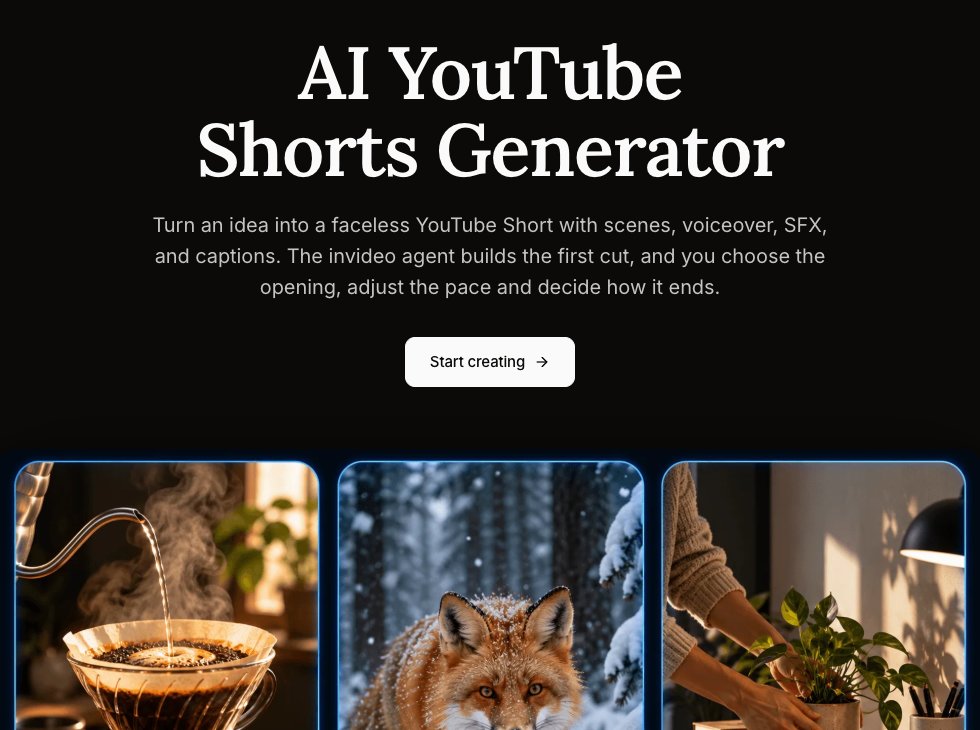
invideo AI YouTube Shorts Generator page with a Start creating button and three generated video previews

invideo's AI YouTube Shorts generator page. Source: invideo website

invideo's AI YouTube Shorts generator page describes a faceless workflow: give its agent a topic, audience, length and main point, and it drafts a script, generates scenes and a voiceover, then builds a first cut with sound effects and captions that can be shaped on a timeline. The page says existing footage can be included, and that the finished Short is a downloadable video to upload through a YouTube account.

The page also lists an MCP connection that lets an AI assistant create Shorts from a chat, with the result opened on an editable timeline. That makes invideo the closest match on this list for the "AI YouTube Shorts generator" search: a Short from a topic, with no camera and no source video.

Pricing: invideo's pricing page lists Starter at $20 per seat per month, or $10 per seat per month billed annually while its 50% off offer runs (400 credits a month), Plus at $60 per seat per month, or $30 billed annually (2,000 credits a month), and Max at $250 per seat per month (8,000 credits a month). We found no free plan on the pricing page.

Considerations: Generation runs on credits, and the pricing page says unused credits do not roll over to the next month. Starter lists limited access to the agents and no access to the Seedance 2.5 and 2.0 video models, which Plus and Max add. The workflow ends with a download, so posting is a separate step, and the page tells creators to check facts and caption placement before uploading.

  • Choose it if there is no source footage and the channel is built on faceless topics told through narration and generated scenes.
  • Skip it if Shorts should come from existing long videos, or a free plan is required.

6. Kapwing: Best for team editing in the browser, with prompt-to-Short and clipping
Kapwing YouTube Shorts Editor page with a Create A Short button

Kapwing's YouTube Shorts editor page. Source: Kapwing website

Kapwing's YouTube Shorts editor page covers two routes: generate a Short from a text prompt (footage, a voice-over and subtitles in one video), or turn a long YouTube video into Shorts with Repurpose Studio, which the page says analyzes one source video, pulls highlights and creates clips to edit and post. The page says Kapwing can publish directly to a YouTube account if the video is under 3 minutes and vertical.

The editor adds shared workspaces with real-time comments, word-by-word subtitles, transcript-based editing and a Brand Kit, which makes it a fit for teams that review Shorts together before they go out.

Pricing: Kapwing's pricing page lists Free at $0 (10 credits, unlimited exports with a watermark, exports up to 4 minutes, 720p, 5 GB of storage), Pro at $16 a month on the page's default annual view, which shows a 33% saving (1,000 credits a month, no Kapwing watermark, 4K export, exports up to 2 hours, Brand Kit and custom fonts, 200 GB) and Business at $50 a month on the same view (4,000 credits a month, voice clones, lip sync). Enterprise is custom.

Considerations: Free exports carry a Kapwing watermark and stop at 720p, and credits cap the AI tools: the Free plan's credits cover up to 10 minutes of auto-subtitling. The prices above are the page's default annual view, so check the monthly toggle for month-to-month cost.

  • Choose it if a team needs one browser workspace for generating, clipping and editing Shorts, with comments on each draft.
  • Skip it if the work is mostly on a phone, or a score for each clip is needed to pick the best ones.

7. VEED: Best for browser clipping with subtitles
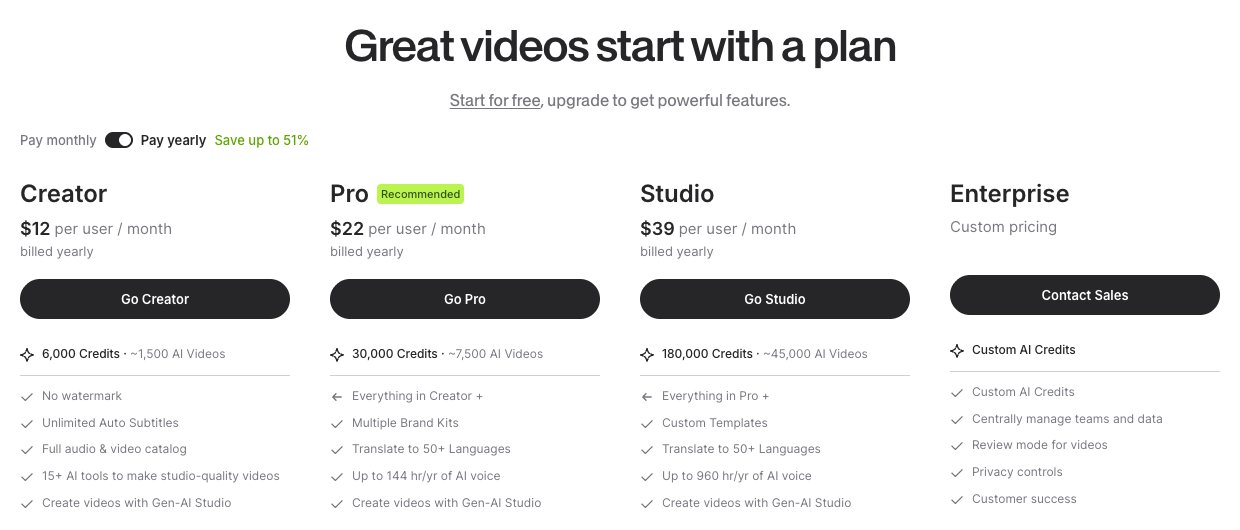
VEED pricing page showing the Creator, Pro, Studio and Enterprise plans

VEED's pricing page. Source: VEED website

VEED's YouTube Shorts maker page is built on AI Clips: upload a video or paste a YouTube link, choose the size, caption style, video goals and maximum length, and the AI picks engaging segments and turns them into shorts, with engagement scoring described on the page. Clips can be opened in VEED's editor to add text, music, brand assets or stock footage.

For new footage, the page says VEED's AI video generator can create videos from text descriptions, with AI voices or a cloned voice. The page also asks creators to use only videos they own or have permission to edit.

Pricing: VEED's pricing page says to start for free and lists Creator at $12 per user per month billed yearly (6,000 credits, no watermark, unlimited auto subtitles), Pro at $22 (30,000 credits, multiple Brand Kits, translation to 50+ languages) and Studio at $39 (180,000 credits, custom templates). Enterprise is custom. The page we read showed yearly-billing prices.

Considerations: The pricing page does not itemize free-plan limits. It lists no watermark as a Creator feature, so check what a free export includes before publishing. AI features draw on credits, and the Shorts page notes that copyrighted source videos can lead to takedowns.

  • Choose it if long videos need clipping and subtitles in the browser, with text, music and brand edits afterwards.
  • Skip it if the free plan's limits must be known before starting, or the work happens only on a phone.

8. Vizard: Best for a free clipping start
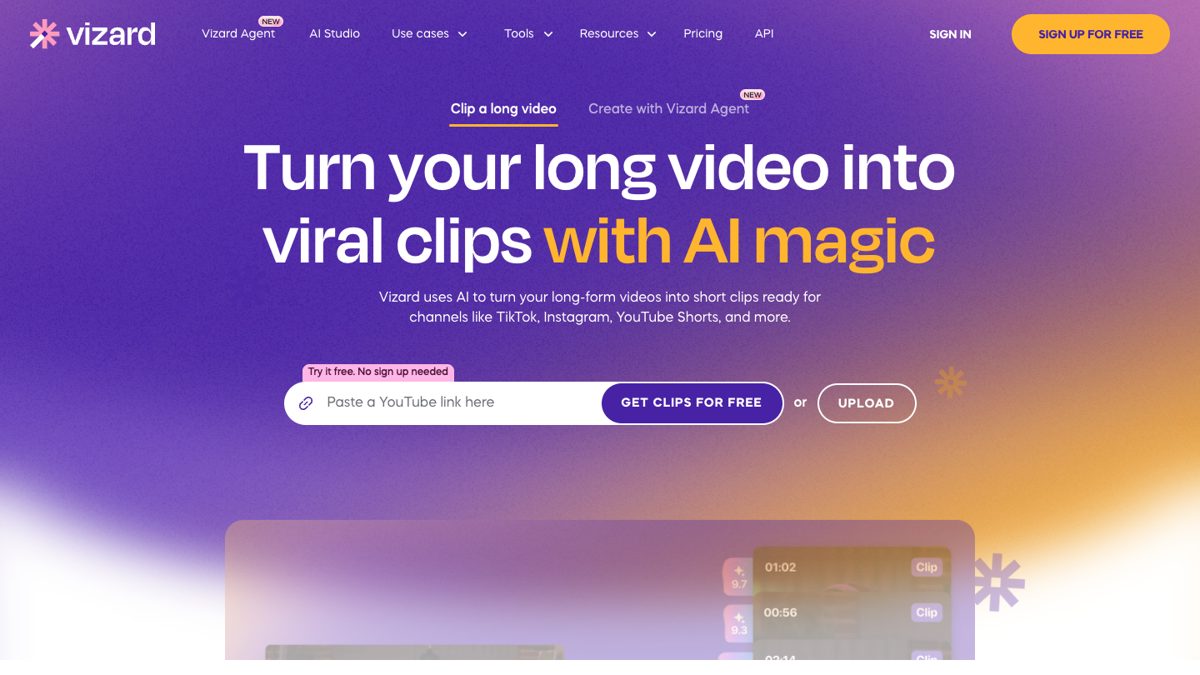
Vizard home page with a field to paste a YouTube link and get clips

Vizard's home page. Source: Vizard website

Vizard's home page describes turning long-form video into short clips ready for TikTok, Instagram, YouTube Shorts and other channels: paste a YouTube link or upload a file, and the page says to try it free with no sign-up needed. The page lists a text-based editor, AI-written captions and hashtags, and publishing straight from Vizard.

Its pricing page lists 1 social media account on Free, 6 on Creator and 20 on Business, and scheduled posts from Creator.

Pricing: Vizard's pricing page lists Free at $0 (60 credits a month, 720p export, full video editor, 3-day storage, 1 social account), Creator at $29 a month, shown as $14.50 a month billed yearly under a 50% off label ($174 a year; no watermark, 4K export, scheduled posts, 6 social accounts) and Business at $39 a month, or $19.50 billed yearly (20 social accounts, shared workspace, brand kit). The page says 1 credit equals 1 minute of video.

Considerations: The comparison table lists a 10-minute export length and a 60-minute, 1 GB upload on Free, against any export length and 600-minute, 30 GB uploads on the paid plans, and Free storage lasts 3 days. The Creator card is the first to list no watermark.

  • Choose it if a free trial of clipping is wanted before paying for anything.
  • Skip it if exports longer than 10 minutes or 4K are needed on a free plan, or the Short must be generated from text.

Free AI YouTube Shorts makers: what is actually free

Several tools describe themselves as free, but the free offer differs a lot. This is what each vendor's own pages say, read on November 4, 2026.

  • OpusClip: a Free plan with a watermark and no editing; clips stop being exportable after 3 days.
  • CapCut: a Free plan with free templates and basic editing tools; the Shorts page says no credit card is required.
  • YouTube's Shorts tools: built into the YouTube app; the help pages list no price, and AI-generated clips are limited to 10 seconds and by region.
  • Canva: a Free plan with 1 Brand Kit and limited access to Standard and Premium AI.
  • Kapwing: a Free plan with 10 credits, a watermark, 720p and exports up to 4 minutes.
  • VEED: the page says to start for free and that the clip generator is free to try; free-plan limits are not itemized on the pricing page.
  • Vizard: a Free plan with 60 credits a month, 720p export and a 10-minute export length.
  • invideo: no free plan appears on the pricing page we read.

How we compared these tools

We scored each tool on five criteria: how well it fits the starting point of a Short (long video, typed idea, template or phone), how much of the work it automates (clip finding, captions, reframing, posting), the price of the entry paid tier, free-plan limits, and how clearly the vendor documents its limits. Ranking favors tools that take a creator from existing footage to a posted Short with the fewest manual steps, which is why a clipper with posting built in sits first, and rivals are given the slot where each one is strongest.

All facts come from each vendor's own pricing page, product page or help center, and from YouTube's help pages for the YouTube entry, read on November 4, 2026. We did not run hands-on tests of any competitor. Where a pricing page showed only yearly prices (Canva, VEED) or a default annual view (Kapwing), we say so. Prices change, so confirm on the vendor page before buying. Policy statements about YouTube come from YouTube's own help pages.

How to choose

  • If there is a library of long videos: start with a clipper that can import a link, score the clips and post, such as OpusClip. VEED, Kapwing and Vizard are alternatives when their limits fit.
  • If there is no footage and the idea comes first: use a generator such as invideo, or the short AI-generated clips inside YouTube's own tools.
  • If the look matters most: Canva for templates and Brand Kits, CapCut for effects and trend-led edits.
  • If Shorts are shot on a phone: YouTube's Shorts camera is the shortest path, and CapCut and OpusClip both have mobile apps.
  • If a team reviews every Short: Kapwing or Canva, which list shared workspaces and team plans.
  • If cost is the constraint: compare the free offers in the section above, then check what a free export includes, since watermarks and 720p caps are the usual price of a free plan.

For related reading, see how to make YouTube Shorts, how to turn long form videos into YouTube Shorts at scale and the ideal YouTube Shorts length and format. For the clipping step from a long video, see OpusClip's long video to short video tool.

Red flags to watch for

  • Watermarks on free plans. OpusClip Free and Kapwing Free add a watermark; Vizard's Creator card and VEED's Creator plan are the first to list no watermark.
  • Export and length caps. Kapwing Free exports up to 4 minutes, Vizard Free exports up to 10 minutes, and YouTube's AI-generated clips stop at 10 seconds.
  • Credits that expire. invideo says unused credits do not roll over, and generators spend credits on every attempt, so an unhappy first cut costs more.
  • Outdated length rules. CapCut's Shorts page says up to 60 seconds, while YouTube's help page says up to three minutes. Check YouTube's current rules.
  • Link imports that fail. OpusClip's help center says YouTube link uploads have had higher failure rates and need ownership confirmation, so keep the original file for upload.
  • No manual override. A tool that picks clips or scenes with no way to edit the result leaves no fix for a bad cut, a wrong caption or an off-brand frame.
  • Mass-produced output. YouTube's channel monetization policies say content should not be mass-produced, generic, repetitive or manipulative. A generator can make Shorts quickly, but a channel of near-identical videos is a risk.
  • Missing AI disclosure. YouTube requires creators to disclose realistic AI-generated or altered content, so a generator that produces realistic scenes needs the upload setting turned on.

Frequently asked questions

What is the best YouTube Shorts maker?

It depends on what the Short starts from. For turning a long video or a YouTube link into Shorts, OpusClip fits best in our ranking, with clip scoring, captions, reframing and posting to YouTube. CapCut is the pick for template-led editing, Canva for on-brand designs, invideo for generating a faceless Short from a prompt, and YouTube's own tools for quick phone-made Shorts. See OpusClip pricing for plan limits.

What is the best AI YouTube Shorts generator?

The term covers two jobs. To generate a new Short from a topic or script, invideo's page describes scenes, voiceover, sound effects and captions from a prompt, and CapCut, Kapwing and VEED list text-to-video routes too. To cut Shorts out of a video that already exists, OpusClip, Vizard, VEED and Kapwing's Repurpose Studio are the clipping tools on this list. Which one is best depends on whether footage exists.

What is the best free AI YouTube Shorts maker?

Free offers on this list are Free plans with limits. OpusClip Free adds a watermark and has no editing, Kapwing Free adds a watermark at 720p, Vizard Free exports at 720p up to 10 minutes, CapCut and Canva list Free plans with basic tools, and YouTube's tools are built into the app. VEED says to start for free but does not itemize limits on its pricing page, and invideo lists no free plan. A free plan is enough to compare outputs before paying.

How do I make a YouTube Short from a long video?

There are two routes. In the YouTube app, open a public upload, tap Remix, then Edit into a Short, and select up to 60 seconds by hand. With a clipping tool such as OpusClip, paste the video link or upload the file, and the AI proposes several clips with captions and a vertical reframe, which can then be edited and posted. See our guide to turning long form videos into YouTube Shorts at scale.

How long can a YouTube Short be?

YouTube's help page for creating Shorts says the Shorts camera records Shorts up to three minutes long. Some vendor pages still say 60 seconds, and the in-app route for editing an existing upload into a Short selects up to 60 seconds. Check YouTube's current help pages before setting a length.

Do AI-generated YouTube Shorts need a label?

YouTube's help page on disclosing generative AI content says creators must disclose AI-generated or altered content that seems realistic, such as making a real person appear to say or do something they did not, altering footage of a real event or place, or generating a realistic scene that did not occur. Disclosure is made in YouTube Studio during upload, under AI use. The same page says content made with YouTube's own generative tools is labeled automatically. Non-realistic or minor edits do not require disclosure.

Can I make YouTube Shorts on my phone?

Yes. YouTube's Shorts camera in the YouTube app records, edits and uploads Shorts from a smartphone. CapCut lists a mobile version, and OpusClip has iOS and Android apps, although its help center says the Android app has no editor, so editing and scheduling happen on the web.

Can YouTube Shorts made with AI earn money?

Monetization depends on YouTube's rules, not on the tool. YouTube's channel monetization policies say content should be an original creation and should not be mass-produced, generic, repetitive or manipulative, and the page notes that this policy was renamed "inauthentic content" in July 2025. Policies change, so read the current YouTube page before relying on this.
On this page

Use our Free Forever Plan

Find the moment. Skip the scrubbing.

From script to polished video — in one click.

Create and post one short video every day for free, and grow faster.

OpusSearch uses AI to surface the exact clip you need from hours of footage — in seconds, not afternoons.

Agent Opus runs the entire video pipeline for you: research, scriptwriting, storyboarding, motion, voice, and edit. Upload the idea, post the result.

8 Best YouTube Shorts Makers in 2026

OpusClip is our first pick for turning a long video or a YouTube link into Shorts: it finds the moments most likely to work, scores each clip, adds animated captions, reframes to vertical and posts to YouTube. The other seven tools cover the other ways a Short gets made: CapCut for template and effect-led editing, YouTube's own tools for quick phone-made Shorts, Canva for designed templates, invideo for generating a faceless Short from a prompt, Kapwing and VEED for browser editing, and Vizard for a free clipping start. We ranked 8 tools by how well each fits the footage or idea a Short starts from, then by free-plan limits, price and how clearly each vendor documents its limits. Facts come from each vendor's own pages, read on November 4, 2026.

What counts as a YouTube Shorts maker

A YouTube Shorts maker is any tool that gets a vertical video ready for YouTube Shorts. In practice, people mean three different jobs. A clipper cuts Shorts out of a long video that already exists. A generator, often called an AI YouTube Shorts generator, builds a new video from a typed idea or script. An editor assembles Shorts by hand from templates, footage and effects, sometimes with AI help. Most tools on this list do more than one, so the useful question is which job comes first: a channel with a back catalog of long videos needs a clipper, a channel with no footage needs a generator, and a brand that cares about look and feel needs templates. For the editing-app angle, see our guide to YouTube Shorts editing apps, and for automating a whole channel, see the best AI tools for YouTube automation.

At a glance

  • OpusClip: best for turning a long video or YouTube link into Shorts; paid plans from $15 a month; free plan yes (watermark, no editing).
  • CapCut: best for template and effect-led Shorts on phone, desktop and web; Pro $19.99 a month; free plan yes.
  • YouTube's Shorts tools: best for quick Shorts made in the YouTube app; the help pages list no price.
  • Canva: best for designed, on-brand Shorts from templates; Pro US$144 a year; free plan yes.
  • invideo: best for generating a faceless Short from a prompt; Starter $20 per seat per month ($10 billed annually on the current offer); no free plan listed.
  • Kapwing: best for team editing in the browser; Pro $16 a month on annual billing; free plan yes (watermark, 720p).
  • VEED: best for browser clipping with subtitles; Creator $12 a month billed yearly; the page says to start for free.
  • Vizard: best for a free clipping start; Creator $29 a month ($14.50 billed yearly); free plan yes (720p export).

1. OpusClip: Best for turning a long video or YouTube link into Shorts

OpusClip YouTube Shorts maker page with a field to drop a video link or upload a file and a Create YouTube Shorts button

OpusClip's YouTube Shorts maker page. Source: OpusClip YouTube Shorts maker

OpusClip takes a long video, from a YouTube link or an upload, and returns short vertical clips. Each clip gets a Virality Score from 0 to 99 based on hook, flow, value and trend, and results are sorted by score by default, according to the help center, which says the score is shown on Starter and Pro and not on the Free plan. Captions are animated and editable word by word, with emoji and keyword highlighting, and the pricing page lists AI reframe to vertical 9:16. ClipAnything accepts a prompt such as "Find the moments most likely to go viral on social media" and, per the help center, also works on videos with little or no dialogue. Starter adds an editor plus filler word and silence removal.

For publishing, the help center's social account FAQ says Starter plan users can post in real time to YouTube, TikTok and Instagram, and Pro plan users can also schedule future posts to YouTube, TikTok Feed, Instagram Reels and other networks. When posting to YouTube, a checkbox adds a link to the full video in the post (web only). YouTube's public API does not let OpusClip set a Short's related-video link, so that step is done by hand in YouTube Studio, per the help center. To try the clipping step on its own, see our YouTube Shorts maker.

Pricing: OpusClip's pricing page lists Free at $0 (a watermark, no editing, and clips stop being exportable after 3 days), Starter at $15 a month (monthly billing only; auto-post to YouTube Shorts, TikTok and Instagram Reels; filler and silence removal) and Pro at $29 a month, or $14.50 a month billed annually ($174 a year; a social media scheduler, 6 social account connections, export to Premiere Pro and DaVinci Resolve). Business is custom. Each plan lists a monthly credit allowance on the pricing page.

Considerations: Starting from a YouTube link means confirming channel ownership, per the help center; for a client's channel, the owner can be invited to the team workspace, or the file can be uploaded instead. The help center also says YouTube link uploads have had higher failure rates since YouTube's download policy changes, with local upload as the fallback. The Free plan has no editing and no Virality Score. OpusClip works from footage that already exists: it does not generate new scenes from a typed idea, so a channel with no source video needs a generator from this list.

  • Choose it if the channel already has long videos (podcasts, streams, webinars, interviews, tutorials) and the goal is several captioned Shorts from each upload, with posting built in.
  • Skip it if the Short has to be generated from nothing but a prompt, or every frame needs to be designed from a template.

2. CapCut: Best for template and effect-led Shorts on phone, desktop and web

CapCut Free AI YouTube Shorts Maker page with a Create viral shorts online button and a no credit card note

CapCut's YouTube Shorts maker page. Source: CapCut website

CapCut's YouTube Shorts maker page describes three routes: turning a text script into a Short with visuals, transitions and audio added automatically; analyzing long footage to highlight engaging moments and trim them into vertical videos; and a full editor with transitions, filters, effects, text, audio, background removal and camera tracking. The same page says finished videos can be exported straight to YouTube and that no credit card is required to start. CapCut's site lists CapCut Desktop, Online, Pad and Mobile versions.

Templates are the other draw. The pricing page lists free templates on the Free plan and all premium templates on Pro, which suits trend-led formats where effects and pacing matter as much as the footage.

Pricing: CapCut's pricing page lists Free at $0 (free templates and basic editing tools), Pro at $19.99 a month or $179.99 a year (1,200 monthly AI credits, all premium templates, 1 TB of storage), Ultra at $79 a month (8,645 monthly AI credits) and Teams at $12.49 a month per seat. A footnote says displayed pricing is for reference and the final price appears after sign-in.

Considerations: The Free plan lists templates and basic editing tools only; AI features and premium templates are listed under Pro, and the page does not itemize which Shorts tools a free account gets. The Shorts page still describes a Short as up to 60 seconds, while YouTube's help page says the Shorts camera supports Shorts up to three minutes, so check length rules before relying on any vendor's figure. The page describes highlighting moments in long footage but does not mention a score for each clip.

  • Choose it if the edit depends on templates, effects and trends, or a phone-first workflow matters.
  • Skip it if the main job is picking the best moments from long recordings in bulk, with a score for each clip.

3. YouTube's built-in Shorts tools: Best for quick Shorts made on a phone

YouTube Help page titled Create YouTube Shorts explaining the Shorts camera in the YouTube app

YouTube's help page for creating Shorts. Source: YouTube Help Center

YouTube's own help page says all that is needed is a smartphone and the Shorts camera in the YouTube app, which records Shorts up to three minutes long in one or more segments. After recording, the app can add music, filters, effects, text and text-to-speech, and a feedback button analyzes a video's hook and pacing. Edit with AI turns selected photos and videos (up to 3 minutes in total, with a 5-second minimum) into a first draft from an edit style, though the help page says it is not available in all regions.

For existing videos, the help page on creating Shorts from your own videos says to open a public upload, tap Remix, then Edit into a Short, and select up to 60 seconds, which links the Short back to the original. YouTube's AI tools can also generate standalone clips of up to 10 seconds from text prompts and up to three reference photos. The help page calls these experimental, says they are not available in the European Economic Area, and says content made with YouTube's own generative tools is labeled automatically, with no separate disclosure step. YouTube's separate Create app lists Edit with AI and video generation in select countries.

Pricing: YouTube's help pages list no price for the Shorts camera, Edit with AI or the AI generation tools. YouTube's September 2025 announcement described Veo 3 Fast in Shorts as free.

Considerations: The tools are phone-first: the help page says the Shorts camera is not available on tablets, drafts are saved to the device and are lost if the app is deleted or the device is replaced, and uploads top out at 1080p. Picking moments from a long video is manual, because the Remix route takes one selection of up to 60 seconds. Generated clips are short (up to 10 seconds) and limited by region and language.

  • Choose it if Shorts are shot or assembled on a phone, or a quick clip from an existing upload is enough.
  • Skip it if many Shorts need to be cut from hours of footage on a desktop, or batch captioning and scheduling across accounts matter.

4. Canva: Best for designed, on-brand Shorts from templates

Canva pricing page showing the Free, Pro, Business and Enterprise plans

Canva's pricing page. Source: Canva website

Canva's short video maker page offers ready-made templates for YouTube Shorts, TikTok videos and Instagram Reels, a drag-and-drop editor, an audio library, animations, transitions and Beat Sync, which edits a video to the beat of a chosen sound. The page also says a clip can be recorded from inside the app and that Canva's AI video editor can generate short videos. To publish on different platforms, it says to duplicate the finished project and adjust the length for each one.

Canva is a design suite first, which helps when Shorts must match a brand. The pricing page lists Brand Kits (1 on Free, 5 on Pro, 100 on Business) and social content scheduling on Pro.

Pricing: Canva's pricing page lists Free at US$0 (1 Brand Kit with up to 3 colors, limited access to Standard and Premium AI), Pro at US$144 a year for one person (5 Brand Kits, social content scheduling, premium templates and AI tools) and Business at US$250 a year per person (100 Brand Kits, collaboration and team admin tools). The page showed yearly prices when we read it.

Considerations: The Shorts page lists no tool for finding moments in a long video, so footage has to be cut by hand or elsewhere, and it describes downloading or sharing designs rather than posting straight to YouTube Shorts. AI use is capped by an allowance that the pricing page says varies by plan.

  • Choose it if Shorts need to look designed and on-brand, with templates, text animation and a team working in one design suite.
  • Skip it if the job is turning long recordings into Shorts automatically.

5. invideo: Best for generating a faceless Short from a prompt

invideo AI YouTube Shorts Generator page with a Start creating button and three generated video previews

invideo's AI YouTube Shorts generator page. Source: invideo website

invideo's AI YouTube Shorts generator page describes a faceless workflow: give its agent a topic, audience, length and main point, and it drafts a script, generates scenes and a voiceover, then builds a first cut with sound effects and captions that can be shaped on a timeline. The page says existing footage can be included, and that the finished Short is a downloadable video to upload through a YouTube account.

The page also lists an MCP connection that lets an AI assistant create Shorts from a chat, with the result opened on an editable timeline. That makes invideo the closest match on this list for the "AI YouTube Shorts generator" search: a Short from a topic, with no camera and no source video.

Pricing: invideo's pricing page lists Starter at $20 per seat per month, or $10 per seat per month billed annually while its 50% off offer runs (400 credits a month), Plus at $60 per seat per month, or $30 billed annually (2,000 credits a month), and Max at $250 per seat per month (8,000 credits a month). We found no free plan on the pricing page.

Considerations: Generation runs on credits, and the pricing page says unused credits do not roll over to the next month. Starter lists limited access to the agents and no access to the Seedance 2.5 and 2.0 video models, which Plus and Max add. The workflow ends with a download, so posting is a separate step, and the page tells creators to check facts and caption placement before uploading.

  • Choose it if there is no source footage and the channel is built on faceless topics told through narration and generated scenes.
  • Skip it if Shorts should come from existing long videos, or a free plan is required.

6. Kapwing: Best for team editing in the browser, with prompt-to-Short and clipping

Kapwing YouTube Shorts Editor page with a Create A Short button

Kapwing's YouTube Shorts editor page. Source: Kapwing website

Kapwing's YouTube Shorts editor page covers two routes: generate a Short from a text prompt (footage, a voice-over and subtitles in one video), or turn a long YouTube video into Shorts with Repurpose Studio, which the page says analyzes one source video, pulls highlights and creates clips to edit and post. The page says Kapwing can publish directly to a YouTube account if the video is under 3 minutes and vertical.

The editor adds shared workspaces with real-time comments, word-by-word subtitles, transcript-based editing and a Brand Kit, which makes it a fit for teams that review Shorts together before they go out.

Pricing: Kapwing's pricing page lists Free at $0 (10 credits, unlimited exports with a watermark, exports up to 4 minutes, 720p, 5 GB of storage), Pro at $16 a month on the page's default annual view, which shows a 33% saving (1,000 credits a month, no Kapwing watermark, 4K export, exports up to 2 hours, Brand Kit and custom fonts, 200 GB) and Business at $50 a month on the same view (4,000 credits a month, voice clones, lip sync). Enterprise is custom.

Considerations: Free exports carry a Kapwing watermark and stop at 720p, and credits cap the AI tools: the Free plan's credits cover up to 10 minutes of auto-subtitling. The prices above are the page's default annual view, so check the monthly toggle for month-to-month cost.

  • Choose it if a team needs one browser workspace for generating, clipping and editing Shorts, with comments on each draft.
  • Skip it if the work is mostly on a phone, or a score for each clip is needed to pick the best ones.

7. VEED: Best for browser clipping with subtitles

VEED pricing page showing the Creator, Pro, Studio and Enterprise plans

VEED's pricing page. Source: VEED website

VEED's YouTube Shorts maker page is built on AI Clips: upload a video or paste a YouTube link, choose the size, caption style, video goals and maximum length, and the AI picks engaging segments and turns them into shorts, with engagement scoring described on the page. Clips can be opened in VEED's editor to add text, music, brand assets or stock footage.

For new footage, the page says VEED's AI video generator can create videos from text descriptions, with AI voices or a cloned voice. The page also asks creators to use only videos they own or have permission to edit.

Pricing: VEED's pricing page says to start for free and lists Creator at $12 per user per month billed yearly (6,000 credits, no watermark, unlimited auto subtitles), Pro at $22 (30,000 credits, multiple Brand Kits, translation to 50+ languages) and Studio at $39 (180,000 credits, custom templates). Enterprise is custom. The page we read showed yearly-billing prices.

Considerations: The pricing page does not itemize free-plan limits. It lists no watermark as a Creator feature, so check what a free export includes before publishing. AI features draw on credits, and the Shorts page notes that copyrighted source videos can lead to takedowns.

  • Choose it if long videos need clipping and subtitles in the browser, with text, music and brand edits afterwards.
  • Skip it if the free plan's limits must be known before starting, or the work happens only on a phone.

8. Vizard: Best for a free clipping start

Vizard home page with a field to paste a YouTube link and get clips

Vizard's home page. Source: Vizard website

Vizard's home page describes turning long-form video into short clips ready for TikTok, Instagram, YouTube Shorts and other channels: paste a YouTube link or upload a file, and the page says to try it free with no sign-up needed. The page lists a text-based editor, AI-written captions and hashtags, and publishing straight from Vizard.

Its pricing page lists 1 social media account on Free, 6 on Creator and 20 on Business, and scheduled posts from Creator.

Pricing: Vizard's pricing page lists Free at $0 (60 credits a month, 720p export, full video editor, 3-day storage, 1 social account), Creator at $29 a month, shown as $14.50 a month billed yearly under a 50% off label ($174 a year; no watermark, 4K export, scheduled posts, 6 social accounts) and Business at $39 a month, or $19.50 billed yearly (20 social accounts, shared workspace, brand kit). The page says 1 credit equals 1 minute of video.

Considerations: The comparison table lists a 10-minute export length and a 60-minute, 1 GB upload on Free, against any export length and 600-minute, 30 GB uploads on the paid plans, and Free storage lasts 3 days. The Creator card is the first to list no watermark.

  • Choose it if a free trial of clipping is wanted before paying for anything.
  • Skip it if exports longer than 10 minutes or 4K are needed on a free plan, or the Short must be generated from text.

Free AI YouTube Shorts makers: what is actually free

Several tools describe themselves as free, but the free offer differs a lot. This is what each vendor's own pages say, read on November 4, 2026.

  • OpusClip: a Free plan with a watermark and no editing; clips stop being exportable after 3 days.
  • CapCut: a Free plan with free templates and basic editing tools; the Shorts page says no credit card is required.
  • YouTube's Shorts tools: built into the YouTube app; the help pages list no price, and AI-generated clips are limited to 10 seconds and by region.
  • Canva: a Free plan with 1 Brand Kit and limited access to Standard and Premium AI.
  • Kapwing: a Free plan with 10 credits, a watermark, 720p and exports up to 4 minutes.
  • VEED: the page says to start for free and that the clip generator is free to try; free-plan limits are not itemized on the pricing page.
  • Vizard: a Free plan with 60 credits a month, 720p export and a 10-minute export length.
  • invideo: no free plan appears on the pricing page we read.

How we compared these tools

We scored each tool on five criteria: how well it fits the starting point of a Short (long video, typed idea, template or phone), how much of the work it automates (clip finding, captions, reframing, posting), the price of the entry paid tier, free-plan limits, and how clearly the vendor documents its limits. Ranking favors tools that take a creator from existing footage to a posted Short with the fewest manual steps, which is why a clipper with posting built in sits first, and rivals are given the slot where each one is strongest.

All facts come from each vendor's own pricing page, product page or help center, and from YouTube's help pages for the YouTube entry, read on November 4, 2026. We did not run hands-on tests of any competitor. Where a pricing page showed only yearly prices (Canva, VEED) or a default annual view (Kapwing), we say so. Prices change, so confirm on the vendor page before buying. Policy statements about YouTube come from YouTube's own help pages.

How to choose

  • If there is a library of long videos: start with a clipper that can import a link, score the clips and post, such as OpusClip. VEED, Kapwing and Vizard are alternatives when their limits fit.
  • If there is no footage and the idea comes first: use a generator such as invideo, or the short AI-generated clips inside YouTube's own tools.
  • If the look matters most: Canva for templates and Brand Kits, CapCut for effects and trend-led edits.
  • If Shorts are shot on a phone: YouTube's Shorts camera is the shortest path, and CapCut and OpusClip both have mobile apps.
  • If a team reviews every Short: Kapwing or Canva, which list shared workspaces and team plans.
  • If cost is the constraint: compare the free offers in the section above, then check what a free export includes, since watermarks and 720p caps are the usual price of a free plan.

For related reading, see how to make YouTube Shorts, how to turn long form videos into YouTube Shorts at scale and the ideal YouTube Shorts length and format. For the clipping step from a long video, see OpusClip's long video to short video tool.

Red flags to watch for

  • Watermarks on free plans. OpusClip Free and Kapwing Free add a watermark; Vizard's Creator card and VEED's Creator plan are the first to list no watermark.
  • Export and length caps. Kapwing Free exports up to 4 minutes, Vizard Free exports up to 10 minutes, and YouTube's AI-generated clips stop at 10 seconds.
  • Credits that expire. invideo says unused credits do not roll over, and generators spend credits on every attempt, so an unhappy first cut costs more.
  • Outdated length rules. CapCut's Shorts page says up to 60 seconds, while YouTube's help page says up to three minutes. Check YouTube's current rules.
  • Link imports that fail. OpusClip's help center says YouTube link uploads have had higher failure rates and need ownership confirmation, so keep the original file for upload.
  • No manual override. A tool that picks clips or scenes with no way to edit the result leaves no fix for a bad cut, a wrong caption or an off-brand frame.
  • Mass-produced output. YouTube's channel monetization policies say content should not be mass-produced, generic, repetitive or manipulative. A generator can make Shorts quickly, but a channel of near-identical videos is a risk.
  • Missing AI disclosure. YouTube requires creators to disclose realistic AI-generated or altered content, so a generator that produces realistic scenes needs the upload setting turned on.

Frequently asked questions

What is the best YouTube Shorts maker?

It depends on what the Short starts from. For turning a long video or a YouTube link into Shorts, OpusClip fits best in our ranking, with clip scoring, captions, reframing and posting to YouTube. CapCut is the pick for template-led editing, Canva for on-brand designs, invideo for generating a faceless Short from a prompt, and YouTube's own tools for quick phone-made Shorts. See OpusClip pricing for plan limits.

What is the best AI YouTube Shorts generator?

The term covers two jobs. To generate a new Short from a topic or script, invideo's page describes scenes, voiceover, sound effects and captions from a prompt, and CapCut, Kapwing and VEED list text-to-video routes too. To cut Shorts out of a video that already exists, OpusClip, Vizard, VEED and Kapwing's Repurpose Studio are the clipping tools on this list. Which one is best depends on whether footage exists.

What is the best free AI YouTube Shorts maker?

Free offers on this list are Free plans with limits. OpusClip Free adds a watermark and has no editing, Kapwing Free adds a watermark at 720p, Vizard Free exports at 720p up to 10 minutes, CapCut and Canva list Free plans with basic tools, and YouTube's tools are built into the app. VEED says to start for free but does not itemize limits on its pricing page, and invideo lists no free plan. A free plan is enough to compare outputs before paying.

How do I make a YouTube Short from a long video?

There are two routes. In the YouTube app, open a public upload, tap Remix, then Edit into a Short, and select up to 60 seconds by hand. With a clipping tool such as OpusClip, paste the video link or upload the file, and the AI proposes several clips with captions and a vertical reframe, which can then be edited and posted. See our guide to turning long form videos into YouTube Shorts at scale.

How long can a YouTube Short be?

YouTube's help page for creating Shorts says the Shorts camera records Shorts up to three minutes long. Some vendor pages still say 60 seconds, and the in-app route for editing an existing upload into a Short selects up to 60 seconds. Check YouTube's current help pages before setting a length.

Do AI-generated YouTube Shorts need a label?

YouTube's help page on disclosing generative AI content says creators must disclose AI-generated or altered content that seems realistic, such as making a real person appear to say or do something they did not, altering footage of a real event or place, or generating a realistic scene that did not occur. Disclosure is made in YouTube Studio during upload, under AI use. The same page says content made with YouTube's own generative tools is labeled automatically. Non-realistic or minor edits do not require disclosure.

Can I make YouTube Shorts on my phone?

Yes. YouTube's Shorts camera in the YouTube app records, edits and uploads Shorts from a smartphone. CapCut lists a mobile version, and OpusClip has iOS and Android apps, although its help center says the Android app has no editor, so editing and scheduling happen on the web.

Can YouTube Shorts made with AI earn money?

Monetization depends on YouTube's rules, not on the tool. YouTube's channel monetization policies say content should be an original creation and should not be mass-produced, generic, repetitive or manipulative, and the page notes that this policy was renamed "inauthentic content" in July 2025. Policies change, so read the current YouTube page before relying on this.

Creator name

Creator type

Team size

Channels

linkYouTubefacebookXTikTok

Pain point

Time to see positive ROI

About the creator

Don't miss these

How Audacy Drove 1B+ Views by Taking a Tech-Forward Approach to Radio with OpusClip
No items found.

How Audacy Drove 1B+ Views by Taking a Tech-Forward Approach to Radio with OpusClip

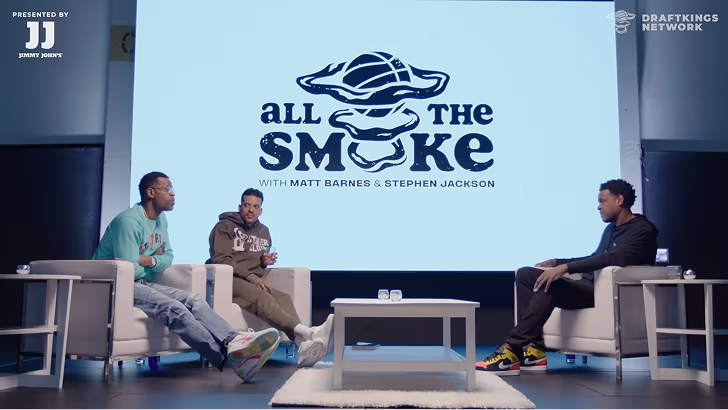
How All the Smoke makes hit compilations faster with OpusSearch

How All the Smoke makes hit compilations faster with OpusSearch

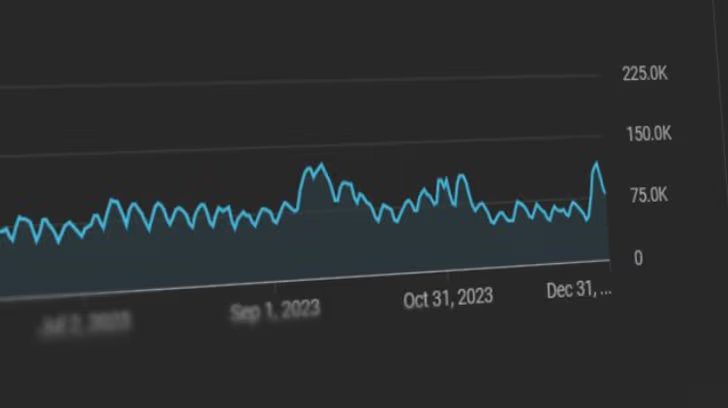
Growing a new channel to 1.5M views in 90 days without creating new videos

Growing a new channel to 1.5M views in 90 days without creating new videos

OpusClip 4.0 is here. Become a content powerhouse.

8 Best YouTube Shorts Makers in 2026

Creators filming and editing vertical videos, with a Make a Short button, a 9:16 tag, a views badge and a YouTube Shorts icon
No items found.
No items found.

Boost your social media growth with OpusClip

Create and post one short video every day for your social media and grow faster.

8 Best YouTube Shorts Makers in 2026

Creators filming and editing vertical videos, with a Make a Short button, a 9:16 tag, a views badge and a YouTube Shorts icon

OpusClip is our first pick for turning a long video or a YouTube link into Shorts: it finds the moments most likely to work, scores each clip, adds animated captions, reframes to vertical and posts to YouTube. The other seven tools cover the other ways a Short gets made: CapCut for template and effect-led editing, YouTube's own tools for quick phone-made Shorts, Canva for designed templates, invideo for generating a faceless Short from a prompt, Kapwing and VEED for browser editing, and Vizard for a free clipping start. We ranked 8 tools by how well each fits the footage or idea a Short starts from, then by free-plan limits, price and how clearly each vendor documents its limits. Facts come from each vendor's own pages, read on November 4, 2026.

What counts as a YouTube Shorts maker

A YouTube Shorts maker is any tool that gets a vertical video ready for YouTube Shorts. In practice, people mean three different jobs. A clipper cuts Shorts out of a long video that already exists. A generator, often called an AI YouTube Shorts generator, builds a new video from a typed idea or script. An editor assembles Shorts by hand from templates, footage and effects, sometimes with AI help. Most tools on this list do more than one, so the useful question is which job comes first: a channel with a back catalog of long videos needs a clipper, a channel with no footage needs a generator, and a brand that cares about look and feel needs templates. For the editing-app angle, see our guide to YouTube Shorts editing apps, and for automating a whole channel, see the best AI tools for YouTube automation.

At a glance

  • OpusClip: best for turning a long video or YouTube link into Shorts; paid plans from $15 a month; free plan yes (watermark, no editing).
  • CapCut: best for template and effect-led Shorts on phone, desktop and web; Pro $19.99 a month; free plan yes.
  • YouTube's Shorts tools: best for quick Shorts made in the YouTube app; the help pages list no price.
  • Canva: best for designed, on-brand Shorts from templates; Pro US$144 a year; free plan yes.
  • invideo: best for generating a faceless Short from a prompt; Starter $20 per seat per month ($10 billed annually on the current offer); no free plan listed.
  • Kapwing: best for team editing in the browser; Pro $16 a month on annual billing; free plan yes (watermark, 720p).
  • VEED: best for browser clipping with subtitles; Creator $12 a month billed yearly; the page says to start for free.
  • Vizard: best for a free clipping start; Creator $29 a month ($14.50 billed yearly); free plan yes (720p export).

1. OpusClip: Best for turning a long video or YouTube link into Shorts

OpusClip YouTube Shorts maker page with a field to drop a video link or upload a file and a Create YouTube Shorts button

OpusClip's YouTube Shorts maker page. Source: OpusClip YouTube Shorts maker

OpusClip takes a long video, from a YouTube link or an upload, and returns short vertical clips. Each clip gets a Virality Score from 0 to 99 based on hook, flow, value and trend, and results are sorted by score by default, according to the help center, which says the score is shown on Starter and Pro and not on the Free plan. Captions are animated and editable word by word, with emoji and keyword highlighting, and the pricing page lists AI reframe to vertical 9:16. ClipAnything accepts a prompt such as "Find the moments most likely to go viral on social media" and, per the help center, also works on videos with little or no dialogue. Starter adds an editor plus filler word and silence removal.

For publishing, the help center's social account FAQ says Starter plan users can post in real time to YouTube, TikTok and Instagram, and Pro plan users can also schedule future posts to YouTube, TikTok Feed, Instagram Reels and other networks. When posting to YouTube, a checkbox adds a link to the full video in the post (web only). YouTube's public API does not let OpusClip set a Short's related-video link, so that step is done by hand in YouTube Studio, per the help center. To try the clipping step on its own, see our YouTube Shorts maker.

Pricing: OpusClip's pricing page lists Free at $0 (a watermark, no editing, and clips stop being exportable after 3 days), Starter at $15 a month (monthly billing only; auto-post to YouTube Shorts, TikTok and Instagram Reels; filler and silence removal) and Pro at $29 a month, or $14.50 a month billed annually ($174 a year; a social media scheduler, 6 social account connections, export to Premiere Pro and DaVinci Resolve). Business is custom. Each plan lists a monthly credit allowance on the pricing page.

Considerations: Starting from a YouTube link means confirming channel ownership, per the help center; for a client's channel, the owner can be invited to the team workspace, or the file can be uploaded instead. The help center also says YouTube link uploads have had higher failure rates since YouTube's download policy changes, with local upload as the fallback. The Free plan has no editing and no Virality Score. OpusClip works from footage that already exists: it does not generate new scenes from a typed idea, so a channel with no source video needs a generator from this list.

  • Choose it if the channel already has long videos (podcasts, streams, webinars, interviews, tutorials) and the goal is several captioned Shorts from each upload, with posting built in.
  • Skip it if the Short has to be generated from nothing but a prompt, or every frame needs to be designed from a template.

2. CapCut: Best for template and effect-led Shorts on phone, desktop and web

CapCut Free AI YouTube Shorts Maker page with a Create viral shorts online button and a no credit card note

CapCut's YouTube Shorts maker page. Source: CapCut website

CapCut's YouTube Shorts maker page describes three routes: turning a text script into a Short with visuals, transitions and audio added automatically; analyzing long footage to highlight engaging moments and trim them into vertical videos; and a full editor with transitions, filters, effects, text, audio, background removal and camera tracking. The same page says finished videos can be exported straight to YouTube and that no credit card is required to start. CapCut's site lists CapCut Desktop, Online, Pad and Mobile versions.

Templates are the other draw. The pricing page lists free templates on the Free plan and all premium templates on Pro, which suits trend-led formats where effects and pacing matter as much as the footage.

Pricing: CapCut's pricing page lists Free at $0 (free templates and basic editing tools), Pro at $19.99 a month or $179.99 a year (1,200 monthly AI credits, all premium templates, 1 TB of storage), Ultra at $79 a month (8,645 monthly AI credits) and Teams at $12.49 a month per seat. A footnote says displayed pricing is for reference and the final price appears after sign-in.

Considerations: The Free plan lists templates and basic editing tools only; AI features and premium templates are listed under Pro, and the page does not itemize which Shorts tools a free account gets. The Shorts page still describes a Short as up to 60 seconds, while YouTube's help page says the Shorts camera supports Shorts up to three minutes, so check length rules before relying on any vendor's figure. The page describes highlighting moments in long footage but does not mention a score for each clip.

  • Choose it if the edit depends on templates, effects and trends, or a phone-first workflow matters.
  • Skip it if the main job is picking the best moments from long recordings in bulk, with a score for each clip.

3. YouTube's built-in Shorts tools: Best for quick Shorts made on a phone

YouTube Help page titled Create YouTube Shorts explaining the Shorts camera in the YouTube app

YouTube's help page for creating Shorts. Source: YouTube Help Center

YouTube's own help page says all that is needed is a smartphone and the Shorts camera in the YouTube app, which records Shorts up to three minutes long in one or more segments. After recording, the app can add music, filters, effects, text and text-to-speech, and a feedback button analyzes a video's hook and pacing. Edit with AI turns selected photos and videos (up to 3 minutes in total, with a 5-second minimum) into a first draft from an edit style, though the help page says it is not available in all regions.

For existing videos, the help page on creating Shorts from your own videos says to open a public upload, tap Remix, then Edit into a Short, and select up to 60 seconds, which links the Short back to the original. YouTube's AI tools can also generate standalone clips of up to 10 seconds from text prompts and up to three reference photos. The help page calls these experimental, says they are not available in the European Economic Area, and says content made with YouTube's own generative tools is labeled automatically, with no separate disclosure step. YouTube's separate Create app lists Edit with AI and video generation in select countries.

Pricing: YouTube's help pages list no price for the Shorts camera, Edit with AI or the AI generation tools. YouTube's September 2025 announcement described Veo 3 Fast in Shorts as free.

Considerations: The tools are phone-first: the help page says the Shorts camera is not available on tablets, drafts are saved to the device and are lost if the app is deleted or the device is replaced, and uploads top out at 1080p. Picking moments from a long video is manual, because the Remix route takes one selection of up to 60 seconds. Generated clips are short (up to 10 seconds) and limited by region and language.

  • Choose it if Shorts are shot or assembled on a phone, or a quick clip from an existing upload is enough.
  • Skip it if many Shorts need to be cut from hours of footage on a desktop, or batch captioning and scheduling across accounts matter.

4. Canva: Best for designed, on-brand Shorts from templates

Canva pricing page showing the Free, Pro, Business and Enterprise plans

Canva's pricing page. Source: Canva website

Canva's short video maker page offers ready-made templates for YouTube Shorts, TikTok videos and Instagram Reels, a drag-and-drop editor, an audio library, animations, transitions and Beat Sync, which edits a video to the beat of a chosen sound. The page also says a clip can be recorded from inside the app and that Canva's AI video editor can generate short videos. To publish on different platforms, it says to duplicate the finished project and adjust the length for each one.

Canva is a design suite first, which helps when Shorts must match a brand. The pricing page lists Brand Kits (1 on Free, 5 on Pro, 100 on Business) and social content scheduling on Pro.

Pricing: Canva's pricing page lists Free at US$0 (1 Brand Kit with up to 3 colors, limited access to Standard and Premium AI), Pro at US$144 a year for one person (5 Brand Kits, social content scheduling, premium templates and AI tools) and Business at US$250 a year per person (100 Brand Kits, collaboration and team admin tools). The page showed yearly prices when we read it.

Considerations: The Shorts page lists no tool for finding moments in a long video, so footage has to be cut by hand or elsewhere, and it describes downloading or sharing designs rather than posting straight to YouTube Shorts. AI use is capped by an allowance that the pricing page says varies by plan.

  • Choose it if Shorts need to look designed and on-brand, with templates, text animation and a team working in one design suite.
  • Skip it if the job is turning long recordings into Shorts automatically.

5. invideo: Best for generating a faceless Short from a prompt

invideo AI YouTube Shorts Generator page with a Start creating button and three generated video previews

invideo's AI YouTube Shorts generator page. Source: invideo website

invideo's AI YouTube Shorts generator page describes a faceless workflow: give its agent a topic, audience, length and main point, and it drafts a script, generates scenes and a voiceover, then builds a first cut with sound effects and captions that can be shaped on a timeline. The page says existing footage can be included, and that the finished Short is a downloadable video to upload through a YouTube account.

The page also lists an MCP connection that lets an AI assistant create Shorts from a chat, with the result opened on an editable timeline. That makes invideo the closest match on this list for the "AI YouTube Shorts generator" search: a Short from a topic, with no camera and no source video.

Pricing: invideo's pricing page lists Starter at $20 per seat per month, or $10 per seat per month billed annually while its 50% off offer runs (400 credits a month), Plus at $60 per seat per month, or $30 billed annually (2,000 credits a month), and Max at $250 per seat per month (8,000 credits a month). We found no free plan on the pricing page.

Considerations: Generation runs on credits, and the pricing page says unused credits do not roll over to the next month. Starter lists limited access to the agents and no access to the Seedance 2.5 and 2.0 video models, which Plus and Max add. The workflow ends with a download, so posting is a separate step, and the page tells creators to check facts and caption placement before uploading.

  • Choose it if there is no source footage and the channel is built on faceless topics told through narration and generated scenes.
  • Skip it if Shorts should come from existing long videos, or a free plan is required.

6. Kapwing: Best for team editing in the browser, with prompt-to-Short and clipping

Kapwing YouTube Shorts Editor page with a Create A Short button

Kapwing's YouTube Shorts editor page. Source: Kapwing website

Kapwing's YouTube Shorts editor page covers two routes: generate a Short from a text prompt (footage, a voice-over and subtitles in one video), or turn a long YouTube video into Shorts with Repurpose Studio, which the page says analyzes one source video, pulls highlights and creates clips to edit and post. The page says Kapwing can publish directly to a YouTube account if the video is under 3 minutes and vertical.

The editor adds shared workspaces with real-time comments, word-by-word subtitles, transcript-based editing and a Brand Kit, which makes it a fit for teams that review Shorts together before they go out.

Pricing: Kapwing's pricing page lists Free at $0 (10 credits, unlimited exports with a watermark, exports up to 4 minutes, 720p, 5 GB of storage), Pro at $16 a month on the page's default annual view, which shows a 33% saving (1,000 credits a month, no Kapwing watermark, 4K export, exports up to 2 hours, Brand Kit and custom fonts, 200 GB) and Business at $50 a month on the same view (4,000 credits a month, voice clones, lip sync). Enterprise is custom.

Considerations: Free exports carry a Kapwing watermark and stop at 720p, and credits cap the AI tools: the Free plan's credits cover up to 10 minutes of auto-subtitling. The prices above are the page's default annual view, so check the monthly toggle for month-to-month cost.

  • Choose it if a team needs one browser workspace for generating, clipping and editing Shorts, with comments on each draft.
  • Skip it if the work is mostly on a phone, or a score for each clip is needed to pick the best ones.

7. VEED: Best for browser clipping with subtitles

VEED pricing page showing the Creator, Pro, Studio and Enterprise plans

VEED's pricing page. Source: VEED website

VEED's YouTube Shorts maker page is built on AI Clips: upload a video or paste a YouTube link, choose the size, caption style, video goals and maximum length, and the AI picks engaging segments and turns them into shorts, with engagement scoring described on the page. Clips can be opened in VEED's editor to add text, music, brand assets or stock footage.

For new footage, the page says VEED's AI video generator can create videos from text descriptions, with AI voices or a cloned voice. The page also asks creators to use only videos they own or have permission to edit.

Pricing: VEED's pricing page says to start for free and lists Creator at $12 per user per month billed yearly (6,000 credits, no watermark, unlimited auto subtitles), Pro at $22 (30,000 credits, multiple Brand Kits, translation to 50+ languages) and Studio at $39 (180,000 credits, custom templates). Enterprise is custom. The page we read showed yearly-billing prices.

Considerations: The pricing page does not itemize free-plan limits. It lists no watermark as a Creator feature, so check what a free export includes before publishing. AI features draw on credits, and the Shorts page notes that copyrighted source videos can lead to takedowns.

  • Choose it if long videos need clipping and subtitles in the browser, with text, music and brand edits afterwards.
  • Skip it if the free plan's limits must be known before starting, or the work happens only on a phone.

8. Vizard: Best for a free clipping start

Vizard home page with a field to paste a YouTube link and get clips

Vizard's home page. Source: Vizard website

Vizard's home page describes turning long-form video into short clips ready for TikTok, Instagram, YouTube Shorts and other channels: paste a YouTube link or upload a file, and the page says to try it free with no sign-up needed. The page lists a text-based editor, AI-written captions and hashtags, and publishing straight from Vizard.

Its pricing page lists 1 social media account on Free, 6 on Creator and 20 on Business, and scheduled posts from Creator.

Pricing: Vizard's pricing page lists Free at $0 (60 credits a month, 720p export, full video editor, 3-day storage, 1 social account), Creator at $29 a month, shown as $14.50 a month billed yearly under a 50% off label ($174 a year; no watermark, 4K export, scheduled posts, 6 social accounts) and Business at $39 a month, or $19.50 billed yearly (20 social accounts, shared workspace, brand kit). The page says 1 credit equals 1 minute of video.

Considerations: The comparison table lists a 10-minute export length and a 60-minute, 1 GB upload on Free, against any export length and 600-minute, 30 GB uploads on the paid plans, and Free storage lasts 3 days. The Creator card is the first to list no watermark.

  • Choose it if a free trial of clipping is wanted before paying for anything.
  • Skip it if exports longer than 10 minutes or 4K are needed on a free plan, or the Short must be generated from text.

Free AI YouTube Shorts makers: what is actually free

Several tools describe themselves as free, but the free offer differs a lot. This is what each vendor's own pages say, read on November 4, 2026.

  • OpusClip: a Free plan with a watermark and no editing; clips stop being exportable after 3 days.
  • CapCut: a Free plan with free templates and basic editing tools; the Shorts page says no credit card is required.
  • YouTube's Shorts tools: built into the YouTube app; the help pages list no price, and AI-generated clips are limited to 10 seconds and by region.
  • Canva: a Free plan with 1 Brand Kit and limited access to Standard and Premium AI.
  • Kapwing: a Free plan with 10 credits, a watermark, 720p and exports up to 4 minutes.
  • VEED: the page says to start for free and that the clip generator is free to try; free-plan limits are not itemized on the pricing page.
  • Vizard: a Free plan with 60 credits a month, 720p export and a 10-minute export length.
  • invideo: no free plan appears on the pricing page we read.

How we compared these tools

We scored each tool on five criteria: how well it fits the starting point of a Short (long video, typed idea, template or phone), how much of the work it automates (clip finding, captions, reframing, posting), the price of the entry paid tier, free-plan limits, and how clearly the vendor documents its limits. Ranking favors tools that take a creator from existing footage to a posted Short with the fewest manual steps, which is why a clipper with posting built in sits first, and rivals are given the slot where each one is strongest.

All facts come from each vendor's own pricing page, product page or help center, and from YouTube's help pages for the YouTube entry, read on November 4, 2026. We did not run hands-on tests of any competitor. Where a pricing page showed only yearly prices (Canva, VEED) or a default annual view (Kapwing), we say so. Prices change, so confirm on the vendor page before buying. Policy statements about YouTube come from YouTube's own help pages.

How to choose

  • If there is a library of long videos: start with a clipper that can import a link, score the clips and post, such as OpusClip. VEED, Kapwing and Vizard are alternatives when their limits fit.
  • If there is no footage and the idea comes first: use a generator such as invideo, or the short AI-generated clips inside YouTube's own tools.
  • If the look matters most: Canva for templates and Brand Kits, CapCut for effects and trend-led edits.
  • If Shorts are shot on a phone: YouTube's Shorts camera is the shortest path, and CapCut and OpusClip both have mobile apps.
  • If a team reviews every Short: Kapwing or Canva, which list shared workspaces and team plans.
  • If cost is the constraint: compare the free offers in the section above, then check what a free export includes, since watermarks and 720p caps are the usual price of a free plan.

For related reading, see how to make YouTube Shorts, how to turn long form videos into YouTube Shorts at scale and the ideal YouTube Shorts length and format. For the clipping step from a long video, see OpusClip's long video to short video tool.

Red flags to watch for

  • Watermarks on free plans. OpusClip Free and Kapwing Free add a watermark; Vizard's Creator card and VEED's Creator plan are the first to list no watermark.
  • Export and length caps. Kapwing Free exports up to 4 minutes, Vizard Free exports up to 10 minutes, and YouTube's AI-generated clips stop at 10 seconds.
  • Credits that expire. invideo says unused credits do not roll over, and generators spend credits on every attempt, so an unhappy first cut costs more.
  • Outdated length rules. CapCut's Shorts page says up to 60 seconds, while YouTube's help page says up to three minutes. Check YouTube's current rules.
  • Link imports that fail. OpusClip's help center says YouTube link uploads have had higher failure rates and need ownership confirmation, so keep the original file for upload.
  • No manual override. A tool that picks clips or scenes with no way to edit the result leaves no fix for a bad cut, a wrong caption or an off-brand frame.
  • Mass-produced output. YouTube's channel monetization policies say content should not be mass-produced, generic, repetitive or manipulative. A generator can make Shorts quickly, but a channel of near-identical videos is a risk.
  • Missing AI disclosure. YouTube requires creators to disclose realistic AI-generated or altered content, so a generator that produces realistic scenes needs the upload setting turned on.

Frequently asked questions

What is the best YouTube Shorts maker?

It depends on what the Short starts from. For turning a long video or a YouTube link into Shorts, OpusClip fits best in our ranking, with clip scoring, captions, reframing and posting to YouTube. CapCut is the pick for template-led editing, Canva for on-brand designs, invideo for generating a faceless Short from a prompt, and YouTube's own tools for quick phone-made Shorts. See OpusClip pricing for plan limits.

What is the best AI YouTube Shorts generator?

The term covers two jobs. To generate a new Short from a topic or script, invideo's page describes scenes, voiceover, sound effects and captions from a prompt, and CapCut, Kapwing and VEED list text-to-video routes too. To cut Shorts out of a video that already exists, OpusClip, Vizard, VEED and Kapwing's Repurpose Studio are the clipping tools on this list. Which one is best depends on whether footage exists.

What is the best free AI YouTube Shorts maker?

Free offers on this list are Free plans with limits. OpusClip Free adds a watermark and has no editing, Kapwing Free adds a watermark at 720p, Vizard Free exports at 720p up to 10 minutes, CapCut and Canva list Free plans with basic tools, and YouTube's tools are built into the app. VEED says to start for free but does not itemize limits on its pricing page, and invideo lists no free plan. A free plan is enough to compare outputs before paying.

How do I make a YouTube Short from a long video?

There are two routes. In the YouTube app, open a public upload, tap Remix, then Edit into a Short, and select up to 60 seconds by hand. With a clipping tool such as OpusClip, paste the video link or upload the file, and the AI proposes several clips with captions and a vertical reframe, which can then be edited and posted. See our guide to turning long form videos into YouTube Shorts at scale.

How long can a YouTube Short be?

YouTube's help page for creating Shorts says the Shorts camera records Shorts up to three minutes long. Some vendor pages still say 60 seconds, and the in-app route for editing an existing upload into a Short selects up to 60 seconds. Check YouTube's current help pages before setting a length.

Do AI-generated YouTube Shorts need a label?

YouTube's help page on disclosing generative AI content says creators must disclose AI-generated or altered content that seems realistic, such as making a real person appear to say or do something they did not, altering footage of a real event or place, or generating a realistic scene that did not occur. Disclosure is made in YouTube Studio during upload, under AI use. The same page says content made with YouTube's own generative tools is labeled automatically. Non-realistic or minor edits do not require disclosure.

Can I make YouTube Shorts on my phone?

Yes. YouTube's Shorts camera in the YouTube app records, edits and uploads Shorts from a smartphone. CapCut lists a mobile version, and OpusClip has iOS and Android apps, although its help center says the Android app has no editor, so editing and scheduling happen on the web.

Can YouTube Shorts made with AI earn money?

Monetization depends on YouTube's rules, not on the tool. YouTube's channel monetization policies say content should be an original creation and should not be mass-produced, generic, repetitive or manipulative, and the page notes that this policy was renamed "inauthentic content" in July 2025. Policies change, so read the current YouTube page before relying on this.

Ready to start streaming differently?

Opus is completely FREE for one year for all private beta users. You can get access to all our premium features during this period. We also offer free support for production, studio design, and content repurposing to help you grow.
Join the beta
Limited spots remaining

Try OPUS today

Try Opus Studio

Make your live stream your Magnum Opus