No items found.
8 Best AI Tools for Faceless YouTube Channels in 2026

OpusClip is the pick for two steps of a faceless channel: its sister app Agent Opus builds a narrated video from a script, and OpusClip cuts each finished video into captioned Shorts. ChatGPT drafts the script, ElevenLabs voices it, Fliki and Pictory assemble a video from text, Runway generates footage, CapCut edits and captions, and Canva makes the thumbnail. The guide is organised around running a faceless channel, so OpusClip comes first and the other seven follow the order in which a faceless video is made. Facts come from each vendor's own pages, read on November 9, 2026.
Key takeaways
- Best for building a narrated video from a script and cutting it into Shorts: OpusClip. Agent Opus makes a narrated video from a script, and Auto Import clips each new long video.
- Best for drafting scripts and outlines: ChatGPT. Projects keep chats, files and instructions together for recurring content drafts.
- Best for the narrator voice: ElevenLabs. Its FAQ lists 90+ languages on Eleven v4, and paid plans include commercial rights.
- Best for an idea-to-video pipeline with scheduled posting: Fliki. Series is listed as writing, making and posting videos on a schedule.
- Best for turning a script, article or blog post into a video with stock visuals: Pictory. Its page lists text, URL, blog, audio and PDF inputs.
- Best for generating AI footage and B-roll: Runway. Gen-4.5 makes 2 to 10 second clips.
- Best for editing, captions and music: CapCut. Its editor lists text to speech, transcription, a free audio library and 4K export.
- Best for thumbnails and AI images: Canva. Magic Media turns a typed description into images, and its thumbnail page lists 1M+ templates.
The faceless YouTube workflow: which tool owns which step
A faceless channel publishes videos with no creator on camera: narration over footage, animation, screen recordings or on-screen text. That removes the presenter but not the work. The steps below are the order in which a faceless video gets made, and each tool in this guide owns one of them or, for the all-in-one generators, several. For picking a topic, our guide to faceless YouTube niches covers that choice, and this guide covers the tools.
- Script and outline: a text assistant such as ChatGPT, or the script step inside Fliki, Pictory and Agent Opus.
- Voice: ElevenLabs as a dedicated narrator, or the built-in voices in Fliki, Pictory and Agent Opus.
- Visuals: Fliki, Pictory and Agent Opus assemble stock or generated scenes around a script, and Runway generates individual shots.
- Edit, music and captions: CapCut for assembling clips, a voiceover and captions on one timeline.
- Thumbnail: Canva for templates and AI images.
- Shorts from the long video: OpusClip, which cuts a finished video into captioned vertical clips.
Two stack shapes follow. One tool can make the whole video from text (Fliki, Pictory or Agent Opus), which is fast but gives less control per step. Or a channel can pick one tool per step, which takes more setup and gives control over the script, voice and look. Our guide to AI tools for YouTube automation covers keyword research, title testing and scheduling, which sit outside this production list.
How to choose
- One tool from idea to finished video: Fliki, Pictory or Agent Opus, then compare credits and whether the free route adds a watermark.
- Control over the script: ChatGPT with saved channel instructions, then a voice and visuals tool.
- A recognisable narrator: ElevenLabs, with a paid plan if the channel is monetized.
- Visuals that are not stock: Runway for generated shots, or Agent Opus and Fliki.
- A polished edit with captions and music: CapCut on top of any of the above.
- More views from each long video: OpusClip, which turns a published video into Shorts.
- A monetized channel: read Red flags first, because YouTube's policy pages set rules for template-style and AI-made content.
At a glance
- OpusClip: best for building a narrated video from a script and cutting it into Shorts; Starter $15 a month (monthly billing only), Pro $29 a month or $14.50 a month billed annually; free plan yes (clips carry a watermark); Agent Opus downloads on its free plan carry an Agent Opus watermark.
- ChatGPT: best for drafting scripts and outlines; Go $8 a month, Plus $20 a month, Pro from $100 a month; free plan yes (unlimited text chats, per the pricing page).
- ElevenLabs: best for the narrator voice; Starter $1 for the first month, then $6 a month on monthly billing; free plan yes (10,000 credits a month, non-commercial, attribution required).
- Fliki: best for an idea-to-video pipeline with scheduled posting; Standard $28 per user a month on monthly billing ($21 billed annually); free plan yes (720p, Fliki watermark).
- Pictory: best for turning a script, article or blog post into a video with stock visuals; Starter $29 a month billed monthly ($25 a month billed annually); a free trial, no free plan listed.
- Runway: best for generating AI footage and B-roll; Standard $15 a month ($12 a month billed annually); free plan yes (125 one-time credits).
- CapCut: best for editing, captions and music; Pro US$19.99 a month or US$179.99 a year; free plan yes (basic editing tools).
- Canva: best for thumbnails and AI images; Pro US$144 a year for one person; free plan yes (limited AI access).
Which workflow step each tool covers, what goes in and what comes out
The At a glance list covers best-for, price and free plan; this table compares which workflow step each tool covers, what goes in and what comes out, as listed on each vendor's own pages on November 9, 2026.
| Tool | Workflow step it covers | What goes in | What comes out |
|---|---|---|---|
| OpusClip | Agent Opus: script to video. OpusClip: long video to Shorts | Agent Opus: an idea, script or audio. OpusClip: a long video or YouTube link | Agent Opus: a narrated video. OpusClip: captioned clips |
| ChatGPT | Script, outline and research drafting | Text prompts, with files and instructions saved in a project | Drafted briefs, plans and other materials in chat |
| ElevenLabs | Narration voice, with a video timeline in Studio | Typed script text; Studio also takes MP4 or MOV files | MP3 or WAV audio; video if the project has a video track |
| Fliki | Script, voice, clips and captions in one tool, plus scheduled posting | An idea, a script, blog posts or PPTs | A finished video; Series can post to YouTube, TikTok and Shorts |
| Pictory | Script or idea to video with stock or generated visuals | Text, idea, URL, blog post, audio, PDF, slides or images | A video with captions timed to the voice, in 16:9, 9:16 or 1:1 |
| Runway | Generated shots and B-roll | A text prompt, or an image plus a prompt | Clips of 2 to 10 seconds at 720p, with a 9:16 option |
| CapCut | Editing, captions, text to speech and music | Uploaded video and clips on a timeline; the spoken language for captions | An exported video from 720p to 4K in MP4 or MOV |
| Canva | Thumbnails, channel graphics and AI images | A template, an upload from a device or a typed description | Thumbnail images downloaded as JPEG or PNG |
1. OpusClip: Best for building a narrated video from a script and cutting it into Shorts

Agent Opus's composer with Script to video selected. Source: Agent Opus website
OpusClip covers two ends of a faceless channel through two apps that share one help center. Agent Opus, a separate app at agent.opus.pro, creates videos from ideas, scripts, images and supported audio or video inputs, per its FAQ, and the FAQ describes its Standard mode as best for narrated explainers and stories. Script to Video takes a written idea, script or transcript, with up to 1,700 words and a generated video of up to 10 minutes in Standard and Standard+. The voice can be a built-in voice, a clone made from a sample of up to 30 seconds, or an uploaded recording, and 9:16 is the default ratio with 16:9 and 1:1 available.Its faceless YouTube video maker page describes the same flow.
The second job is the one a faceless channel repeats every week: once a long video is published, OpusClip cuts it into Shorts. Per the Auto Import article, new public YouTube videos longer than 3 minutes can be processed automatically, from all videos or chosen playlists, using saved clip settings. OpusClip's pricing page lists AI animated captions in 20+ languages and auto-posting to YouTube Shorts, TikTok and Instagram Reels. In the editor, AI B-roll finds spots from the transcript and fills them with AI images, AI video or stock footage, and the help center says every spot is reviewed before anything is added.
Pricing: OpusClip's pricing page, read November 9, 2026, lists a Free plan (clips carry a watermark), Starter at $15 a month with monthly billing only, and Pro at $29 a month or $14.50 a month billed annually. Agent Opus's FAQ says free-plan downloads include an Agent Opus watermark, and its credits FAQ says paid-plan credits work in both apps; see the pricing pages for credit amounts.
Considerations: OpusClip does not write the script, pick the niche or make the thumbnail. Agent Opus builds a scene from a description rather than recording one, and its help center says generated visuals may not reproduce a person, product, location or logo exactly, so a video that must show something real needs real footage. Starting from a YouTube link means confirming channel ownership first, and a channel that publishes only Shorts has no long video to cut.
- Choose it if the channel publishes longer faceless videos and wants Shorts from each one, or wants a script turned into a narrated video and then into Shorts within one family of tools.
- Skip it if the missing step is the script, the voice or the thumbnail, or the video has to show exact real-world visuals.
2. ChatGPT: Best for drafting scripts and outlines
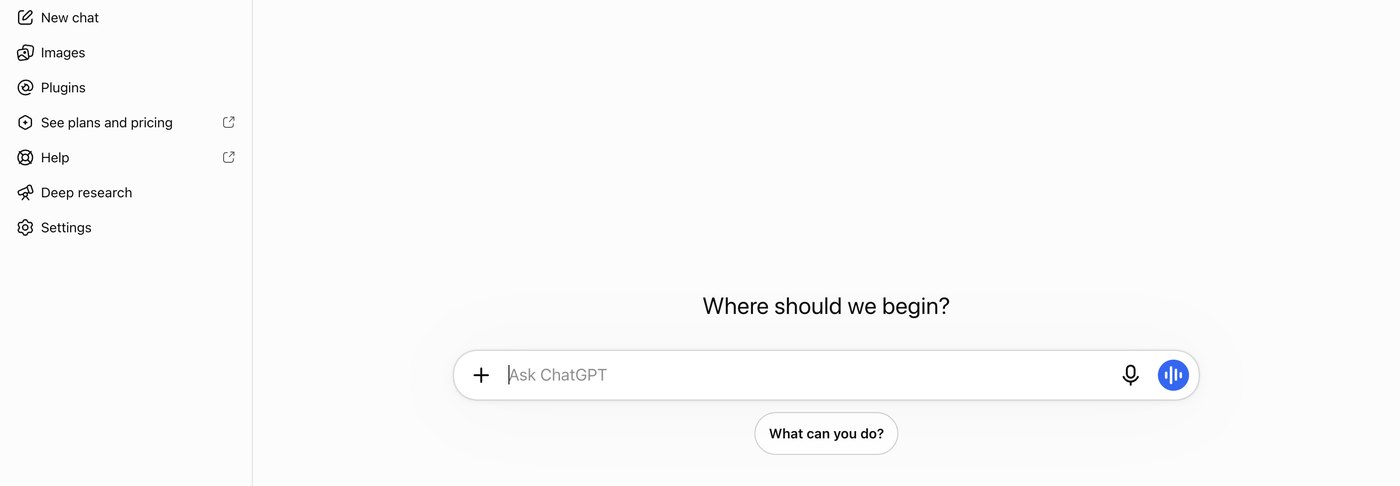
The ChatGPT start screen. Source: ChatGPT website
A faceless video starts as text, and ChatGPT is a general-purpose assistant for that step. OpenAI's help center says projects keep related chats, files and instructions together so ChatGPT can support ongoing work such as writing, research or planning, and it suggests reusing a project for recurring tasks such as content drafts. YouTube's AI disclosure page lists using generative AI tools to create or improve a video outline, script, thumbnail or title among the uses that do not need a viewer label.
Pricing: ChatGPT's pricing page, read November 9, 2026, lists a Free plan at $0 with unlimited text chats (subject to abuse guardrails), Go at $8 a month (the page says this plan may include ads), Plus at $20 a month with projects, scheduled tasks and custom GPTs, and Pro from $100 a month.
Considerations: ChatGPT writes text only, so the voice, the visuals and the edit still come from other tools. A script made from a generic prompt can also drift toward the template look that YouTube's monetization policy warns about, so saved channel instructions and an original angle in each script matter more than the model.
- Choose it if the channel needs a repeatable script step with saved style instructions and past scripts as reference.
- Skip it if the job is making the video itself, or the script has to come with a voice and visuals in one step.
3. ElevenLabs: Best for the narrator voice

ElevenLabs Studio's script panel with voiceover clips on the timeline. Source: ElevenLabs docs
On a channel with no face, the voice is the part viewers recognise, and ElevenLabs is a voice-first tool. Its text to speech FAQ lists 90+ languages with the Eleven v4 models, and its Studio page says to upload MP4 or MOV files and add voiceovers, background music, sound effects and auto captions. The Studio docs say to add a video track to pair narration with existing footage or B-roll, and a project exports as MP3 or WAV, or as video if it holds a video track or captions. Our guide to AI voiceover generators for video compares voice tools in depth.
Pricing: per ElevenLabs' pricing page, read November 9, 2026, the Free plan is $0 a month with 10,000 credits, which its FAQ puts at around 10 minutes of audio. Starter is $1 for the first month, then $6 a month, and Creator is $11 for the first month, then $22 a month (monthly billing shown). The FAQ says paid plans include commercial rights for YouTube videos, podcasts and ads, and that the Free plan covers personal, non-commercial use and requires attribution to ElevenLabs.
Considerations: The Free plan is non-commercial, so a monetized channel needs a paid plan, and the Studio docs say video exports on the Free plan include a watermark. The FAQ says a voice may be cloned only with permission to use it.
- Choose it if the narration should sound the same across every video, or the channel publishes in several languages.
- Skip it if the channel is monetized and stays on the Free plan, or the voice has to come bundled with the visuals in one step.
4. Fliki: Best for an idea-to-video pipeline with scheduled posting

Fliki's faceless channel builder, with an idea box and video settings. Source: Fliki website
Fliki's faceless YouTube channel page says to type one idea and Fliki writes the script, reads it with an AI voice, adds video clips and captions, and returns a finished video. That is the vendor's description, and the composer shows a Script tab next to the Idea tab. Its Series feature is described as writing the scripts, making the videos and posting them to YouTube, TikTok and Shorts on a schedule once the channel idea, voice and posting rhythm are set, and the page says Series is available on Standard and Premium plans. The pricing page lists voices in 80+ languages and says videos can be created from ideas, scripts, blog posts or PPTs.
Pricing: Fliki's pricing page, read November 9, 2026, lists Free at $0 (720p videos that include a Fliki watermark), Standard at $28 per user a month on monthly billing or $21 a month billed annually ($252), and Premium at $88 a month or $66 a month billed annually ($792). Standard lists 1080p, videos up to 15 minutes, voice cloning, Series, and AI Playground and commercial rights. Premium lists videos up to 40 minutes and generated AI video clips.
Considerations: Fliki's own pages print the free allowance differently (credits on the pricing page, minutes on the faceless page), so read the pricing page before relying on the free plan. A Series that posts new videos without anyone opening the editor is also the pattern YouTube's monetization policy asks about, because it lists AI-generated content made with generic templates among content that is not allowed to monetize.
- Choose it if one tool should turn an idea into a finished, captioned video and, if wanted, post it on a schedule.
- Skip it if each scene needs hand-picked footage, or the channel is monetized and needs a clearly original angle in every video.
5. Pictory: Best for turning a script, article or blog post into a video with stock visuals

Pictory's faceless video generator, as shown on its own page. Source: Pictory website
Pictory's faceless page says to make a video from a script or an idea and stay off camera, with Pictory adding the visuals, an AI voiceover and captions. It lists inputs of text, an idea, a URL, a blog post, audio, a PDF, slides and images, and says each line of the script becomes a scene with a stock clip or an AI Studio image behind it. The page lists 170+ AI voices in 29+ languages, captions timed to the voice, and downloads in 16:9 for YouTube, 9:16 for Shorts and TikTok or 1:1 for feeds.
Pricing: Pictory's pricing page, read November 9, 2026, lists Starter at $29 a month billed monthly or $25 a month billed annually, with a free trial and no free plan listed. Starter lists the AI scene editor and AI Studio images and video, and plans are sold in credits, so see the pricing page for allowances.
Considerations: Pictory's pages show stock-library sizes that depend on the plan (5 million+ on Starter and 18 million+ on Professional), so the volume of stock footage depends on what is bought. Scenes matched line by line from stock can also look generic from one video to the next, which matters because YouTube's monetization policy names templated storylines and image slideshows with minimal narrative among content that is not allowed to monetize.
- Choose it if the video starts from a script, article or blog post and should come back as scenes with stock or generated visuals and captions.
- Skip it if the channel needs a free plan, generated footage that is not stock, or a distinct visual style across videos.
6. Runway: Best for generating AI footage and B-roll

Runway's session panel for generating shots. Source: Runway help center
Runway generates shots rather than whole videos. Its Gen-4.5 help article lists Text to Video and Image to Video, durations of 2 to 10 seconds, a 9:16 option at 720x1280, 720p output and a plan requirement of Standard and higher. Runway's help center also says the content created in Runway is the creator's to use without non-commercial restrictions from Runway, that no credit to Runway is required on YouTube, and that its terms of use cover specific questions.
Pricing: Runway's pricing page, read November 9, 2026, lists Free at $0 with 125 one-time credits, Standard at $15 a month or $12 a month billed annually, and Pro at $35 a month or $28 a month billed annually. Standard lists 625 monthly credits, which the page equates to 52 seconds of Gen-4.5, and No watermarks.
Considerations: The arithmetic is the limit: on the Standard plan's 625 credits, the pricing page counts 52 seconds of Gen-4.5 a month, so Runway suits a few generated shots per video rather than a channel built on generated footage. YouTube also requires a viewer label for realistic AI-generated scenes that did not actually occur, so generated B-roll of real places or events needs the Yes setting under AI use at upload.
- Choose it if a few short generated shots, animated scenes or abstract B-roll would lift a video that is otherwise narration over stock.
- Skip it if the video needs long continuous footage, or the plan has to produce generated clips beyond the monthly credits.
7. CapCut: Best for editing, captions and music
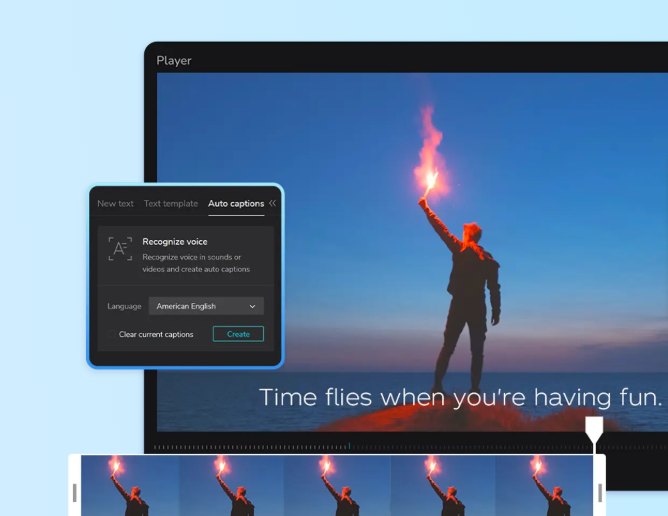
CapCut's auto caption generator page. Source: CapCut website
CapCut's online editor page lists Speech to Text, Text to Speech and Transcribe Video among its smart features, trending music from a free audio library, sound effects, and exports with resolution options of 720p, 1080p, 2K and 4K in MP4 or MOV. The auto caption page lists 20+ languages and a short flow: upload the video, choose Auto captions, pick the spoken language and select Generate. For a faceless channel, this is the place where a voiceover, generated clips and stock footage become one timeline with captions and music.
Pricing: CapCut's pricing page, read November 9, 2026, lists Free at USD 0 with free templates and basic editing tools, and Pro at USD 19.99 a month or USD 179.99 a year, with access to AI features and all premium templates. The page says displayed pricing is for reference only.
Considerations: The pricing page says plan availability and features may vary by region, platform and current offering, so the exact free toolset can differ by account. CapCut does not write a script or generate a narrated video from one idea, so it sits after the generation step rather than replacing it.
- Choose it if clips, a voiceover and music from several tools have to be assembled into one edited video with captions.
- Skip it if the aim is a finished video from a single idea with no editing.
8. Canva: Best for thumbnails and AI images

Canva's Magic Media panel in the editor. Source: Canva website
Canva's YouTube thumbnail page lists a drag-and-drop editor, 1M+ templates and AI content generation, and shows Magic Media, which turns a typed description into images and videos, as free. Magic Edit, Magic Eraser and Magic Grab are marked Pro on the same page. YouTube's own help page says to try a 16:9 aspect ratio for video thumbnails, so a thumbnail template set to that shape can be reused across a series for a consistent channel look. YouTube's AI disclosure page also lists using generative AI tools to create or improve a thumbnail among the uses that do not need a viewer label.
Pricing: Canva's pricing page, read November 9, 2026, lists Free at US$0 and Pro at US$144 a year for one person, with a free trial. The Free plan lists limited access to standard and premium AI, and Pro lists 10x more AI than Free, with an AI Pass add-on available.
Considerations: Canva is a design tool, so it makes the thumbnail, channel art and still images and does not narrate or assemble a video from a script. AI allowances differ by plan, and the thumbnail page marks several editing tools as Pro.
- Choose it if the channel needs a repeatable, on-brand thumbnail template and AI-generated stills.
- Skip it if the missing step is the video itself, or all the AI image tools have to be on the free plan.
How we compared these tools
We compared each tool on five criteria: which step of a faceless channel it owns, what goes in and what comes out, what the vendor lists about commercial use and watermarks, the price and billing basis, and where its own pages disagree. The guide is organised around the job in the title, running a faceless YouTube channel. OpusClip comes first because its two apps cover both ends of that job, and its limits are stated in its entry and under Red flags: it does not write scripts or make thumbnails, and Agent Opus builds scenes from descriptions rather than recording them. The other seven follow one order, the order in which a faceless video is made: script, voice, assembly from text, generated footage, editing and captions, then the thumbnail. Fliki comes before Pictory because it starts from a single idea and lists scheduled posting, while Pictory starts from existing text.
All facts come from each vendor's own pricing page, product page, help center or docs, plus YouTube's own help pages for policy, read on November 9, 2026. We did not run hands-on tests of any competitor, and we did not rank tools by output quality or by how well their videos perform on YouTube. Keyword research, title testing and scheduling tools are in our guide to YouTube automation tools, and further voice tools are in our voiceover guide. Prices change, so confirm on the vendor page before buying.
Red flags to watch for
- The template look. YouTube's channel monetization policy says channels where content feels interchangeable from video to video are not allowed to monetize, and lists AI-generated content made with generic or unoriginal templates, without the creator's original insights or perspective, among its examples. The same page lists image slideshows and templated storylines with minimal narrative, so the script and angle have to be original in every video.
- Realistic AI scenes without a label. YouTube's disclosure page requires creators to disclose realistic AI-generated content, such as a scene that did not actually occur or altered footage of a real place. Script, outline, thumbnail and title help, captions and cloning your own voice for voice-overs do not need a label.
- Reused content. YouTube's reused content policy covers channels that repurpose content from other sources without significant original commentary or modifications, and applies even with permission from the original creator.
- Watermarks and non-commercial free plans. Fliki's Free plan includes a Fliki watermark at 720p, ElevenLabs' Free plan is non-commercial with attribution and watermarked video exports, and Agent Opus and OpusClip free-plan downloads carry their own watermarks.
- Credits that cap output. Runway's Standard plan counts 52 seconds of Gen-4.5 a month, and Fliki and Pictory sell credits, so check what a month of videos costs. Fliki and Pictory also print different free allowances or stock-library sizes on different pages.
- Generated visuals that miss real things. Agent Opus's help center says generated visuals may not reproduce a person, product, location or logo exactly, so use real footage when appearance matters.
- Cloned voices without permission. ElevenLabs says a voice may be cloned only with permission to use it, so clone your own voice or one with written consent.
Frequently asked questions
What are the best AI tools for faceless YouTube channels?
It depends on the step. OpusClip comes first, as the pick for building a narrated video from a script with Agent Opus and cutting finished videos into Shorts, with its limits stated. ChatGPT is the pick for scripts, ElevenLabs for the narrator voice, Fliki and Pictory for turning an idea or script into a video, Runway for generated footage, CapCut for editing and captions, and Canva for thumbnails.
What tools do I need to start a faceless YouTube channel?
A way to write the script, a voice, visuals, an editor and a thumbnail maker. An all-in-one generator such as Fliki, Pictory or Agent Opus covers the first three, CapCut and Canva finish the video and thumbnail, and OpusClip turns each long video into Shorts. For choosing a topic, see our guide to faceless YouTube niches.
How do I make faceless videos with AI?
Write or generate a script, add a voice, add visuals, edit with captions, then add a thumbnail. The fastest route is a tool that does the first three steps from text: paste a script into Agent Opus, Fliki or Pictory, review the scenes and download the video. OpusClip's faceless YouTube video maker page describes the Agent Opus flow, and our how-to guide to AI faceless YouTube videos walks through the full process.
What is the best AI faceless video generator?
Three tools in this guide take a script or an idea and return a finished video. Agent Opus lists Script to Video up to 1,700 words and 10 minutes in Standard. Fliki starts from one idea and lists a Series feature that posts on a schedule. Pictory lists text, URL, blog, audio and PDF inputs with stock or generated visuals. Compare the free route first, since Fliki's free plan adds a watermark and Pictory lists a free trial.
Can a faceless YouTube channel made with AI be monetized?
YouTube's monetization policy does not ban faceless or AI-made videos, but it asks for original, authentic content and says channels where content feels interchangeable from video to video are not allowed to monetize. Check YouTube's channel monetization policies page before relying on any tool's own claim about earning money.
Do I have to label AI-generated content on YouTube?
YouTube requires creators to disclose realistic AI-generated or altered content, for example a scene that did not actually occur or altered footage of a real place, using the AI use setting in YouTube Studio. YouTube's page says script, outline, thumbnail and title help, caption creation and cloning your own voice for voice-overs do not need the label. A realistic generated clip from a tool such as Runway would.
How do I turn a faceless video into YouTube Shorts?
Upload the finished video or connect the channel to a clipping tool, which finds moments, captions them and reframes them to vertical. OpusClip's Auto Import can process new public YouTube videos longer than 3 minutes automatically. Our guide to YouTube clip makers compares the clipping tools.
Which of these tools have a free plan?
ChatGPT, ElevenLabs, Fliki, Runway, CapCut, Canva and OpusClip list a free plan, with limits: ElevenLabs' is non-commercial, Fliki's adds a watermark, Runway's is 125 one-time credits and OpusClip's clips carry a watermark. Pictory lists a free trial instead.