OpusClip 4.0 is here. Become a content powerhouse.

8 Best Free AI Clipping Tools in 2026
November 9, 2026
Creators at a laptop, a podcast microphone and a phone, with a Clip it button, a views badge, a Free tag and a scissors icon

OpusClip is the pick for free AI clipping: its Free forever plan finds clips in a long video, adds captions and reframes to vertical, with a watermark and a 3-day window to export. Reap and Vizard also offer renewing free plans, Flowjin gives a one-time credit, 2short.ai a monthly allowance, Choppity and Klap suit a first test, and FunClip is free software you run yourself. We ordered items 2 to 8 by whether a free user can finish and export a clip. Facts come from each vendor's own pages, read on November 9, 2026.

Key takeaways

  • Best for AI-picked, captioned clips on a free forever plan: OpusClip. Free lists up to 1080p rendered clips and AI captions with an emoji and keyword highlighter; the catches are a watermark and a 3-day export window.
  • Best for a free plan that prints its limits up front: Reap. Its pricing page lists up to 1 hour of AI clipping a month, watermarked 720p exports and 7-day projects.
  • Best for a free plan with the full editor included: Vizard. Free lists 60 credits a month, 720p export, a watermark and 3-day storage.
  • Best for a YouTube-link-first free plan: 2short.ai. Its Starter plan is free, but the page lists 30 minutes of analysis in one place and 15 in another.
  • Best for a free plan with no watermark: Flowjin. Its comparison lists no watermark on any plan, but the 60 free minutes are a one-time credit that does not refill.
  • Best for testing AI clips and a text editor: Choppity. Free lists 1 hour of AI video analysis; one page says free exports carry a small watermark, while the pricing page lists exports from Starter.
  • Best for trying one video before paying: Klap. The free try turns 1 video into clips you can preview and edit, with no downloads or posting.
  • Best free software you run yourself: FunClip. It is open-source and local, so there is no vendor plan, but you handle the setup.

What counts as free for AI clipping

Four kinds of free offer appear in this guide, and the difference decides what a clip costs. A renewing free plan refills each month, with limits such as a watermark, a quality cap or a short storage window (OpusClip, Reap, Vizard, 2short.ai, Choppity). A one-time credit is a free plan that does not refill (Flowjin). A free preview lets one video through but blocks the download (Klap). Open-source software has no vendor plan, but you install and run it (FunClip).

Vendors also count the allowance in different units: hours, minutes, credits, clips or videos. We print each unit as the vendor does and never convert one into another. We left out any tool whose free offer we could not read plainly on its own pages, and the method section lists them. For free offers inside general editors and YouTube Studio, see our guide to free AI tools that turn long videos into short ones.

How to choose

  • Clips every month without paying: a renewing free plan, such as OpusClip, Reap, Vizard, 2short.ai or Choppity.
  • A watermark is a deal-breaker: Flowjin's comparison lists no watermark on its free plan, 2short.ai's page says its exports have none, and FunClip's README lists none. OpusClip, Reap and Vizard add one on Free, and one Choppity page says its free exports carry a small one.
  • The source is a YouTube link: 2short.ai starts from a pasted YouTube link, and Reap, Vizard and Klap also take links. For a wider list, see our guide to YouTube clip makers.
  • One project, once: Flowjin's one-time credit or Klap's one-video preview.
  • Software you control: FunClip, or the editors in our free clipping and editing tools guide.

At a glance

  • OpusClip: best for AI-picked, captioned clips on a free forever plan; Starter $15 a month (monthly billing only), Pro $29 a month or $14.50 a month billed annually; free plan yes.
  • Reap: best for a free plan that prints its limits up front; Creator $9.99 a month billed annually ($119.88 a year), $16.99 a month billed monthly; free plan yes.
  • Vizard: best for a free plan with the full editor included; Creator $29 a month, or $14.50 a month billed yearly ($174 billed yearly); free plan yes.
  • 2short.ai: best for a YouTube-link-first free plan; Lite $9.90 a month (the page lists no billing period); free plan yes.
  • Flowjin: best for a free plan with no watermark; Starter $12.50 a month billed yearly ($102 a year); free plan yes (one-time credit).
  • Choppity: best for testing AI clips and a text editor; Starter $16.80 a month billed yearly ($201.60 a year); free plan yes.
  • Klap: best for trying one video before paying; Basic $14.50 a month billed yearly ($174 a year), $29 a month billed monthly; free try on 1 video, no downloads.
  • FunClip: best for free, open-source clipping you run yourself; no paid plan, no price listed in the README.

What each free offer includes, caps and locks

The At a glance list covers best-for and the first paid price; this table compares the free offer itself, meaning its type, allowance, watermark and export limits and what stays locked, as listed on each vendor's own pages on November 9, 2026.

ToolType of free offerFree allowance as printedWatermark and export on freeWhat stays locked on free
OpusClipFree forever planFree clips every month; the amount is on the pricing pageWatermark; up to 1080p; clips stop being exportable after 3 daysVirality Score and watermark removal start on Starter
ReapFree forever planUp to 1 hour of AI clipping a monthWatermarked; exports at 720pWatermark-free 1080p exports and other aspect ratios start on Creator
VizardFree plan60 credits a monthExports at 720p; no watermark is a Creator feature4K export, scheduled posts and 100 GB storage start on Creator
FlowjinFree plan with a one-time credit60 minutes of video or audio, once; it does not refillNo watermark; 720p; up to 5 clip exportsUnlimited exports start on Starter; 1080p and AI B-roll on Creator
2short.aiFree plan (named Starter)30 minutes of AI analysis a month; the page also says 15Page says no watermarks and 1080p; free can export generated clipsLite adds Google Drive and URL imports and removes ads
ChoppityFree plan, no card needed1 hour of AI video analysisOne page says free exports carry a small watermark; pricing lists exports from Starter30-day storage and scheduling start on Starter; bulk export and longer uploads are paid
KlapFree try on 1 video, no card needed1 video turned into clipsNo downloads or posting; clips can be previewed and editedDownloading and posting need a paid plan; paid exports carry no Klap branding
FunClipOpen-source software; code under the MIT LicenseNo vendor allowance; it runs on your own machineSaves clips and SRT subtitle files; the README lists no mark or capNothing is locked; LLM-assisted clipping needs a key from an LLM provider

1. OpusClip: Best for AI-picked, captioned clips on a free forever plan
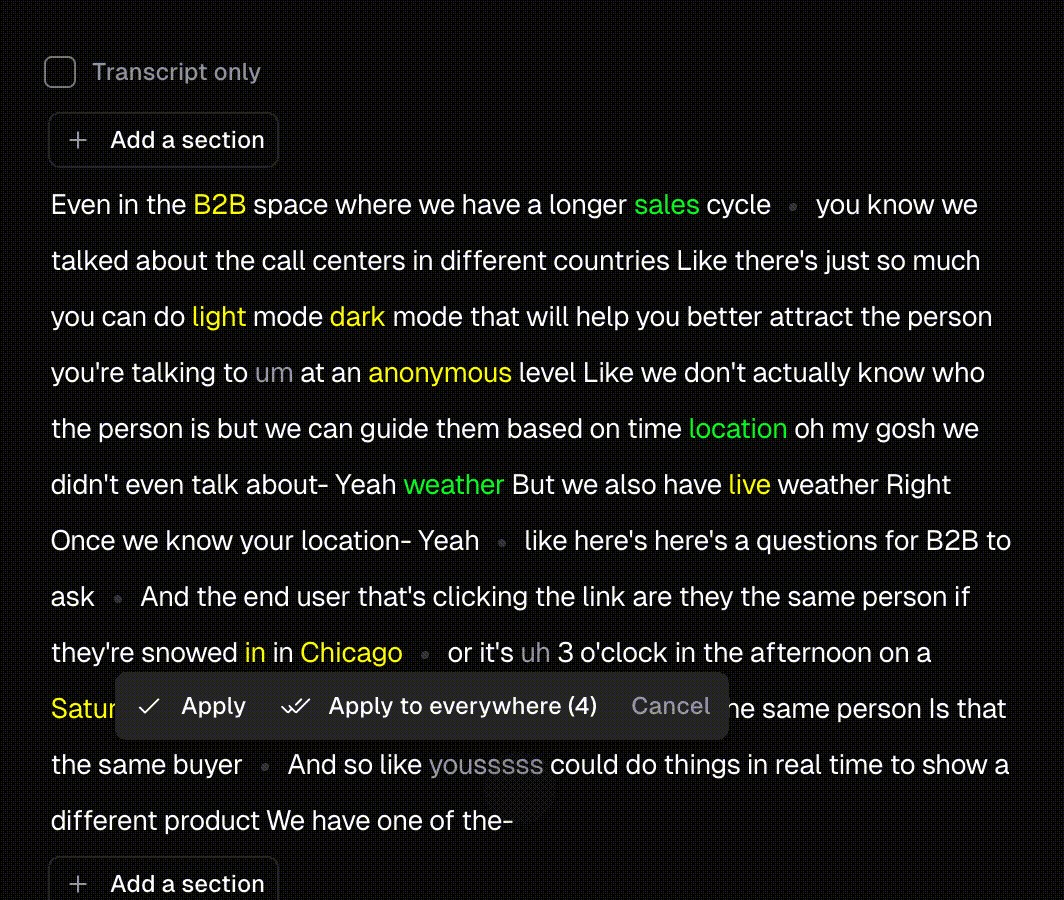
OpusClip's transcript view with keywords highlighted in yellow and green, greyed filler words and an Apply to everywhere prompt

Keyword highlights in OpusClip's transcript editor, a feature the Free plan lists as an emoji and keyword highlighter. Source: OpusClip website

OpusClip takes a long video, such as a podcast, webinar or interview, and returns short clips with captions, reframed to vertical. The pricing page lists on Free: Free forever, up to 1080p rendered clips, auto reframe, AI captions with an emoji and keyword highlighter, and a watermark. The help center says Free and Free Trial clips carry an OpusClip brand logo, and that upgrading to a paid plan removes the watermark from those Free projects. To try the clipping step on its own, see our long video to short video tool.

Pricing: OpusClip's pricing page lists Free at $0 with a monthly credit allowance (see the pricing page for the amount), Starter at $15 a month (monthly billing only) and Pro at $29 a month, or $14.50 a month billed annually. Starter and Pro both show a free trial with no credit card required. On Free, clips stop being exportable after 3 days, per the pricing page and the help center.

Considerations: Free clips carry the watermark and have to be exported inside the 3-day window. The help center says the Virality Score is available on Starter and Pro, not on Free. OpusClip clips footage that already exists and does not replace a timeline editor.

  • Choose it if the goal is a monthly supply of captioned vertical clips from long recordings and a watermark is acceptable while trying it.
  • Skip it if the free clips must be watermark-free or stay available longer than 3 days, or the job is cutting on a timeline.

2. Reap: Best for a free plan that prints its limits up front
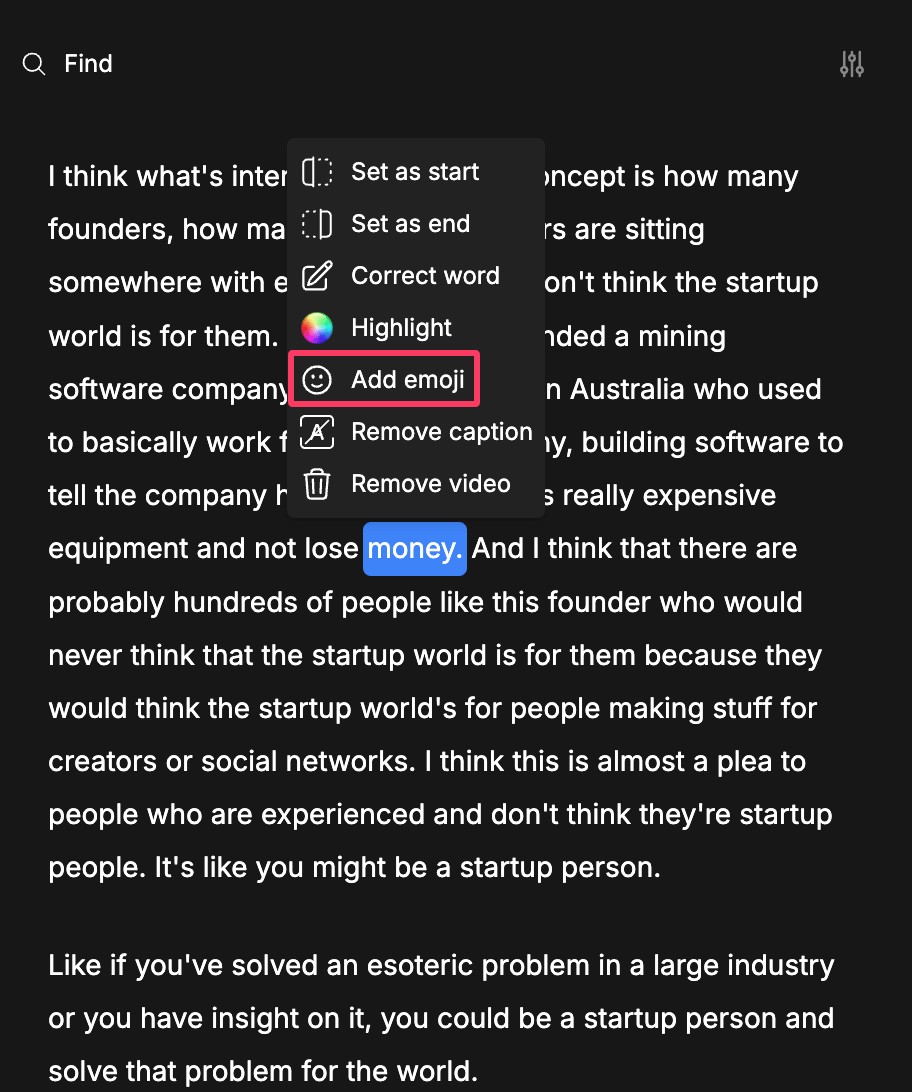
Reap's transcript editor with a context menu offering Set as start, Set as end, Correct word, Highlight, Add emoji and Remove caption

Reap's transcript editor menu for emoji, highlights and word corrections; its Free plan lists an AI emoji and keyword highlighter. Source: Reap help center

Reap's docs describe starting from a local upload or a pasted video link, then choosing genre, caption style, orientation, resolution, time frame and clip length before the AI generates clips. Its pricing page lists on Free: Free forever, up to 1 hour a month of AI clipping and of AI captions (both marked watermarked), exports in 720p (watermarked), basic subtitle styles, an AI emoji and keyword highlighter, and projects that expire in 7 days. The comparison table adds that Free imports from YouTube, Twitch, X and Vimeo and takes uploads up to 5 GB.

Pricing: Reap's pricing page lists Creator at $9.99 a month billed annually ($119.88 a year) and $16.99 a month billed monthly, and Studio at $29 a month billed annually and $45 billed monthly. Creator lists up to 10 hours a month of AI clipping and watermark-free 1080p exports, and Studio lists 4K.

Considerations: Reap's docs say the Free plan exports at 720p only and cannot change the aspect ratio, and that each export uses 1 export credit, with a clip exportable up to 5 times. The comparison table lists 9:16 only for Free, with 16:9, 1:1 and 4:5 on Creator. Projects expire after 7 days, so clips need exporting early.

  • Choose it if a monthly allowance stated in hours matters and a watermarked 720p export is enough for a test.
  • Skip it if free exports must be watermark-free or need a landscape or square ratio.

3. Vizard: Best for a free plan with the full editor included
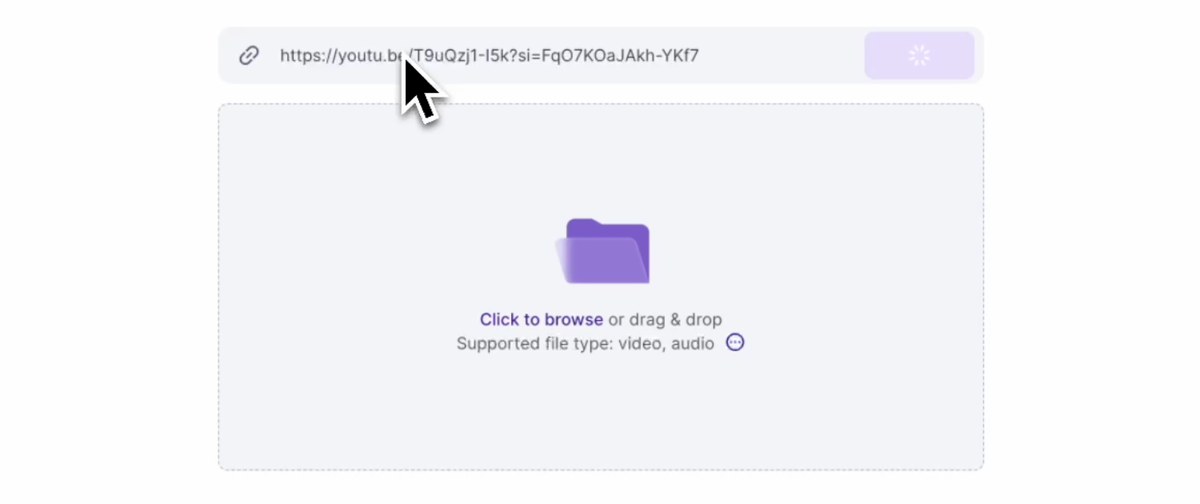
Vizard's upload panel with a pasted YouTube link in the address field above a drag and drop area for video files

Vizard's upload panel. Source: Vizard website

Vizard's home page says to try it free with no sign-up needed, then describes uploading a video, clicking Get AI clips and downloading, sharing or publishing the result. Its pricing page lists on Free: $0, 60 credits a month, a private workspace, 1 social media account, AI-generated clips, exports in 720p, full access to the video editor and 3-day storage. The comparison table adds a 60-minute upload length, a 1 GB upload size and a 10-minute export length for Free.

Pricing: Vizard's pricing page lists Creator at $29 a month, or $14.50 a month on yearly billing ($174 billed yearly), with no watermark, 4K export, scheduled posts and 100 GB of storage. Business is $39 a month, or $19.50 a month on yearly billing ($234 billed yearly).

Considerations: Vizard's YouTube clip maker page says exports from the free tier contain a Vizard watermark, and its Creator card lists no watermark as an addition to Free. Free caps export quality at 720p and exports at 10 minutes, and stores projects for 3 days.

  • Choose it if the plan should include a full editor for fixing clips, and a watermark and 720p are acceptable.
  • Skip it if the video is long or large, since Free lists a 60-minute and 1 GB upload, or exports must be clean.

4. 2short.ai: Best for a YouTube-link-first free plan

2short.ai's subtitle settings panel with caption style presets, subtitle transition options and word highlight controls

2short.ai's subtitle settings. Source: 2short.ai website

2short.ai's pricing page says to copy a video link from YouTube and paste it into the app, after which its AI extracts the most engaging parts as short clips. The free Starter plan lists 30 minutes of AI video analyzing a month, viewing and exporting already generated short clips, and full access to all features. The features list describes center-stage face tracking, one-click animated subtitles, and unlimited exports with no watermarks and 1080p quality.

Pricing: 2short.ai's pricing page lists Lite at $9.90 a month (no billing period is stated), Pro at $19.90 and Premium at $49.90. Lite adds 5 hours of analysis a month, 60 minutes of fast server-side exports a month, Google Drive and public URL imports, and no ads.

Considerations: The page contradicts itself on the free allowance: the Starter card says 30 minutes of analysis a month, while a call to action near the bottom says 15 minutes. It also says it can only process videos that have captions, and it prints no storage window for free projects.

  • Choose it if the source is a YouTube video with captions and the budget is as small as possible.
  • Skip it if the video has no captions, or a firm free allowance has to be printed in one place.

5. Flowjin: Best for a free plan with no watermark and a one-time credit

Flowjin's home page says its AI finds the moments worth sharing in a media file and drafts 6 to 12 captioned clips automatically, then writes platform-specific posts for LinkedIn, YouTube and X. Its pricing page lists on Free: process 60 minutes of video or audio as a one-time credit that does not refill, 720p render quality, auto reframe, 9:16 and 16:9 ratios, up to 5 clip exports and an editor. The comparison table shows no watermark on any plan, and unlimited archiving.

Pricing: Flowjin's pricing page lists Starter at $12.50 a month billed yearly ($102 a year), with 150 minutes of video or audio a month, 720p and unlimited clip exports. Creator is $20.80 a month billed yearly ($174 a year), with 300 minutes a month and 1080p.

Considerations: The credit does not refill, so the free plan works as a one-off test, and it covers 5 clip exports at 720p. Starter stays at 720p as well, with 1080p starting on Creator. Flowjin is aimed at brands that publish to LinkedIn, YouTube and X.

  • Choose it if one project needs clean clips and a one-time 60 minutes is enough.
  • Skip it if clips are needed every month without paying, or exports must be above 720p.

6. Choppity: Best for testing AI clips and a text editor before paying

Choppity's clip generator input with an Add a link field and a purple Generate clips button

Choppity's link input on its home page. Source: Choppity website

Choppity's home page says it turns long videos into short clips with its AI clipping tool, finds the best moments in podcasts and tutorials and lets each clip be refined before sharing, with automatic portrait layouts and captions. Its FAQ says clips can be edited as text, so deleting a sentence trims the clip. The pricing page lists on Free: 1 seat, 1 hour of AI video analysis, 2 GB of cloud storage, 3-day project storage and chat support, with the advanced video editor, AI video clipper, captions generator and transcription generator, and no credit card required. Its free AI clip maker page adds that clips can be generated and previewed on the free plan, that free exports include a small Choppity watermark and that paid plans remove it.

Pricing: Choppity's pricing page lists Starter at $16.80 a month billed yearly ($201.60 a year, with $24 crossed out), adding 3 hours of AI video analysis, 40 GB of storage, 30-day project storage, exports and downloads in 1080p HD and 4K, and scheduling for 1 social account.

Considerations: Choppity's own pages disagree about free exports. The pricing page lists exports and downloads from Starter and shows none for Free, the home page FAQ says the free plan lets users upload videos, generate clips and explore the editing tools, and the clip maker page says free exports carry a small watermark (its comparison table on the same page lists no watermark for the free tier). Check what Free can save before relying on it. Free projects are stored for 3 days.

  • Choose it if the goal is to test AI clip quality and the text editor before choosing a plan.
  • Skip it if a clean downloaded file from the free plan is required today.

7. Klap: Best for trying one video before paying

Klap's upload box reading Drop a file or paste a link, with a Generate button and the line Try Klap free on 1 video

Klap's upload box and free-trial line on its home page. Source: Klap website

Klap's home page says to paste a link or upload a video and try it free on 1 video, with no credit card required. Its pricing FAQ says the free account turns that video into clips that can be previewed and edited in Klap, and that downloading and posting clips needs a paid plan. Every plan lists AI clipping with a virality score, active-speaker reframing and animated captions on each clip, plus scheduling and publishing to TikTok, YouTube, Instagram, LinkedIn and Facebook.

Pricing: Klap's pricing page lists Basic at $14.50 a month billed yearly ($174 a year) or $29 a month billed monthly, with 100 clips a month. Pro is $39.50 a month billed yearly, or $79 billed monthly, with 300 clips, and Pro+ is $94.50 a month billed yearly, or $189 billed monthly, with 1,000 clips. Paid exports carry no Klap branding.

Considerations: The free try is a preview: nothing can be downloaded or posted until a plan is bought. On paid plans each short Klap generates counts as one clip, and source videos can run up to 3 hours, per the FAQ.

  • Choose it if the aim is to see whether Klap's clip picks and reframing fit the footage before paying.
  • Skip it if a file has to leave the tool on the free offer.

8. FunClip: Best for free, open-source clipping you run yourself

FunClip's LLM clipping panel with an LLM Model Name dropdown, an APIKEY field and an LLM Inference button

FunClip's local Gradio interface, where an LLM model and key are set for AI clipping. Source: FunClip GitHub README

FunClip is an open-source clipping tool published under the ModelScope organisation on GitHub. Its README calls it a fully open-source, locally deployed automated video clipping tool: it transcribes a video with FunASR speech models, and the user picks text segments or speakers and clicks Clip to get the matching video clip, with SRT subtitles for the full video and for the clipped segment. An LLM-assisted mode is optional: a model is chosen in the LLM Model Name dropdown and a key is pasted into the APIKEY box. It runs as a local Gradio service.

Pricing: FunClip lists no price. The source code is under the MIT License, and the README says model weights are downloaded separately and follow the terms on their own model pages. LLM clipping uses a key from whichever LLM provider is chosen, under that provider's terms.

Considerations: Setup means a Python environment, and the README's default model is for Chinese; English uses an option (-l en). The README does not describe vertical reframing, a virality score or social posting, so clips come out as selected segments and subtitle files.

  • Choose it if Python is familiar, no watermark or vendor cap is wanted, and the clips can be picked by text or by an LLM.
  • Skip it if a hosted app with reframing, caption styles and posting is needed.

How we compared these tools

This guide is organised around free AI clipping. OpusClip is built for that job, turning a long video into captioned short clips, so it comes first. Items 2 to 8 follow one yardstick: whether the vendor's own pages let a free user finish and export a clip in its hosted app without installing anything, then whether the offer renews, then how plainly the pages state the limits. FunClip is software the user installs, so it sits last.

  • 2. Reap: a renewing free plan with exports, with its hours, watermark, 720p cap and 7-day storage printed.
  • 3. Vizard: a renewing free plan with exports and an editor, with a watermark, 720p and a 3-day storage window.
  • 4. 2short.ai: a renewing free plan that lists exports and no watermark, with the allowance printed two different ways.
  • 5. Flowjin: exports and no watermark, but a one-time credit that does not refill.
  • 6. Choppity: a renewing free plan whose pages disagree on free exports: one says they carry a small watermark, and the pricing page lists exports from Starter.
  • 7. Klap: a free preview of one video with no downloads or posting.
  • 8. FunClip: no vendor limits, but it has to be installed and run locally.

All facts come from each vendor's own pricing page, product pages, docs and help center, and for FunClip its GitHub README, read on November 9, 2026. Where a page loads its figures with a script we read the rendered page, and we clicked the monthly and yearly views where a toggle exists. Where two parts of one vendor's pages disagree (2short.ai on free minutes), we say so. We did not run hands-on tests of any competitor, and documented limits say nothing about how well a tool works. We left out tools whose free offer was not plainly readable: Submagic's pricing page lists paid plans and says to try it free without printing limits, Ssemble's lists paid plans only, Munch's lists paid plans with a 7-day free trial, Spikes Studio's pricing page shows its Basic plan at both $0 and $12.99, and Eklipse's pricing page redirects to a home page with no plan prices. Prices change, so confirm on the vendor's page before relying on a free plan.

Red flags to watch for

  • Watermarks on free exports. OpusClip, Reap and Vizard add one on Free, and one Choppity page says its free exports carry a small one. Flowjin's comparison lists none on any plan, and 2short.ai's page says its exports have none.
  • Free exports that are not listed. Klap's free try allows no download or posting, and Choppity's pricing page lists exports and downloads from Starter, not Free.
  • Allowances in different units. Reap and Choppity count hours, Vizard and OpusClip count credits, Flowjin and 2short.ai count minutes, and Klap counts videos. Compare each against the length of the real source video.
  • One-time credits. Flowjin's 60 free minutes are a one-time credit that does not refill, per its pricing page.
  • Clips that expire. OpusClip Free clips stop being exportable after 3 days, Vizard and Choppity store free projects for 3 days, and Reap for 7.
  • Pages that contradict themselves. 2short.ai prints 30 free minutes on its plan card and 15 in a closing call to action, Choppity's pricing and clip maker pages differ on free exports, and Spikes Studio prints two prices for one plan.
  • Caption or length requirements. 2short.ai says it can only process videos with captions, and Vizard's Free lists a 60-minute upload and a 10-minute export.
  • Free software costs time. FunClip needs a Python setup, and its LLM mode needs a key from an LLM provider.
  • No manual override. A tool that picks and crops clips with no way to edit the result leaves no fix for a bad cut.
  • Clips from videos you do not own. Clip only videos that belong to you or that you have permission to use.

Frequently asked questions

What is the best free AI clipping tool?

It depends on what free needs to cover. OpusClip is first in this guide for AI-picked, captioned clips on a Free forever plan, with a watermark and a 3-day export window (see the pricing page for the credit amount). Reap and Vizard have renewing free plans with watermarked 720p exports, Flowjin's one-time credit lists no watermark, 2short.ai's page promises no watermarks but contradicts itself on free minutes, Choppity and Klap suit testing, and FunClip is free software.

Is there a free AI video clipper?

Yes, several. OpusClip, Reap, Vizard, 2short.ai and Choppity list free plans that renew, Flowjin gives a one-time credit, Klap gives a one-video preview, and FunClip is open-source. For free offers inside general editors and YouTube Studio, see our guide to free AI tools for long videos.

Is there a free AI clip maker with no watermark?

Three offers here list no watermark, each with a catch. Flowjin's free plan lists no watermark, but it is a one-time 60-minute credit with up to 5 clip exports at 720p. 2short.ai's page says its exports have no watermarks, though it contradicts itself on free minutes. FunClip's README lists none, and it is software to install. OpusClip, Reap and Vizard add a watermark on Free, Choppity's clip maker page says free exports carry a small one, and Klap's free try allows no download. The OpusClip help center says upgrading removes the watermark from Free projects.

What does free mean for an AI clipping tool?

It means one of four things: a renewing free plan, a one-time credit, a preview with no download, or open-source software. Each adds limits such as a watermark, a 720p or 1080p cap, a short storage window (3 or 7 days here) and an allowance counted in the vendor's own unit. The table above lists each tool's limits side by side.

How do I clip a long video for free with OpusClip?

Sign up for the Free plan, add the long video, and OpusClip finds clips, adds captions and reframes them to vertical. Export inside the 3-day window. The long video to short video tool walks through the steps.

Is OpusClip really free?

OpusClip has a Free forever plan with a monthly credit allowance (see the pricing page for the amount), a watermark and a 3-day export window. Starter and Pro show a free trial with no credit card required. Paid plans start at $15 a month on Starter, with monthly billing only.

Is a free AI clipping tool good enough?

It can be for testing and for occasional clips, if the limits fit the job. A watermark, a 720p cap, a short storage window or a one-time credit rules out regular posting on most free offers here. A free plan works best as a way to check whether a tool picks good moments from your own footage before choosing a plan.

What free clipping software can I run on my own computer?

FunClip is the open-source option in this guide: it runs locally, transcribes the video and clips the segments you choose, with an optional LLM mode. For free desktop editors that cut clips by hand, see our free clipping and editing tools guide.

On this page

Use our Free Forever Plan

Find the moment. Skip the scrubbing.

From script to polished video — in one click.

Create and post one short video every day for free, and grow faster.

OpusSearch uses AI to surface the exact clip you need from hours of footage — in seconds, not afternoons.

Agent Opus runs the entire video pipeline for you: research, scriptwriting, storyboarding, motion, voice, and edit. Upload the idea, post the result.

8 Best Free AI Clipping Tools in 2026

OpusClip is the pick for free AI clipping: its Free forever plan finds clips in a long video, adds captions and reframes to vertical, with a watermark and a 3-day window to export. Reap and Vizard also offer renewing free plans, Flowjin gives a one-time credit, 2short.ai a monthly allowance, Choppity and Klap suit a first test, and FunClip is free software you run yourself. We ordered items 2 to 8 by whether a free user can finish and export a clip. Facts come from each vendor's own pages, read on November 9, 2026.

Key takeaways

  • Best for AI-picked, captioned clips on a free forever plan: OpusClip. Free lists up to 1080p rendered clips and AI captions with an emoji and keyword highlighter; the catches are a watermark and a 3-day export window.
  • Best for a free plan that prints its limits up front: Reap. Its pricing page lists up to 1 hour of AI clipping a month, watermarked 720p exports and 7-day projects.
  • Best for a free plan with the full editor included: Vizard. Free lists 60 credits a month, 720p export, a watermark and 3-day storage.
  • Best for a YouTube-link-first free plan: 2short.ai. Its Starter plan is free, but the page lists 30 minutes of analysis in one place and 15 in another.
  • Best for a free plan with no watermark: Flowjin. Its comparison lists no watermark on any plan, but the 60 free minutes are a one-time credit that does not refill.
  • Best for testing AI clips and a text editor: Choppity. Free lists 1 hour of AI video analysis; one page says free exports carry a small watermark, while the pricing page lists exports from Starter.
  • Best for trying one video before paying: Klap. The free try turns 1 video into clips you can preview and edit, with no downloads or posting.
  • Best free software you run yourself: FunClip. It is open-source and local, so there is no vendor plan, but you handle the setup.

What counts as free for AI clipping

Four kinds of free offer appear in this guide, and the difference decides what a clip costs. A renewing free plan refills each month, with limits such as a watermark, a quality cap or a short storage window (OpusClip, Reap, Vizard, 2short.ai, Choppity). A one-time credit is a free plan that does not refill (Flowjin). A free preview lets one video through but blocks the download (Klap). Open-source software has no vendor plan, but you install and run it (FunClip).

Vendors also count the allowance in different units: hours, minutes, credits, clips or videos. We print each unit as the vendor does and never convert one into another. We left out any tool whose free offer we could not read plainly on its own pages, and the method section lists them. For free offers inside general editors and YouTube Studio, see our guide to free AI tools that turn long videos into short ones.

How to choose

  • Clips every month without paying: a renewing free plan, such as OpusClip, Reap, Vizard, 2short.ai or Choppity.
  • A watermark is a deal-breaker: Flowjin's comparison lists no watermark on its free plan, 2short.ai's page says its exports have none, and FunClip's README lists none. OpusClip, Reap and Vizard add one on Free, and one Choppity page says its free exports carry a small one.
  • The source is a YouTube link: 2short.ai starts from a pasted YouTube link, and Reap, Vizard and Klap also take links. For a wider list, see our guide to YouTube clip makers.
  • One project, once: Flowjin's one-time credit or Klap's one-video preview.
  • Software you control: FunClip, or the editors in our free clipping and editing tools guide.

At a glance

  • OpusClip: best for AI-picked, captioned clips on a free forever plan; Starter $15 a month (monthly billing only), Pro $29 a month or $14.50 a month billed annually; free plan yes.
  • Reap: best for a free plan that prints its limits up front; Creator $9.99 a month billed annually ($119.88 a year), $16.99 a month billed monthly; free plan yes.
  • Vizard: best for a free plan with the full editor included; Creator $29 a month, or $14.50 a month billed yearly ($174 billed yearly); free plan yes.
  • 2short.ai: best for a YouTube-link-first free plan; Lite $9.90 a month (the page lists no billing period); free plan yes.
  • Flowjin: best for a free plan with no watermark; Starter $12.50 a month billed yearly ($102 a year); free plan yes (one-time credit).
  • Choppity: best for testing AI clips and a text editor; Starter $16.80 a month billed yearly ($201.60 a year); free plan yes.
  • Klap: best for trying one video before paying; Basic $14.50 a month billed yearly ($174 a year), $29 a month billed monthly; free try on 1 video, no downloads.
  • FunClip: best for free, open-source clipping you run yourself; no paid plan, no price listed in the README.

What each free offer includes, caps and locks

The At a glance list covers best-for and the first paid price; this table compares the free offer itself, meaning its type, allowance, watermark and export limits and what stays locked, as listed on each vendor's own pages on November 9, 2026.

ToolType of free offerFree allowance as printedWatermark and export on freeWhat stays locked on free
OpusClipFree forever planFree clips every month; the amount is on the pricing pageWatermark; up to 1080p; clips stop being exportable after 3 daysVirality Score and watermark removal start on Starter
ReapFree forever planUp to 1 hour of AI clipping a monthWatermarked; exports at 720pWatermark-free 1080p exports and other aspect ratios start on Creator
VizardFree plan60 credits a monthExports at 720p; no watermark is a Creator feature4K export, scheduled posts and 100 GB storage start on Creator
FlowjinFree plan with a one-time credit60 minutes of video or audio, once; it does not refillNo watermark; 720p; up to 5 clip exportsUnlimited exports start on Starter; 1080p and AI B-roll on Creator
2short.aiFree plan (named Starter)30 minutes of AI analysis a month; the page also says 15Page says no watermarks and 1080p; free can export generated clipsLite adds Google Drive and URL imports and removes ads
ChoppityFree plan, no card needed1 hour of AI video analysisOne page says free exports carry a small watermark; pricing lists exports from Starter30-day storage and scheduling start on Starter; bulk export and longer uploads are paid
KlapFree try on 1 video, no card needed1 video turned into clipsNo downloads or posting; clips can be previewed and editedDownloading and posting need a paid plan; paid exports carry no Klap branding
FunClipOpen-source software; code under the MIT LicenseNo vendor allowance; it runs on your own machineSaves clips and SRT subtitle files; the README lists no mark or capNothing is locked; LLM-assisted clipping needs a key from an LLM provider

1. OpusClip: Best for AI-picked, captioned clips on a free forever plan

OpusClip's transcript view with keywords highlighted in yellow and green, greyed filler words and an Apply to everywhere prompt

Keyword highlights in OpusClip's transcript editor, a feature the Free plan lists as an emoji and keyword highlighter. Source: OpusClip website

OpusClip takes a long video, such as a podcast, webinar or interview, and returns short clips with captions, reframed to vertical. The pricing page lists on Free: Free forever, up to 1080p rendered clips, auto reframe, AI captions with an emoji and keyword highlighter, and a watermark. The help center says Free and Free Trial clips carry an OpusClip brand logo, and that upgrading to a paid plan removes the watermark from those Free projects. To try the clipping step on its own, see our long video to short video tool.

Pricing: OpusClip's pricing page lists Free at $0 with a monthly credit allowance (see the pricing page for the amount), Starter at $15 a month (monthly billing only) and Pro at $29 a month, or $14.50 a month billed annually. Starter and Pro both show a free trial with no credit card required. On Free, clips stop being exportable after 3 days, per the pricing page and the help center.

Considerations: Free clips carry the watermark and have to be exported inside the 3-day window. The help center says the Virality Score is available on Starter and Pro, not on Free. OpusClip clips footage that already exists and does not replace a timeline editor.

  • Choose it if the goal is a monthly supply of captioned vertical clips from long recordings and a watermark is acceptable while trying it.
  • Skip it if the free clips must be watermark-free or stay available longer than 3 days, or the job is cutting on a timeline.

2. Reap: Best for a free plan that prints its limits up front

Reap's transcript editor with a context menu offering Set as start, Set as end, Correct word, Highlight, Add emoji and Remove caption

Reap's transcript editor menu for emoji, highlights and word corrections; its Free plan lists an AI emoji and keyword highlighter. Source: Reap help center

Reap's docs describe starting from a local upload or a pasted video link, then choosing genre, caption style, orientation, resolution, time frame and clip length before the AI generates clips. Its pricing page lists on Free: Free forever, up to 1 hour a month of AI clipping and of AI captions (both marked watermarked), exports in 720p (watermarked), basic subtitle styles, an AI emoji and keyword highlighter, and projects that expire in 7 days. The comparison table adds that Free imports from YouTube, Twitch, X and Vimeo and takes uploads up to 5 GB.

Pricing: Reap's pricing page lists Creator at $9.99 a month billed annually ($119.88 a year) and $16.99 a month billed monthly, and Studio at $29 a month billed annually and $45 billed monthly. Creator lists up to 10 hours a month of AI clipping and watermark-free 1080p exports, and Studio lists 4K.

Considerations: Reap's docs say the Free plan exports at 720p only and cannot change the aspect ratio, and that each export uses 1 export credit, with a clip exportable up to 5 times. The comparison table lists 9:16 only for Free, with 16:9, 1:1 and 4:5 on Creator. Projects expire after 7 days, so clips need exporting early.

  • Choose it if a monthly allowance stated in hours matters and a watermarked 720p export is enough for a test.
  • Skip it if free exports must be watermark-free or need a landscape or square ratio.

3. Vizard: Best for a free plan with the full editor included

Vizard's upload panel with a pasted YouTube link in the address field above a drag and drop area for video files

Vizard's upload panel. Source: Vizard website

Vizard's home page says to try it free with no sign-up needed, then describes uploading a video, clicking Get AI clips and downloading, sharing or publishing the result. Its pricing page lists on Free: $0, 60 credits a month, a private workspace, 1 social media account, AI-generated clips, exports in 720p, full access to the video editor and 3-day storage. The comparison table adds a 60-minute upload length, a 1 GB upload size and a 10-minute export length for Free.

Pricing: Vizard's pricing page lists Creator at $29 a month, or $14.50 a month on yearly billing ($174 billed yearly), with no watermark, 4K export, scheduled posts and 100 GB of storage. Business is $39 a month, or $19.50 a month on yearly billing ($234 billed yearly).

Considerations: Vizard's YouTube clip maker page says exports from the free tier contain a Vizard watermark, and its Creator card lists no watermark as an addition to Free. Free caps export quality at 720p and exports at 10 minutes, and stores projects for 3 days.

  • Choose it if the plan should include a full editor for fixing clips, and a watermark and 720p are acceptable.
  • Skip it if the video is long or large, since Free lists a 60-minute and 1 GB upload, or exports must be clean.

4. 2short.ai: Best for a YouTube-link-first free plan

2short.ai's subtitle settings panel with caption style presets, subtitle transition options and word highlight controls

2short.ai's subtitle settings. Source: 2short.ai website

2short.ai's pricing page says to copy a video link from YouTube and paste it into the app, after which its AI extracts the most engaging parts as short clips. The free Starter plan lists 30 minutes of AI video analyzing a month, viewing and exporting already generated short clips, and full access to all features. The features list describes center-stage face tracking, one-click animated subtitles, and unlimited exports with no watermarks and 1080p quality.

Pricing: 2short.ai's pricing page lists Lite at $9.90 a month (no billing period is stated), Pro at $19.90 and Premium at $49.90. Lite adds 5 hours of analysis a month, 60 minutes of fast server-side exports a month, Google Drive and public URL imports, and no ads.

Considerations: The page contradicts itself on the free allowance: the Starter card says 30 minutes of analysis a month, while a call to action near the bottom says 15 minutes. It also says it can only process videos that have captions, and it prints no storage window for free projects.

  • Choose it if the source is a YouTube video with captions and the budget is as small as possible.
  • Skip it if the video has no captions, or a firm free allowance has to be printed in one place.

5. Flowjin: Best for a free plan with no watermark and a one-time credit

Flowjin's home page says its AI finds the moments worth sharing in a media file and drafts 6 to 12 captioned clips automatically, then writes platform-specific posts for LinkedIn, YouTube and X. Its pricing page lists on Free: process 60 minutes of video or audio as a one-time credit that does not refill, 720p render quality, auto reframe, 9:16 and 16:9 ratios, up to 5 clip exports and an editor. The comparison table shows no watermark on any plan, and unlimited archiving.

Pricing: Flowjin's pricing page lists Starter at $12.50 a month billed yearly ($102 a year), with 150 minutes of video or audio a month, 720p and unlimited clip exports. Creator is $20.80 a month billed yearly ($174 a year), with 300 minutes a month and 1080p.

Considerations: The credit does not refill, so the free plan works as a one-off test, and it covers 5 clip exports at 720p. Starter stays at 720p as well, with 1080p starting on Creator. Flowjin is aimed at brands that publish to LinkedIn, YouTube and X.

  • Choose it if one project needs clean clips and a one-time 60 minutes is enough.
  • Skip it if clips are needed every month without paying, or exports must be above 720p.

6. Choppity: Best for testing AI clips and a text editor before paying

Choppity's clip generator input with an Add a link field and a purple Generate clips button

Choppity's link input on its home page. Source: Choppity website

Choppity's home page says it turns long videos into short clips with its AI clipping tool, finds the best moments in podcasts and tutorials and lets each clip be refined before sharing, with automatic portrait layouts and captions. Its FAQ says clips can be edited as text, so deleting a sentence trims the clip. The pricing page lists on Free: 1 seat, 1 hour of AI video analysis, 2 GB of cloud storage, 3-day project storage and chat support, with the advanced video editor, AI video clipper, captions generator and transcription generator, and no credit card required. Its free AI clip maker page adds that clips can be generated and previewed on the free plan, that free exports include a small Choppity watermark and that paid plans remove it.

Pricing: Choppity's pricing page lists Starter at $16.80 a month billed yearly ($201.60 a year, with $24 crossed out), adding 3 hours of AI video analysis, 40 GB of storage, 30-day project storage, exports and downloads in 1080p HD and 4K, and scheduling for 1 social account.

Considerations: Choppity's own pages disagree about free exports. The pricing page lists exports and downloads from Starter and shows none for Free, the home page FAQ says the free plan lets users upload videos, generate clips and explore the editing tools, and the clip maker page says free exports carry a small watermark (its comparison table on the same page lists no watermark for the free tier). Check what Free can save before relying on it. Free projects are stored for 3 days.

  • Choose it if the goal is to test AI clip quality and the text editor before choosing a plan.
  • Skip it if a clean downloaded file from the free plan is required today.

7. Klap: Best for trying one video before paying

Klap's upload box reading Drop a file or paste a link, with a Generate button and the line Try Klap free on 1 video

Klap's upload box and free-trial line on its home page. Source: Klap website

Klap's home page says to paste a link or upload a video and try it free on 1 video, with no credit card required. Its pricing FAQ says the free account turns that video into clips that can be previewed and edited in Klap, and that downloading and posting clips needs a paid plan. Every plan lists AI clipping with a virality score, active-speaker reframing and animated captions on each clip, plus scheduling and publishing to TikTok, YouTube, Instagram, LinkedIn and Facebook.

Pricing: Klap's pricing page lists Basic at $14.50 a month billed yearly ($174 a year) or $29 a month billed monthly, with 100 clips a month. Pro is $39.50 a month billed yearly, or $79 billed monthly, with 300 clips, and Pro+ is $94.50 a month billed yearly, or $189 billed monthly, with 1,000 clips. Paid exports carry no Klap branding.

Considerations: The free try is a preview: nothing can be downloaded or posted until a plan is bought. On paid plans each short Klap generates counts as one clip, and source videos can run up to 3 hours, per the FAQ.

  • Choose it if the aim is to see whether Klap's clip picks and reframing fit the footage before paying.
  • Skip it if a file has to leave the tool on the free offer.

8. FunClip: Best for free, open-source clipping you run yourself

FunClip's LLM clipping panel with an LLM Model Name dropdown, an APIKEY field and an LLM Inference button

FunClip's local Gradio interface, where an LLM model and key are set for AI clipping. Source: FunClip GitHub README

FunClip is an open-source clipping tool published under the ModelScope organisation on GitHub. Its README calls it a fully open-source, locally deployed automated video clipping tool: it transcribes a video with FunASR speech models, and the user picks text segments or speakers and clicks Clip to get the matching video clip, with SRT subtitles for the full video and for the clipped segment. An LLM-assisted mode is optional: a model is chosen in the LLM Model Name dropdown and a key is pasted into the APIKEY box. It runs as a local Gradio service.

Pricing: FunClip lists no price. The source code is under the MIT License, and the README says model weights are downloaded separately and follow the terms on their own model pages. LLM clipping uses a key from whichever LLM provider is chosen, under that provider's terms.

Considerations: Setup means a Python environment, and the README's default model is for Chinese; English uses an option (-l en). The README does not describe vertical reframing, a virality score or social posting, so clips come out as selected segments and subtitle files.

  • Choose it if Python is familiar, no watermark or vendor cap is wanted, and the clips can be picked by text or by an LLM.
  • Skip it if a hosted app with reframing, caption styles and posting is needed.

How we compared these tools

This guide is organised around free AI clipping. OpusClip is built for that job, turning a long video into captioned short clips, so it comes first. Items 2 to 8 follow one yardstick: whether the vendor's own pages let a free user finish and export a clip in its hosted app without installing anything, then whether the offer renews, then how plainly the pages state the limits. FunClip is software the user installs, so it sits last.

  • 2. Reap: a renewing free plan with exports, with its hours, watermark, 720p cap and 7-day storage printed.
  • 3. Vizard: a renewing free plan with exports and an editor, with a watermark, 720p and a 3-day storage window.
  • 4. 2short.ai: a renewing free plan that lists exports and no watermark, with the allowance printed two different ways.
  • 5. Flowjin: exports and no watermark, but a one-time credit that does not refill.
  • 6. Choppity: a renewing free plan whose pages disagree on free exports: one says they carry a small watermark, and the pricing page lists exports from Starter.
  • 7. Klap: a free preview of one video with no downloads or posting.
  • 8. FunClip: no vendor limits, but it has to be installed and run locally.

All facts come from each vendor's own pricing page, product pages, docs and help center, and for FunClip its GitHub README, read on November 9, 2026. Where a page loads its figures with a script we read the rendered page, and we clicked the monthly and yearly views where a toggle exists. Where two parts of one vendor's pages disagree (2short.ai on free minutes), we say so. We did not run hands-on tests of any competitor, and documented limits say nothing about how well a tool works. We left out tools whose free offer was not plainly readable: Submagic's pricing page lists paid plans and says to try it free without printing limits, Ssemble's lists paid plans only, Munch's lists paid plans with a 7-day free trial, Spikes Studio's pricing page shows its Basic plan at both $0 and $12.99, and Eklipse's pricing page redirects to a home page with no plan prices. Prices change, so confirm on the vendor's page before relying on a free plan.

Red flags to watch for

  • Watermarks on free exports. OpusClip, Reap and Vizard add one on Free, and one Choppity page says its free exports carry a small one. Flowjin's comparison lists none on any plan, and 2short.ai's page says its exports have none.
  • Free exports that are not listed. Klap's free try allows no download or posting, and Choppity's pricing page lists exports and downloads from Starter, not Free.
  • Allowances in different units. Reap and Choppity count hours, Vizard and OpusClip count credits, Flowjin and 2short.ai count minutes, and Klap counts videos. Compare each against the length of the real source video.
  • One-time credits. Flowjin's 60 free minutes are a one-time credit that does not refill, per its pricing page.
  • Clips that expire. OpusClip Free clips stop being exportable after 3 days, Vizard and Choppity store free projects for 3 days, and Reap for 7.
  • Pages that contradict themselves. 2short.ai prints 30 free minutes on its plan card and 15 in a closing call to action, Choppity's pricing and clip maker pages differ on free exports, and Spikes Studio prints two prices for one plan.
  • Caption or length requirements. 2short.ai says it can only process videos with captions, and Vizard's Free lists a 60-minute upload and a 10-minute export.
  • Free software costs time. FunClip needs a Python setup, and its LLM mode needs a key from an LLM provider.
  • No manual override. A tool that picks and crops clips with no way to edit the result leaves no fix for a bad cut.
  • Clips from videos you do not own. Clip only videos that belong to you or that you have permission to use.

Frequently asked questions

What is the best free AI clipping tool?

It depends on what free needs to cover. OpusClip is first in this guide for AI-picked, captioned clips on a Free forever plan, with a watermark and a 3-day export window (see the pricing page for the credit amount). Reap and Vizard have renewing free plans with watermarked 720p exports, Flowjin's one-time credit lists no watermark, 2short.ai's page promises no watermarks but contradicts itself on free minutes, Choppity and Klap suit testing, and FunClip is free software.

Is there a free AI video clipper?

Yes, several. OpusClip, Reap, Vizard, 2short.ai and Choppity list free plans that renew, Flowjin gives a one-time credit, Klap gives a one-video preview, and FunClip is open-source. For free offers inside general editors and YouTube Studio, see our guide to free AI tools for long videos.

Is there a free AI clip maker with no watermark?

Three offers here list no watermark, each with a catch. Flowjin's free plan lists no watermark, but it is a one-time 60-minute credit with up to 5 clip exports at 720p. 2short.ai's page says its exports have no watermarks, though it contradicts itself on free minutes. FunClip's README lists none, and it is software to install. OpusClip, Reap and Vizard add a watermark on Free, Choppity's clip maker page says free exports carry a small one, and Klap's free try allows no download. The OpusClip help center says upgrading removes the watermark from Free projects.

What does free mean for an AI clipping tool?

It means one of four things: a renewing free plan, a one-time credit, a preview with no download, or open-source software. Each adds limits such as a watermark, a 720p or 1080p cap, a short storage window (3 or 7 days here) and an allowance counted in the vendor's own unit. The table above lists each tool's limits side by side.

How do I clip a long video for free with OpusClip?

Sign up for the Free plan, add the long video, and OpusClip finds clips, adds captions and reframes them to vertical. Export inside the 3-day window. The long video to short video tool walks through the steps.

Is OpusClip really free?

OpusClip has a Free forever plan with a monthly credit allowance (see the pricing page for the amount), a watermark and a 3-day export window. Starter and Pro show a free trial with no credit card required. Paid plans start at $15 a month on Starter, with monthly billing only.

Is a free AI clipping tool good enough?

It can be for testing and for occasional clips, if the limits fit the job. A watermark, a 720p cap, a short storage window or a one-time credit rules out regular posting on most free offers here. A free plan works best as a way to check whether a tool picks good moments from your own footage before choosing a plan.

What free clipping software can I run on my own computer?

FunClip is the open-source option in this guide: it runs locally, transcribes the video and clips the segments you choose, with an optional LLM mode. For free desktop editors that cut clips by hand, see our free clipping and editing tools guide.

Creator name

Creator type

Team size

Channels

linkYouTubefacebookXTikTok

Pain point

Time to see positive ROI

About the creator

Don't miss these

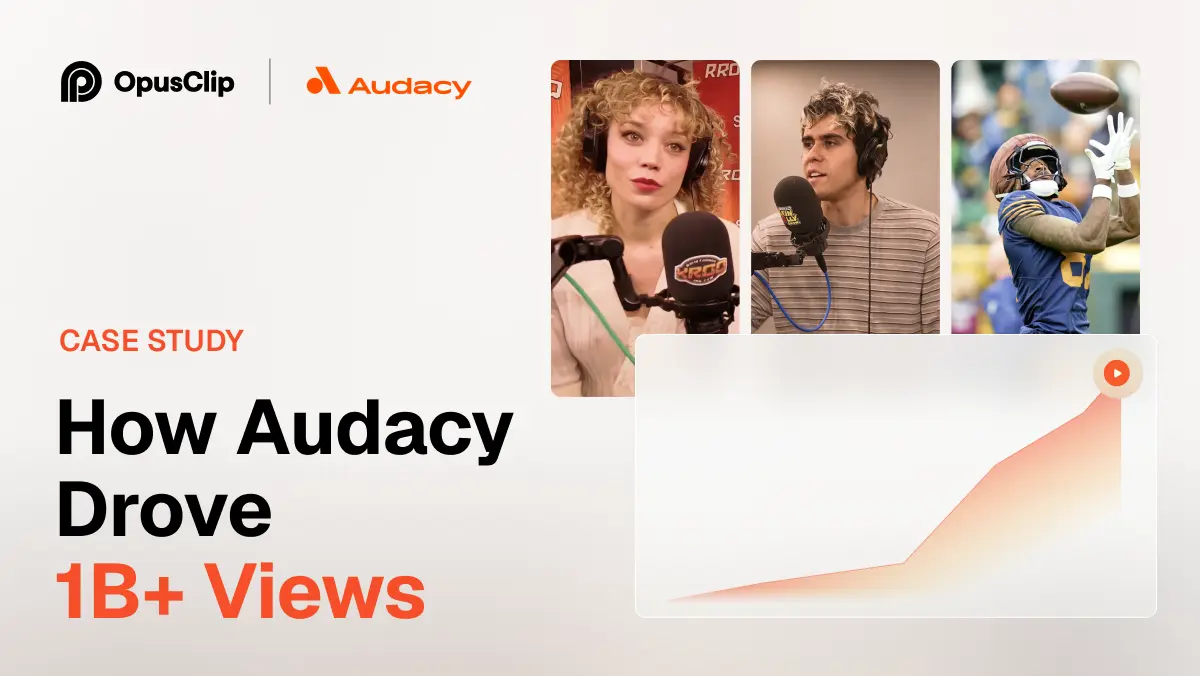
How Audacy Drove 1B+ Views by Taking a Tech-Forward Approach to Radio with OpusClip
No items found.

How Audacy Drove 1B+ Views by Taking a Tech-Forward Approach to Radio with OpusClip

How All the Smoke makes hit compilations faster with OpusSearch

How All the Smoke makes hit compilations faster with OpusSearch

Growing a new channel to 1.5M views in 90 days without creating new videos

Growing a new channel to 1.5M views in 90 days without creating new videos

OpusClip 4.0 is here. Become a content powerhouse.

8 Best Free AI Clipping Tools in 2026

Creators at a laptop, a podcast microphone and a phone, with a Clip it button, a views badge, a Free tag and a scissors icon
No items found.
No items found.

Boost your social media growth with OpusClip

Create and post one short video every day for your social media and grow faster.

8 Best Free AI Clipping Tools in 2026

Creators at a laptop, a podcast microphone and a phone, with a Clip it button, a views badge, a Free tag and a scissors icon

OpusClip is the pick for free AI clipping: its Free forever plan finds clips in a long video, adds captions and reframes to vertical, with a watermark and a 3-day window to export. Reap and Vizard also offer renewing free plans, Flowjin gives a one-time credit, 2short.ai a monthly allowance, Choppity and Klap suit a first test, and FunClip is free software you run yourself. We ordered items 2 to 8 by whether a free user can finish and export a clip. Facts come from each vendor's own pages, read on November 9, 2026.

Key takeaways

  • Best for AI-picked, captioned clips on a free forever plan: OpusClip. Free lists up to 1080p rendered clips and AI captions with an emoji and keyword highlighter; the catches are a watermark and a 3-day export window.
  • Best for a free plan that prints its limits up front: Reap. Its pricing page lists up to 1 hour of AI clipping a month, watermarked 720p exports and 7-day projects.
  • Best for a free plan with the full editor included: Vizard. Free lists 60 credits a month, 720p export, a watermark and 3-day storage.
  • Best for a YouTube-link-first free plan: 2short.ai. Its Starter plan is free, but the page lists 30 minutes of analysis in one place and 15 in another.
  • Best for a free plan with no watermark: Flowjin. Its comparison lists no watermark on any plan, but the 60 free minutes are a one-time credit that does not refill.
  • Best for testing AI clips and a text editor: Choppity. Free lists 1 hour of AI video analysis; one page says free exports carry a small watermark, while the pricing page lists exports from Starter.
  • Best for trying one video before paying: Klap. The free try turns 1 video into clips you can preview and edit, with no downloads or posting.
  • Best free software you run yourself: FunClip. It is open-source and local, so there is no vendor plan, but you handle the setup.

What counts as free for AI clipping

Four kinds of free offer appear in this guide, and the difference decides what a clip costs. A renewing free plan refills each month, with limits such as a watermark, a quality cap or a short storage window (OpusClip, Reap, Vizard, 2short.ai, Choppity). A one-time credit is a free plan that does not refill (Flowjin). A free preview lets one video through but blocks the download (Klap). Open-source software has no vendor plan, but you install and run it (FunClip).

Vendors also count the allowance in different units: hours, minutes, credits, clips or videos. We print each unit as the vendor does and never convert one into another. We left out any tool whose free offer we could not read plainly on its own pages, and the method section lists them. For free offers inside general editors and YouTube Studio, see our guide to free AI tools that turn long videos into short ones.

How to choose

  • Clips every month without paying: a renewing free plan, such as OpusClip, Reap, Vizard, 2short.ai or Choppity.
  • A watermark is a deal-breaker: Flowjin's comparison lists no watermark on its free plan, 2short.ai's page says its exports have none, and FunClip's README lists none. OpusClip, Reap and Vizard add one on Free, and one Choppity page says its free exports carry a small one.
  • The source is a YouTube link: 2short.ai starts from a pasted YouTube link, and Reap, Vizard and Klap also take links. For a wider list, see our guide to YouTube clip makers.
  • One project, once: Flowjin's one-time credit or Klap's one-video preview.
  • Software you control: FunClip, or the editors in our free clipping and editing tools guide.

At a glance

  • OpusClip: best for AI-picked, captioned clips on a free forever plan; Starter $15 a month (monthly billing only), Pro $29 a month or $14.50 a month billed annually; free plan yes.
  • Reap: best for a free plan that prints its limits up front; Creator $9.99 a month billed annually ($119.88 a year), $16.99 a month billed monthly; free plan yes.
  • Vizard: best for a free plan with the full editor included; Creator $29 a month, or $14.50 a month billed yearly ($174 billed yearly); free plan yes.
  • 2short.ai: best for a YouTube-link-first free plan; Lite $9.90 a month (the page lists no billing period); free plan yes.
  • Flowjin: best for a free plan with no watermark; Starter $12.50 a month billed yearly ($102 a year); free plan yes (one-time credit).
  • Choppity: best for testing AI clips and a text editor; Starter $16.80 a month billed yearly ($201.60 a year); free plan yes.
  • Klap: best for trying one video before paying; Basic $14.50 a month billed yearly ($174 a year), $29 a month billed monthly; free try on 1 video, no downloads.
  • FunClip: best for free, open-source clipping you run yourself; no paid plan, no price listed in the README.

What each free offer includes, caps and locks

The At a glance list covers best-for and the first paid price; this table compares the free offer itself, meaning its type, allowance, watermark and export limits and what stays locked, as listed on each vendor's own pages on November 9, 2026.

ToolType of free offerFree allowance as printedWatermark and export on freeWhat stays locked on free
OpusClipFree forever planFree clips every month; the amount is on the pricing pageWatermark; up to 1080p; clips stop being exportable after 3 daysVirality Score and watermark removal start on Starter
ReapFree forever planUp to 1 hour of AI clipping a monthWatermarked; exports at 720pWatermark-free 1080p exports and other aspect ratios start on Creator
VizardFree plan60 credits a monthExports at 720p; no watermark is a Creator feature4K export, scheduled posts and 100 GB storage start on Creator
FlowjinFree plan with a one-time credit60 minutes of video or audio, once; it does not refillNo watermark; 720p; up to 5 clip exportsUnlimited exports start on Starter; 1080p and AI B-roll on Creator
2short.aiFree plan (named Starter)30 minutes of AI analysis a month; the page also says 15Page says no watermarks and 1080p; free can export generated clipsLite adds Google Drive and URL imports and removes ads
ChoppityFree plan, no card needed1 hour of AI video analysisOne page says free exports carry a small watermark; pricing lists exports from Starter30-day storage and scheduling start on Starter; bulk export and longer uploads are paid
KlapFree try on 1 video, no card needed1 video turned into clipsNo downloads or posting; clips can be previewed and editedDownloading and posting need a paid plan; paid exports carry no Klap branding
FunClipOpen-source software; code under the MIT LicenseNo vendor allowance; it runs on your own machineSaves clips and SRT subtitle files; the README lists no mark or capNothing is locked; LLM-assisted clipping needs a key from an LLM provider

1. OpusClip: Best for AI-picked, captioned clips on a free forever plan

OpusClip's transcript view with keywords highlighted in yellow and green, greyed filler words and an Apply to everywhere prompt

Keyword highlights in OpusClip's transcript editor, a feature the Free plan lists as an emoji and keyword highlighter. Source: OpusClip website

OpusClip takes a long video, such as a podcast, webinar or interview, and returns short clips with captions, reframed to vertical. The pricing page lists on Free: Free forever, up to 1080p rendered clips, auto reframe, AI captions with an emoji and keyword highlighter, and a watermark. The help center says Free and Free Trial clips carry an OpusClip brand logo, and that upgrading to a paid plan removes the watermark from those Free projects. To try the clipping step on its own, see our long video to short video tool.

Pricing: OpusClip's pricing page lists Free at $0 with a monthly credit allowance (see the pricing page for the amount), Starter at $15 a month (monthly billing only) and Pro at $29 a month, or $14.50 a month billed annually. Starter and Pro both show a free trial with no credit card required. On Free, clips stop being exportable after 3 days, per the pricing page and the help center.

Considerations: Free clips carry the watermark and have to be exported inside the 3-day window. The help center says the Virality Score is available on Starter and Pro, not on Free. OpusClip clips footage that already exists and does not replace a timeline editor.

  • Choose it if the goal is a monthly supply of captioned vertical clips from long recordings and a watermark is acceptable while trying it.
  • Skip it if the free clips must be watermark-free or stay available longer than 3 days, or the job is cutting on a timeline.

2. Reap: Best for a free plan that prints its limits up front

Reap's transcript editor with a context menu offering Set as start, Set as end, Correct word, Highlight, Add emoji and Remove caption

Reap's transcript editor menu for emoji, highlights and word corrections; its Free plan lists an AI emoji and keyword highlighter. Source: Reap help center

Reap's docs describe starting from a local upload or a pasted video link, then choosing genre, caption style, orientation, resolution, time frame and clip length before the AI generates clips. Its pricing page lists on Free: Free forever, up to 1 hour a month of AI clipping and of AI captions (both marked watermarked), exports in 720p (watermarked), basic subtitle styles, an AI emoji and keyword highlighter, and projects that expire in 7 days. The comparison table adds that Free imports from YouTube, Twitch, X and Vimeo and takes uploads up to 5 GB.

Pricing: Reap's pricing page lists Creator at $9.99 a month billed annually ($119.88 a year) and $16.99 a month billed monthly, and Studio at $29 a month billed annually and $45 billed monthly. Creator lists up to 10 hours a month of AI clipping and watermark-free 1080p exports, and Studio lists 4K.

Considerations: Reap's docs say the Free plan exports at 720p only and cannot change the aspect ratio, and that each export uses 1 export credit, with a clip exportable up to 5 times. The comparison table lists 9:16 only for Free, with 16:9, 1:1 and 4:5 on Creator. Projects expire after 7 days, so clips need exporting early.

  • Choose it if a monthly allowance stated in hours matters and a watermarked 720p export is enough for a test.
  • Skip it if free exports must be watermark-free or need a landscape or square ratio.

3. Vizard: Best for a free plan with the full editor included

Vizard's upload panel with a pasted YouTube link in the address field above a drag and drop area for video files

Vizard's upload panel. Source: Vizard website

Vizard's home page says to try it free with no sign-up needed, then describes uploading a video, clicking Get AI clips and downloading, sharing or publishing the result. Its pricing page lists on Free: $0, 60 credits a month, a private workspace, 1 social media account, AI-generated clips, exports in 720p, full access to the video editor and 3-day storage. The comparison table adds a 60-minute upload length, a 1 GB upload size and a 10-minute export length for Free.

Pricing: Vizard's pricing page lists Creator at $29 a month, or $14.50 a month on yearly billing ($174 billed yearly), with no watermark, 4K export, scheduled posts and 100 GB of storage. Business is $39 a month, or $19.50 a month on yearly billing ($234 billed yearly).

Considerations: Vizard's YouTube clip maker page says exports from the free tier contain a Vizard watermark, and its Creator card lists no watermark as an addition to Free. Free caps export quality at 720p and exports at 10 minutes, and stores projects for 3 days.

  • Choose it if the plan should include a full editor for fixing clips, and a watermark and 720p are acceptable.
  • Skip it if the video is long or large, since Free lists a 60-minute and 1 GB upload, or exports must be clean.

4. 2short.ai: Best for a YouTube-link-first free plan

2short.ai's subtitle settings panel with caption style presets, subtitle transition options and word highlight controls

2short.ai's subtitle settings. Source: 2short.ai website

2short.ai's pricing page says to copy a video link from YouTube and paste it into the app, after which its AI extracts the most engaging parts as short clips. The free Starter plan lists 30 minutes of AI video analyzing a month, viewing and exporting already generated short clips, and full access to all features. The features list describes center-stage face tracking, one-click animated subtitles, and unlimited exports with no watermarks and 1080p quality.

Pricing: 2short.ai's pricing page lists Lite at $9.90 a month (no billing period is stated), Pro at $19.90 and Premium at $49.90. Lite adds 5 hours of analysis a month, 60 minutes of fast server-side exports a month, Google Drive and public URL imports, and no ads.

Considerations: The page contradicts itself on the free allowance: the Starter card says 30 minutes of analysis a month, while a call to action near the bottom says 15 minutes. It also says it can only process videos that have captions, and it prints no storage window for free projects.

  • Choose it if the source is a YouTube video with captions and the budget is as small as possible.
  • Skip it if the video has no captions, or a firm free allowance has to be printed in one place.

5. Flowjin: Best for a free plan with no watermark and a one-time credit

Flowjin's home page says its AI finds the moments worth sharing in a media file and drafts 6 to 12 captioned clips automatically, then writes platform-specific posts for LinkedIn, YouTube and X. Its pricing page lists on Free: process 60 minutes of video or audio as a one-time credit that does not refill, 720p render quality, auto reframe, 9:16 and 16:9 ratios, up to 5 clip exports and an editor. The comparison table shows no watermark on any plan, and unlimited archiving.

Pricing: Flowjin's pricing page lists Starter at $12.50 a month billed yearly ($102 a year), with 150 minutes of video or audio a month, 720p and unlimited clip exports. Creator is $20.80 a month billed yearly ($174 a year), with 300 minutes a month and 1080p.

Considerations: The credit does not refill, so the free plan works as a one-off test, and it covers 5 clip exports at 720p. Starter stays at 720p as well, with 1080p starting on Creator. Flowjin is aimed at brands that publish to LinkedIn, YouTube and X.

  • Choose it if one project needs clean clips and a one-time 60 minutes is enough.
  • Skip it if clips are needed every month without paying, or exports must be above 720p.

6. Choppity: Best for testing AI clips and a text editor before paying

Choppity's clip generator input with an Add a link field and a purple Generate clips button

Choppity's link input on its home page. Source: Choppity website

Choppity's home page says it turns long videos into short clips with its AI clipping tool, finds the best moments in podcasts and tutorials and lets each clip be refined before sharing, with automatic portrait layouts and captions. Its FAQ says clips can be edited as text, so deleting a sentence trims the clip. The pricing page lists on Free: 1 seat, 1 hour of AI video analysis, 2 GB of cloud storage, 3-day project storage and chat support, with the advanced video editor, AI video clipper, captions generator and transcription generator, and no credit card required. Its free AI clip maker page adds that clips can be generated and previewed on the free plan, that free exports include a small Choppity watermark and that paid plans remove it.

Pricing: Choppity's pricing page lists Starter at $16.80 a month billed yearly ($201.60 a year, with $24 crossed out), adding 3 hours of AI video analysis, 40 GB of storage, 30-day project storage, exports and downloads in 1080p HD and 4K, and scheduling for 1 social account.

Considerations: Choppity's own pages disagree about free exports. The pricing page lists exports and downloads from Starter and shows none for Free, the home page FAQ says the free plan lets users upload videos, generate clips and explore the editing tools, and the clip maker page says free exports carry a small watermark (its comparison table on the same page lists no watermark for the free tier). Check what Free can save before relying on it. Free projects are stored for 3 days.

  • Choose it if the goal is to test AI clip quality and the text editor before choosing a plan.
  • Skip it if a clean downloaded file from the free plan is required today.

7. Klap: Best for trying one video before paying

Klap's upload box reading Drop a file or paste a link, with a Generate button and the line Try Klap free on 1 video

Klap's upload box and free-trial line on its home page. Source: Klap website

Klap's home page says to paste a link or upload a video and try it free on 1 video, with no credit card required. Its pricing FAQ says the free account turns that video into clips that can be previewed and edited in Klap, and that downloading and posting clips needs a paid plan. Every plan lists AI clipping with a virality score, active-speaker reframing and animated captions on each clip, plus scheduling and publishing to TikTok, YouTube, Instagram, LinkedIn and Facebook.

Pricing: Klap's pricing page lists Basic at $14.50 a month billed yearly ($174 a year) or $29 a month billed monthly, with 100 clips a month. Pro is $39.50 a month billed yearly, or $79 billed monthly, with 300 clips, and Pro+ is $94.50 a month billed yearly, or $189 billed monthly, with 1,000 clips. Paid exports carry no Klap branding.

Considerations: The free try is a preview: nothing can be downloaded or posted until a plan is bought. On paid plans each short Klap generates counts as one clip, and source videos can run up to 3 hours, per the FAQ.

  • Choose it if the aim is to see whether Klap's clip picks and reframing fit the footage before paying.
  • Skip it if a file has to leave the tool on the free offer.

8. FunClip: Best for free, open-source clipping you run yourself

FunClip's LLM clipping panel with an LLM Model Name dropdown, an APIKEY field and an LLM Inference button

FunClip's local Gradio interface, where an LLM model and key are set for AI clipping. Source: FunClip GitHub README

FunClip is an open-source clipping tool published under the ModelScope organisation on GitHub. Its README calls it a fully open-source, locally deployed automated video clipping tool: it transcribes a video with FunASR speech models, and the user picks text segments or speakers and clicks Clip to get the matching video clip, with SRT subtitles for the full video and for the clipped segment. An LLM-assisted mode is optional: a model is chosen in the LLM Model Name dropdown and a key is pasted into the APIKEY box. It runs as a local Gradio service.

Pricing: FunClip lists no price. The source code is under the MIT License, and the README says model weights are downloaded separately and follow the terms on their own model pages. LLM clipping uses a key from whichever LLM provider is chosen, under that provider's terms.

Considerations: Setup means a Python environment, and the README's default model is for Chinese; English uses an option (-l en). The README does not describe vertical reframing, a virality score or social posting, so clips come out as selected segments and subtitle files.

  • Choose it if Python is familiar, no watermark or vendor cap is wanted, and the clips can be picked by text or by an LLM.
  • Skip it if a hosted app with reframing, caption styles and posting is needed.

How we compared these tools

This guide is organised around free AI clipping. OpusClip is built for that job, turning a long video into captioned short clips, so it comes first. Items 2 to 8 follow one yardstick: whether the vendor's own pages let a free user finish and export a clip in its hosted app without installing anything, then whether the offer renews, then how plainly the pages state the limits. FunClip is software the user installs, so it sits last.

  • 2. Reap: a renewing free plan with exports, with its hours, watermark, 720p cap and 7-day storage printed.
  • 3. Vizard: a renewing free plan with exports and an editor, with a watermark, 720p and a 3-day storage window.
  • 4. 2short.ai: a renewing free plan that lists exports and no watermark, with the allowance printed two different ways.
  • 5. Flowjin: exports and no watermark, but a one-time credit that does not refill.
  • 6. Choppity: a renewing free plan whose pages disagree on free exports: one says they carry a small watermark, and the pricing page lists exports from Starter.
  • 7. Klap: a free preview of one video with no downloads or posting.
  • 8. FunClip: no vendor limits, but it has to be installed and run locally.

All facts come from each vendor's own pricing page, product pages, docs and help center, and for FunClip its GitHub README, read on November 9, 2026. Where a page loads its figures with a script we read the rendered page, and we clicked the monthly and yearly views where a toggle exists. Where two parts of one vendor's pages disagree (2short.ai on free minutes), we say so. We did not run hands-on tests of any competitor, and documented limits say nothing about how well a tool works. We left out tools whose free offer was not plainly readable: Submagic's pricing page lists paid plans and says to try it free without printing limits, Ssemble's lists paid plans only, Munch's lists paid plans with a 7-day free trial, Spikes Studio's pricing page shows its Basic plan at both $0 and $12.99, and Eklipse's pricing page redirects to a home page with no plan prices. Prices change, so confirm on the vendor's page before relying on a free plan.

Red flags to watch for

  • Watermarks on free exports. OpusClip, Reap and Vizard add one on Free, and one Choppity page says its free exports carry a small one. Flowjin's comparison lists none on any plan, and 2short.ai's page says its exports have none.
  • Free exports that are not listed. Klap's free try allows no download or posting, and Choppity's pricing page lists exports and downloads from Starter, not Free.
  • Allowances in different units. Reap and Choppity count hours, Vizard and OpusClip count credits, Flowjin and 2short.ai count minutes, and Klap counts videos. Compare each against the length of the real source video.
  • One-time credits. Flowjin's 60 free minutes are a one-time credit that does not refill, per its pricing page.
  • Clips that expire. OpusClip Free clips stop being exportable after 3 days, Vizard and Choppity store free projects for 3 days, and Reap for 7.
  • Pages that contradict themselves. 2short.ai prints 30 free minutes on its plan card and 15 in a closing call to action, Choppity's pricing and clip maker pages differ on free exports, and Spikes Studio prints two prices for one plan.
  • Caption or length requirements. 2short.ai says it can only process videos with captions, and Vizard's Free lists a 60-minute upload and a 10-minute export.
  • Free software costs time. FunClip needs a Python setup, and its LLM mode needs a key from an LLM provider.
  • No manual override. A tool that picks and crops clips with no way to edit the result leaves no fix for a bad cut.
  • Clips from videos you do not own. Clip only videos that belong to you or that you have permission to use.

Frequently asked questions

What is the best free AI clipping tool?

It depends on what free needs to cover. OpusClip is first in this guide for AI-picked, captioned clips on a Free forever plan, with a watermark and a 3-day export window (see the pricing page for the credit amount). Reap and Vizard have renewing free plans with watermarked 720p exports, Flowjin's one-time credit lists no watermark, 2short.ai's page promises no watermarks but contradicts itself on free minutes, Choppity and Klap suit testing, and FunClip is free software.

Is there a free AI video clipper?

Yes, several. OpusClip, Reap, Vizard, 2short.ai and Choppity list free plans that renew, Flowjin gives a one-time credit, Klap gives a one-video preview, and FunClip is open-source. For free offers inside general editors and YouTube Studio, see our guide to free AI tools for long videos.

Is there a free AI clip maker with no watermark?

Three offers here list no watermark, each with a catch. Flowjin's free plan lists no watermark, but it is a one-time 60-minute credit with up to 5 clip exports at 720p. 2short.ai's page says its exports have no watermarks, though it contradicts itself on free minutes. FunClip's README lists none, and it is software to install. OpusClip, Reap and Vizard add a watermark on Free, Choppity's clip maker page says free exports carry a small one, and Klap's free try allows no download. The OpusClip help center says upgrading removes the watermark from Free projects.

What does free mean for an AI clipping tool?

It means one of four things: a renewing free plan, a one-time credit, a preview with no download, or open-source software. Each adds limits such as a watermark, a 720p or 1080p cap, a short storage window (3 or 7 days here) and an allowance counted in the vendor's own unit. The table above lists each tool's limits side by side.

How do I clip a long video for free with OpusClip?

Sign up for the Free plan, add the long video, and OpusClip finds clips, adds captions and reframes them to vertical. Export inside the 3-day window. The long video to short video tool walks through the steps.

Is OpusClip really free?

OpusClip has a Free forever plan with a monthly credit allowance (see the pricing page for the amount), a watermark and a 3-day export window. Starter and Pro show a free trial with no credit card required. Paid plans start at $15 a month on Starter, with monthly billing only.

Is a free AI clipping tool good enough?

It can be for testing and for occasional clips, if the limits fit the job. A watermark, a 720p cap, a short storage window or a one-time credit rules out regular posting on most free offers here. A free plan works best as a way to check whether a tool picks good moments from your own footage before choosing a plan.

What free clipping software can I run on my own computer?

FunClip is the open-source option in this guide: it runs locally, transcribes the video and clips the segments you choose, with an optional LLM mode. For free desktop editors that cut clips by hand, see our free clipping and editing tools guide.

Ready to start streaming differently?

Opus is completely FREE for one year for all private beta users. You can get access to all our premium features during this period. We also offer free support for production, studio design, and content repurposing to help you grow.
Join the beta
Limited spots remaining

Try OPUS today

Try Opus Studio

Make your live stream your Magnum Opus