No items found.
8 Best YouTube to Shorts Converters in 2026

OpusClip is the pick for turning a YouTube link into Shorts: paste the link of a video you own, and it finds the moments, reframes them to 9:16, adds captions and can post to YouTube. Here, a YouTube to Shorts converter means a tool that takes a pasted link and returns Shorts. Klap, Choppity, SendShort and Restream use the word "converter" on their own pages, and Quso, Vizard and Submagic also take a link. Items 2 to 8 follow one yardstick: how directly each vendor's pages document the route from link to finished Shorts. Facts come from each vendor's own pages, read on November 9, 2026.
Key takeaways
- Best for turning a link to your own YouTube video into captioned, reframed Shorts: OpusClip. It reframes to 9:16, adds captions, scores clips and posts to YouTube, after confirming channel ownership.
- Best for up to 30 ranked Shorts from one pasted URL: Klap, whose free trial allows no downloads.
- Best for a converter that takes a link or a file: Choppity, with exports at up to 1080p and a small watermark on Free.
- Best for a paid link route with no watermark on any plan: SendShort, from $29 a month, with no free trial.
- Best for clips from a link when streaming and clipping share a plan: Restream, where Clips is an add-on to its streaming plans.
- Best for a free plan that takes a pasted public link: Quso, at 720p with a watermark.
- Best for a free plan with a transcript editor behind the clips: Vizard, with 720p export and a watermark on Free.
- Best for caption-led Shorts from a pasted URL: Submagic, with captions in 123 languages; Starter's 45 credits equal 5 Magic Clips.
What counts as a YouTube to Shorts converter
Searches for a "YouTube video to Shorts converter" describe several jobs. The one covered here is paste-a-link conversion: a tool takes a YouTube URL, picks moments from a long video, reframes them to vertical, adds captions and returns several Shorts. Cutting one segment by hand is covered in our guide to the best YouTube clip makers, and making a Short from scratch in our guide to the best YouTube Shorts makers.
Not every tool here uses the word. Klap, Choppity, SendShort and Restream call their pages a converter. OpusClip's pages say "create Shorts from a YouTube video" and "YouTube Shorts maker", and Quso, Vizard and Submagic say clip maker or clip generator. Each takes a pasted YouTube link and returns Shorts. YouTube's help page says square or vertical videos up to three minutes long, uploaded on or after October 15, 2024, are categorized as Shorts, and that Short uploads have a maximum resolution of 1080p.
How to choose
- A video on your own channel, with several Shorts wanted from it: OpusClip, Klap or Choppity. OpusClip's create Shorts from YouTube video page and YouTube Shorts maker page start the same flow.
- A free first try: OpusClip, Quso, Vizard and Choppity list free plans with a watermark; Klap, Restream and Submagic list free trials. SendShort lists none.
- Someone else's video: get permission first. OpusClip asks for channel ownership, Quso says to use videos you own or may reuse, and Klap says whoever publishes needs the rights.
- Export resolution: YouTube's help page lists 1080p as the maximum for Short uploads, so 2K or 4K export tiers matter little for Shorts.
At a glance
- OpusClip: best for turning a link to your own YouTube video into captioned, reframed Shorts; Starter $15 a month (monthly billing only), Pro $29 a month or $14.50 a month billed annually; free plan yes (watermark).
- Klap: best for up to 30 ranked Shorts from one pasted URL; Basic $29 a month, or $14.50 a month billed yearly, for 100 clips a month; free trial on 1 video, with no downloads or posting.
- Choppity: best for a converter that takes a link or a file; Starter $24 a month, or $16.80 a month billed yearly; free plan yes (small watermark).
- SendShort: best for a paid link route with no watermark on any plan; Professional $29 a month, or $18 a month billed yearly; no free trial, with a refund window of 24 hours after payment.
- Restream: best for clips from a link when streaming and clipping share a plan; Clips is an add-on to a Restream plan, so see the pricing page; one free video and a 7-day trial for new users.
- Quso: best for a free plan that takes a pasted public link; Lite $29 a month billed monthly; free plan yes (720p, watermark).
- Vizard: best for a free plan with a transcript editor behind the clips; Creator $29 a month, or $14.50 a month billed yearly; free plan yes (720p, watermark).
- Submagic: best for caption-led Shorts from a pasted URL; Starter $19 a month, or $12 a month billed yearly, per member; the page says no credit card is required to start.
How each tool takes a YouTube link, what limits it states and what comes out
The At a glance list covers best-for, price and free plan; this table compares how each tool takes a pasted YouTube link, the source limits it states, what comes out, the watermark rule and where finished Shorts go, as listed on each vendor's own pages on November 9, 2026.
| Tool | How a YouTube link goes in | Source limit the vendor states | What comes out | Watermark on exports | Where Shorts go next |
|---|---|---|---|---|---|
| OpusClip | Paste a public or unlisted link; you confirm channel ownership first | Public or unlisted links only; help says link failures are up, upload is the fallback | Clips reframed to 9:16 with captions and a Virality Score | Free and trial clips carry an OpusClip logo; paid plans remove it | Post to YouTube, TikTok and Instagram, or download |
| Klap | Paste a YouTube URL; no download or re-upload needed | Source videos up to 3 hours | Up to 30 vertical Shorts, captioned and ranked by a 0-100 Virality Score | Paid exports have no Klap branding; the free trial allows no download | Publish to YouTube from Klap; TikTok, Instagram, LinkedIn and Facebook too |
| Choppity | Paste a YouTube URL in the converter box, or upload a file | Help center: up to 3 hours; no private, age-restricted, members-only or live videos | 30+ clips at 9:16, up to 1080p, with captions burned in | Free exports carry a Choppity mark; paid plans export without it | Publish or schedule to YouTube, TikTok, Instagram Reels and LinkedIn |
| SendShort | Paste a YouTube link in the editor, or upload a video | Professional lists 50 shorts a month and 3 minutes per short | AI-picked clips with captions; exports up to 2K on Professional | No plan adds a watermark, per its page | Scheduler for TikTok and YouTube; clips can also be downloaded |
| Restream | Paste a link to one YouTube video (no playlists or channels), or upload a file | Uploads: MP4 with spoken audio, up to 2GB | Highlights trimmed and resized for vertical; captions in 90+ languages | No watermark rule on the pages read; clips can be downloaded | Publish as YouTube Shorts, or multipost to TikTok, Facebook Reels, LinkedIn and X |
| Quso | Paste a public YouTube link, or upload a recording | Page says to check your processing allowance before importing a long video | Suggested clips with captions and framing controls; Free exports at 720p | Free plan exports at 720p with a quso.ai watermark | Download, or publish through a connected account on a plan that supports it |
| Vizard | Page says to drop a link or import from YouTube; its steps say to upload | Pricing table: 60-minute uploads on Free, 600 minutes on Creator and Business | AI clips with captions, emojis and b-roll; Free exports at 720p | Free exports carry a Vizard watermark; Creator and Business list none | Download as MP4 or publish directly to YouTube |
| Submagic | Paste a YouTube URL or upload a video file | Pricing lists video durations of 2, 5 and 30 minutes (Starter, Pro, Business) | 20+ clips from a long video; captions in 123 languages; 1080p 30 FPS on Starter | Page says exports carry no watermark | Add captions and tweak clips, then post to social media |
1. OpusClip: Best for turning a link to your own YouTube video into captioned, reframed Shorts
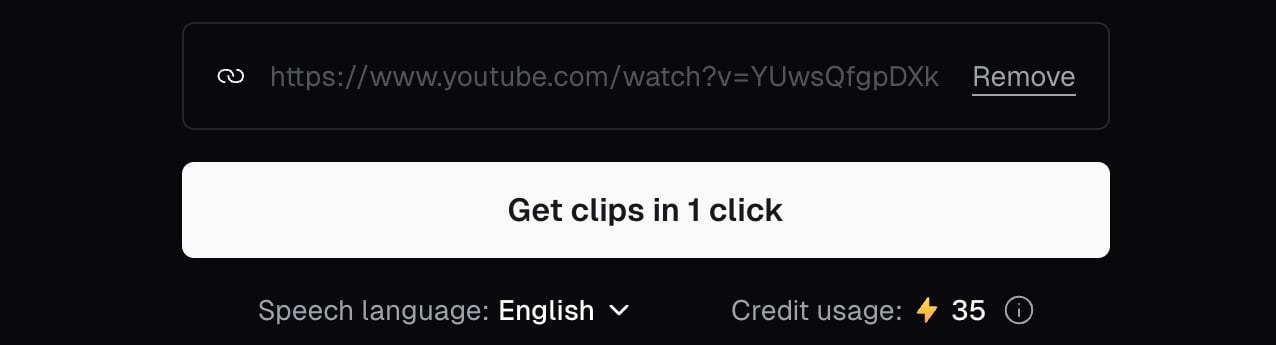
Pasting a YouTube link into OpusClip. Source: OpusClip app
OpusClip's create Shorts from YouTube video page says to drop a video link or upload a file, and its FAQ says to paste the YouTube link: OpusClip finds the strongest moments, reframes them to 9:16, adds captions and gives each clip a Virality Score. The help center lists YouTube among the links it accepts, for public or unlisted videos only, and says the Virality Score is shown on each clip. The same flow starts from OpusClip's YouTube Shorts maker page.
After conversion, clips can be posted to YouTube, TikTok and Instagram or downloaded, and the Auto Import article describes new public videos from a connected channel being processed automatically. One step stays manual: the help center says YouTube's public API does not let OpusClip set a Short's related video, so the link back to the long video is added in YouTube Studio.
Pricing: OpusClip's pricing page lists Free at $0 (a watermark, and clips stop being exportable after 3 days), Starter at $15 a month (monthly billing only; auto post to YouTube Shorts, TikTok and Instagram Reels or download; an editor; watermark removal) and Pro at $29 a month, or $14.50 a month billed annually (a social media scheduler; export to Premiere Pro and DaVinci Resolve). Business is custom. Each plan lists a monthly credit allowance; see the pricing page.
Considerations: OpusClip asks for channel ownership to be confirmed before a YouTube link is processed, per the help center, so it is not a converter for someone else's video; for a client's channel, the owner can be invited to the team workspace. The help center also says YouTube link uploads have had higher failure rates since YouTube's download policy changes, with a local upload as the fallback. OpusClip also picks moments from a long video rather than turning the whole video into one Short, and Free clips carry a watermark.
- Choose it if the video is on a channel you own and several scored, captioned, vertical Shorts should come out of it, with posting to YouTube from the same tool.
- Skip it if the video belongs to someone else, or a pasted link must work on every attempt without an upload fallback.
2. Klap: Best for up to 30 ranked Shorts from one pasted YouTube URL

Klap's dialog for setting a target duration and generating Shorts. Source: Klap website
Klap's YouTube to Shorts page calls the tool a converter: paste a YouTube URL and the AI generates up to 30 vertical Shorts in minutes, each sized for 9:16 with captions baked in and ranked by a Virality Score from 0 to 100, with no download step. The page says Klap typically produces about 17 Shorts from a 45-minute video and 26 to 30 from a 2-hour podcast or livestream replay, and the pricing FAQ says source videos can run up to 3 hours.
Captions are listed in 99+ languages, and Shorts can be published back to a connected YouTube channel or scheduled to TikTok, Instagram, LinkedIn and Facebook.
Pricing: Klap's pricing page lists Basic at $29 a month, or $14.50 a month billed yearly ($174 a year), for 100 clips a month; Pro at $79 a month ($39.50 billed yearly) for 300; and Pro+ at $189 a month ($94.50 billed yearly) for 1,000. Each generated Short counts as one clip, and the length of the source video does not use up the plan. The page says paid exports carry no Klap branding.
Considerations: The free trial turns one video into clips that can be previewed and edited, but downloading and posting need a paid plan, so it shows quality without producing a usable file. The page says the converter can process any public YouTube URL, but whoever publishes the resulting Shorts needs the rights to them. Because plans count clips, a long video that yields 30 Shorts uses a large share of Basic's 100 clips.
- Choose it if a link should go in and a month of ranked Shorts should come out of one long video, with the clip count as the unit that matters.
- Skip it if a free download is needed to judge the result, or one hand-picked quote is the goal.
3. Choppity: Best for a converter that takes a link or a file, with a watermark on Free

Choppity's YouTube to Shorts converter box. Source: Choppity website
Choppity's YouTube to Shorts converter page puts the tool on the page: a YouTube Video URL box, an alternative upload for MP4, MOV and WebM files, and a Convert to Shorts button. The page says every Short exports at 9:16 at up to 1080p with captions burned in, that 30+ clips can come from one long video, and that Shorts can be published or scheduled to YouTube, TikTok, Instagram Reels and LinkedIn.
Its help center says an import downloads at up to 1080p from a normal public YouTube video, within the same limits as a file upload of up to 3 hours, and that private, age-restricted, members-only and live videos cannot be imported.
Pricing: Choppity's pricing page lists Free at $0 (1 hour of AI video analysis, 2GB of cloud storage and 3-day project storage), Starter at $24 a month, or $16.80 a month billed yearly (3 hours of analysis, 1080p and 4K exports, scheduling for 1 social account); Creator is $32 a month, or $22.40 billed yearly.
Considerations: The converter page says free exports include a small watermark and the help center says paid plans export without it, while the pricing table shows a dash for exports on Free, so confirm what Free can download. The converter page lists uploads of up to 10GB where the help center lists 4GB per upload. The page says any public YouTube video can be converted and carries no rights note.
- Choose it if a link or a file should go into one converter box, with captions burned in at 1080p and scheduling to four networks.
- Skip it if a watermark-free export is needed on a free plan, or the converter's rights guidance matters.
4. SendShort: Best for a paid link route with no watermark on any plan
SendShort's long video to short video converter page describes importing by uploading a video or pasting a YouTube link in its editor, then creating clips manually or letting the AI detect highlights. A section titled YouTube link to short video converter says to paste the link and SendShort extracts the video and turns it into short clips. The page says no plan adds a watermark, and its pricing page lists auto captions in 100+ languages, a full editor and a scheduler for TikTok and YouTube from Starter.
Pricing: SendShort's pricing page lists Starter at $15 a month ($12 a month billed yearly) with long videos to shorts locked, Professional at $29 a month ($18 a month billed yearly) with AI picking the best moments from a long video, 50 shorts a month, 3 minutes per short and export up to 2K, and Business at $59 a month ($35 a month billed yearly) with unlimited long-to-shorts, clips up to 10 minutes and 4K at 60 fps. The pricing FAQ says there is no free trial and that a refund can be asked for within 24 hours of payment.
Considerations: The link route to AI-picked clips starts at the Professional price, there is no free plan or trial to test it first, and the pages read state no source-length limit and no rights wording.
- Choose it if watermark-free exports are the priority and a $29 a month starting point is acceptable.
- Skip it if a free plan or trial is needed to test a converter before paying.
5. Restream: Best for clips from a link when streaming and clipping share a plan

Restream's link import and upload box for Clips. Source: Restream website
Restream's video to Shorts converter and YouTube to Clips pages put the converter inside a Restream product called Clips: paste a link to a single YouTube video (the page says links to playlists or channels are not supported) or upload an MP4 with spoken audio up to 2GB, and the AI trims highlights, resizes them for vertical viewing and prepares them for publishing. Its help center says a link can also come from OneDrive, Dropbox or Google Drive.
The page lists captions in over 90 languages and publishing straight to YouTube Shorts or multiposting to TikTok, Facebook Reels, LinkedIn and X.
Pricing: Restream's pricing page lists Clips as an add-on to its Standard, Professional and Business streaming plans, with 50, 100 and 250 clips, so see the pricing page for the price. The converter page says new users can try AI Clips free by uploading one video and also get a 7-day free trial.
Considerations: The FAQ says AI Clips works best with speech and is less effective for silent recordings, music-only streams or gameplay without talking. Clips is sold as an add-on to a streaming plan rather than as a stand-alone converter, and the pages read state no watermark rule and no rights wording for imported videos.
- Choose it if live streams are already on Restream, or stream replays and YouTube videos should be clipped in the same place.
- Skip it if a stand-alone converter with one clear price is wanted, or the footage has little speech.
6. Quso: Best for a free plan that takes a pasted public link

Quso's YouTube link field. Source: Quso website
Quso's YouTube clip maker page says to paste a public YouTube link to start a clipping project, then review the suggested excerpts, adjust the framing and captions, and download or publish. A limits section on the page lists the input (a public YouTube link or an uploaded recording) and the output (suggested clips with captions and framing controls), and tells readers to use a public recording they own or may reuse and to check the processing allowance before importing a long video. The page does not call itself a converter.
Pricing: Quso's pricing page lists Free at $0 (75 credits a month, 720p with a quso.ai watermark, 16:9, 9:16 and 1:1 clips, TikTok publishing and 7 days of data retention), Lite at $29 a month billed monthly (unlimited 1080p clips and TikTok publishing) and Essential at $39 a month (300 credits, scheduling to 7 platforms, AI filler and silence removal). The tool page says its free-plan figures are for the US and that pricing varies by country.
Considerations: Free exports are 720p with a watermark and the data retention is 7 days, so finished clips need saving early. Publishing needs a connected account and a plan that supports the destination. The page gives no source-length figure.
- Choose it if a free plan that takes a pasted link is wanted, with plain wording on rights and limits.
- Skip it if a watermark-free or 1080p export is needed on a free plan.
7. Vizard: Best for a free plan with a transcript editor behind the clips
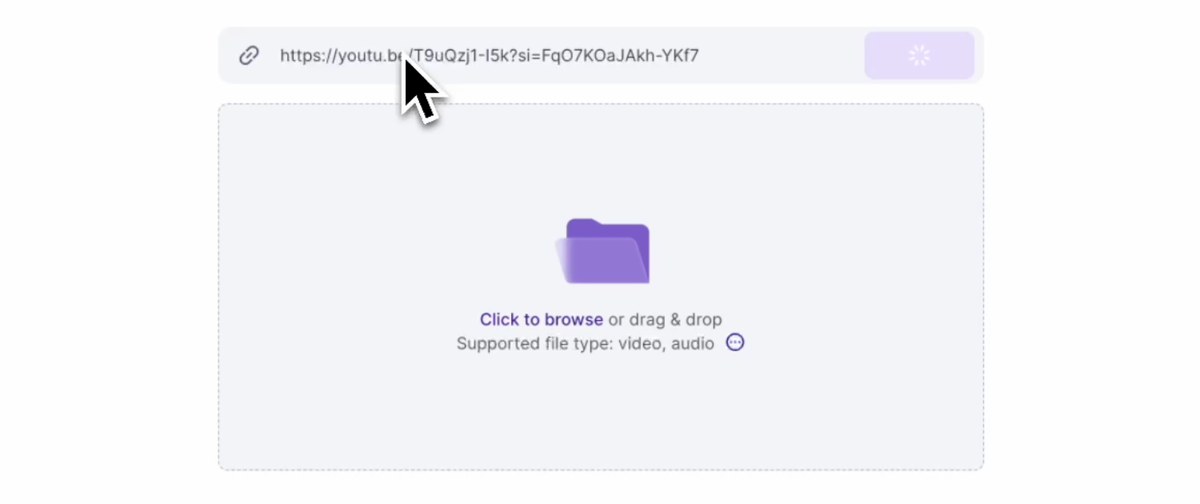
Starting a project from a YouTube link in Vizard. Source: Vizard website
Vizard's YouTube clip maker page says to drop the link and the AI identifies the best parts and turns them into clips. The page also says videos can be trimmed by deleting transcript text, or clips made by selecting transcript text, and that clips can be downloaded as MP4 or published to YouTube directly. The same page's numbered steps start with uploading a video, so it is not consistent about whether a link or a file is needed.
Pricing: Vizard's pricing page lists Free at $0 (60 credits a month, AI-generated clips, 720p export, full video editor access, 3-day storage and 1 social account), Creator at $29 a month, shown as $14.50 a month billed yearly ($174 a year; no watermark, 4K export, scheduled posts, 6 social accounts) and Business at $39 a month, or $19.50 a month billed yearly (20 social accounts, shared workspace, brand kit).
Considerations: The pricing table lists a 10-minute export length, 60-minute uploads and a 1GB upload size on Free, against any export length, 600-minute uploads and 30GB on the paid plans, and the page says Free exports carry a Vizard watermark. Its FAQ says to check copyright and generally ask for permission before using other people's footage.
- Choose it if AI clips and text-based trimming should live in one editor, with a free plan to try it.
- Skip it if exports longer than 10 minutes or a watermark-free file are needed on a free plan.
8. Submagic: Best for caption-led Shorts from a pasted URL

Submagic's trim view in its editor. Source: Submagic blog
Submagic's Magic Clips page says to paste a YouTube URL or upload a video file, after which the AI finds key moments with a virality score and generates clips, and it says a long video can yield 20+ videos. The page lists captions in 123 languages, auto b-roll, auto zoom and silence removal, and says exports carry no watermark.
Pricing: Submagic's pricing page lists Starter at $19 a month, or $12 a month billed yearly, per member (45 credits, which the page equates to 15 videos or 5 Magic Clips; 1080p at 30 FPS; a 2-minute video duration), Pro at $23 a month billed yearly (120 credits, 15 Magic Clips; 5 minutes) and Business at $41 a month billed yearly (300 credits, 37 Magic Clips; 30 minutes; 4K at 60 FPS). The page says no credit card is required to start.
Considerations: The pricing page lists video durations of 2, 5 and 30 minutes by plan without saying how they apply to the long source video Magic Clips takes, and Starter's credits equal only five Magic Clips runs, so confirm the source-length limit before importing a long recording. The pages read carry no rights wording.
- Choose it if caption styling should lead the result and a trial without a card is enough to check the look.
- Skip it if the source is a long recording and its duration limit has not been confirmed.
Whose video it is: what YouTube and each vendor say
This section reports what each source says; it is not legal advice, and fair use depends on the facts.
- YouTube's Terms of Service: they say users may not access, reproduce, download or otherwise use any content except as the service expressly authorizes, or with prior written permission from YouTube and, where applicable, the rights holders.
- YouTube's monetization policy: it defines reused content as repurposing content already on YouTube or another online source without significant original commentary, substantive modifications, or educational or entertainment value. The page says the policy applies even if the original creator gave permission, and that it is separate from copyright enforcement.
- YouTube's help page on three-minute Shorts: a Short over one minute with an active copyright claim of any type is blocked globally on YouTube.
- OpusClip: the help center says users must verify ownership of a YouTube video before submitting its link.
- Klap: its page says the converter can process any public YouTube URL, but publishing the resulting Shorts needs the rights, which for other people's videos means the copyright holder's permission.
- Quso: its FAQ says to use videos you own or have permission to reuse, and to check the owner's reuse terms.
- Vizard: its FAQ says to check copyright when using other people's footage and generally to ask permission first.
- Choppity, SendShort, Restream and Submagic: the pages we read carry no rights note, and Choppity's page says any public YouTube video can be converted.
The safe default is to convert your own videos, a client's videos with the owner's agreement, or footage you are licensed to use.
How we compared these tools
We compared each tool on five criteria: how a YouTube link goes in, the source limits the vendor states, what comes out (ratio, length and captions), the watermark rule on exports, and what the vendor says about whose video may be used. The guide is organised around the job in the title, converting a pasted YouTube link into Shorts. OpusClip comes first because paste-a-link conversion is the job its create Shorts from YouTube video page and its help center describe, with scoring, captions and posting around it; its limits are stated in its entry: a channel ownership check, link uploads that can fail, moments picked rather than a whole video converted, and a watermark on Free. Items 2 to 8 follow one yardstick: how directly the vendor's own pages document the route from a pasted link to finished Shorts. Tools whose pages name a converter and show the link route come first (Klap, Choppity, SendShort, Restream), then tools that take a link without the label (Quso, Vizard, Submagic), each group ordered by how completely the pages state the input, the output, the watermark rule and the rights wording. Submagic is last because its pricing page does not say how its per-video duration applies to a long source.
All facts come from each vendor's own pricing page, product page or help center, and from YouTube's help pages and Terms of Service, read on November 9, 2026. We did not run hands-on tests of any competitor. We also read pages for Pippit and Kapwing and left them out: Pippit's converter page says to upload in its steps and to paste a link in its FAQ, and Kapwing's repurpose pages cover YouTube to TikTok and Instagram. Prices change, so confirm on the vendor page before buying.
Red flags to watch for
- Watermarks and export caps on free plans. OpusClip Free, Choppity Free, Quso Free and Vizard Free add a watermark or limit the file, and Klap's free trial allows no download.
- A link route behind a higher plan. SendShort's Starter plan locks long videos to shorts, so the converter starts at Professional.
- Limits that differ on one vendor's own pages. Choppity lists 10GB uploads on its converter page and 4GB in its help center, Vizard's steps say to upload where its text says to drop a link, and Submagic's duration limits are not tied to a long source.
- Outdated Shorts and Clips rules. Choppity's FAQ describes Shorts as under 60 seconds where YouTube says up to three minutes, and Vizard describes viewer Clips that YouTube replaced in April 2026.
- Billing by clips, credits or analysis hours. Klap counts every generated Short, and Submagic, Choppity and Quso meter credits or AI analysis.
- Links that do not import. OpusClip's help center reports higher failure rates for YouTube links, Choppity cannot import private, age-restricted, members-only or live videos, and Restream rejects playlist and channel links. Plan an upload fallback.
- "Any public video" wording with no rights note. Choppity's page says any public YouTube video can be converted, yet YouTube's reused content policy applies even with permission.
Frequently asked questions
What is the best YouTube to Shorts converter?
For a link to a video on a channel you own, OpusClip fits best in this guide: it reframes to 9:16, adds captions, scores clips and posts to YouTube. Klap, Choppity, SendShort and Restream describe themselves as converters, and Quso, Vizard and Submagic also take a pasted link. See OpusClip pricing for plan limits.
How do I convert a YouTube video to Shorts?
Paste the video's link into a converter, let it pick moments, check the captions and framing on each clip, then download or post the vertical Shorts. With OpusClip, the flow starts on its create Shorts from YouTube video page: paste the link, confirm channel ownership, review the scored clips and post to YouTube or download. YouTube's own clips and Shorts tool in Studio can also cut a segment from a long video on a channel you own.
Is there a free YouTube video to Shorts converter?
Yes, with limits. OpusClip, Choppity, Quso and Vizard list free plans that add a watermark or cap the export, Klap's trial allows no download, Restream offers one free video and a 7-day trial, and Submagic's page says no credit card is required to start. SendShort lists no free trial. Our guide to free AI tools for long videos goes deeper.
Can I convert someone else's YouTube video to Shorts?
Only with permission or a license. YouTube's Terms of Service restrict downloading and reusing content without authorization, its reused content policy applies even with the creator's permission, and OpusClip asks users to verify channel ownership first. Klap, Quso and Vizard also tell users to have the rights or permission.
Do I need to download the YouTube video before converting it?
Not for Klap, Choppity, SendShort, Restream, Quso or Submagic, whose pages describe pasting a link. OpusClip also accepts a link after the ownership check, with a local upload as the fallback, and Vizard's page describes both. Download only videos you own.
How long can a YouTube Short be?
YouTube's help page says square or vertical videos up to three minutes long, uploaded on or after October 15, 2024, are categorized as Shorts, and that Short uploads have a maximum resolution of 1080p. Some vendor pages still describe Shorts as under 60 seconds, so check YouTube's page rather than a vendor's.
Why did my YouTube link fail to convert?
OpusClip's help center says YouTube link uploads have had higher failure rates and that private videos cannot be accessed, Choppity cannot import private, age-restricted, members-only or live videos, and Restream takes a link to a single video, not a playlist or channel. The usual fallback is to upload the file; OpusClip's help center notes that videos on your own channel can be downloaded from YouTube Studio.