
Turn Loom Recordings into Social Shorts with the OpusClip API

May 13, 2026
Turn Loom Recordings into Social Shorts with the OpusClip API

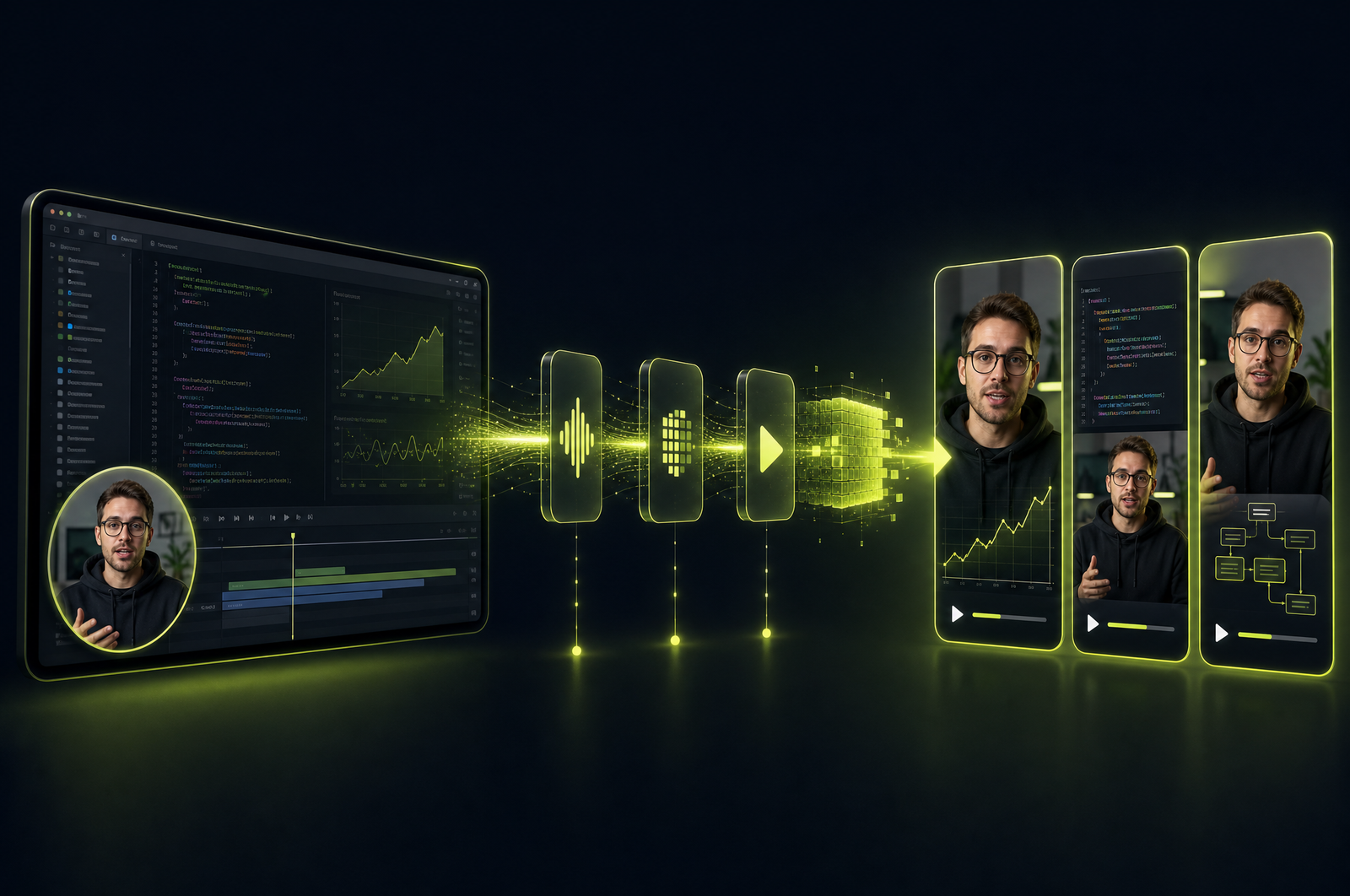
Loom is the default tool for async product walkthroughs, customer demos, and internal updates. Most of those recordings get watched once and never used again. But every customer walkthrough has a 30-second clip worth posting publicly — a feature demo, a customer reaction, an insider tip. A Loom-to-shorts pipeline turns the archive into a content engine.

This guide is a developer-focused look at how to build that pipeline and how the OpusClip API will fit when it goes generally available. The OpusClip API is currently in early accessrequest access at opus.pro/api.

Key takeaways

• Loom's API exposes recordings programmatically — you can list workspace videos, fetch transcripts, and download MP4s.

• Loom recordings are screen-recording content with optional bubble-cam overlay — the reframer needs to handle both.

• Saliency tracking (following cursor and active region) works better than face tracking for screen-recording content.

• Bubble-cam preservation matters for personality-driven Loom content — those clips perform better when the speaker is visible.

• The OpusClip API will accept Loom URLs as native input and produce vertical output appropriate to screen-recording content.

Why Loom recordings are an underused content source

Three reasons:

1. It's already being recorded. If your team uses Loom for async work, you have a multi-month archive of customer walkthroughs, demos, and product explanations. Almost none of it gets used twice.

2. Customer-facing content is authentic. Loom feels less produced than a slide deck or a video shoot. That authenticity reads well as social content — especially for B2B audiences who are tired of polished corporate video.

3. The API exposes everything. Loom Developers API gives access to recordings, transcripts, and metadata. You can build automation that processes new Looms as they're created.

The cost to set up: a few hours. The output: a steady stream of repurposable content with no incremental filming.

What a Loom-to-shorts pipeline does

Four stages:

1. Listing. Poll Loom's API for new recordings in a workspace, or subscribe to webhook events on recording-created.

2. Download. Retrieve the MP4 from Loom's signed download URL.

3. Clip generation. Submit to a clip-generation API with screen-recording-aware tracking (saliency, not faces) and bubble-cam preservation.

4. Review and distribute. Drop into a review queue; approved clips publish to TikTok, Reels, or LinkedIn.

For most teams, the review step is important — Loom recordings frequently contain customer names, deal context, or confidential information.

What to consider when integrating

Workspace permissions. Loom API tokens are scoped to workspaces. Confirm what your token can see before assuming you can pull "all customer demos."

Loom URL types. Loom has public share URLs (loom.com/share/...) and authenticated download URLs. The OpusClip API will accept either. Share URLs are easier for one-offs; authenticated URLs are required for private recordings.

Bubble-cam preservation. Loom's distinctive corner overlay (speaker face circle) is what makes Loom recordings feel personal. The reframer should preserve it when targeting 9:16 vertical output.

Screen-recording reframing. Default face-tracking fails on screen recordings. Confirm the API supports saliency mode (follows cursor and active region) or speaker-focus mode (follows the bubble-cam location).

Privacy and consent. Loom recordings often contain customer names, screen content with PII, and internal deal context. Build a review queue with explicit consent-check workflows.

Workspace-level vs. user-level access. Workspace-level tokens see all recordings; user-level tokens see only one user's. For pipeline use, workspace-level is typically what you want.

Common use cases by team type

Customer success. Quarterly business review highlights → social proof clips for renewals and reference selling.

Sales. Recorded product demos → bite-sized feature explainers for outbound and prospect education.

Product marketing. Customer feedback sessions → "what users say" clips for landing pages and ads.

Founder/CEO communications. Internal all-hands or industry takes recorded as Loom → personal-brand content for LinkedIn.

Onboarding and training. Internal training Looms → 30-60 second tip clips shared async with new hires.

Common pitfalls

Auto-publishing customer content. Most Looms with customers shouldn't be public without explicit permission. Review every clip and confirm consent before distribution.

Hidden cursor. Loom recordings made with cursor hidden lose the strongest saliency signal. Re-enable cursor highlighting in your recorder for best clip extraction.

Window switching. Demos that switch between many windows or apps don't reframe cleanly. Configure for a minimum focus-time per app, or keep demos on a single window.

Bubble-cam in poor position. If the bubble-cam is in a corner where it overlaps caption text or platform UI, the resulting clip looks awkward. Standardize on bubble-cam position across your team.

Pure-visual content. Silent demos or recordings where the speaker is reading slowly produce poor clips. The model needs spoken content with energy.

How the OpusClip API will support Loom workflows

The OpusClip API is currently in early access. The Loom workflow is built around:

• Loom share URLs and authenticated download URLs as native input

• Screen-recording-aware tracking (saliency + speaker-focus modes)

• Bubble-cam preservation in 9:16 vertical output

• Speaker diarization for multi-person Looms

• Webhook ingestion for new-recording events

Full code examples and parameter reference will publish to the developer docs when the v1 spec is finalized. To get notified or apply for early access, visit opus.pro/api.

FAQ

Can I extract clips from a Loom by URL instead of via the Loom API?

Yes — if the recording is publicly accessible, you can pass the loom.com/share URL directly to most video processing APIs. No Loom API token needed for one-offs.

Does the reframer preserve Loom's bubble-cam?

Yes — the OpusClip API will detect and preserve the bubble-cam as a corner overlay when reframing to vertical. The personality cue is what makes Loom content distinctive on social.

What if my Loom is mostly visual with no audio?

The clip selector needs spoken content. Silent screen recordings won't produce useful clips. Add a voiceover before processing, or run cleanup first to skip silent segments.

Can I auto-publish the resulting clips?

For internal content yes; for customer-facing or confidential demos, always run through a review queue first. Loom recordings frequently contain content that shouldn't go public.

How does this differ from Zoom-to-clips processing?

Zoom recordings have multi-participant chrome (gallery view, controls); Loom recordings have a single screen + bubble-cam. The reframing logic and clip selection differ accordingly. The OpusClip API handles both source types natively.

Next steps

For other recording sources, see Convert Zoom Recordings to Social Clips, Turn Screen Recordings into Social Shorts, and Convert Twitch VODs to Highlight Clips. For full publishing pipelines, see Build a YouTube-to-TikTok Automation.


Request access to the OpusClip API at opus.pro/api.

On this page

Use our Free Forever Plan

Ready to build with the OpusClip API?

Create and post one short video every day for free, and grow faster.

Turn Loom Recordings into Social Shorts with the OpusClip API

Loom is the default tool for async product walkthroughs, customer demos, and internal updates. Most of those recordings get watched once and never used again. But every customer walkthrough has a 30-second clip worth posting publicly — a feature demo, a customer reaction, an insider tip. A Loom-to-shorts pipeline turns the archive into a content engine.

This guide is a developer-focused look at how to build that pipeline and how the OpusClip API will fit when it goes generally available. The OpusClip API is currently in early accessrequest access at opus.pro/api.

Key takeaways

• Loom's API exposes recordings programmatically — you can list workspace videos, fetch transcripts, and download MP4s.

• Loom recordings are screen-recording content with optional bubble-cam overlay — the reframer needs to handle both.

• Saliency tracking (following cursor and active region) works better than face tracking for screen-recording content.

• Bubble-cam preservation matters for personality-driven Loom content — those clips perform better when the speaker is visible.

• The OpusClip API will accept Loom URLs as native input and produce vertical output appropriate to screen-recording content.

Why Loom recordings are an underused content source

Three reasons:

1. It's already being recorded. If your team uses Loom for async work, you have a multi-month archive of customer walkthroughs, demos, and product explanations. Almost none of it gets used twice.

2. Customer-facing content is authentic. Loom feels less produced than a slide deck or a video shoot. That authenticity reads well as social content — especially for B2B audiences who are tired of polished corporate video.

3. The API exposes everything. Loom Developers API gives access to recordings, transcripts, and metadata. You can build automation that processes new Looms as they're created.

The cost to set up: a few hours. The output: a steady stream of repurposable content with no incremental filming.

What a Loom-to-shorts pipeline does

Four stages:

1. Listing. Poll Loom's API for new recordings in a workspace, or subscribe to webhook events on recording-created.

2. Download. Retrieve the MP4 from Loom's signed download URL.

3. Clip generation. Submit to a clip-generation API with screen-recording-aware tracking (saliency, not faces) and bubble-cam preservation.

4. Review and distribute. Drop into a review queue; approved clips publish to TikTok, Reels, or LinkedIn.

For most teams, the review step is important — Loom recordings frequently contain customer names, deal context, or confidential information.

What to consider when integrating

Workspace permissions. Loom API tokens are scoped to workspaces. Confirm what your token can see before assuming you can pull "all customer demos."

Loom URL types. Loom has public share URLs (loom.com/share/...) and authenticated download URLs. The OpusClip API will accept either. Share URLs are easier for one-offs; authenticated URLs are required for private recordings.

Bubble-cam preservation. Loom's distinctive corner overlay (speaker face circle) is what makes Loom recordings feel personal. The reframer should preserve it when targeting 9:16 vertical output.

Screen-recording reframing. Default face-tracking fails on screen recordings. Confirm the API supports saliency mode (follows cursor and active region) or speaker-focus mode (follows the bubble-cam location).

Privacy and consent. Loom recordings often contain customer names, screen content with PII, and internal deal context. Build a review queue with explicit consent-check workflows.

Workspace-level vs. user-level access. Workspace-level tokens see all recordings; user-level tokens see only one user's. For pipeline use, workspace-level is typically what you want.

Common use cases by team type

Customer success. Quarterly business review highlights → social proof clips for renewals and reference selling.

Sales. Recorded product demos → bite-sized feature explainers for outbound and prospect education.

Product marketing. Customer feedback sessions → "what users say" clips for landing pages and ads.

Founder/CEO communications. Internal all-hands or industry takes recorded as Loom → personal-brand content for LinkedIn.

Onboarding and training. Internal training Looms → 30-60 second tip clips shared async with new hires.

Common pitfalls

Auto-publishing customer content. Most Looms with customers shouldn't be public without explicit permission. Review every clip and confirm consent before distribution.

Hidden cursor. Loom recordings made with cursor hidden lose the strongest saliency signal. Re-enable cursor highlighting in your recorder for best clip extraction.

Window switching. Demos that switch between many windows or apps don't reframe cleanly. Configure for a minimum focus-time per app, or keep demos on a single window.

Bubble-cam in poor position. If the bubble-cam is in a corner where it overlaps caption text or platform UI, the resulting clip looks awkward. Standardize on bubble-cam position across your team.

Pure-visual content. Silent demos or recordings where the speaker is reading slowly produce poor clips. The model needs spoken content with energy.

How the OpusClip API will support Loom workflows

The OpusClip API is currently in early access. The Loom workflow is built around:

• Loom share URLs and authenticated download URLs as native input

• Screen-recording-aware tracking (saliency + speaker-focus modes)

• Bubble-cam preservation in 9:16 vertical output

• Speaker diarization for multi-person Looms

• Webhook ingestion for new-recording events

Full code examples and parameter reference will publish to the developer docs when the v1 spec is finalized. To get notified or apply for early access, visit opus.pro/api.

FAQ

Can I extract clips from a Loom by URL instead of via the Loom API?

Yes — if the recording is publicly accessible, you can pass the loom.com/share URL directly to most video processing APIs. No Loom API token needed for one-offs.

Does the reframer preserve Loom's bubble-cam?

Yes — the OpusClip API will detect and preserve the bubble-cam as a corner overlay when reframing to vertical. The personality cue is what makes Loom content distinctive on social.

What if my Loom is mostly visual with no audio?

The clip selector needs spoken content. Silent screen recordings won't produce useful clips. Add a voiceover before processing, or run cleanup first to skip silent segments.

Can I auto-publish the resulting clips?

For internal content yes; for customer-facing or confidential demos, always run through a review queue first. Loom recordings frequently contain content that shouldn't go public.

How does this differ from Zoom-to-clips processing?

Zoom recordings have multi-participant chrome (gallery view, controls); Loom recordings have a single screen + bubble-cam. The reframing logic and clip selection differ accordingly. The OpusClip API handles both source types natively.

Next steps

For other recording sources, see Convert Zoom Recordings to Social Clips, Turn Screen Recordings into Social Shorts, and Convert Twitch VODs to Highlight Clips. For full publishing pipelines, see Build a YouTube-to-TikTok Automation.

Request access to the OpusClip API at opus.pro/api.

Creator name

Creator type

Team size

Channels

linkYouTubefacebookXTikTok

Pain point

Time to see positive ROI

About the creator

Don't miss these

How Audacy Drove 1B+ Views by Taking a Tech-Forward Approach to Radio with OpusClip
No items found.

How Audacy Drove 1B+ Views by Taking a Tech-Forward Approach to Radio with OpusClip

How All the Smoke makes hit compilations faster with OpusSearch

How All the Smoke makes hit compilations faster with OpusSearch

Growing a new channel to 1.5M views in 90 days without creating new videos

Growing a new channel to 1.5M views in 90 days without creating new videos

Turn Loom Recordings into Social Shorts with the OpusClip API

Turn Loom Recordings into Social Shorts with the OpusClip API
No items found.
No items found.

Boost your social media growth with OpusClip

Create and post one short video every day for your social media and grow faster.

Turn Loom Recordings into Social Shorts with the OpusClip API

Turn Loom Recordings into Social Shorts with the OpusClip API

Loom is the default tool for async product walkthroughs, customer demos, and internal updates. Most of those recordings get watched once and never used again. But every customer walkthrough has a 30-second clip worth posting publicly — a feature demo, a customer reaction, an insider tip. A Loom-to-shorts pipeline turns the archive into a content engine.

This guide is a developer-focused look at how to build that pipeline and how the OpusClip API will fit when it goes generally available. The OpusClip API is currently in early accessrequest access at opus.pro/api.

Key takeaways

• Loom's API exposes recordings programmatically — you can list workspace videos, fetch transcripts, and download MP4s.

• Loom recordings are screen-recording content with optional bubble-cam overlay — the reframer needs to handle both.

• Saliency tracking (following cursor and active region) works better than face tracking for screen-recording content.

• Bubble-cam preservation matters for personality-driven Loom content — those clips perform better when the speaker is visible.

• The OpusClip API will accept Loom URLs as native input and produce vertical output appropriate to screen-recording content.

Why Loom recordings are an underused content source

Three reasons:

1. It's already being recorded. If your team uses Loom for async work, you have a multi-month archive of customer walkthroughs, demos, and product explanations. Almost none of it gets used twice.

2. Customer-facing content is authentic. Loom feels less produced than a slide deck or a video shoot. That authenticity reads well as social content — especially for B2B audiences who are tired of polished corporate video.

3. The API exposes everything. Loom Developers API gives access to recordings, transcripts, and metadata. You can build automation that processes new Looms as they're created.

The cost to set up: a few hours. The output: a steady stream of repurposable content with no incremental filming.

What a Loom-to-shorts pipeline does

Four stages:

1. Listing. Poll Loom's API for new recordings in a workspace, or subscribe to webhook events on recording-created.

2. Download. Retrieve the MP4 from Loom's signed download URL.

3. Clip generation. Submit to a clip-generation API with screen-recording-aware tracking (saliency, not faces) and bubble-cam preservation.

4. Review and distribute. Drop into a review queue; approved clips publish to TikTok, Reels, or LinkedIn.

For most teams, the review step is important — Loom recordings frequently contain customer names, deal context, or confidential information.

What to consider when integrating

Workspace permissions. Loom API tokens are scoped to workspaces. Confirm what your token can see before assuming you can pull "all customer demos."

Loom URL types. Loom has public share URLs (loom.com/share/...) and authenticated download URLs. The OpusClip API will accept either. Share URLs are easier for one-offs; authenticated URLs are required for private recordings.

Bubble-cam preservation. Loom's distinctive corner overlay (speaker face circle) is what makes Loom recordings feel personal. The reframer should preserve it when targeting 9:16 vertical output.

Screen-recording reframing. Default face-tracking fails on screen recordings. Confirm the API supports saliency mode (follows cursor and active region) or speaker-focus mode (follows the bubble-cam location).

Privacy and consent. Loom recordings often contain customer names, screen content with PII, and internal deal context. Build a review queue with explicit consent-check workflows.

Workspace-level vs. user-level access. Workspace-level tokens see all recordings; user-level tokens see only one user's. For pipeline use, workspace-level is typically what you want.

Common use cases by team type

Customer success. Quarterly business review highlights → social proof clips for renewals and reference selling.

Sales. Recorded product demos → bite-sized feature explainers for outbound and prospect education.

Product marketing. Customer feedback sessions → "what users say" clips for landing pages and ads.

Founder/CEO communications. Internal all-hands or industry takes recorded as Loom → personal-brand content for LinkedIn.

Onboarding and training. Internal training Looms → 30-60 second tip clips shared async with new hires.

Common pitfalls

Auto-publishing customer content. Most Looms with customers shouldn't be public without explicit permission. Review every clip and confirm consent before distribution.

Hidden cursor. Loom recordings made with cursor hidden lose the strongest saliency signal. Re-enable cursor highlighting in your recorder for best clip extraction.

Window switching. Demos that switch between many windows or apps don't reframe cleanly. Configure for a minimum focus-time per app, or keep demos on a single window.

Bubble-cam in poor position. If the bubble-cam is in a corner where it overlaps caption text or platform UI, the resulting clip looks awkward. Standardize on bubble-cam position across your team.

Pure-visual content. Silent demos or recordings where the speaker is reading slowly produce poor clips. The model needs spoken content with energy.

How the OpusClip API will support Loom workflows

The OpusClip API is currently in early access. The Loom workflow is built around:

• Loom share URLs and authenticated download URLs as native input

• Screen-recording-aware tracking (saliency + speaker-focus modes)

• Bubble-cam preservation in 9:16 vertical output

• Speaker diarization for multi-person Looms

• Webhook ingestion for new-recording events

Full code examples and parameter reference will publish to the developer docs when the v1 spec is finalized. To get notified or apply for early access, visit opus.pro/api.

FAQ

Can I extract clips from a Loom by URL instead of via the Loom API?

Yes — if the recording is publicly accessible, you can pass the loom.com/share URL directly to most video processing APIs. No Loom API token needed for one-offs.

Does the reframer preserve Loom's bubble-cam?

Yes — the OpusClip API will detect and preserve the bubble-cam as a corner overlay when reframing to vertical. The personality cue is what makes Loom content distinctive on social.

What if my Loom is mostly visual with no audio?

The clip selector needs spoken content. Silent screen recordings won't produce useful clips. Add a voiceover before processing, or run cleanup first to skip silent segments.

Can I auto-publish the resulting clips?

For internal content yes; for customer-facing or confidential demos, always run through a review queue first. Loom recordings frequently contain content that shouldn't go public.

How does this differ from Zoom-to-clips processing?

Zoom recordings have multi-participant chrome (gallery view, controls); Loom recordings have a single screen + bubble-cam. The reframing logic and clip selection differ accordingly. The OpusClip API handles both source types natively.

Next steps

For other recording sources, see Convert Zoom Recordings to Social Clips, Turn Screen Recordings into Social Shorts, and Convert Twitch VODs to Highlight Clips. For full publishing pipelines, see Build a YouTube-to-TikTok Automation.

Request access to the OpusClip API at opus.pro/api.

Ready to start streaming differently?

Opus is completely FREE for one year for all private beta users. You can get access to all our premium features during this period. We also offer free support for production, studio design, and content repurposing to help you grow.
Join the beta
Limited spots remaining

Try OPUS today

Try Opus Studio

Make your live stream your Magnum Opus




