
Convert Twitch VODs to Highlight Clips with the OpusClip API

May 13, 2026
Convert Twitch VODs to Highlight Clips with the OpusClip API

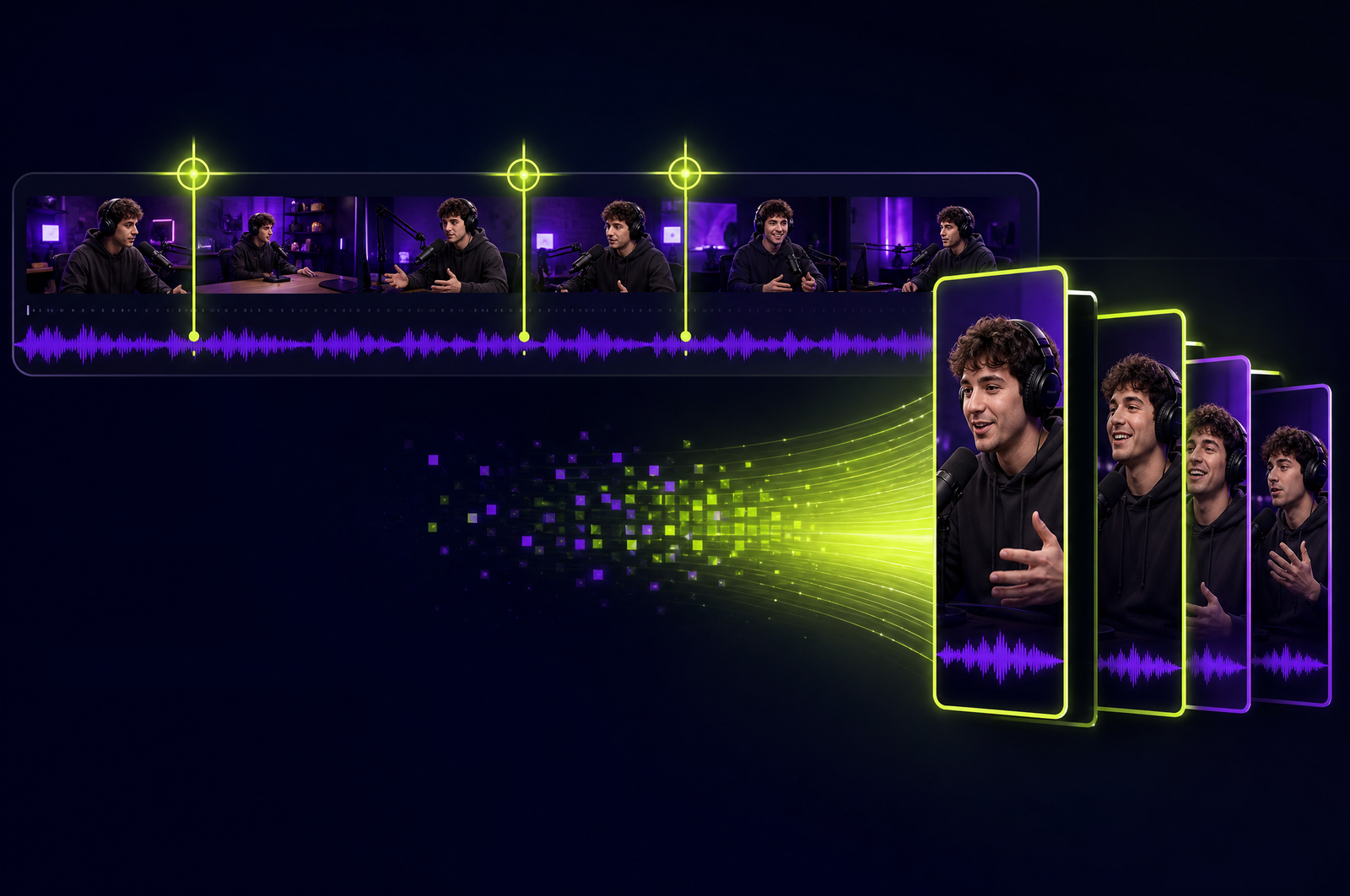
Streamers leave hundreds of hours of VOD content on Twitch every week. Almost none of it gets repurposed. The clips that do get cut to YouTube Shorts or TikTok are usually pulled manually — a streamer or community manager scrubbing through 6-hour VODs to find the best moments. A stream-to-clips API automates the entire pipeline.

This guide is a developer-focused look at how to build that pipeline and how the OpusClip API will support streaming content when it goes generally available. The OpusClip API is currently in early accessrequest access at opus.pro/api.

Key takeaways

• The Twitch Helix API exposes VOD recordings, chat history, and channel metadata — enough to build automated highlight extraction.

• Streaming content needs different signals than talking-head video: chat activity, audio energy spikes, and gameplay events all matter.

• The reframer needs to handle stream UI (overlays, alerts, chat overlay, face cam) cleanly when targeting vertical output.

• A typical 4-hour VOD returns 8-15 candidate clips ranked by virality score.

• The OpusClip API will support streaming content as a first-class content type with stream-aware signal weighting.

Why streamers leave content on the table

The math on streamer content repurposing:

• A full-time streamer produces 20-40 hours of VOD per week.

• That archive contains 100-200 social-shareable moments per week.

• Almost zero of them get cut.

The bottleneck is editor time. A streamer with a 200K Twitch following can't justify a full-time editor. So the VODs decay and the YouTube Shorts presence stays small.

A stream-to-clips pipeline changes the unit economics. One API run per VOD. 5-10 minutes of human review. 8-15 clips per VOD published over the week. Streamers get YouTube and TikTok growth without hiring an editor.

What a Twitch-to-clips pipeline does

Four stages:

1. Auth and listing. Use Twitch Helix API to authenticate (client credentials flow for read-only public data, OAuth for private channel data). List VODs for a channel filtered by date.

2. Download. Twitch VODs are served as M3U8 playlists. Use streamlink or twitch-dl to resolve to MP4 URLs at the highest available quality.

3. Clip generation. Submit to a clip-generation API configured for streaming content. Lower virality threshold (streaming scores conservatively on talking-head-tuned models), saliency-aware reframing (follows the face cam and active gameplay region), and chat-activity signals if you have them.

4. Review and distribute. Drop into a review queue, then publish to YouTube Shorts, TikTok, or a dedicated highlight channel.

What to consider when integrating

VOD retention windows. Twitch retains VODs for 14 days (regular), 60 days (Affiliates), or indefinitely (Partners with Highlights enabled). Process within the retention window.

Quality tier. Streamlink can resolve to multiple quality tiers (1080p60, 720p60, 480p). Use the highest available — accuracy and reframe quality suffer at low bitrate.

Stream chrome handling. Most streamers have persistent overlays (alerts, sub counters, recent followers, chat overlay). The reframer needs to either crop them out or know about them. Either set a crop_overlay_region or design overlays that fit vertical safe zones.

Face cam position. Streamers' face cams are usually in a corner. The reframer should detect this and follow the face cam in vertical output.

Chat signal integration. Chat spikes correlate strongly with clip-worthy moments. If you have access to chat logs (via Twitch's chat API or a tool like Streamerbot), pass them as external signals.

Multi-language streams. International streams (Korean, Portuguese, Spanish gaming content especially) need language-aware transcription. Confirm coverage.

Common use cases by team type

Solo streamers. Weekly VOD repurposing into YouTube Shorts and TikTok content.

Multi-channel networks. Bulk processing across 20-100 channels, with per-channel branding and clip styling.

Esports orgs. Tournament VOD highlights for social distribution and recruiting content.

Game studios. Community streamer VODs repurposed for marketing (with permission) — top community moments featured on the official channel.

Streaming software/tools. Showcase content of users' streams for marketing the software (Streamlabs, OBS, Streamerbot etc.).

Common pitfalls

Treating streaming like podcasts. Default clip scoring tuned for talking-head content underrates streaming clips. Lower the virality threshold by 10-15 points.

Forgetting copyrighted music/audio. Streamers often have music or game audio that's copyrighted. Clips with copyrighted audio get muted or struck on YouTube. Filter or process carefully.

Lazy face-cam cropping. A clip that shows the gameplay but cuts off the face cam loses the streamer's personality — the thing viewers came for. Always preserve the face cam in vertical output.

Ignoring viewer raids and incoming content. When a streamer raids another channel or receives a raid, those moments contain content from a different creator. Clips of those moments need extra care for attribution.

No chat integration. If you have chat logs and aren't using them, you're leaving the strongest signal on the table.

How the OpusClip API will support streaming content

The OpusClip API is currently in early access. The streaming workflow is built around:

• Twitch share URLs and authenticated downloads as native input

• Streaming-content scoring mode (lower threshold, saliency-aware)

• Face-cam preservation in vertical output

• External chat-signal input for chat-weighted clip selection

• Compatibility with Twitch, YouTube Gaming, Kick, and Facebook Gaming sources

Full code examples and parameter reference will publish to the developer docs when the v1 spec is finalized. To get notified or apply for early access, visit opus.pro/api.

FAQ

Can I extract clips from a Twitch clip (the platform's native clip feature) instead of a full VOD?

Yes — Twitch's native clips are short MP4s the API can process directly. Pass the clip MP4 URL. Useful for aggregating community-curated moments.

Does this work for YouTube Gaming or Kick streams?

Yes — the OpusClip side is identical across platforms. Swap the Twitch listing step for the platform's video listing API (YouTube Data API for YouTube Gaming, Kick public API for Kick).

Can I filter clips by game played?

Yes — Twitch VOD metadata includes the game_id of what was streamed. Filter VODs by game before submitting to focus on specific titles.

How do I handle multi-hour speedruns or marathons?

The OpusClip API will accept sources up to 4 hours in a single submission. For longer VODs, chunk by Twitch's segment URLs or run multiple parallel jobs.

Can the API auto-publish to TikTok or YouTube Shorts?

The clip generation API focuses on producing output; direct distribution to TikTok/YouTube uses their respective platform APIs as a downstream step. See Build a YouTube-to-TikTok Automation for the full pattern.

Next steps

For other recording sources, see Convert Zoom Recordings to Clips, Turn Loom Recordings into Shorts, and Turn Screen Recordings into Social Shorts. For high-volume processing, see Process Many Videos in Parallel.


Request access to the OpusClip API at opus.pro/api.

On this page

Use our Free Forever Plan

Ready to build with the OpusClip API?

Create and post one short video every day for free, and grow faster.

Convert Twitch VODs to Highlight Clips with the OpusClip API

Streamers leave hundreds of hours of VOD content on Twitch every week. Almost none of it gets repurposed. The clips that do get cut to YouTube Shorts or TikTok are usually pulled manually — a streamer or community manager scrubbing through 6-hour VODs to find the best moments. A stream-to-clips API automates the entire pipeline.

This guide is a developer-focused look at how to build that pipeline and how the OpusClip API will support streaming content when it goes generally available. The OpusClip API is currently in early accessrequest access at opus.pro/api.

Key takeaways

• The Twitch Helix API exposes VOD recordings, chat history, and channel metadata — enough to build automated highlight extraction.

• Streaming content needs different signals than talking-head video: chat activity, audio energy spikes, and gameplay events all matter.

• The reframer needs to handle stream UI (overlays, alerts, chat overlay, face cam) cleanly when targeting vertical output.

• A typical 4-hour VOD returns 8-15 candidate clips ranked by virality score.

• The OpusClip API will support streaming content as a first-class content type with stream-aware signal weighting.

Why streamers leave content on the table

The math on streamer content repurposing:

• A full-time streamer produces 20-40 hours of VOD per week.

• That archive contains 100-200 social-shareable moments per week.

• Almost zero of them get cut.

The bottleneck is editor time. A streamer with a 200K Twitch following can't justify a full-time editor. So the VODs decay and the YouTube Shorts presence stays small.

A stream-to-clips pipeline changes the unit economics. One API run per VOD. 5-10 minutes of human review. 8-15 clips per VOD published over the week. Streamers get YouTube and TikTok growth without hiring an editor.

What a Twitch-to-clips pipeline does

Four stages:

1. Auth and listing. Use Twitch Helix API to authenticate (client credentials flow for read-only public data, OAuth for private channel data). List VODs for a channel filtered by date.

2. Download. Twitch VODs are served as M3U8 playlists. Use streamlink or twitch-dl to resolve to MP4 URLs at the highest available quality.

3. Clip generation. Submit to a clip-generation API configured for streaming content. Lower virality threshold (streaming scores conservatively on talking-head-tuned models), saliency-aware reframing (follows the face cam and active gameplay region), and chat-activity signals if you have them.

4. Review and distribute. Drop into a review queue, then publish to YouTube Shorts, TikTok, or a dedicated highlight channel.

What to consider when integrating

VOD retention windows. Twitch retains VODs for 14 days (regular), 60 days (Affiliates), or indefinitely (Partners with Highlights enabled). Process within the retention window.

Quality tier. Streamlink can resolve to multiple quality tiers (1080p60, 720p60, 480p). Use the highest available — accuracy and reframe quality suffer at low bitrate.

Stream chrome handling. Most streamers have persistent overlays (alerts, sub counters, recent followers, chat overlay). The reframer needs to either crop them out or know about them. Either set a crop_overlay_region or design overlays that fit vertical safe zones.

Face cam position. Streamers' face cams are usually in a corner. The reframer should detect this and follow the face cam in vertical output.

Chat signal integration. Chat spikes correlate strongly with clip-worthy moments. If you have access to chat logs (via Twitch's chat API or a tool like Streamerbot), pass them as external signals.

Multi-language streams. International streams (Korean, Portuguese, Spanish gaming content especially) need language-aware transcription. Confirm coverage.

Common use cases by team type

Solo streamers. Weekly VOD repurposing into YouTube Shorts and TikTok content.

Multi-channel networks. Bulk processing across 20-100 channels, with per-channel branding and clip styling.

Esports orgs. Tournament VOD highlights for social distribution and recruiting content.

Game studios. Community streamer VODs repurposed for marketing (with permission) — top community moments featured on the official channel.

Streaming software/tools. Showcase content of users' streams for marketing the software (Streamlabs, OBS, Streamerbot etc.).

Common pitfalls

Treating streaming like podcasts. Default clip scoring tuned for talking-head content underrates streaming clips. Lower the virality threshold by 10-15 points.

Forgetting copyrighted music/audio. Streamers often have music or game audio that's copyrighted. Clips with copyrighted audio get muted or struck on YouTube. Filter or process carefully.

Lazy face-cam cropping. A clip that shows the gameplay but cuts off the face cam loses the streamer's personality — the thing viewers came for. Always preserve the face cam in vertical output.

Ignoring viewer raids and incoming content. When a streamer raids another channel or receives a raid, those moments contain content from a different creator. Clips of those moments need extra care for attribution.

No chat integration. If you have chat logs and aren't using them, you're leaving the strongest signal on the table.

How the OpusClip API will support streaming content

The OpusClip API is currently in early access. The streaming workflow is built around:

• Twitch share URLs and authenticated downloads as native input

• Streaming-content scoring mode (lower threshold, saliency-aware)

• Face-cam preservation in vertical output

• External chat-signal input for chat-weighted clip selection

• Compatibility with Twitch, YouTube Gaming, Kick, and Facebook Gaming sources

Full code examples and parameter reference will publish to the developer docs when the v1 spec is finalized. To get notified or apply for early access, visit opus.pro/api.

FAQ

Can I extract clips from a Twitch clip (the platform's native clip feature) instead of a full VOD?

Yes — Twitch's native clips are short MP4s the API can process directly. Pass the clip MP4 URL. Useful for aggregating community-curated moments.

Does this work for YouTube Gaming or Kick streams?

Yes — the OpusClip side is identical across platforms. Swap the Twitch listing step for the platform's video listing API (YouTube Data API for YouTube Gaming, Kick public API for Kick).

Can I filter clips by game played?

Yes — Twitch VOD metadata includes the game_id of what was streamed. Filter VODs by game before submitting to focus on specific titles.

How do I handle multi-hour speedruns or marathons?

The OpusClip API will accept sources up to 4 hours in a single submission. For longer VODs, chunk by Twitch's segment URLs or run multiple parallel jobs.

Can the API auto-publish to TikTok or YouTube Shorts?

The clip generation API focuses on producing output; direct distribution to TikTok/YouTube uses their respective platform APIs as a downstream step. See Build a YouTube-to-TikTok Automation for the full pattern.

Next steps

For other recording sources, see Convert Zoom Recordings to Clips, Turn Loom Recordings into Shorts, and Turn Screen Recordings into Social Shorts. For high-volume processing, see Process Many Videos in Parallel.

Request access to the OpusClip API at opus.pro/api.

Creator name

Creator type

Team size

Channels

linkYouTubefacebookXTikTok

Pain point

Time to see positive ROI

About the creator

Don't miss these

How Audacy Drove 1B+ Views by Taking a Tech-Forward Approach to Radio with OpusClip
No items found.

How Audacy Drove 1B+ Views by Taking a Tech-Forward Approach to Radio with OpusClip

How All the Smoke makes hit compilations faster with OpusSearch

How All the Smoke makes hit compilations faster with OpusSearch

Growing a new channel to 1.5M views in 90 days without creating new videos

Growing a new channel to 1.5M views in 90 days without creating new videos

Convert Twitch VODs to Highlight Clips with the OpusClip API

Convert Twitch VODs to Highlight Clips with the OpusClip API
No items found.
No items found.

Boost your social media growth with OpusClip

Create and post one short video every day for your social media and grow faster.

Convert Twitch VODs to Highlight Clips with the OpusClip API

Convert Twitch VODs to Highlight Clips with the OpusClip API

Streamers leave hundreds of hours of VOD content on Twitch every week. Almost none of it gets repurposed. The clips that do get cut to YouTube Shorts or TikTok are usually pulled manually — a streamer or community manager scrubbing through 6-hour VODs to find the best moments. A stream-to-clips API automates the entire pipeline.

This guide is a developer-focused look at how to build that pipeline and how the OpusClip API will support streaming content when it goes generally available. The OpusClip API is currently in early accessrequest access at opus.pro/api.

Key takeaways

• The Twitch Helix API exposes VOD recordings, chat history, and channel metadata — enough to build automated highlight extraction.

• Streaming content needs different signals than talking-head video: chat activity, audio energy spikes, and gameplay events all matter.

• The reframer needs to handle stream UI (overlays, alerts, chat overlay, face cam) cleanly when targeting vertical output.

• A typical 4-hour VOD returns 8-15 candidate clips ranked by virality score.

• The OpusClip API will support streaming content as a first-class content type with stream-aware signal weighting.

Why streamers leave content on the table

The math on streamer content repurposing:

• A full-time streamer produces 20-40 hours of VOD per week.

• That archive contains 100-200 social-shareable moments per week.

• Almost zero of them get cut.

The bottleneck is editor time. A streamer with a 200K Twitch following can't justify a full-time editor. So the VODs decay and the YouTube Shorts presence stays small.

A stream-to-clips pipeline changes the unit economics. One API run per VOD. 5-10 minutes of human review. 8-15 clips per VOD published over the week. Streamers get YouTube and TikTok growth without hiring an editor.

What a Twitch-to-clips pipeline does

Four stages:

1. Auth and listing. Use Twitch Helix API to authenticate (client credentials flow for read-only public data, OAuth for private channel data). List VODs for a channel filtered by date.

2. Download. Twitch VODs are served as M3U8 playlists. Use streamlink or twitch-dl to resolve to MP4 URLs at the highest available quality.

3. Clip generation. Submit to a clip-generation API configured for streaming content. Lower virality threshold (streaming scores conservatively on talking-head-tuned models), saliency-aware reframing (follows the face cam and active gameplay region), and chat-activity signals if you have them.

4. Review and distribute. Drop into a review queue, then publish to YouTube Shorts, TikTok, or a dedicated highlight channel.

What to consider when integrating

VOD retention windows. Twitch retains VODs for 14 days (regular), 60 days (Affiliates), or indefinitely (Partners with Highlights enabled). Process within the retention window.

Quality tier. Streamlink can resolve to multiple quality tiers (1080p60, 720p60, 480p). Use the highest available — accuracy and reframe quality suffer at low bitrate.

Stream chrome handling. Most streamers have persistent overlays (alerts, sub counters, recent followers, chat overlay). The reframer needs to either crop them out or know about them. Either set a crop_overlay_region or design overlays that fit vertical safe zones.

Face cam position. Streamers' face cams are usually in a corner. The reframer should detect this and follow the face cam in vertical output.

Chat signal integration. Chat spikes correlate strongly with clip-worthy moments. If you have access to chat logs (via Twitch's chat API or a tool like Streamerbot), pass them as external signals.

Multi-language streams. International streams (Korean, Portuguese, Spanish gaming content especially) need language-aware transcription. Confirm coverage.

Common use cases by team type

Solo streamers. Weekly VOD repurposing into YouTube Shorts and TikTok content.

Multi-channel networks. Bulk processing across 20-100 channels, with per-channel branding and clip styling.

Esports orgs. Tournament VOD highlights for social distribution and recruiting content.

Game studios. Community streamer VODs repurposed for marketing (with permission) — top community moments featured on the official channel.

Streaming software/tools. Showcase content of users' streams for marketing the software (Streamlabs, OBS, Streamerbot etc.).

Common pitfalls

Treating streaming like podcasts. Default clip scoring tuned for talking-head content underrates streaming clips. Lower the virality threshold by 10-15 points.

Forgetting copyrighted music/audio. Streamers often have music or game audio that's copyrighted. Clips with copyrighted audio get muted or struck on YouTube. Filter or process carefully.

Lazy face-cam cropping. A clip that shows the gameplay but cuts off the face cam loses the streamer's personality — the thing viewers came for. Always preserve the face cam in vertical output.

Ignoring viewer raids and incoming content. When a streamer raids another channel or receives a raid, those moments contain content from a different creator. Clips of those moments need extra care for attribution.

No chat integration. If you have chat logs and aren't using them, you're leaving the strongest signal on the table.

How the OpusClip API will support streaming content

The OpusClip API is currently in early access. The streaming workflow is built around:

• Twitch share URLs and authenticated downloads as native input

• Streaming-content scoring mode (lower threshold, saliency-aware)

• Face-cam preservation in vertical output

• External chat-signal input for chat-weighted clip selection

• Compatibility with Twitch, YouTube Gaming, Kick, and Facebook Gaming sources

Full code examples and parameter reference will publish to the developer docs when the v1 spec is finalized. To get notified or apply for early access, visit opus.pro/api.

FAQ

Can I extract clips from a Twitch clip (the platform's native clip feature) instead of a full VOD?

Yes — Twitch's native clips are short MP4s the API can process directly. Pass the clip MP4 URL. Useful for aggregating community-curated moments.

Does this work for YouTube Gaming or Kick streams?

Yes — the OpusClip side is identical across platforms. Swap the Twitch listing step for the platform's video listing API (YouTube Data API for YouTube Gaming, Kick public API for Kick).

Can I filter clips by game played?

Yes — Twitch VOD metadata includes the game_id of what was streamed. Filter VODs by game before submitting to focus on specific titles.

How do I handle multi-hour speedruns or marathons?

The OpusClip API will accept sources up to 4 hours in a single submission. For longer VODs, chunk by Twitch's segment URLs or run multiple parallel jobs.

Can the API auto-publish to TikTok or YouTube Shorts?

The clip generation API focuses on producing output; direct distribution to TikTok/YouTube uses their respective platform APIs as a downstream step. See Build a YouTube-to-TikTok Automation for the full pattern.

Next steps

For other recording sources, see Convert Zoom Recordings to Clips, Turn Loom Recordings into Shorts, and Turn Screen Recordings into Social Shorts. For high-volume processing, see Process Many Videos in Parallel.

Request access to the OpusClip API at opus.pro/api.

Ready to start streaming differently?

Opus is completely FREE for one year for all private beta users. You can get access to all our premium features during this period. We also offer free support for production, studio design, and content repurposing to help you grow.
Join the beta
Limited spots remaining

Try OPUS today

Try Opus Studio

Make your live stream your Magnum Opus




