OpusClip 4.0 is here. Become a content powerhouse.

8 Best AI Content Marketing Tools in 2026

November 5, 2026
Marketers planning at a desk, filming a short video on a phone and reviewing clips on a laptop, with a Clip it button, a views badge and a 16:9 tag

The best AI tools for content marketing split by job, and no single tool covers all of them. OpusClip is our first pick for the video stage: it turns one long recording into short, captioned clips and can post them. For the rest of the workflow, Semrush plans topics, Jasper writes on-brand copy, Surfer optimizes drafts, Adobe Express designs, Synthesia makes presenter videos from a script, Buffer publishes and HubSpot manages the program. We ranked them by workflow fit, then price, free-plan limits and documented limits, using each vendor's own pages read on November 5, 2026.

What counts as an AI content marketing tool

A content marketing team plans topics, writes, designs, produces video, publishes and measures. We included tools where AI is part of the documented product and each tool owns one of those stages. This list is organized by that workflow and by the needs of a team: shared brand settings, review steps and publishing. For tools that help an individual creator make content, including images and audio, see our roundup of AI tools for making quality content, and for an earlier overview of how AI fits each stage, see our guide to AI content marketing tools.

Key takeaways

  • Best for video content marketing: OpusClip. It cuts long recordings into captioned, scored clips and posts them to YouTube Shorts, TikTok and Instagram Reels from the Starter plan.
  • Best for planning and research: Semrush. Keyword research, topic ideas and SEO briefs in one content toolkit, with a free plan for trying the platform.
  • Best for on-brand copy at team scale: Jasper. Saved Brand Voices, knowledge and audiences, priced per seat with a free 7-day trial.
  • Best for optimizing drafts: Surfer. A real-time Content Score and guidelines for search and AI answers, from $49 a month billed yearly.
  • Best for design: Adobe Express. Templates, brand kits and a content scheduler, with a free plan and Premium at $9.99 a month.
  • Best for presenter videos from a script: Synthesia. AI avatars and translation into 140+ languages, with a free Basic plan that adds a watermark.
  • Best for publishing across social channels: Buffer. A calendar, queue and AI Assistant, free for up to 3 channels and priced per channel after that.
  • Best for running a content program on a CRM: HubSpot. Blog, landing pages and AI writing in Content Hub, with a free plan for up to 2 users.

How to choose AI tools for a content marketing team

Start with the stage that slows the team down most, then pick the tool built for that stage. Most teams need two or three of these, not all eight.

  • If long recordings sit unused (webinars, customer interviews, podcasts), look for clip finding, captions, brand settings and posting together: OpusClip. See our roundup of AI video tools for content creators for more video options.
  • If topics are chosen by guesswork, look for keyword and topic research tied to search demand: Semrush.
  • If many writers share one brand, look for saved brand voices and review controls: Jasper. If drafts need to match what ranks, look at Surfer.
  • If graphics slow publishing, look for templates, brand kits and resizing: Adobe Express.
  • If there is no footage to start from, look for script-to-video with avatars: Synthesia.
  • If posts go out by hand, look for a calendar, queue and approvals: Buffer. See our edit-and-schedule roundup for tools that combine editing and posting.
  • If content, email and CRM data live in separate places, look at a platform that joins them: HubSpot.

At a glance

  • OpusClip: best for turning long videos into short, captioned clips and posting them; Starter $15 a month, Pro $29 a month ($14.50 a month billed annually); free plan yes (watermark, no editing).
  • Semrush: best for keyword research, topic ideas and SEO briefs; SEO plan $139.95 a month ($117.33 a month billed annually); free plan yes (1 demo project) and a 7-day free trial.
  • Jasper: best for on-brand marketing copy at team scale; Pro $59 per seat a month billed yearly ($69 billed monthly); 7-day free trial, no free plan listed.
  • Surfer: best for optimizing drafts for search and AI answers; from $49 a month billed yearly (Discovery); no free plan or trial terms listed.
  • Adobe Express: best for designing and scheduling social graphics and short videos; Premium US$9.99 a month with a 30-day free trial; free plan yes.
  • Synthesia: best for presenter-led videos made from a script; Starter $19 a month ($14 a month billed yearly); free plan yes (watermark).
  • Buffer: best for scheduling and publishing social posts; Essentials $5 per channel a month billed yearly ($6 billed monthly); free plan yes (3 channels).
  • HubSpot: best for creating, publishing and measuring content on one platform; Content Hub Starter $20 per seat a month at list price, Professional $500 a month; free plan yes (up to 2 users).

Publishing, brand and team controls, and API access compared

The At a glance list covers best-for, price and free plan; this table compares where each tool publishes or hands off, its brand and team controls, and its API or MCP server, as listed on each vendor's own pages on November 5, 2026.

ToolPublishes or hands off toBrand and team controlsAPI or MCP
OpusClipStarter posts to YouTube, TikTok, Instagram; Pro adds six more networks and schedulingBrand Kit for logo, captions, layout; team workspace shares videos and brand templatesAPI with a dashboard key; hosted MCP server at mcp.opus.pro/mcp with OAuth sign-in
SemrushWordPress, Mailchimp, Google Docs and social networksBrand voice set once; drafts shared for approval by link with no loginMCP access from Starter; API data integration on Advanced
JasperExports to Google Drive, Box, Asana, Monday.com; Webflow app; Slack; Word add-inPro: 2 Brand Voices, 5 Knowledge assets, 3 Audiences; Business adds admin controlsAPI access on Business; MCP server for brand voice and audiences in other AI tools
SurferGoogle Docs, ChatGPT, WordPress and ContentfulStandard lists Brand Knowledge and Team Collaboration; Pro lists Templates and Custom VoicesMCP server for ChatGPT, Claude and other agents; API access on Peace of Mind
Adobe ExpressContent Scheduler posts to TikTok, Instagram, Facebook, X, Pinterest and LinkedInBrand kits keep content consistent; scheduler connects 1 account per network on Free, 3 on PremiumExpress API and Embed SDK; Express AI integrations for AI tools
SynthesiaShare as a link, embed or SCORMRoles, permissions and approval before videos go live; Brand Kits on EnterpriseAPI to generate and dub videos; hosted MCP server for Claude and ChatGPT
BufferInstagram, Facebook, TikTok, LinkedIn, X, YouTube, Threads, Pinterest and moreUnlimited team members and content approval workflows on TeamAPI on every plan; MCP server for Claude, ChatGPT and other tools
HubSpotContent Hub's own blog, landing pages and website pagesBrand voice on Professional; content approvals on EnterpriseRemote MCP server for read and write access to CRM data; separate developer MCP server

1. OpusClip: Best for turning long videos into short, captioned clips and posting them

OpusClip home page hero with a Get clips box above a row of video clips, each with a Virality Score and a social platform icon

OpusClip's home-page hero mock-up: clips with Virality Scores and platform icons. Source: OpusClip website

OpusClip takes a long video, such as a webinar, podcast, stream or interview, and cuts it into short clips. Per its pricing page, paid plans include AI clipping with a Virality Score, animated captions in 20+ languages, an editor, filler and silence removal, and auto-posting to YouTube Shorts, TikTok and Instagram Reels, or download. The help center says the Virality Score runs from 0 to 99, rates hook, flow, value and trend, and is shown on Starter and Pro.

For a content marketing team, the useful part is what happens after the clip. A Brand Kit saves a logo, caption style, headline style, layout, intro and outro, and music once so every clip looks the same, and a team workspace lets teammates share videos and brand templates. Pro adds a scheduler for YouTube, TikTok Feed, Instagram Reels, Facebook Page, LinkedIn, X (beta), Pinterest, Threads and Bluesky, per the social account FAQ, plus export to Adobe Premiere Pro and DaVinci Resolve. The help center also lists an API and a hosted MCP server for connecting OpusClip to other tools. To try the clipping step by itself, see our long video to short video tool.

Pricing: Per opus.pro/pricing, read November 5, 2026, Free is $0 with a watermark, no editing, up to 1080p rendered clips, and clips stop being exportable after 3 days. Starter is $15 a month (monthly billing only). Pro is $29 a month, or $14.50 a month billed annually ($174). Business is custom-priced. Starter and Pro list a free trial with no credit card required.

Considerations: Bulk scheduling covers YouTube only, and caption translation before clipping supports English only, per the help center. The Virality Score is not shown on the Free plan. OpusClip works on footage that already exists: it does not research topics, write articles or design graphics, which is why the other seven tools are here.

  • Choose it if long video is where the team's best material already lives and the goal is a steady flow of finished short videos with clips, captions, brand settings and posting in one place.
  • Skip it if the content is mostly written or designed, or there is no footage to start from (see Synthesia below).

2. Semrush: Best for keyword research, topic ideas and SEO briefs
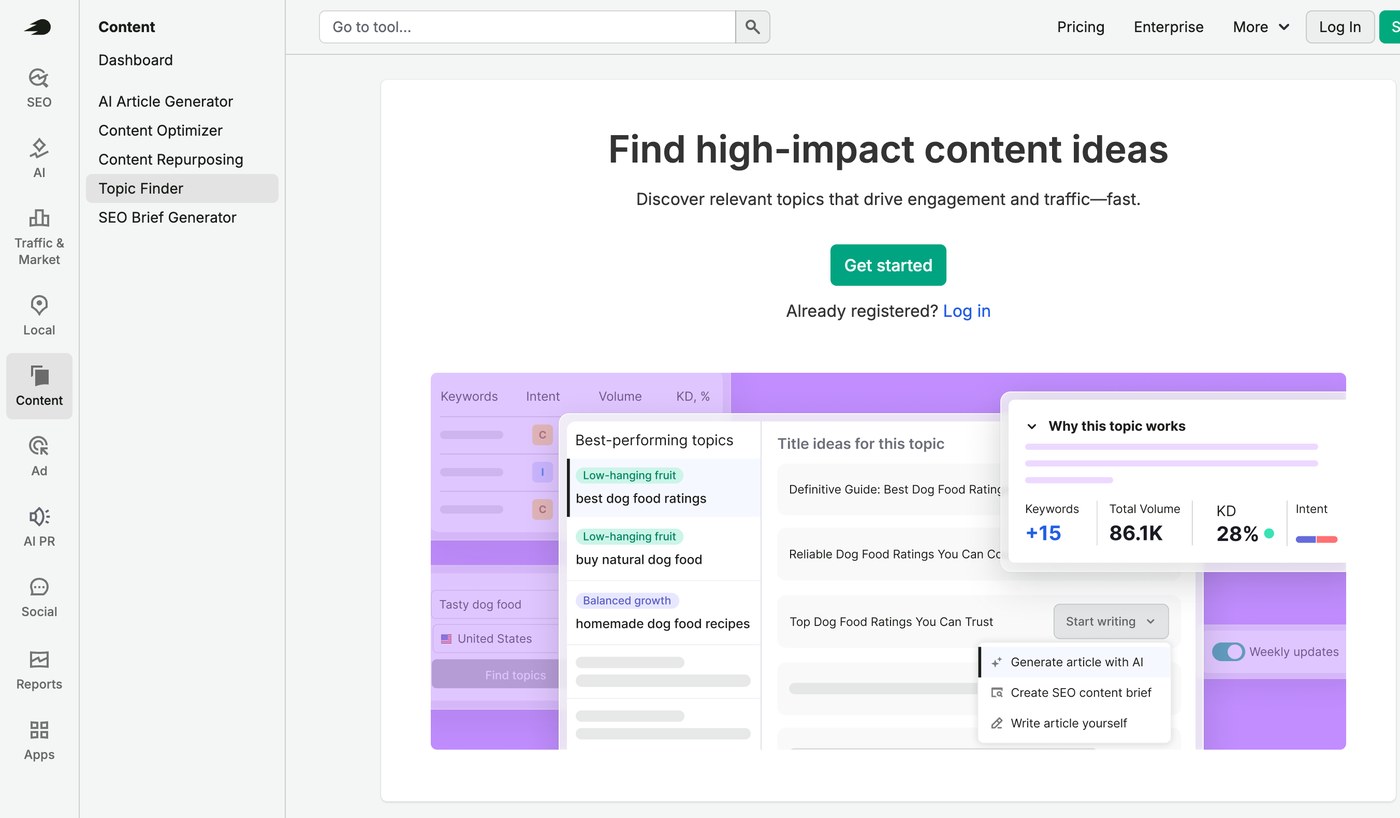
Semrush Topic Finder page with the Content toolkit menu on the left and a preview of topic ideas with volume and keyword difficulty

Semrush's Topic Finder page, with the Content toolkit menu and a preview of topic ideas. Source: Semrush website

Semrush is an SEO and AI-search platform with a content toolkit. Its features page lists keyword research, a Topic Finder that suggests content ideas from a site, audience and competitors, an SEO Brief Generator, an AI Article Generator, an AI Search Optimizer and a Content Repurposing tool that turns an article into social posts and emails. The keyword research page describes a database of 28B+ keywords (the vendor's figure) and a Keyword Strategy Builder that maps keywords to topic clusters.

It suits content teams that decide what to publish from search demand rather than guesses. Semrush says a brand voice can be set once and applied to generated and repurposed content, drafts can be shared for approval with a link and no login, and finished content can be published to WordPress, Mailchimp and social channels. Per its knowledge base, Semrush MCP connects live Semrush data to AI assistants such as ChatGPT and Claude.

Pricing: Semrush's pricing page lists a Free plan at $0 for trying the platform (1 demo project and 10 reports a day, no credit card). Paid plans are billed monthly or annually: SEO at $139.95 a month ($117.33 a month billed annually), Starter at $199 ($165.17), Pro+ at $299 ($248.17) and Advanced at custom pricing. The page lists Content optimization from Pro+ and MCP access from Starter, and the features page offers a 7-day free trial.

Considerations: The pricing page does not say which plan includes each content-toolkit tool, so confirm the article generator and brief generator before buying. Plans are sized by websites and tracked keywords, which suits an SEO team more than a solo writer, and generated drafts still need a human edit.

  • Choose it if organic search drives the content plan and the team wants research, briefs and optimization in one place.
  • Skip it if the need is a writing assistant only, or the content strategy is not search-led.

3. Jasper: Best for on-brand marketing copy at team scale
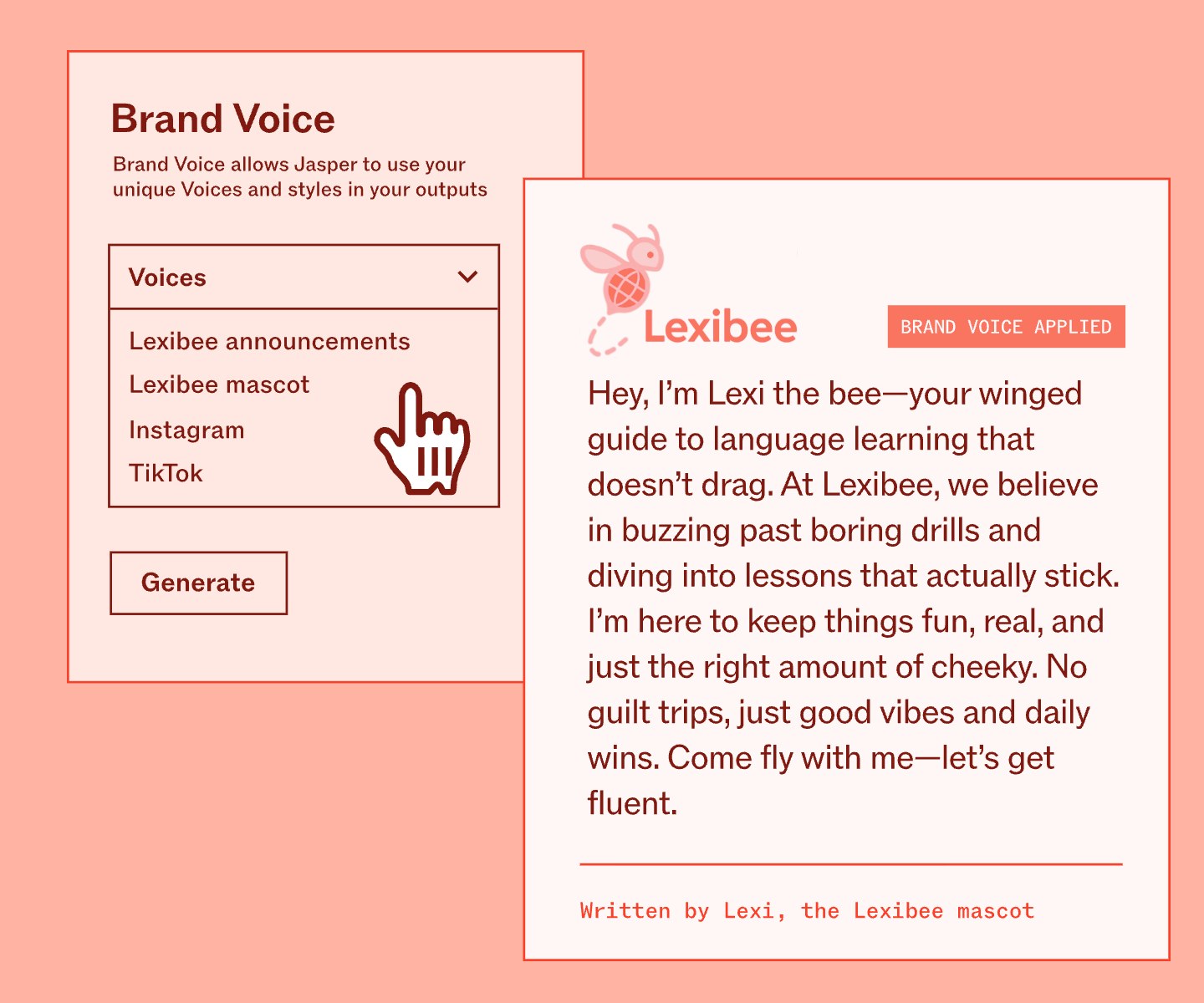
Jasper Brand Voice illustration with a Voices dropdown listing saved voices, a Generate button and a sample reply marked Brand Voice Applied

An illustrated Brand Voice example from Jasper's Brand Voice page. Source: Jasper website

Jasper is an AI platform built for marketing teams. Its pricing page lists a Canvas workspace, agents for core marketing workflows and, on Pro, 2 Brand Voices, 5 Knowledge assets and 3 Audiences, with content in 30+ languages. Business adds agents for complex workflows (the page names GEO, translations and deep research), a no-code builder for custom agents, Jasper Grid, API access and admin controls.

Jasper's integrations page lists exports to Google Drive, SharePoint, Box, Asana and Monday.com, a Webflow app, a Slack integration and a Word add-in, and says a Semrush connection powers its Optimization Agent. Its MCP page describes a server that brings brand guidelines into the other AI tools a team uses. It suits teams where several people write for one brand and review cycles slow publishing.

Pricing: Jasper's pricing page lists Pro at $59 per seat a month on yearly billing ($69 on monthly billing), with 1 seat included and a free 7-day trial. Business is custom-priced. The page lists no free plan.

Considerations: It is priced per seat from the start, and Pro caps Brand Voices, Knowledge assets and Audiences. Jasper writes and edits copy and images; it does not produce video, so it pairs with a video tool.

  • Choose it if several people write for one brand and consistency matters more than raw volume.
  • Skip it if one person writes occasionally, or search data should drive the topic list (see Semrush).

4. Surfer: Best for optimizing drafts for search and AI answers
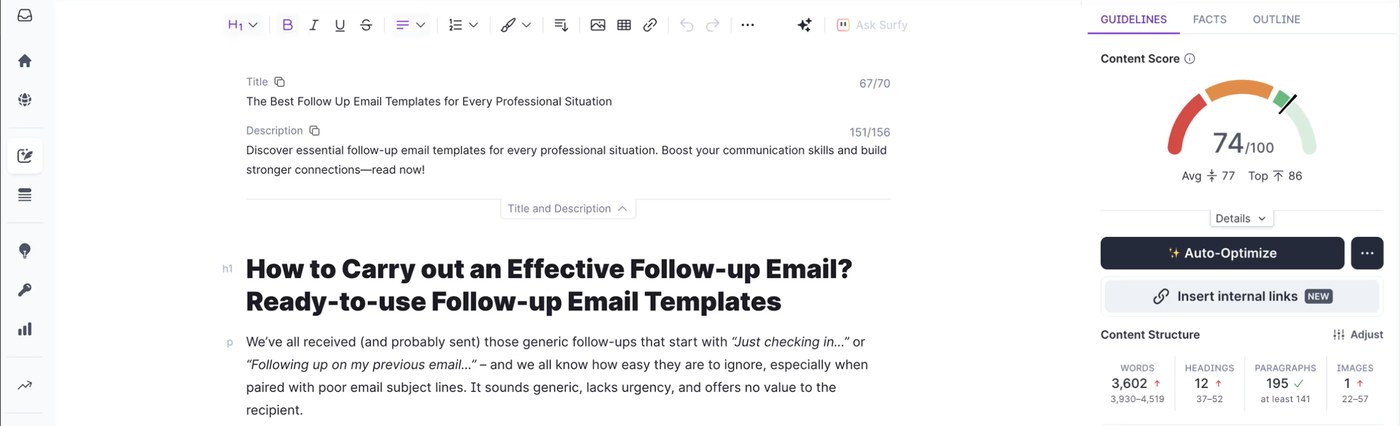
Surfer Content Editor with a draft article on the left and a Content Score of 74 out of 100 with Auto-Optimize on the right

Surfer's Content Editor, shown on its product page with an example draft and Content Score. Source: Surfer website

Surfer scores and guides content for search and AI answers. Its Content Editor page describes a real-time Content Score based on 500+ web and AI signals, an Outline Builder for briefs, the Surfy writing assistant with a Custom Voice, and integrations with Google Docs, ChatGPT, WordPress and Contentful. Topical Map suggests topic clusters and gaps, and Content Audit flags pages worth refreshing.

It suits writers and content managers who already have a draft or brief and want to see what is missing before publishing. Surfer also tracks AI visibility, showing how a brand appears in answers from ChatGPT, Gemini, Perplexity and AI Overviews, and its MCP page says Surfer data can be used inside ChatGPT, Claude, Perplexity, Gemini and other agents.

Pricing: Surfer's pricing page shows prices billed yearly: Discovery at $49 a month with 120 documents, Standard at $99 with 360, Pro at $182 and Peace of Mind at $299 with unlimited documents under a fair-usage policy. A separate AI Search Analytics plan, for AI visibility only, is $82. The page lists no free plan; each plan card shows a Start for Free button without stating the terms.

Considerations: The pricing page shows only yearly prices, and its FAQ says an annual plan is charged for the whole year up front. Documents are capped by plan. Surfer helps optimize text; it does not make graphics, video or social posts.

  • Choose it if drafts and briefs already exist and the team wants a score and guidelines to close gaps before publishing.
  • Skip it if the bottleneck is producing the first draft, or the budget does not allow a yearly prepayment.

5. Adobe Express: Best for designing and scheduling social graphics and short videos

Illustration of the Adobe Express image editor with a Design assets panel, a Photos panel and a mood board canvas with the word Minimal

Adobe's illustration of its image editor, not a screenshot of the live app. Source: Adobe Express website

Adobe Express is a design app for social posts, flyers, short videos and documents. Its pricing page lists templates, brand kits that keep colors, fonts, logos and graphics in one place, resizing for multiple formats at once, automatic translation of text into 45+ languages, Adobe Firefly generative AI and a content scheduler.

The Content Scheduler page says posts can go to TikTok, Instagram, Facebook, X, Pinterest and LinkedIn, and the pricing page lists 1 account per social network on Free and 3 on Premium. Adobe Express also lists a Clip Maker that cuts long videos into short clips. Its page says the Clip Maker supports English only and is available on desktop only, so a video-first team may prefer a dedicated clipper such as OpusClip.

Pricing: Adobe's pricing page lists Free at US$0 (no credit card), Premium at US$9.99 a month, billed monthly with no annual commitment and a 30-day free trial, and Adobe Firefly Pro at US$19.99 a month with a 7-day free trial. Premium lists 250 generative credits a month per user.

Considerations: Generative AI use is metered by monthly credits, and the Free plan lists only limited generative AI. The Clip Maker's English-only and desktop-only limits matter for video teams. Adobe Express makes designs and light video edits; it does not plan topics or write long-form copy.

  • Choose it if the team makes graphics and short videos every week and wants brand kits, resizing and scheduling in one editor.
  • Skip it if the main job is turning long recordings into many clips, or writing copy at volume.

6. Synthesia: Best for presenter-led videos made from a script
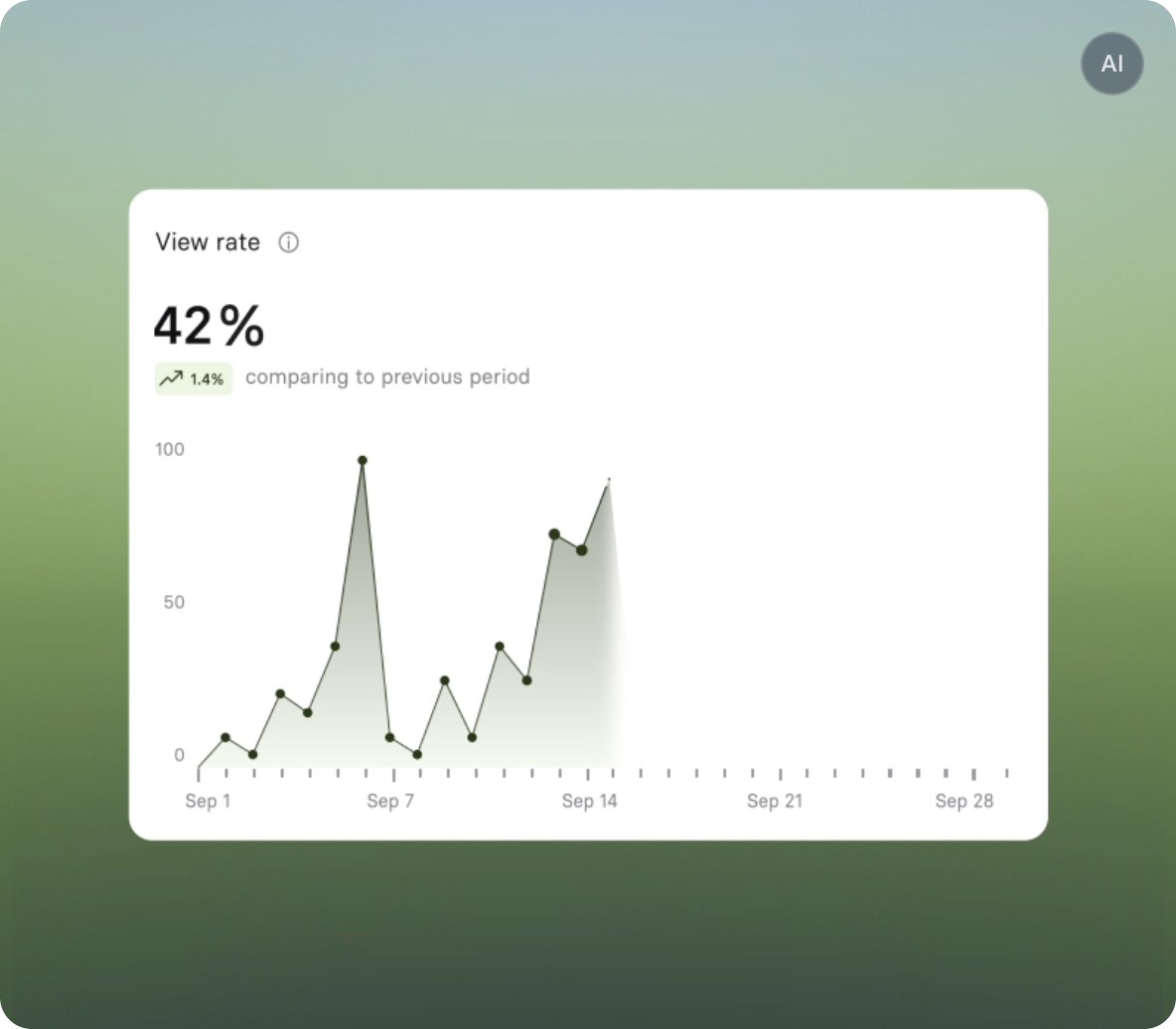
Synthesia analytics card showing a view rate of 42 percent and a line chart of views across September, not a video creation screen

Synthesia's built-in analytics card, an example view-rate chart from its homepage; the video editor is not shown. Source: Synthesia website

Synthesia makes videos with AI avatars and voiceovers, with no camera or footage needed. Its homepage says a document, PowerPoint or link can become an on-brand video, videos can be translated into 140+ languages, and finished videos can be published as a link, embed or SCORM. Built-in analytics track views, clicks and how many people watch to the end.

It suits teams that make explainers, product walkthroughs and training videos from scripts rather than recording people. The homepage lists roles, permissions and approval before videos go live, and the Enterprise plan card lists Brand Kits and live team collaboration. Synthesia also lists an API and a hosted MCP server, so a video draft can start from a script inside Claude or ChatGPT.

Pricing: Synthesia's pricing page lists Basic at $0 a month with 500 credits a month and a Synthesia watermark on videos. Starter is $19 a month on monthly billing or $14 a month billed yearly ($168), and adds downloads, logo removal, the AI Video Assistant and 125+ avatars. Pro is $89 a month on monthly billing or $59 billed yearly. The page also shows introductory offers, so check the price at checkout.

Considerations: An avatar delivers a script; it is not footage of real customers or founders, and credits are metered by plan. The Free plan adds a watermark and Brand Kits are listed only on the Enterprise card.

  • Choose it if there is no footage to start from and the team needs explainers or localized videos made from scripts.
  • Skip it if the best material is already recorded (see OpusClip), or the team needs real people on screen.

7. Buffer: Best for scheduling and publishing across social channels
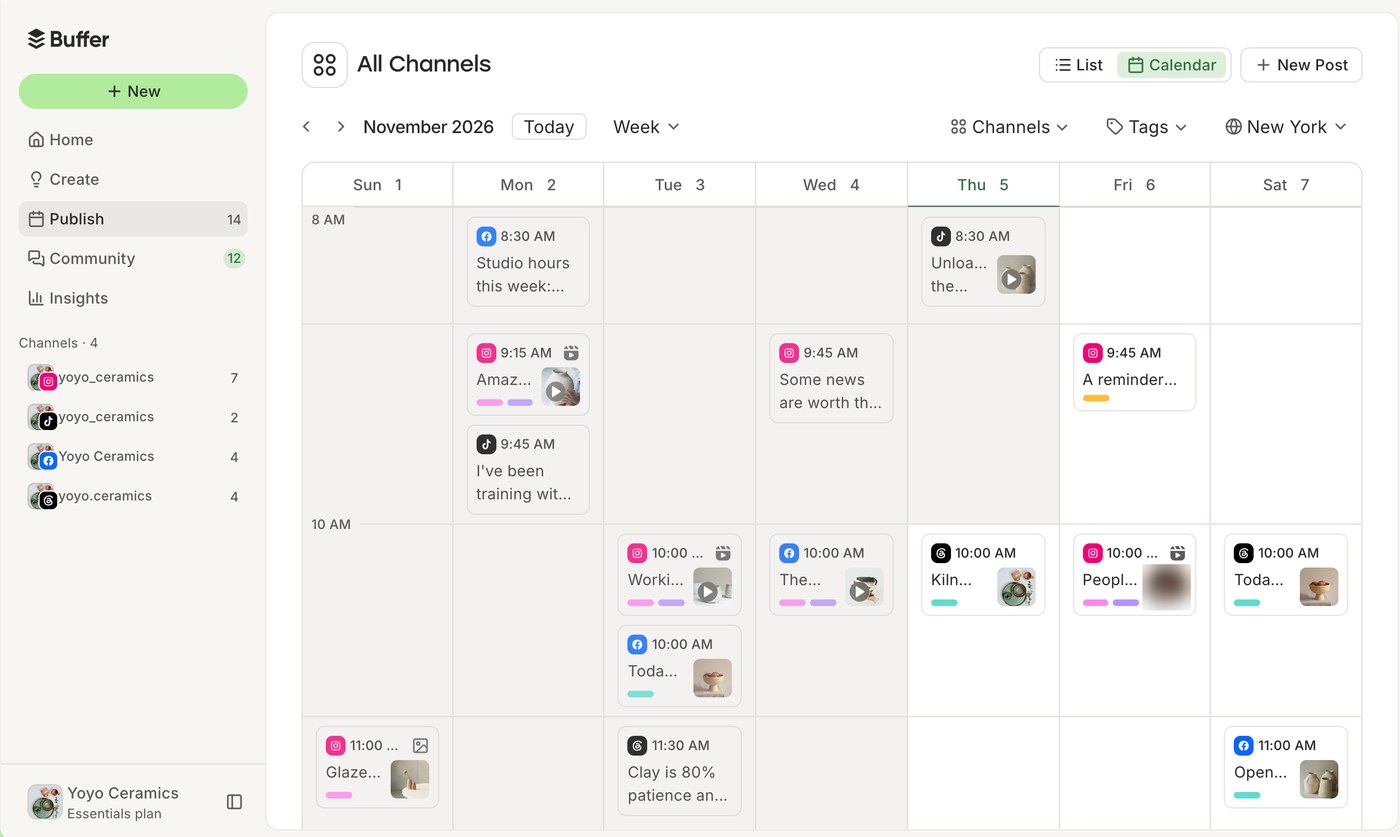
Buffer publishing calendar for November 2026 with a week view of scheduled sample posts across four social channels

Buffer's publishing calendar, shown on its site with sample posts for a fictional shop. Source: Buffer website

Buffer plans, schedules and publishes social posts. Its site lists channels including Instagram, Facebook, TikTok, LinkedIn, X, YouTube, Threads, Pinterest, Google Business Profile, Bluesky, Mastodon and Substack, along with a visual content calendar, a queue, an ideas library, templates and an AI Assistant that helps brainstorm, rewrite and repurpose a post for each platform. The pricing page also lists Insights, a community inbox and a hashtag manager.

It suits small and mid-size teams that need one place to schedule everything else on this list. The Team plan adds unlimited team members and content approval workflows, and Buffer lists API access on every plan plus an MCP server that lets Claude, ChatGPT and other tools draft and schedule posts into Buffer.

Pricing: Buffer's pricing page lists a Free plan (up to 3 channels, 10 scheduled posts per channel and 1 user), Essentials at $5 per channel a month billed yearly ($6 billed monthly) and Team at $10 per channel a month billed yearly ($12 billed monthly). Both paid plans list a 14-day free trial.

Considerations: Pricing is per channel, so cost grows with every account. Approval workflows are on Team only, and the Free plan caps scheduled posts and shows 30 days of Insights history. Buffer publishes content; it does not create clips, designs or long-form copy.

  • Choose it if the team already makes content and needs a calendar, queue and approvals to publish it consistently.
  • Skip it if the bottleneck is making the content rather than publishing it.

8. HubSpot: Best for creating, publishing and measuring content on one platform
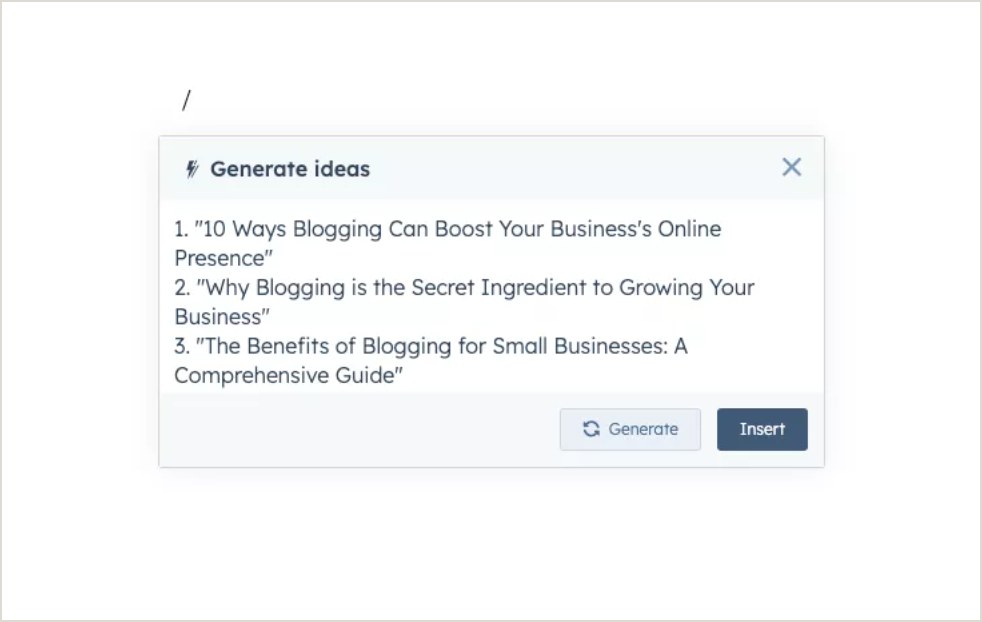
HubSpot AI content writer panel titled Generate ideas listing three blog title suggestions with Generate and Insert buttons

An example panel from HubSpot's AI content writer page suggesting blog ideas. Source: HubSpot website

HubSpot's Content Hub combines a CMS with AI content tools. Its product page lists an AI blog writer, landing pages, video marketing and reporting dashboards, and its AI blog writer page says the AI can generate blogs, landing pages, podcasts and case studies, with advanced functionality in premium editions. The AI content writer lets a team generate ideas and drafts inside the editor.

Professional lists content remix (beta), brand voice, podcasts and video creation and editing, and Enterprise lists content approvals and multiple sites. HubSpot also sells HubSpot AEO, which tracks how a brand shows up in AI answers, and a remote MCP server gives AI tools read and write access to CRM data. It suits teams that want content, forms, email and customer data in one system.

Pricing: HubSpot's Content Hub pricing page lists Free at $0 for up to 2 users (no credit card), Starter at $20 per seat a month (struck through next to a lower new-customer price of $7), Professional at $500 a month (struck through next to $450, with 3 core seats) and Enterprise from $1,500 a month (5 core seats). Professional and Enterprise list a 14-day trial, and AI features use HubSpot Credits.

Considerations: Cost rises with seats and tier, and the video marketing page says clipping, analytics and automation sit in premium editions. Discounts apply to new customers only. HubSpot connects and measures content, but a dedicated tool may go deeper on one stage, such as video clips or keyword research.

  • Choose it if content marketing should connect to forms, email and CRM records on one platform.
  • Skip it if the team needs one specialist stage covered quickly on a small budget.

How we compared these tools

We compared each tool on how directly it serves one stage of the content marketing workflow, what its own pages say it does, price and free-plan limits, brand and team controls, where it publishes or hands off, whether it offers an API or MCP server, and its main limitation. Every fact comes from that vendor's own pricing page, product page, help center or documentation, read on November 5, 2026. Where a pricing page loads figures with JavaScript, we read the rendered page in a browser and noted the billing period it showed.

OpusClip is listed first because this roundup is video-first and OpusClip is built for the video stage; the other seven follow in workflow order, from planning to measurement. We did not run hands-on trials of the other tools. This is a comparison of published pricing and documented features, not a lab review. Prices change often and some pages show promotions, so check the vendor's page before buying. Screenshots come from each vendor's own site, and Adobe Express's image is an illustration of its editor on its own page.

Red flags to watch for

Per-seat and per-channel pricing

Jasper and HubSpot Starter price per seat, and Buffer prices per channel. Trial test: multiply the price by the real number of users and channels before comparing plans.

Struck-through and introductory prices

HubSpot shows new-customer prices next to its list prices, Synthesia shows first-month offers, and Semrush shows struck-through list prices next to its annual figures. Trial test: check the price at checkout, not on the plan card.

Yearly prepayment

Surfer shows only yearly prices and says an annual plan is charged for the full year up front. Trial test: ask for the monthly price and the cancellation terms before committing.

Plan-gated features

Semrush lists Content optimization from Pro+, Buffer lists approval workflows on Team only, HubSpot lists content approvals on Enterprise, and OpusClip does not show the Virality Score on Free. Trial test: list the must-have features, then check each against the plan card.

Watermarks and expiring exports on free plans

OpusClip's Free plan adds a watermark and clips stop being exportable after 3 days, and Synthesia's Basic plan adds a watermark. Trial test: export one finished piece before deciding a free plan is enough.

Metered AI credits

Adobe Express Premium lists 250 generative credits a month, Synthesia plans are credit-based, and HubSpot AI features use HubSpot Credits. Trial test: estimate a normal month of output against the allowance, not a single project.

AI output without review

Drafts, clip picks, avatars and suggestions are a starting point. Trial test: check that the output is editable (text, captions, a transcript or a timeline) and that a person reviews facts, claims and brand fit before anything is published.

Frequently asked questions

What are the best AI tools for content marketing?

It depends on the stage. In this list, OpusClip leads for turning long recordings into short video, Semrush for planning and research, Jasper for on-brand copy, Surfer for optimizing drafts, Adobe Express for design, Synthesia for presenter videos from a script, Buffer for publishing and HubSpot for running content alongside a CRM. Most teams combine two or three.

Which AI tool is best for content marketing?

No single tool covers every stage, so the answer is the tool for the stage that slows the team down most. For video, OpusClip is our first pick; for copy, Jasper is built around saved Brand Voices; for search-led planning, Semrush. We would not pick one tool to replace the others.

What AI tools does a content marketing team need?

A typical team needs a way to choose topics (Semrush), write and optimize drafts (Jasper, Surfer), make graphics and video (Adobe Express, OpusClip, Synthesia), and publish and measure (Buffer, HubSpot). Start with one tool for the biggest bottleneck, then add another when a gap shows up, and check each tool's brand and approval controls so several people can work in it.

What is the best AI tool for video content marketing?

For turning long recordings such as webinars, podcasts and interviews into short, captioned clips and posting them, OpusClip is our first pick; its paid plans add a Virality Score, a Brand Kit and posting to YouTube Shorts, TikTok and Instagram Reels. For a presenter-led video made from a script, Synthesia is the closer fit. OpusClip's pricing page lists the plan details.

What are the best free AI tools for content marketing?

Several tools here have a free plan: OpusClip (watermark, no editing), Semrush (1 demo project), Adobe Express, Synthesia (watermark), Buffer (up to 3 channels) and HubSpot Content Hub (up to 2 users). Jasper lists a free 7-day trial, and Surfer's pricing page lists no free plan. Free plans differ in watermarks, usage caps and features, so read each before relying on one.

Can AI do content marketing without human review?

We would not publish AI output unreviewed. Check facts, names, claims, captions and brand fit, and keep a person in the final approval step. Tools that expose the editable result, such as a transcript, a caption editor, an outline or an approval workflow, make that review faster.

How do these AI content marketing tools work together?

A common sequence is to plan topics in Semrush, write in Jasper (which lists a Semrush integration), check the draft in Surfer, make graphics in Adobe Express, cut video with OpusClip, schedule posts in Buffer and report in HubSpot. Each vendor lists exports, integrations, an API or an MCP server, but confirm the exact handoff on the vendor's page before building a workflow around it.

Do small teams need all eight tools?

No. A small team can often start with a writing tool, a design tool and a video tool, then add planning and publishing tools as volume grows. Free plans make it possible to try a stage before paying.
On this page

Use our Free Forever Plan

Find the moment. Skip the scrubbing.

From script to polished video — in one click.

Create and post one short video every day for free, and grow faster.

OpusSearch uses AI to surface the exact clip you need from hours of footage — in seconds, not afternoons.

Agent Opus runs the entire video pipeline for you: research, scriptwriting, storyboarding, motion, voice, and edit. Upload the idea, post the result.

8 Best AI Content Marketing Tools in 2026

The best AI tools for content marketing split by job, and no single tool covers all of them. OpusClip is our first pick for the video stage: it turns one long recording into short, captioned clips and can post them. For the rest of the workflow, Semrush plans topics, Jasper writes on-brand copy, Surfer optimizes drafts, Adobe Express designs, Synthesia makes presenter videos from a script, Buffer publishes and HubSpot manages the program. We ranked them by workflow fit, then price, free-plan limits and documented limits, using each vendor's own pages read on November 5, 2026.

What counts as an AI content marketing tool

A content marketing team plans topics, writes, designs, produces video, publishes and measures. We included tools where AI is part of the documented product and each tool owns one of those stages. This list is organized by that workflow and by the needs of a team: shared brand settings, review steps and publishing. For tools that help an individual creator make content, including images and audio, see our roundup of AI tools for making quality content, and for an earlier overview of how AI fits each stage, see our guide to AI content marketing tools.

Key takeaways

  • Best for video content marketing: OpusClip. It cuts long recordings into captioned, scored clips and posts them to YouTube Shorts, TikTok and Instagram Reels from the Starter plan.
  • Best for planning and research: Semrush. Keyword research, topic ideas and SEO briefs in one content toolkit, with a free plan for trying the platform.
  • Best for on-brand copy at team scale: Jasper. Saved Brand Voices, knowledge and audiences, priced per seat with a free 7-day trial.
  • Best for optimizing drafts: Surfer. A real-time Content Score and guidelines for search and AI answers, from $49 a month billed yearly.
  • Best for design: Adobe Express. Templates, brand kits and a content scheduler, with a free plan and Premium at $9.99 a month.
  • Best for presenter videos from a script: Synthesia. AI avatars and translation into 140+ languages, with a free Basic plan that adds a watermark.
  • Best for publishing across social channels: Buffer. A calendar, queue and AI Assistant, free for up to 3 channels and priced per channel after that.
  • Best for running a content program on a CRM: HubSpot. Blog, landing pages and AI writing in Content Hub, with a free plan for up to 2 users.

How to choose AI tools for a content marketing team

Start with the stage that slows the team down most, then pick the tool built for that stage. Most teams need two or three of these, not all eight.

  • If long recordings sit unused (webinars, customer interviews, podcasts), look for clip finding, captions, brand settings and posting together: OpusClip. See our roundup of AI video tools for content creators for more video options.
  • If topics are chosen by guesswork, look for keyword and topic research tied to search demand: Semrush.
  • If many writers share one brand, look for saved brand voices and review controls: Jasper. If drafts need to match what ranks, look at Surfer.
  • If graphics slow publishing, look for templates, brand kits and resizing: Adobe Express.
  • If there is no footage to start from, look for script-to-video with avatars: Synthesia.
  • If posts go out by hand, look for a calendar, queue and approvals: Buffer. See our edit-and-schedule roundup for tools that combine editing and posting.
  • If content, email and CRM data live in separate places, look at a platform that joins them: HubSpot.

At a glance

  • OpusClip: best for turning long videos into short, captioned clips and posting them; Starter $15 a month, Pro $29 a month ($14.50 a month billed annually); free plan yes (watermark, no editing).
  • Semrush: best for keyword research, topic ideas and SEO briefs; SEO plan $139.95 a month ($117.33 a month billed annually); free plan yes (1 demo project) and a 7-day free trial.
  • Jasper: best for on-brand marketing copy at team scale; Pro $59 per seat a month billed yearly ($69 billed monthly); 7-day free trial, no free plan listed.
  • Surfer: best for optimizing drafts for search and AI answers; from $49 a month billed yearly (Discovery); no free plan or trial terms listed.
  • Adobe Express: best for designing and scheduling social graphics and short videos; Premium US$9.99 a month with a 30-day free trial; free plan yes.
  • Synthesia: best for presenter-led videos made from a script; Starter $19 a month ($14 a month billed yearly); free plan yes (watermark).
  • Buffer: best for scheduling and publishing social posts; Essentials $5 per channel a month billed yearly ($6 billed monthly); free plan yes (3 channels).
  • HubSpot: best for creating, publishing and measuring content on one platform; Content Hub Starter $20 per seat a month at list price, Professional $500 a month; free plan yes (up to 2 users).

Publishing, brand and team controls, and API access compared

The At a glance list covers best-for, price and free plan; this table compares where each tool publishes or hands off, its brand and team controls, and its API or MCP server, as listed on each vendor's own pages on November 5, 2026.

ToolPublishes or hands off toBrand and team controlsAPI or MCP
OpusClipStarter posts to YouTube, TikTok, Instagram; Pro adds six more networks and schedulingBrand Kit for logo, captions, layout; team workspace shares videos and brand templatesAPI with a dashboard key; hosted MCP server at mcp.opus.pro/mcp with OAuth sign-in
SemrushWordPress, Mailchimp, Google Docs and social networksBrand voice set once; drafts shared for approval by link with no loginMCP access from Starter; API data integration on Advanced
JasperExports to Google Drive, Box, Asana, Monday.com; Webflow app; Slack; Word add-inPro: 2 Brand Voices, 5 Knowledge assets, 3 Audiences; Business adds admin controlsAPI access on Business; MCP server for brand voice and audiences in other AI tools
SurferGoogle Docs, ChatGPT, WordPress and ContentfulStandard lists Brand Knowledge and Team Collaboration; Pro lists Templates and Custom VoicesMCP server for ChatGPT, Claude and other agents; API access on Peace of Mind
Adobe ExpressContent Scheduler posts to TikTok, Instagram, Facebook, X, Pinterest and LinkedInBrand kits keep content consistent; scheduler connects 1 account per network on Free, 3 on PremiumExpress API and Embed SDK; Express AI integrations for AI tools
SynthesiaShare as a link, embed or SCORMRoles, permissions and approval before videos go live; Brand Kits on EnterpriseAPI to generate and dub videos; hosted MCP server for Claude and ChatGPT
BufferInstagram, Facebook, TikTok, LinkedIn, X, YouTube, Threads, Pinterest and moreUnlimited team members and content approval workflows on TeamAPI on every plan; MCP server for Claude, ChatGPT and other tools
HubSpotContent Hub's own blog, landing pages and website pagesBrand voice on Professional; content approvals on EnterpriseRemote MCP server for read and write access to CRM data; separate developer MCP server

1. OpusClip: Best for turning long videos into short, captioned clips and posting them

OpusClip home page hero with a Get clips box above a row of video clips, each with a Virality Score and a social platform icon

OpusClip's home-page hero mock-up: clips with Virality Scores and platform icons. Source: OpusClip website

OpusClip takes a long video, such as a webinar, podcast, stream or interview, and cuts it into short clips. Per its pricing page, paid plans include AI clipping with a Virality Score, animated captions in 20+ languages, an editor, filler and silence removal, and auto-posting to YouTube Shorts, TikTok and Instagram Reels, or download. The help center says the Virality Score runs from 0 to 99, rates hook, flow, value and trend, and is shown on Starter and Pro.

For a content marketing team, the useful part is what happens after the clip. A Brand Kit saves a logo, caption style, headline style, layout, intro and outro, and music once so every clip looks the same, and a team workspace lets teammates share videos and brand templates. Pro adds a scheduler for YouTube, TikTok Feed, Instagram Reels, Facebook Page, LinkedIn, X (beta), Pinterest, Threads and Bluesky, per the social account FAQ, plus export to Adobe Premiere Pro and DaVinci Resolve. The help center also lists an API and a hosted MCP server for connecting OpusClip to other tools. To try the clipping step by itself, see our long video to short video tool.

Pricing: Per opus.pro/pricing, read November 5, 2026, Free is $0 with a watermark, no editing, up to 1080p rendered clips, and clips stop being exportable after 3 days. Starter is $15 a month (monthly billing only). Pro is $29 a month, or $14.50 a month billed annually ($174). Business is custom-priced. Starter and Pro list a free trial with no credit card required.

Considerations: Bulk scheduling covers YouTube only, and caption translation before clipping supports English only, per the help center. The Virality Score is not shown on the Free plan. OpusClip works on footage that already exists: it does not research topics, write articles or design graphics, which is why the other seven tools are here.

  • Choose it if long video is where the team's best material already lives and the goal is a steady flow of finished short videos with clips, captions, brand settings and posting in one place.
  • Skip it if the content is mostly written or designed, or there is no footage to start from (see Synthesia below).

2. Semrush: Best for keyword research, topic ideas and SEO briefs

Semrush Topic Finder page with the Content toolkit menu on the left and a preview of topic ideas with volume and keyword difficulty

Semrush's Topic Finder page, with the Content toolkit menu and a preview of topic ideas. Source: Semrush website

Semrush is an SEO and AI-search platform with a content toolkit. Its features page lists keyword research, a Topic Finder that suggests content ideas from a site, audience and competitors, an SEO Brief Generator, an AI Article Generator, an AI Search Optimizer and a Content Repurposing tool that turns an article into social posts and emails. The keyword research page describes a database of 28B+ keywords (the vendor's figure) and a Keyword Strategy Builder that maps keywords to topic clusters.

It suits content teams that decide what to publish from search demand rather than guesses. Semrush says a brand voice can be set once and applied to generated and repurposed content, drafts can be shared for approval with a link and no login, and finished content can be published to WordPress, Mailchimp and social channels. Per its knowledge base, Semrush MCP connects live Semrush data to AI assistants such as ChatGPT and Claude.

Pricing: Semrush's pricing page lists a Free plan at $0 for trying the platform (1 demo project and 10 reports a day, no credit card). Paid plans are billed monthly or annually: SEO at $139.95 a month ($117.33 a month billed annually), Starter at $199 ($165.17), Pro+ at $299 ($248.17) and Advanced at custom pricing. The page lists Content optimization from Pro+ and MCP access from Starter, and the features page offers a 7-day free trial.

Considerations: The pricing page does not say which plan includes each content-toolkit tool, so confirm the article generator and brief generator before buying. Plans are sized by websites and tracked keywords, which suits an SEO team more than a solo writer, and generated drafts still need a human edit.

  • Choose it if organic search drives the content plan and the team wants research, briefs and optimization in one place.
  • Skip it if the need is a writing assistant only, or the content strategy is not search-led.

3. Jasper: Best for on-brand marketing copy at team scale

Jasper Brand Voice illustration with a Voices dropdown listing saved voices, a Generate button and a sample reply marked Brand Voice Applied

An illustrated Brand Voice example from Jasper's Brand Voice page. Source: Jasper website

Jasper is an AI platform built for marketing teams. Its pricing page lists a Canvas workspace, agents for core marketing workflows and, on Pro, 2 Brand Voices, 5 Knowledge assets and 3 Audiences, with content in 30+ languages. Business adds agents for complex workflows (the page names GEO, translations and deep research), a no-code builder for custom agents, Jasper Grid, API access and admin controls.

Jasper's integrations page lists exports to Google Drive, SharePoint, Box, Asana and Monday.com, a Webflow app, a Slack integration and a Word add-in, and says a Semrush connection powers its Optimization Agent. Its MCP page describes a server that brings brand guidelines into the other AI tools a team uses. It suits teams where several people write for one brand and review cycles slow publishing.

Pricing: Jasper's pricing page lists Pro at $59 per seat a month on yearly billing ($69 on monthly billing), with 1 seat included and a free 7-day trial. Business is custom-priced. The page lists no free plan.

Considerations: It is priced per seat from the start, and Pro caps Brand Voices, Knowledge assets and Audiences. Jasper writes and edits copy and images; it does not produce video, so it pairs with a video tool.

  • Choose it if several people write for one brand and consistency matters more than raw volume.
  • Skip it if one person writes occasionally, or search data should drive the topic list (see Semrush).

4. Surfer: Best for optimizing drafts for search and AI answers

Surfer Content Editor with a draft article on the left and a Content Score of 74 out of 100 with Auto-Optimize on the right

Surfer's Content Editor, shown on its product page with an example draft and Content Score. Source: Surfer website

Surfer scores and guides content for search and AI answers. Its Content Editor page describes a real-time Content Score based on 500+ web and AI signals, an Outline Builder for briefs, the Surfy writing assistant with a Custom Voice, and integrations with Google Docs, ChatGPT, WordPress and Contentful. Topical Map suggests topic clusters and gaps, and Content Audit flags pages worth refreshing.

It suits writers and content managers who already have a draft or brief and want to see what is missing before publishing. Surfer also tracks AI visibility, showing how a brand appears in answers from ChatGPT, Gemini, Perplexity and AI Overviews, and its MCP page says Surfer data can be used inside ChatGPT, Claude, Perplexity, Gemini and other agents.

Pricing: Surfer's pricing page shows prices billed yearly: Discovery at $49 a month with 120 documents, Standard at $99 with 360, Pro at $182 and Peace of Mind at $299 with unlimited documents under a fair-usage policy. A separate AI Search Analytics plan, for AI visibility only, is $82. The page lists no free plan; each plan card shows a Start for Free button without stating the terms.

Considerations: The pricing page shows only yearly prices, and its FAQ says an annual plan is charged for the whole year up front. Documents are capped by plan. Surfer helps optimize text; it does not make graphics, video or social posts.

  • Choose it if drafts and briefs already exist and the team wants a score and guidelines to close gaps before publishing.
  • Skip it if the bottleneck is producing the first draft, or the budget does not allow a yearly prepayment.

5. Adobe Express: Best for designing and scheduling social graphics and short videos

Illustration of the Adobe Express image editor with a Design assets panel, a Photos panel and a mood board canvas with the word Minimal

Adobe's illustration of its image editor, not a screenshot of the live app. Source: Adobe Express website

Adobe Express is a design app for social posts, flyers, short videos and documents. Its pricing page lists templates, brand kits that keep colors, fonts, logos and graphics in one place, resizing for multiple formats at once, automatic translation of text into 45+ languages, Adobe Firefly generative AI and a content scheduler.

The Content Scheduler page says posts can go to TikTok, Instagram, Facebook, X, Pinterest and LinkedIn, and the pricing page lists 1 account per social network on Free and 3 on Premium. Adobe Express also lists a Clip Maker that cuts long videos into short clips. Its page says the Clip Maker supports English only and is available on desktop only, so a video-first team may prefer a dedicated clipper such as OpusClip.

Pricing: Adobe's pricing page lists Free at US$0 (no credit card), Premium at US$9.99 a month, billed monthly with no annual commitment and a 30-day free trial, and Adobe Firefly Pro at US$19.99 a month with a 7-day free trial. Premium lists 250 generative credits a month per user.

Considerations: Generative AI use is metered by monthly credits, and the Free plan lists only limited generative AI. The Clip Maker's English-only and desktop-only limits matter for video teams. Adobe Express makes designs and light video edits; it does not plan topics or write long-form copy.

  • Choose it if the team makes graphics and short videos every week and wants brand kits, resizing and scheduling in one editor.
  • Skip it if the main job is turning long recordings into many clips, or writing copy at volume.

6. Synthesia: Best for presenter-led videos made from a script

Synthesia analytics card showing a view rate of 42 percent and a line chart of views across September, not a video creation screen

Synthesia's built-in analytics card, an example view-rate chart from its homepage; the video editor is not shown. Source: Synthesia website

Synthesia makes videos with AI avatars and voiceovers, with no camera or footage needed. Its homepage says a document, PowerPoint or link can become an on-brand video, videos can be translated into 140+ languages, and finished videos can be published as a link, embed or SCORM. Built-in analytics track views, clicks and how many people watch to the end.

It suits teams that make explainers, product walkthroughs and training videos from scripts rather than recording people. The homepage lists roles, permissions and approval before videos go live, and the Enterprise plan card lists Brand Kits and live team collaboration. Synthesia also lists an API and a hosted MCP server, so a video draft can start from a script inside Claude or ChatGPT.

Pricing: Synthesia's pricing page lists Basic at $0 a month with 500 credits a month and a Synthesia watermark on videos. Starter is $19 a month on monthly billing or $14 a month billed yearly ($168), and adds downloads, logo removal, the AI Video Assistant and 125+ avatars. Pro is $89 a month on monthly billing or $59 billed yearly. The page also shows introductory offers, so check the price at checkout.

Considerations: An avatar delivers a script; it is not footage of real customers or founders, and credits are metered by plan. The Free plan adds a watermark and Brand Kits are listed only on the Enterprise card.

  • Choose it if there is no footage to start from and the team needs explainers or localized videos made from scripts.
  • Skip it if the best material is already recorded (see OpusClip), or the team needs real people on screen.

7. Buffer: Best for scheduling and publishing across social channels

Buffer publishing calendar for November 2026 with a week view of scheduled sample posts across four social channels

Buffer's publishing calendar, shown on its site with sample posts for a fictional shop. Source: Buffer website

Buffer plans, schedules and publishes social posts. Its site lists channels including Instagram, Facebook, TikTok, LinkedIn, X, YouTube, Threads, Pinterest, Google Business Profile, Bluesky, Mastodon and Substack, along with a visual content calendar, a queue, an ideas library, templates and an AI Assistant that helps brainstorm, rewrite and repurpose a post for each platform. The pricing page also lists Insights, a community inbox and a hashtag manager.

It suits small and mid-size teams that need one place to schedule everything else on this list. The Team plan adds unlimited team members and content approval workflows, and Buffer lists API access on every plan plus an MCP server that lets Claude, ChatGPT and other tools draft and schedule posts into Buffer.

Pricing: Buffer's pricing page lists a Free plan (up to 3 channels, 10 scheduled posts per channel and 1 user), Essentials at $5 per channel a month billed yearly ($6 billed monthly) and Team at $10 per channel a month billed yearly ($12 billed monthly). Both paid plans list a 14-day free trial.

Considerations: Pricing is per channel, so cost grows with every account. Approval workflows are on Team only, and the Free plan caps scheduled posts and shows 30 days of Insights history. Buffer publishes content; it does not create clips, designs or long-form copy.

  • Choose it if the team already makes content and needs a calendar, queue and approvals to publish it consistently.
  • Skip it if the bottleneck is making the content rather than publishing it.

8. HubSpot: Best for creating, publishing and measuring content on one platform

HubSpot AI content writer panel titled Generate ideas listing three blog title suggestions with Generate and Insert buttons

An example panel from HubSpot's AI content writer page suggesting blog ideas. Source: HubSpot website

HubSpot's Content Hub combines a CMS with AI content tools. Its product page lists an AI blog writer, landing pages, video marketing and reporting dashboards, and its AI blog writer page says the AI can generate blogs, landing pages, podcasts and case studies, with advanced functionality in premium editions. The AI content writer lets a team generate ideas and drafts inside the editor.

Professional lists content remix (beta), brand voice, podcasts and video creation and editing, and Enterprise lists content approvals and multiple sites. HubSpot also sells HubSpot AEO, which tracks how a brand shows up in AI answers, and a remote MCP server gives AI tools read and write access to CRM data. It suits teams that want content, forms, email and customer data in one system.

Pricing: HubSpot's Content Hub pricing page lists Free at $0 for up to 2 users (no credit card), Starter at $20 per seat a month (struck through next to a lower new-customer price of $7), Professional at $500 a month (struck through next to $450, with 3 core seats) and Enterprise from $1,500 a month (5 core seats). Professional and Enterprise list a 14-day trial, and AI features use HubSpot Credits.

Considerations: Cost rises with seats and tier, and the video marketing page says clipping, analytics and automation sit in premium editions. Discounts apply to new customers only. HubSpot connects and measures content, but a dedicated tool may go deeper on one stage, such as video clips or keyword research.

  • Choose it if content marketing should connect to forms, email and CRM records on one platform.
  • Skip it if the team needs one specialist stage covered quickly on a small budget.

How we compared these tools

We compared each tool on how directly it serves one stage of the content marketing workflow, what its own pages say it does, price and free-plan limits, brand and team controls, where it publishes or hands off, whether it offers an API or MCP server, and its main limitation. Every fact comes from that vendor's own pricing page, product page, help center or documentation, read on November 5, 2026. Where a pricing page loads figures with JavaScript, we read the rendered page in a browser and noted the billing period it showed.

OpusClip is listed first because this roundup is video-first and OpusClip is built for the video stage; the other seven follow in workflow order, from planning to measurement. We did not run hands-on trials of the other tools. This is a comparison of published pricing and documented features, not a lab review. Prices change often and some pages show promotions, so check the vendor's page before buying. Screenshots come from each vendor's own site, and Adobe Express's image is an illustration of its editor on its own page.

Red flags to watch for

Per-seat and per-channel pricing

Jasper and HubSpot Starter price per seat, and Buffer prices per channel. Trial test: multiply the price by the real number of users and channels before comparing plans.

Struck-through and introductory prices

HubSpot shows new-customer prices next to its list prices, Synthesia shows first-month offers, and Semrush shows struck-through list prices next to its annual figures. Trial test: check the price at checkout, not on the plan card.

Yearly prepayment

Surfer shows only yearly prices and says an annual plan is charged for the full year up front. Trial test: ask for the monthly price and the cancellation terms before committing.

Plan-gated features

Semrush lists Content optimization from Pro+, Buffer lists approval workflows on Team only, HubSpot lists content approvals on Enterprise, and OpusClip does not show the Virality Score on Free. Trial test: list the must-have features, then check each against the plan card.

Watermarks and expiring exports on free plans

OpusClip's Free plan adds a watermark and clips stop being exportable after 3 days, and Synthesia's Basic plan adds a watermark. Trial test: export one finished piece before deciding a free plan is enough.

Metered AI credits

Adobe Express Premium lists 250 generative credits a month, Synthesia plans are credit-based, and HubSpot AI features use HubSpot Credits. Trial test: estimate a normal month of output against the allowance, not a single project.

AI output without review

Drafts, clip picks, avatars and suggestions are a starting point. Trial test: check that the output is editable (text, captions, a transcript or a timeline) and that a person reviews facts, claims and brand fit before anything is published.

Frequently asked questions

What are the best AI tools for content marketing?

It depends on the stage. In this list, OpusClip leads for turning long recordings into short video, Semrush for planning and research, Jasper for on-brand copy, Surfer for optimizing drafts, Adobe Express for design, Synthesia for presenter videos from a script, Buffer for publishing and HubSpot for running content alongside a CRM. Most teams combine two or three.

Which AI tool is best for content marketing?

No single tool covers every stage, so the answer is the tool for the stage that slows the team down most. For video, OpusClip is our first pick; for copy, Jasper is built around saved Brand Voices; for search-led planning, Semrush. We would not pick one tool to replace the others.

What AI tools does a content marketing team need?

A typical team needs a way to choose topics (Semrush), write and optimize drafts (Jasper, Surfer), make graphics and video (Adobe Express, OpusClip, Synthesia), and publish and measure (Buffer, HubSpot). Start with one tool for the biggest bottleneck, then add another when a gap shows up, and check each tool's brand and approval controls so several people can work in it.

What is the best AI tool for video content marketing?

For turning long recordings such as webinars, podcasts and interviews into short, captioned clips and posting them, OpusClip is our first pick; its paid plans add a Virality Score, a Brand Kit and posting to YouTube Shorts, TikTok and Instagram Reels. For a presenter-led video made from a script, Synthesia is the closer fit. OpusClip's pricing page lists the plan details.

What are the best free AI tools for content marketing?

Several tools here have a free plan: OpusClip (watermark, no editing), Semrush (1 demo project), Adobe Express, Synthesia (watermark), Buffer (up to 3 channels) and HubSpot Content Hub (up to 2 users). Jasper lists a free 7-day trial, and Surfer's pricing page lists no free plan. Free plans differ in watermarks, usage caps and features, so read each before relying on one.

Can AI do content marketing without human review?

We would not publish AI output unreviewed. Check facts, names, claims, captions and brand fit, and keep a person in the final approval step. Tools that expose the editable result, such as a transcript, a caption editor, an outline or an approval workflow, make that review faster.

How do these AI content marketing tools work together?

A common sequence is to plan topics in Semrush, write in Jasper (which lists a Semrush integration), check the draft in Surfer, make graphics in Adobe Express, cut video with OpusClip, schedule posts in Buffer and report in HubSpot. Each vendor lists exports, integrations, an API or an MCP server, but confirm the exact handoff on the vendor's page before building a workflow around it.

Do small teams need all eight tools?

No. A small team can often start with a writing tool, a design tool and a video tool, then add planning and publishing tools as volume grows. Free plans make it possible to try a stage before paying.

Creator name

Creator type

Team size

Channels

linkYouTubefacebookXTikTok

Pain point

Time to see positive ROI

About the creator

Don't miss these

How Audacy Drove 1B+ Views by Taking a Tech-Forward Approach to Radio with OpusClip
No items found.

How Audacy Drove 1B+ Views by Taking a Tech-Forward Approach to Radio with OpusClip

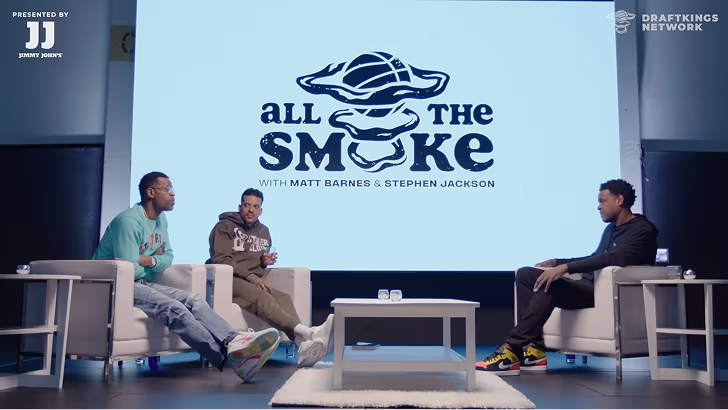
How All the Smoke makes hit compilations faster with OpusSearch

How All the Smoke makes hit compilations faster with OpusSearch

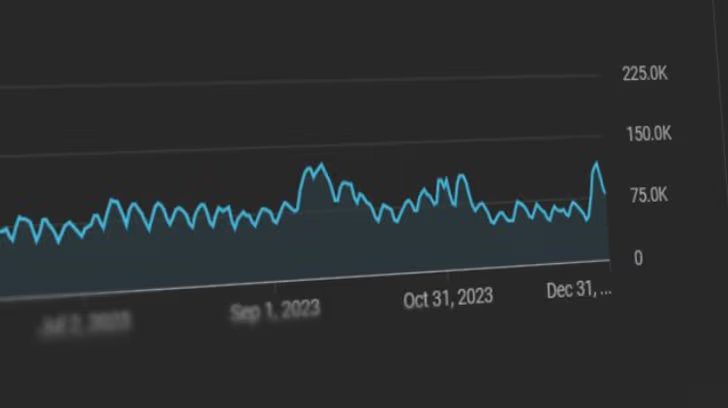
Growing a new channel to 1.5M views in 90 days without creating new videos

Growing a new channel to 1.5M views in 90 days without creating new videos

OpusClip 4.0 is here. Become a content powerhouse.

8 Best AI Content Marketing Tools in 2026

Marketers planning at a desk, filming a short video on a phone and reviewing clips on a laptop, with a Clip it button, a views badge and a 16:9 tag
No items found.
No items found.

Boost your social media growth with OpusClip

Create and post one short video every day for your social media and grow faster.

8 Best AI Content Marketing Tools in 2026

Marketers planning at a desk, filming a short video on a phone and reviewing clips on a laptop, with a Clip it button, a views badge and a 16:9 tag

The best AI tools for content marketing split by job, and no single tool covers all of them. OpusClip is our first pick for the video stage: it turns one long recording into short, captioned clips and can post them. For the rest of the workflow, Semrush plans topics, Jasper writes on-brand copy, Surfer optimizes drafts, Adobe Express designs, Synthesia makes presenter videos from a script, Buffer publishes and HubSpot manages the program. We ranked them by workflow fit, then price, free-plan limits and documented limits, using each vendor's own pages read on November 5, 2026.

What counts as an AI content marketing tool

A content marketing team plans topics, writes, designs, produces video, publishes and measures. We included tools where AI is part of the documented product and each tool owns one of those stages. This list is organized by that workflow and by the needs of a team: shared brand settings, review steps and publishing. For tools that help an individual creator make content, including images and audio, see our roundup of AI tools for making quality content, and for an earlier overview of how AI fits each stage, see our guide to AI content marketing tools.

Key takeaways

  • Best for video content marketing: OpusClip. It cuts long recordings into captioned, scored clips and posts them to YouTube Shorts, TikTok and Instagram Reels from the Starter plan.
  • Best for planning and research: Semrush. Keyword research, topic ideas and SEO briefs in one content toolkit, with a free plan for trying the platform.
  • Best for on-brand copy at team scale: Jasper. Saved Brand Voices, knowledge and audiences, priced per seat with a free 7-day trial.
  • Best for optimizing drafts: Surfer. A real-time Content Score and guidelines for search and AI answers, from $49 a month billed yearly.
  • Best for design: Adobe Express. Templates, brand kits and a content scheduler, with a free plan and Premium at $9.99 a month.
  • Best for presenter videos from a script: Synthesia. AI avatars and translation into 140+ languages, with a free Basic plan that adds a watermark.
  • Best for publishing across social channels: Buffer. A calendar, queue and AI Assistant, free for up to 3 channels and priced per channel after that.
  • Best for running a content program on a CRM: HubSpot. Blog, landing pages and AI writing in Content Hub, with a free plan for up to 2 users.

How to choose AI tools for a content marketing team

Start with the stage that slows the team down most, then pick the tool built for that stage. Most teams need two or three of these, not all eight.

  • If long recordings sit unused (webinars, customer interviews, podcasts), look for clip finding, captions, brand settings and posting together: OpusClip. See our roundup of AI video tools for content creators for more video options.
  • If topics are chosen by guesswork, look for keyword and topic research tied to search demand: Semrush.
  • If many writers share one brand, look for saved brand voices and review controls: Jasper. If drafts need to match what ranks, look at Surfer.
  • If graphics slow publishing, look for templates, brand kits and resizing: Adobe Express.
  • If there is no footage to start from, look for script-to-video with avatars: Synthesia.
  • If posts go out by hand, look for a calendar, queue and approvals: Buffer. See our edit-and-schedule roundup for tools that combine editing and posting.
  • If content, email and CRM data live in separate places, look at a platform that joins them: HubSpot.

At a glance

  • OpusClip: best for turning long videos into short, captioned clips and posting them; Starter $15 a month, Pro $29 a month ($14.50 a month billed annually); free plan yes (watermark, no editing).
  • Semrush: best for keyword research, topic ideas and SEO briefs; SEO plan $139.95 a month ($117.33 a month billed annually); free plan yes (1 demo project) and a 7-day free trial.
  • Jasper: best for on-brand marketing copy at team scale; Pro $59 per seat a month billed yearly ($69 billed monthly); 7-day free trial, no free plan listed.
  • Surfer: best for optimizing drafts for search and AI answers; from $49 a month billed yearly (Discovery); no free plan or trial terms listed.
  • Adobe Express: best for designing and scheduling social graphics and short videos; Premium US$9.99 a month with a 30-day free trial; free plan yes.
  • Synthesia: best for presenter-led videos made from a script; Starter $19 a month ($14 a month billed yearly); free plan yes (watermark).
  • Buffer: best for scheduling and publishing social posts; Essentials $5 per channel a month billed yearly ($6 billed monthly); free plan yes (3 channels).
  • HubSpot: best for creating, publishing and measuring content on one platform; Content Hub Starter $20 per seat a month at list price, Professional $500 a month; free plan yes (up to 2 users).

Publishing, brand and team controls, and API access compared

The At a glance list covers best-for, price and free plan; this table compares where each tool publishes or hands off, its brand and team controls, and its API or MCP server, as listed on each vendor's own pages on November 5, 2026.

ToolPublishes or hands off toBrand and team controlsAPI or MCP
OpusClipStarter posts to YouTube, TikTok, Instagram; Pro adds six more networks and schedulingBrand Kit for logo, captions, layout; team workspace shares videos and brand templatesAPI with a dashboard key; hosted MCP server at mcp.opus.pro/mcp with OAuth sign-in
SemrushWordPress, Mailchimp, Google Docs and social networksBrand voice set once; drafts shared for approval by link with no loginMCP access from Starter; API data integration on Advanced
JasperExports to Google Drive, Box, Asana, Monday.com; Webflow app; Slack; Word add-inPro: 2 Brand Voices, 5 Knowledge assets, 3 Audiences; Business adds admin controlsAPI access on Business; MCP server for brand voice and audiences in other AI tools
SurferGoogle Docs, ChatGPT, WordPress and ContentfulStandard lists Brand Knowledge and Team Collaboration; Pro lists Templates and Custom VoicesMCP server for ChatGPT, Claude and other agents; API access on Peace of Mind
Adobe ExpressContent Scheduler posts to TikTok, Instagram, Facebook, X, Pinterest and LinkedInBrand kits keep content consistent; scheduler connects 1 account per network on Free, 3 on PremiumExpress API and Embed SDK; Express AI integrations for AI tools
SynthesiaShare as a link, embed or SCORMRoles, permissions and approval before videos go live; Brand Kits on EnterpriseAPI to generate and dub videos; hosted MCP server for Claude and ChatGPT
BufferInstagram, Facebook, TikTok, LinkedIn, X, YouTube, Threads, Pinterest and moreUnlimited team members and content approval workflows on TeamAPI on every plan; MCP server for Claude, ChatGPT and other tools
HubSpotContent Hub's own blog, landing pages and website pagesBrand voice on Professional; content approvals on EnterpriseRemote MCP server for read and write access to CRM data; separate developer MCP server

1. OpusClip: Best for turning long videos into short, captioned clips and posting them

OpusClip home page hero with a Get clips box above a row of video clips, each with a Virality Score and a social platform icon

OpusClip's home-page hero mock-up: clips with Virality Scores and platform icons. Source: OpusClip website

OpusClip takes a long video, such as a webinar, podcast, stream or interview, and cuts it into short clips. Per its pricing page, paid plans include AI clipping with a Virality Score, animated captions in 20+ languages, an editor, filler and silence removal, and auto-posting to YouTube Shorts, TikTok and Instagram Reels, or download. The help center says the Virality Score runs from 0 to 99, rates hook, flow, value and trend, and is shown on Starter and Pro.

For a content marketing team, the useful part is what happens after the clip. A Brand Kit saves a logo, caption style, headline style, layout, intro and outro, and music once so every clip looks the same, and a team workspace lets teammates share videos and brand templates. Pro adds a scheduler for YouTube, TikTok Feed, Instagram Reels, Facebook Page, LinkedIn, X (beta), Pinterest, Threads and Bluesky, per the social account FAQ, plus export to Adobe Premiere Pro and DaVinci Resolve. The help center also lists an API and a hosted MCP server for connecting OpusClip to other tools. To try the clipping step by itself, see our long video to short video tool.

Pricing: Per opus.pro/pricing, read November 5, 2026, Free is $0 with a watermark, no editing, up to 1080p rendered clips, and clips stop being exportable after 3 days. Starter is $15 a month (monthly billing only). Pro is $29 a month, or $14.50 a month billed annually ($174). Business is custom-priced. Starter and Pro list a free trial with no credit card required.

Considerations: Bulk scheduling covers YouTube only, and caption translation before clipping supports English only, per the help center. The Virality Score is not shown on the Free plan. OpusClip works on footage that already exists: it does not research topics, write articles or design graphics, which is why the other seven tools are here.

  • Choose it if long video is where the team's best material already lives and the goal is a steady flow of finished short videos with clips, captions, brand settings and posting in one place.
  • Skip it if the content is mostly written or designed, or there is no footage to start from (see Synthesia below).

2. Semrush: Best for keyword research, topic ideas and SEO briefs

Semrush Topic Finder page with the Content toolkit menu on the left and a preview of topic ideas with volume and keyword difficulty

Semrush's Topic Finder page, with the Content toolkit menu and a preview of topic ideas. Source: Semrush website

Semrush is an SEO and AI-search platform with a content toolkit. Its features page lists keyword research, a Topic Finder that suggests content ideas from a site, audience and competitors, an SEO Brief Generator, an AI Article Generator, an AI Search Optimizer and a Content Repurposing tool that turns an article into social posts and emails. The keyword research page describes a database of 28B+ keywords (the vendor's figure) and a Keyword Strategy Builder that maps keywords to topic clusters.

It suits content teams that decide what to publish from search demand rather than guesses. Semrush says a brand voice can be set once and applied to generated and repurposed content, drafts can be shared for approval with a link and no login, and finished content can be published to WordPress, Mailchimp and social channels. Per its knowledge base, Semrush MCP connects live Semrush data to AI assistants such as ChatGPT and Claude.

Pricing: Semrush's pricing page lists a Free plan at $0 for trying the platform (1 demo project and 10 reports a day, no credit card). Paid plans are billed monthly or annually: SEO at $139.95 a month ($117.33 a month billed annually), Starter at $199 ($165.17), Pro+ at $299 ($248.17) and Advanced at custom pricing. The page lists Content optimization from Pro+ and MCP access from Starter, and the features page offers a 7-day free trial.

Considerations: The pricing page does not say which plan includes each content-toolkit tool, so confirm the article generator and brief generator before buying. Plans are sized by websites and tracked keywords, which suits an SEO team more than a solo writer, and generated drafts still need a human edit.

  • Choose it if organic search drives the content plan and the team wants research, briefs and optimization in one place.
  • Skip it if the need is a writing assistant only, or the content strategy is not search-led.

3. Jasper: Best for on-brand marketing copy at team scale

Jasper Brand Voice illustration with a Voices dropdown listing saved voices, a Generate button and a sample reply marked Brand Voice Applied

An illustrated Brand Voice example from Jasper's Brand Voice page. Source: Jasper website

Jasper is an AI platform built for marketing teams. Its pricing page lists a Canvas workspace, agents for core marketing workflows and, on Pro, 2 Brand Voices, 5 Knowledge assets and 3 Audiences, with content in 30+ languages. Business adds agents for complex workflows (the page names GEO, translations and deep research), a no-code builder for custom agents, Jasper Grid, API access and admin controls.

Jasper's integrations page lists exports to Google Drive, SharePoint, Box, Asana and Monday.com, a Webflow app, a Slack integration and a Word add-in, and says a Semrush connection powers its Optimization Agent. Its MCP page describes a server that brings brand guidelines into the other AI tools a team uses. It suits teams where several people write for one brand and review cycles slow publishing.

Pricing: Jasper's pricing page lists Pro at $59 per seat a month on yearly billing ($69 on monthly billing), with 1 seat included and a free 7-day trial. Business is custom-priced. The page lists no free plan.

Considerations: It is priced per seat from the start, and Pro caps Brand Voices, Knowledge assets and Audiences. Jasper writes and edits copy and images; it does not produce video, so it pairs with a video tool.

  • Choose it if several people write for one brand and consistency matters more than raw volume.
  • Skip it if one person writes occasionally, or search data should drive the topic list (see Semrush).

4. Surfer: Best for optimizing drafts for search and AI answers

Surfer Content Editor with a draft article on the left and a Content Score of 74 out of 100 with Auto-Optimize on the right

Surfer's Content Editor, shown on its product page with an example draft and Content Score. Source: Surfer website

Surfer scores and guides content for search and AI answers. Its Content Editor page describes a real-time Content Score based on 500+ web and AI signals, an Outline Builder for briefs, the Surfy writing assistant with a Custom Voice, and integrations with Google Docs, ChatGPT, WordPress and Contentful. Topical Map suggests topic clusters and gaps, and Content Audit flags pages worth refreshing.

It suits writers and content managers who already have a draft or brief and want to see what is missing before publishing. Surfer also tracks AI visibility, showing how a brand appears in answers from ChatGPT, Gemini, Perplexity and AI Overviews, and its MCP page says Surfer data can be used inside ChatGPT, Claude, Perplexity, Gemini and other agents.

Pricing: Surfer's pricing page shows prices billed yearly: Discovery at $49 a month with 120 documents, Standard at $99 with 360, Pro at $182 and Peace of Mind at $299 with unlimited documents under a fair-usage policy. A separate AI Search Analytics plan, for AI visibility only, is $82. The page lists no free plan; each plan card shows a Start for Free button without stating the terms.

Considerations: The pricing page shows only yearly prices, and its FAQ says an annual plan is charged for the whole year up front. Documents are capped by plan. Surfer helps optimize text; it does not make graphics, video or social posts.

  • Choose it if drafts and briefs already exist and the team wants a score and guidelines to close gaps before publishing.
  • Skip it if the bottleneck is producing the first draft, or the budget does not allow a yearly prepayment.

5. Adobe Express: Best for designing and scheduling social graphics and short videos

Illustration of the Adobe Express image editor with a Design assets panel, a Photos panel and a mood board canvas with the word Minimal

Adobe's illustration of its image editor, not a screenshot of the live app. Source: Adobe Express website

Adobe Express is a design app for social posts, flyers, short videos and documents. Its pricing page lists templates, brand kits that keep colors, fonts, logos and graphics in one place, resizing for multiple formats at once, automatic translation of text into 45+ languages, Adobe Firefly generative AI and a content scheduler.

The Content Scheduler page says posts can go to TikTok, Instagram, Facebook, X, Pinterest and LinkedIn, and the pricing page lists 1 account per social network on Free and 3 on Premium. Adobe Express also lists a Clip Maker that cuts long videos into short clips. Its page says the Clip Maker supports English only and is available on desktop only, so a video-first team may prefer a dedicated clipper such as OpusClip.

Pricing: Adobe's pricing page lists Free at US$0 (no credit card), Premium at US$9.99 a month, billed monthly with no annual commitment and a 30-day free trial, and Adobe Firefly Pro at US$19.99 a month with a 7-day free trial. Premium lists 250 generative credits a month per user.

Considerations: Generative AI use is metered by monthly credits, and the Free plan lists only limited generative AI. The Clip Maker's English-only and desktop-only limits matter for video teams. Adobe Express makes designs and light video edits; it does not plan topics or write long-form copy.

  • Choose it if the team makes graphics and short videos every week and wants brand kits, resizing and scheduling in one editor.
  • Skip it if the main job is turning long recordings into many clips, or writing copy at volume.

6. Synthesia: Best for presenter-led videos made from a script

Synthesia analytics card showing a view rate of 42 percent and a line chart of views across September, not a video creation screen

Synthesia's built-in analytics card, an example view-rate chart from its homepage; the video editor is not shown. Source: Synthesia website

Synthesia makes videos with AI avatars and voiceovers, with no camera or footage needed. Its homepage says a document, PowerPoint or link can become an on-brand video, videos can be translated into 140+ languages, and finished videos can be published as a link, embed or SCORM. Built-in analytics track views, clicks and how many people watch to the end.

It suits teams that make explainers, product walkthroughs and training videos from scripts rather than recording people. The homepage lists roles, permissions and approval before videos go live, and the Enterprise plan card lists Brand Kits and live team collaboration. Synthesia also lists an API and a hosted MCP server, so a video draft can start from a script inside Claude or ChatGPT.

Pricing: Synthesia's pricing page lists Basic at $0 a month with 500 credits a month and a Synthesia watermark on videos. Starter is $19 a month on monthly billing or $14 a month billed yearly ($168), and adds downloads, logo removal, the AI Video Assistant and 125+ avatars. Pro is $89 a month on monthly billing or $59 billed yearly. The page also shows introductory offers, so check the price at checkout.

Considerations: An avatar delivers a script; it is not footage of real customers or founders, and credits are metered by plan. The Free plan adds a watermark and Brand Kits are listed only on the Enterprise card.

  • Choose it if there is no footage to start from and the team needs explainers or localized videos made from scripts.
  • Skip it if the best material is already recorded (see OpusClip), or the team needs real people on screen.

7. Buffer: Best for scheduling and publishing across social channels

Buffer publishing calendar for November 2026 with a week view of scheduled sample posts across four social channels

Buffer's publishing calendar, shown on its site with sample posts for a fictional shop. Source: Buffer website

Buffer plans, schedules and publishes social posts. Its site lists channels including Instagram, Facebook, TikTok, LinkedIn, X, YouTube, Threads, Pinterest, Google Business Profile, Bluesky, Mastodon and Substack, along with a visual content calendar, a queue, an ideas library, templates and an AI Assistant that helps brainstorm, rewrite and repurpose a post for each platform. The pricing page also lists Insights, a community inbox and a hashtag manager.

It suits small and mid-size teams that need one place to schedule everything else on this list. The Team plan adds unlimited team members and content approval workflows, and Buffer lists API access on every plan plus an MCP server that lets Claude, ChatGPT and other tools draft and schedule posts into Buffer.

Pricing: Buffer's pricing page lists a Free plan (up to 3 channels, 10 scheduled posts per channel and 1 user), Essentials at $5 per channel a month billed yearly ($6 billed monthly) and Team at $10 per channel a month billed yearly ($12 billed monthly). Both paid plans list a 14-day free trial.

Considerations: Pricing is per channel, so cost grows with every account. Approval workflows are on Team only, and the Free plan caps scheduled posts and shows 30 days of Insights history. Buffer publishes content; it does not create clips, designs or long-form copy.

  • Choose it if the team already makes content and needs a calendar, queue and approvals to publish it consistently.
  • Skip it if the bottleneck is making the content rather than publishing it.

8. HubSpot: Best for creating, publishing and measuring content on one platform

HubSpot AI content writer panel titled Generate ideas listing three blog title suggestions with Generate and Insert buttons

An example panel from HubSpot's AI content writer page suggesting blog ideas. Source: HubSpot website

HubSpot's Content Hub combines a CMS with AI content tools. Its product page lists an AI blog writer, landing pages, video marketing and reporting dashboards, and its AI blog writer page says the AI can generate blogs, landing pages, podcasts and case studies, with advanced functionality in premium editions. The AI content writer lets a team generate ideas and drafts inside the editor.

Professional lists content remix (beta), brand voice, podcasts and video creation and editing, and Enterprise lists content approvals and multiple sites. HubSpot also sells HubSpot AEO, which tracks how a brand shows up in AI answers, and a remote MCP server gives AI tools read and write access to CRM data. It suits teams that want content, forms, email and customer data in one system.

Pricing: HubSpot's Content Hub pricing page lists Free at $0 for up to 2 users (no credit card), Starter at $20 per seat a month (struck through next to a lower new-customer price of $7), Professional at $500 a month (struck through next to $450, with 3 core seats) and Enterprise from $1,500 a month (5 core seats). Professional and Enterprise list a 14-day trial, and AI features use HubSpot Credits.

Considerations: Cost rises with seats and tier, and the video marketing page says clipping, analytics and automation sit in premium editions. Discounts apply to new customers only. HubSpot connects and measures content, but a dedicated tool may go deeper on one stage, such as video clips or keyword research.

  • Choose it if content marketing should connect to forms, email and CRM records on one platform.
  • Skip it if the team needs one specialist stage covered quickly on a small budget.

How we compared these tools

We compared each tool on how directly it serves one stage of the content marketing workflow, what its own pages say it does, price and free-plan limits, brand and team controls, where it publishes or hands off, whether it offers an API or MCP server, and its main limitation. Every fact comes from that vendor's own pricing page, product page, help center or documentation, read on November 5, 2026. Where a pricing page loads figures with JavaScript, we read the rendered page in a browser and noted the billing period it showed.

OpusClip is listed first because this roundup is video-first and OpusClip is built for the video stage; the other seven follow in workflow order, from planning to measurement. We did not run hands-on trials of the other tools. This is a comparison of published pricing and documented features, not a lab review. Prices change often and some pages show promotions, so check the vendor's page before buying. Screenshots come from each vendor's own site, and Adobe Express's image is an illustration of its editor on its own page.

Red flags to watch for

Per-seat and per-channel pricing

Jasper and HubSpot Starter price per seat, and Buffer prices per channel. Trial test: multiply the price by the real number of users and channels before comparing plans.

Struck-through and introductory prices

HubSpot shows new-customer prices next to its list prices, Synthesia shows first-month offers, and Semrush shows struck-through list prices next to its annual figures. Trial test: check the price at checkout, not on the plan card.

Yearly prepayment

Surfer shows only yearly prices and says an annual plan is charged for the full year up front. Trial test: ask for the monthly price and the cancellation terms before committing.

Plan-gated features

Semrush lists Content optimization from Pro+, Buffer lists approval workflows on Team only, HubSpot lists content approvals on Enterprise, and OpusClip does not show the Virality Score on Free. Trial test: list the must-have features, then check each against the plan card.

Watermarks and expiring exports on free plans

OpusClip's Free plan adds a watermark and clips stop being exportable after 3 days, and Synthesia's Basic plan adds a watermark. Trial test: export one finished piece before deciding a free plan is enough.

Metered AI credits

Adobe Express Premium lists 250 generative credits a month, Synthesia plans are credit-based, and HubSpot AI features use HubSpot Credits. Trial test: estimate a normal month of output against the allowance, not a single project.

AI output without review

Drafts, clip picks, avatars and suggestions are a starting point. Trial test: check that the output is editable (text, captions, a transcript or a timeline) and that a person reviews facts, claims and brand fit before anything is published.

Frequently asked questions

What are the best AI tools for content marketing?

It depends on the stage. In this list, OpusClip leads for turning long recordings into short video, Semrush for planning and research, Jasper for on-brand copy, Surfer for optimizing drafts, Adobe Express for design, Synthesia for presenter videos from a script, Buffer for publishing and HubSpot for running content alongside a CRM. Most teams combine two or three.

Which AI tool is best for content marketing?

No single tool covers every stage, so the answer is the tool for the stage that slows the team down most. For video, OpusClip is our first pick; for copy, Jasper is built around saved Brand Voices; for search-led planning, Semrush. We would not pick one tool to replace the others.

What AI tools does a content marketing team need?

A typical team needs a way to choose topics (Semrush), write and optimize drafts (Jasper, Surfer), make graphics and video (Adobe Express, OpusClip, Synthesia), and publish and measure (Buffer, HubSpot). Start with one tool for the biggest bottleneck, then add another when a gap shows up, and check each tool's brand and approval controls so several people can work in it.

What is the best AI tool for video content marketing?

For turning long recordings such as webinars, podcasts and interviews into short, captioned clips and posting them, OpusClip is our first pick; its paid plans add a Virality Score, a Brand Kit and posting to YouTube Shorts, TikTok and Instagram Reels. For a presenter-led video made from a script, Synthesia is the closer fit. OpusClip's pricing page lists the plan details.

What are the best free AI tools for content marketing?

Several tools here have a free plan: OpusClip (watermark, no editing), Semrush (1 demo project), Adobe Express, Synthesia (watermark), Buffer (up to 3 channels) and HubSpot Content Hub (up to 2 users). Jasper lists a free 7-day trial, and Surfer's pricing page lists no free plan. Free plans differ in watermarks, usage caps and features, so read each before relying on one.

Can AI do content marketing without human review?

We would not publish AI output unreviewed. Check facts, names, claims, captions and brand fit, and keep a person in the final approval step. Tools that expose the editable result, such as a transcript, a caption editor, an outline or an approval workflow, make that review faster.

How do these AI content marketing tools work together?

A common sequence is to plan topics in Semrush, write in Jasper (which lists a Semrush integration), check the draft in Surfer, make graphics in Adobe Express, cut video with OpusClip, schedule posts in Buffer and report in HubSpot. Each vendor lists exports, integrations, an API or an MCP server, but confirm the exact handoff on the vendor's page before building a workflow around it.

Do small teams need all eight tools?

No. A small team can often start with a writing tool, a design tool and a video tool, then add planning and publishing tools as volume grows. Free plans make it possible to try a stage before paying.

Ready to start streaming differently?

Opus is completely FREE for one year for all private beta users. You can get access to all our premium features during this period. We also offer free support for production, studio design, and content repurposing to help you grow.
Join the beta
Limited spots remaining

Try OPUS today

Try Opus Studio

Make your live stream your Magnum Opus