OpusClip 4.0 is here. Become a content powerhouse.

8 Best AI Tools for Making Quality Content in 2026
November 4, 2026
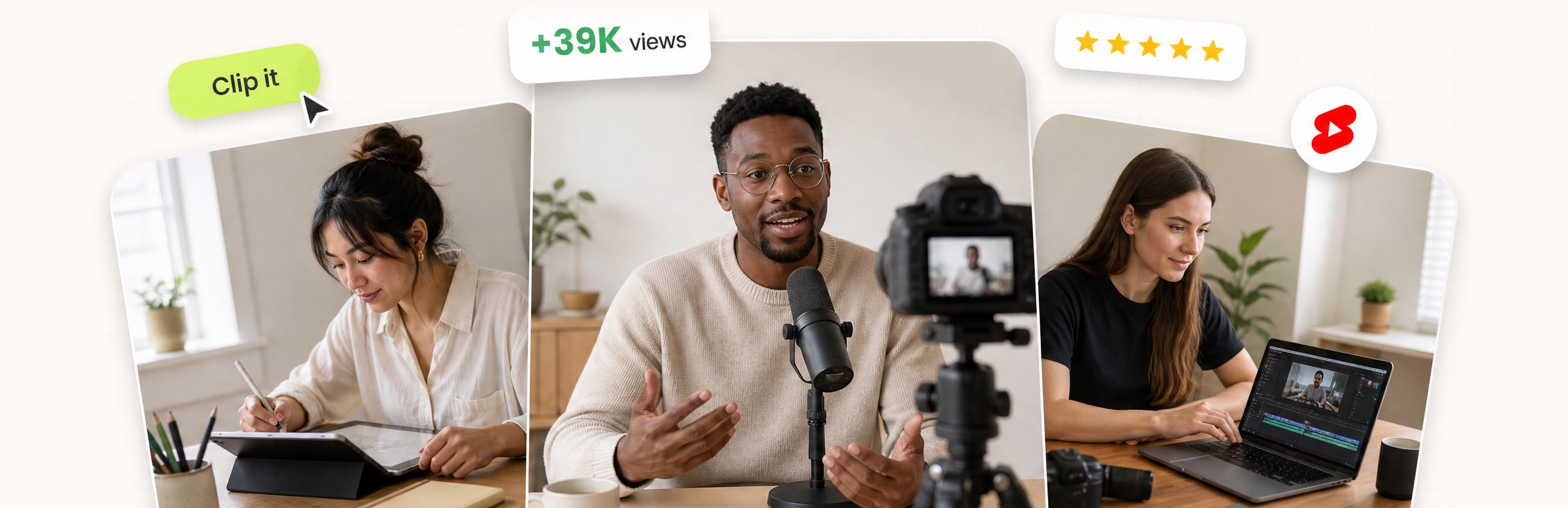
Creators designing on a tablet, speaking into a podcast mic and editing video on a laptop, with a Clip it button, a views badge and five gold stars

For video content, OpusClip is our first pick: it turns one long recording into short, captioned clips, scores them with a Virality Score on paid plans, and can post them to YouTube Shorts, TikTok and Instagram Reels. The other seven tools each own a different job in making quality content: Canva for design, ChatGPT for drafting, Descript for editing video and podcasts by transcript, Midjourney for original images, Jasper for on-brand marketing copy, Grammarly for polishing text and ElevenLabs for AI voices. We ranked them by how clearly each one handles its job, then by price, free-plan limits and how well the vendor documents what it does, using each vendor's own pages read on November 4, 2026.

Quality content takes more than one skill: accurate and on-brand words, visuals that look consistent, clear audio, and video cut for the platform it lands on. No single tool covers all of those jobs, so this list is organized by job. For a deeper video-only comparison, see our roundup of AI video tools for content creators.

Key takeaways

  • Best for video content: OpusClip. It covers the clip, caption, brand-template and posting steps for short-form video in one place.
  • Best for design: Canva. Templates, Brand Kits and a drag-and-drop editor for graphics, decks and social posts.
  • Best for drafting and brainstorming: ChatGPT. A general assistant with a free plan and paid tiers from $8 a month.
  • Best for editing recorded video and podcasts: Descript. Edit the transcript and the media follows.
  • Best for original images: Midjourney. Paid plans from $10 a month; its help center says no free trial is currently available on Discord or its website.
  • Best for on-brand marketing copy at team scale: Jasper. Saved Brand Voices, knowledge and audiences, priced per seat.
  • Best for polishing writing: Grammarly. Spelling, grammar, tone and rewrite suggestions wherever text is typed.
  • Best for AI voiceovers: ElevenLabs. Text to speech, sound effects and dubbing, with a free plan.

How to choose

Start with the job that slows publishing down most, then pick the tool built for that job.

  • If the bottleneck is turning long recordings into short videos, look for clip detection, captions, brand templates and posting together: OpusClip. See our clipping platforms for creators roundup for more clipping tools.
  • If the bottleneck is graphics and decks, look for templates, saved brand assets and resize tools: Canva.
  • If the bottleneck is the first draft, look for a general assistant you can steer with prompts: ChatGPT. If many writers share one brand, look at saved brand voices: Jasper.
  • If the bottleneck is the final edit of text, look for grammar, tone and rewrite suggestions inside the apps where you write: Grammarly.
  • If the bottleneck is editing a recording, look for transcript-based editing: Descript. For talking-head footage, see our talking-head editing tools roundup.
  • If the bottleneck is original imagery, look for an image generator rather than a template library: Midjourney.
  • If the bottleneck is audio, look for text to speech, voice cloning and sound effects: ElevenLabs.
  • If brand consistency is the problem, compare saved brand settings across tools: Canva Brand Kits, Jasper Brand Voice and OpusClip brand templates. See our brand templates video editors roundup.

At a glance

  • OpusClip: best for turning long videos into short, captioned clips and posting them; Starter $15 a month, Pro $29 a month ($14.50 billed annually); free plan yes (watermark, no editing).
  • Canva: best for designing social graphics, presentations and brand assets; Pro US$144 a year for one person; free plan yes.
  • ChatGPT: best for outlining, drafting and brainstorming; Go $8 a month, Plus $20 a month; free plan yes.
  • Descript: best for editing video and podcasts by editing the transcript; Hobbyist $16 a month billed annually ($24 monthly); free plan yes (60 media minutes a month).
  • Midjourney: best for original AI images; Basic $10 a month ($8 a month billed annually); no free trial on Discord or its website.
  • Jasper: best for on-brand marketing copy at team scale; Pro $59 per seat a month billed yearly ($69 monthly); 7-day free trial.
  • Grammarly: best for polishing drafts for clarity, tone and correctness; Pro listed at $12 a month; free plan yes.
  • ElevenLabs: best for AI voiceovers and narration; Starter $6 a month ($5 on yearly billing); free plan yes (10k credits a month).

1. OpusClip: Best for turning long videos into short, captioned clips and posting them

OpusClip home page with a Get clips box above a row of clips, each with a Virality Score and a platform icon

Clips with Virality Scores and platform icons in OpusClip. Source: OpusClip website

OpusClip takes a long video, such as a podcast, webinar, stream or interview, and cuts it into short clips. Per its pricing page, paid plans include AI clipping with a Virality Score, animated captions in 20+ languages, an editor, brand templates and filler and silence removal, and Starter lists auto-posting to YouTube Shorts, TikTok and Instagram Reels, or download. Its help center says the Virality Score runs from 0 to 99, looks at hook, flow, value and trend, and is shown on Starter and Pro.

It suits creators, marketers and teams whose raw material is long recordings and whose goal is a steady flow of finished short videos. Pro adds a social media scheduler, export to Adobe Premiere Pro and DaVinci Resolve, custom fonts and speech enhancement. The help center lists link imports from YouTube, Zoom, Google Drive, Dropbox, Vimeo, Riverside, StreamYard, Loom and more.

Pricing: Per opus.pro/pricing, read November 4, 2026, Free is $0 with a watermark, up to 1080p rendered clips and no editing, and clips stop being exportable after 3 days. Starter is $15 a month (monthly billing only). Pro is $29 a month, or $14.50 a month billed annually ($174). Business is custom-priced. Starter and Pro list a free trial with no credit card required.

Considerations: Bulk scheduling covers YouTube only, and caption translation before clipping supports English only, per the help center. The Virality Score is not shown on the Free plan. OpusClip is a clip-and-publish tool built around long-to-short video, not a replacement for a full video editor or for writing and design tools, which is why the other seven tools are here.

  • Choose it if video is the content you publish most and you want clips, captions, brand templates and posting in one place.
  • Skip it if you need written copy, graphics or a multi-track timeline editor, or your content is not built from long recordings.

2. Canva: Best for designing social graphics, presentations and brand assets
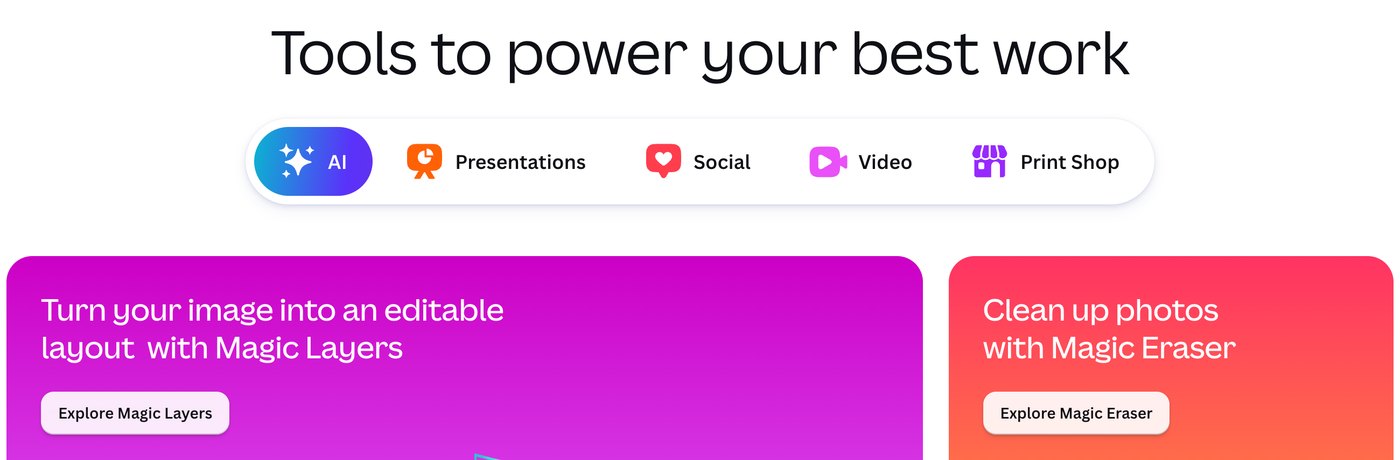
Canva home page tool tabs for AI, Presentations, Social, Video and Print Shop above Magic Layers and Magic Eraser cards

Canva's tool categories and AI feature cards. Source: Canva website

Canva is a design editor built around templates. Its pricing page lists a drag-and-drop editor with 1,000+ design types and 1.6M+ templates on the Free plan. Pro adds 3.6M+ templates, AI tools such as resize, translate and remove background, 5 Brand Kits and social content scheduling, and Business lists 100 Brand Kits with approvals. Canva's video editor page lists a multi-layered timeline, trending hook templates, one-click captions and AI tools named Highlights and Magic Video.

It suits anyone who makes graphics, decks and social posts every week and wants them to look consistent without a designer. Because the starting point is a template, a team can keep a recognizable look across posts by reusing the same templates and Brand Kit.

Pricing: Canva's pricing page lists Free at US$0 for one person, Pro at US$144 a year for one person (the page shows yearly pricing by default, so see the page for monthly billing) and Business at US$250 a year per person. Pro and Business list a free trial. AI features share a monthly allowance that varies by plan: Free has limited access to AI, Pro lists 10x more than Free and Business 20x.

Considerations: AI tools draw on a shared monthly allowance, and more advanced AI tasks use more of it. Consistency comes from the templates and Brand Kits that someone sets up, not from the AI.

  • Choose it if you make graphics, presentations and social posts regularly and want one editor with templates and brand assets.
  • Skip it if your main job is cutting long recordings into captioned clips; that is the job OpusClip is built for.

3. ChatGPT: Best for outlining, drafting and brainstorming
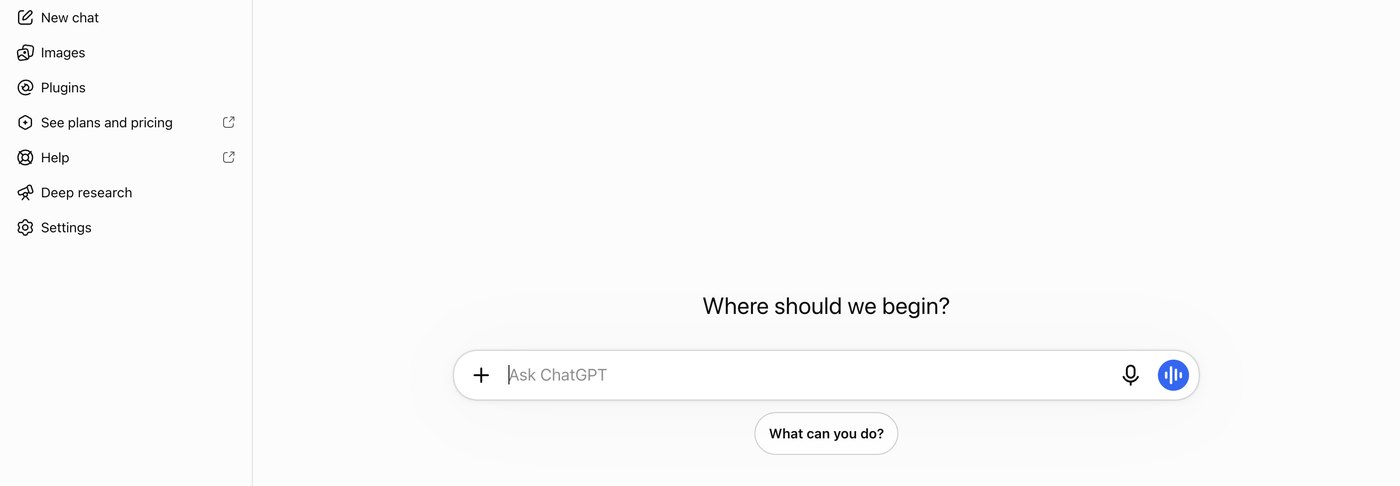
ChatGPT start screen with the Where should we begin prompt box and a sidebar listing New chat, Images, Plugins and Deep research

The ChatGPT start screen. Source: ChatGPT website

ChatGPT is a general-purpose AI assistant. Its pricing page lists unlimited text chats on the Free plan, with limited image creation, limited uploads, limited deep research and limited memory. Plus adds expanded messages and uploads, more complex and accurate image creation, expanded deep research, projects, scheduled tasks and custom GPTs.

It suits writers and marketers who need a fast first draft, an outline, a set of headline options or an editing partner for text they already wrote, and who will check what it returns before publishing.

Pricing: ChatGPT's pricing page lists Free at $0 a month, Go at $8 a month, Plus at $20 a month and Pro from $100 a month. The page notes that Go may include ads and that limits apply on Plus.

Considerations: A general assistant does not know a brand by default. Brand voice has to be supplied through prompts, and projects and custom GPTs are listed on Plus. Image creation, uploads, deep research and memory are all marked limited on Free.

  • Choose it if you want help turning an idea into an outline or a first draft and you can review the result.
  • Skip it if you need saved brand voices shared across a team, or finished video.

4. Descript: Best for editing video and podcasts by editing the transcript
Descript Underlord chat panel with an AI co-editor reply about adding zooms, section titles and placeholders

Underlord, Descript's AI co-editor, replying in chat. Source: Descript website

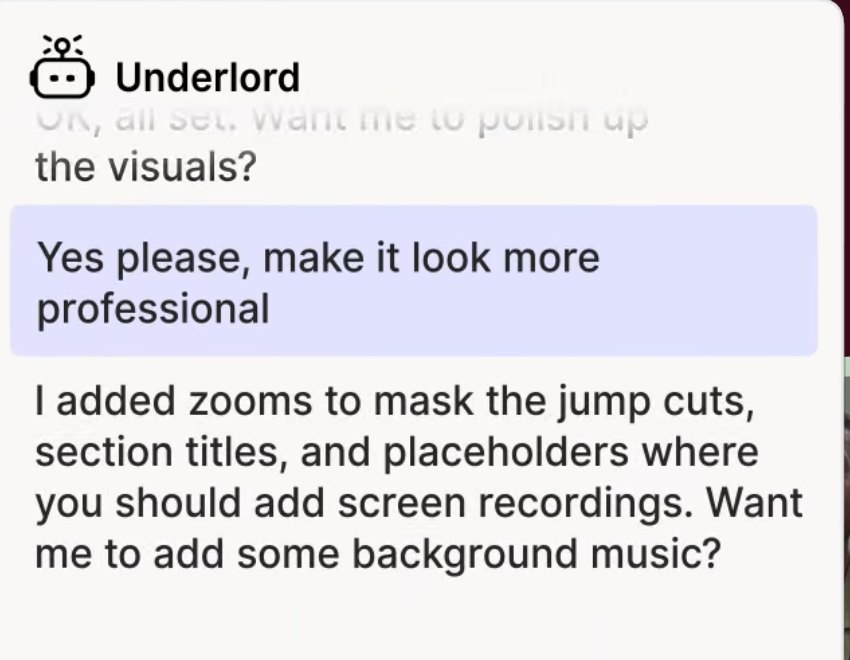
Descript transcribes recordings so they can be edited like a document. Its pricing page lists Underlord, an AI video co-editor, along with Studio Sound, Remove Filler Words, Remove Retakes, Eye Contact, Create Clips and unlimited dynamic captions. It also lists AI tools for writing (brainstorm, rewrite, draft a script or outline) and for publishing (draft social posts, blog posts and show notes).

It suits podcasters, course creators and teams whose finished video starts as a spoken recording. A feature table also lists remote recording sessions, so recording and editing can happen in one place.

Pricing: Descript's pricing page lists Free at $0 with 60 media minutes a month and 100 one-time AI credits. Hobbyist is $16 per person a month on the annual toggle ($24 monthly), with 10 media hours, 400 AI credits a month and 1080p watermark-free export. Creator is $24 ($35 monthly) with 30 media hours, 800 credits and 4K export. Business is $50 ($65 monthly) with 40 media hours, 1,500 credits and translation and dubbing in 30+ languages.

Considerations: Plans meter both media hours and AI credits, and the Free plan's credits are a one-time grant. Its pricing page does not list auto-posting to short-form platforms.

  • Choose it if you want to control a long video or podcast by reading and editing its transcript.
  • Skip it if you want finished vertical clips ranked and posted with little direction.

5. Midjourney: Best for original AI images
Midjourney plan comparison table showing Basic, Standard, Pro and Mega prices, GPU time and video resolution

Midjourney's plan comparison. Source: Midjourney documentation

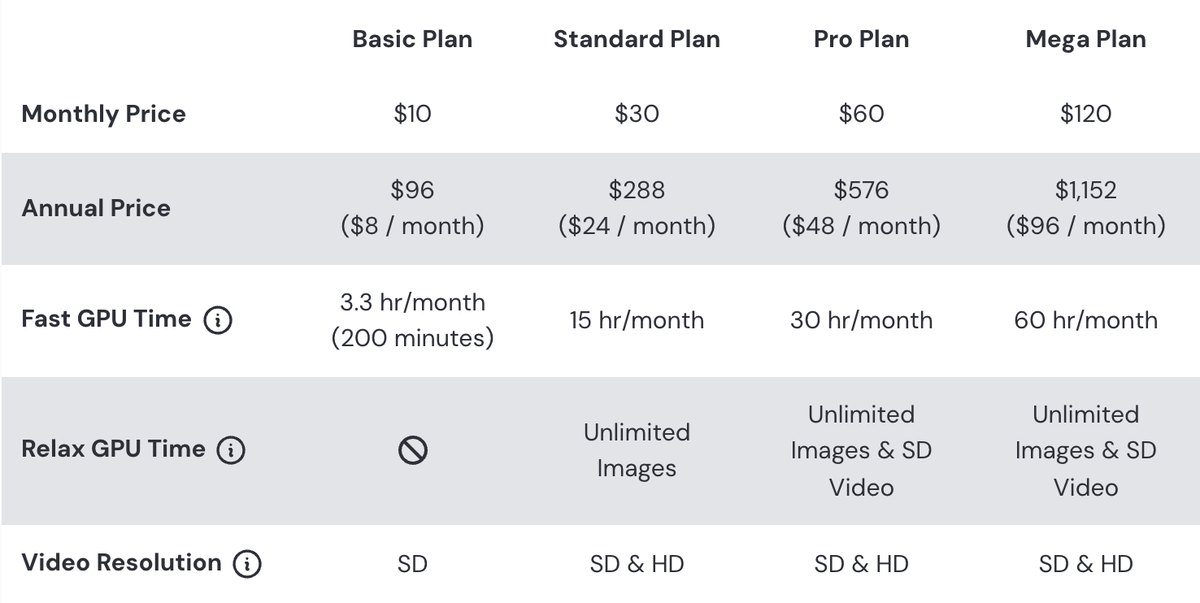
Midjourney generates images, and video on its plans, from text prompts. Its plan-comparison article lists four subscription tiers: Basic at $10 a month, Standard at $30, Pro at $60 and Mega at $120, with 20% off for annual billing. Fast GPU time runs from 3.3 hours a month on Basic to 60 hours on Mega, and unlimited image generations in Relax Mode start on Standard.

It suits designers, marketers and creators who want original illustrations, concept art or visual ideas that a template library does not offer. Stealth Mode, which keeps images and videos private, is available only on Pro and Mega.

Pricing: Per Midjourney's plan article, annual prices are $96 a year on Basic ($8 a month), $288 on Standard ($24 a month), $576 on Pro ($48 a month) and $1,152 on Mega ($96 a month). Extra GPU time costs $4 an hour on every plan. A separate help article says no free trial is currently available in Discord or on the midjourney.com website, with a limited trial in its niji journey mobile app.

Considerations: Per the plan article, a company making more than $1,000,000 USD in gross revenue a year must subscribe to Pro or Mega. The plan article lists no free tier, and results depend on how well the prompt is written.

  • Choose it if you need original images rather than template-based graphics.
  • Skip it if you need editable layouts, brand-locked templates or a free plan.

6. Jasper: Best for on-brand marketing copy at team scale
Jasper Brand Voice panel with a Voices dropdown and a generated brand-voice reply

Brand Voice in Jasper. Source: Jasper website

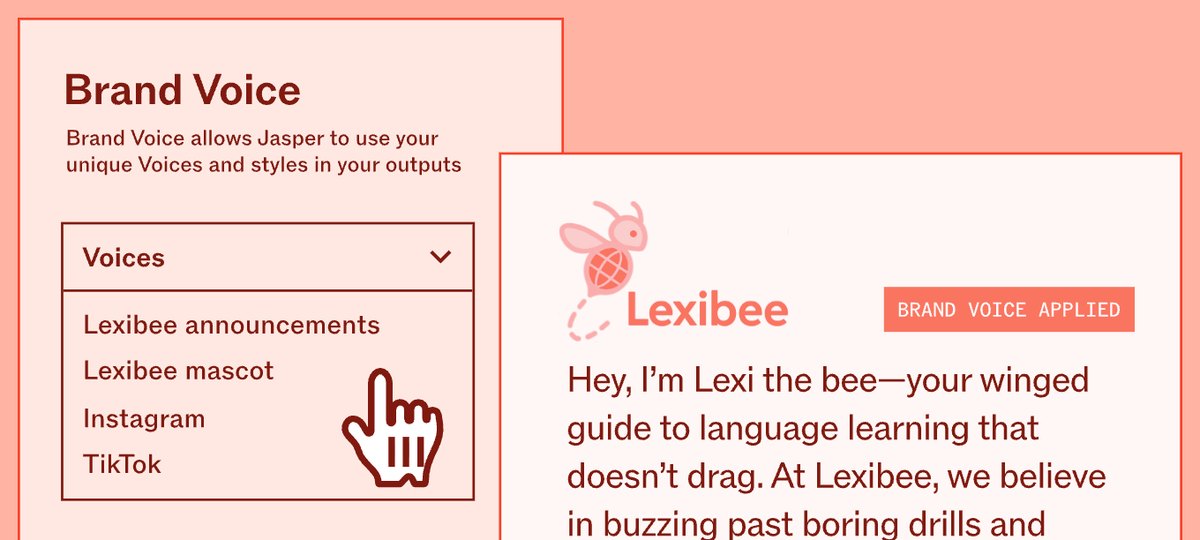
Jasper is an AI platform built for marketing teams. Its pricing page lists a Canvas workspace, agents for core marketing workflows and, on Pro, 2 Brand Voices, 5 knowledge assets and 3 audiences, with content in 30+ languages. Business adds unlimited Brand Voices, knowledge and audiences, a no-code builder for custom agents, API access and admin controls.

It suits marketing teams that need many pieces of copy to sound like one brand. The page says Brand Voice lets Jasper analyze a brand's content and then apply tone and formatting rules.

Pricing: Jasper's pricing page lists Pro at $59 per seat a month on yearly billing ($69 monthly), with 1 seat included and a free 7-day trial. Business is custom-priced. The page lists no free plan.

Considerations: It is priced per seat from the start, which is a bigger commitment than a general assistant or a free grammar checker.

  • Choose it if several people write for one brand and consistency matters more than raw volume.
  • Skip it if you write alone and only occasionally.

7. Grammarly: Best for polishing drafts for clarity, tone and correctness
Grammarly feature cards for paragraph rewrites, tone suggestions and proofreading

Grammarly's rewrite, tone and proofreading suggestions. Source: Grammarly website

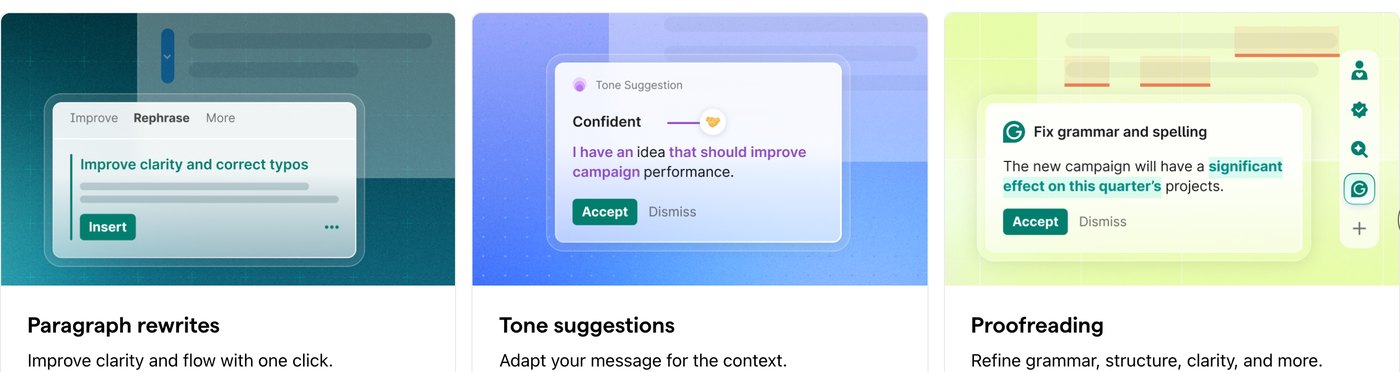
Grammarly checks writing as it is typed. Its plans page lists spelling and grammar checks and tone detection on Free, plus 100 AI prompts a month. Pro adds full-sentence rewrites, tone adjustment, fluent English writing, unlimited personalized suggestions, plagiarism and AI-generated text detection and 2,000 AI prompts a month.

It suits anyone whose content goes through a final edit: emails, captions, scripts and blog posts. Its footer lists desktop apps for Windows and Mac, browser extensions for Chrome, Safari, Firefox and Edge, Microsoft Office and Google Docs integrations, and iPhone, iPad and Android apps.

Pricing: Grammarly's plans page lists Free at $0 and Pro at $12 per month. The text of the page does not state a billing period beside that figure, so check the page for monthly versus annual terms. Enterprise is sold through sales.

Considerations: Grammarly improves text that already exists. It does not make images, audio or video, and it cannot confirm that a claim is accurate, so facts still need a human check.

  • Choose it if you write often and want a consistent final polish across the apps you already use.
  • Skip it if your main need is images, audio or video.

8. ElevenLabs: Best for AI voiceovers and narration
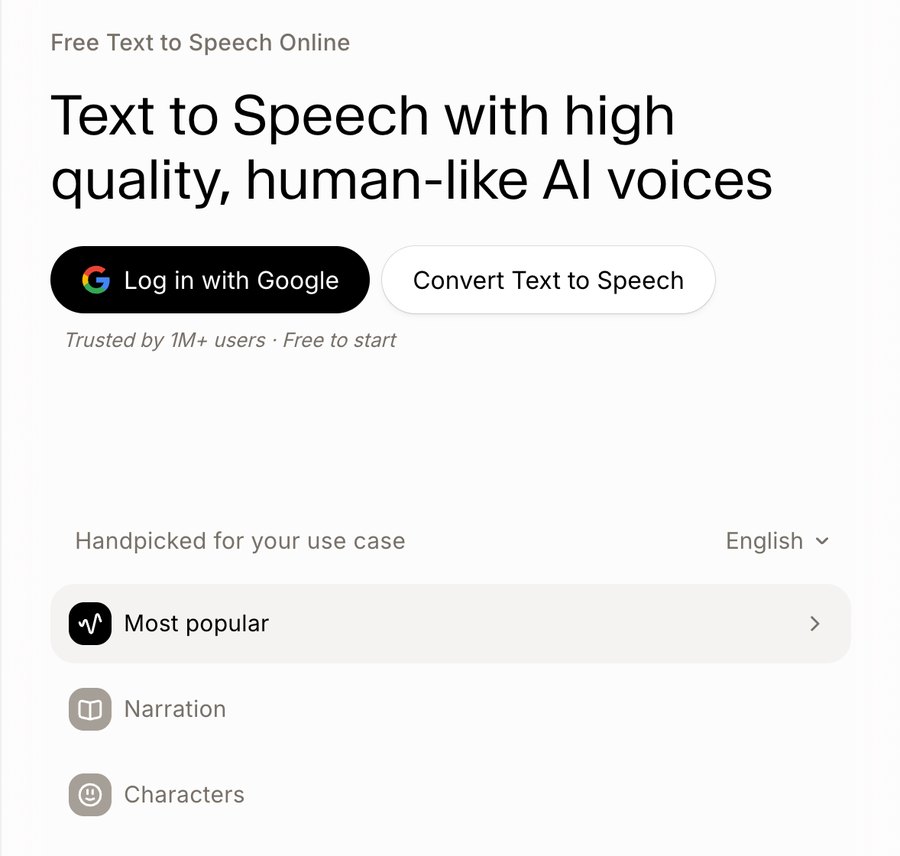
ElevenLabs text to speech page with a Convert Text to Speech button and use-case categories such as Narration and Characters

ElevenLabs' text to speech page. Source: ElevenLabs website

ElevenLabs generates spoken audio from text. Its pricing page lists Text to Speech, Speech to Text, Sound Effects, Voice Design, Music, Productions and Image on the Free plan. Starter adds a commercial license, Instant Voice Cloning, music commercial use and Dubbing Studio, and Creator adds Professional Voice Cloning.

It suits creators and marketers who need narration for videos, courses or explainers without recording every line, and teams that want sound effects or music generated alongside the voice.

Pricing: ElevenLabs' pricing page lists Free at $0 with 10k credits a month. On monthly billing, Starter is $6 a month (a promotion shows $1 for the first month until Nov 8) with 30k credits, and Creator is $22 a month ($11 for the first month) with 121k credits. With yearly billing selected, the page shows Starter at $5 a month and Creator at $18.33.

Considerations: The Free plan's list does not include a commercial license; Starter's does. Plans are credit-based, so how much audio a month covers depends on the allowance.

  • Choose it if you need narration, voiceovers or sound effects generated from text.
  • Skip it if your main job is editing video rather than generating audio.

How we compared these tools

We compared each tool on the content job it covers, what its own pages say it does, price and free-plan limits, watermarks and usage terms, and its main limitation. Every fact comes from that vendor's own pricing page, help center or documentation, read on November 4, 2026. Where a pricing page loads its figures with JavaScript, we read the rendered page in a browser, and we flag where a billing period was not shown. Screenshots are taken from each vendor's own site.

OpusClip is listed first because this post is video-first and OpusClip is built for the video job; the other seven follow, grouped by job from the broadest to the most specialized. We did not run hands-on trials of the seven other tools. This is a comparison of published pricing and documented features, not a lab review. Prices change often and some pages show promotions, so check the vendor's page before buying.

Red flags to watch for

Watermarks on free exports

OpusClip's Free plan adds a watermark and has no editing. Trial test: export one finished piece before deciding the free plan is enough.

Shared, one-time or metered allowances

Canva's AI tools share one monthly allowance, Descript's Free AI credits are one-time, and ElevenLabs and Grammarly meter credits and prompts. Trial test: estimate a normal month of output against the allowance, not a single project.

Commercial-use terms

Midjourney's plan article sets a revenue threshold for Pro or Mega, and ElevenLabs' Free list does not include a commercial license. Trial test: read the usage terms before publishing paid or branded work.

Per-seat pricing

Jasper prices Pro per seat, and Descript's plans are per person. Trial test: multiply the price by the number of people who will actually use it.

Promotional or unclear prices

ElevenLabs shows a first-month promotion, Canva's page defaults to yearly pricing, and Grammarly's page text does not state a billing period. Trial test: check the price at checkout before comparing plans.

No way to review the AI

Drafts, clip picks and voices are a starting point. Trial test: check that the output is editable (text, captions, a transcript or a timeline) and that a person reviews facts and claims before anything is published.

Frequently asked questions

What are the leading AI tools for making quality content?

It depends on the job. In this list, OpusClip leads for short-form video made from long recordings, Canva for design, ChatGPT for drafting, Descript for editing recorded video and podcasts, Midjourney for original images, Jasper for on-brand marketing copy, Grammarly for polishing text and ElevenLabs for AI voices. Most teams combine two or three of them.

What is the best AI tool for making quality video content?

For turning long recordings into short, captioned clips and posting them, OpusClip is our first pick; its paid plans add a Virality Score, brand templates and posting to YouTube Shorts, TikTok and Instagram Reels. For editing a recording by editing its transcript, Descript is the closer fit. See our AI video tools for content creators roundup for more.

What is the best AI tool for writing quality content?

ChatGPT is the general-purpose choice for outlines and first drafts, Jasper is built around saved Brand Voices for marketing teams, and Grammarly handles the final polish for grammar, tone and clarity. Whichever draft tool is used, a person should check facts and claims.

What is the best free AI tool for making quality content?

Several tools in this list have a free plan: OpusClip (watermark, no editing), Canva, ChatGPT, Descript (60 media minutes a month), Grammarly and ElevenLabs (10k credits a month). Midjourney's help center says no free trial is currently available in Discord or on its website, and Jasper lists a free 7-day trial instead of a free plan. Free plans differ in watermarks, usage limits and commercial-use terms, so read each before relying on one.

Can AI make quality content without human review?

We would not publish AI output unreviewed. Check facts, names, claims and captions, and keep a person in the final edit. Tools that expose the editable result, such as a transcript, a caption editor or a template, make that review faster.

Which AI tools are best for social media content?

OpusClip makes short-form video from long recordings and can post to YouTube Shorts, TikTok and Instagram Reels on paid plans. Canva's Pro plan lists social content scheduling for designed posts, and ElevenLabs can generate voiceovers for videos. See our edit-and-schedule roundup for tools that combine editing and posting.

Do I need more than one AI tool to make quality content?

Usually yes, because the jobs differ: words, images, audio and video each have their own best-fit tools. A common pairing is a drafting tool for text, a design tool for graphics and a video tool for clips. Start with the job that slows publishing most and add tools only when a gap shows up.

How do I keep AI-made content on brand?

Use the saved brand settings each tool offers: Canva Brand Kits, Jasper Brand Voices and OpusClip brand templates on paid plans, plus a short style guide for prompts. Then review the output against the guide. See OpusClip's pricing page for which plans include brand templates.
On this page

Use our Free Forever Plan

Find the moment. Skip the scrubbing.

From script to polished video — in one click.

Create and post one short video every day for free, and grow faster.

OpusSearch uses AI to surface the exact clip you need from hours of footage — in seconds, not afternoons.

Agent Opus runs the entire video pipeline for you: research, scriptwriting, storyboarding, motion, voice, and edit. Upload the idea, post the result.

8 Best AI Tools for Making Quality Content in 2026

For video content, OpusClip is our first pick: it turns one long recording into short, captioned clips, scores them with a Virality Score on paid plans, and can post them to YouTube Shorts, TikTok and Instagram Reels. The other seven tools each own a different job in making quality content: Canva for design, ChatGPT for drafting, Descript for editing video and podcasts by transcript, Midjourney for original images, Jasper for on-brand marketing copy, Grammarly for polishing text and ElevenLabs for AI voices. We ranked them by how clearly each one handles its job, then by price, free-plan limits and how well the vendor documents what it does, using each vendor's own pages read on November 4, 2026.

Quality content takes more than one skill: accurate and on-brand words, visuals that look consistent, clear audio, and video cut for the platform it lands on. No single tool covers all of those jobs, so this list is organized by job. For a deeper video-only comparison, see our roundup of AI video tools for content creators.

Key takeaways

  • Best for video content: OpusClip. It covers the clip, caption, brand-template and posting steps for short-form video in one place.
  • Best for design: Canva. Templates, Brand Kits and a drag-and-drop editor for graphics, decks and social posts.
  • Best for drafting and brainstorming: ChatGPT. A general assistant with a free plan and paid tiers from $8 a month.
  • Best for editing recorded video and podcasts: Descript. Edit the transcript and the media follows.
  • Best for original images: Midjourney. Paid plans from $10 a month; its help center says no free trial is currently available on Discord or its website.
  • Best for on-brand marketing copy at team scale: Jasper. Saved Brand Voices, knowledge and audiences, priced per seat.
  • Best for polishing writing: Grammarly. Spelling, grammar, tone and rewrite suggestions wherever text is typed.
  • Best for AI voiceovers: ElevenLabs. Text to speech, sound effects and dubbing, with a free plan.

How to choose

Start with the job that slows publishing down most, then pick the tool built for that job.

  • If the bottleneck is turning long recordings into short videos, look for clip detection, captions, brand templates and posting together: OpusClip. See our clipping platforms for creators roundup for more clipping tools.
  • If the bottleneck is graphics and decks, look for templates, saved brand assets and resize tools: Canva.
  • If the bottleneck is the first draft, look for a general assistant you can steer with prompts: ChatGPT. If many writers share one brand, look at saved brand voices: Jasper.
  • If the bottleneck is the final edit of text, look for grammar, tone and rewrite suggestions inside the apps where you write: Grammarly.
  • If the bottleneck is editing a recording, look for transcript-based editing: Descript. For talking-head footage, see our talking-head editing tools roundup.
  • If the bottleneck is original imagery, look for an image generator rather than a template library: Midjourney.
  • If the bottleneck is audio, look for text to speech, voice cloning and sound effects: ElevenLabs.
  • If brand consistency is the problem, compare saved brand settings across tools: Canva Brand Kits, Jasper Brand Voice and OpusClip brand templates. See our brand templates video editors roundup.

At a glance

  • OpusClip: best for turning long videos into short, captioned clips and posting them; Starter $15 a month, Pro $29 a month ($14.50 billed annually); free plan yes (watermark, no editing).
  • Canva: best for designing social graphics, presentations and brand assets; Pro US$144 a year for one person; free plan yes.
  • ChatGPT: best for outlining, drafting and brainstorming; Go $8 a month, Plus $20 a month; free plan yes.
  • Descript: best for editing video and podcasts by editing the transcript; Hobbyist $16 a month billed annually ($24 monthly); free plan yes (60 media minutes a month).
  • Midjourney: best for original AI images; Basic $10 a month ($8 a month billed annually); no free trial on Discord or its website.
  • Jasper: best for on-brand marketing copy at team scale; Pro $59 per seat a month billed yearly ($69 monthly); 7-day free trial.
  • Grammarly: best for polishing drafts for clarity, tone and correctness; Pro listed at $12 a month; free plan yes.
  • ElevenLabs: best for AI voiceovers and narration; Starter $6 a month ($5 on yearly billing); free plan yes (10k credits a month).

1. OpusClip: Best for turning long videos into short, captioned clips and posting them

OpusClip home page with a Get clips box above a row of clips, each with a Virality Score and a platform icon

Clips with Virality Scores and platform icons in OpusClip. Source: OpusClip website

OpusClip takes a long video, such as a podcast, webinar, stream or interview, and cuts it into short clips. Per its pricing page, paid plans include AI clipping with a Virality Score, animated captions in 20+ languages, an editor, brand templates and filler and silence removal, and Starter lists auto-posting to YouTube Shorts, TikTok and Instagram Reels, or download. Its help center says the Virality Score runs from 0 to 99, looks at hook, flow, value and trend, and is shown on Starter and Pro.

It suits creators, marketers and teams whose raw material is long recordings and whose goal is a steady flow of finished short videos. Pro adds a social media scheduler, export to Adobe Premiere Pro and DaVinci Resolve, custom fonts and speech enhancement. The help center lists link imports from YouTube, Zoom, Google Drive, Dropbox, Vimeo, Riverside, StreamYard, Loom and more.

Pricing: Per opus.pro/pricing, read November 4, 2026, Free is $0 with a watermark, up to 1080p rendered clips and no editing, and clips stop being exportable after 3 days. Starter is $15 a month (monthly billing only). Pro is $29 a month, or $14.50 a month billed annually ($174). Business is custom-priced. Starter and Pro list a free trial with no credit card required.

Considerations: Bulk scheduling covers YouTube only, and caption translation before clipping supports English only, per the help center. The Virality Score is not shown on the Free plan. OpusClip is a clip-and-publish tool built around long-to-short video, not a replacement for a full video editor or for writing and design tools, which is why the other seven tools are here.

  • Choose it if video is the content you publish most and you want clips, captions, brand templates and posting in one place.
  • Skip it if you need written copy, graphics or a multi-track timeline editor, or your content is not built from long recordings.

2. Canva: Best for designing social graphics, presentations and brand assets

Canva home page tool tabs for AI, Presentations, Social, Video and Print Shop above Magic Layers and Magic Eraser cards

Canva's tool categories and AI feature cards. Source: Canva website

Canva is a design editor built around templates. Its pricing page lists a drag-and-drop editor with 1,000+ design types and 1.6M+ templates on the Free plan. Pro adds 3.6M+ templates, AI tools such as resize, translate and remove background, 5 Brand Kits and social content scheduling, and Business lists 100 Brand Kits with approvals. Canva's video editor page lists a multi-layered timeline, trending hook templates, one-click captions and AI tools named Highlights and Magic Video.

It suits anyone who makes graphics, decks and social posts every week and wants them to look consistent without a designer. Because the starting point is a template, a team can keep a recognizable look across posts by reusing the same templates and Brand Kit.

Pricing: Canva's pricing page lists Free at US$0 for one person, Pro at US$144 a year for one person (the page shows yearly pricing by default, so see the page for monthly billing) and Business at US$250 a year per person. Pro and Business list a free trial. AI features share a monthly allowance that varies by plan: Free has limited access to AI, Pro lists 10x more than Free and Business 20x.

Considerations: AI tools draw on a shared monthly allowance, and more advanced AI tasks use more of it. Consistency comes from the templates and Brand Kits that someone sets up, not from the AI.

  • Choose it if you make graphics, presentations and social posts regularly and want one editor with templates and brand assets.
  • Skip it if your main job is cutting long recordings into captioned clips; that is the job OpusClip is built for.

3. ChatGPT: Best for outlining, drafting and brainstorming

ChatGPT start screen with the Where should we begin prompt box and a sidebar listing New chat, Images, Plugins and Deep research

The ChatGPT start screen. Source: ChatGPT website

ChatGPT is a general-purpose AI assistant. Its pricing page lists unlimited text chats on the Free plan, with limited image creation, limited uploads, limited deep research and limited memory. Plus adds expanded messages and uploads, more complex and accurate image creation, expanded deep research, projects, scheduled tasks and custom GPTs.

It suits writers and marketers who need a fast first draft, an outline, a set of headline options or an editing partner for text they already wrote, and who will check what it returns before publishing.

Pricing: ChatGPT's pricing page lists Free at $0 a month, Go at $8 a month, Plus at $20 a month and Pro from $100 a month. The page notes that Go may include ads and that limits apply on Plus.

Considerations: A general assistant does not know a brand by default. Brand voice has to be supplied through prompts, and projects and custom GPTs are listed on Plus. Image creation, uploads, deep research and memory are all marked limited on Free.

  • Choose it if you want help turning an idea into an outline or a first draft and you can review the result.
  • Skip it if you need saved brand voices shared across a team, or finished video.

4. Descript: Best for editing video and podcasts by editing the transcript

Descript Underlord chat panel with an AI co-editor reply about adding zooms, section titles and placeholders

Underlord, Descript's AI co-editor, replying in chat. Source: Descript website

Descript transcribes recordings so they can be edited like a document. Its pricing page lists Underlord, an AI video co-editor, along with Studio Sound, Remove Filler Words, Remove Retakes, Eye Contact, Create Clips and unlimited dynamic captions. It also lists AI tools for writing (brainstorm, rewrite, draft a script or outline) and for publishing (draft social posts, blog posts and show notes).

It suits podcasters, course creators and teams whose finished video starts as a spoken recording. A feature table also lists remote recording sessions, so recording and editing can happen in one place.

Pricing: Descript's pricing page lists Free at $0 with 60 media minutes a month and 100 one-time AI credits. Hobbyist is $16 per person a month on the annual toggle ($24 monthly), with 10 media hours, 400 AI credits a month and 1080p watermark-free export. Creator is $24 ($35 monthly) with 30 media hours, 800 credits and 4K export. Business is $50 ($65 monthly) with 40 media hours, 1,500 credits and translation and dubbing in 30+ languages.

Considerations: Plans meter both media hours and AI credits, and the Free plan's credits are a one-time grant. Its pricing page does not list auto-posting to short-form platforms.

  • Choose it if you want to control a long video or podcast by reading and editing its transcript.
  • Skip it if you want finished vertical clips ranked and posted with little direction.

5. Midjourney: Best for original AI images

Midjourney plan comparison table showing Basic, Standard, Pro and Mega prices, GPU time and video resolution

Midjourney's plan comparison. Source: Midjourney documentation

Midjourney generates images, and video on its plans, from text prompts. Its plan-comparison article lists four subscription tiers: Basic at $10 a month, Standard at $30, Pro at $60 and Mega at $120, with 20% off for annual billing. Fast GPU time runs from 3.3 hours a month on Basic to 60 hours on Mega, and unlimited image generations in Relax Mode start on Standard.

It suits designers, marketers and creators who want original illustrations, concept art or visual ideas that a template library does not offer. Stealth Mode, which keeps images and videos private, is available only on Pro and Mega.

Pricing: Per Midjourney's plan article, annual prices are $96 a year on Basic ($8 a month), $288 on Standard ($24 a month), $576 on Pro ($48 a month) and $1,152 on Mega ($96 a month). Extra GPU time costs $4 an hour on every plan. A separate help article says no free trial is currently available in Discord or on the midjourney.com website, with a limited trial in its niji journey mobile app.

Considerations: Per the plan article, a company making more than $1,000,000 USD in gross revenue a year must subscribe to Pro or Mega. The plan article lists no free tier, and results depend on how well the prompt is written.

  • Choose it if you need original images rather than template-based graphics.
  • Skip it if you need editable layouts, brand-locked templates or a free plan.

6. Jasper: Best for on-brand marketing copy at team scale

Jasper Brand Voice panel with a Voices dropdown and a generated brand-voice reply

Brand Voice in Jasper. Source: Jasper website

Jasper is an AI platform built for marketing teams. Its pricing page lists a Canvas workspace, agents for core marketing workflows and, on Pro, 2 Brand Voices, 5 knowledge assets and 3 audiences, with content in 30+ languages. Business adds unlimited Brand Voices, knowledge and audiences, a no-code builder for custom agents, API access and admin controls.

It suits marketing teams that need many pieces of copy to sound like one brand. The page says Brand Voice lets Jasper analyze a brand's content and then apply tone and formatting rules.

Pricing: Jasper's pricing page lists Pro at $59 per seat a month on yearly billing ($69 monthly), with 1 seat included and a free 7-day trial. Business is custom-priced. The page lists no free plan.

Considerations: It is priced per seat from the start, which is a bigger commitment than a general assistant or a free grammar checker.

  • Choose it if several people write for one brand and consistency matters more than raw volume.
  • Skip it if you write alone and only occasionally.

7. Grammarly: Best for polishing drafts for clarity, tone and correctness

Grammarly feature cards for paragraph rewrites, tone suggestions and proofreading

Grammarly's rewrite, tone and proofreading suggestions. Source: Grammarly website

Grammarly checks writing as it is typed. Its plans page lists spelling and grammar checks and tone detection on Free, plus 100 AI prompts a month. Pro adds full-sentence rewrites, tone adjustment, fluent English writing, unlimited personalized suggestions, plagiarism and AI-generated text detection and 2,000 AI prompts a month.

It suits anyone whose content goes through a final edit: emails, captions, scripts and blog posts. Its footer lists desktop apps for Windows and Mac, browser extensions for Chrome, Safari, Firefox and Edge, Microsoft Office and Google Docs integrations, and iPhone, iPad and Android apps.

Pricing: Grammarly's plans page lists Free at $0 and Pro at $12 per month. The text of the page does not state a billing period beside that figure, so check the page for monthly versus annual terms. Enterprise is sold through sales.

Considerations: Grammarly improves text that already exists. It does not make images, audio or video, and it cannot confirm that a claim is accurate, so facts still need a human check.

  • Choose it if you write often and want a consistent final polish across the apps you already use.
  • Skip it if your main need is images, audio or video.

8. ElevenLabs: Best for AI voiceovers and narration

ElevenLabs text to speech page with a Convert Text to Speech button and use-case categories such as Narration and Characters

ElevenLabs' text to speech page. Source: ElevenLabs website

ElevenLabs generates spoken audio from text. Its pricing page lists Text to Speech, Speech to Text, Sound Effects, Voice Design, Music, Productions and Image on the Free plan. Starter adds a commercial license, Instant Voice Cloning, music commercial use and Dubbing Studio, and Creator adds Professional Voice Cloning.

It suits creators and marketers who need narration for videos, courses or explainers without recording every line, and teams that want sound effects or music generated alongside the voice.

Pricing: ElevenLabs' pricing page lists Free at $0 with 10k credits a month. On monthly billing, Starter is $6 a month (a promotion shows $1 for the first month until Nov 8) with 30k credits, and Creator is $22 a month ($11 for the first month) with 121k credits. With yearly billing selected, the page shows Starter at $5 a month and Creator at $18.33.

Considerations: The Free plan's list does not include a commercial license; Starter's does. Plans are credit-based, so how much audio a month covers depends on the allowance.

  • Choose it if you need narration, voiceovers or sound effects generated from text.
  • Skip it if your main job is editing video rather than generating audio.

How we compared these tools

We compared each tool on the content job it covers, what its own pages say it does, price and free-plan limits, watermarks and usage terms, and its main limitation. Every fact comes from that vendor's own pricing page, help center or documentation, read on November 4, 2026. Where a pricing page loads its figures with JavaScript, we read the rendered page in a browser, and we flag where a billing period was not shown. Screenshots are taken from each vendor's own site.

OpusClip is listed first because this post is video-first and OpusClip is built for the video job; the other seven follow, grouped by job from the broadest to the most specialized. We did not run hands-on trials of the seven other tools. This is a comparison of published pricing and documented features, not a lab review. Prices change often and some pages show promotions, so check the vendor's page before buying.

Red flags to watch for

Watermarks on free exports

OpusClip's Free plan adds a watermark and has no editing. Trial test: export one finished piece before deciding the free plan is enough.

Shared, one-time or metered allowances

Canva's AI tools share one monthly allowance, Descript's Free AI credits are one-time, and ElevenLabs and Grammarly meter credits and prompts. Trial test: estimate a normal month of output against the allowance, not a single project.

Commercial-use terms

Midjourney's plan article sets a revenue threshold for Pro or Mega, and ElevenLabs' Free list does not include a commercial license. Trial test: read the usage terms before publishing paid or branded work.

Per-seat pricing

Jasper prices Pro per seat, and Descript's plans are per person. Trial test: multiply the price by the number of people who will actually use it.

Promotional or unclear prices

ElevenLabs shows a first-month promotion, Canva's page defaults to yearly pricing, and Grammarly's page text does not state a billing period. Trial test: check the price at checkout before comparing plans.

No way to review the AI

Drafts, clip picks and voices are a starting point. Trial test: check that the output is editable (text, captions, a transcript or a timeline) and that a person reviews facts and claims before anything is published.

Frequently asked questions

What are the leading AI tools for making quality content?

It depends on the job. In this list, OpusClip leads for short-form video made from long recordings, Canva for design, ChatGPT for drafting, Descript for editing recorded video and podcasts, Midjourney for original images, Jasper for on-brand marketing copy, Grammarly for polishing text and ElevenLabs for AI voices. Most teams combine two or three of them.

What is the best AI tool for making quality video content?

For turning long recordings into short, captioned clips and posting them, OpusClip is our first pick; its paid plans add a Virality Score, brand templates and posting to YouTube Shorts, TikTok and Instagram Reels. For editing a recording by editing its transcript, Descript is the closer fit. See our AI video tools for content creators roundup for more.

What is the best AI tool for writing quality content?

ChatGPT is the general-purpose choice for outlines and first drafts, Jasper is built around saved Brand Voices for marketing teams, and Grammarly handles the final polish for grammar, tone and clarity. Whichever draft tool is used, a person should check facts and claims.

What is the best free AI tool for making quality content?

Several tools in this list have a free plan: OpusClip (watermark, no editing), Canva, ChatGPT, Descript (60 media minutes a month), Grammarly and ElevenLabs (10k credits a month). Midjourney's help center says no free trial is currently available in Discord or on its website, and Jasper lists a free 7-day trial instead of a free plan. Free plans differ in watermarks, usage limits and commercial-use terms, so read each before relying on one.

Can AI make quality content without human review?

We would not publish AI output unreviewed. Check facts, names, claims and captions, and keep a person in the final edit. Tools that expose the editable result, such as a transcript, a caption editor or a template, make that review faster.

Which AI tools are best for social media content?

OpusClip makes short-form video from long recordings and can post to YouTube Shorts, TikTok and Instagram Reels on paid plans. Canva's Pro plan lists social content scheduling for designed posts, and ElevenLabs can generate voiceovers for videos. See our edit-and-schedule roundup for tools that combine editing and posting.

Do I need more than one AI tool to make quality content?

Usually yes, because the jobs differ: words, images, audio and video each have their own best-fit tools. A common pairing is a drafting tool for text, a design tool for graphics and a video tool for clips. Start with the job that slows publishing most and add tools only when a gap shows up.

How do I keep AI-made content on brand?

Use the saved brand settings each tool offers: Canva Brand Kits, Jasper Brand Voices and OpusClip brand templates on paid plans, plus a short style guide for prompts. Then review the output against the guide. See OpusClip's pricing page for which plans include brand templates.

Creator name

Creator type

Team size

Channels

linkYouTubefacebookXTikTok

Pain point

Time to see positive ROI

About the creator

Don't miss these

How Audacy Drove 1B+ Views by Taking a Tech-Forward Approach to Radio with OpusClip
No items found.

How Audacy Drove 1B+ Views by Taking a Tech-Forward Approach to Radio with OpusClip

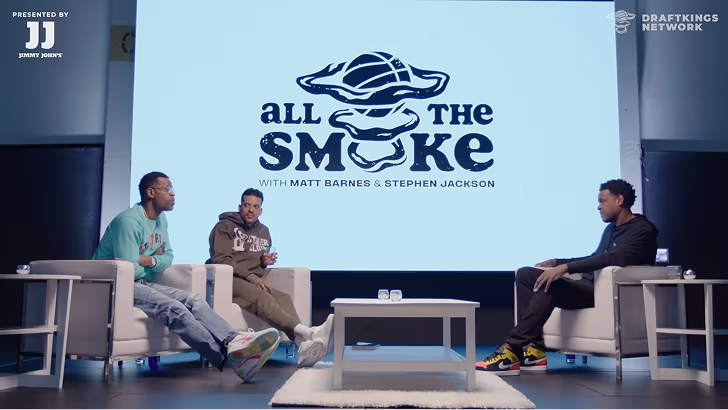
How All the Smoke makes hit compilations faster with OpusSearch

How All the Smoke makes hit compilations faster with OpusSearch

Growing a new channel to 1.5M views in 90 days without creating new videos

Growing a new channel to 1.5M views in 90 days without creating new videos

OpusClip 4.0 is here. Become a content powerhouse.

8 Best AI Tools for Making Quality Content in 2026

Creators designing on a tablet, speaking into a podcast mic and editing video on a laptop, with a Clip it button, a views badge and five gold stars
No items found.
No items found.

Boost your social media growth with OpusClip

Create and post one short video every day for your social media and grow faster.

8 Best AI Tools for Making Quality Content in 2026

Creators designing on a tablet, speaking into a podcast mic and editing video on a laptop, with a Clip it button, a views badge and five gold stars

For video content, OpusClip is our first pick: it turns one long recording into short, captioned clips, scores them with a Virality Score on paid plans, and can post them to YouTube Shorts, TikTok and Instagram Reels. The other seven tools each own a different job in making quality content: Canva for design, ChatGPT for drafting, Descript for editing video and podcasts by transcript, Midjourney for original images, Jasper for on-brand marketing copy, Grammarly for polishing text and ElevenLabs for AI voices. We ranked them by how clearly each one handles its job, then by price, free-plan limits and how well the vendor documents what it does, using each vendor's own pages read on November 4, 2026.

Quality content takes more than one skill: accurate and on-brand words, visuals that look consistent, clear audio, and video cut for the platform it lands on. No single tool covers all of those jobs, so this list is organized by job. For a deeper video-only comparison, see our roundup of AI video tools for content creators.

Key takeaways

  • Best for video content: OpusClip. It covers the clip, caption, brand-template and posting steps for short-form video in one place.
  • Best for design: Canva. Templates, Brand Kits and a drag-and-drop editor for graphics, decks and social posts.
  • Best for drafting and brainstorming: ChatGPT. A general assistant with a free plan and paid tiers from $8 a month.
  • Best for editing recorded video and podcasts: Descript. Edit the transcript and the media follows.
  • Best for original images: Midjourney. Paid plans from $10 a month; its help center says no free trial is currently available on Discord or its website.
  • Best for on-brand marketing copy at team scale: Jasper. Saved Brand Voices, knowledge and audiences, priced per seat.
  • Best for polishing writing: Grammarly. Spelling, grammar, tone and rewrite suggestions wherever text is typed.
  • Best for AI voiceovers: ElevenLabs. Text to speech, sound effects and dubbing, with a free plan.

How to choose

Start with the job that slows publishing down most, then pick the tool built for that job.

  • If the bottleneck is turning long recordings into short videos, look for clip detection, captions, brand templates and posting together: OpusClip. See our clipping platforms for creators roundup for more clipping tools.
  • If the bottleneck is graphics and decks, look for templates, saved brand assets and resize tools: Canva.
  • If the bottleneck is the first draft, look for a general assistant you can steer with prompts: ChatGPT. If many writers share one brand, look at saved brand voices: Jasper.
  • If the bottleneck is the final edit of text, look for grammar, tone and rewrite suggestions inside the apps where you write: Grammarly.
  • If the bottleneck is editing a recording, look for transcript-based editing: Descript. For talking-head footage, see our talking-head editing tools roundup.
  • If the bottleneck is original imagery, look for an image generator rather than a template library: Midjourney.
  • If the bottleneck is audio, look for text to speech, voice cloning and sound effects: ElevenLabs.
  • If brand consistency is the problem, compare saved brand settings across tools: Canva Brand Kits, Jasper Brand Voice and OpusClip brand templates. See our brand templates video editors roundup.

At a glance

  • OpusClip: best for turning long videos into short, captioned clips and posting them; Starter $15 a month, Pro $29 a month ($14.50 billed annually); free plan yes (watermark, no editing).
  • Canva: best for designing social graphics, presentations and brand assets; Pro US$144 a year for one person; free plan yes.
  • ChatGPT: best for outlining, drafting and brainstorming; Go $8 a month, Plus $20 a month; free plan yes.
  • Descript: best for editing video and podcasts by editing the transcript; Hobbyist $16 a month billed annually ($24 monthly); free plan yes (60 media minutes a month).
  • Midjourney: best for original AI images; Basic $10 a month ($8 a month billed annually); no free trial on Discord or its website.
  • Jasper: best for on-brand marketing copy at team scale; Pro $59 per seat a month billed yearly ($69 monthly); 7-day free trial.
  • Grammarly: best for polishing drafts for clarity, tone and correctness; Pro listed at $12 a month; free plan yes.
  • ElevenLabs: best for AI voiceovers and narration; Starter $6 a month ($5 on yearly billing); free plan yes (10k credits a month).

1. OpusClip: Best for turning long videos into short, captioned clips and posting them

OpusClip home page with a Get clips box above a row of clips, each with a Virality Score and a platform icon

Clips with Virality Scores and platform icons in OpusClip. Source: OpusClip website

OpusClip takes a long video, such as a podcast, webinar, stream or interview, and cuts it into short clips. Per its pricing page, paid plans include AI clipping with a Virality Score, animated captions in 20+ languages, an editor, brand templates and filler and silence removal, and Starter lists auto-posting to YouTube Shorts, TikTok and Instagram Reels, or download. Its help center says the Virality Score runs from 0 to 99, looks at hook, flow, value and trend, and is shown on Starter and Pro.

It suits creators, marketers and teams whose raw material is long recordings and whose goal is a steady flow of finished short videos. Pro adds a social media scheduler, export to Adobe Premiere Pro and DaVinci Resolve, custom fonts and speech enhancement. The help center lists link imports from YouTube, Zoom, Google Drive, Dropbox, Vimeo, Riverside, StreamYard, Loom and more.

Pricing: Per opus.pro/pricing, read November 4, 2026, Free is $0 with a watermark, up to 1080p rendered clips and no editing, and clips stop being exportable after 3 days. Starter is $15 a month (monthly billing only). Pro is $29 a month, or $14.50 a month billed annually ($174). Business is custom-priced. Starter and Pro list a free trial with no credit card required.

Considerations: Bulk scheduling covers YouTube only, and caption translation before clipping supports English only, per the help center. The Virality Score is not shown on the Free plan. OpusClip is a clip-and-publish tool built around long-to-short video, not a replacement for a full video editor or for writing and design tools, which is why the other seven tools are here.

  • Choose it if video is the content you publish most and you want clips, captions, brand templates and posting in one place.
  • Skip it if you need written copy, graphics or a multi-track timeline editor, or your content is not built from long recordings.

2. Canva: Best for designing social graphics, presentations and brand assets

Canva home page tool tabs for AI, Presentations, Social, Video and Print Shop above Magic Layers and Magic Eraser cards

Canva's tool categories and AI feature cards. Source: Canva website

Canva is a design editor built around templates. Its pricing page lists a drag-and-drop editor with 1,000+ design types and 1.6M+ templates on the Free plan. Pro adds 3.6M+ templates, AI tools such as resize, translate and remove background, 5 Brand Kits and social content scheduling, and Business lists 100 Brand Kits with approvals. Canva's video editor page lists a multi-layered timeline, trending hook templates, one-click captions and AI tools named Highlights and Magic Video.

It suits anyone who makes graphics, decks and social posts every week and wants them to look consistent without a designer. Because the starting point is a template, a team can keep a recognizable look across posts by reusing the same templates and Brand Kit.

Pricing: Canva's pricing page lists Free at US$0 for one person, Pro at US$144 a year for one person (the page shows yearly pricing by default, so see the page for monthly billing) and Business at US$250 a year per person. Pro and Business list a free trial. AI features share a monthly allowance that varies by plan: Free has limited access to AI, Pro lists 10x more than Free and Business 20x.

Considerations: AI tools draw on a shared monthly allowance, and more advanced AI tasks use more of it. Consistency comes from the templates and Brand Kits that someone sets up, not from the AI.

  • Choose it if you make graphics, presentations and social posts regularly and want one editor with templates and brand assets.
  • Skip it if your main job is cutting long recordings into captioned clips; that is the job OpusClip is built for.

3. ChatGPT: Best for outlining, drafting and brainstorming

ChatGPT start screen with the Where should we begin prompt box and a sidebar listing New chat, Images, Plugins and Deep research

The ChatGPT start screen. Source: ChatGPT website

ChatGPT is a general-purpose AI assistant. Its pricing page lists unlimited text chats on the Free plan, with limited image creation, limited uploads, limited deep research and limited memory. Plus adds expanded messages and uploads, more complex and accurate image creation, expanded deep research, projects, scheduled tasks and custom GPTs.

It suits writers and marketers who need a fast first draft, an outline, a set of headline options or an editing partner for text they already wrote, and who will check what it returns before publishing.

Pricing: ChatGPT's pricing page lists Free at $0 a month, Go at $8 a month, Plus at $20 a month and Pro from $100 a month. The page notes that Go may include ads and that limits apply on Plus.

Considerations: A general assistant does not know a brand by default. Brand voice has to be supplied through prompts, and projects and custom GPTs are listed on Plus. Image creation, uploads, deep research and memory are all marked limited on Free.

  • Choose it if you want help turning an idea into an outline or a first draft and you can review the result.
  • Skip it if you need saved brand voices shared across a team, or finished video.

4. Descript: Best for editing video and podcasts by editing the transcript

Descript Underlord chat panel with an AI co-editor reply about adding zooms, section titles and placeholders

Underlord, Descript's AI co-editor, replying in chat. Source: Descript website

Descript transcribes recordings so they can be edited like a document. Its pricing page lists Underlord, an AI video co-editor, along with Studio Sound, Remove Filler Words, Remove Retakes, Eye Contact, Create Clips and unlimited dynamic captions. It also lists AI tools for writing (brainstorm, rewrite, draft a script or outline) and for publishing (draft social posts, blog posts and show notes).

It suits podcasters, course creators and teams whose finished video starts as a spoken recording. A feature table also lists remote recording sessions, so recording and editing can happen in one place.

Pricing: Descript's pricing page lists Free at $0 with 60 media minutes a month and 100 one-time AI credits. Hobbyist is $16 per person a month on the annual toggle ($24 monthly), with 10 media hours, 400 AI credits a month and 1080p watermark-free export. Creator is $24 ($35 monthly) with 30 media hours, 800 credits and 4K export. Business is $50 ($65 monthly) with 40 media hours, 1,500 credits and translation and dubbing in 30+ languages.

Considerations: Plans meter both media hours and AI credits, and the Free plan's credits are a one-time grant. Its pricing page does not list auto-posting to short-form platforms.

  • Choose it if you want to control a long video or podcast by reading and editing its transcript.
  • Skip it if you want finished vertical clips ranked and posted with little direction.

5. Midjourney: Best for original AI images

Midjourney plan comparison table showing Basic, Standard, Pro and Mega prices, GPU time and video resolution

Midjourney's plan comparison. Source: Midjourney documentation

Midjourney generates images, and video on its plans, from text prompts. Its plan-comparison article lists four subscription tiers: Basic at $10 a month, Standard at $30, Pro at $60 and Mega at $120, with 20% off for annual billing. Fast GPU time runs from 3.3 hours a month on Basic to 60 hours on Mega, and unlimited image generations in Relax Mode start on Standard.

It suits designers, marketers and creators who want original illustrations, concept art or visual ideas that a template library does not offer. Stealth Mode, which keeps images and videos private, is available only on Pro and Mega.

Pricing: Per Midjourney's plan article, annual prices are $96 a year on Basic ($8 a month), $288 on Standard ($24 a month), $576 on Pro ($48 a month) and $1,152 on Mega ($96 a month). Extra GPU time costs $4 an hour on every plan. A separate help article says no free trial is currently available in Discord or on the midjourney.com website, with a limited trial in its niji journey mobile app.

Considerations: Per the plan article, a company making more than $1,000,000 USD in gross revenue a year must subscribe to Pro or Mega. The plan article lists no free tier, and results depend on how well the prompt is written.

  • Choose it if you need original images rather than template-based graphics.
  • Skip it if you need editable layouts, brand-locked templates or a free plan.

6. Jasper: Best for on-brand marketing copy at team scale

Jasper Brand Voice panel with a Voices dropdown and a generated brand-voice reply

Brand Voice in Jasper. Source: Jasper website

Jasper is an AI platform built for marketing teams. Its pricing page lists a Canvas workspace, agents for core marketing workflows and, on Pro, 2 Brand Voices, 5 knowledge assets and 3 audiences, with content in 30+ languages. Business adds unlimited Brand Voices, knowledge and audiences, a no-code builder for custom agents, API access and admin controls.

It suits marketing teams that need many pieces of copy to sound like one brand. The page says Brand Voice lets Jasper analyze a brand's content and then apply tone and formatting rules.

Pricing: Jasper's pricing page lists Pro at $59 per seat a month on yearly billing ($69 monthly), with 1 seat included and a free 7-day trial. Business is custom-priced. The page lists no free plan.

Considerations: It is priced per seat from the start, which is a bigger commitment than a general assistant or a free grammar checker.

  • Choose it if several people write for one brand and consistency matters more than raw volume.
  • Skip it if you write alone and only occasionally.

7. Grammarly: Best for polishing drafts for clarity, tone and correctness

Grammarly feature cards for paragraph rewrites, tone suggestions and proofreading

Grammarly's rewrite, tone and proofreading suggestions. Source: Grammarly website

Grammarly checks writing as it is typed. Its plans page lists spelling and grammar checks and tone detection on Free, plus 100 AI prompts a month. Pro adds full-sentence rewrites, tone adjustment, fluent English writing, unlimited personalized suggestions, plagiarism and AI-generated text detection and 2,000 AI prompts a month.

It suits anyone whose content goes through a final edit: emails, captions, scripts and blog posts. Its footer lists desktop apps for Windows and Mac, browser extensions for Chrome, Safari, Firefox and Edge, Microsoft Office and Google Docs integrations, and iPhone, iPad and Android apps.

Pricing: Grammarly's plans page lists Free at $0 and Pro at $12 per month. The text of the page does not state a billing period beside that figure, so check the page for monthly versus annual terms. Enterprise is sold through sales.

Considerations: Grammarly improves text that already exists. It does not make images, audio or video, and it cannot confirm that a claim is accurate, so facts still need a human check.

  • Choose it if you write often and want a consistent final polish across the apps you already use.
  • Skip it if your main need is images, audio or video.

8. ElevenLabs: Best for AI voiceovers and narration

ElevenLabs text to speech page with a Convert Text to Speech button and use-case categories such as Narration and Characters

ElevenLabs' text to speech page. Source: ElevenLabs website

ElevenLabs generates spoken audio from text. Its pricing page lists Text to Speech, Speech to Text, Sound Effects, Voice Design, Music, Productions and Image on the Free plan. Starter adds a commercial license, Instant Voice Cloning, music commercial use and Dubbing Studio, and Creator adds Professional Voice Cloning.

It suits creators and marketers who need narration for videos, courses or explainers without recording every line, and teams that want sound effects or music generated alongside the voice.

Pricing: ElevenLabs' pricing page lists Free at $0 with 10k credits a month. On monthly billing, Starter is $6 a month (a promotion shows $1 for the first month until Nov 8) with 30k credits, and Creator is $22 a month ($11 for the first month) with 121k credits. With yearly billing selected, the page shows Starter at $5 a month and Creator at $18.33.

Considerations: The Free plan's list does not include a commercial license; Starter's does. Plans are credit-based, so how much audio a month covers depends on the allowance.

  • Choose it if you need narration, voiceovers or sound effects generated from text.
  • Skip it if your main job is editing video rather than generating audio.

How we compared these tools

We compared each tool on the content job it covers, what its own pages say it does, price and free-plan limits, watermarks and usage terms, and its main limitation. Every fact comes from that vendor's own pricing page, help center or documentation, read on November 4, 2026. Where a pricing page loads its figures with JavaScript, we read the rendered page in a browser, and we flag where a billing period was not shown. Screenshots are taken from each vendor's own site.

OpusClip is listed first because this post is video-first and OpusClip is built for the video job; the other seven follow, grouped by job from the broadest to the most specialized. We did not run hands-on trials of the seven other tools. This is a comparison of published pricing and documented features, not a lab review. Prices change often and some pages show promotions, so check the vendor's page before buying.

Red flags to watch for

Watermarks on free exports

OpusClip's Free plan adds a watermark and has no editing. Trial test: export one finished piece before deciding the free plan is enough.

Shared, one-time or metered allowances

Canva's AI tools share one monthly allowance, Descript's Free AI credits are one-time, and ElevenLabs and Grammarly meter credits and prompts. Trial test: estimate a normal month of output against the allowance, not a single project.

Commercial-use terms

Midjourney's plan article sets a revenue threshold for Pro or Mega, and ElevenLabs' Free list does not include a commercial license. Trial test: read the usage terms before publishing paid or branded work.

Per-seat pricing

Jasper prices Pro per seat, and Descript's plans are per person. Trial test: multiply the price by the number of people who will actually use it.

Promotional or unclear prices

ElevenLabs shows a first-month promotion, Canva's page defaults to yearly pricing, and Grammarly's page text does not state a billing period. Trial test: check the price at checkout before comparing plans.

No way to review the AI

Drafts, clip picks and voices are a starting point. Trial test: check that the output is editable (text, captions, a transcript or a timeline) and that a person reviews facts and claims before anything is published.

Frequently asked questions

What are the leading AI tools for making quality content?

It depends on the job. In this list, OpusClip leads for short-form video made from long recordings, Canva for design, ChatGPT for drafting, Descript for editing recorded video and podcasts, Midjourney for original images, Jasper for on-brand marketing copy, Grammarly for polishing text and ElevenLabs for AI voices. Most teams combine two or three of them.

What is the best AI tool for making quality video content?

For turning long recordings into short, captioned clips and posting them, OpusClip is our first pick; its paid plans add a Virality Score, brand templates and posting to YouTube Shorts, TikTok and Instagram Reels. For editing a recording by editing its transcript, Descript is the closer fit. See our AI video tools for content creators roundup for more.

What is the best AI tool for writing quality content?

ChatGPT is the general-purpose choice for outlines and first drafts, Jasper is built around saved Brand Voices for marketing teams, and Grammarly handles the final polish for grammar, tone and clarity. Whichever draft tool is used, a person should check facts and claims.

What is the best free AI tool for making quality content?

Several tools in this list have a free plan: OpusClip (watermark, no editing), Canva, ChatGPT, Descript (60 media minutes a month), Grammarly and ElevenLabs (10k credits a month). Midjourney's help center says no free trial is currently available in Discord or on its website, and Jasper lists a free 7-day trial instead of a free plan. Free plans differ in watermarks, usage limits and commercial-use terms, so read each before relying on one.

Can AI make quality content without human review?

We would not publish AI output unreviewed. Check facts, names, claims and captions, and keep a person in the final edit. Tools that expose the editable result, such as a transcript, a caption editor or a template, make that review faster.

Which AI tools are best for social media content?

OpusClip makes short-form video from long recordings and can post to YouTube Shorts, TikTok and Instagram Reels on paid plans. Canva's Pro plan lists social content scheduling for designed posts, and ElevenLabs can generate voiceovers for videos. See our edit-and-schedule roundup for tools that combine editing and posting.

Do I need more than one AI tool to make quality content?

Usually yes, because the jobs differ: words, images, audio and video each have their own best-fit tools. A common pairing is a drafting tool for text, a design tool for graphics and a video tool for clips. Start with the job that slows publishing most and add tools only when a gap shows up.

How do I keep AI-made content on brand?

Use the saved brand settings each tool offers: Canva Brand Kits, Jasper Brand Voices and OpusClip brand templates on paid plans, plus a short style guide for prompts. Then review the output against the guide. See OpusClip's pricing page for which plans include brand templates.

Ready to start streaming differently?

Opus is completely FREE for one year for all private beta users. You can get access to all our premium features during this period. We also offer free support for production, studio design, and content repurposing to help you grow.
Join the beta
Limited spots remaining

Try OPUS today

Try Opus Studio

Make your live stream your Magnum Opus